

Build Patient Intake Automation That Routes Only the Exceptions
Build patient intake automation that sends intake forms at booking, chases unfinished ones, and flags answers that need a person.
Build patient intake automation for my dermatology practice that emails each new patient an intake link when they book.
Trusted by Builders Worldwide
Active Builders Worldwide
Apps Successfully Created
Countries Globally Reached



What Emergent Builds Into an Intake Workflow
The app sends and chases every intake on its own and stops for a person only when an answer needs one.
An intake link with every booking
A new appointment in your scheduling system starts the intake, and the app emails the patient a link that same minute. A new patient and a returning one can get different forms.
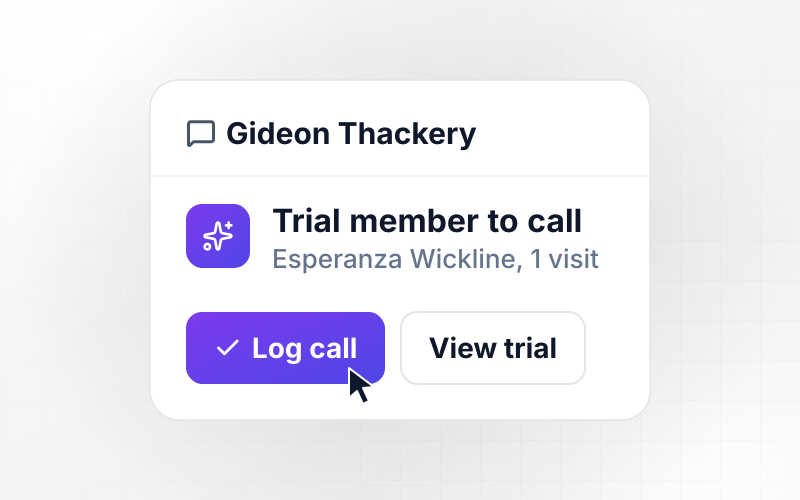
Reminders that end in a call list
Choose when an unfinished intake gets a reminder email and when it moves to a person instead. Open intakes land on a front desk list sorted by visit time, with phone numbers.
Card photos read into plan fields
Patients photograph the front and back of their insurance card, and AI turns each photo into fields. A value read with low confidence goes to a person before the record is saved.
Answers routed to one named person
Write a rule for any answer staff must act on, such as an allergy or a missing referral. The app tells that person in Slack, by email, or in the app that a record needs review.
A live board of tomorrow's arrivals
The dashboard lists tomorrow's patients with each intake marked finished, open, or held, and it updates as answers come in. Every answer is saved to a database you own.
The intake app's code, in your GitHub
Export the full code of the intake app to your GitHub repository on paid plans. A developer can host it on your own servers and connect it to new software as the practice adds it.
Four Intake Exceptions a Person Should See
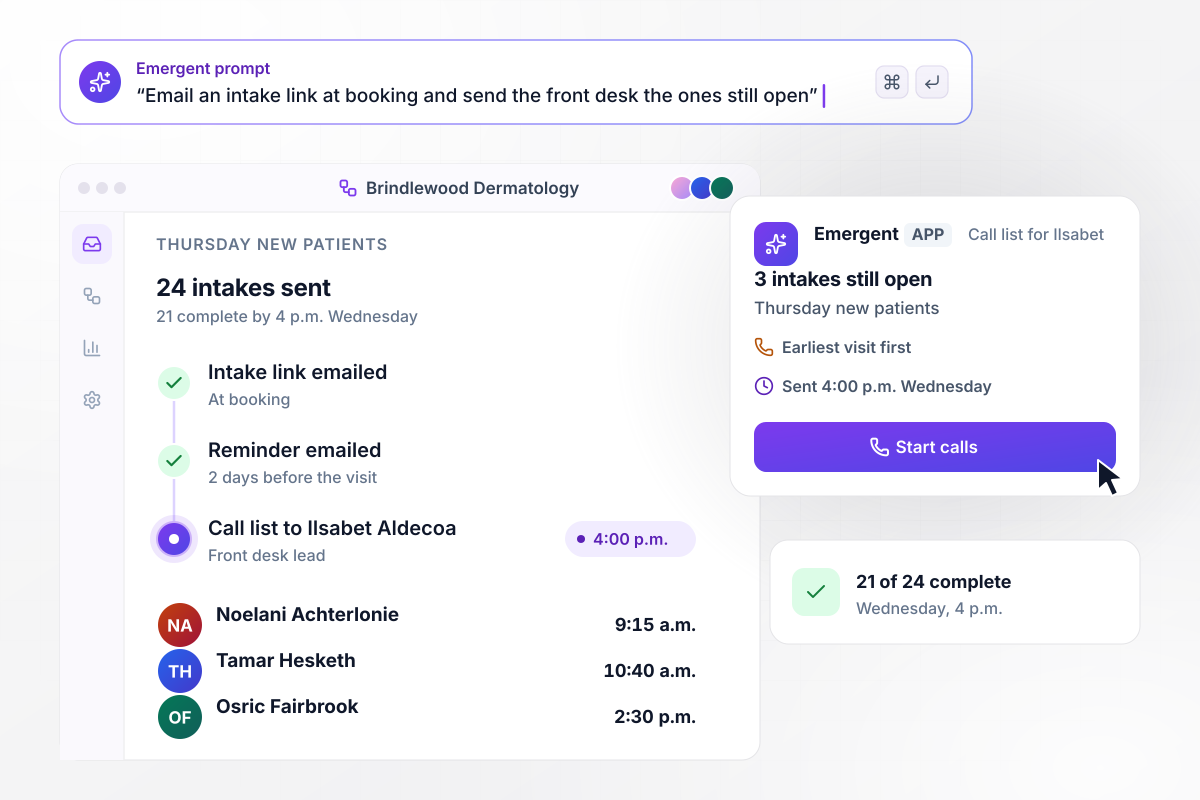
By 4 p.m. Wednesday, 3 open intakes reach the front desk
Brindlewood Dermatology has 24 new patients booked for Thursday. Each one got an intake link by email at booking, and anyone unfinished got a reminder 2 days before the visit. By 4 p.m. Wednesday, 21 intakes are complete. The app sends the 3 still open to Ilsabet Aldecoa, the front desk lead, as a call list.
window.awbMockup = { intakeReminders: "Email every new patient an intake link the moment they book. Two days before the visit, email a reminder to anyone who has not finished. At 4 p.m. the day before, send the front desk lead a call list of the intakes still open, with each patient's visit time and phone number, earliest visit first.", insuranceCards: "Ask each patient to photograph the front and back of their insurance card during intake. Read the plan name, group number, and member ID from the front of the card. If the member ID read from the card does not match the one the patient typed, hold the intake for my billing coordinator to check before the visit.", allergyAlerts: "Add a latex allergy question to the intake for every procedure visit. When a patient answers yes, add a latex flag next to the patient on the day sheet, and message the surgical assistant on that day's schedule that a new intake needs review before surgery. Keep the allergy answer in the app, not in the message.", duplicateRecords: "Send each finished intake to my scheduling system through its API as a new patient record. If the last name and date of birth match an existing patient, hold the intake in a merge queue for my records lead instead of creating a record. Show each day's count of new records and held intakes." };
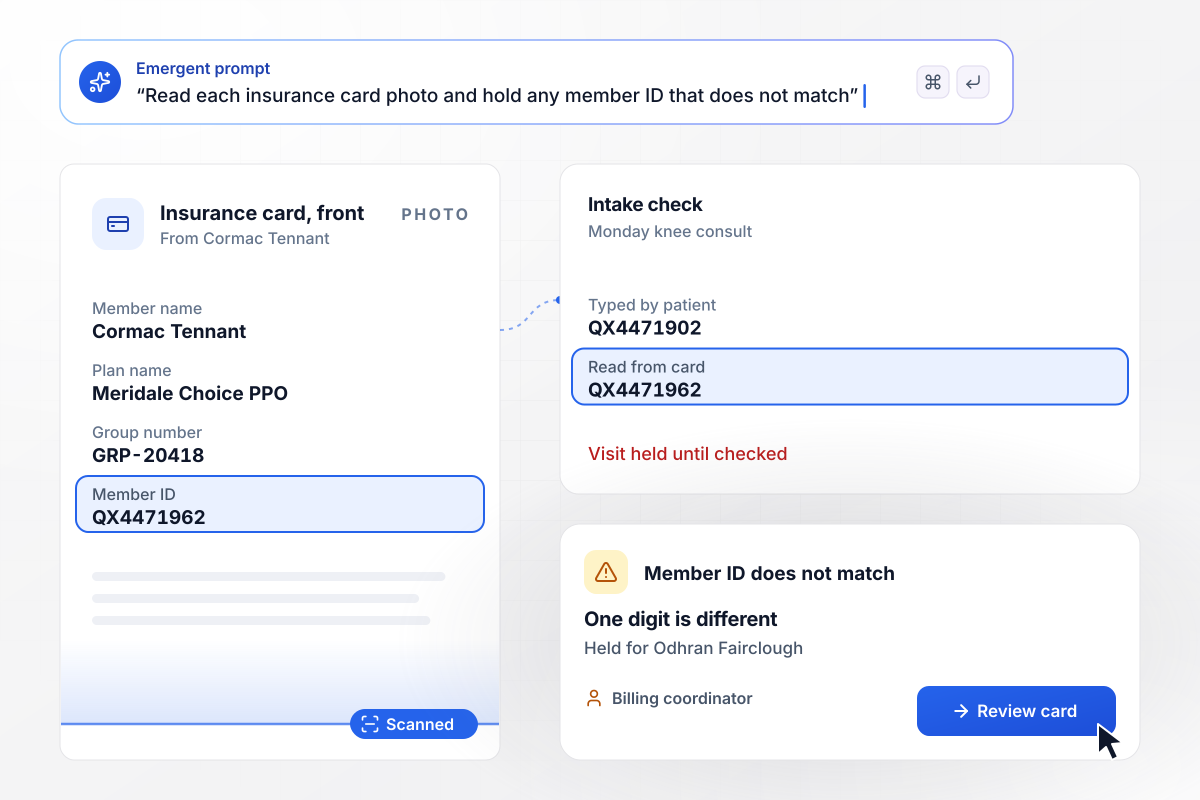
Billing checks a member ID that is one digit off
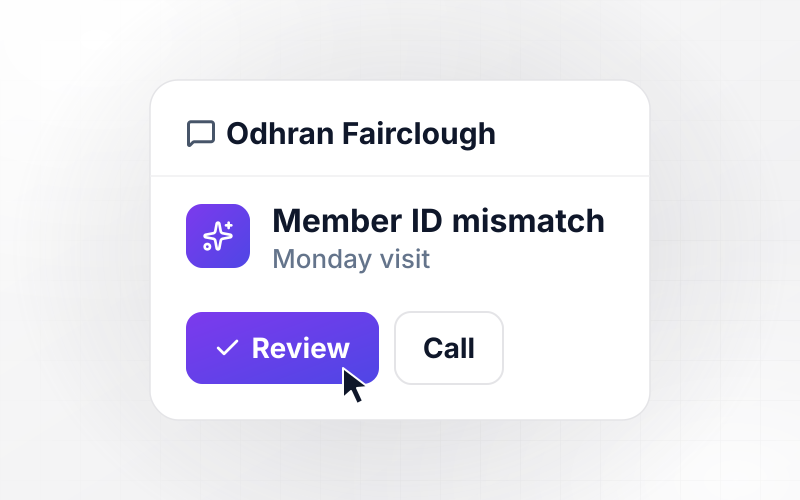
Cormac Tennant photographs both sides of his insurance card for a Monday knee consult at Coldharbor Orthopedics. AI reads the member ID from the front. He typed QX4471902, but the card reads QX4471962. The app holds the intake for Odhran Fairclough, the billing coordinator.
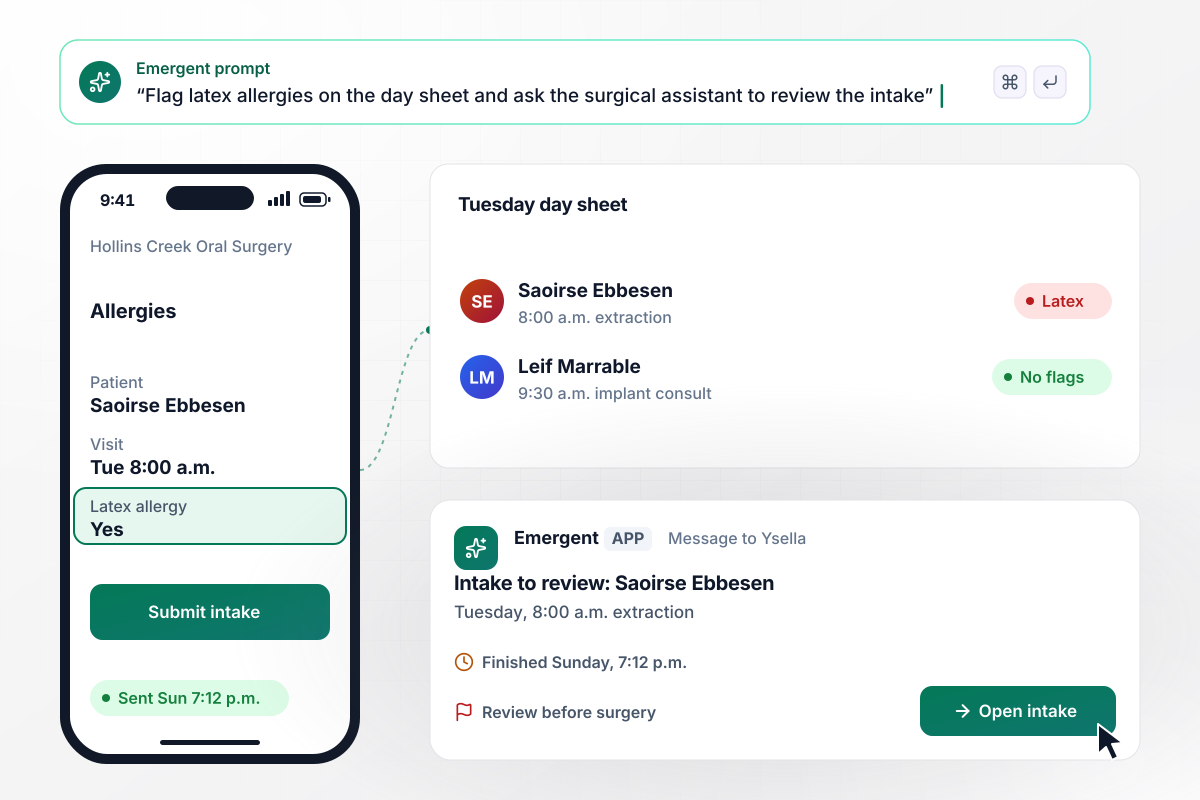
Before Tuesday, a latex allergy reaches the day sheet
Saoirse Ebbesen is booked for an extraction at Hollins Creek Oral Surgery on Tuesday at 8:00 a.m. On Sunday at 7:12 p.m., she answers yes to the latex allergy question. The app flags latex on the day sheet and tells Ysella Quellet, Tuesday's surgical assistant, that an intake needs review.
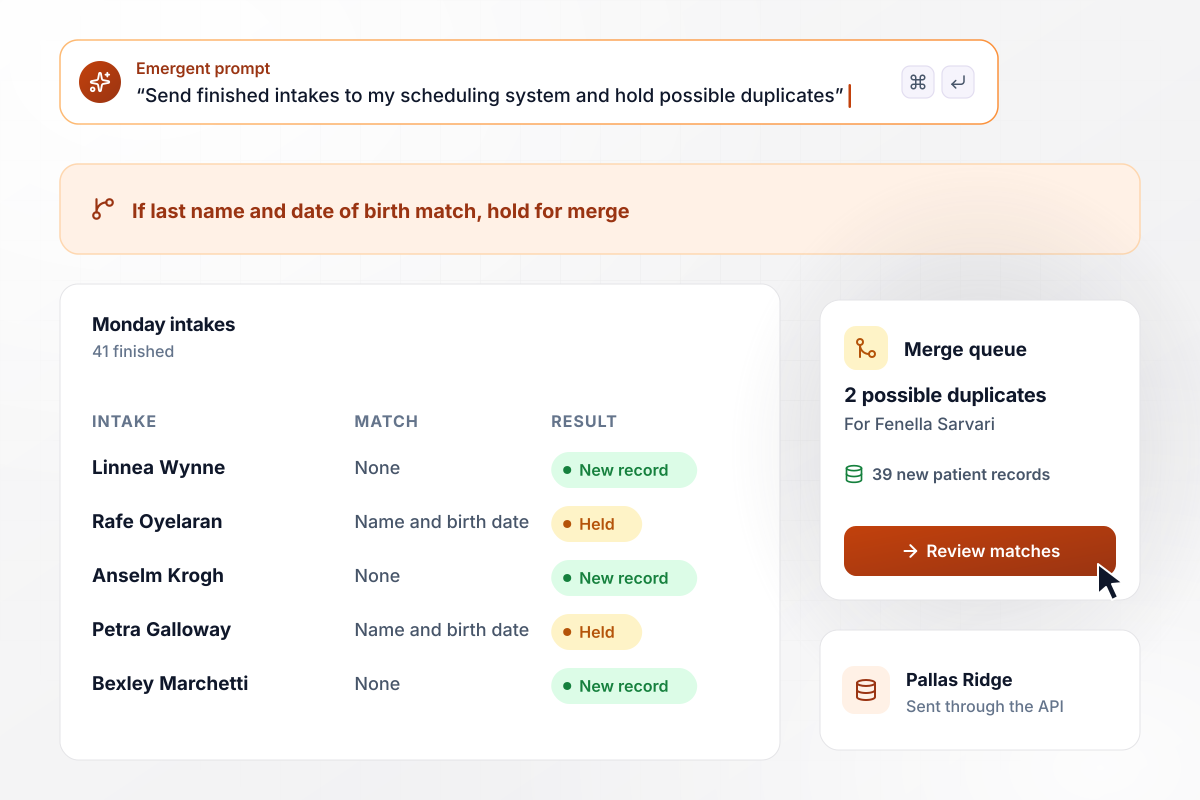
Two possible duplicates stay out of the patient records
Pallas Ridge Sleep Clinic sends each finished intake to its scheduling system through its API. On Monday, 41 intakes finish, and 39 become new patient records. The other 2 share a last name and date of birth with an existing patient, and wait in a merge queue for Fenella Sarvari, the records lead.






How to Automate Patient Intake
Seven steps to map your intake, give every exception an owner, and build patient intake automation with Emergent.
List every step from the booking call to the patient in the exam room: who sends the forms, how they come back, who types them into the scheduling system, and who checks insurance. Mark each step where a staff member waits on a patient.
Split the questions every new patient answers from the ones only one visit type needs, such as a procedure consent. Cut any question nobody on staff reads before the visit. Keep the intake short enough to finish on a phone in one sitting.
Pick two times for each visit type: the day an unfinished intake gets its reminder, and the hour the front desk takes over. Work back from the visit and leave a full afternoon to call patients who still have not finished.
List the answers that need a staff member before the visit, such as a mismatched member ID, an allergy, or a possible duplicate record. Put one named person against each, add a backup for days off, and choose how each person is told.
Connect your scheduling or practice management system through its API, so a booking starts the intake and a finished one returns as a patient record. Describe the rules from steps 2 to 4 in a prompt, and Emergent builds the app around them.
Load 10 of last week's bookings with made-up patient details and run them through the app. Leave one intake unfinished and upload one blurry card photo on purpose, then confirm that the reminder, the call list, and the review step all arrive.
Start with new patient visits for one provider. Watch the call list and the merge queue for two weeks, move the reminder earlier or later if calls pile up, and add the next visit type once nobody types intakes in by hand.
Why Automate Patient Intake With Emergent?
Emergent builds the intake rules, the front desk board, and the patient database as one app from a prompt, with no task cap.

|
Zapier | Make (Integromat) | n8n | |
|---|---|---|---|---|
| How you build | Prompt for the workflow and the app around it | Templates and editor, AI copilot | Visual canvas | Visual canvas, self-hosted or cloud |
| What you get | Workflow + trigger form + database + dashboard, as code you own | Zaps, plus Tables and Interfaces inside Zapier | Scenarios inside Make | Workflows inside n8n |
| Behavior at cap | Keeps running, no task cap | Overage billed at up to 1.25× the base rate | Runs pause | Cloud workflows stop until the reset or an upgrade |
| AI and agent steps | Native, share the same credit pool | Priced by model tier, drawn from the task pool | AI modules cost variable credits | Bring your own model API key, billed by the provider |
| Code ownership | Full code export to GitHub on paid plans | None | None | Yes on Community Edition |



Pick the Pricing Plan That Works for You
Choose the plan that fits your building ambitions. From weekend projects to enterprise applications, we've got you covered.




Find the right workflow automation
for you and your business
Frequently Asked Questions
Your Questions, Answered
Don't change this element unless you know what you are doing
More things you can build
with Emergent









on Emergent today


