

Build Tax Automation That Chases the Paperwork
Build tax automation that collects client documents and W-9s, chases what is missing, and tracks every return by status.
Build tax automation for my 140-client firm that emails each client a document checklist and tracks every return by status.
Trusted by Builders Worldwide
Active Builders Worldwide
Apps Successfully Created
Countries Globally Reached



What a Tax Season Runs On
Tax automation sends the requests and reminders around each return. Emergent builds it from a prompt; preparers keep the judgment.
Checklists drawn from last year's return
Each client gets a list of the forms their prior-year return used, with one upload link. The list updates as files arrive, and the preparer sees every missing form by name.
AI reads the form type on every upload
An AI step reads each uploaded file into fields such as the form type and the tax year it covers. Any field the AI is unsure of goes to a person on your team to confirm first.
W-9s on file before the first payment
The app requests a W-9 when a contractor is added and keeps it with that contractor's payment records, ready for Form 1099-NEC reporting. The app itself files nothing.
Reminders by email or Slack
Pick the day a reminder goes to a client and the day a late item moves to a partner. Each reminder names the missing item and links to it, with no tax figures or account numbers.
Connects to the tools your practice runs
The app connects to any tax or accounting tool with an API, such as QuickBooks or Xero. Client and return records sync in and out, and nobody on the team types a name twice.
Your tax app's code, in your GitHub
Export the app's full code to your GitHub repository on paid plans. Client records stay in a database you own, and your IT lead can review exactly who is able to open them.
Four Places Tax Paperwork Piles Up
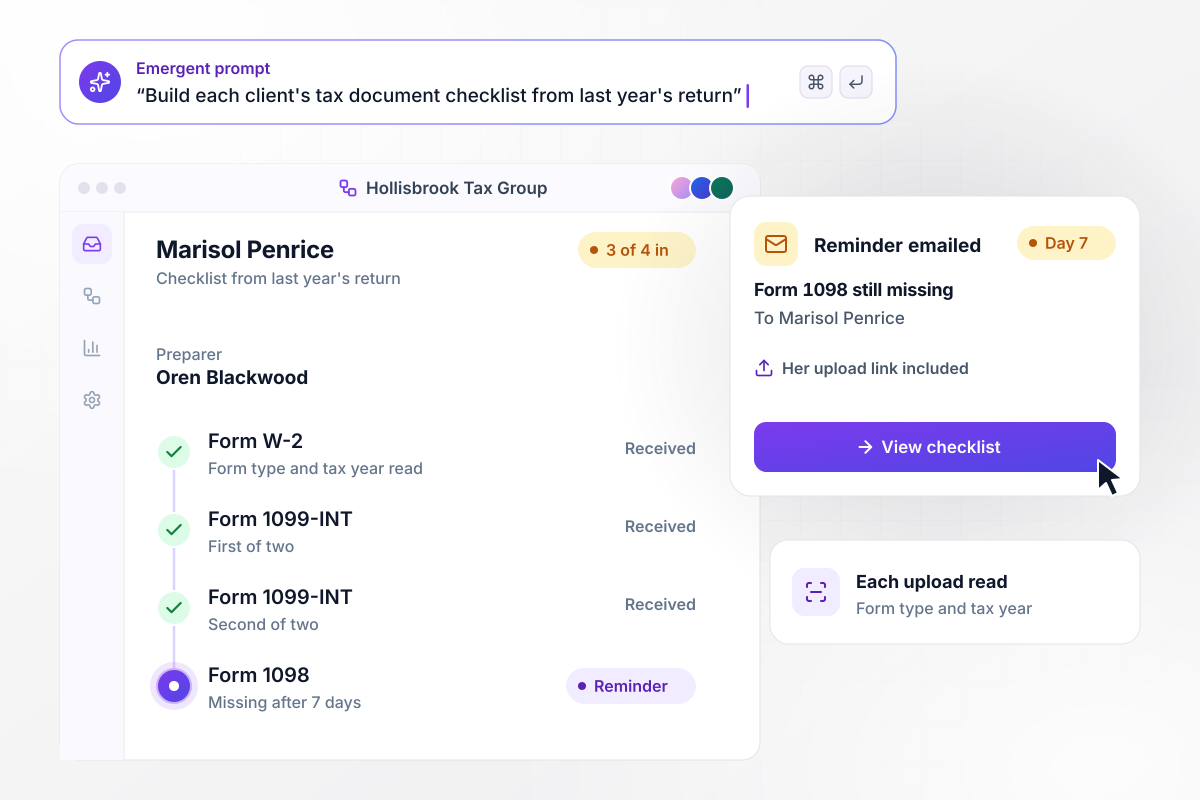
The 1098 is the one form still out
Hollisbrook Tax Group builds each client's checklist from last year's return. Marisol Penrice's list has a W-2, two 1099-INT forms, and a Form 1098. The app reads the form type and tax year on each upload and checks off 3 of the 4. With the 1098 still missing after 7 days, she gets an email reminder with her upload link.
window.awbMockup = { documentChecklists: "Build a document checklist for my tax firm's individual clients. Make each client's list from the forms on last year's return, such as a W-2, 1099-INT forms, and a Form 1098, with one upload link. Read the form type and tax year on every upload and check the item off. If an item is still missing after 7 days, email the client a reminder with the link.", contractorW9s: "Set up W-9 collection for my woodworking business. When I add a contractor, email them a W-9 request with an upload link. Keep each W-9 with that contractor's payment records. If a contractor has no W-9 on file, hold their invoices out of the Friday payment run until the form arrives, and show me who is still missing one.", engagementLetters: "Create engagement letter tracking for my tax practice. Send every client their engagement letter for e-signature. Open the client's prep task only after the letter is signed. If a letter is still unsigned after 10 days, send our partner, Halvard Nyquist, one Slack direct message listing those clients by name.", returnStatusBoard: "Build a return status board for my tax firm. Show every return as a card in one of four columns: waiting on documents, in prep, in review, and ready to file, with the preparer and the date of the last upload. Twenty-one days before our March 31 cutoff, send our partner, Faustina Strachan, the returns still waiting on documents as one list in the app." };
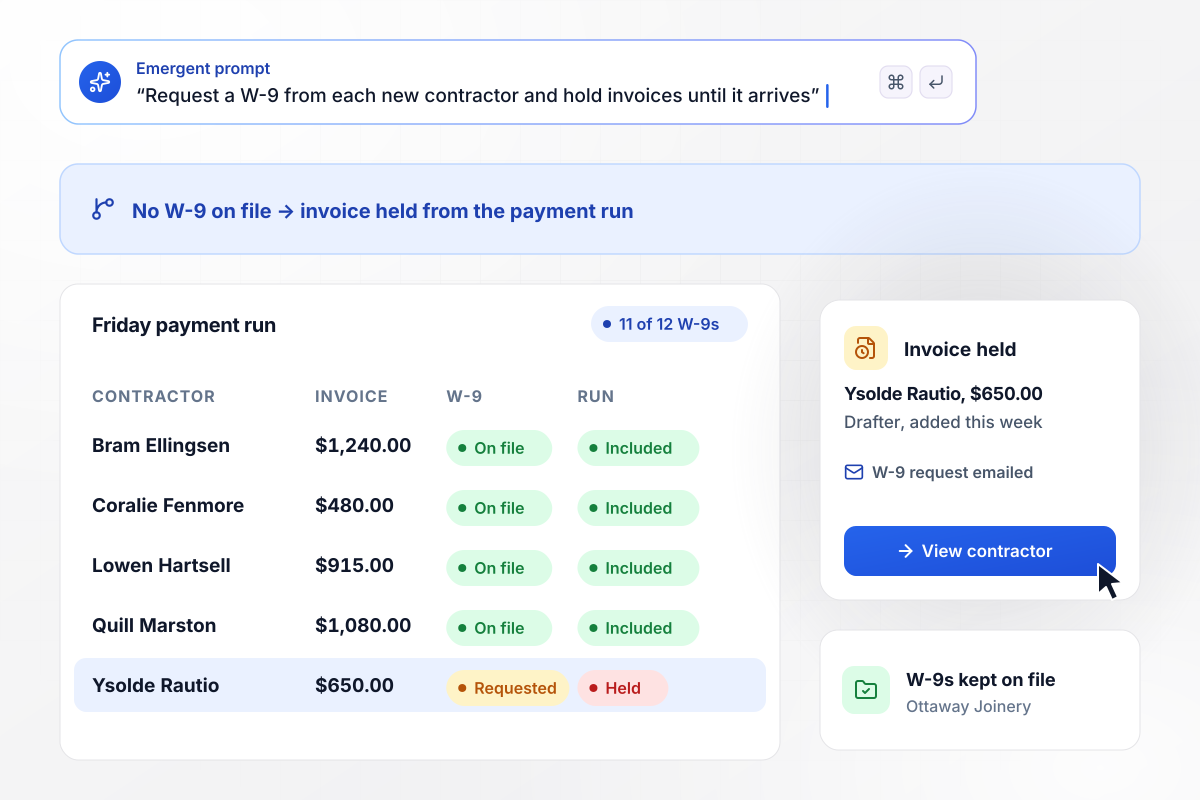
No W-9 on file, no place in the payment run
Ottaway Joinery pays 12 contractors, and 11 have a W-9 on file. When drafter Ysolde Rautio is added, the app emails her a W-9 request. Her $650.00 invoice stays out of Friday's payment run until the form arrives, and the W-9 is kept with her payment records.
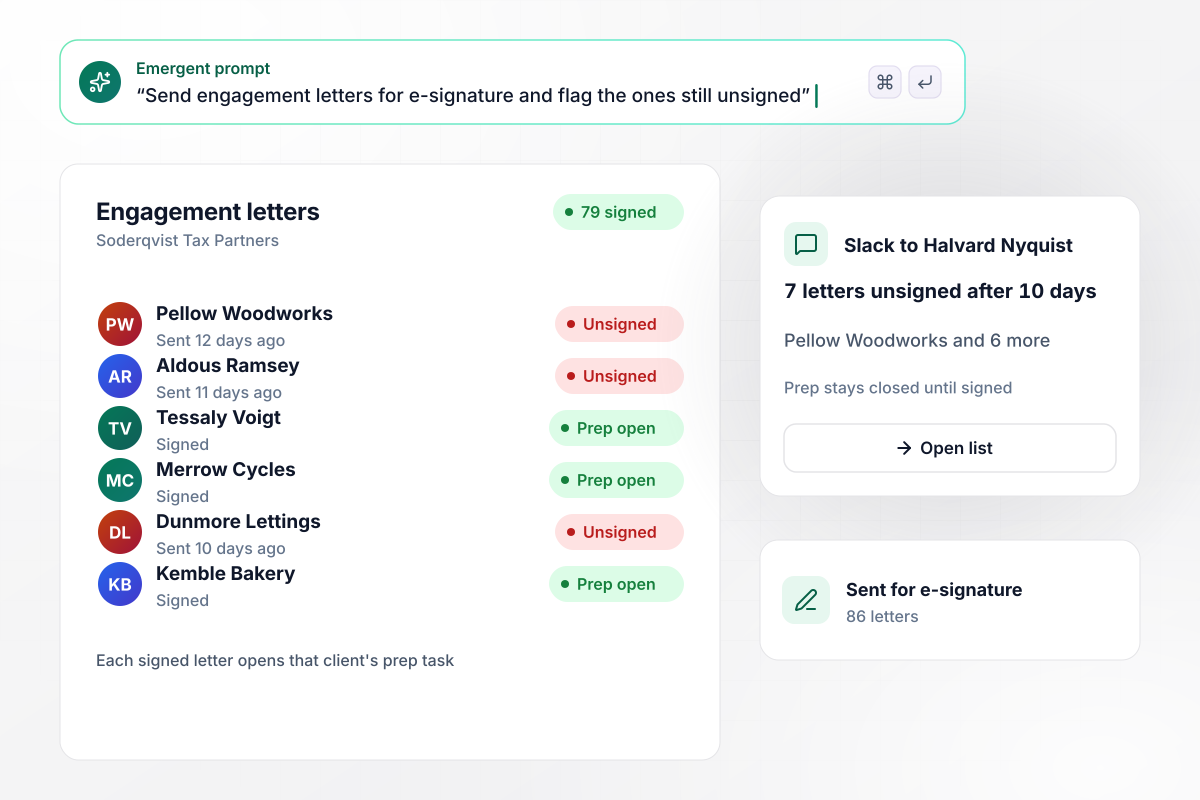
79 of 86 letters signed, 7 with the partner
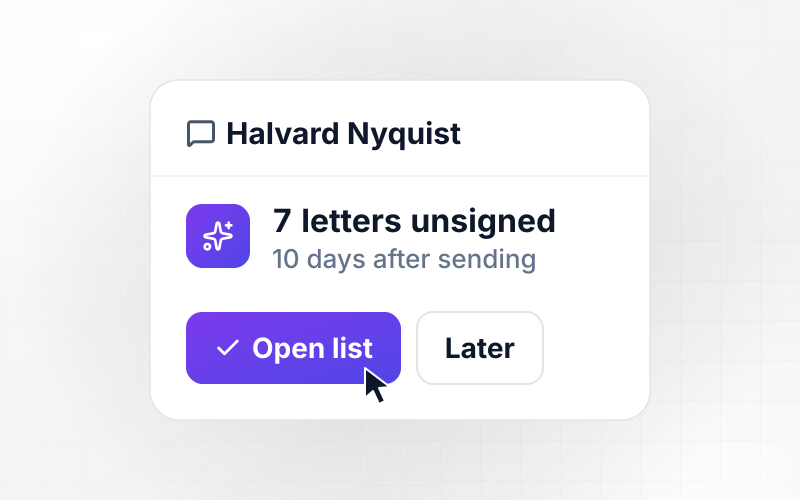
Every engagement letter at Soderqvist Tax Partners goes out for e-signature, 86 in all. A client's prep task opens only once the letter is signed, and 79 are open. The 7 letters still unsigned after 10 days reach partner Halvard Nyquist in one Slack direct message with the client names.
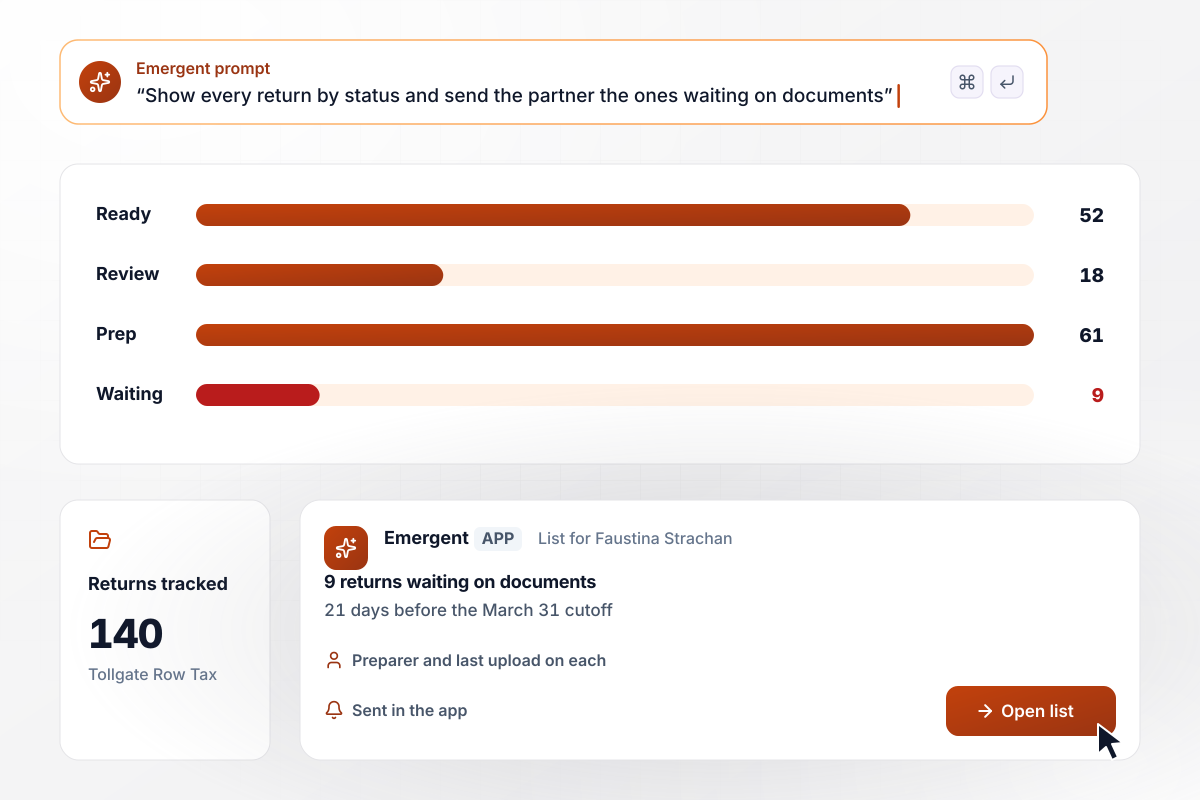
The board shows 9 returns short of documents
Tollgate Row Tax tracks 140 returns on one board: 52 ready to file, 18 in review, 61 in prep, and 9 waiting on documents. Each card shows the preparer and the date of the last upload. Partner Faustina Strachan gets the 9 waiting returns as one list in the app, 21 days before the firm's March 31 cutoff.






How to Build Tax Automation
Seven steps to build tax automation for your firm's paperwork, tested on last season's clients before the next season opens.
Write down the tax work that comes back every season: document requests, W-9s, engagement letters, and status updates for partners. Next to each job, note who chases it today, which tool holds the file, and how many hours it takes.
Export last season's client list with the forms each return used. That list becomes every client's checklist, and nobody starts from a blank request. Describe the list and its rules in a prompt, and Emergent builds the tracker and its database.
Decide two numbers for each job: the day a client gets a reminder, and how many days late an item can run before a partner hears about it. Keep each reminder to the item and a link, with no tax figures in the message.
Connect your tax software and document storage through their APIs. Client names and return status then sync in both directions, and a preparer works from one record instead of retyping details from two or three tools.
Walk the accountant who signs off on returns through every rule before it runs: which forms each checklist expects, who signs the engagement letter, and when an invoice is held. The app follows your rules and gives no tax advice.
Run the checklists for 10 clients from last season whose files you already have. Confirm that each upload is read as the right form and year, that reminders name the right item, and that partners hear only about late items.
Once document requests run cleanly, add the next job, such as W-9s or the status board. Each one is a new prompt on the same app and database, and the board can then show every return with its engagement letter and documents.
Why Automate Tax Work With Emergent?
Emergent builds the workflow and your preparers' screens on a database you own, with no task cap in the busiest week of the season.

|
Zapier | Make (Integromat) | n8n | |
|---|---|---|---|---|
| How you build | Prompt for the workflow and the app around it | Templates and editor, AI copilot | Visual canvas | Visual canvas, self-hosted or cloud |
| What you get | Workflow + trigger form + database + dashboard, as code you own | Zaps, plus Tables and Interfaces inside Zapier | Scenarios inside Make | Workflows inside n8n |
| Behavior at cap | Keeps running, no task cap | Overage billed at up to 1.25× the base rate | Runs pause | Cloud workflows stop until the reset or an upgrade |
| AI and agent steps | Native, share the same credit pool | Priced by model tier, drawn from the task pool | AI modules cost variable credits | Bring your own model API key, billed by the provider |
| Code ownership | Full code export to GitHub on paid plans | None | None | Yes on Community Edition |



Pick the Pricing Plan That Works for You
Choose the plan that fits your building ambitions. From weekend projects to enterprise applications, we've got you covered.




Find the right workflow automation
for you and your business
Frequently Asked Questions
Your Questions, Answered
Don't change this element unless you know what you are doing
More things you can build
with Emergent









on Emergent today


