

Build Gmail Automation That Goes Past Filters
Build Gmail automation that turns each incoming email into a record with an owner and a deadline, in a database you own.
Build Gmail automation that reads supplier invoices from my accounts inbox and saves each one as a record for review.
Trusted by Builders Worldwide
Active Builders Worldwide
Apps Successfully Created
Countries Globally Reached



What the App Does With Each Email
Emergent builds the whole Gmail workflow from one prompt, with the records it writes and the screen your team works from.
Starts the moment an email lands
Connects to your Gmail account through its API. Each new message starts a run, and the app sorts it by who sent it and what the subject line says before any rule acts on it.
Reads attachments into fields
An AI step turns an attached invoice or receipt into fields such as vendor, amount, and due date. Any value the AI is unsure of goes to a teammate to confirm before the record saves.
Gives every email an owner
You write the routing rules, such as the team size in an inquiry or the sender's domain. The app sends each email to the right person by Slack or email alert and records who has it.
Chases the replies that never came
Set how many days a sent quote or request can sit without an answer. The app sends a follow-up from your own address in the same thread, then alerts you if that goes quiet too.
Keeps every thread in your database
Each email the app handles becomes a row with its status and the person who owns it right now. The data sits in a database you own, and there is no cap on the tasks it runs.
Your Gmail app's code, in GitHub
Export the full code to your GitHub repository on paid plans. A developer can read every routing rule and API call, and change how the app treats a sender without starting over.
Four Inboxes Worth Automating First
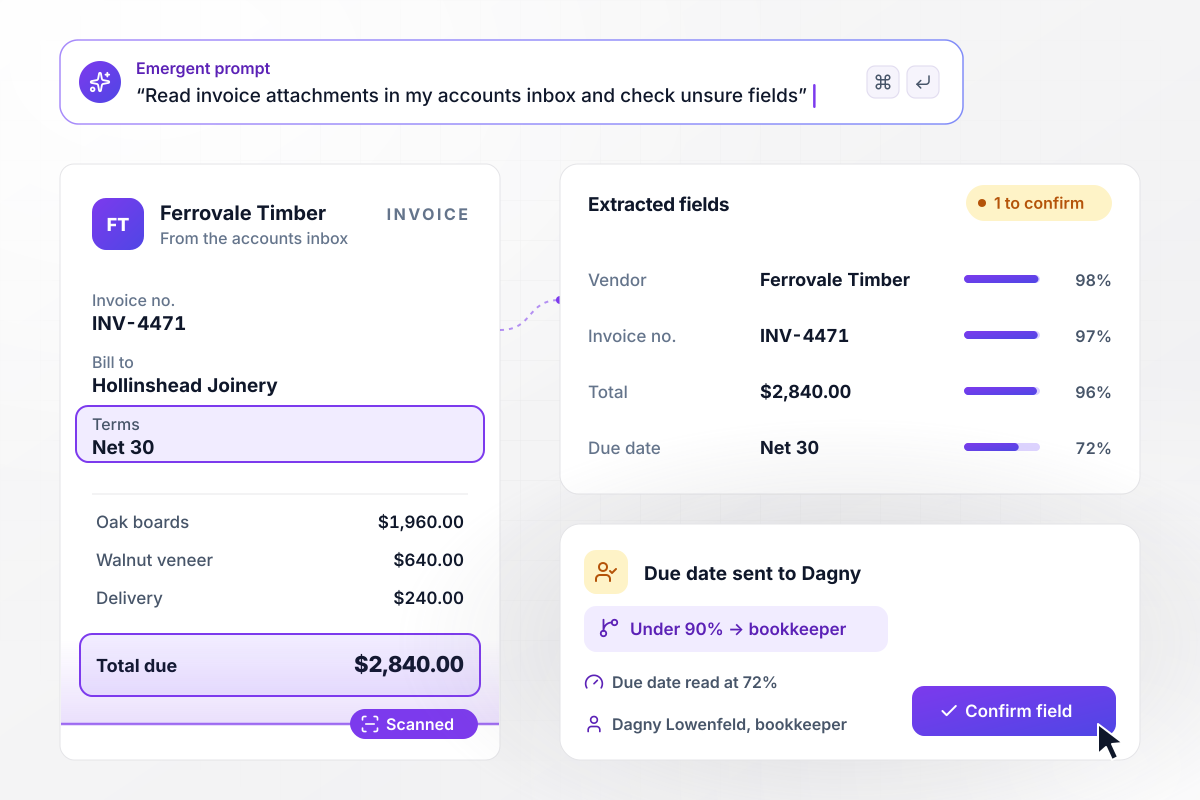
Dagny signs off on any field under 90%
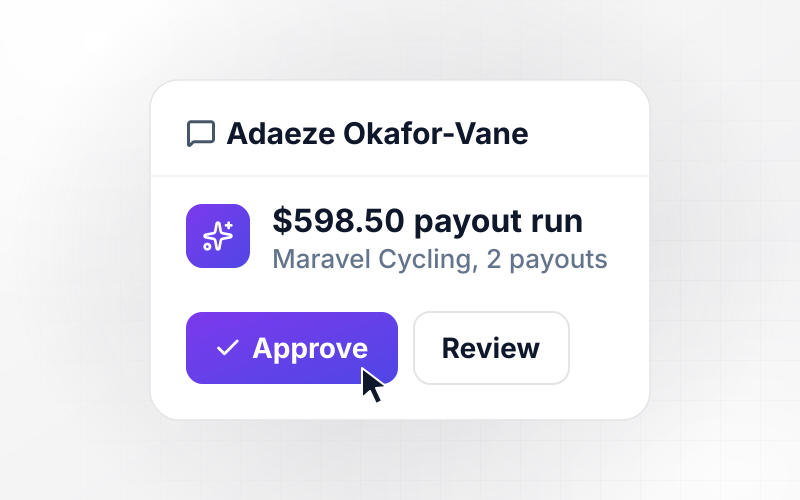
Invoices reach Hollinshead Joinery's accounts inbox as attachments. The app reads INV-4471 from Ferrovale Timber into vendor, invoice number, total, and due date. Any field read under 90% confidence waits for bookkeeper Dagny Lowenfeld, and the due date is one. Once she confirms, the $2,840.00 bill is saved.
window.awbMockup = { invoiceInbox: "Read supplier invoices that arrive as attachments in my joinery's accounts inbox in Gmail. For each email, pull the vendor, invoice number, total, and due date from the attached invoice. If any field reads under 90% confidence, send it to my bookkeeper to confirm before the bill is saved. Keep every invoice and its email on one record.", salesInquiries: "Turn emails to my coworking space's sales inbox into leads. Read each inquiry and save the company, team size, and start month to a new lead record. If the team is 10 people or more, send my sales lead a Slack direct message with the lead. Leave smaller teams in the sales inbox and show every lead on a dashboard.", quoteFollowUps: "Follow up on quotes my team sends from Gmail. Log each sent quote with the client, the amount, and the thread. If the client has not replied after 3 days, send a short follow-up from the sender's account in the same thread. If there is still no reply after 7 days, mark the quote cold and alert the sender.", supportTickets: "Run my bike hire shop's support inbox in Gmail. Reply to each new email with a ticket number and save it as a ticket with the customer and the subject. If a ticket has no answer from the team after 4 hours, send my support lead a Slack direct message with the customer's email attached, and keep the ticket at the top of the list." };
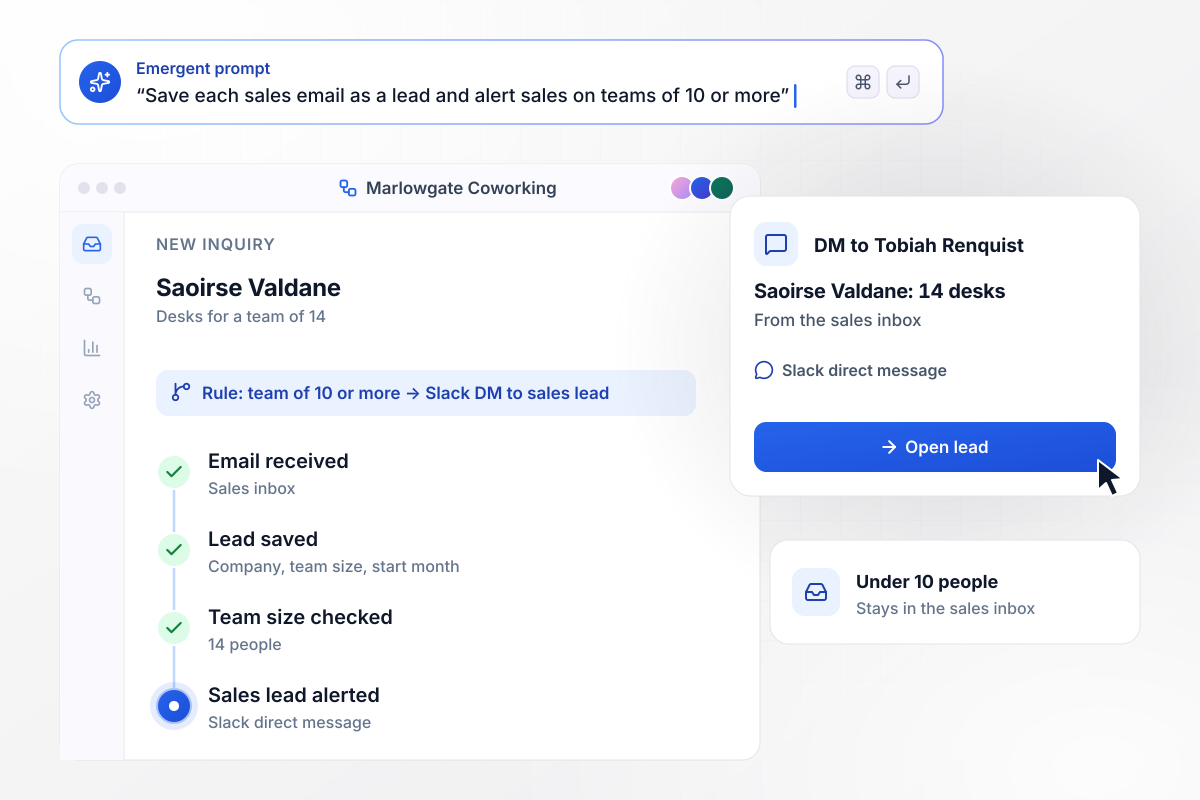
Teams of 10 or more reach sales the same hour
Saoirse Valdane emails Marlowgate Coworking's sales inbox about desks for her team of 14. The app saves her company, team size, and start month to a new lead. Any inquiry for 10 or more people goes to sales lead Tobiah Renquist by Slack direct message. Smaller teams stay in the sales inbox.
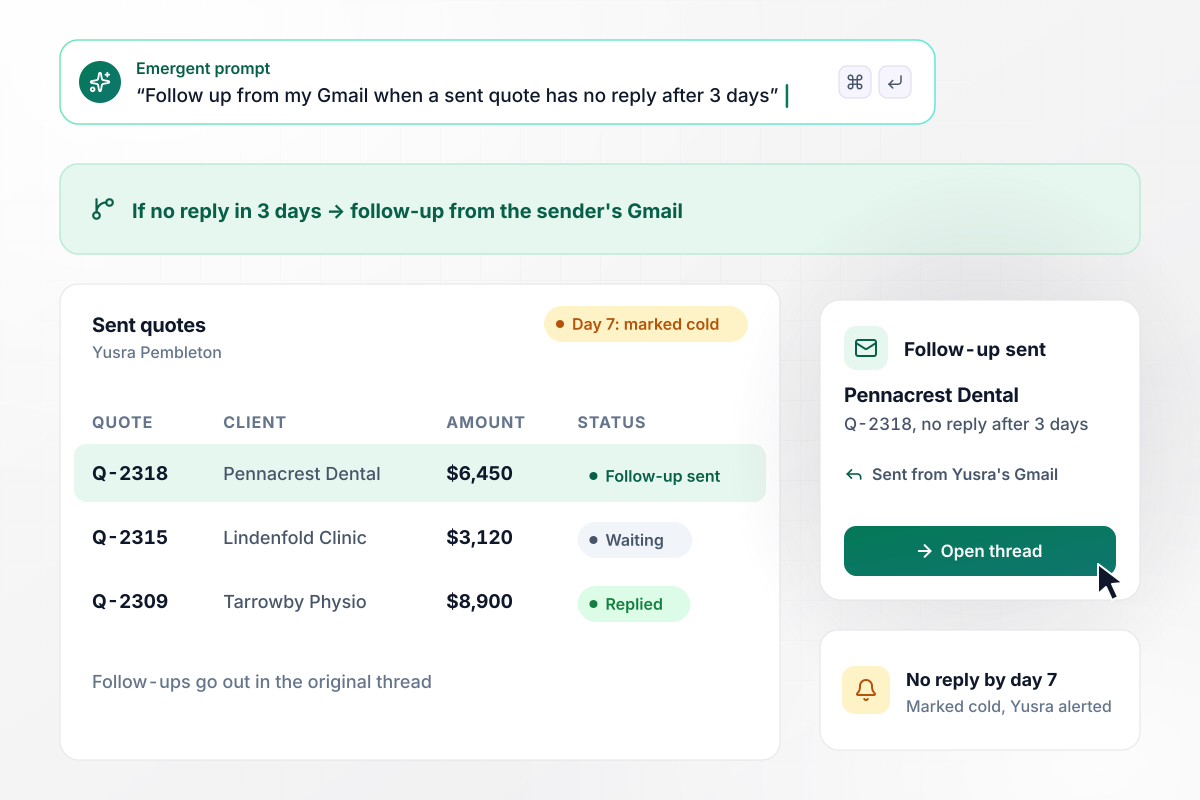
Unanswered after 3 days means a second email
Yusra Pembleton sends quote Q-2318 for $6,450 to Pennacrest Dental from her Gmail account, and the app logs it against the thread. With no reply after 3 days, the app sends a short follow-up from her account in the same thread. If 7 days pass with nothing back, the quote is marked cold and Yusra gets an alert.
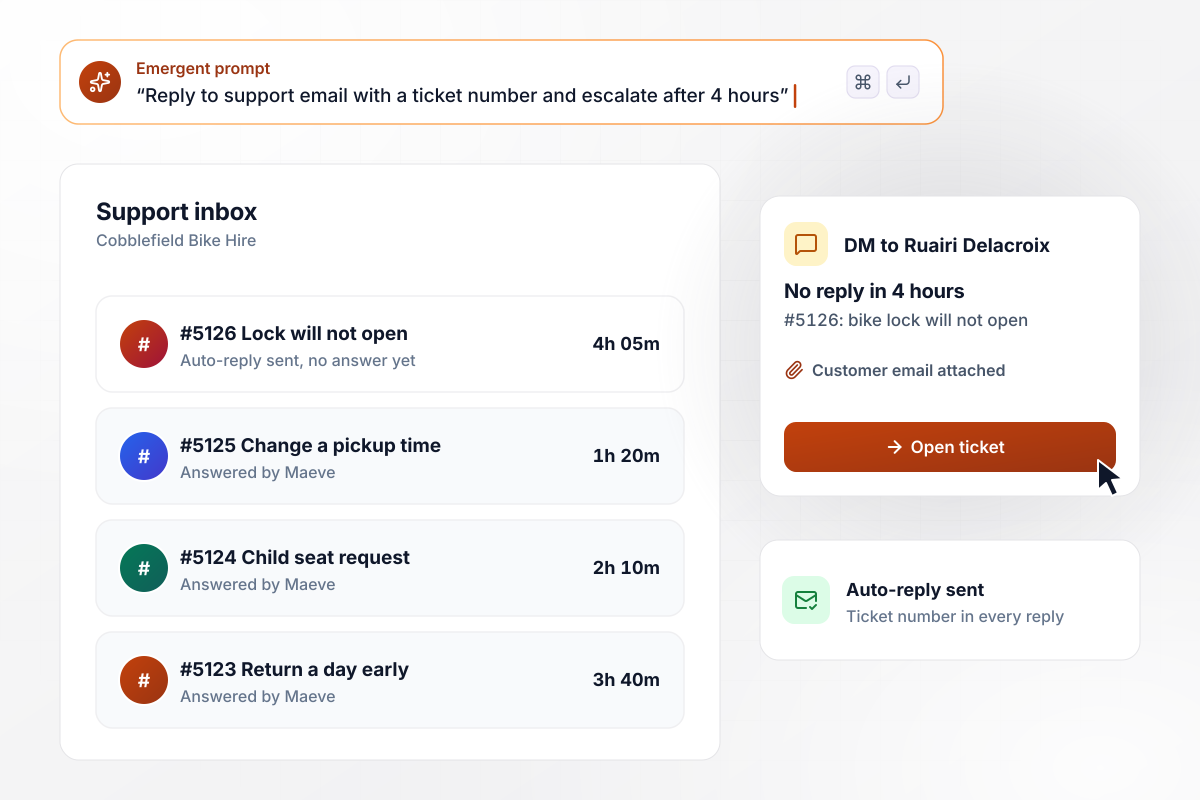
After 4 quiet hours, Ruairi gets the ticket
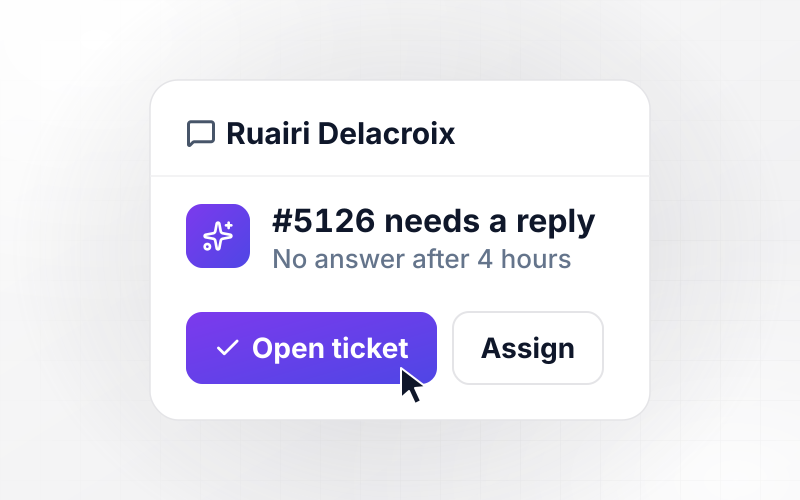
Each email to Cobblefield Bike Hire's support address gets an automatic reply with a ticket number. Ticket #5126, about a bike lock that will not open, has had no answer for 4 hours. Any ticket quiet that long goes to support lead Ruairi Delacroix by Slack direct message, with the customer's email attached.






How to Build Gmail Automation
Seven steps to set up Gmail automation for one inbox, test it on real mail, and then move on to the next inbox.
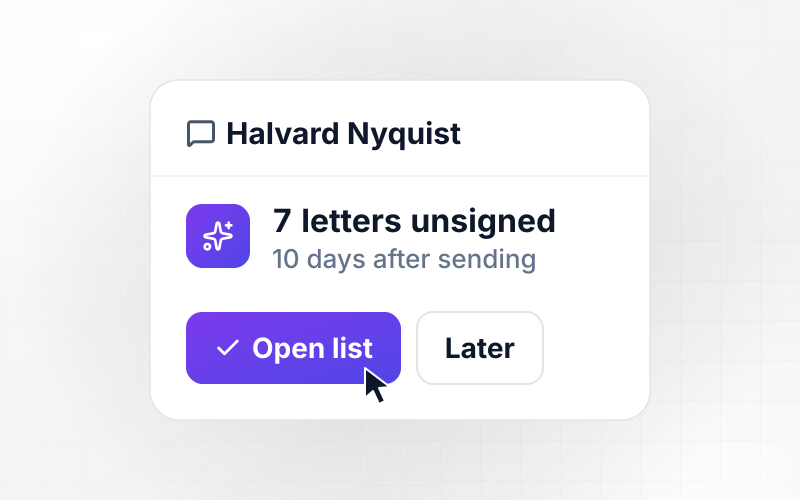
List the shared addresses and personal inboxes your team reads each day, such as accounts or support. Count a normal week of mail in each. Start with the inbox where someone retypes email into another system, because that is where errors and delays pile up.
Take ten recent emails from that inbox and note what someone did with each one: where the details went and who got told. Those notes become the rules. An email nobody acted on belongs in a filter, not an app.
Give the app access to the Gmail account through its API, along with the tools the email ends up in: your accounting system or CRM. Use a shared address for team inboxes. Then the workflow never depends on one person's login.
Every rule needs a number someone agreed to. Think of the confidence below which a person checks an extracted field, the team size that counts as a large lead, the days before a follow-up, the hours before an escalation. Write them down before you build.
Tell Emergent which inbox to watch, what to pull from each email, where to save it, and who hears about the exceptions. Emergent builds the workflow and the database behind it. You change any rule later by prompting, without starting over.
Write five emails from a second account that match the cases in your notes, including one that should reach a teammate. Check that each one lands on the right record, that the reply reads well, and that the alert reaches the person you named.
Read every email the app passed to your team and every one it handled alone. Where it handed off something your records could answer, add that rule by prompting. When the hand-offs settle, move to the next inbox on your list.
Why Run Gmail Automation on Emergent?
Emergent builds the app around your inbox, with its own records and owners, and you change any rule by prompting.

|
Zapier | Make (Integromat) | n8n | |
|---|---|---|---|---|
| How you build | Prompt for the workflow and the app around it | Templates and editor, AI copilot | Visual canvas | Visual canvas, self-hosted or cloud |
| What you get | Workflow + trigger form + database + dashboard, as code you own | Zaps, plus Tables and Interfaces inside Zapier | Scenarios inside Make | Workflows inside n8n |
| Behavior at cap | Keeps running, no task cap | Overage billed at up to 1.25× the base rate | Runs pause | Cloud workflows stop until the reset or an upgrade |
| AI and agent steps | Native, share the same credit pool | Priced by model tier, drawn from the task pool | AI modules cost variable credits | Bring your own model API key, billed by the provider |
| Code ownership | Full code export to GitHub on paid plans | None | None | Yes on Community Edition |

Pick the Pricing Plan That Works for You
Choose the plan that fits your building ambitions. From weekend projects to enterprise applications, we've got you covered.




Find the right workflow automation
for you and your business
Frequently Asked Questions
Your Questions, Answered
Don't change this element unless you know what you are doing
More things you can build
with Emergent









on Emergent today


