

Build Prior Authorization Automation for Your Practice
Build prior authorization automation that tracks each request, flags late decisions, and starts renewals before visits run out.
Build prior authorization automation for my orthopedic practice that tracks each payer request and flags late decisions.
Trusted by Builders Worldwide
Active Builders Worldwide
Apps Successfully Created
Countries Globally Reached



What Your Prior Authorization Tracker Handles
The tracker sits between your practice and each payer and keeps the full record of every request in one place.
A document checklist for each payer
List what each payer asks for by service, such as an office note or an imaging report. A request stays held until its checklist is complete, and the app names what is missing.
Rules described in plain sentences
Describe how requests move between staff and when a late one escalates. Emergent builds the tracker and its database from that description, and another prompt changes any rule later.
Faxed and scanned letters read into fields
Upload a payer's decision letter, and AI reads the decision, the approved visits, and the authorization number into the request. A low-confidence value waits for a person.
Alerts that carry a number, not a chart
A late request sends its coordinator an alert in Slack, by email, or in the app with the request number and a link. No patient details ever travel inside the alert itself.
Connected to the systems you run today
The app connects to your scheduling or billing system through its API. A new order arrives as a request, and every letter and decision on it is saved in a database you own.
Your tracker's code in your GitHub
Export the full code of the tracker to your GitHub repository on paid plans. Your IT team can read how requests are stored and who can open them before the app goes live.
Four Requests at One Orthopedic Practice
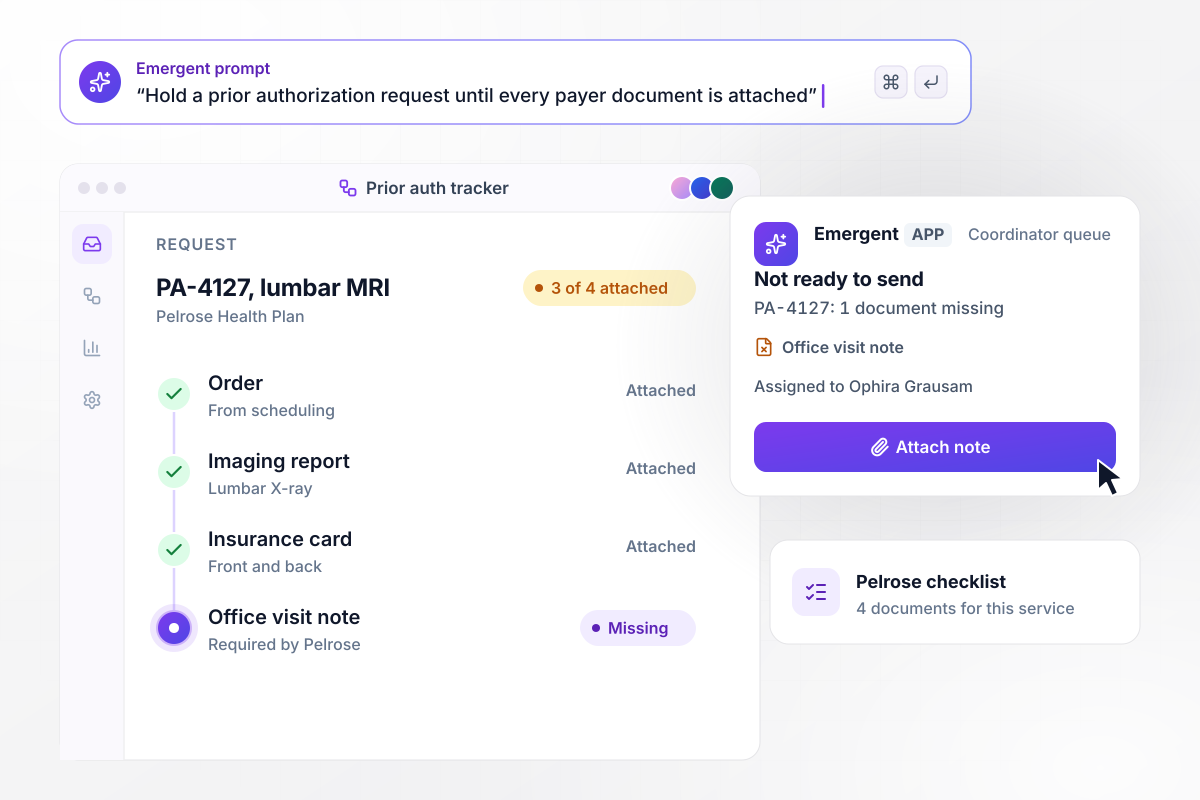
Held until all four documents are attached
Request PA-4127 for a lumbar MRI comes in from the scheduling system at Calderbank Orthopedics. Pelrose Health Plan's checklist for that service asks for 4 documents, and 3 are attached. The office visit note is missing. The app marks the request Not ready to send and assigns it to Ophira Grausam.
window.awbMockup = { payerChecklists: "Keep a document checklist for each payer and service. When a prior authorization request comes in from our scheduling system, compare its attachments with the payer's checklist. If anything is missing, hold the request in the coordinator's queue, mark it Not ready to send, and name the missing document.", approvalLetters: "When a payer's decision letter is uploaded as a scan, read the decision, the approved visits, the approval window, and the authorization number into the request record. If any field reads at low confidence, hold the record for a person to check that field against the letter before it is saved.", lateDecisions: "Give each standard prior authorization request 3 business days after it is sent to the payer. If no decision is logged by then, mark the request late and send the coordinator a Slack direct message that says only that the request needs action, with an Open request button and no patient details.", visitRenewals: "Track the visits used on each approved prior authorization. When an approval has 2 visits left, open a renewal task, copy the original request's documents into it, and email the coordinator a link to the task. Show every approval with its visits used and approved." };
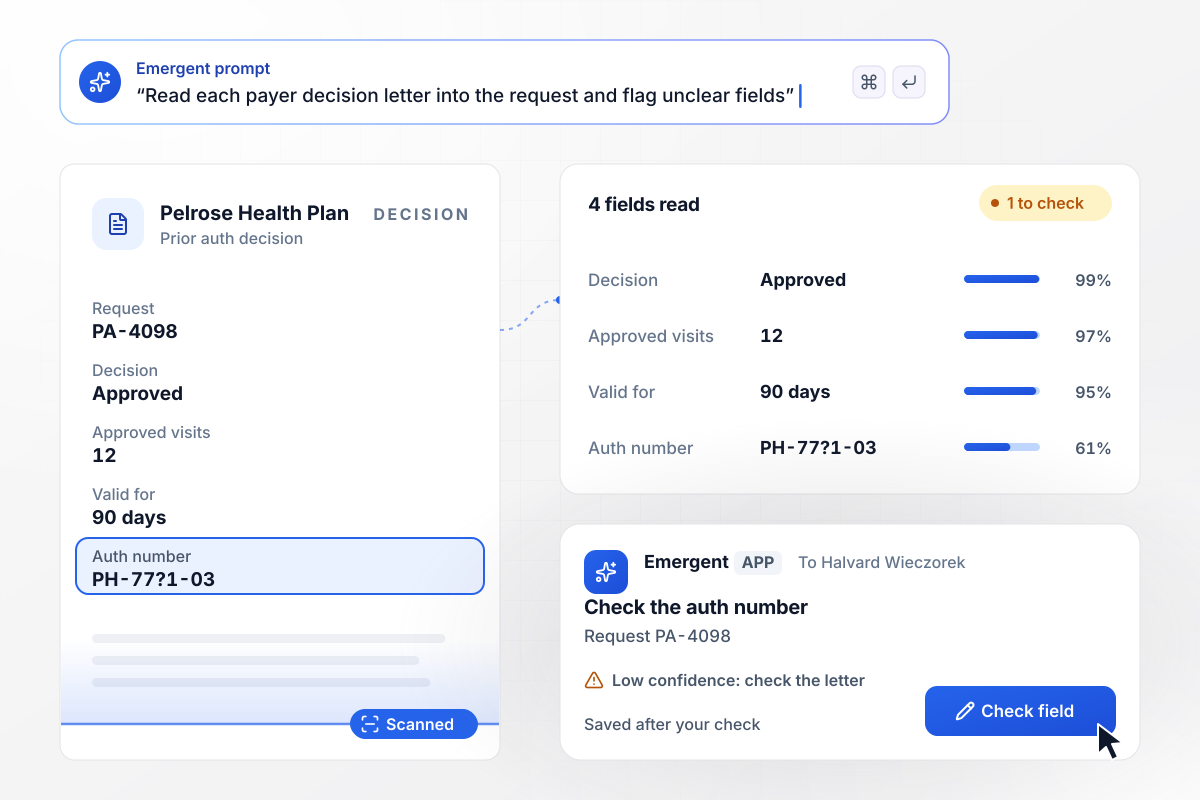
The approval letter fills four fields in the record
Pelrose's decision on PA-4098 arrives as a scanned letter. The app reads four fields: the decision, 12 approved physical therapy visits, a 90-day approval window, and the authorization number. That number reads at low confidence, and Halvard Wieczorek checks it against the letter before the record is saved.
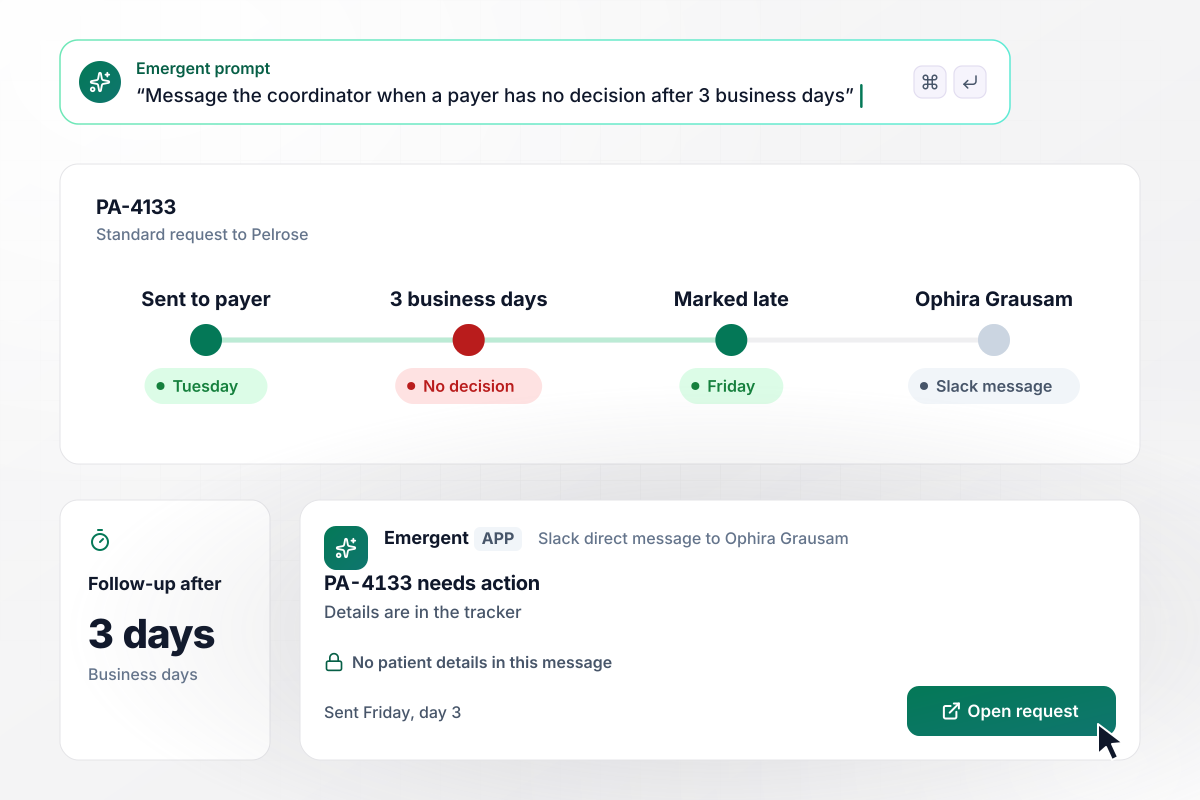
Ophira hears on day 3 when the payer is silent
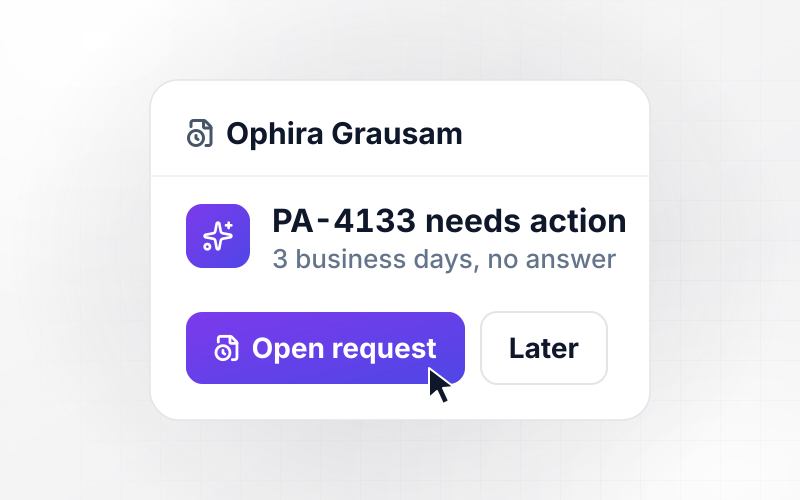
Request PA-4133 went to Pelrose on a Tuesday, and Calderbank gives each standard request 3 business days before a coordinator follows up. By Friday there is still no decision. The app marks PA-4133 late and sends Ophira a Slack direct message that says only that the request needs action, with an Open request button.
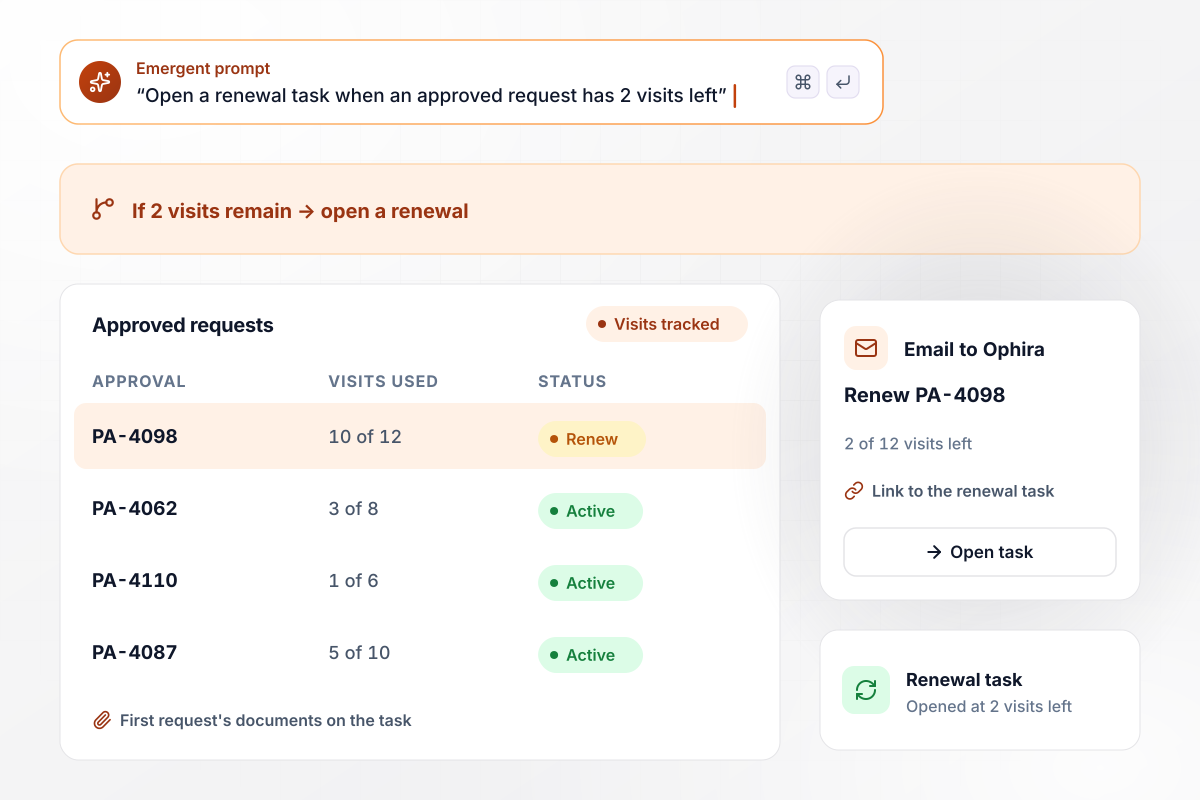
Renewal starts when 2 of 12 visits remain
Approval PA-4098 covers 12 physical therapy visits, and 10 are used. Calderbank's rule opens a renewal task when 2 visits remain, which leaves room to send a new request before the last visit. The app emails Ophira a link to the task, and the renewal starts with the first request's documents attached.






How to Automate Prior Authorizations
Seven steps to plan prior authorization automation around each payer's rules, then build and test the tracker with Emergent.
Pull last month's prior authorization requests and sort them by payer and service. Count how many waited on a missing document, how many sat without a decision, and how many approvals ran out before a renewal went in. Start with the costliest problem.
For each payer and service you request often, list every document that payer wants before it will review a request. Take the list from the payer's own policy, and record the page you took it from. A coordinator can then recheck it when the policy changes.
Decide how many business days a standard request may wait before someone follows up, and name that person. Write the rule the way you would brief a new coordinator, then paste those sentences into the prompt that describes the tracker.
Link the system where orders are entered, and map its payer and service fields to the request record. Then pick the folder where staff upload scanned decision letters, and name the person who checks any field the app reads at low confidence.
Keep each alert to an identifier and a link, nothing more. The coordinator opens the request in the app to see the details. Ask whoever owns privacy at the practice which staff may open each screen before anyone starts using it.
Run 20 closed requests through the tracker before it touches a live one. Check that every hold and every alert landed on the right day. Fix a rule with a prompt, then run the same 20 again until every result matches.
Turn the tracker on for one payer with steady volume, and watch two weeks of live requests. Read every alert and every field a person had to correct. Add the next payer once the first one runs without corrections.
Why Build Your Request Tracker With Emergent?
Emergent builds the workflow and the app your coordinators use from one prompt, with no task cap as request volume grows.

|
Zapier | Make (Integromat) | n8n | |
|---|---|---|---|---|
| How you build | Prompt for the workflow and the app around it | Templates and editor, AI copilot | Visual canvas | Visual canvas, self-hosted or cloud |
| What you get | Workflow + trigger form + database + dashboard, as code you own | Zaps, plus Tables and Interfaces inside Zapier | Scenarios inside Make | Workflows inside n8n |
| Behavior at cap | Keeps running, no task cap | Overage billed at up to 1.25× the base rate | Runs pause | Cloud workflows stop until the reset or an upgrade |
| AI and agent steps | Native, share the same credit pool | Priced by model tier, drawn from the task pool | AI modules cost variable credits | Bring your own model API key, billed by the provider |
| Code ownership | Full code export to GitHub on paid plans | None | None | Yes on Community Edition |



Pick the Pricing Plan That Works for You
Choose the plan that fits your building ambitions. From weekend projects to enterprise applications, we've got you covered.




Find the right workflow automation
for you and your business
Frequently Asked Questions
Your Questions, Answered
Don't change this element unless you know what you are doing
More things you can build
with Emergent









on Emergent today


