

Build a Content Workflow That Carries Each Article to Publish
Build a content workflow that assigns each brief, flags late drafts, and sends finished articles to your CMS.
Build a content workflow that runs on its own and logs every step.
Trusted by Builders Worldwide
Active Builders Worldwide
Apps Successfully Created
Countries Globally Reached



What the App Takes Off an Editor's Plate
Every stage of the content workflow gets an owner and a date, on one board the whole marketing team reads.
Briefs that arrive complete
The request form needs a topic, an audience, and a publish date before it accepts a brief. A routing rule written as a plain sentence picks the writer from the topic.
Stage dates worked back from launch
Tell the app how many days drafting and editing take, and it counts back from the publish date to set each one. Push the launch out a week and both dates move with it.
A nudge when a piece stalls
Each stage has an owner you name. If an item sits past its stage date, that owner gets a Slack message or an email linking to it, and a reminder follows a day later.
Your CMS fed through its API
Emergent connects the app to any CMS with an API. Approved copy goes over with its SEO fields, and the post ID the CMS returns is stored next to the brief it came from.
One board for the whole pipeline
Columns show each piece by stage and update the moment someone moves a card. Filter by writer before Monday planning to see which writers already have three pieces due.
Records and code that stay yours
Every brief and its publish history live in a database you own. On paid plans, the full code of the app exports to your GitHub repository to read or change in any code editor.
One Article Through a Content Workflow
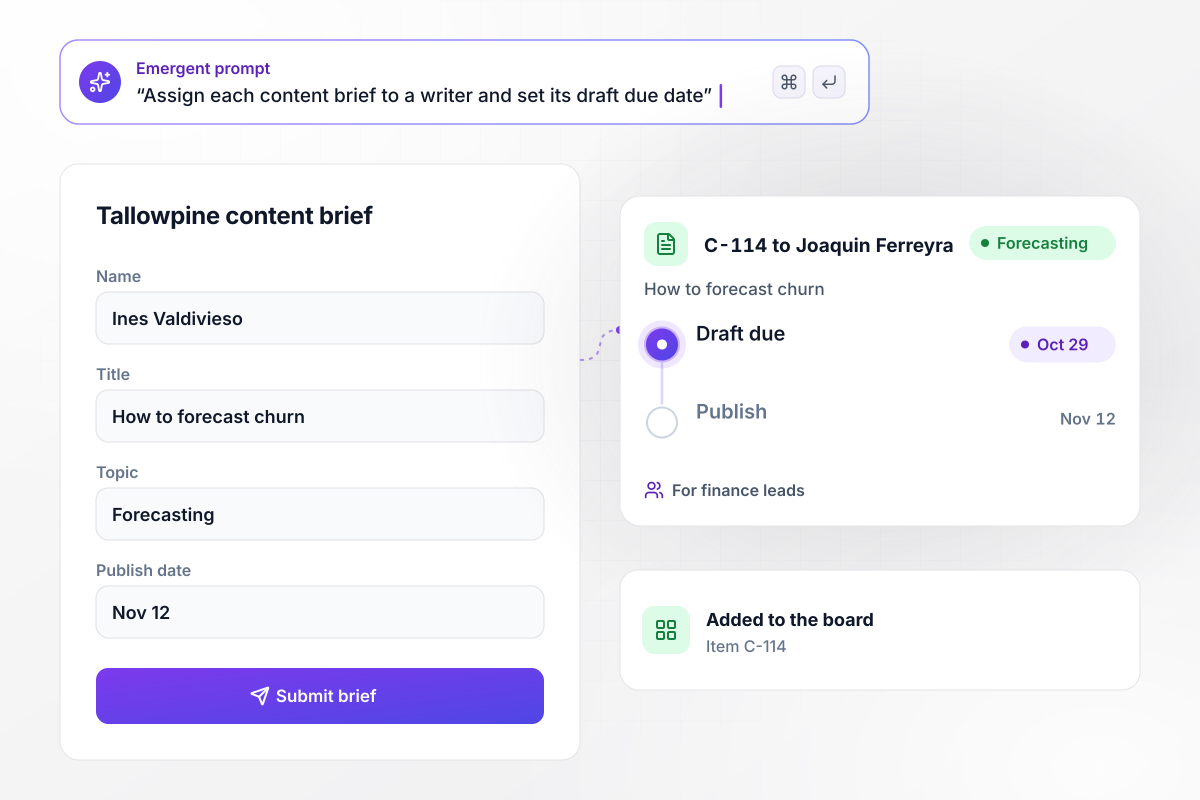
Each brief leaves the form with a writer and due dates
Ines Valdivieso, a product marketer at Tallowpine, fills in a brief for How to forecast churn, written for finance leads, with a Nov 12 publish date. The app creates item C-114 on the content board and assigns it to Joaquin Ferreyra, who covers Forecasting. His draft is due Oct 29, counted back from the publish date.
window.awbMockup = { briefIntake: "Build a content brief form for my marketing team that asks for a title, a topic, an audience, and a publish date. Create an item on the content board for each brief, assign it to the writer who covers that topic, and set the draft due date by counting back from the publish date.", lateDrafts: "When a draft is still in Drafting after its due date, mark the item Late on the board and send the managing editor a direct message with the brief and an Open item button. Let him set a new date or assign the piece to another writer from that message.", cmsPublishing: "When the managing editor marks an article Ready, send it to my CMS through its API as a scheduled post on its publish date, with the title, slug, meta description, and author filled in. Save the post ID the CMS sends back on the board item.", repurposing: "When an article goes live, open 3 repurposing tasks for my social and email lead: a newsletter summary due the next day and 2 social posts due the day after. Link each task to the live post and keep it on the board until it is marked done." };
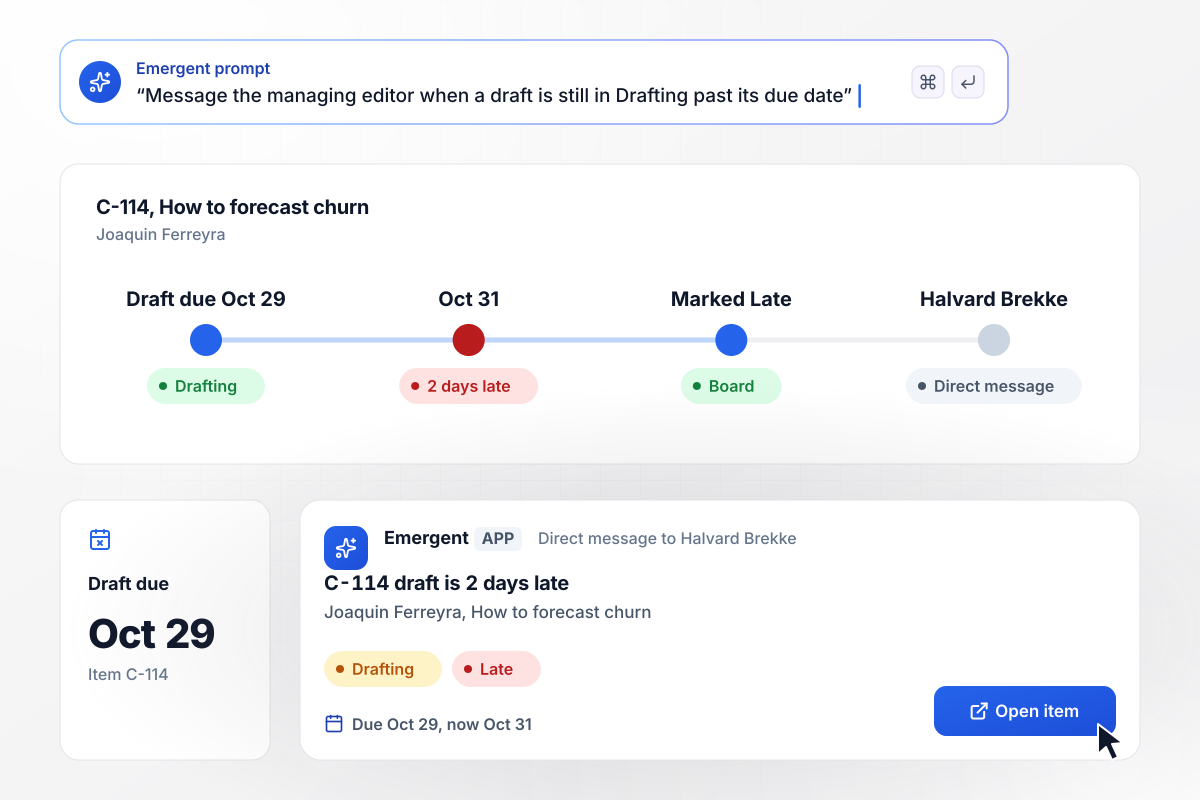
When a draft misses its date, the managing editor knows
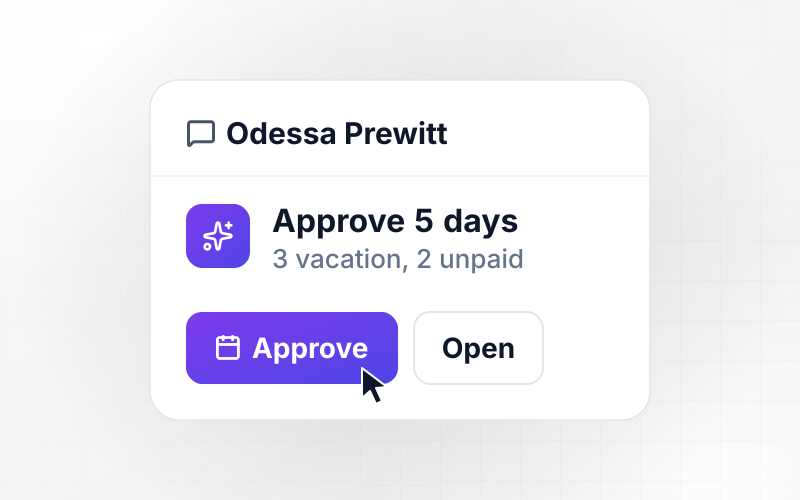
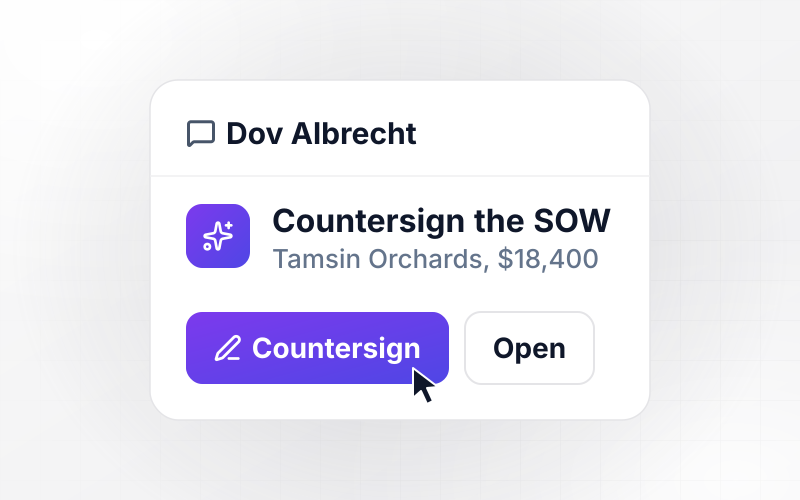
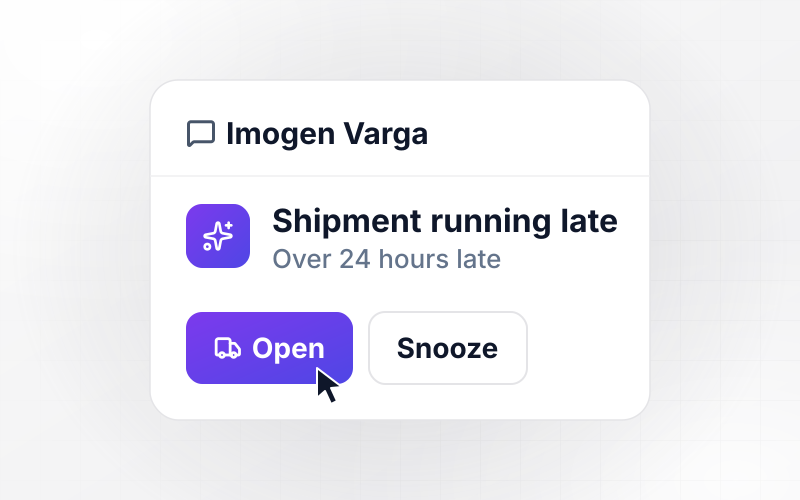
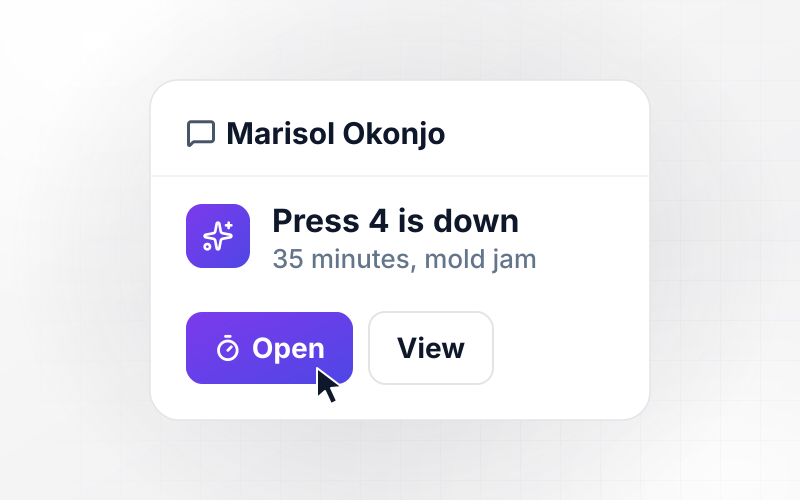
Joaquin Ferreyra's draft was due Oct 29. On Oct 31, C-114 is still in Drafting, 2 days late. It is marked Late on the board. The managing editor, Halvard Brekke, gets a direct message with the brief plus an Open item button. From there he can set a new date or hand the piece to another writer.
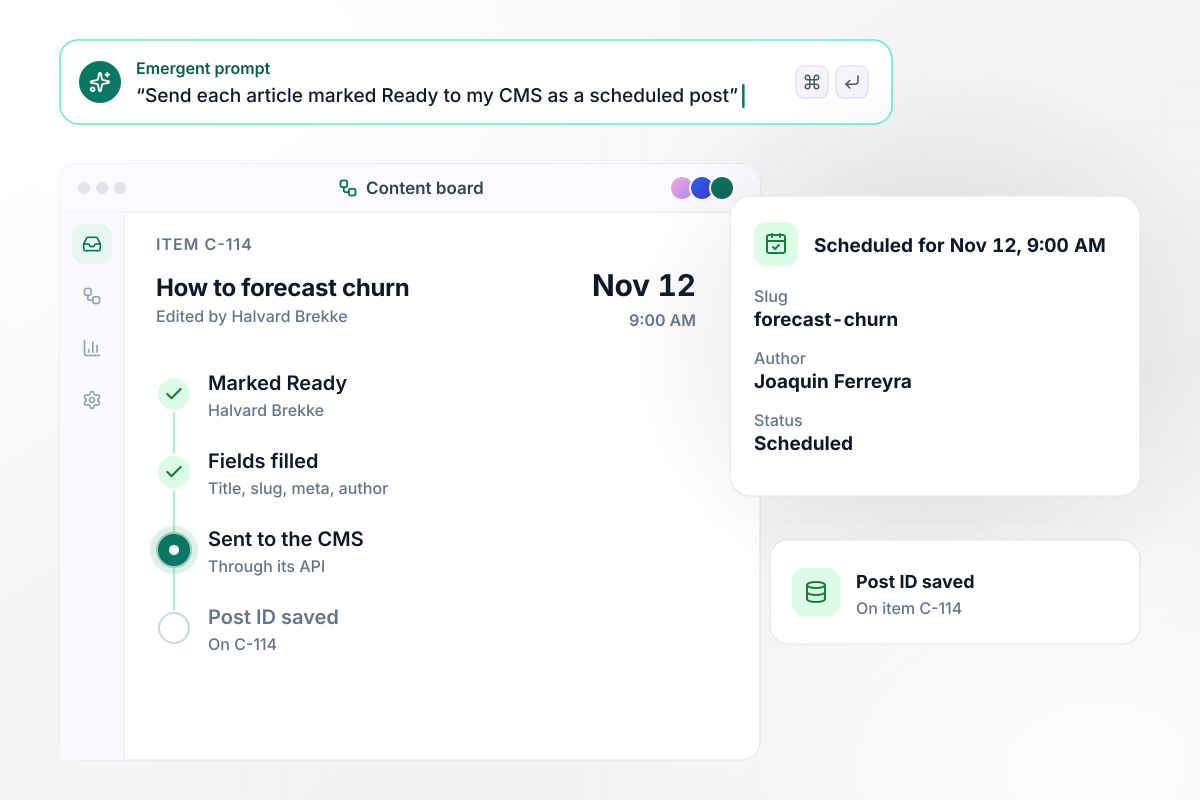
Finished articles reach the CMS with every field filled
Halvard Brekke reads the final edit of C-114 and marks it Ready. The app sends the article to the Tallowpine CMS through its API as a post scheduled for Nov 12 at 9:00 AM, with the title, slug, meta description, and author filled in. The CMS answers with a post ID, and the app saves it on C-114.
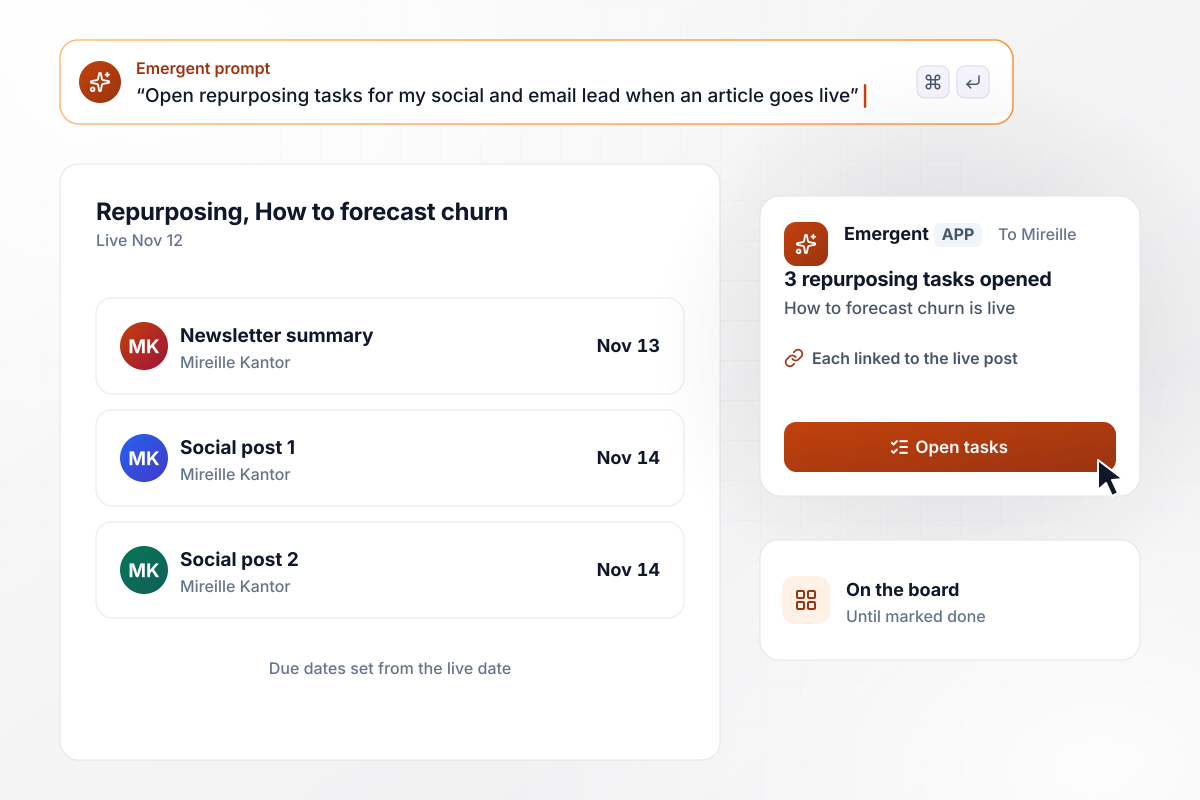
Every live post opens repurposing tasks for the social lead
The churn article goes live on Nov 12. Mireille Kantor, who runs social and email, gets 3 repurposing tasks from the app: a newsletter summary due Nov 13 and 2 social posts due Nov 14. Each task links to the live post and stays on the board until Mireille marks it done.






How to Build a Content Workflow
Seven steps to map your content workflow, build it with Emergent, and test it on last month's articles before it runs live.
List every stage a piece passes through on its way to readers, and the one person who owns each. Keep the names your team already uses, such as Drafting or Ready. The board should read the way people talk.
Pick the fields a request needs before writing starts, with the audience and the publish date at the top. A brief sent back for a missing audience costs a day; a draft written for the wrong reader costs a week.
Write down how long drafting and editing take for a standard post. Emergent builds the board and its date logic from a prompt that states those numbers in plain sentences.
Give each stage one person who gets the message when an item passes its date. Pick an editor by name, not a team channel, because an alert that reaches everyone has no owner.
Connect your CMS through its API so finished articles arrive as scheduled posts, and connect Slack or email for alerts. Map each board field to the CMS field it fills before the first send.
Send last month's pieces through the app before a live brief touches it. Check that every brief reached the right writer and that each date matches what happened last month. Fix a rule by prompting, then run the month again.
Start with brief intake, since it publishes nothing. After 2 weeks, compare missed dates with the 2 weeks before, then turn on the CMS handoff and, last, the repurposing tasks.
Why Build Your Content Workflow With Emergent?
Emergent builds the brief form and the CMS handoff as one app on a database you own, and no task cap applies as output grows.

|
Zapier | Make (Integromat) | n8n | |
|---|---|---|---|---|
| How you build | Prompt for the workflow and the app around it | Templates and editor, AI copilot | Visual canvas | Visual canvas, self-hosted or cloud |
| What you get | Workflow + trigger form + database + dashboard, as code you own | Zaps, plus Tables and Interfaces inside Zapier | Scenarios inside Make | Workflows inside n8n |
| Behavior at cap | Keeps running, no task cap | Overage billed at up to 1.25× the base rate | Runs pause | Cloud workflows stop until the reset or an upgrade |
| AI and agent steps | Native, share the same credit pool | Priced by model tier, drawn from the task pool | AI modules cost variable credits | Bring your own model API key, billed by the provider |
| Code ownership | Full code export to GitHub on paid plans | None | None | Yes on Community Edition |

Pick the Pricing Plan That Works for You
Choose the plan that fits your building ambitions. From weekend projects to enterprise applications, we've got you covered.




Find the right workflow automation
for you and your business




Frequently Asked Questions
Your Questions, Answered
Don't change this element unless you know what you are doing
More things you can build
with Emergent









on Emergent today




