

Build an Audit Workflow That Gives Every Item an Owner
Build an audit workflow that assigns each request and finding to an owner and keeps the record in a database you own.
Build an audit workflow that runs on its own and logs every step.
Trusted by Builders Worldwide
Active Builders Worldwide
Apps Successfully Created
Countries Globally Reached



The Parts of an Audit Workflow Emergent Builds
Each part keeps an audit item moving: who owns it, when it is due, and where its evidence lives.
An owner and a due date on every request
Load the request list once, and each line gets one named owner and a due date. Owners upload files against their own lines, and the audit lead sees every line and its status.
Reminders that turn into escalations
Pick when a reminder goes out in Slack or by email, and how many days late an item can run before the owner's manager hears about it. Nobody keeps a chase list by hand.
Evidence saved with the item it answers
Each uploaded file is stored with the request or test it answers and the person who sent it. The record sits in a database you own, and next year's audit can start from it.
AI reads statements and invoices
An AI step turns uploaded bank statements, invoices, and receipts into fields such as the amount and the payee. A person confirms any value the AI is unsure of before testing.
One live board for the whole audit
The dashboard lists open requests and findings by owner, with late items pinned to the top. It updates as files arrive, and status meetings start from the same numbers.
Your audit app's code, in your GitHub
Export the audit app's full code to your GitHub repository on paid plans. Your IT team can review how evidence is stored and who can open it, the same way they review other code.
Four Places an Audit Stalls
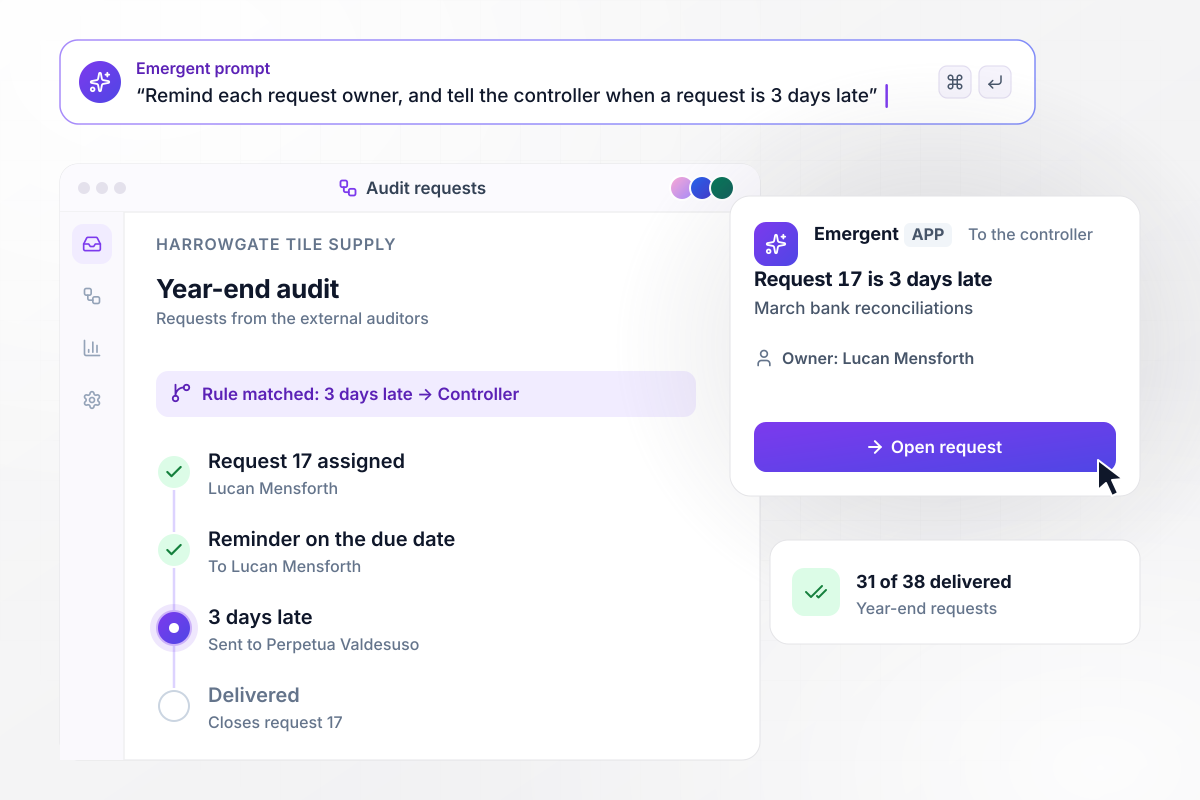
Bank reconciliations 3 days late go to the controller
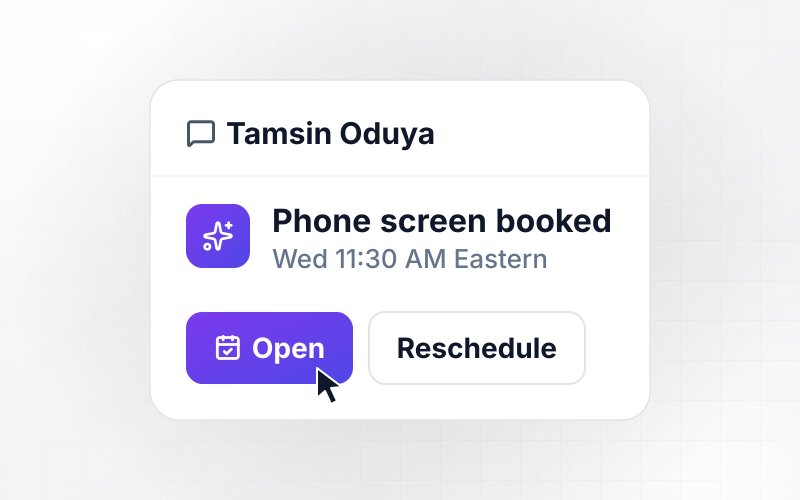
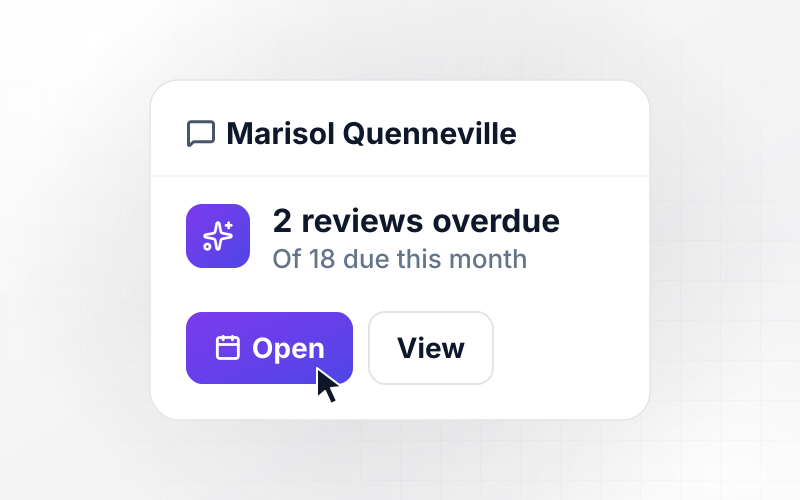
Harrowgate Tile Supply's external auditors send 38 year-end requests, and 31 are delivered. Request 17, the March bank reconciliations, belongs to Lucan Mensforth, who got a reminder on the due date. Any request 3 days late goes to the controller, and Perpetua Valdesuso now has a direct message naming it.
window.awbMockup = { yearEndRequests: "Build a request tracker for my company's year-end audit. Load the auditors' request list, give each request an owner and a due date, and remind the owner on the due date. When a request is 3 days late, send the controller a direct message naming the request and its owner. Show how many requests are delivered out of the total.", controlTesting: "Build a testing log for my internal audit team. For each control, let the tester record every sampled expense report as passed or an exception and attach its approval record. When a sample has any exception, open a finding, number it, and assign it to the process owner for a written response. Show passed and exception counts per control.", storeInspections: "Build a store inspection app my auditors use on their phones. Show a checklist per store, record each item as a pass or a fail, and require a photo for every fail. For each failed item, open a corrective action due in 7 days and send it to that store's manager in a direct message with the photo.", lastYearsFindings: "Build a findings tracker for last year's audit at my dental group. List every finding with its owner, due date, and status, and let owners upload the evidence that fixes it. Only the auditor can close a finding, after reviewing the evidence. When a finding is more than 7 days overdue, send the CFO a direct message." };
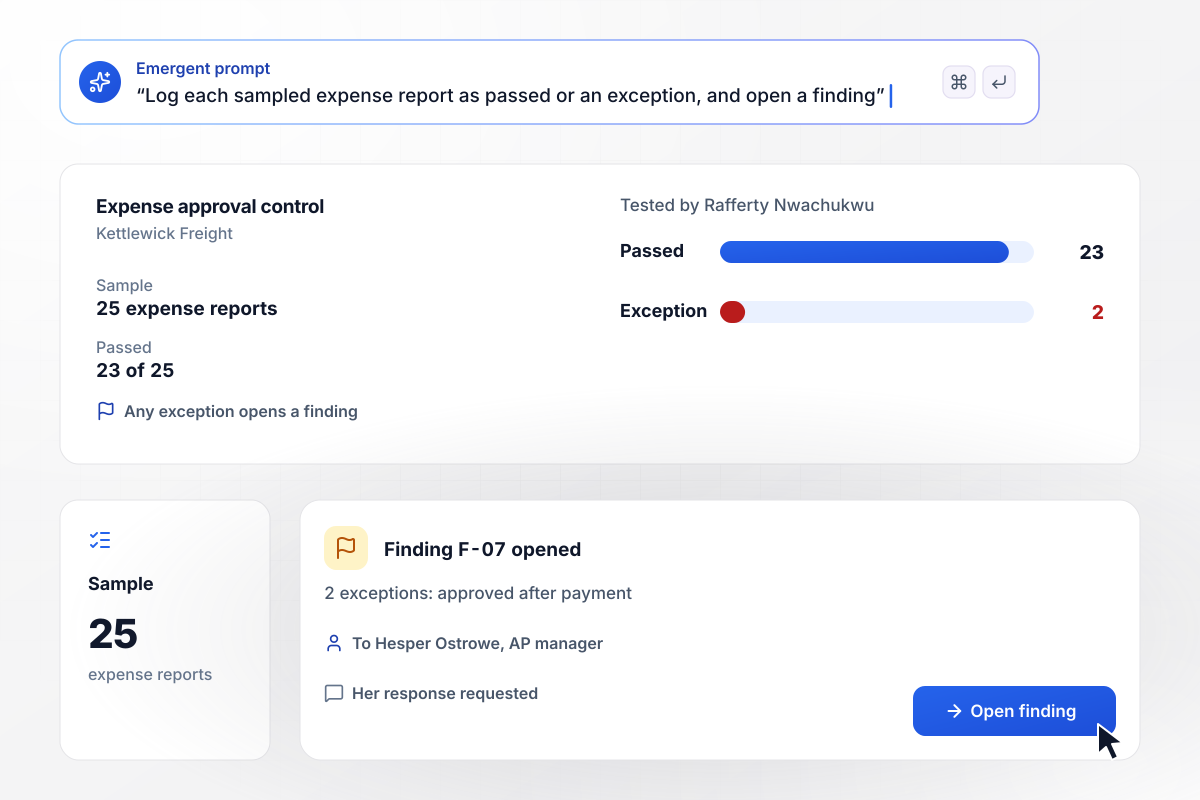
Two exceptions in the sample open a finding
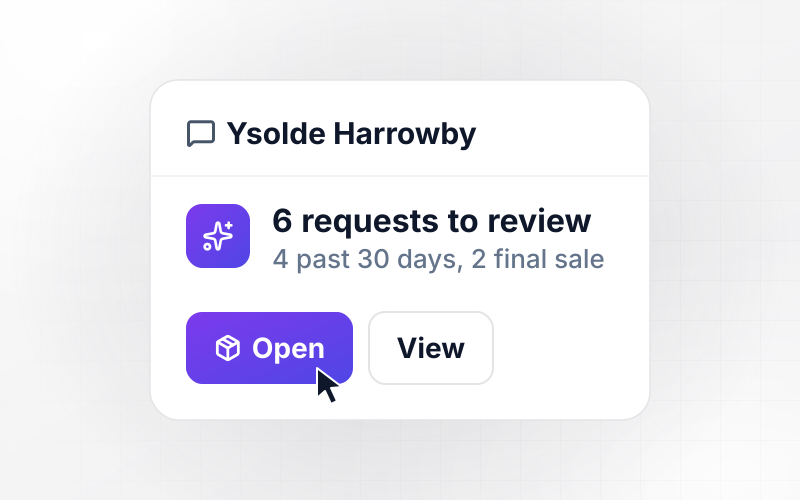
Rafferty Nwachukwu tests the expense approval control at Kettlewick Freight on 25 sampled expense reports. Of the 25, 23 pass. The other two were approved after payment, and any exception opens a finding. Finding F-07 goes to Hesper Ostrowe, the AP manager, for her response.
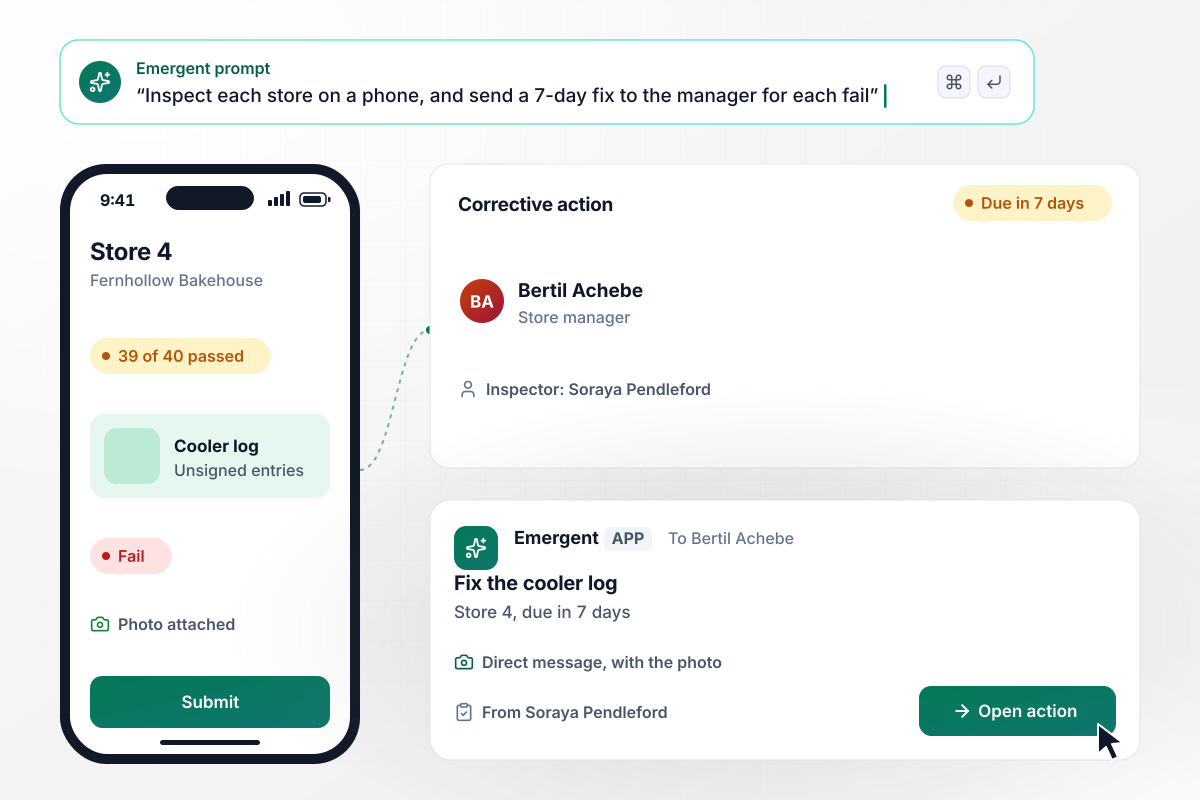
Store 4 gets 7 days to fix one failed item
Soraya Pendleford inspects store 4 of Fernhollow Bakehouse on her phone against a 40-item checklist, and every fail needs a photo. Store 4 passes 39 of 40: the walk-in cooler log has unsigned entries. The store manager, Bertil Achebe, gets a corrective action due in 7 days by direct message, with the photo.
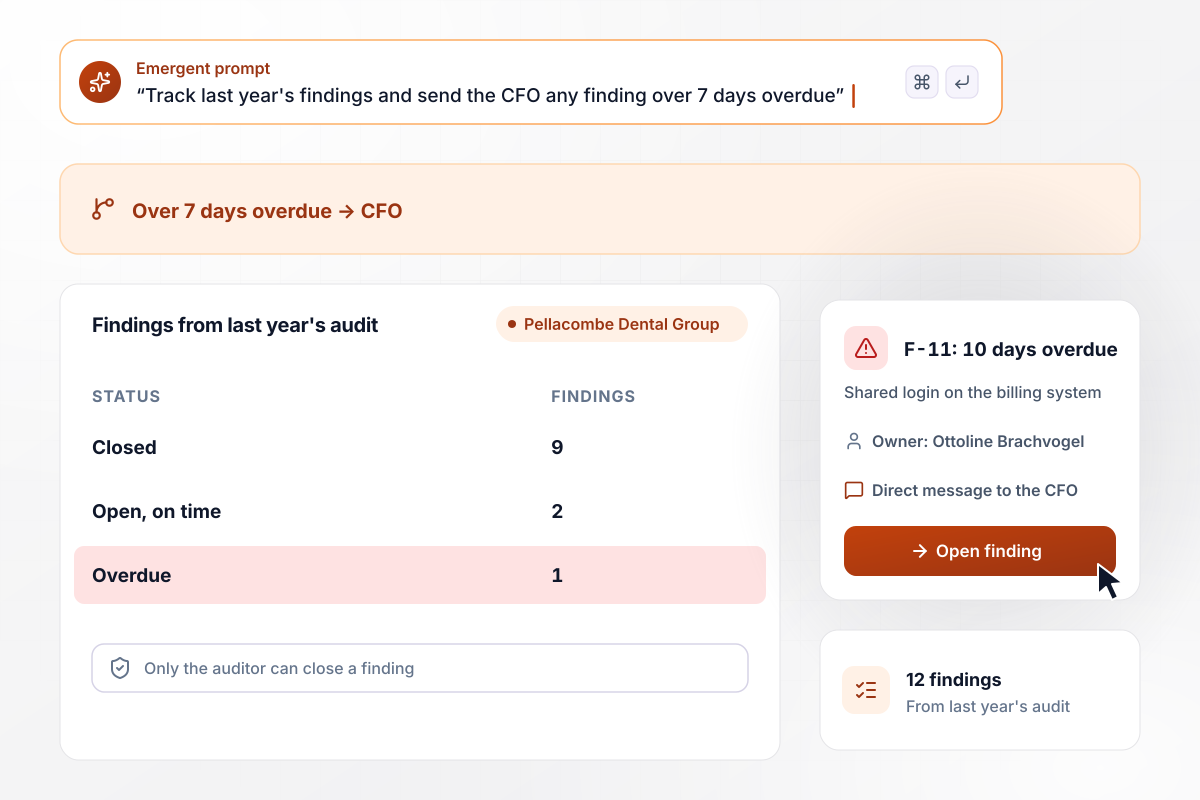
Overdue finding F-11 lands with the CFO
Pellacombe Dental Group tracks 12 findings from last year's audit, and only the auditor can close one. Nine are closed, two are open on time, and one is overdue. F-11, a shared login on the billing system owned by Ottoline Brachvogel, is 10 days overdue. Any finding over 7 days overdue goes to the CFO by direct message.






How to Build an Audit Workflow
Seven steps to turn last year's audit into an audit workflow with owners, deadlines, and evidence, then build it with Emergent.
Write down every audit your team supports in a year: the external year-end audit, internal control tests, store or site inspections, and any customer review. Next to each, note who sends requests, who answers them, and where the files go today. Start with the audit that needs the most chasing.
Open last year's PBC list, the documents and information the auditor requested from you, instead of a blank page. Keep its numbering, put a named person and a deadline on each line, and mark repeat requests. Describe the list and its rules in a prompt, and Emergent builds the tracker.
Choose two numbers for every item: the day a reminder goes to its owner, and how many days past due it can go before it moves up to the owner's manager. Set them per audit, because a year-end request and a store inspection run on different clocks.
Connect your accounting system and file storage through their APIs, such as QuickBooks, Xero, or NetSuite. A request for reconciliations or invoices can then pull the source record, and the tester compares it with the uploaded file instead of retyping figures.
List what every finding must carry before it can close: an owner, a due date, the owner's written response, and evidence of the fix. Name the person who reviews that evidence, and keep closed findings on file for next year's follow-up review.
Rerun last year's audit through the app before the next one starts. Load 10 requests you already answered with their files, and leave one late on purpose to confirm the reminder and the escalation both arrive. Fix any rule by prompting, then run it again.
Pick an audit with a fixed date for the first live run, such as the year-end requests. Tell owners where their requests now live, watch the first escalations closely, and adjust the reminder days after a month. Move the next audit over once owners stop asking for the spreadsheet.
Why Build Your Audit Workflow With Emergent?
Emergent builds the request list and the findings tracker as one app from a prompt, and saves every record to a database you own.

|
Zapier | Make (Integromat) | n8n | |
|---|---|---|---|---|
| How you build | Prompt for the workflow and the app around it | Templates and editor, AI copilot | Visual canvas | Visual canvas, self-hosted or cloud |
| What you get | Workflow + trigger form + database + dashboard, as code you own | Zaps, plus Tables and Interfaces inside Zapier | Scenarios inside Make | Workflows inside n8n |
| Behavior at cap | Keeps running, no task cap | Overage billed at up to 1.25× the base rate | Runs pause | Cloud workflows stop until the reset or an upgrade |
| AI and agent steps | Native, share the same credit pool | Priced by model tier, drawn from the task pool | AI modules cost variable credits | Bring your own model API key, billed by the provider |
| Code ownership | Full code export to GitHub on paid plans | None | None | Yes on Community Edition |

Pick the Pricing Plan That Works for You
Choose the plan that fits your building ambitions. From weekend projects to enterprise applications, we've got you covered.




Find the right workflow automation
for you and your business




Frequently Asked Questions
Your Questions, Answered
Don't change this element unless you know what you are doing
More things you can build
with Emergent









on Emergent today




