

Build Construction Workflow Automation for Field and Office
Build construction workflow automation that routes RFIs and change orders by your limits, with every job in a database you own.
Build construction workflow automation that runs on its own and logs every step.
Trusted by Builders Worldwide
Active Builders Worldwide
Apps Successfully Created
Countries Globally Reached



What Emergent Builds for a Construction Job
Each part handles one handoff between the office and the site, and every record lands on the same job.
A due date on every RFI
Each RFI gets a number, an owner on the design team, and a running day count. Pick how many days it can sit unanswered before the project manager gets a direct message about it.
Change orders routed by their amount
Price a change order once, with materials and labor on separate lines. The app sends it to the project manager or the owner's representative based on the dollar limits you set.
A daily log filed from the site
The superintendent enters each crew's headcount and any delay on a phone, with photos attached. Each log is saved to its job and date, and a long delay reaches the project manager.
AI reads subcontractor invoices
An AI step pulls the amount due and the subcontract value off each subcontractor invoice. A person checks any field the AI is unsure of before the invoice moves to approval.
One board for every open job
The dashboard lists every open item by job, with late RFIs and held invoices at the top. It updates as the field submits, and the Monday meeting starts from current numbers.
The job app's code, in your GitHub
Export the full code of the construction app to your GitHub repository on paid plans. The code shows how each approval is stored, and anyone can extend it like any other codebase.
Four Handoffs Where Construction Jobs Stall
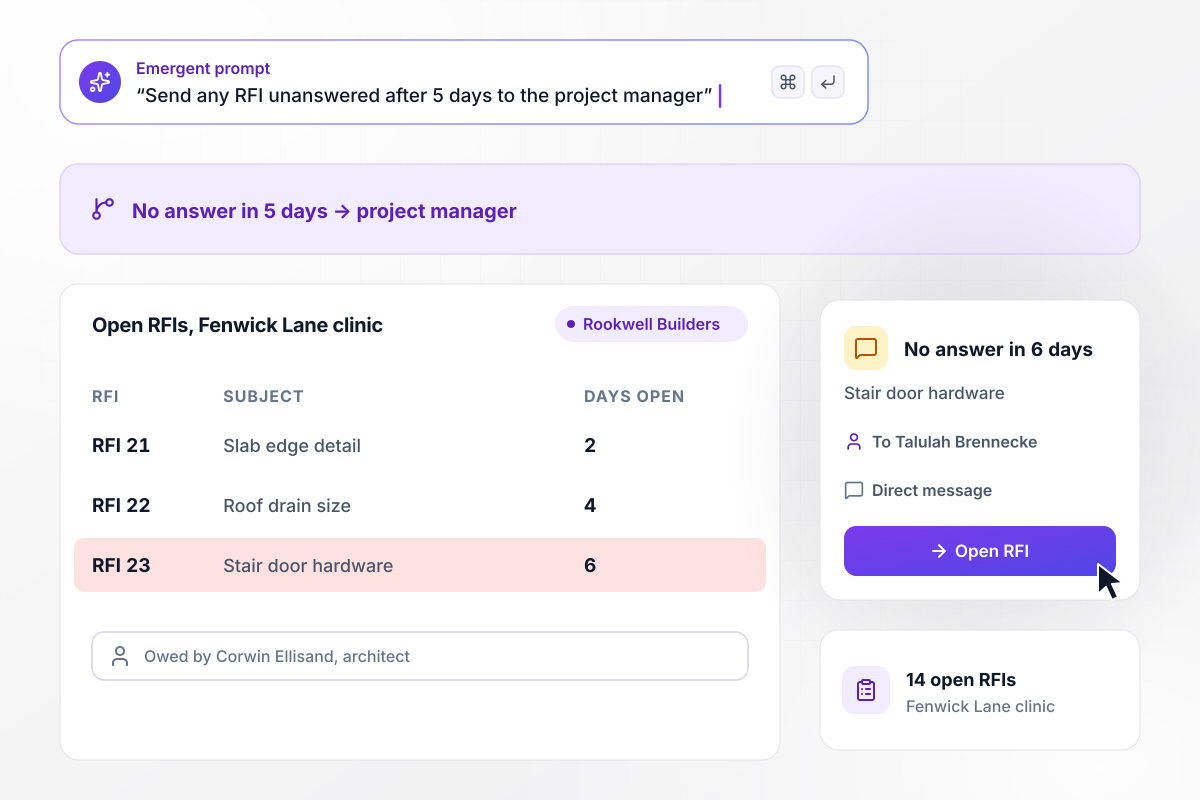
When an RFI sits 5 days, the project manager hears
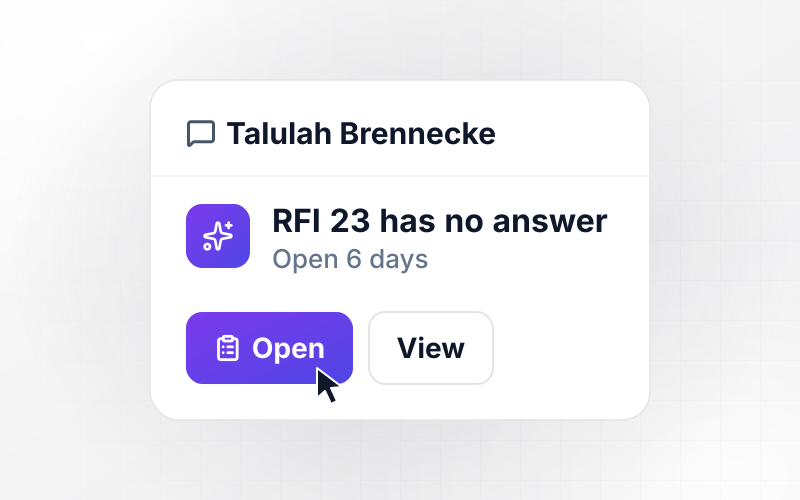
Rookwell Builders has 14 open RFIs on the Fenwick Lane clinic job. Any RFI with no answer from the architect after 5 days goes to the project manager. RFI 23, on the stair door hardware, went to Corwin Ellisand 6 days ago. Talulah Brennecke, the project manager, now has a direct message naming it.
window.awbMockup = { rfiDeadlines: "Build an RFI tracker for my construction company. Each RFI gets a number, a subject, the architect or engineer who owes the answer, and a day count. Any RFI with no answer after 5 days goes to the project manager by direct message. Show every open RFI on a job, oldest first.", changeOrders: "Build a change order app for my general contracting firm. The project manager enters the work, materials, and labor, and the app totals them. Change orders up to $5,000 go to the project manager to approve. Anything over $5,000 goes to the owner's representative by email with the cost lines attached, and nothing starts until it is approved.", dailyFieldLogs: "Build a daily log my superintendents fill in on their phones before they leave the site. They enter each crew and its headcount, the weather, any delays, and photos. Save every log to its job and date. When a delay runs over 1 hour, send the log to the project manager by direct message.", subcontractorBilling: "Build an invoice check for my subcontractor bills. Read each invoice for the amount and the subcontract value. Compare the amount with the value of work in place my project manager recorded on site. If the bill is more than $2,500 over that figure, hold the invoice for review before it goes to accounts payable." };
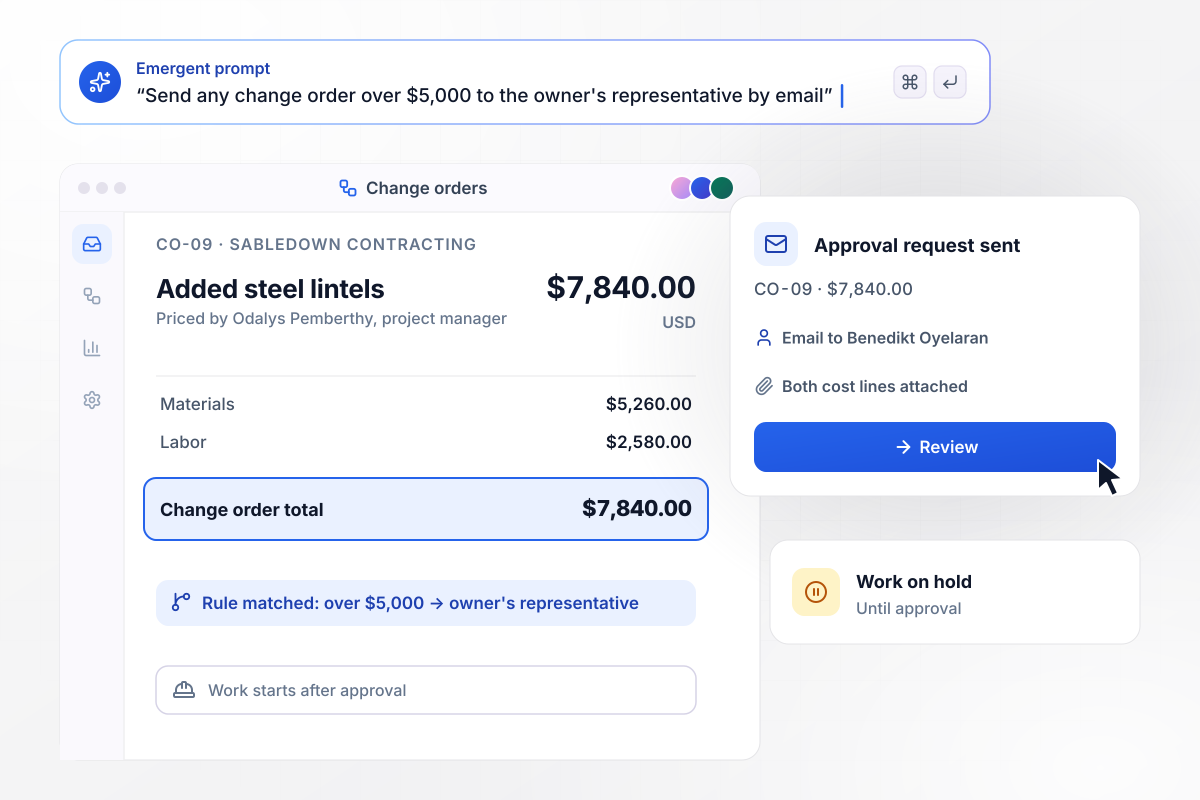
Every change order over $5,000 needs the owner's approval
Odalys Pemberthy at Sabledown Contracting prices change order CO-09 for added steel lintels: $5,260 in materials and $2,580 in labor, $7,840 in all. Anything over $5,000 needs the owner's representative before work starts. Benedikt Oyelaran gets the request by email, with both cost lines attached.
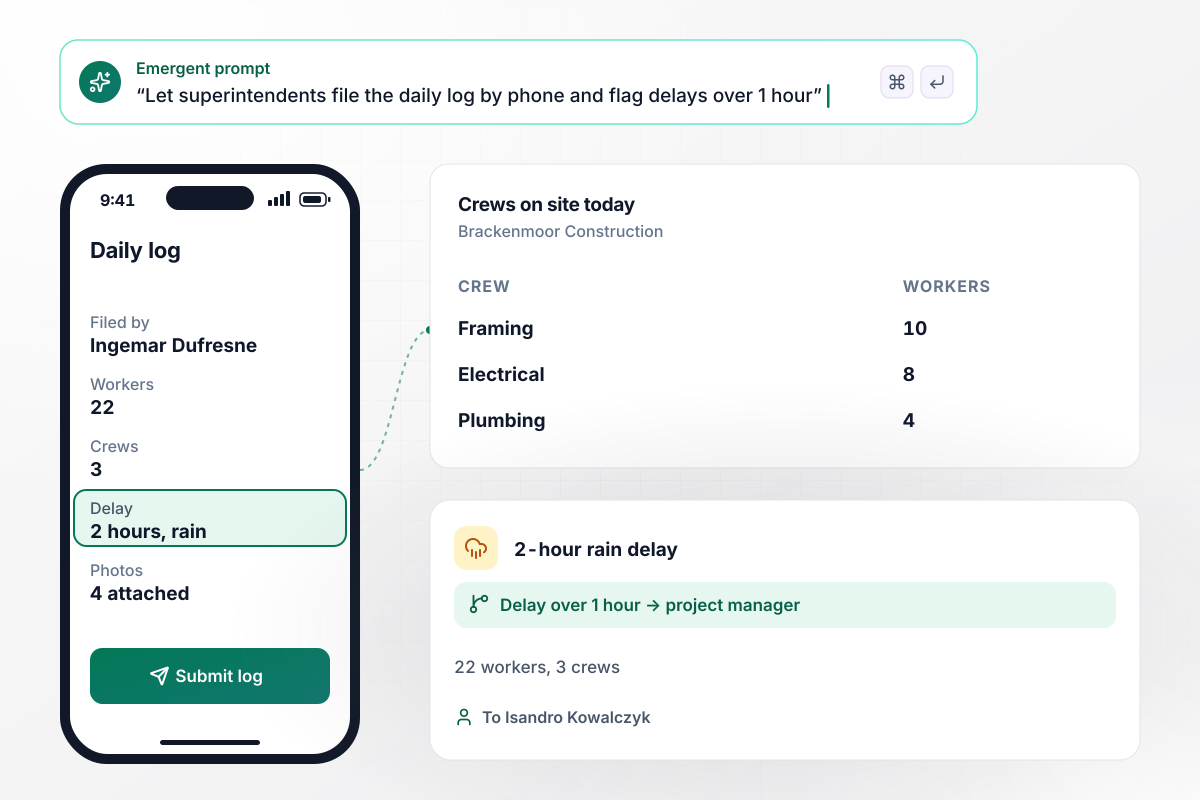
After a 2-hour rain delay, the project manager gets the log
Ingemar Dufresne, superintendent for Brackenmoor Construction, files the daily log from his phone. Today's log lists 22 workers in 3 crews: 10 framing, 8 electrical, and 4 plumbing, plus a 2-hour rain delay and 4 photos. Any delay over 1 hour goes to the project manager, Isandro Kowalczyk, by direct message.
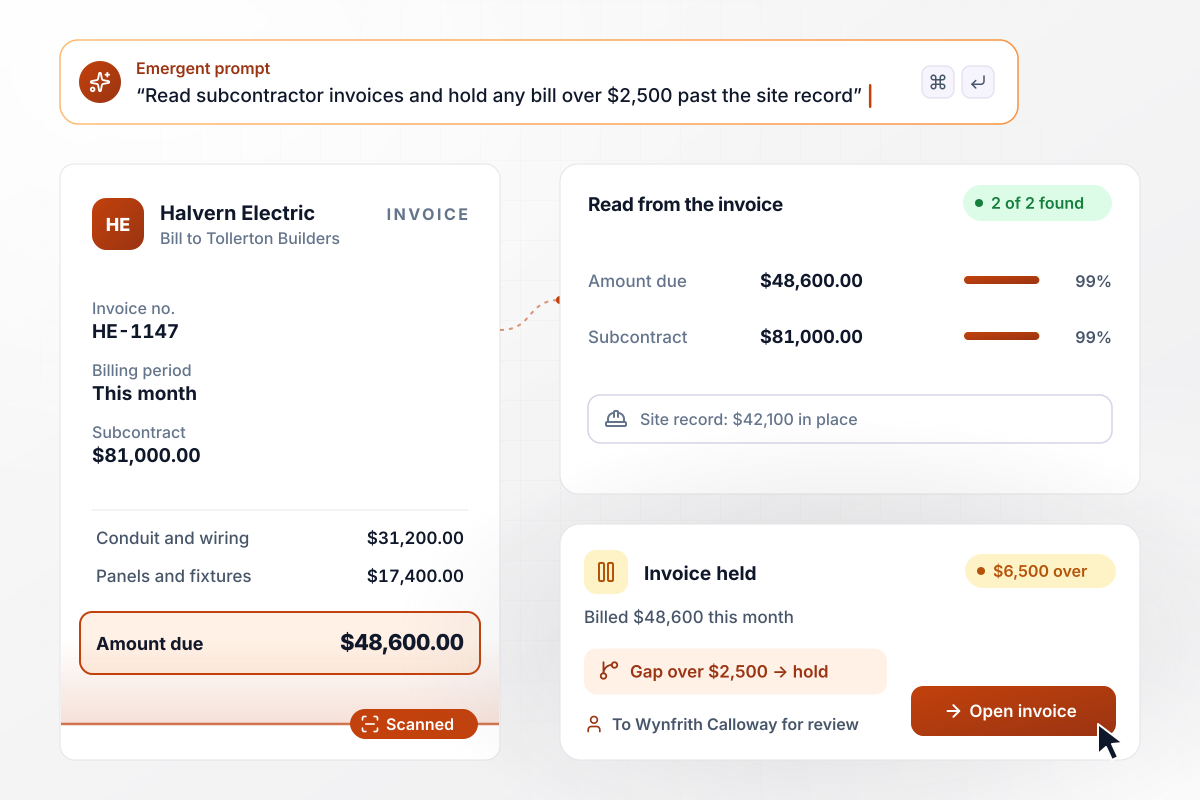
$48,600 billed on $42,100 of work in place is held
Halvern Electric bills Tollerton Builders $48,600 this month on its $81,000 subcontract. The app reads the invoice and compares it with the $42,100 of work in place the project manager recorded. A bill more than $2,500 over that figure is held for Wynfrith Calloway to review before accounts payable sees it.






How to Automate Construction Workflows
Seven steps to turn your job's handoffs into construction workflow automation with clear limits, then build it with Emergent.
List the handoffs that stall your jobs, such as RFIs waiting on the design team or subcontractor invoices that need a site check before payment. Next to each, write who has to answer it and how many days it sits today.
Pick the numbers each rule runs on. Decide how many days an RFI can sit before the project manager hears and which change order amount needs the owner. Then set how far a bill can run past the work in place before it is held.
Write one prompt that names each record and the rules it follows, such as an RFI that needs an answer within 5 days. Emergent builds the app and its database from that description, and you change either one by prompting again.
Connect your accounting system, such as QuickBooks, through its API. Approved change orders and subcontractor invoices then reach accounting without retyping. Add Slack or email for the messages each rule sends, and name the person who receives each one.
Open the daily log on a superintendent's phone and keep it to what fits the end of a shift: the headcount for each crew and any delay with its photos. Every field you add is one more thing someone types while standing on site.
Run one active job on the app for 2 weeks next to your current process. Compare the items it flagged with the ones your team caught by hand, and adjust a limit wherever the two lists disagree.
Add the next job once the first one runs clean, and move a limit when a job needs a different one. Review the open-item board in the weekly project meeting, and give every late RFI and held invoice a name.
Why Build Construction Workflows on Emergent?
Emergent builds the office and field sides of a job as one app from a prompt, with no cap on tasks.

|
Zapier | Make (Integromat) | n8n | |
|---|---|---|---|---|
| How you build | Prompt for the workflow and the app around it | Templates and editor, AI copilot | Visual canvas | Visual canvas, self-hosted or cloud |
| What you get | Workflow + trigger form + database + dashboard, as code you own | Zaps, plus Tables and Interfaces inside Zapier | Scenarios inside Make | Workflows inside n8n |
| Behavior at cap | Keeps running, no task cap | Overage billed at up to 1.25× the base rate | Runs pause | Cloud workflows stop until the reset or an upgrade |
| AI and agent steps | Native, share the same credit pool | Priced by model tier, drawn from the task pool | AI modules cost variable credits | Bring your own model API key, billed by the provider |
| Code ownership | Full code export to GitHub on paid plans | None | None | Yes on Community Edition |




Pick the Pricing Plan That Works for You
Choose the plan that fits your building ambitions. From weekend projects to enterprise applications, we've got you covered.




Find the right workflow automation
for you and your business




Frequently Asked Questions
Your Questions, Answered
Don't change this element unless you know what you are doing
More things you can build
with Emergent









on Emergent today




