

Build Newsletter Automation for Every Issue You Publish
Get newsletter automation that drafts each issue from your posts and links, then holds it for your editor to approve.
Build newsletter automation that runs on its own and logs every step.
Trusted by Builders Worldwide
Active Builders Worldwide
Apps Successfully Created
Countries Globally Reached



What Goes Into the App Behind Each Issue
Each part handles one job between a published post and a subscriber's inbox.
A draft issue built from the week's sources
The app pulls the posts you published and the links your team saved into one draft, in the section order you set. Prompt for a new source and Emergent changes the app.
No send until the editor approves
The editor gets a Slack direct message with a link to the new issue. Edits made on the review screen go into it, and only an approved issue moves on to your email service.
A booking calendar for sponsor slots
Sponsors pick an open slot on a form, and the app marks that issue date taken for everyone else. If the ad copy is missing at your deadline, the sponsor gets a reminder.
Sections chosen by each reader
Readers pick topics on a preference form, and the app syncs those picks to your email service as tags through its API. Each issue carries only the sections a reader chose.
A cleanup rule for readers who went quiet
You decide what quiet means, such as no clicks across a set number of issues. The app sends those readers one re-confirm email and sets anyone who ignores it to Inactive.
Every subscriber in a database you own
Each subscriber record and sponsor booking lives in a database you own, and the app's runs have no task cap. The full code exports to your GitHub repository on paid plans.
What the App Handles Between Issues
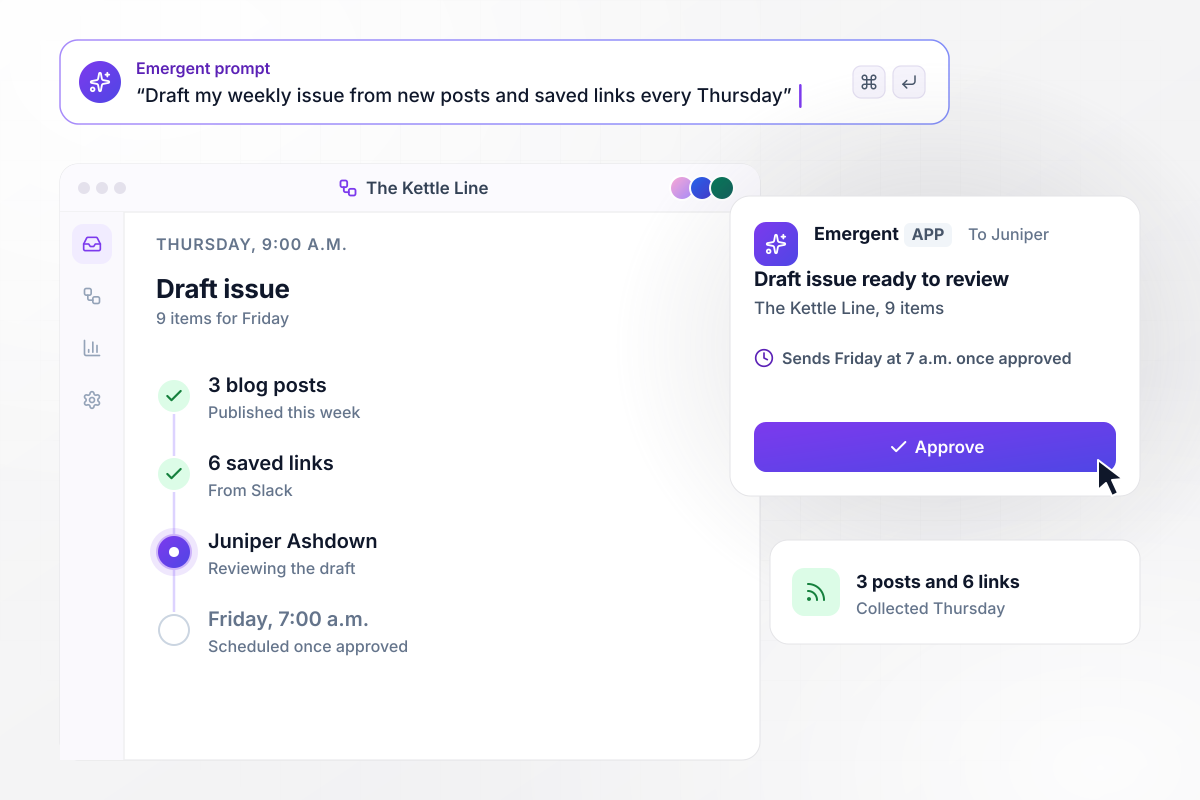
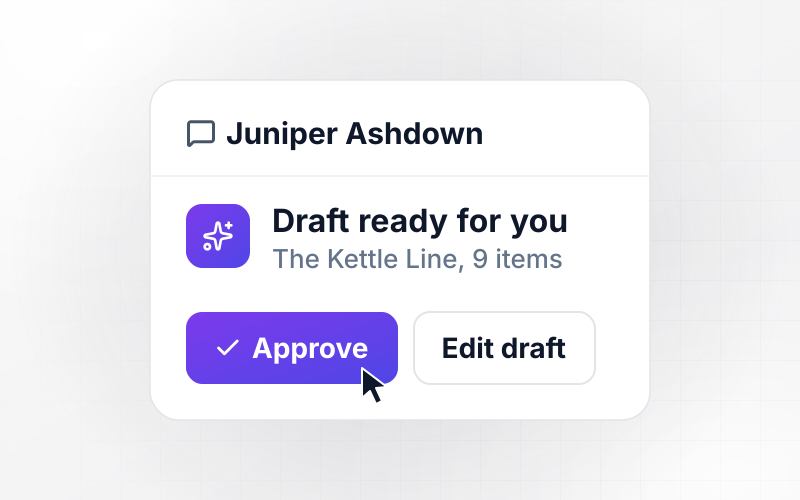
Every Thursday, a 9-item draft waits for Juniper
At 9 a.m. every Thursday, the app builds a draft of The Kettle Line from the 3 blog posts published that week and the 6 links the team saved in Slack. Juniper Ashdown, the editor, gets a direct message with the draft. Once she approves it, the app schedules the issue in the connected email service for Friday at 7 a.m.
window.awbMockup = { weeklyDraft: "Every Thursday at 9 a.m., build a draft of my newsletter from the blog posts published that week and the links my team saved in Slack. Send the editor a direct message to review it, and schedule the issue for Friday at 7 a.m. once she approves.", sponsorSlots: "Let sponsors book the primary or classified slot in an upcoming issue through a booking form, and mark each booked slot taken. If the ad copy has not arrived 5 days before the issue, email the sponsor contact a reminder with the upload link.", readerTopics: "Add a preference form where subscribers pick topics: Seasonal planting, Recipes, and Tool reviews. Save each subscriber's picks as tags in my email service, and send each reader only the sections they picked.", listCleanup: "Flag subscribers who clicked nothing in the last 12 issues and send each one a re-confirm email. Keep anyone who clicks it. After 14 days, move the rest to Inactive so they stop getting issues, and keep their records." };
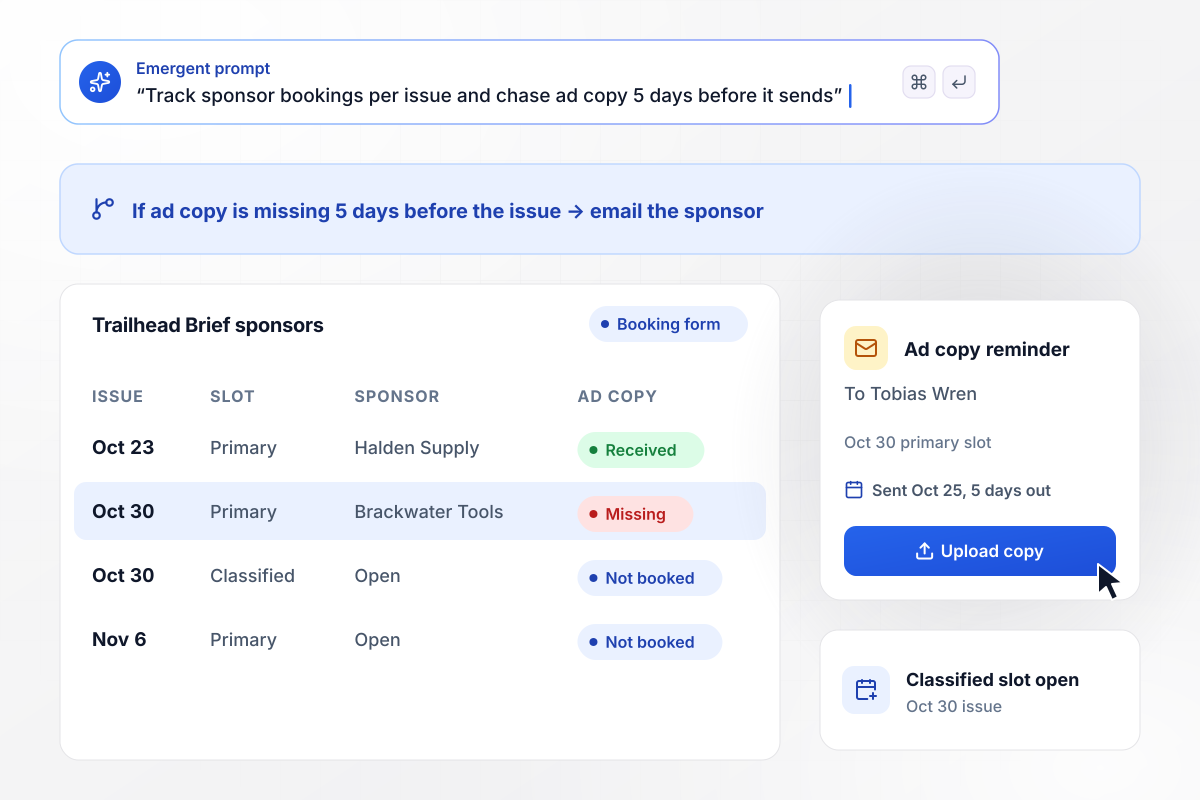
Copy due 5 days out, or the sponsor hears about it
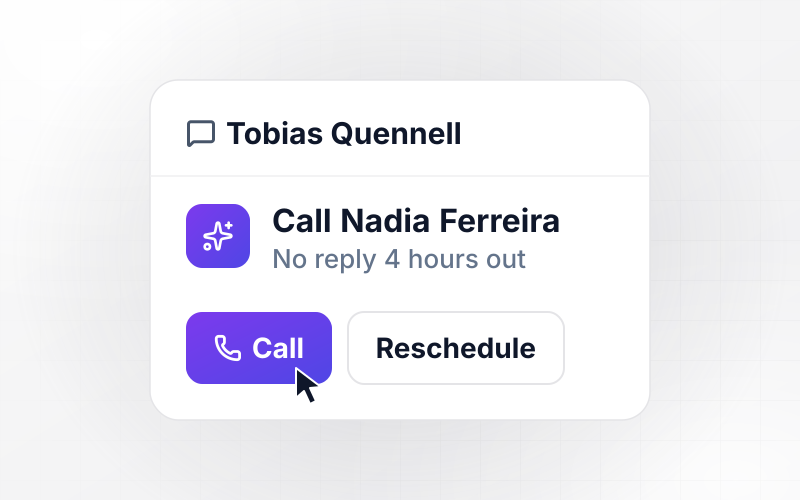
Brackwater Tools books the primary sponsor slot in the Oct 30 issue of Trailhead Brief through the booking form, and the app marks it taken. The classified slot stays open. On Oct 25, 5 days before the issue, no ad copy has arrived, and the app emails the sponsor contact, Tobias Wren, an upload link.
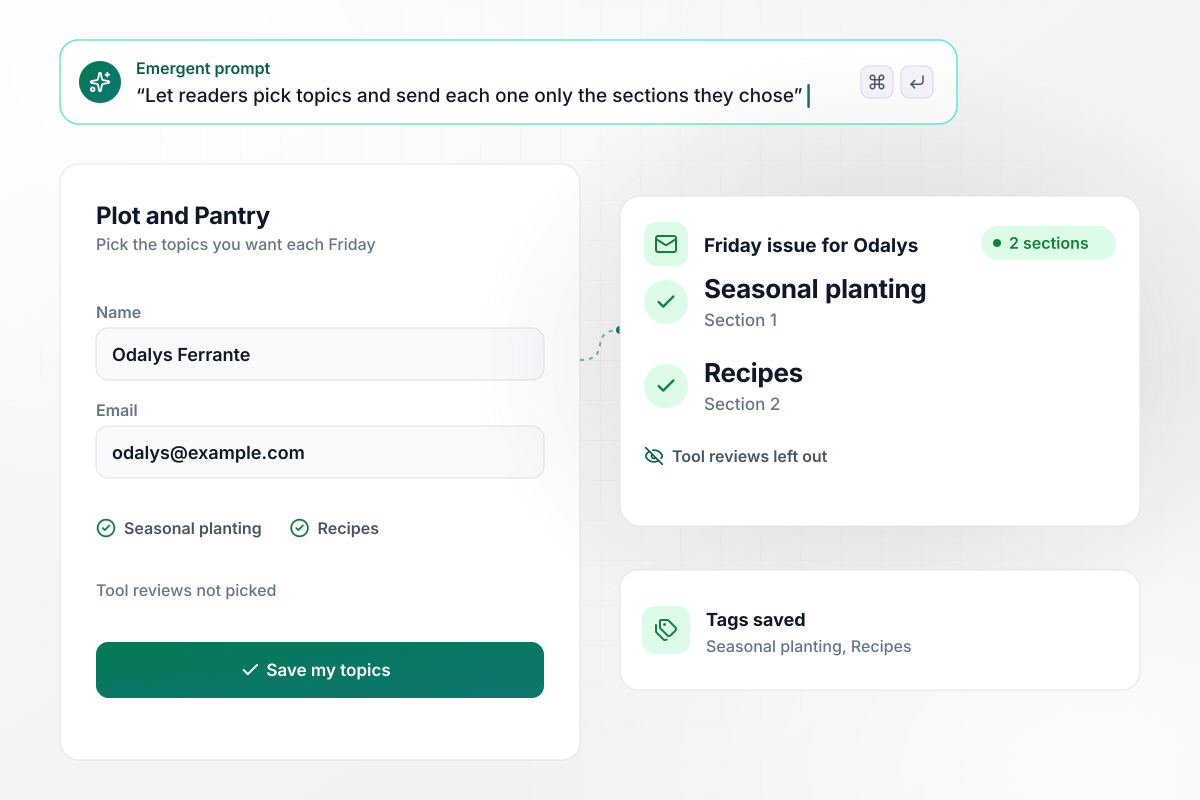
Her picks decide which 2 sections she reads
Odalys Ferrante picks Seasonal planting and Recipes on the Plot and Pantry preference form. The app saves her picks as tags in the email service, and her Friday issue carries those 2 sections. Tool reviews, the third section, stays out of her copy until she adds it on the same form.
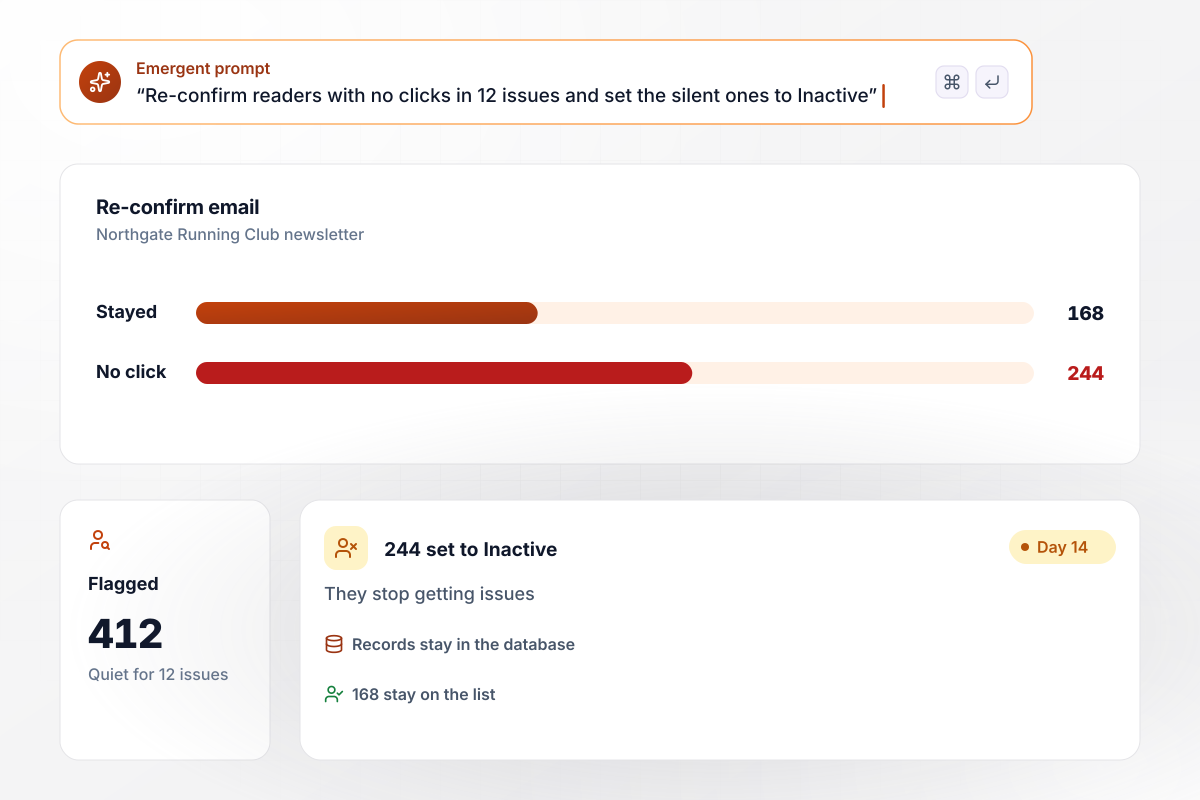
244 readers who went quiet are now Inactive
The Northgate Running Club newsletter flags 412 subscribers who clicked nothing in the last 12 issues and sends each one a re-confirm email. Of those, 168 click to stay on the list. After 14 days, the app moves the other 244 to Inactive. They stop getting issues, and their records stay in the database.






How to Build Newsletter Automation
These 7 steps turn the way you already publish into newsletter automation, tested on last month's issues before it goes live.
Open your last 4 issues and note where each item came from, such as your blog or a Slack channel. Each source becomes an input the app reads before it builds the next issue.
Name one editor who approves each issue, then pick the send day and time. Leave a full day between the review and the send, which gives the editor room for changes.
Write the prompt the way you would brief a new assistant editor, naming the sources and the approval rule. Emergent builds the app and its database from that prompt.
Add the API key for the email service you send from, so the app can save tags and schedule issues there. Connect Slack for the direct messages the editor gets.
Name each sponsor slot and how many days before the send its ad copy is due. The booking form then shows only the issue dates where a slot is still open.
Choose how many issues without a click flag a reader, and how long the re-confirm email stays open. Review the first flagged list by hand before the app moves anyone to Inactive.
Give the app last month's posts and saved links, then compare what it builds with the issues you sent. Fix a missing source or the section order by prompting before the first live week.
Why Build Newsletter Automation With Emergent?
Emergent builds the weekly issue workflow and the sponsor bookings as one app from a prompt, connected to your email service.

|
Zapier | Make (Integromat) | n8n | |
|---|---|---|---|---|
| How you build | Prompt for the workflow and the app around it | Templates and editor, AI copilot | Visual canvas | Visual canvas, self-hosted or cloud |
| What you get | Workflow + trigger form + database + dashboard, as code you own | Zaps, plus Tables and Interfaces inside Zapier | Scenarios inside Make | Workflows inside n8n |
| Behavior at cap | Keeps running, no task cap | Overage billed at up to 1.25× the base rate | Runs pause | Cloud workflows stop until the reset or an upgrade |
| AI and agent steps | Native, share the same credit pool | Priced by model tier, drawn from the task pool | AI modules cost variable credits | Bring your own model API key, billed by the provider |
| Code ownership | Full code export to GitHub on paid plans | None | None | Yes on Community Edition |


Pick the Pricing Plan That Works for You
Choose the plan that fits your building ambitions. From weekend projects to enterprise applications, we've got you covered.




Find the right workflow automation
for you and your business




Frequently Asked Questions
Your Questions, Answered
Don't change this element unless you know what you are doing
More things you can build
with Emergent









on Emergent today




