

Build PDF Automation for the Paperwork Your Team Repeats
Get PDF automation that reads the files coming in and writes the ones going out, built from one prompt.
Build PDF automation that runs on its own and logs every step.
Trusted by Builders Worldwide
Active Builders Worldwide
Apps Successfully Created
Countries Globally Reached



What the App Does With Each PDF
Some PDFs arrive from customers and crews, others go out to clients, and the app handles both directions.
Scans split into one file per document
The app cuts a multi-page scan at each new document and reads the values you name, such as an order number or a date. Each document is then attached to the record it belongs to.
A reviewer confirms unclear values
When a value is read with low confidence, that one field goes to a reviewer with the page shown beside it. The record waits until the reviewer confirms or corrects that value.
New PDFs written from your records
Describe the layout once, and the app writes a PDF for each row that needs one, with its own name and number. Each PDF is emailed to the address on the record and saved there.
The fillable PDFs you already use
Upload the form your clients know, and the app writes each answer from a phone checklist into its box. The signer signs on screen, and the signed copy is saved with the job.
A job's files merged in your order
Set the order once, such as the quote first and the invoice last. When a job closes, the app merges the PDFs attached to it, numbers the pages, and names the file by job number.
Every file in a database you own
Each record and every PDF attached to it sit in a database you own, and the app runs with no task cap. The full code exports to your own GitHub repository on paid plans.
Where the App Takes Over the PDF Work
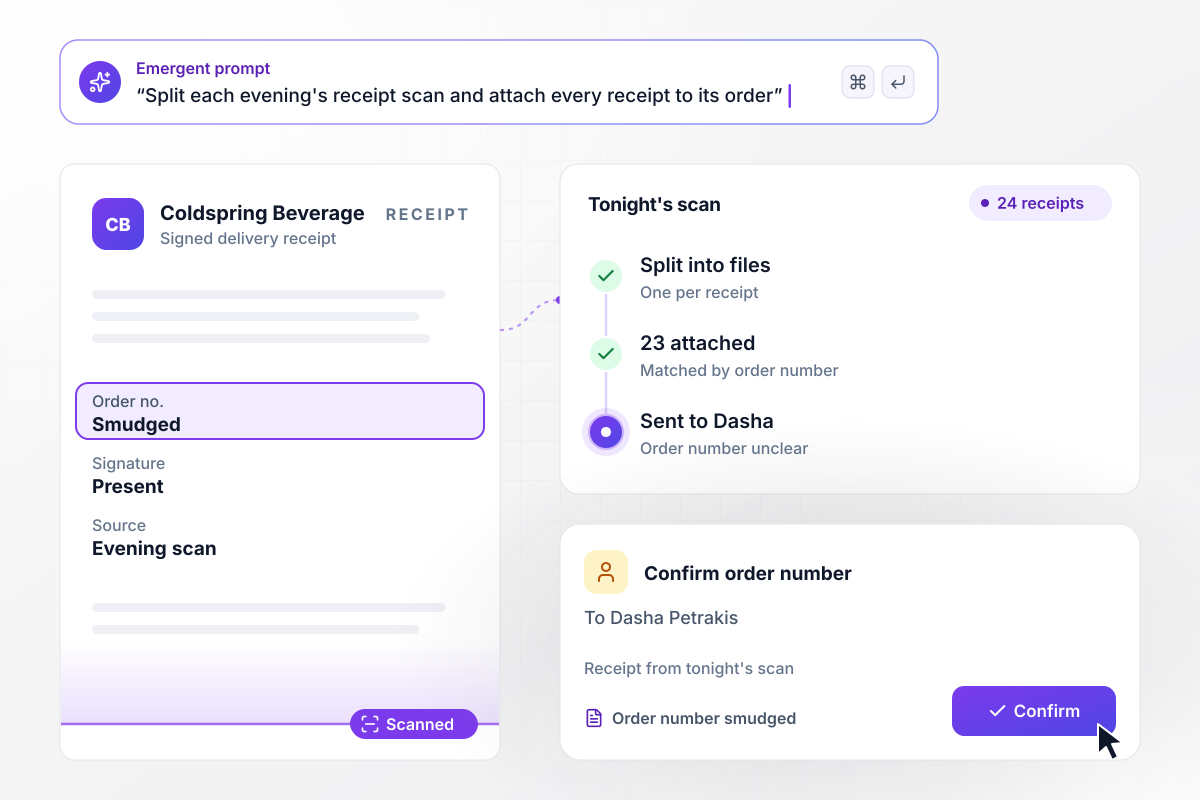
One scan in, 24 receipts filed by order number
Each evening Coldspring Beverage Distributors scans the day's 24 signed delivery receipts into one PDF. The app splits it into one file per receipt and attaches 23 to their orders by order number. One receipt has a smudged order number, and Dasha Petrakis on the order desk gets that field to confirm.
window.awbMockup = { receiptScans: "Each evening, split the scanned PDF of the day's signed delivery receipts into one file per receipt. Read the order number on each one and attach it to that order. If an order number is unclear, send that field to the order desk to confirm.", certificates: "When a course closes, write a PDF certificate for each attendee who passed, with their name, the course, the date, and a certificate number. Email each attendee their certificate and save a copy to their record.", signedInspections: "Give technicians a maintenance checklist on their phones. When they finish, let the site contact sign on screen, fill our 2-page inspection PDF with the answers and the signature, and email the site contact a copy.", jobPackets: "When a job is marked complete, merge its PDFs in this order: signed quote, change orders, final inspection, final invoice. Number the pages, name the file by job number, and email it to the homeowner." };
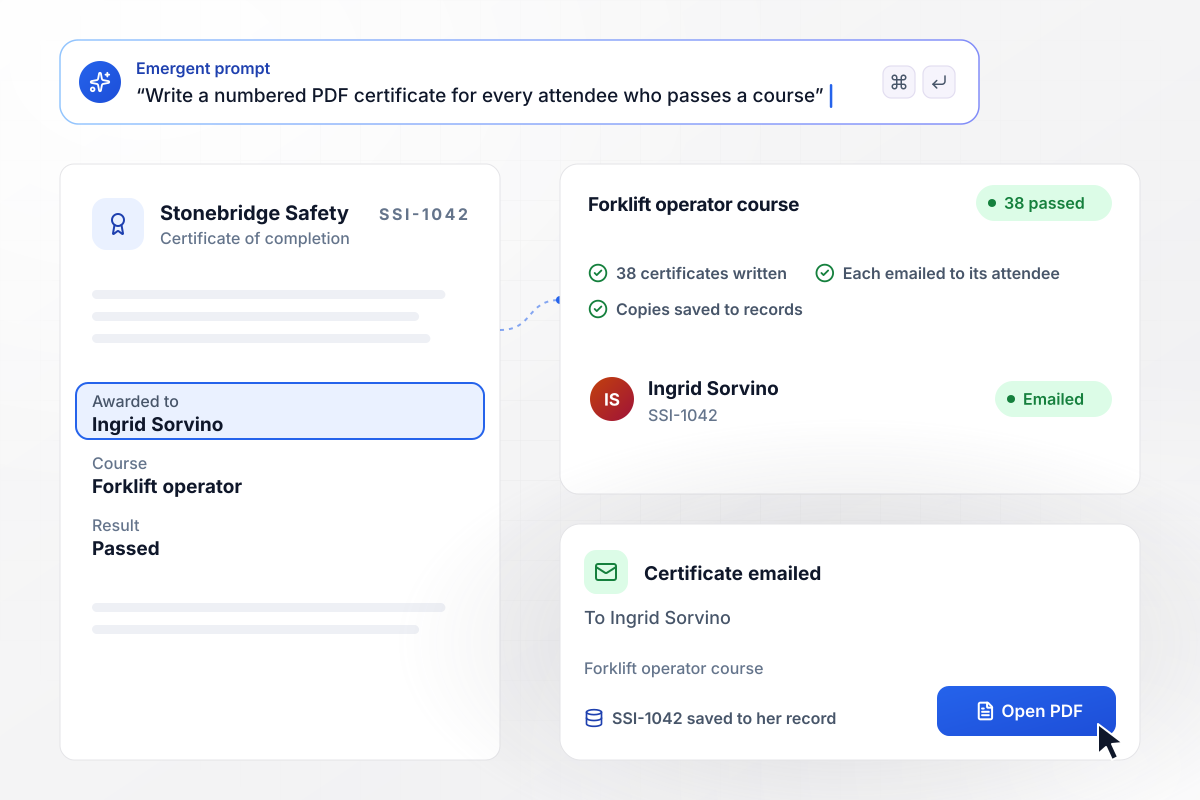
Numbered certificates for all 38 who passed
When Stonebridge Safety Institute closes a forklift operator course, the app writes a PDF certificate for each of the 38 attendees who passed, with the name, course, date, and its own number. Each one goes out by email. Ingrid Sorvino's copy is SSI-1042, and the same file is saved to her record.
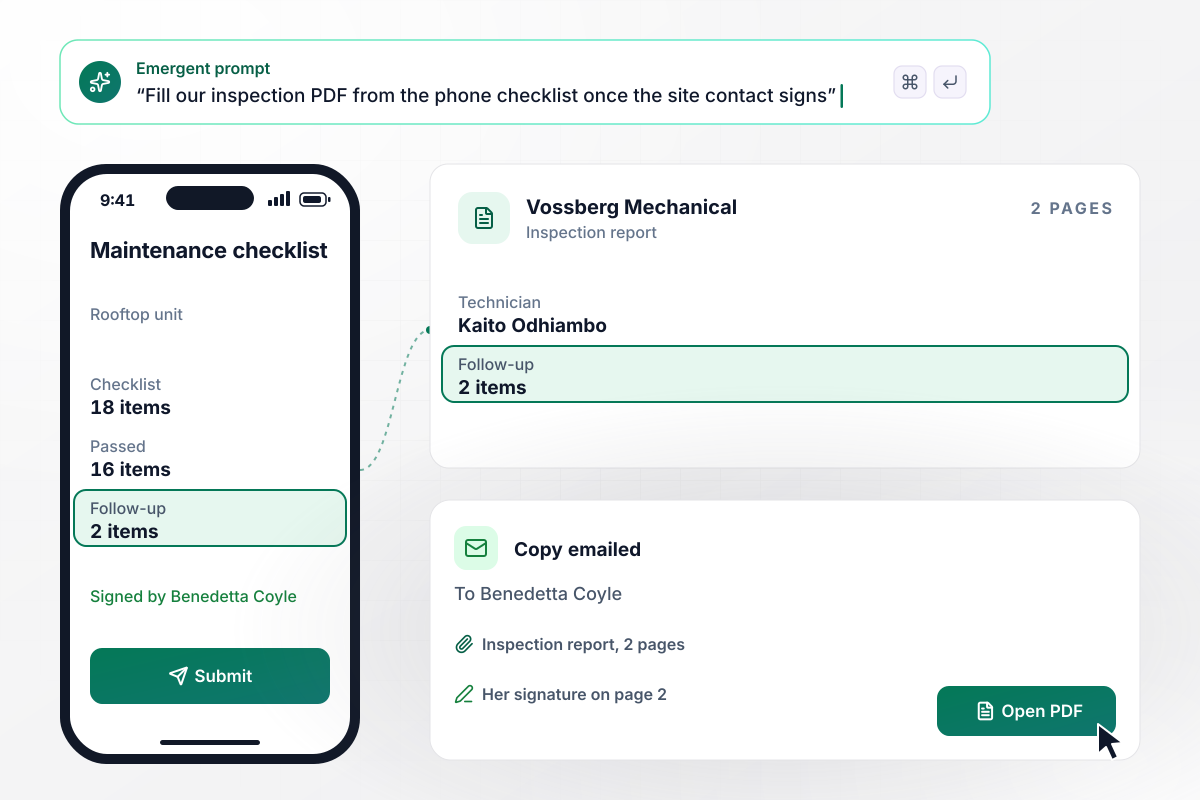
Benedetta signs before Kaito leaves the roof
Kaito Odhiambo of Vossberg Mechanical works through an 18-item checklist on his phone at a rooftop unit and marks 2 items for follow-up. The site contact, Benedetta Coyle, signs on his screen. The app writes his answers and her signature into Vossberg's 2-page inspection PDF and emails her a copy.
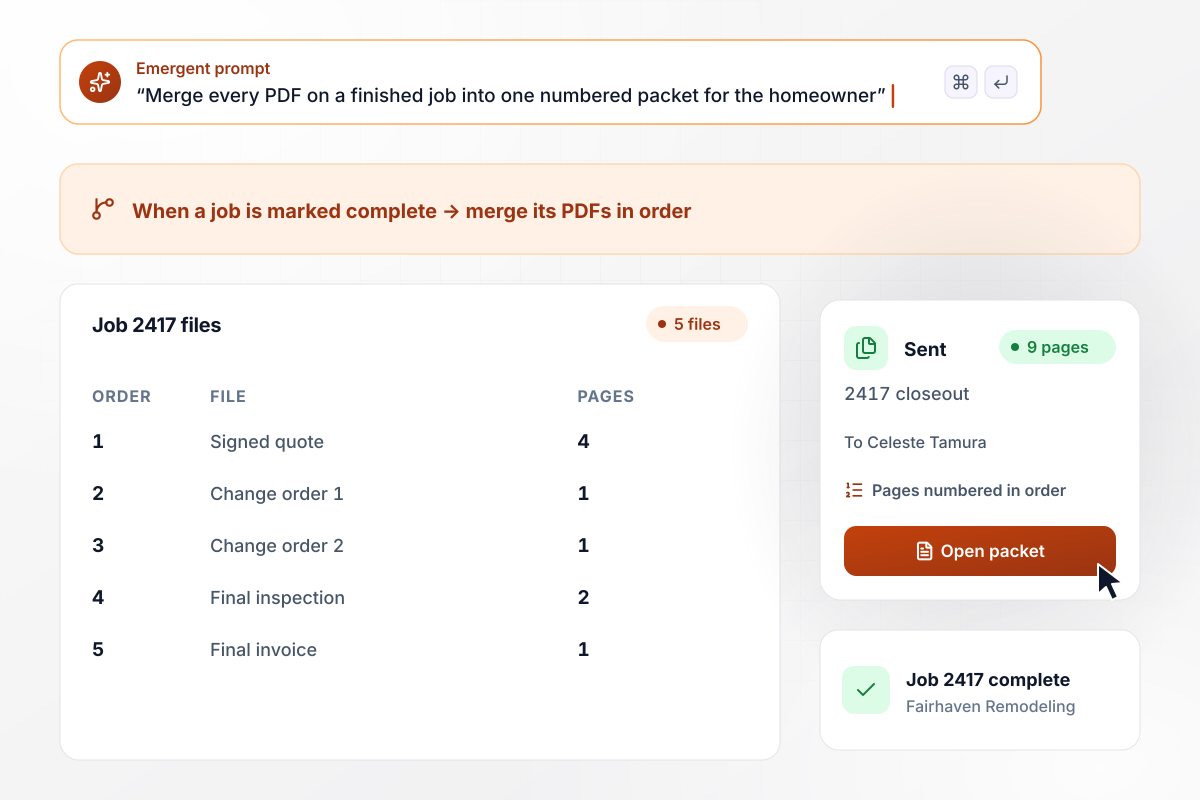
Job 2417 closes and its 5 files become 9 pages
When Fairhaven Remodeling marks job 2417 complete, the app merges the 5 PDFs attached to it in a set order. The packet opens with the signed quote, then 2 change orders, the final inspection, and the final invoice. It numbers the 9 pages, names the packet 2417 closeout, and emails it to Celeste Tamura.






How to Build PDF Automation
Follow 7 steps to set up PDF automation for one document type, checked against real copies before it handles new ones.
Choose the PDF your team handles most and save 10 recent copies, including your messiest scan. These copies become the test set for every later step.
Circle each value a person copies into another system today, such as a customer ID or a due date. Each one becomes a field in the app's records.
Write the prompt the way you would brief a new hire: where the PDFs arrive, what to pull out, and where each record goes. Emergent builds the app and its database from a prompt.
Connect the inbox or scanner folder where PDFs arrive and the drive where finished documents belong, through their APIs. Add Slack or email for the review alerts.
Pick one reviewer for each document type, and list the fields that always need a person, such as totals over an amount you set.
For documents the app writes, upload one you sent recently as the layout to copy. Ask for changes to spacing, fonts, or the logo by prompting until its output matches.
Compare each record the app creates with the values a person typed for that copy. Fix any misread field by prompting, then switch on the live inbox.
Why Build PDF Automation With Emergent?
Emergent builds one app from a prompt that handles the PDFs coming in, the PDFs going out, and the records kept in between.

|
Zapier | Make (Integromat) | n8n | |
|---|---|---|---|---|
| How you build | Prompt for the workflow and the app around it | Templates and editor, AI copilot | Visual canvas | Visual canvas, self-hosted or cloud |
| What you get | Workflow + trigger form + database + dashboard, as code you own | Zaps, plus Tables and Interfaces inside Zapier | Scenarios inside Make | Workflows inside n8n |
| Behavior at cap | Keeps running, no task cap | Overage billed at up to 1.25× the base rate | Runs pause | Cloud workflows stop until the reset or an upgrade |
| AI and agent steps | Native, share the same credit pool | Priced by model tier, drawn from the task pool | AI modules cost variable credits | Bring your own model API key, billed by the provider |
| Code ownership | Full code export to GitHub on paid plans | None | None | Yes on Community Edition |



Pick the Pricing Plan That Works for You
Choose the plan that fits your building ambitions. From weekend projects to enterprise applications, we've got you covered.




Find the right workflow automation
for you and your business




Frequently Asked Questions
Your Questions, Answered
Don't change this element unless you know what you are doing
More things you can build
with Emergent









on Emergent today




