

Build Returns Automation That Applies Your Policy to Every Return
Build returns automation that sorts each request by your return policy and keeps every return in a database you own.
Build returns automation that runs on its own and logs every step.
Trusted by Builders Worldwide
Active Builders Worldwide
Apps Successfully Created
Countries Globally Reached



What Emergent Builds for Each Return
Each part runs one stage of a return, and all of them write to the same return record.
Your return policy, applied to every request
Write the return window, the final-sale items, and any exceptions in plain English. The app tests each request against those rules before a label goes out and saves the result.
Exchange or credit offered before a refund
The return portal offers a different size or store credit before it offers money back. You choose the products that qualify and the bonus added to credit, and each pick is recorded.
Return labels from your carrier account
Connect your store platform and your shipping carrier through their APIs. The app creates the return label, follows the tracking scans, and marks the order when the box heads back.
A grade and a photo for every returned item
Staff at the dock pick a grade for each item on a phone or tablet and add a photo when it is damaged. The grade sets the item's next stop: a stock bin, an outlet shelf, or a person.
Return reasons counted by product
Customers pick a reason with each return, and the dashboard counts reasons by product as they arrive. If a product passes a threshold you set, its merchandiser gets a Slack alert.
The returns app's code, in your GitHub
Export the full code of the returns app to your GitHub repository on paid plans. Engineers can read how each refund decision is recorded and extend the app like any other codebase.
Four Stops on a Return's Way Back
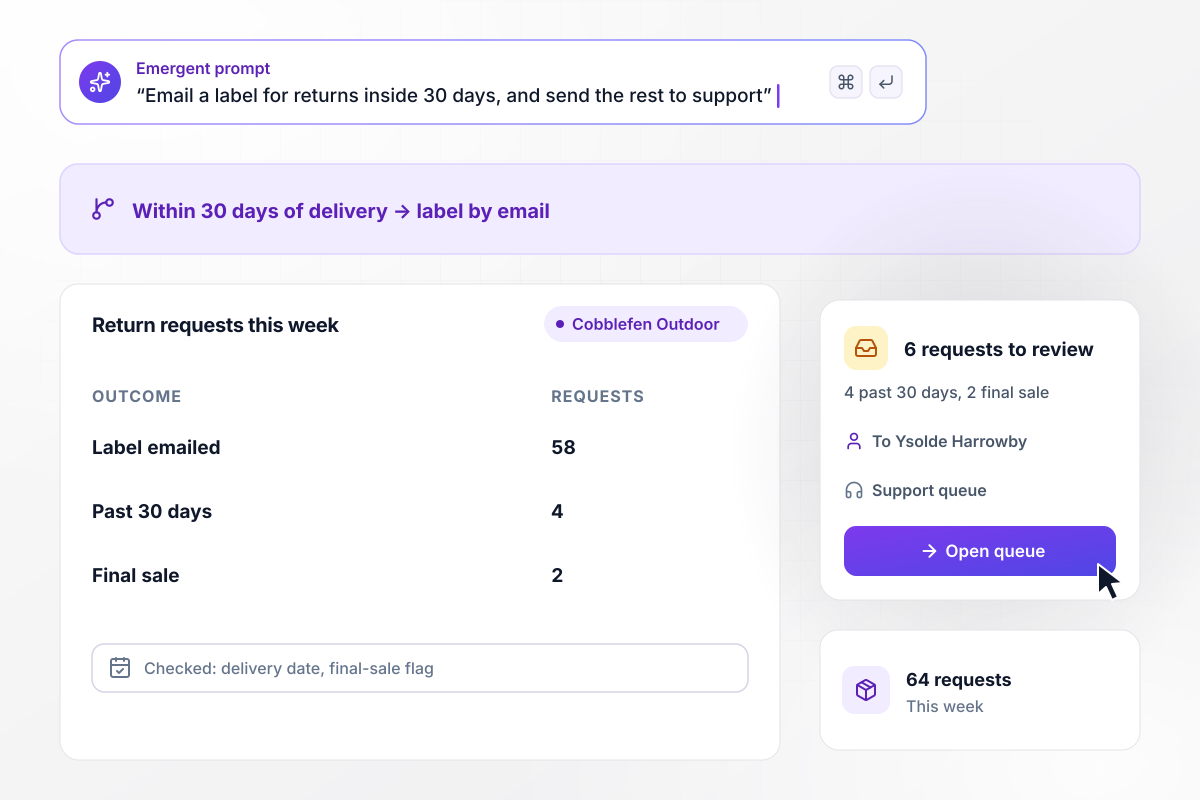
Within 30 days of delivery, the label goes out
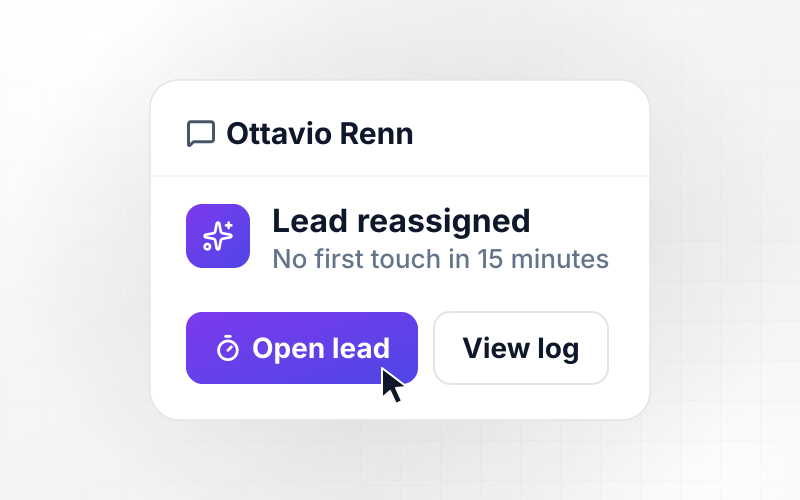
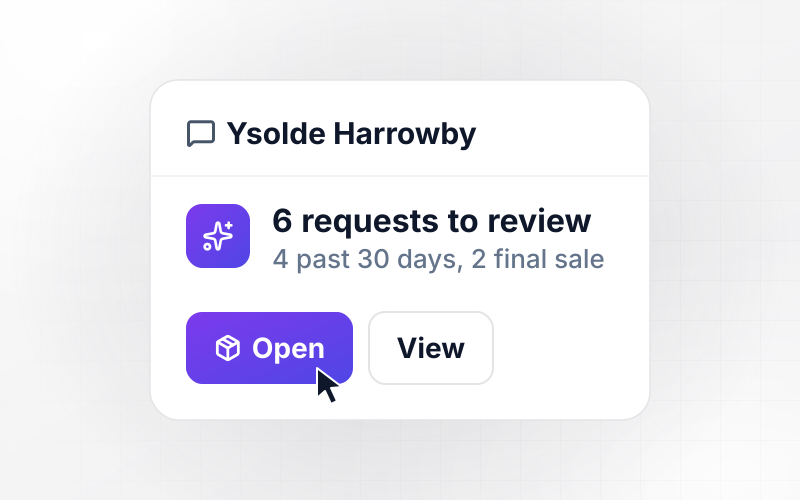
Cobblefen Outdoor takes returns within 30 days of delivery. This week brought 64 requests, and the app checked each delivery date and final-sale flag. A return label went by email to the 58 that passed. The other 6 went to Ysolde Harrowby on support: 4 past 30 days and 2 final-sale items.
window.awbMockup = { returnRequests: "Build a returns portal for my outdoor store. Customers enter their order number and pick the items to return. Approve any request within 30 days of delivery that has no final-sale item, and email the customer a return label. Send every other request to the support queue with the reason it failed. Show this week's requests by outcome.", sizeExchanges: "Build a return flow for my shoe store that offers an exchange before a refund. When a customer returns a pair for size, show the next half size, store credit worth the price plus a $10 bonus, or a refund. If they pick the exchange, ship the new pair when the carrier first scans their return.", receivingDock: "Build a receiving screen for my home goods warehouse. Staff scan a return, see its items, and grade each one. Items graded A go back to stock. An item graded C needs a photo and goes to the returns lead in a direct message, and the returns lead decides its refund. Show how many items in each return went back to stock.", reasonsByProduct: "Build a weekly returns report for my clothing brand. Ask customers for a reason with every return, and every Monday count last month's returns by product and reason. When one reason covers more than half of a product's returns, send the merchandiser a direct message naming the product and the reason. Show each product's reasons as a bar chart." };
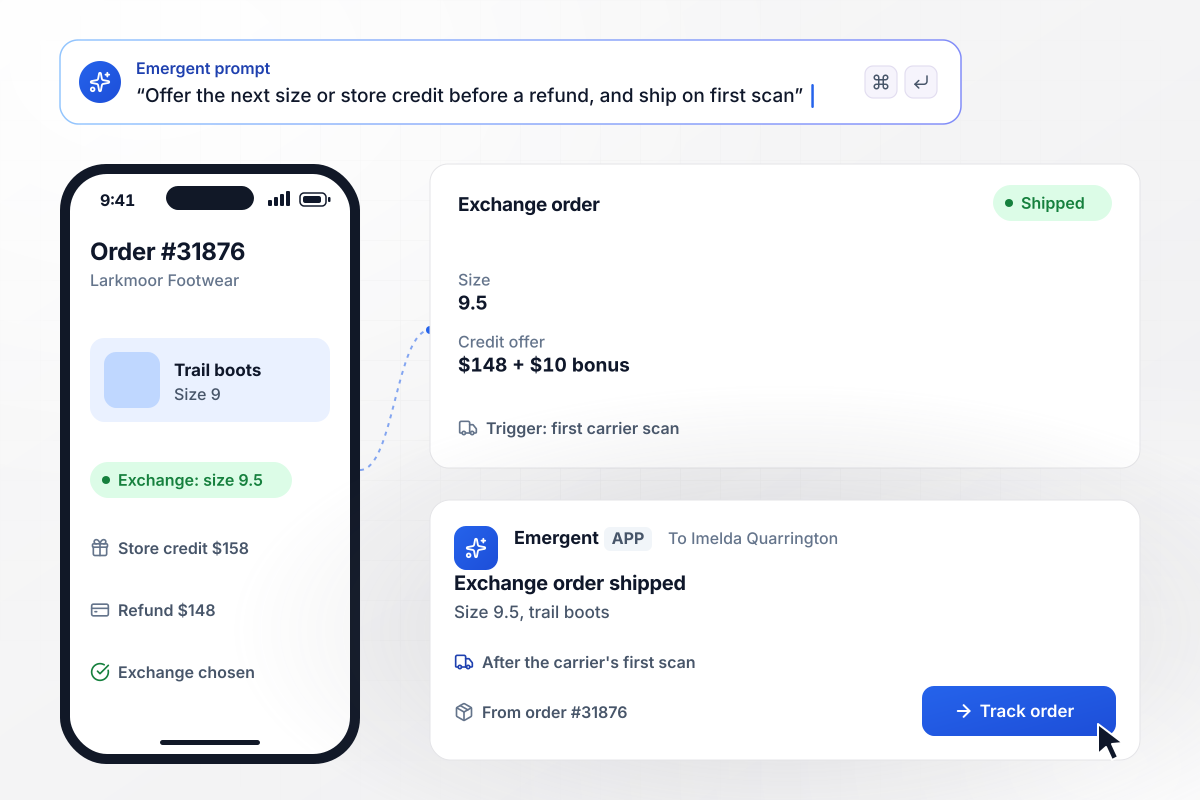
Size 9.5 ships on the carrier's first scan
Imelda Quarrington starts a return of trail boots in size 9 from Larkmoor Footwear order #31876. The portal offers size 9.5 or store credit of $158 first, then a $148 refund. The credit is the $148 price plus a $10 bonus. She picks size 9.5, and the exchange order ships when the carrier first scans her return.
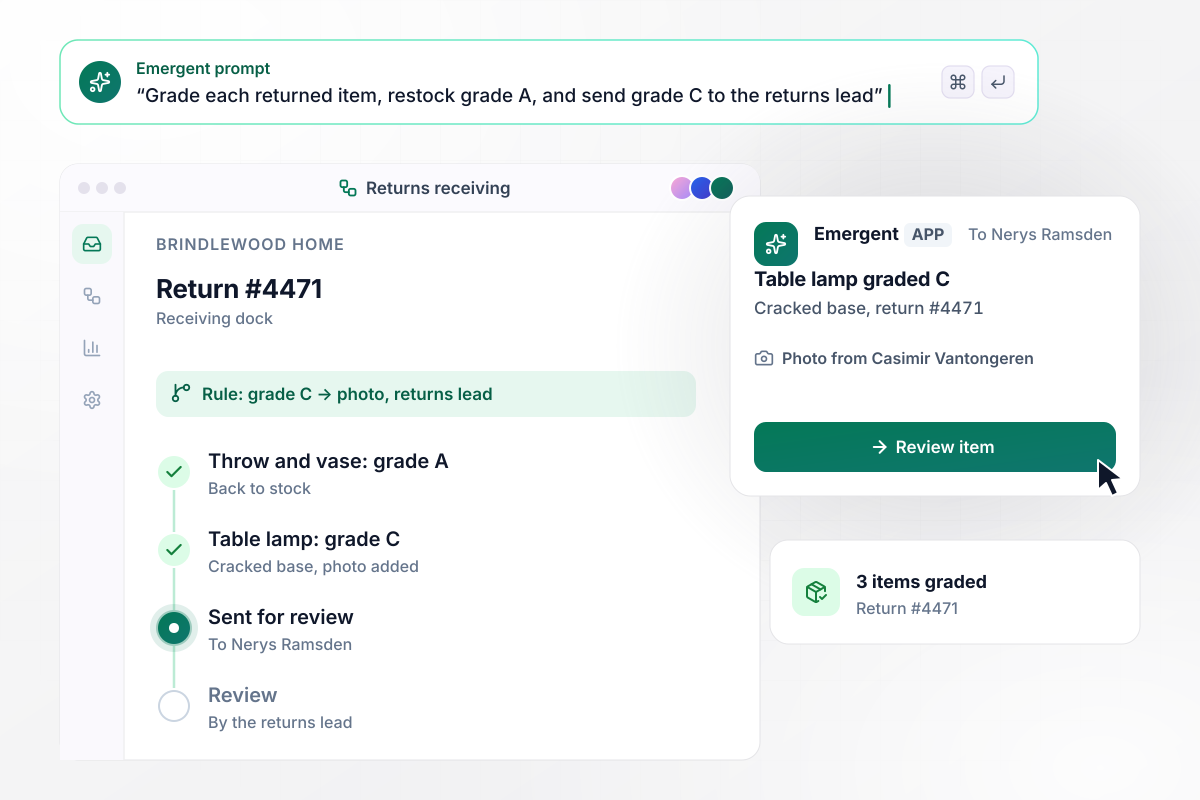
The lamp with a cracked base goes to review
At Brindlewood Home's receiving dock, items graded A go back to stock. Items graded C need a photo and go to Nerys Ramsden, the returns lead, for review. Casimir Vantongeren grades return #4471, which holds 3 items: a throw and a vase pass as grade A. The table lamp has a cracked base and is graded C.
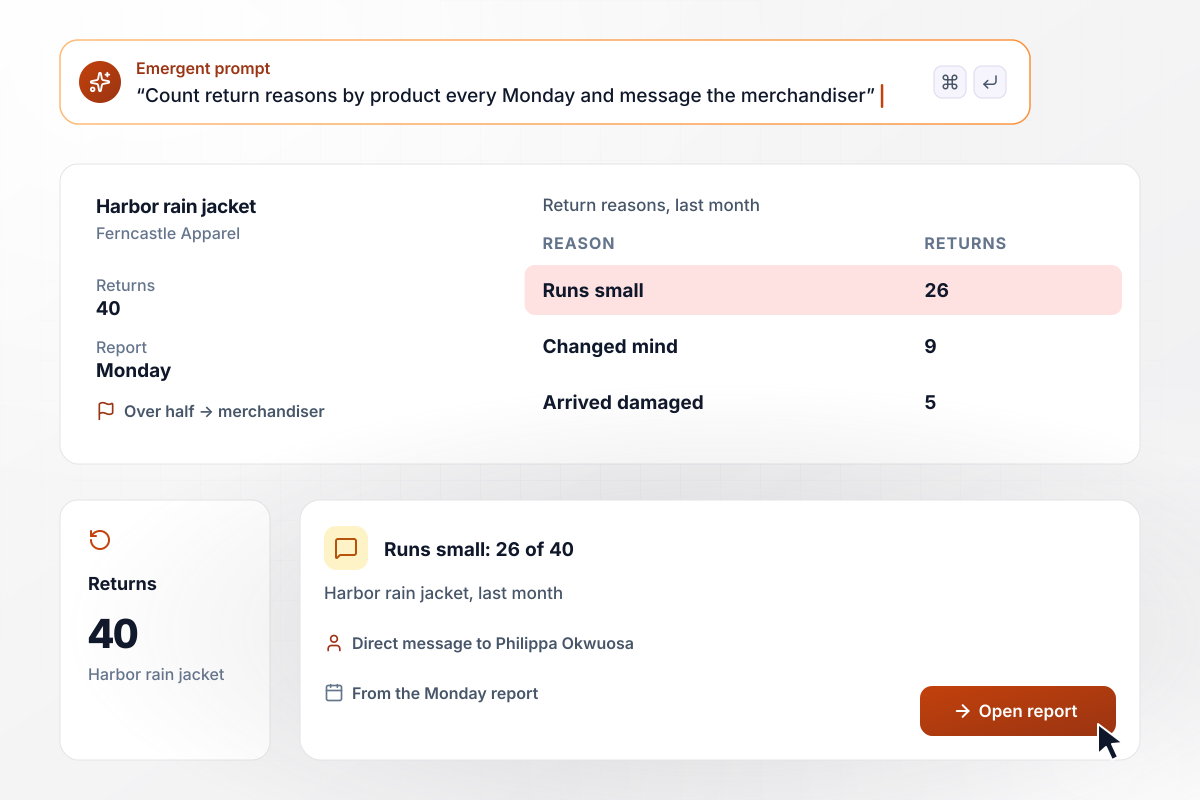
26 of 40 jacket returns say it runs small
Ferncastle Apparel's Monday report counts return reasons by product. Last month the Harbor rain jacket came back 40 times: 26 said it runs small, 9 changed their minds, and 5 arrived damaged. When one reason covers more than half of a product's returns, Philippa Okwuosa, the merchandiser, gets a direct message.






How to Build Returns Automation
Seven steps to turn your return policy into returns automation with clear rules and grades, then build it with Emergent.
Write your return policy down as rules a machine can test: the window in days from delivery, which items are final sale, and the condition an item must arrive in. Mark each rule as automatic or as one that sends the request to a person.
For every outcome, name the action and the owner. An approved request gets a label by email, a declined one gets the reason in writing, and an exception lands in the support queue. Keep the list short enough to learn in one read.
Decide what the portal shows before money back. Offer exchanges only on sizes in stock, and try a small credit bonus, such as $10, on one product line for a month before you extend it to the rest of the catalog.
Connect the store platform that holds your orders, the carrier that prints return labels, and the payment system that issues refunds, each through its API. Describe the flow in a prompt, and Emergent builds the portal and the rules on top.
Agree on 2 or 3 grades that receiving staff can apply without a manual, and give each grade one next stop. Require a photo for any grade that holds up a refund, and name the person who reviews those photos.
Pull 20 returns from last month, including a late request, a final-sale item, and a damaged one. Run them through the app and check that each gets the outcome it got by hand. Fix any rule by prompting, then run the set again.
Turn on the portal for one product line first, such as footwear, and watch the support queue for a week. Read the first monthly reasons report before you add the next line, and move the rest over once the queue stays small.
Why Build Returns Automation With Emergent?
Emergent builds the return portal, the dock grading screen, and the reasons report as one app from a prompt, with no cap on tasks.

|
Zapier | Make (Integromat) | n8n | |
|---|---|---|---|---|
| How you build | Prompt for the workflow and the app around it | Templates and editor, AI copilot | Visual canvas | Visual canvas, self-hosted or cloud |
| What you get | Workflow + trigger form + database + dashboard, as code you own | Zaps, plus Tables and Interfaces inside Zapier | Scenarios inside Make | Workflows inside n8n |
| Behavior at cap | Keeps running, no task cap | Overage billed at up to 1.25× the base rate | Runs pause | Cloud workflows stop until the reset or an upgrade |
| AI and agent steps | Native, share the same credit pool | Priced by model tier, drawn from the task pool | AI modules cost variable credits | Bring your own model API key, billed by the provider |
| Code ownership | Full code export to GitHub on paid plans | None | None | Yes on Community Edition |


Pick the Pricing Plan That Works for You
Choose the plan that fits your building ambitions. From weekend projects to enterprise applications, we've got you covered.




Find the right workflow automation
for you and your business




Frequently Asked Questions
Your Questions, Answered
Don't change this element unless you know what you are doing
More things you can build
with Emergent









on Emergent today




