

Build Interview Scheduling Automation That Books Every Round
Build interview scheduling automation that lets candidates book their own slot and covers a declined interview with a backup.
Build interview scheduling automation that runs on its own and logs every step.
Trusted by Builders Worldwide
Active Builders Worldwide
Apps Successfully Created
Countries Globally Reached



What Your Interview Scheduling App Handles
Each interview is booked from the right pool of interviewers, at a time every person on it can make.
Trained interviewers for each round
List who can run each round, such as system design. The app picks only from that list and reads each person's busy hours from Google Calendar or Microsoft 365 first.
Booking links in the candidate's time zone
Candidates pick from open slots shown in their own local time, and the invite lands on both calendars with a video link. Nobody on your team converts a time by hand.
Loops ordered around the tightest calendar
The app books the interviewer with the narrowest free window first, then fits the rest of the loop around that slot. The candidate gets one itinerary with every name.
Declines covered from the same pool
When an interviewer declines, the app moves the invite to another trained interviewer free at that time. If nobody is free, the recruiter gets a Slack or email alert.
A weekly cap on interviews per person
Set the number of interviews each person can take in a week. A live dashboard shows every count, and the app skips anyone at the cap when it assigns the next request.
Every booking kept in a database you own
Each invite, decline, and swap is saved with its time and the person who made it, in a database you own. Export the app's full code to your GitHub repo on paid plans.
Where Interview Logistics Slip Without Rules
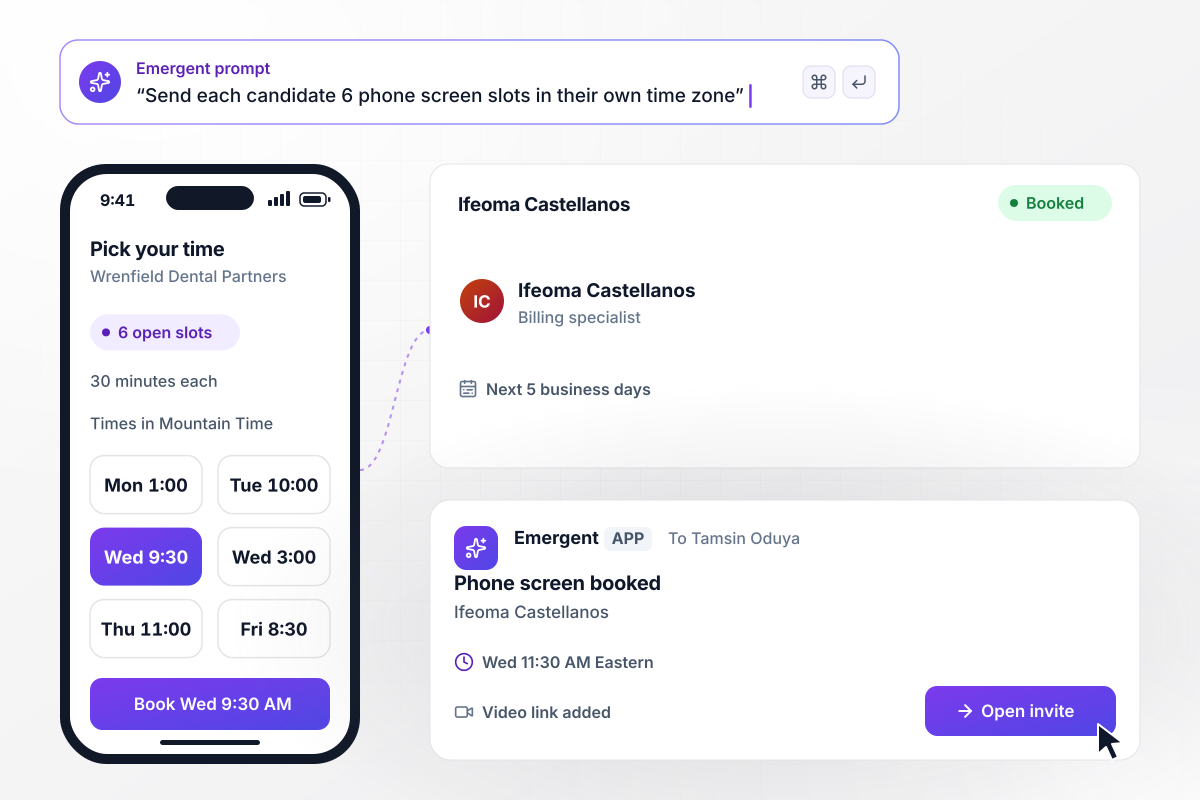
6 open slots, each shown in her own time zone
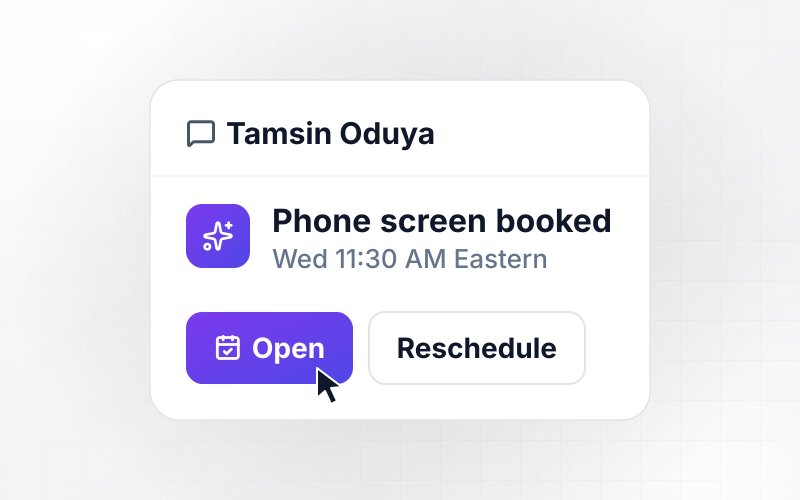
Tamsin Oduya moves billing specialist Ifeoma Castellanos to phone screen at Wrenfield Dental Partners. The app emails Ifeoma 6 open 30-minute slots over the next 5 business days, in Mountain Time. She picks Wednesday at 9:30 AM, and the call lands on Tamsin's calendar at 11:30 AM Eastern with a video link.
window.awbMockup = { selfBooking: "Build a phone screen booking link for my dental group's recruiters. When a recruiter moves a candidate to phone screen, email the candidate 6 open 30-minute slots from the recruiter's calendar over the next 5 business days, shown in the candidate's own time zone. When the candidate picks one, add it to both calendars with a video link.", interviewLoops: "Build a final-round scheduler for my robotics company. Book 4 interviews of 45 minutes each on one day, with a 15-minute break between them, only from each interviewer's free hours. Start from the interviewer with the narrowest free window, and send the candidate one itinerary with every interview and time.", reschedules: "Build interview rescheduling for my credit union. When an interviewer declines a booked interview, find another interviewer trained for the same round who is free at that time, move the invite to them, and send the candidate an updated invite at the same time. If nobody is free, alert the recruiter in Slack.", interviewerLoad: "Build an interviewer rotation for my software company's system design interview. Keep a list of the 5 trained interviewers, cap each one at 3 interviews a week, and assign each new interview to the person with the fewest this week. Show every interviewer's count on a live dashboard." };
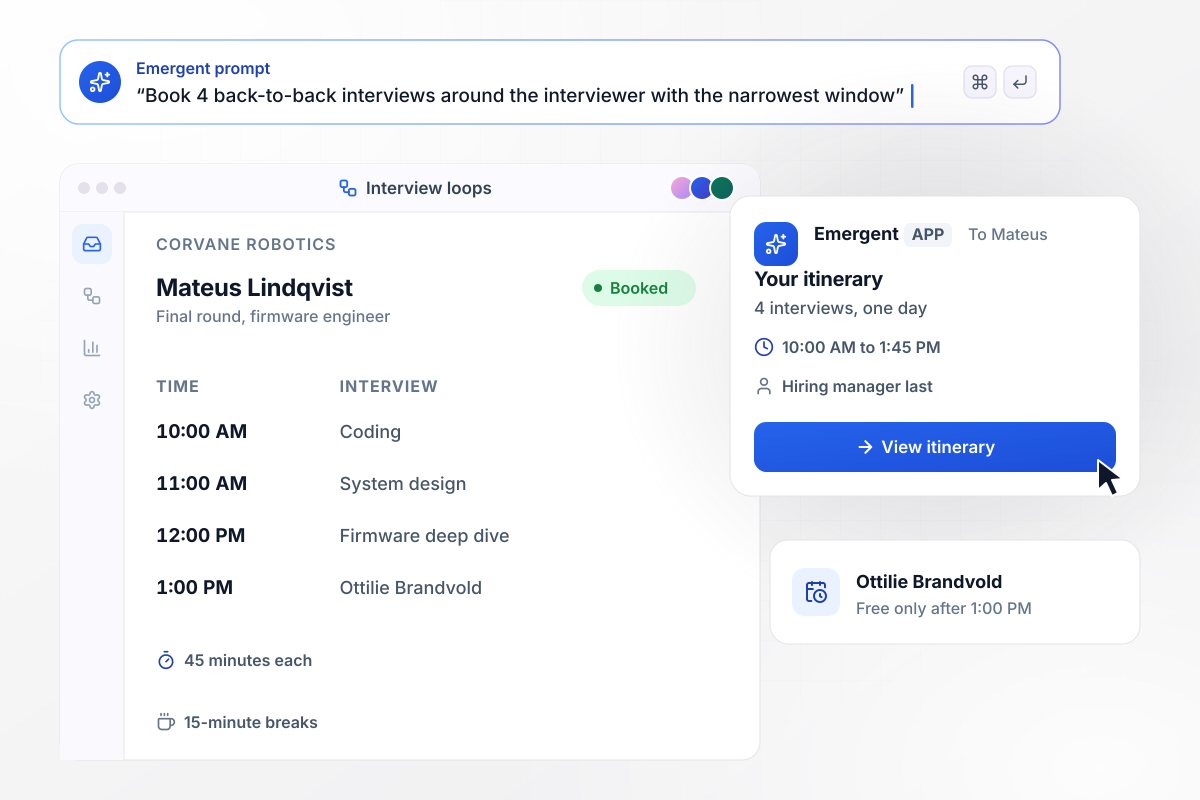
With the manager free only after 1:00 PM, she goes last
Corvane Robotics needs 4 interviews of 45 minutes each for Mateus Lindqvist, a firmware engineer in the final round. The hiring manager, Ottilie Brandvold, is free only after 1:00 PM. The app books 10:00 AM to 1:45 PM with 15-minute breaks and puts her interview last. Mateus gets one itinerary with all 4.
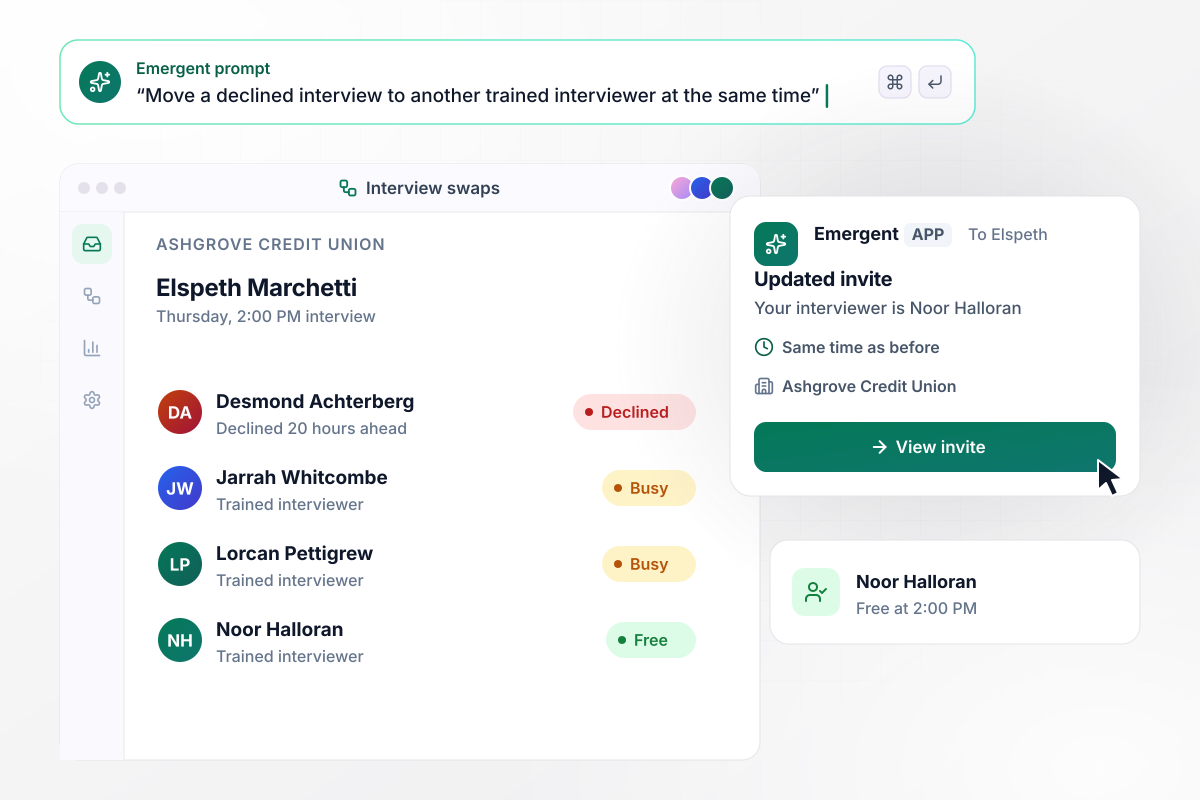
When Desmond declines, Noor takes his 2:00 PM slot
Desmond Achterberg declines Elspeth Marchetti's Thursday 2:00 PM interview at Ashgrove Credit Union 20 hours ahead. Jarrah Whitcombe and Lorcan Pettigrew, also trained for it, are busy then, so the app hands the slot to Noor Halloran. Elspeth keeps her time and gets an updated invite with Noor's name on it.
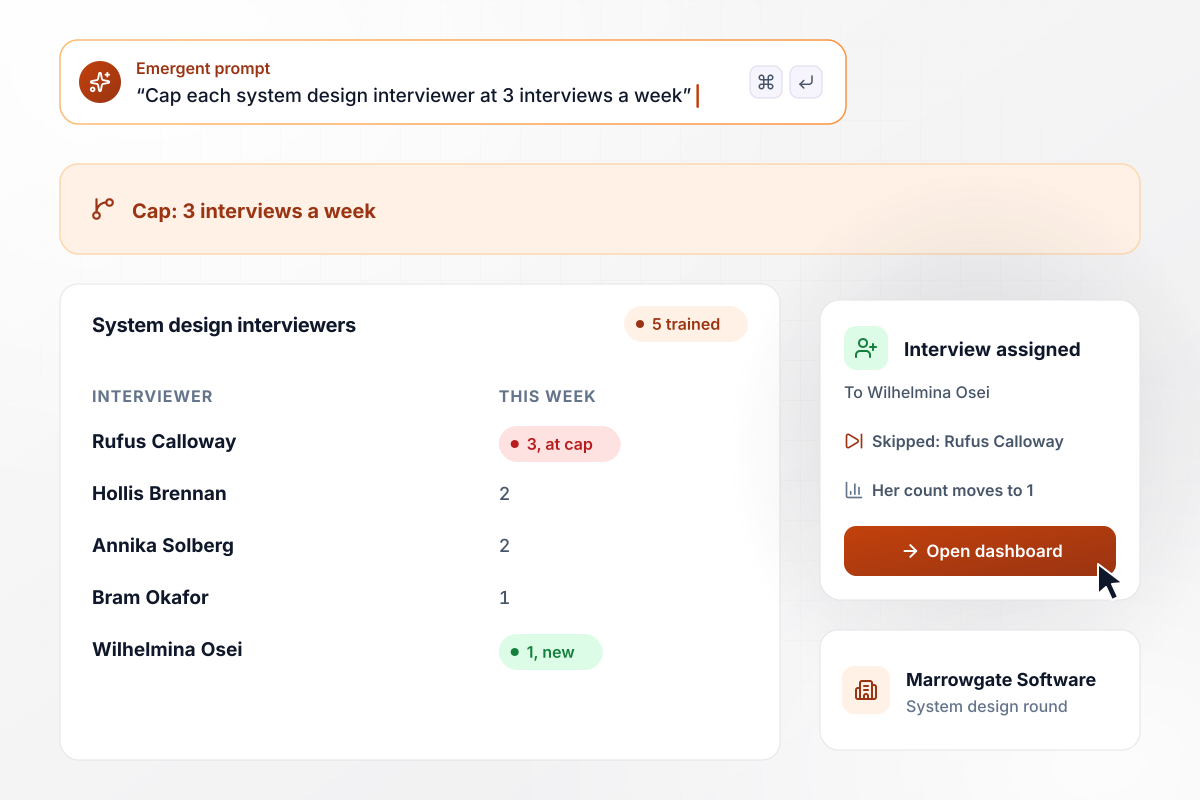
No one runs more than 3 interviews a week
Marrowgate Software trained 5 engineers to run its system design interview and caps each at 3 interviews a week. Rufus Calloway already has 3 this week, so when the next candidate books, the app skips him. The interview goes to Wilhelmina Osei, who had none, and her count on the dashboard moves to 1.






Build Interview Scheduling Automation
Seven steps to plan interview scheduling automation around your rounds and interviewers, then build it and book one real candidate.
Write down each round you book, with its length and who takes part. Note which rounds a candidate books alone and which need several interviewers on the same day.
For each round, list the interviewers trained to run it and the hours they will interview. Set a weekly cap for each person now, before the same few people end up on every loop.
Connect Google Calendar or Microsoft 365 for every interviewer, plus your applicant tracking system if it has an API. Pick the stage change that sends a candidate a booking link.
Tell Emergent the rounds, the interviewer lists, the caps, and the booking window in plain English. Ask for a dashboard of interviews per person, and change any rule later by prompting.
Have the app try the trained interviewers first and alert the recruiter only when none of them is free. Set how many times a candidate can move an interview before a recruiter steps in.
Draft the booking email, the confirmation, and a reminder for the day before. Put the interviewer names and the video link in every message. A candidate with both has no reason to email the recruiter.
Run one candidate from your pipeline through every round on real calendars. Check that each invite shows the right time zone and that a test decline reaches a trained backup before the whole team uses it.
Why Build Interview Scheduling With Emergent?
Emergent builds the scheduling app and its database from one prompt, and you change the booking rules by prompting again.

|
Zapier | Make (Integromat) | n8n | |
|---|---|---|---|---|
| How you build | Prompt for the workflow and the app around it | Templates and editor, AI copilot | Visual canvas | Visual canvas, self-hosted or cloud |
| What you get | Workflow + trigger form + database + dashboard, as code you own | Zaps, plus Tables and Interfaces inside Zapier | Scenarios inside Make | Workflows inside n8n |
| Behavior at cap | Keeps running, no task cap | Overage billed at up to 1.25× the base rate | Runs pause | Cloud workflows stop until the reset or an upgrade |
| AI and agent steps | Native, share the same credit pool | Priced by model tier, drawn from the task pool | AI modules cost variable credits | Bring your own model API key, billed by the provider |
| Code ownership | Full code export to GitHub on paid plans | None | None | Yes on Community Edition |


Pick the Pricing Plan That Works for You
Choose the plan that fits your building ambitions. From weekend projects to enterprise applications, we've got you covered.




Find the right workflow automation
for you and your business




Frequently Asked Questions
Your Questions, Answered
Don't change this element unless you know what you are doing
More things you can build
with Emergent









on Emergent today




