

Build a Likert Questionnaire That Totals Its Own Scores
Get a Likert questionnaire that scores every answer, flips negative statements, and saves the data in a database you own.
Build a likert questionnaire that collects every answer in a database I own.
Trusted by Builders Worldwide
Active Builders Worldwide
Apps Successfully Created
Countries Globally Reached



What Goes Into a Self-Scoring Questionnaire
Emergent builds each of these from a plain-English prompt, and a follow-up prompt changes any of them.
Statements written around your topic
Name the attitude or experience you want to measure and who answers. Emergent drafts the statements, groups them into scales, and rewrites any single statement on request.
Your points, your labels
Choose 5 or 7 points and the words on each, such as Strongly disagree through Strongly agree, or Never through Always. Every statement in one scale shares the same labels.
Reverse scoring set per statement
Mark the statements worded against the scale. The questionnaire scores those the other way round before it adds the total, so nobody has to fix that column later in a spreadsheet.
One statement per screen
Respondents on a phone see a single statement at a time and tap one label to answer it. The next statement follows at once, and the last screen confirms the response was saved.
Alerts on the answers you name
Pick the answers that need a person, such as a 1 or 2 on any statement, and who should hear. That person gets a Slack, email or in-app alert with the response attached.
No response cap, and data you own
Emergent puts no cap on survey responses, and each answer lands in a database you own. On paid plans, export the full code to GitHub and run the next round from your own copy.
Four Likert Questionnaires, Scored Four Ways
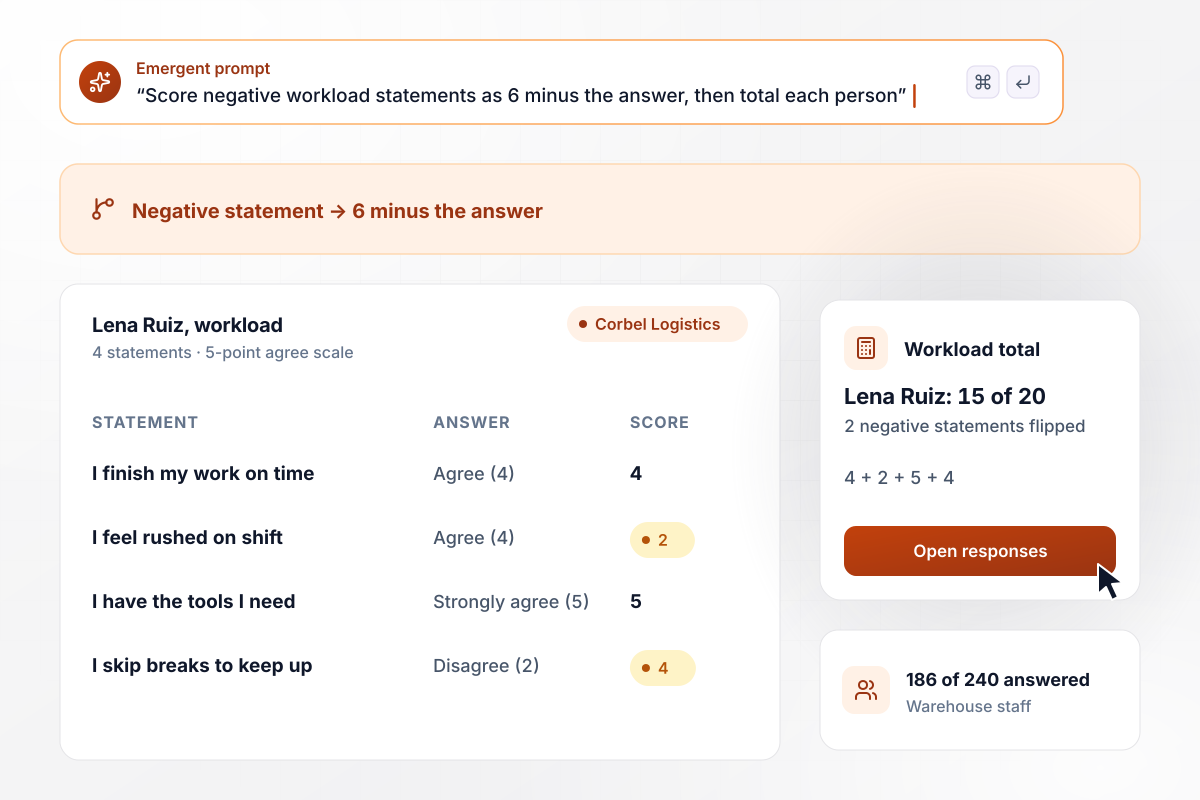
Two negative statements, flipped before the sum
Corbel Logistics asks 240 warehouse staff to rate 4 workload statements on a 5-point agree scale. Two are worded negatively, such as "I skip breaks to keep up". The questionnaire scores those as 6 minus the answer, then adds all 4 into a total out of 20. Lena Ruiz's total is 15, and 186 of the 240 have answered.
window.awbMockup = { workloadScale: "Build a workload questionnaire for my warehouse staff. Use 4 statements on a 5-point agree scale, from Strongly disagree to Strongly agree. Two statements are negative, such as I skip breaks to keep up, so score those as 6 minus the answer. Add the 4 scores into a total out of 20 for each person, and show how many of my 240 staff have answered.", courseEvaluation: "Build an end-of-course evaluation for my college with 5 statements rated 1 to 5. For each course and statement, report the share of students who answer 4 or 5 instead of an average. When fewer than 6 in 10 students in a course agree with any statement, send the result to that department's chair.", classCheckIn: "Build a check-in for my fitness studio that members open on their phones after each class. Show 3 statements, one per screen, each on a 5-point agree scale with a Neutral middle, plus a comment box. When anyone answers 1 or 2, email my studio manager with the class name and the comment.", beforeAndAfter: "Build a staff questionnaire with 6 statements on a 5-point agree scale that I run in March and again in September. For each statement, show the share of my 120 staff who agree or strongly agree in each round and the change in points, and post the results to my people team channel in Slack." };
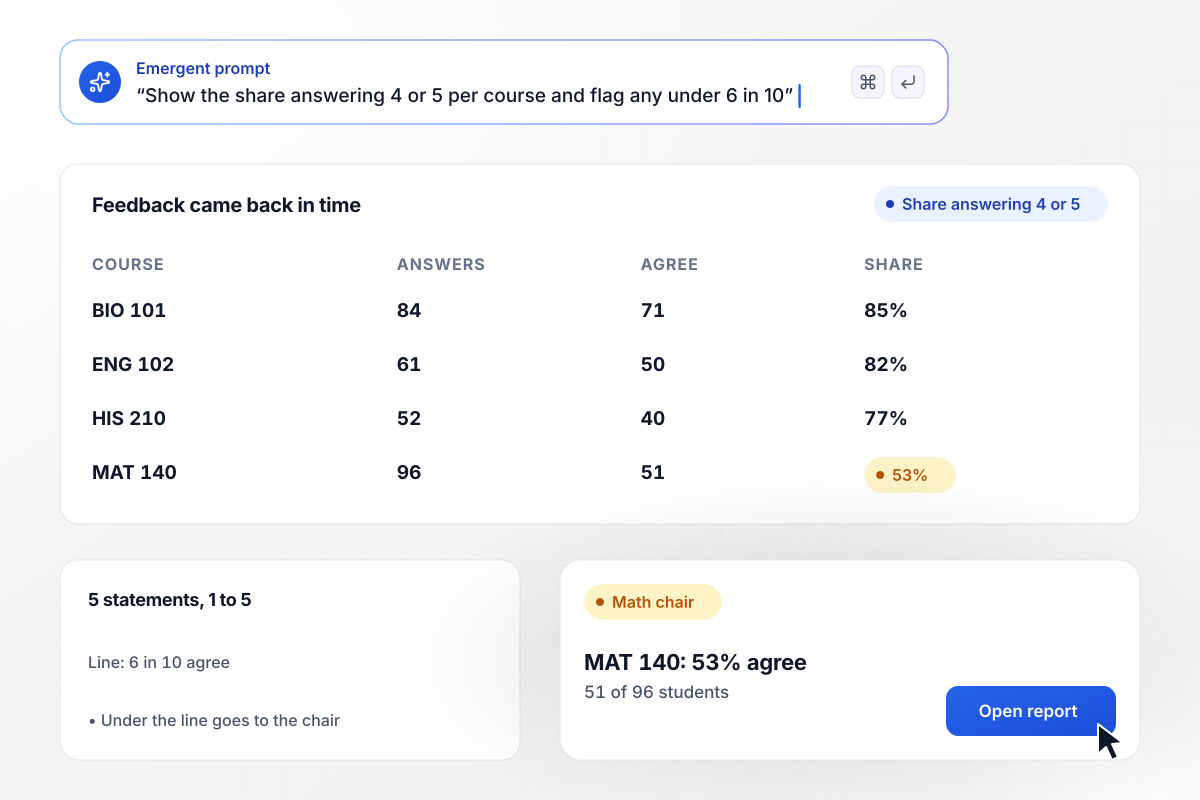
MAT 140 falls short of the 6 in 10 line
Halden Community College ends every course with 5 statements rated 1 to 5. The report skips the average and counts students who answer 4 or 5. On "Feedback came back in time", 51 of 96 students in MAT 140 agree. Any course where fewer than 6 in 10 agree goes to its department chair, here the math chair.
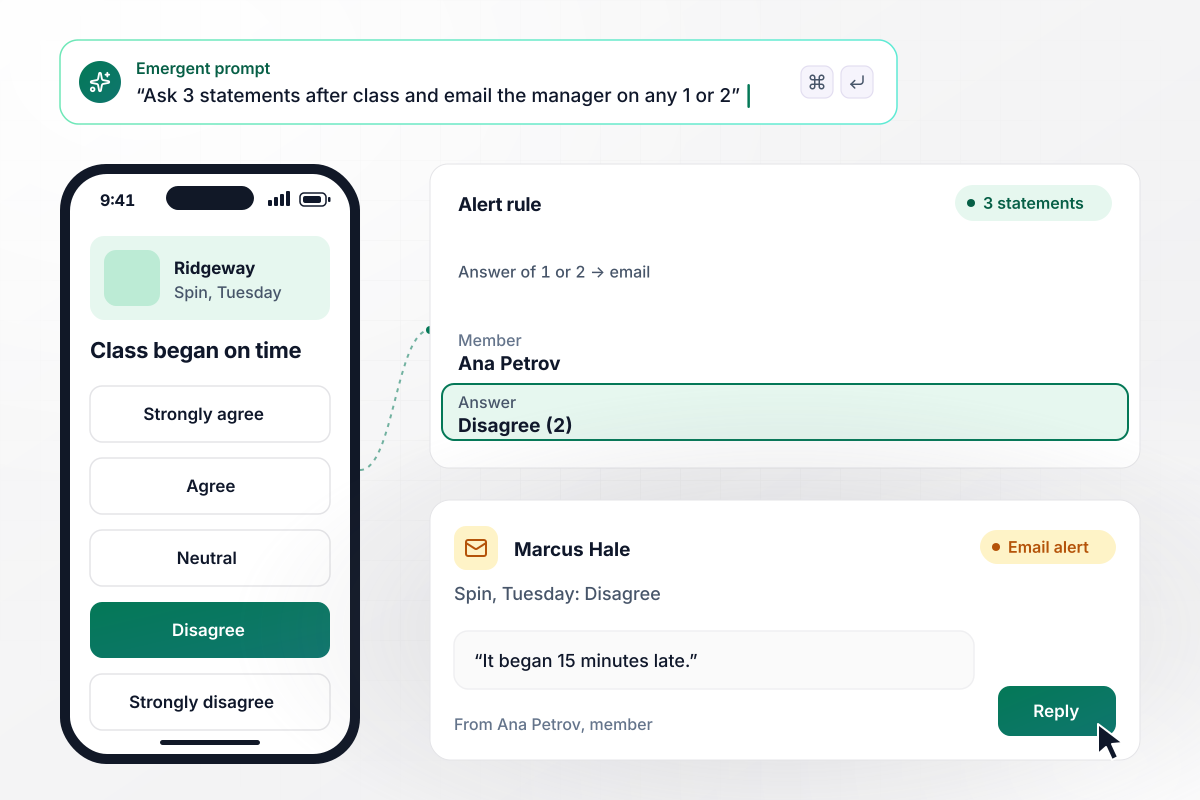
A Disagree after spin class reaches the manager
Members of Ridgeway Fitness answer 3 statements on their phones after each class, one per screen. An answer of 1 or 2 emails the studio manager, Marcus Hale, with the member's comment. After Tuesday's spin class, Ana Petrov picked Disagree on "Class began on time" and wrote that it began 15 minutes late.
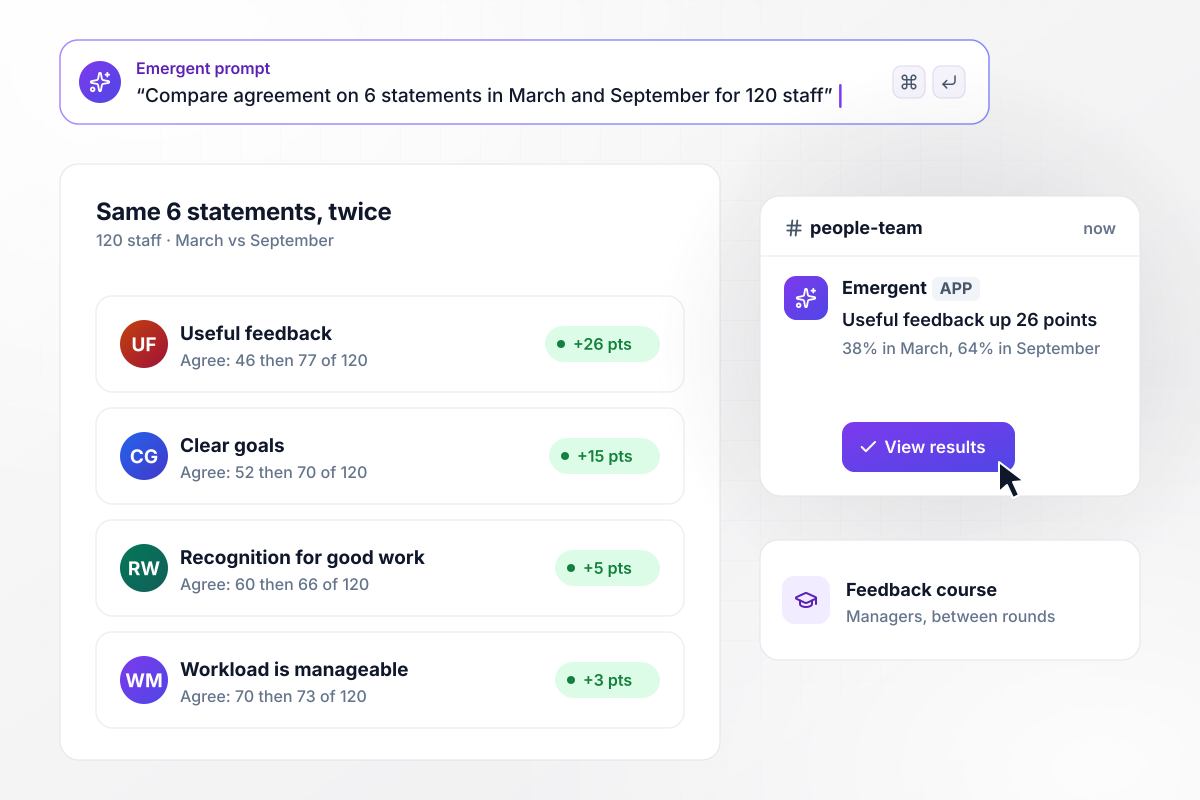
Useful feedback climbs 26 points in six months
Ashgrove Credit Union asks its 120 staff the same 6 statements in March and in September, with a manager feedback course in between. In March, 46 of them agree that "My manager gives me useful feedback". In September, 77 do. The 26-point change posts to #people-team, with the rest of the results below it.






How to Write a Likert Questionnaire
Seven steps to a Likert questionnaire with clear statements and totals that add up the way you planned.
Write down the attitude or experience behind each scale, such as workload or trust in a manager, and who will answer. A statement that does not speak to it belongs in another scale. Lead your prompt with that line, and Emergent drafts statements to fit.
Keep each statement short and in the first person: "I can finish my work on time." A respondent should be able to agree or disagree with it exactly as written. Avoid jargon and double negatives, and read every statement aloud before it goes in.
Split any statement that joins two ideas with "and", such as "My manager is fair and easy to reach." Pew Research Center calls questions that ask respondents to evaluate more than one concept double-barreled. Ask about fairness in one statement and access in another.
Phrase some statements negatively and mark them for reverse scoring. Pew Research Center reports that less educated and less informed respondents have a greater tendency to agree with agree-disagree statements, and mixed wording balances that pull.
Give each point a word, not only a number, and keep the same labels in the same order for every statement in a scale. Use 5 points for a quick check-in and 7 when you need finer steps between agree and disagree.
Send the draft to 5 people from the group and ask what each statement means to them. In Pew Research Center's words, pretesting is an essential step in the questionnaire design process. Then submit test answers and check that flipped statements and totals score right.
Show each statement as the share who chose the top 2 points, next to the count for every label. A single Likert item is ordinal, and a mean of 3.0 can hide a room split between 1s and 5s. Save averages and sums for whole-scale totals.
Why Build Your Likert Questionnaire on Emergent?
Skip the scoring spreadsheet. The questionnaire flips negative statements and totals each scale, and answers stay in a database you own.

|
SurveyMonkey | Microsoft Forms | SurveyHero | |
|---|---|---|---|---|
| What you get | Survey, logic, and response database, as code you own | Survey builder with templates, including employee engagement | Surveys, quizzes, and polls with response summaries | Survey builder with templates, including employee satisfaction |
| Pricing model | Credits, no response caps or per-response fees | Per-user team plans with a seat minimum, billed annually | Free with a Microsoft account; included in Microsoft work and school subscriptions | Free plan, then per-account plans with unlimited responses |
| Where responses live | A database table you own, plus any integration | SurveyMonkey account | Microsoft Forms, with export to Excel | SurveyHero account, EU data centers |
| Code ownership | Full code export to GitHub on paid plans | None | None | None |


Pick the Pricing Plan That Works for You
Choose the plan that fits your building ambitions. From weekend projects to enterprise applications, we've got you covered.




Find the right survey, quiz, or poll
for your team















Frequently Asked Questions
Your Questions, Answered
Don't change this element unless you know what you are doing
More things you can build
with Emergent









on Emergent today


