

Build Healthcare Automation for Your Clinic's Front Office
Get healthcare automation that refills canceled visits from your waitlist and flags prior authorizations an insurer is sitting on.
Build healthcare automation that runs on its own and logs every step.
Trusted by Builders Worldwide
Active Builders Worldwide
Apps Successfully Created
Countries Globally Reached



What a Clinic Hands Off to Software First
Healthcare automation is software running the repeat steps of the front desk and billing, so staff keep the work that needs a person.
Rules written as plain sentences
Describe each automation the way you would brief a new hire, such as who is offered a slot that opens. Emergent builds the app and its logic, and a prompt changes a rule.
Connects to the systems you already run
Any system with an API can send data into the app or receive its updates. The scheduling and billing software the practice runs today stays in place, and the app works beside it.
Faxes and scans read into fields
Upload a faxed form or a scanned insurance card, and AI reads it into structured fields. A value the AI is unsure of goes to a person to confirm before the record is saved.
Every delay has one named owner
An overdue item goes to a named person in Slack, by email, or in the app, and a reminder follows if nobody acts. You pick who hears about each delay as you write the rule.
Records kept in a database you own
Appointments and referrals are stored in a database you own, and each approval is logged with the name of the person who gave it. Pull a report whenever you need one.
The code is yours on paid plans
Export the full code of the app to your GitHub repository on paid plans. An IT team or an outside developer can read every rule before the app touches a patient record.
Four Clinic Automations Worth Running First
One tap on Reschedule refills a Thursday slot
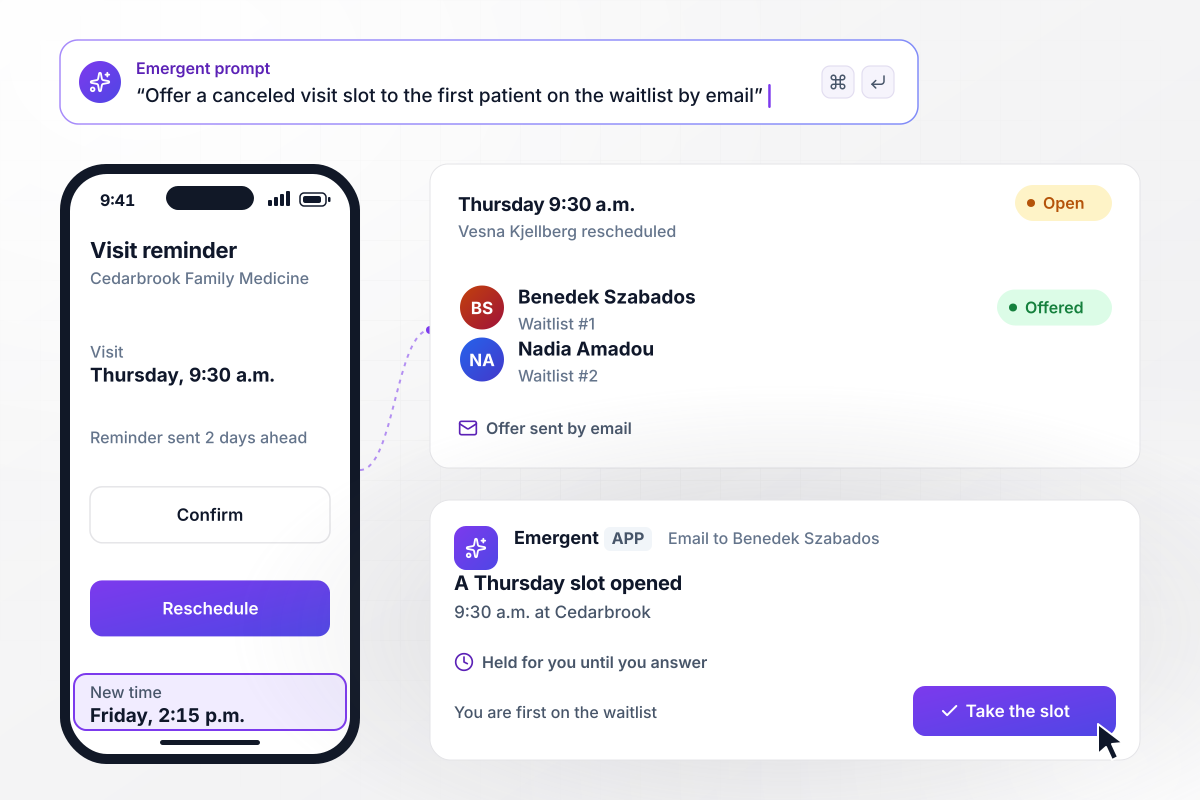
Vesna Kjellberg has a Thursday 9:30 a.m. visit at Cedarbrook Family Medicine, and the app emails her a reminder 2 days ahead. She taps Reschedule and moves to Friday at 2:15 p.m. The app then emails the open Thursday slot to Benedek Szabados, first on the waitlist, and holds it for him.
window.awbMockup = { visitReminders: "Email each patient a reminder 2 days before their visit with Confirm and Reschedule buttons. When a patient reschedules, offer the open slot by email to the first patient on the waitlist and hold it for them. Show the front desk every slot that was refilled this week.", referralFaxes: "When a referral arrives by fax, read the referring doctor, the reason, the date of birth, and the insurance member ID into a new referral record. If any field reads at low confidence, hold the record for the front desk to check that field before it is saved.", priorAuthorizations: "Track every prior authorization request we send to an insurer. Give each one 5 business days for an answer. If none comes, mark the request overdue and send the billing coordinator a direct message in Slack with the request and a Call insurer button.", supplyReorders: "Track the supply room counts. When exam gloves drop under 20 boxes, draft a reorder of 40 boxes at the last price. Send any order over $500 to the practice manager to approve in the app, and log who approved or declined it, with the time." };
A faxed referral, read into the right fields
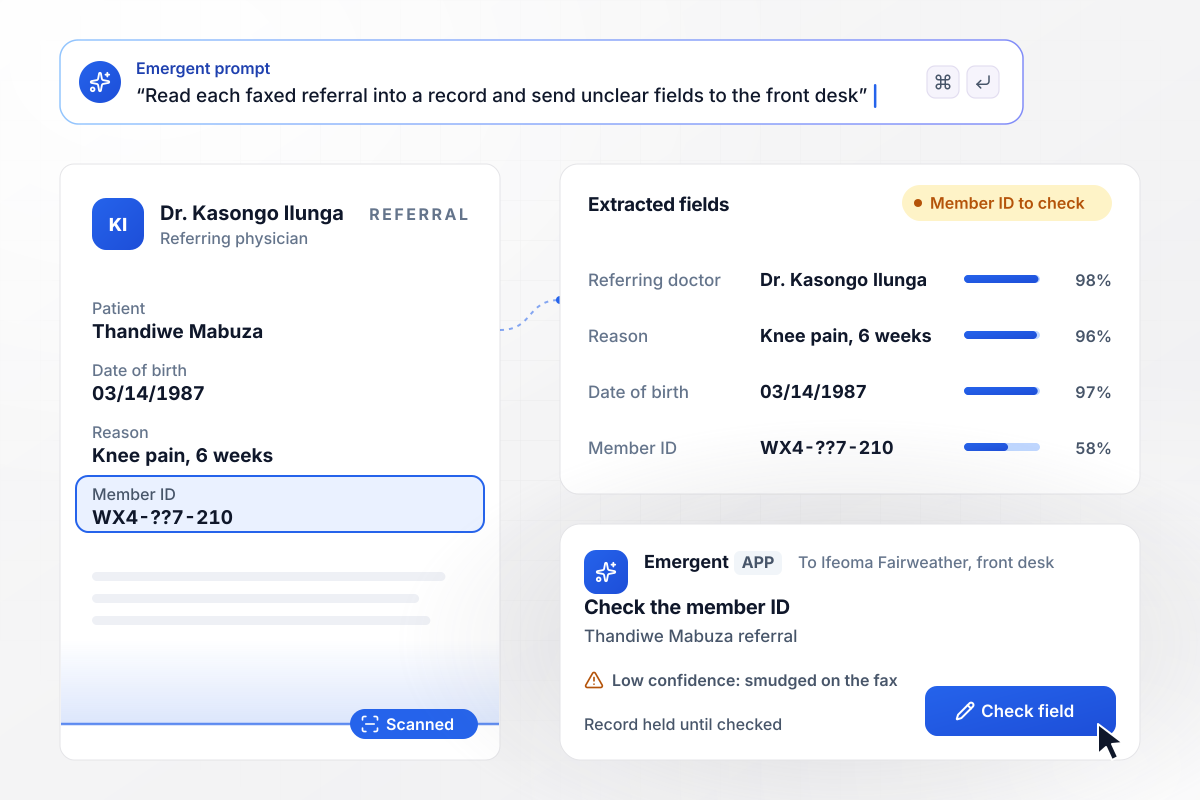
A faxed referral for Thandiwe Mabuza arrives from Dr. Kasongo Ilunga. The app reads the referring doctor, the reason, her date of birth, and her member ID into a new record. The smudged member ID reads at low confidence, and the record waits for Ifeoma Fairweather at the front desk to check that one field.
Five business days of silence reaches billing
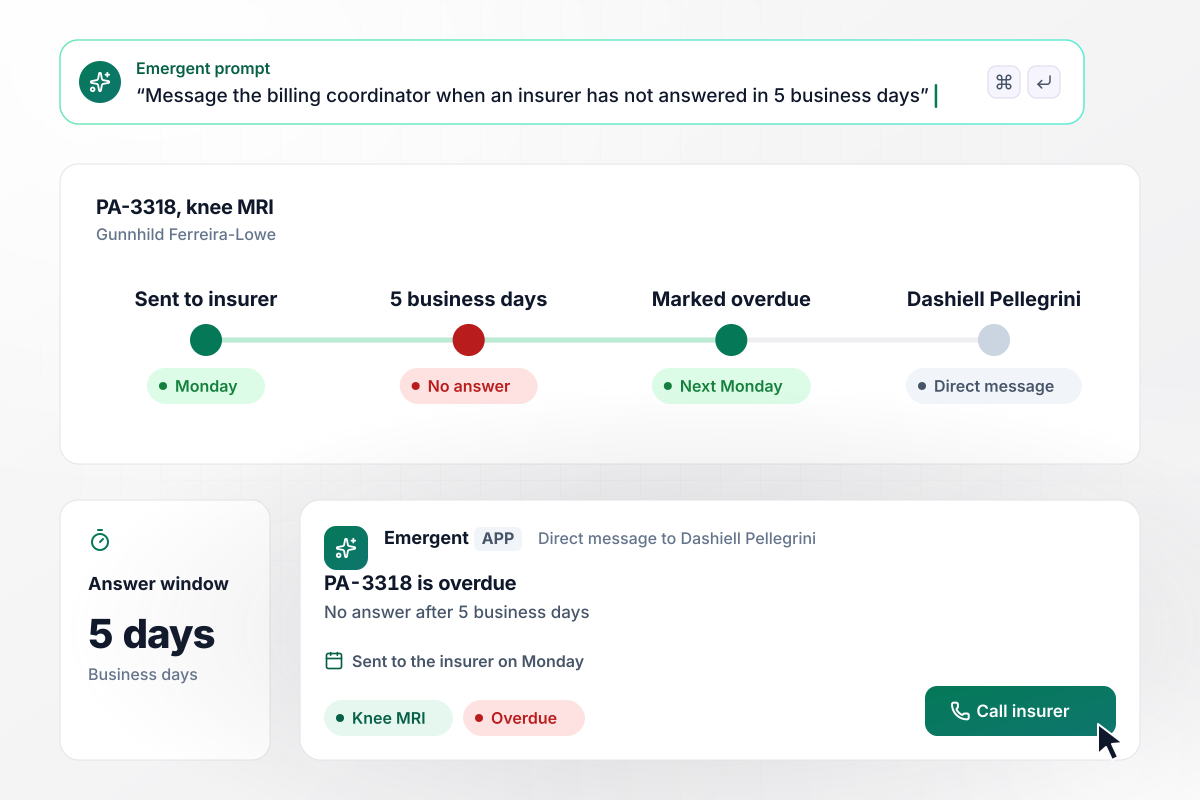
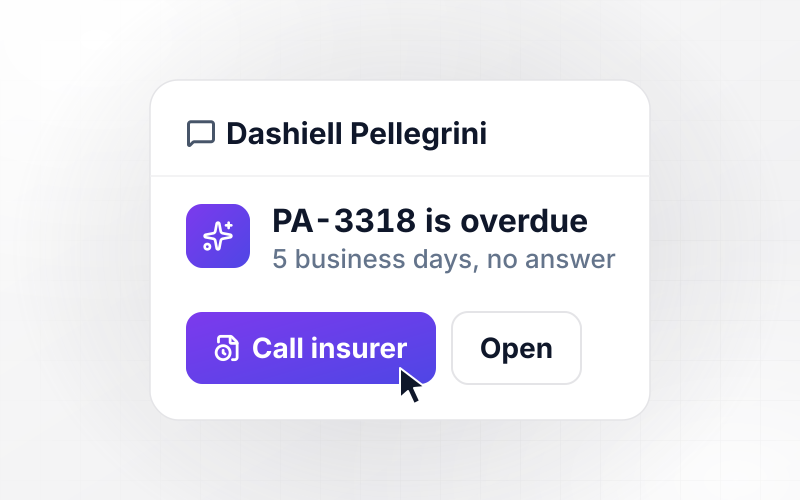
Request PA-3318 for Gunnhild Ferreira-Lowe's knee MRI goes to her insurer on a Monday. Each request gets 5 business days for an answer. With no answer by the next Monday, the app marks PA-3318 overdue and sends Dashiell Pellegrini, the billing coordinator, a direct message in Slack with a Call insurer button.
Glove orders over $500 wait for the practice manager
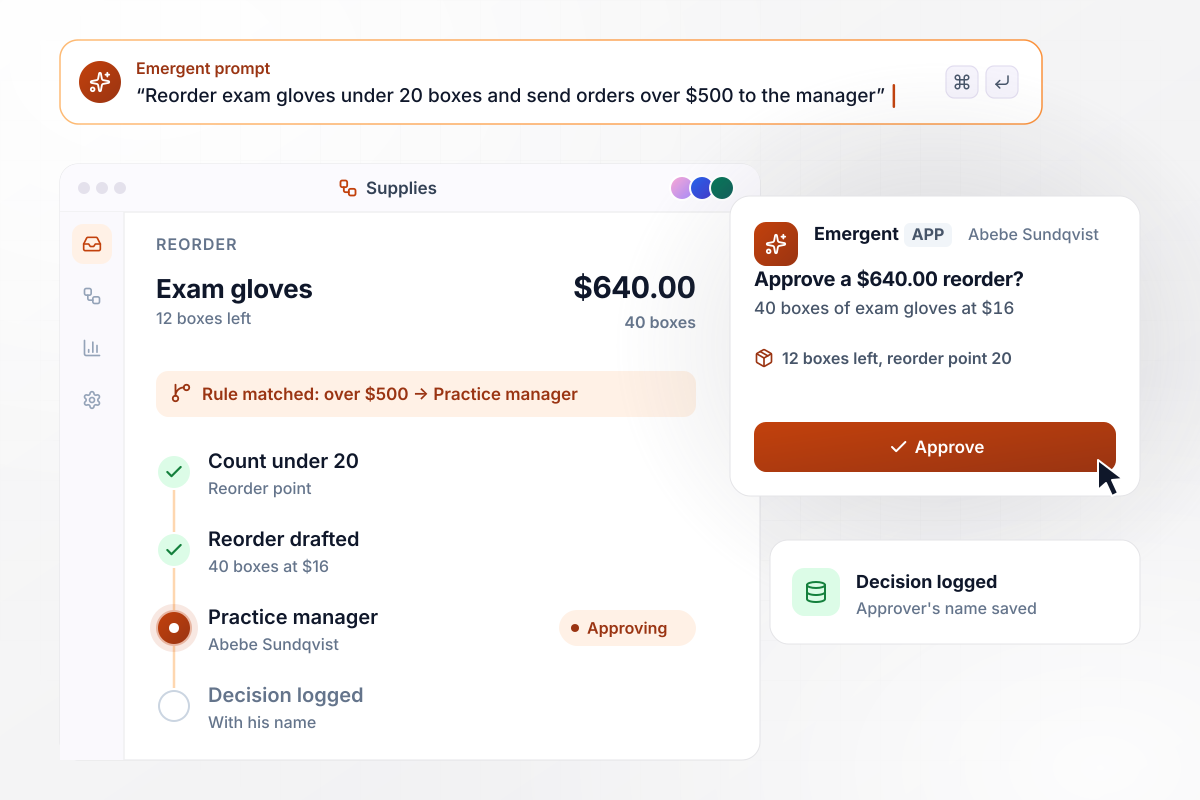
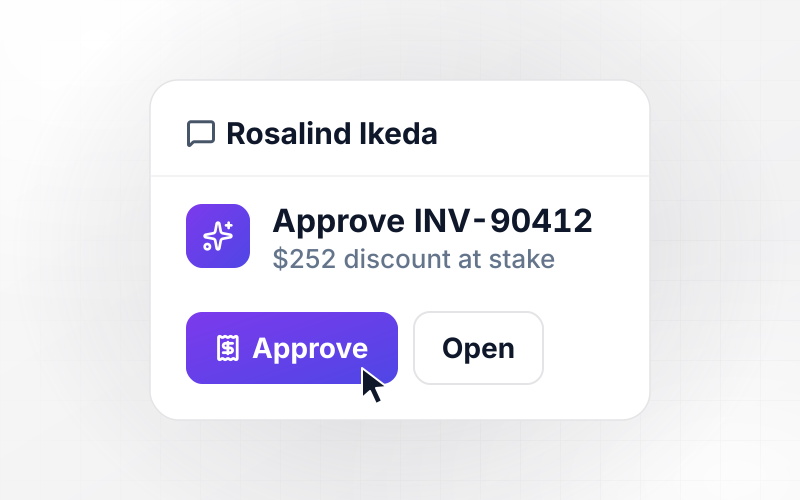
The exam glove count in the supply room drops to 12 boxes, under the reorder point of 20. The app drafts a reorder of 40 boxes at $16 each, $640 in all. Orders over $500 go to Abebe Sundqvist, the practice manager, who approves this one in the app, and the log records his name next to the decision.






How to Automate Your Clinic's Front Office
Seven steps to plan healthcare automation around the tasks your front desk repeats, then build and test it with Emergent.
Keep a tally at the front desk for one normal week and write down every task done more than 10 times. Mark the ones that follow a fixed rule, such as reminder calls or typing up referrals. Start with those.
Write the rules as plain instructions: send new-patient forms 3 days before the first visit, and flag a referral nobody has booked within 7 days. Emergent builds the app, its database, and the logic from those sentences.
Connect the scheduling and billing systems through their APIs. Each automation should read from the system that owns the fact: appointment times from the schedule, claim status from billing.
Mark every action that spends money or changes a patient's record. Each of those waits for a named approver, who sees the source document next to the Approve button and decides there.
Ask whoever owns privacy at the practice which records the app may read and who may see each screen. Begin with the automations that need the least patient detail, such as supply counts.
Run two weeks of past appointments and referrals through the app before it contacts a patient. Check every reminder time and every routed referral. Fix a rule by prompting, then run the same two weeks again.
Start with supply reorders, since they never reach a patient. Watch two weeks of live use and read every item a person had to correct. Then switch on the next automation.
Why Build Clinic Automations With Emergent?
Emergent builds each automation along with the screens people work in, on a database you own, with no task cap as visit volume grows.

|
Zapier | Make (Integromat) | n8n | |
|---|---|---|---|---|
| How you build | Prompt for the workflow and the app around it | Templates and editor, AI copilot | Visual canvas | Visual canvas, self-hosted or cloud |
| What you get | Workflow + trigger form + database + dashboard, as code you own | Zaps, plus Tables and Interfaces inside Zapier | Scenarios inside Make | Workflows inside n8n |
| Behavior at cap | Keeps running, no task cap | Overage billed at up to 1.25× the base rate | Runs pause | Cloud workflows stop until the reset or an upgrade |
| AI and agent steps | Native, share the same credit pool | Priced by model tier, drawn from the task pool | AI modules cost variable credits | Bring your own model API key, billed by the provider |
| Code ownership | Full code export to GitHub on paid plans | None | None | Yes on Community Edition |



Pick the Pricing Plan That Works for You
Choose the plan that fits your building ambitions. From weekend projects to enterprise applications, we've got you covered.




Find the right workflow automation
for you and your business
Frequently Asked Questions
Your Questions, Answered
Don't change this element unless you know what you are doing
More things you can build
with Emergent









on Emergent today




