

Build a Marketing Automation Workflow Driven by Behavior
Build a marketing automation workflow that picks each contact's next email from that contact's latest action.
Build a marketing automation workflow that runs on its own and logs every step.
Trusted by Builders Worldwide
Active Builders Worldwide
Apps Successfully Created
Countries Globally Reached



What Emergent Builds Into Each Workflow
Each marketing automation workflow here starts on something a contact does, and rules written as plain sentences pick the path.
Triggers from the records you keep
A form signup, an abandoned cart, a webinar registration, or a pricing page visit can start a workflow. Emergent builds each trigger on records your app already stores.
Branches written as plain sentences
Describe each condition as you would to a colleague: if she attended, send the survey; if not, send the replay. To change a branch, write the new rule and Emergent rebuilds it.
Lead scores with a line you set
The app adds points for each page a contact reads and each video they watch. You pick the score that matters, and when a contact passes it the rep gets a Slack or email alert.
Your email service and CRM, connected
The app connects through each tool's API to the email service and CRM you already use. Your templates and sender stay where they are, and contact data syncs in and out.
Every send logged in a database you own
Every send and every exit is written to a database you own. Open any contact to see the workflows they are in, the next step due in each, and the order that closed one out.
Code export and no task cap
Export the full code of the workflow and its app to your GitHub repository on paid plans. There is no task cap: a 40,000-contact list runs the same steps as a list of 40.
Ready Workflows for Four Marketing Jobs
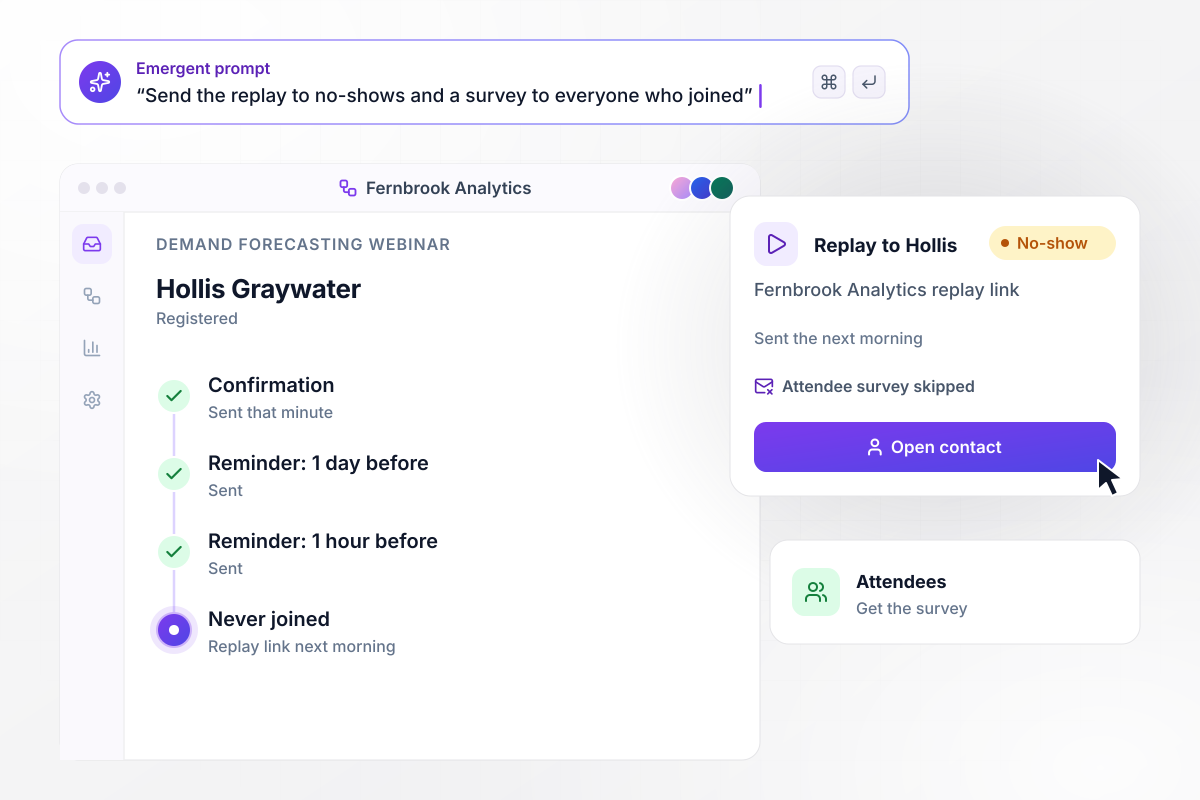
No-shows get the replay, attendees get the survey
Hollis Graywater registers for the Fernbrook Analytics webinar on demand forecasting, and her confirmation arrives that minute. Reminders follow 1 day and 1 hour before the start. She never joins. The next morning the app sends her the replay link and skips the attendee survey.
window.awbMockup = { webinarEmails: "Build webinar emails for my analytics company. When someone registers, send a confirmation right away, then reminders 1 day and 1 hour before the start. The morning after, check who joined: send attendees a short survey and send everyone who missed it the replay link instead.", cartRecovery: "Build cart recovery for my candle store. When a shopper leaves items in the cart, email them after 1 hour, again at 24 hours with free shipping, and a third time on day 3. Cancel any email still queued once they check out, and log the order against the workflow.", leadScoring: "Build lead scoring for my software company's website. Give 20 points for a pricing page visit, 15 for watching the demo video, and 10 for each case study read. When a contact passes 50 points, send the account's rep a Slack direct message with the contact's company and the pages they read.", winBackEmails: "Build a win-back workflow for my coffee subscription. On the 1st of each month, find subscribers with no order in 90 days and email each one 15% off. After 14 days, mark who ordered, who opened without ordering, and who never opened, and take the ones who never opened off the weekly list." };
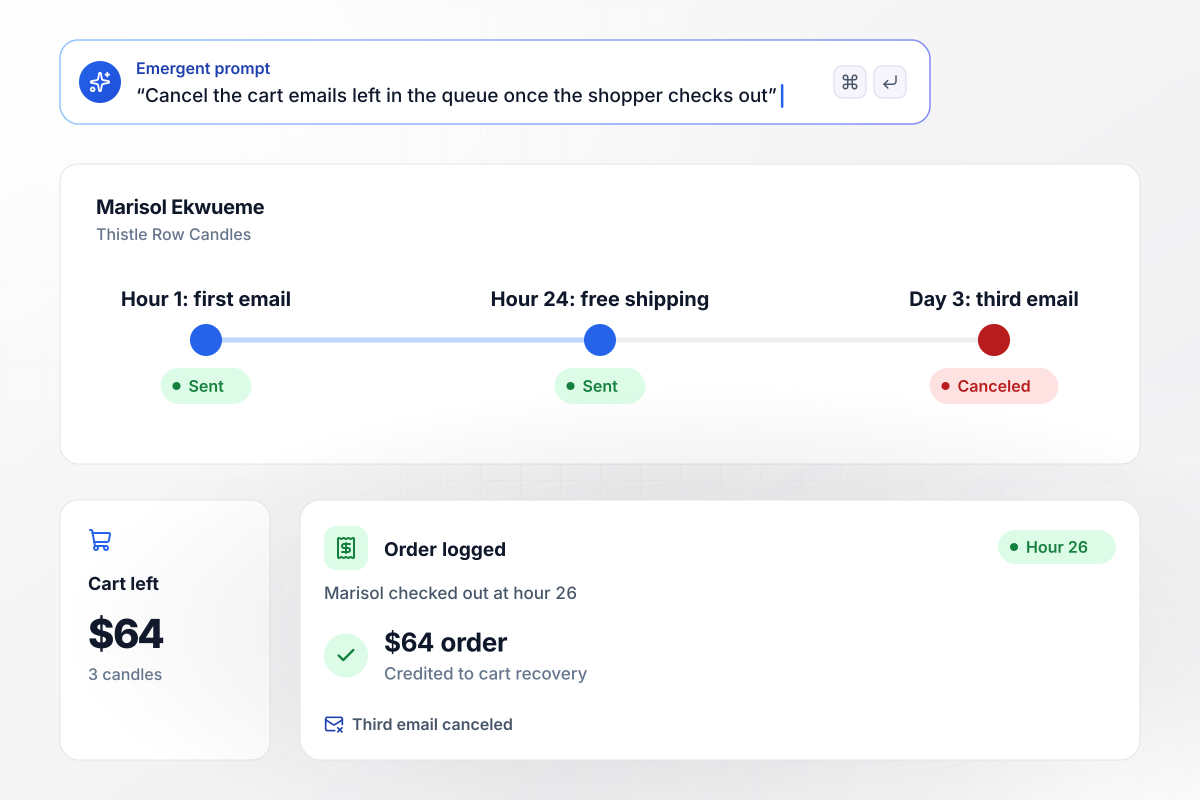
Her order at hour 26 stops the third email
Marisol Ekwueme leaves 3 candles worth $64 in her Thistle Row Candles cart. The app emails her after 1 hour, then again at 24 hours with free shipping. She checks out at hour 26. The third email, set for day 3, is canceled, and the $64 order is logged against the workflow.
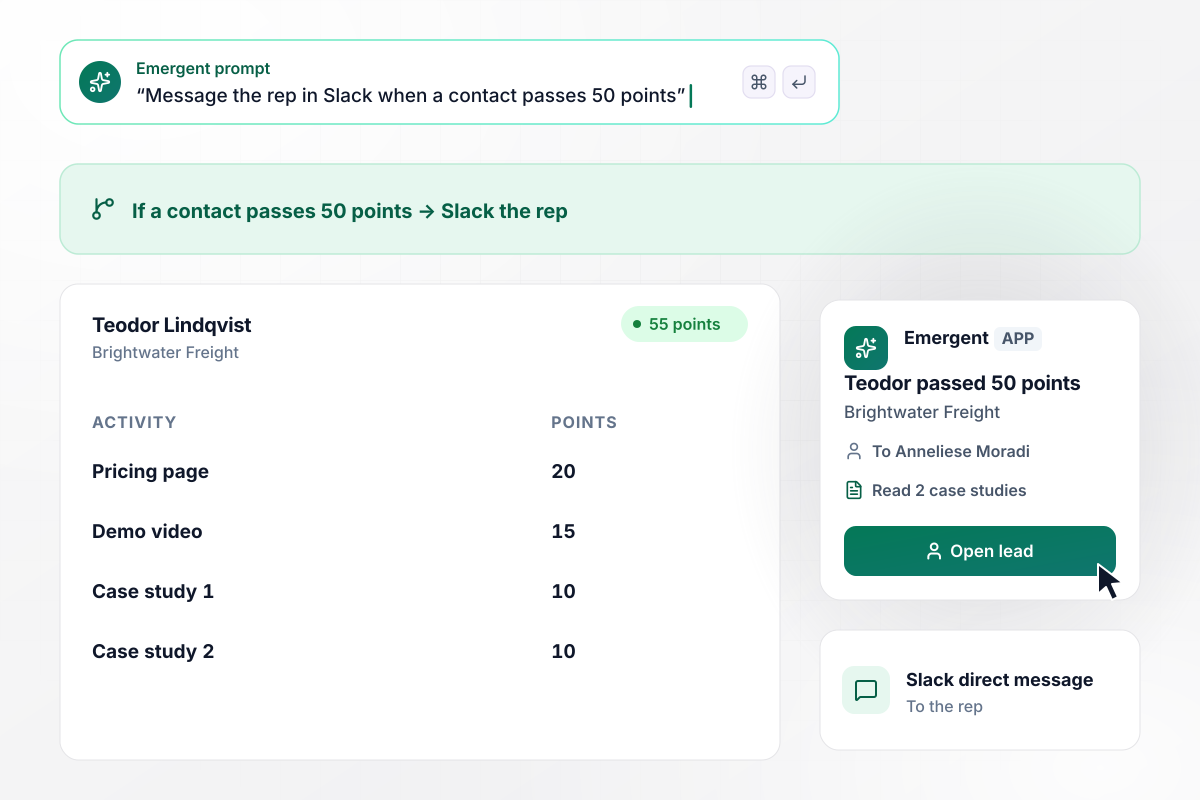
Crossing 50 points puts his name in Slack
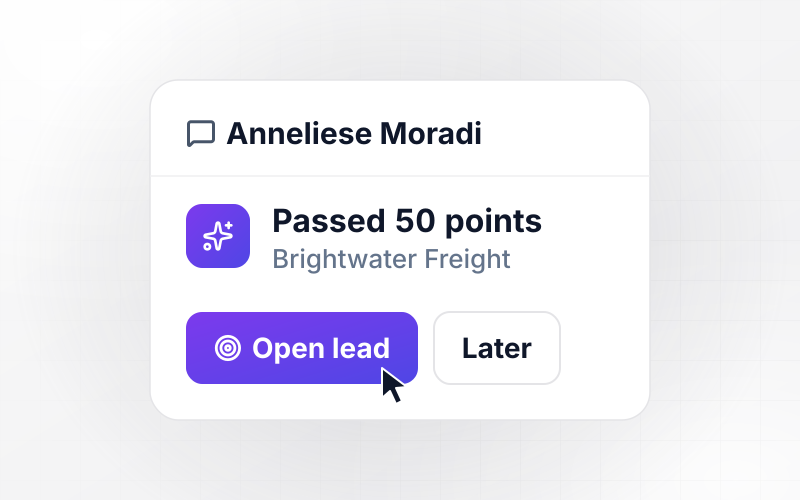
Teodor Lindqvist of Brightwater Freight reads the Quillmark pricing page for 20 points, watches the demo video for 15, and reads 2 case studies at 10 each. At 55 points he is past the 50-point line, and rep Anneliese Moradi gets a Slack direct message listing the pages he read.
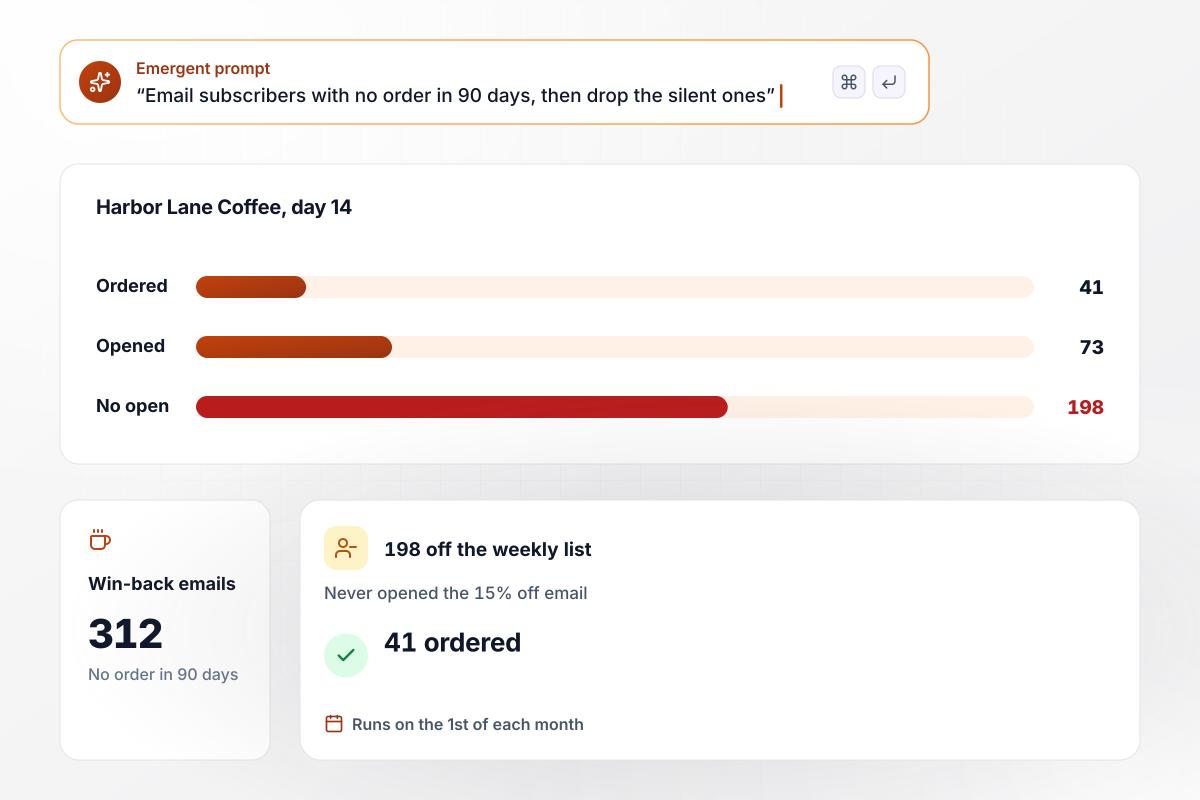
Quiet for 90 days, 198 subscribers leave the list
On the 1st of each month, the Harbor Lane Coffee app looks for subscribers with no order in 90 days. This month 312 get a win-back email with 15% off. After 14 days, 41 have ordered and 73 opened without ordering, and the 198 who never opened come off the weekly list.






How to Build a Marketing Workflow
Seven steps to plan a marketing automation workflow around one trigger and one exit, then launch it on a small list first.
Choose a single event your records already capture, such as a new trial, a demo request, or a second order. One trigger per workflow keeps the reporting clean and makes it plain why each contact entered.
Decide what a contact has to do for the workflow to count as a win: an order, a booked demo, a renewed subscription. That action becomes the exit, and anyone who takes it early stops getting messages that ask for it.
Write each condition as a yes-or-no question about the contact: did she join the webinar, did he open the last email, is the cart still open. Give every branch a next step, even when that step is a wait.
Draft each email with one point and one link, and put the unsubscribe link and your mailing address in the shared footer. Reading the full set in order shows repeated offers and timing gaps before any contact sees them.
Write the trigger and the exit as plain sentences in one prompt, with each delay and branch between them. Emergent builds it from that prompt, along with a screen that shows which step each contact is on today.
Connect your sending service and CRM, then import 50 contacts before the full list. Check that each one entered at the right step and that the first sends came from your usual sender name and address.
After 14 days, compare the contacts who reached the exit with those who finished every step without acting. Find the step where opens drop off first, rewrite that message, and prompt Emergent with the change.
Why Build Marketing Workflows With Emergent?
From one prompt, Emergent builds the workflow, the contact records it reads, and a log of every send, on a database you own.

|
Zapier | Make (Integromat) | n8n | |
|---|---|---|---|---|
| How you build | Prompt for the workflow and the app around it | Templates and editor, AI copilot | Visual canvas | Visual canvas, self-hosted or cloud |
| What you get | Workflow + trigger form + database + dashboard, as code you own | Zaps, plus Tables and Interfaces inside Zapier | Scenarios inside Make | Workflows inside n8n |
| Behavior at cap | Keeps running, no task cap | Overage billed at up to 1.25× the base rate | Runs pause | Cloud workflows stop until the reset or an upgrade |
| AI and agent steps | Native, share the same credit pool | Priced by model tier, drawn from the task pool | AI modules cost variable credits | Bring your own model API key, billed by the provider |
| Code ownership | Full code export to GitHub on paid plans | None | None | Yes on Community Edition |



Pick the Pricing Plan That Works for You
Choose the plan that fits your building ambitions. From weekend projects to enterprise applications, we've got you covered.




Find the right workflow automation
for you and your business
Frequently Asked Questions
Your Questions, Answered
Don't change this element unless you know what you are doing
More things you can build
with Emergent









on Emergent today




