

Build IT Automation for the Requests Your IT Team Repeats
Build IT automation that approves software requests, flags aging laptops, and chases overdue updates for your IT team.
Build IT automation that runs on its own and logs every step.
Trusted by Builders Worldwide
Active Builders Worldwide
Apps Successfully Created
Countries Globally Reached



The Request and Tracking Work IT Does by Hand
IT automation is the use of software to perform repetitive IT tasks with reduced human assistance, built around the tools you pay for.
Request rules you write as sentences
You describe who can ask for what and who signs off, in plain English. Emergent builds the request form, approval logic, and database, and you change a rule by prompting.
Connected to the admin tools you pay for
The app reads from and writes to any tool with an API, such as a device management console or a software admin panel. A seat added in the app shows up in that tool's own list.
Reminders sent to the person who can act
Overdue updates and requests that sit too long each trigger an alert in Slack, by email, or in the app. You choose who gets it and when a reminder escalates to the IT lead.
An asset list that stays current
Each laptop, its owner, its purchase date, and its update status sit in one database you own. The dashboard updates live, showing overdue devices and waiting requests.
No task cap during a busy quarter
A hiring wave can double a week of software requests and laptop orders. Emergent sets no task cap on automation, and every extra run in that week keeps going as normal.
The code goes to your GitHub repository
On paid plans, Emergent exports the app's full code, every rule included, to your GitHub repository. Anyone who reads code can check how each request gets approved or held.
Four Jobs IT Can Stop Doing by Hand
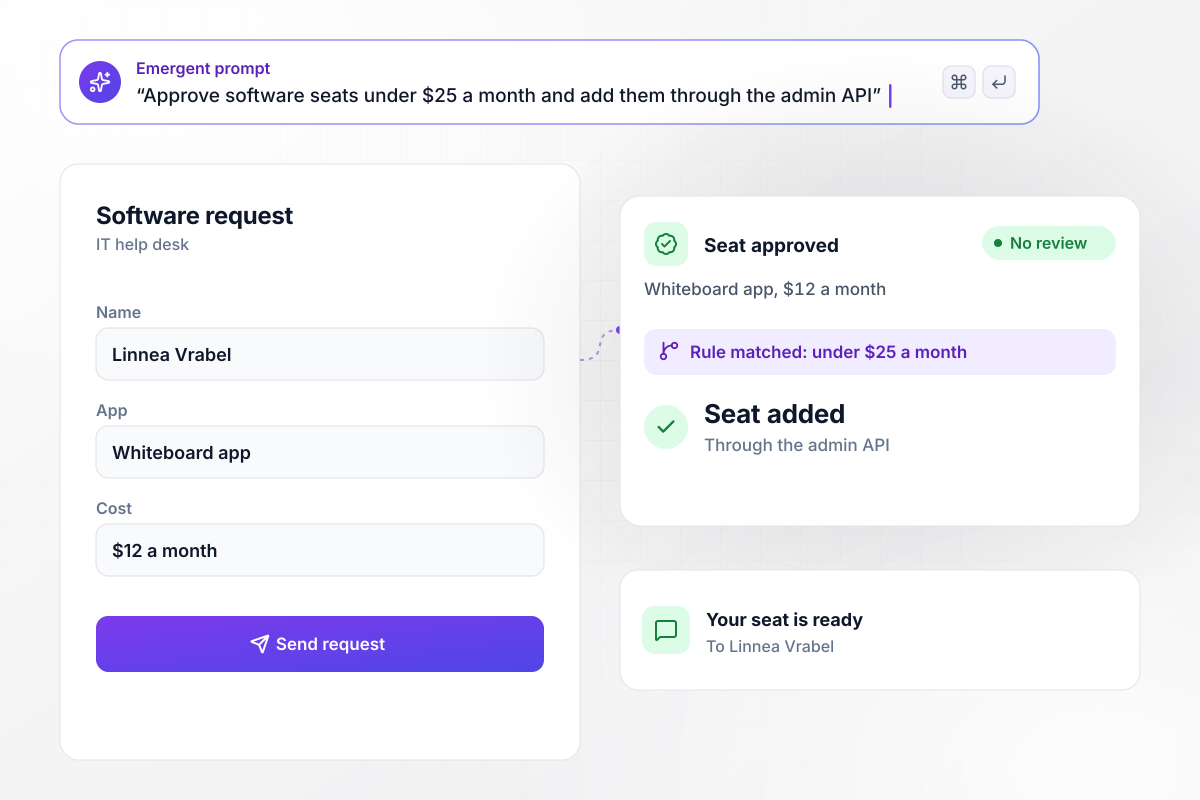
Seats under $25 a month need no sign-off
Linnea Vrabel asks for a seat in the team whiteboard app, which costs $12 a month. Requests under $25 a month are approved without review. The app adds her seat through the whiteboard app's admin API and messages Linnea that it is ready. A pricier request would wait for the IT manager instead.
window.awbMockup = { seatRequests: "Build a request form where employees ask for a seat in a paid app and say what it costs per month. Approve anything under $25 a month right away, add the seat through the app's admin API, and message the employee when it is ready. Send anything at $25 or more to the IT manager to approve.", laptopAging: "Keep a list of every company laptop with its owner and purchase date. When a laptop turns 48 months old, open a replacement request with its own number and add the laptop to this quarter's purchase list. Show me every laptop that will reach 48 months in the next 90 days.", overdueUpdates: "Connect to our device management tool and check each laptop's security updates every day. If a laptop goes more than 14 days without one, send its owner a direct message asking them to install it and restart, and mark the laptop overdue on the IT dashboard.", contractRenewals: "For each software contract, store the renewal date and the number of paid seats. Thirty days before a renewal, count the people who signed in during the last 60 days, and send the IT manager a summary of the unused seats with a button to review them." };
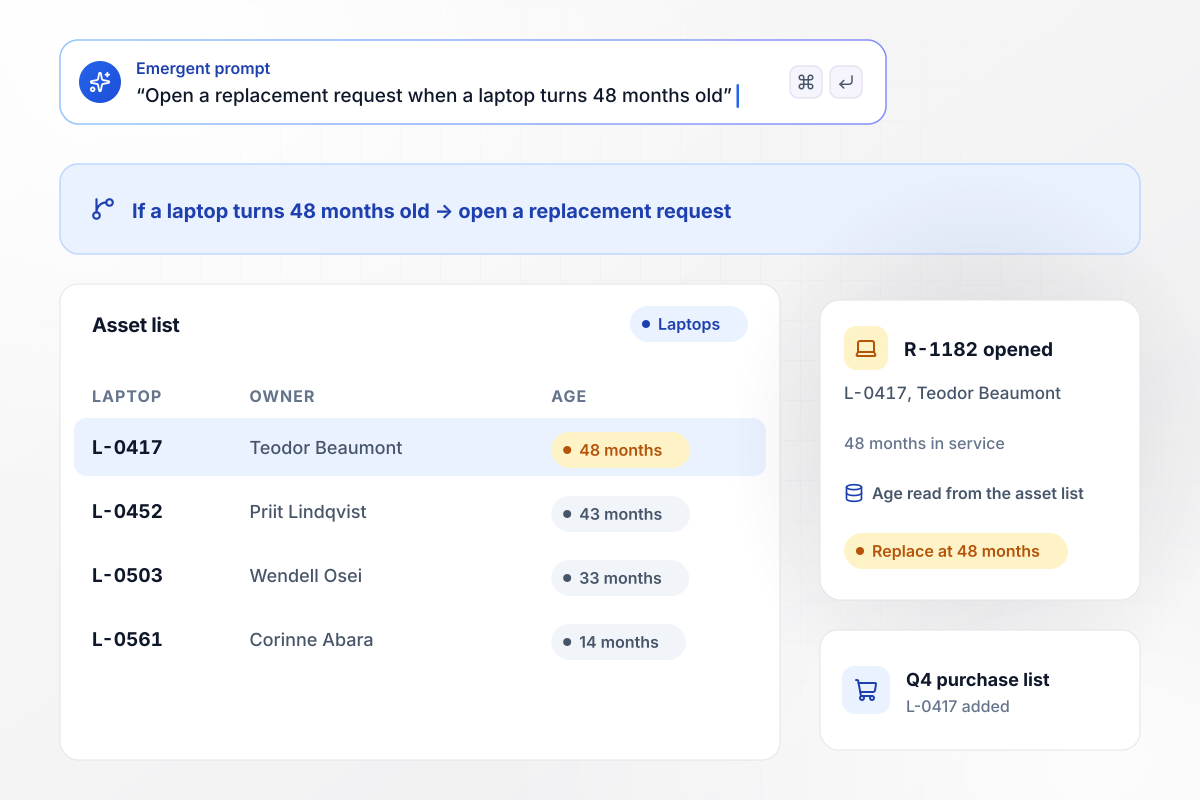
A replacement request for every laptop at 48 months
Teodor Beaumont's laptop, L-0417, has reached 48 months in service. The app reads its age from the asset list, opens replacement request R-1182, and adds L-0417 to the Q4 purchase list. Younger laptops in the list stay as they are.
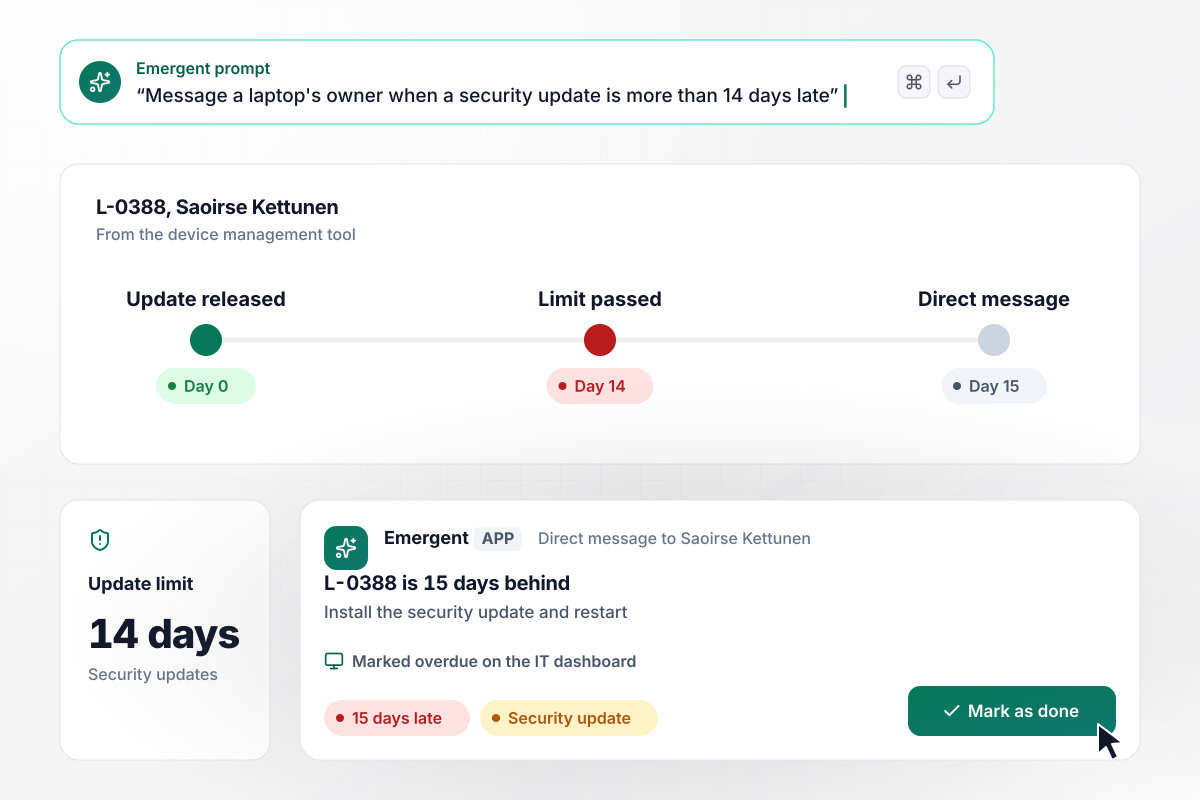
Fifteen days late, the update reaches its owner
The device management tool reports that Saoirse Kettunen's laptop, L-0388, has gone 15 days without a security update. Your limit is 14 days. The app sends Saoirse a direct message asking her to install the update and restart, and marks L-0388 overdue on the IT dashboard.
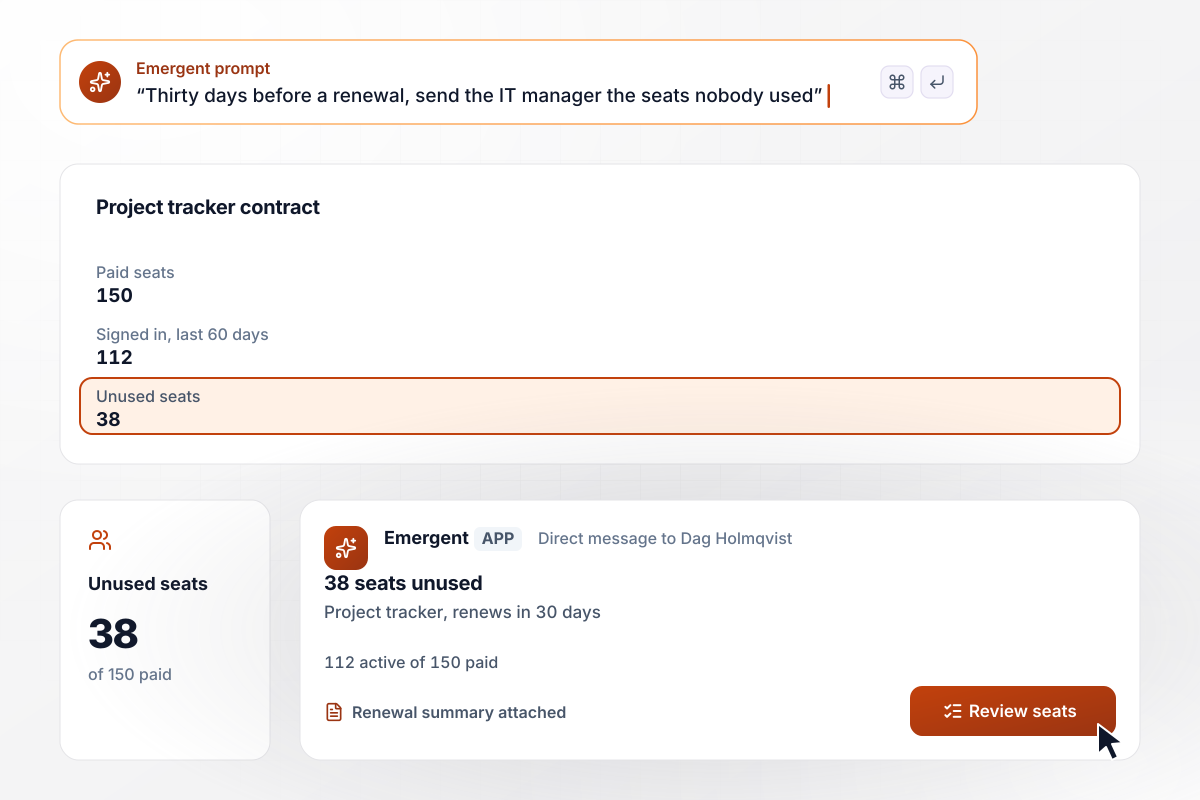
38 of 150 seats sat unused before the renewal
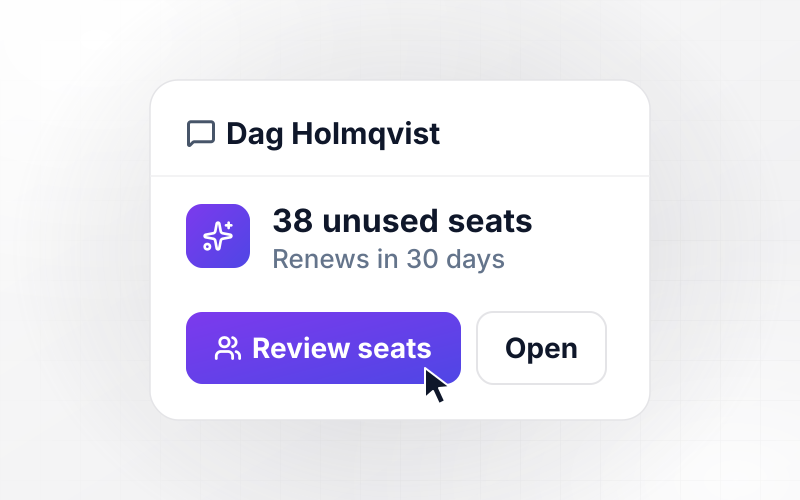
The project tracker contract renews in 30 days with 150 paid seats, and only 112 people signed in during the last 60 days. The app sends Dag Holmqvist, the IT manager, a renewal summary of the 38 unused seats with a Review seats button, before anyone signs.






How to Build IT Automation
Seven steps to choose the IT automation worth building first, write its rules, and test it on real requests before launch.
Export last quarter's help desk tickets and group them by request type. Mark the types that end the same way every time, such as a seat added or a laptop ordered. Automate those first.
Swap judgment words for limits the app can test. Write "under $25 a month", not "cheap", and "14 days late", not "overdue for a while". A rule with a number can run without anyone reading it.
Note where each answer lives: purchase dates in the asset list, update status in the device management tool, seat counts in each admin panel. Read from that system, never from a spreadsheet copy.
Write the request form, the rules, and who hears about each exception in one prompt. Emergent builds the app with its database and dashboard, and connects to each of your tools through its API.
Give every alert a person, not a shared inbox. Pick who answers an overdue update, who signs off on a costly request, and who reviews a renewal, and name a backup for each one's vacation.
Run last month's requests through the app before it touches a live account. Check that each was approved, held, or flagged the way your team handled it by hand, and fix any rule that disagrees.
Start with the automations that only read and remind, such as aging laptops and overdue updates. After two weeks without a wrong alert, turn on the ones that add seats or open purchase requests.
Why Build IT Automation With Emergent?
Emergent builds request forms and asset records as one app on a database you own, with code you export on paid plans.

|
Zapier | Make (Integromat) | n8n | |
|---|---|---|---|---|
| How you build | Prompt for the workflow and the app around it | Templates and editor, AI copilot | Visual canvas | Visual canvas, self-hosted or cloud |
| What you get | Workflow + trigger form + database + dashboard, as code you own | Zaps, plus Tables and Interfaces inside Zapier | Scenarios inside Make | Workflows inside n8n |
| Behavior at cap | Keeps running, no task cap | Overage billed at up to 1.25× the base rate | Runs pause | Cloud workflows stop until the reset or an upgrade |
| AI and agent steps | Native, share the same credit pool | Priced by model tier, drawn from the task pool | AI modules cost variable credits | Bring your own model API key, billed by the provider |
| Code ownership | Full code export to GitHub on paid plans | None | None | Yes on Community Edition |



Pick the Pricing Plan That Works for You
Choose the plan that fits your building ambitions. From weekend projects to enterprise applications, we've got you covered.




Find the right workflow automation
for you and your business
Frequently Asked Questions
Your Questions, Answered
Don't change this element unless you know what you are doing
More things you can build
with Emergent









on Emergent today




