

Build Task Automation for the Work Your Team Repeats
Describe the chores that fill your week: filing, chasing, copying, checking. Emergent builds task automation that runs each one on a trigger and writes down what happened.
Automate the weekly chores my operations team still does by hand.
Trusted by Builders Worldwide
Active Builders Worldwide
Apps Successfully Created
Countries Globally Reached



What Comes With Each Task You Automate
Each task gets a trigger, a rule and a person to answer to. Add the parts below as the job asks for them.
Triggers on a schedule or an event
Run a task at 3:00 PM every Friday, on the first workday of the month, or the moment a row changes in another tool. One app can hold a dozen tasks, each on its own trigger.
Rules written as plain sentences
Write the condition the way you would explain it to a new hire: anyone under 40 hours gets a nudge. Emergent turns it into logic you can read back and change by prompting.
AI steps for reading and sorting
Read an attachment, decide what kind of document it is and pull out the fields you name. A step the model is unsure about pauses until someone on your team checks it.
Messages to one person, not a channel
Send a Slack or email message to whoever owns the task, record attached. Reminders repeat on the interval you set, and anything still open escalates to a manager you name.
A log of every task the app ran
Write each run to a database you own: what triggered it, what it changed and who acted on it. Filter by person or by week when someone asks why a task did not run last month.
The code is yours to keep
Export the whole app to your GitHub on paid plans, its tasks and database included. Keep editing by prompting, or give the code to an engineer when a task needs something custom.
Recurring Tasks Teams Hand Off First
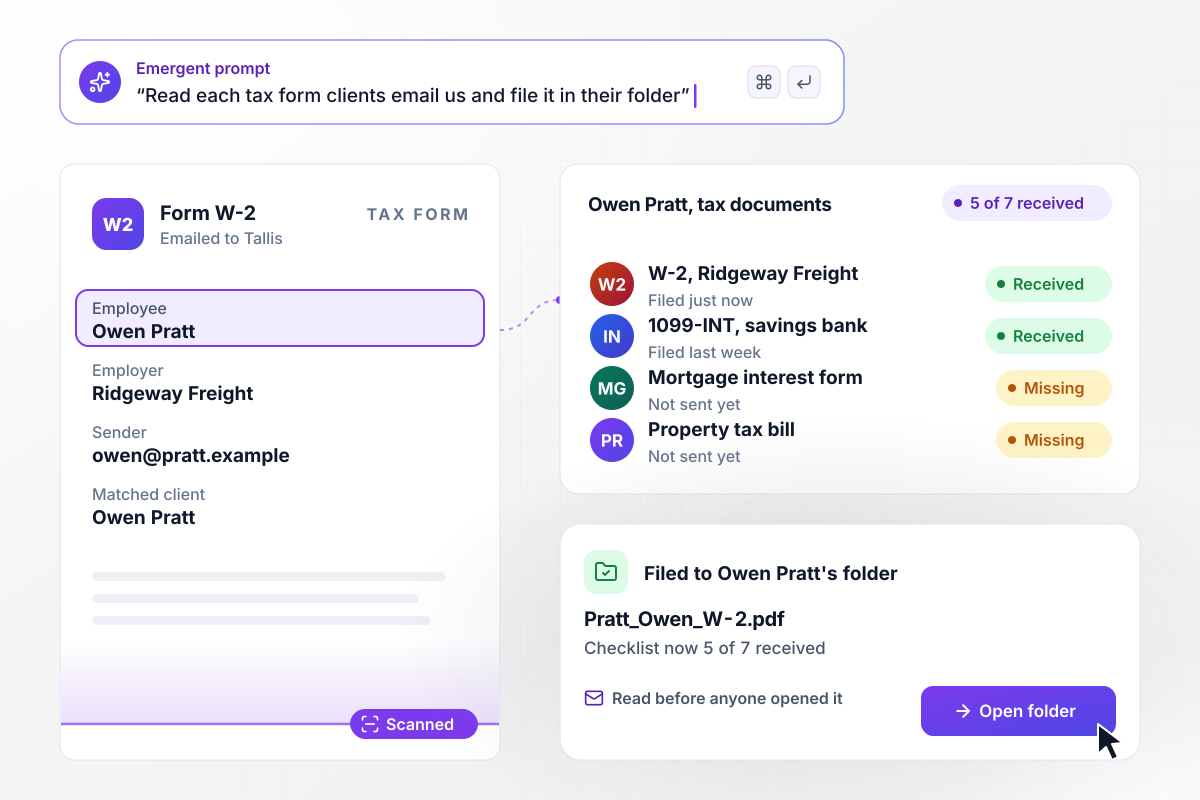
Client documents filed by the app, not by the front desk
Every file a client emails to Tallis Accounting's documents inbox is read before anyone opens it. Owen Pratt's W-2 is recognized and saved to his client folder under a standard name, and his checklist moves to 5 of 7 received. A file from an address the firm does not know waits for a person.
window.awbMockup = { clientDocumentFiling: "Build an app for my accounting firm that watches our documents inbox. When a client emails a tax document, read it, work out which client and which form it is, rename it and save it to that client's folder. Tick the form off the client's checklist and show how many of their documents we have. If the sender's address is not on file, hold the file for someone on my team to check.", newHireSetup: "Build new hire setup for my dental group. When an offer is marked signed in our hiring tracker, create the setup tasks for that hire: payroll, laptop and email, badge and keys, and training. Assign each task to its owner and date it back from the start date. Message any owner whose task is past its date every morning until it is closed.", timesheetReminders: "Build a timesheet check for my design studio. Every Friday at 3:00 PM, compare each person's logged hours for the week with 40. Send everyone under 40 a direct message with their total and the days that have gaps. On Monday at 10:00 AM, list anyone still short for their team lead.", monthEndClose: "Build a month-end close checklist for my finance team. On the 1st of every month, recreate our close tasks with an owner and a due workday for each one, such as bank reconciliation on workday 3. If a task is still open when its workday ends, message our controller in Slack the next morning. Keep a log of who finished what and when." };
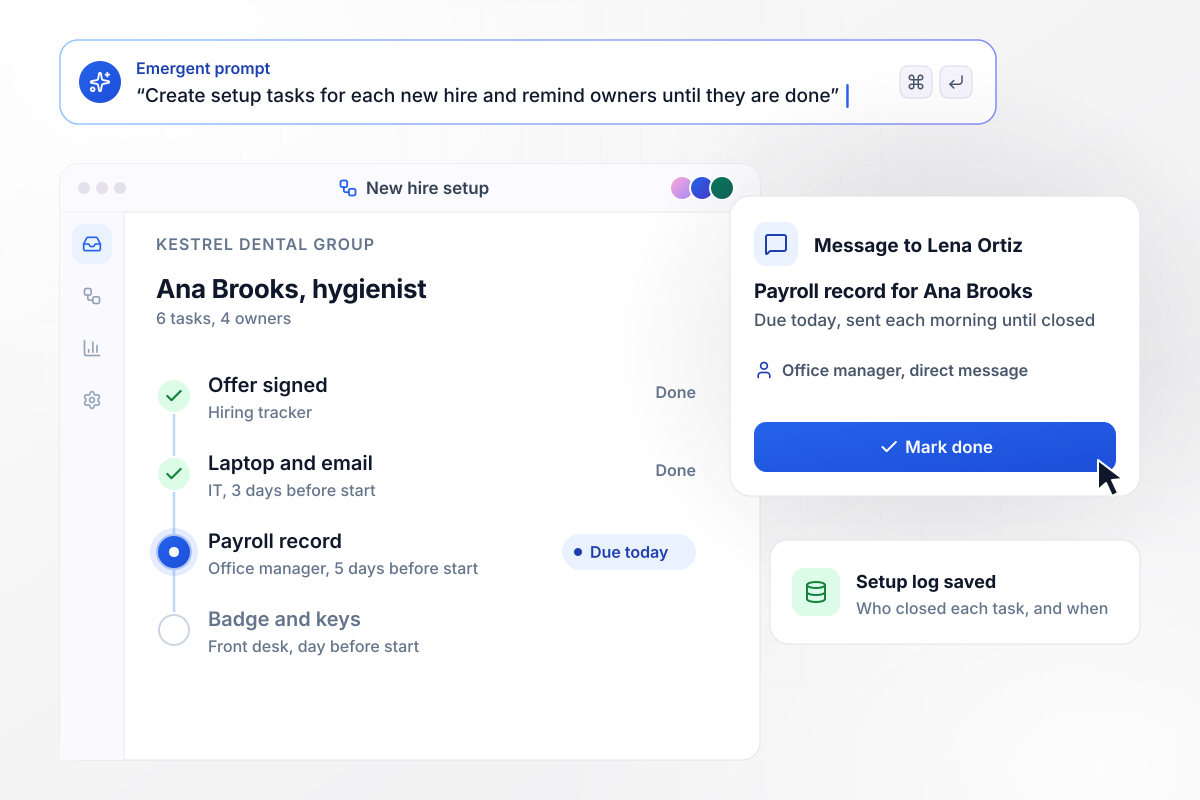
Before a new hire's first day, every owner has a task
Signing the offer in Kestrel Dental Group's hiring tracker creates six setup tasks spread across four owners. Each one is dated back from the start date: payroll five days before, the laptop three days before. Whoever has not closed a task by its date gets a direct message each morning until it is done.
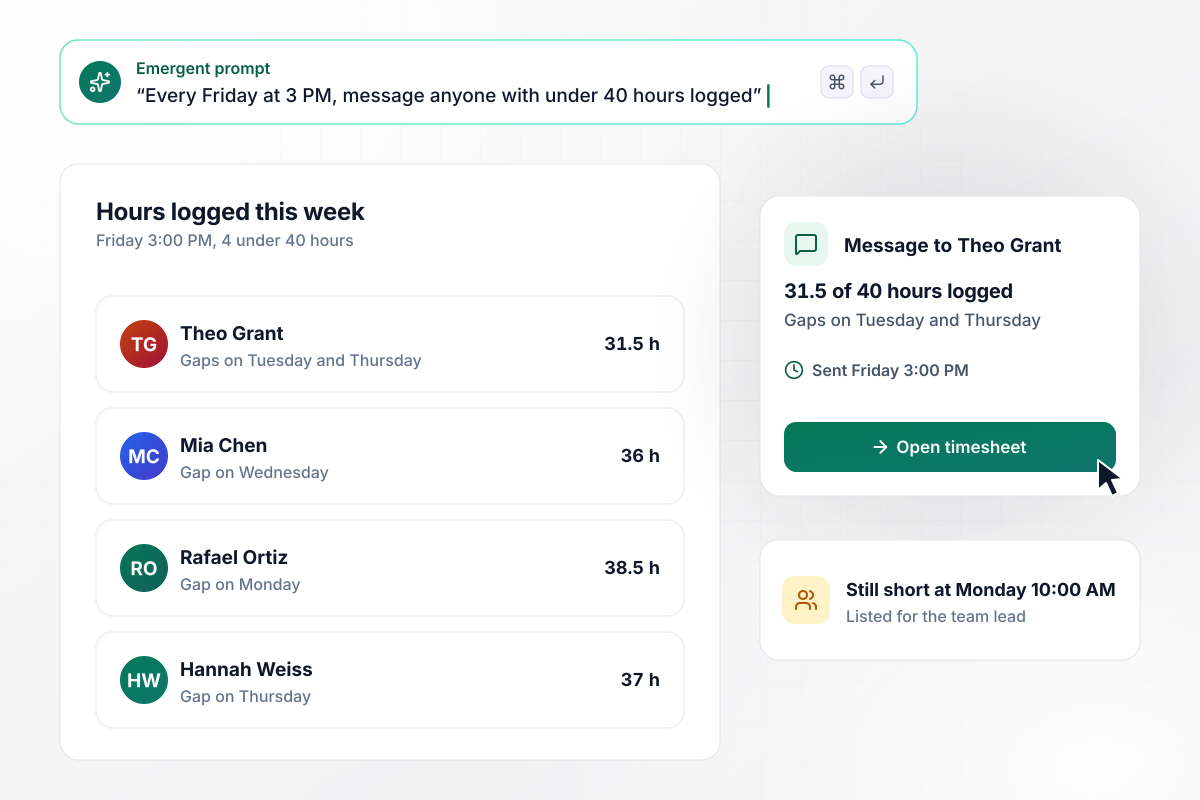
Anyone short on hours is asked by name on Friday
At 3:00 PM on Friday, Fieldwork Studio's app compares each person's logged hours with the 40 they owe. Four people are under, and each gets a direct message showing their own total and the days with gaps. Anyone still short on Monday at 10:00 AM is listed for their team lead.
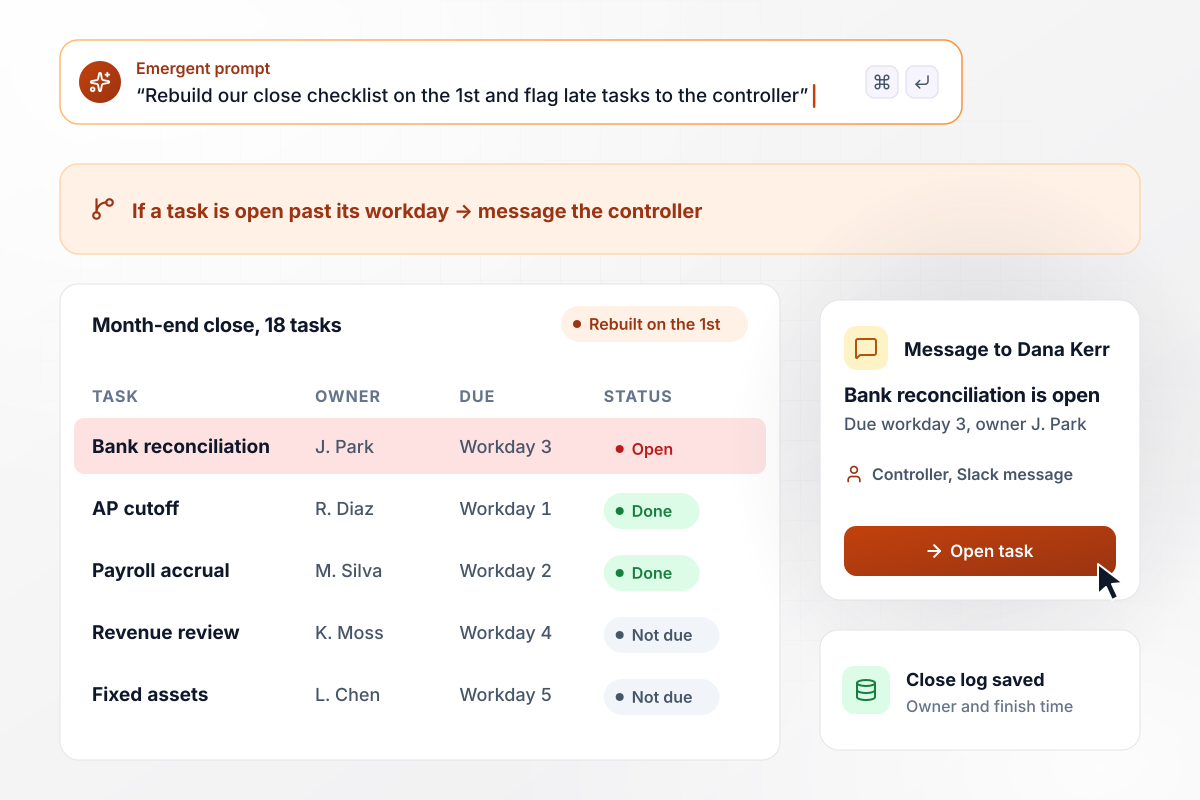
The close checklist, rebuilt on the 1st with owners
On the 1st, Globex Logistics' month-end checklist starts fresh with 18 tasks, each assigned to an owner and due on a set workday. Bank reconciliation is due on workday 3. If a task is still open when its workday ends, Dana Kerr, the controller, gets a Slack message the next morning.






How to Build Task Automation
Pick one task before you start. By the last step it runs on its own trigger, and nobody has to remember it.
Ask each person to note every task they repeat for one week, with how long it took and how often it came up. Circle the ones that follow the same steps every time and never need anyone's opinion. Those are your candidates.
Describe a single task in a few sentences: what starts it, which record it reads and what counts as done. Include the exceptions people handle without thinking, like a client who sends documents from a spouse's email address.
Decide who receives the message when the task succeeds and who hears about it when it cannot finish. Messages to a shared channel are easy to ignore. Address each one to a single name, with a backup for the weeks that person is away.
List every system the task reads from or writes to, and check that each one has an API. Emergent connects the app to anything with an API. For a tool without one, a scheduled CSV export is a workable stopgap until that changes.
If a step reads or sorts documents, decide which results it can act on directly and which go to a person first. A misfiled tax form costs far more than the minute a reviewer spends confirming where it belongs.
For two weeks, let the app run while the person who owned the task keeps doing it by hand. Compare the two results every Friday. Each difference is either a bug in the rule or an exception nobody wrote down.
Once two weeks pass with no differences, stop doing the task by hand and tell the team where the run log lives. Then take the next candidate off the list from step one and start again at step two.
Why Automate Tasks With Emergent?
Zapier and Make connect apps you already use. Emergent builds the app the task lives in, with its own database and no task cap.

|
Zapier | Make (Integromat) | n8n | |
|---|---|---|---|---|
| How you build | Prompt for the workflow and the app around it | Templates and editor, AI copilot | Visual canvas | Visual canvas, self-hosted or cloud |
| What you get | Workflow + trigger form + database + dashboard, as code you own | Zaps, plus Tables and Interfaces inside Zapier | Scenarios inside Make | Workflows inside n8n |
| Behavior at cap | Keeps running, no task cap | Overage billed at up to 1.25× the base rate | Runs pause | Cloud workflows stop until the reset or an upgrade |
| AI and agent steps | Native, share the same credit pool | Priced by model tier, drawn from the task pool | AI modules cost variable credits | Bring your own model API key, billed by the provider |
| Code ownership | Full code export to GitHub on paid plans | None | None | Yes on Community Edition |

Pick the Pricing Plan That Works for You
Choose the plan that fits your building ambitions. From weekend projects to enterprise applications, we've got you covered.




Find the right workflow automation
for you and your business
Frequently Asked Questions
Your Questions, Answered
Don't change this element unless you know what you are doing
More things you can build
with Emergent









on Emergent today




