



Is Replit the right tool for building your app in 2026? I've spent the past year testing AI app builders, and Replit comes up in almost every conversation about them.
It's one of the fastest ways to turn an idea into a working app, but its credit-based pricing and developer-leaning workspace frustrate some users. Across Replit reviews on Trustpilot and G2, plus my own testing, the same split keeps surfacing: people love how fast it builds and resent what it costs to finish.
Replit Review: Quick Verdict (TL;DR)
- Replit is an AI app builder that turns plain-English prompts into web apps, mobile apps, and even slide decks, all inside one browser-based workspace.
- Its biggest weaknesses are unpredictable credit costs and an interface designed for developers, not first-time builders.
- Best for technically curious builders and small teams who want one workspace for everything.
- Non-technical users with a tight budget should look for Replit alternatives.
What Is Replit?
Replit is a cloud-based development platform where you build, test, and publish apps entirely in your browser. Its centerpiece is the Replit Agent, an AI that turns natural-language prompts into complete, working software.
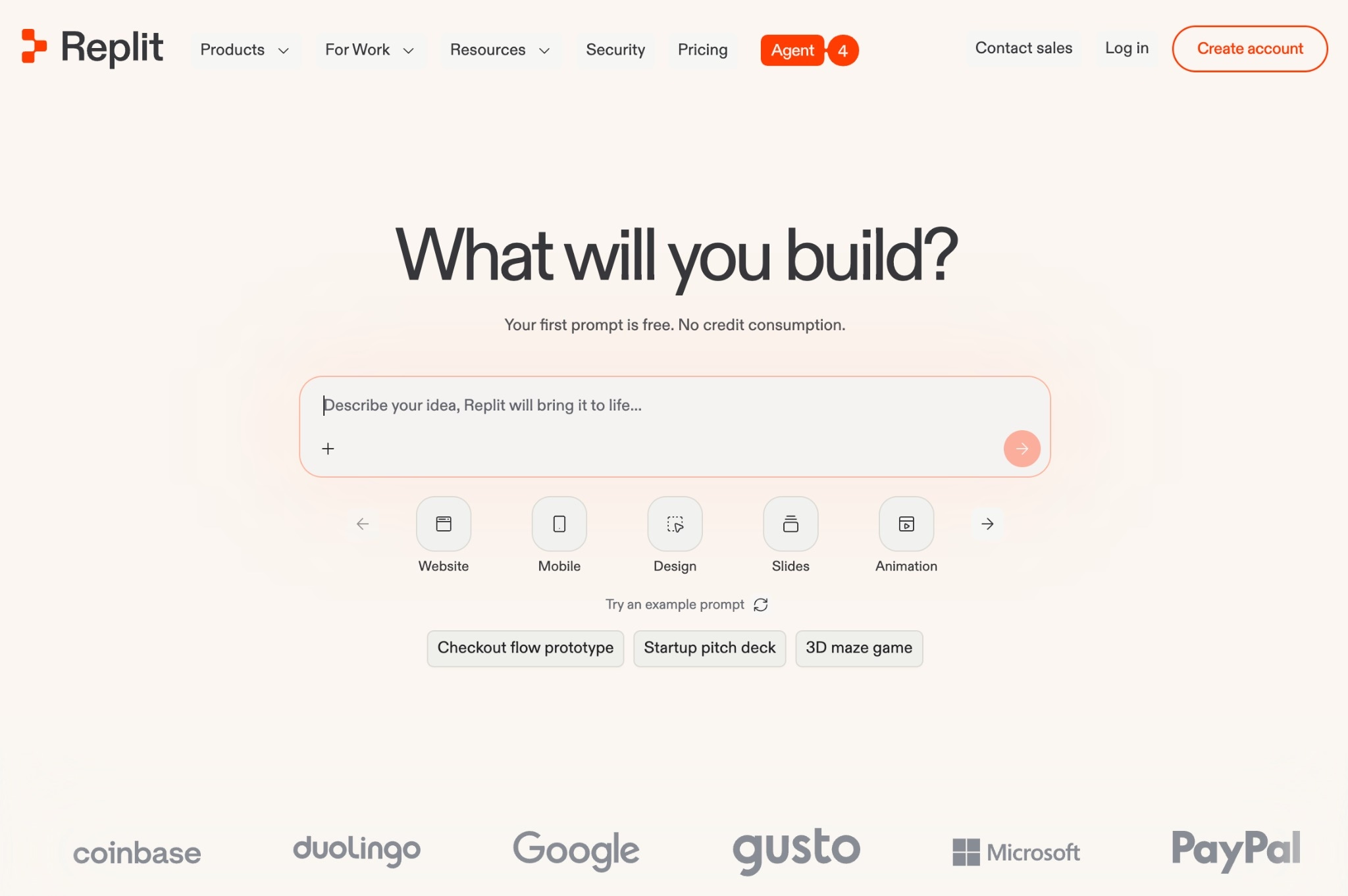
The platform started in 2016 as an online coding environment and has since repositioned itself around AI app building, with more than 50 million users as of early 2026. It's aimed at two groups at once. Developers get a zero-setup environment for writing and running code, and non-coders can describe an app and have the AI build it.
Replit Features
Here are the features that matter most in 2026, along with where each one falls short:
- Replit Agent 4: Launched on March 11, 2026, Agent 4 builds full apps from prompts and adds a Canvas (an infinite board for sketching and previewing ideas), multi-artifact projects (a web app, mobile app, and pitch deck inside one project), and a task-based workflow where you review changes before they merge.
- Browser-based workspace: You can code in over 50 languages with nothing installed on your computer, which removes the usual setup headaches. The flip side is that the workspace still looks and feels like a developer tool, with code files, consoles, and version-control menus front and center.
- Built-in databases and storage: Replit projects include a built-in database for structured data plus app storage for files, so you don't have to wire up an external service. Database operations count toward your usage, though, and several reviewers report that database-related charges caught them off guard.
- Publishing and hosting: You can publish apps with autoscaling deployments, static hosting, scheduled jobs, or reserved virtual machines. Hosting consumes credits on top of your subscription, and the free Starter plan limits you to publishing one project.
- Imports and integrations: Replit imports projects from GitHub, Bolt, and Lovable, and converts Figma designs into React apps. Agent 4 also connects to services like Notion and Linear. These work best if you already know what a repository or a React app is, which puts them out of reach for many first-time builders.
Replit Pricing
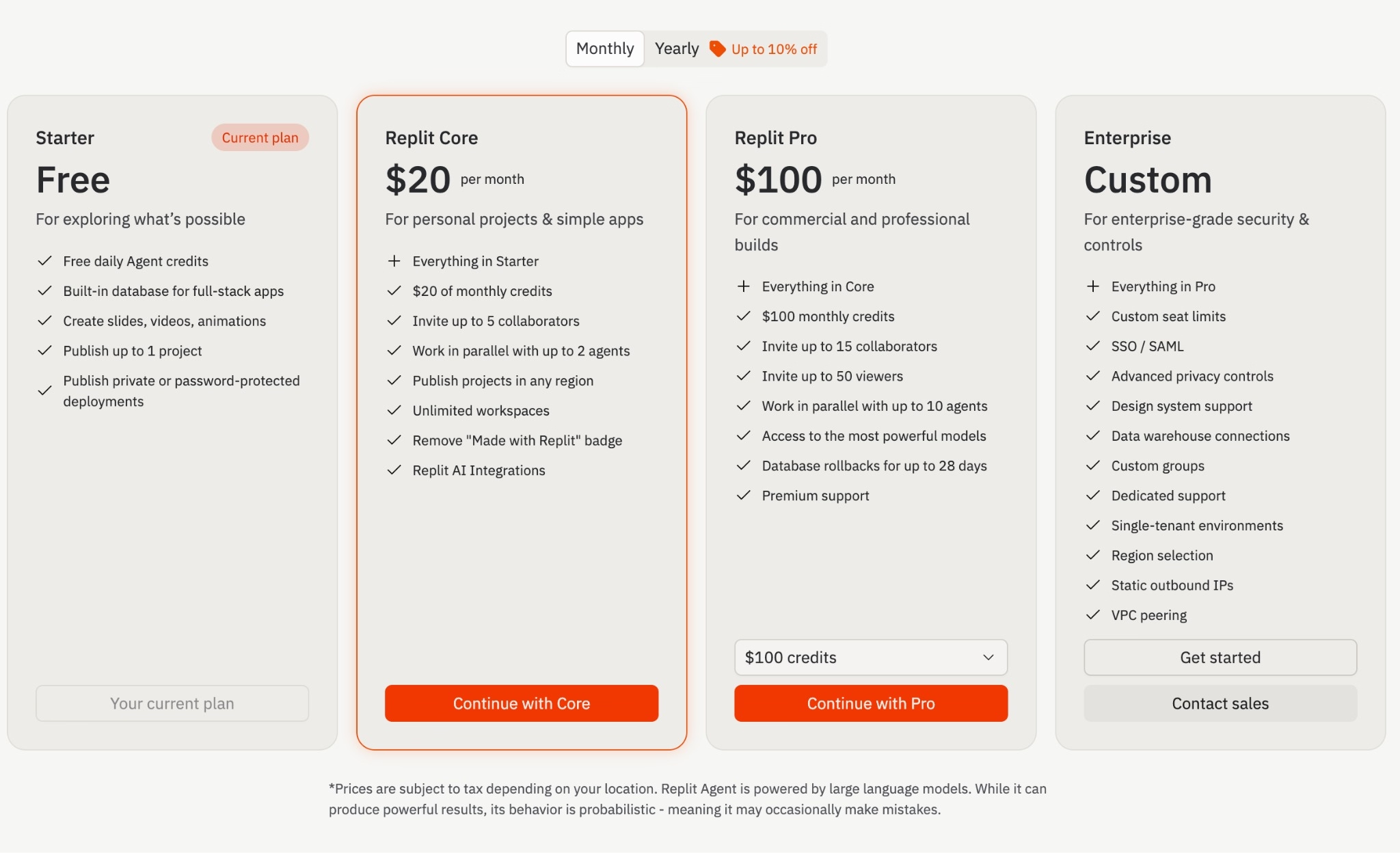
Here's the current monthly lineup from the official pricing page, where annual billing knocks off up to 10%:
| Plan | Price | What you get |
|---|---|---|
| Starter | Free | Free daily Agent credits, built-in database, publish one project |
| Replit Core | $20/month | $20 in monthly credits, five collaborators, up to two agents in parallel, removes the "Made with Replit" badge |
| Replit Pro | $100/month | $100 in monthly credits, 15 collaborators, up to 10 agents in parallel, the most powerful models, 28-day database rollbacks |
| Enterprise | Custom | SSO/SAML, single-tenant environments, VPC peering, dedicated support |
Replit also uses effort-based pricing, which means the Agent charges credits based on how much work it does, and once your included credits run out, usage-based charges kick in on top of your subscription. That model is the single biggest source of user complaints, which we'll get to next.
Testing Replit: Building a Photo-Sharing App
To see how Replit handles an actual build, I gave the Agent a single prompt: "Create a photo sharing platform that allows posting, liking, and engaging."
It came back with a clear plan first, a full-stack web app where people could sign up, post photos with captions, like and comment, follow other users, and browse a social feed. The goal was an Instagram-style experience with data that sticks between sessions.
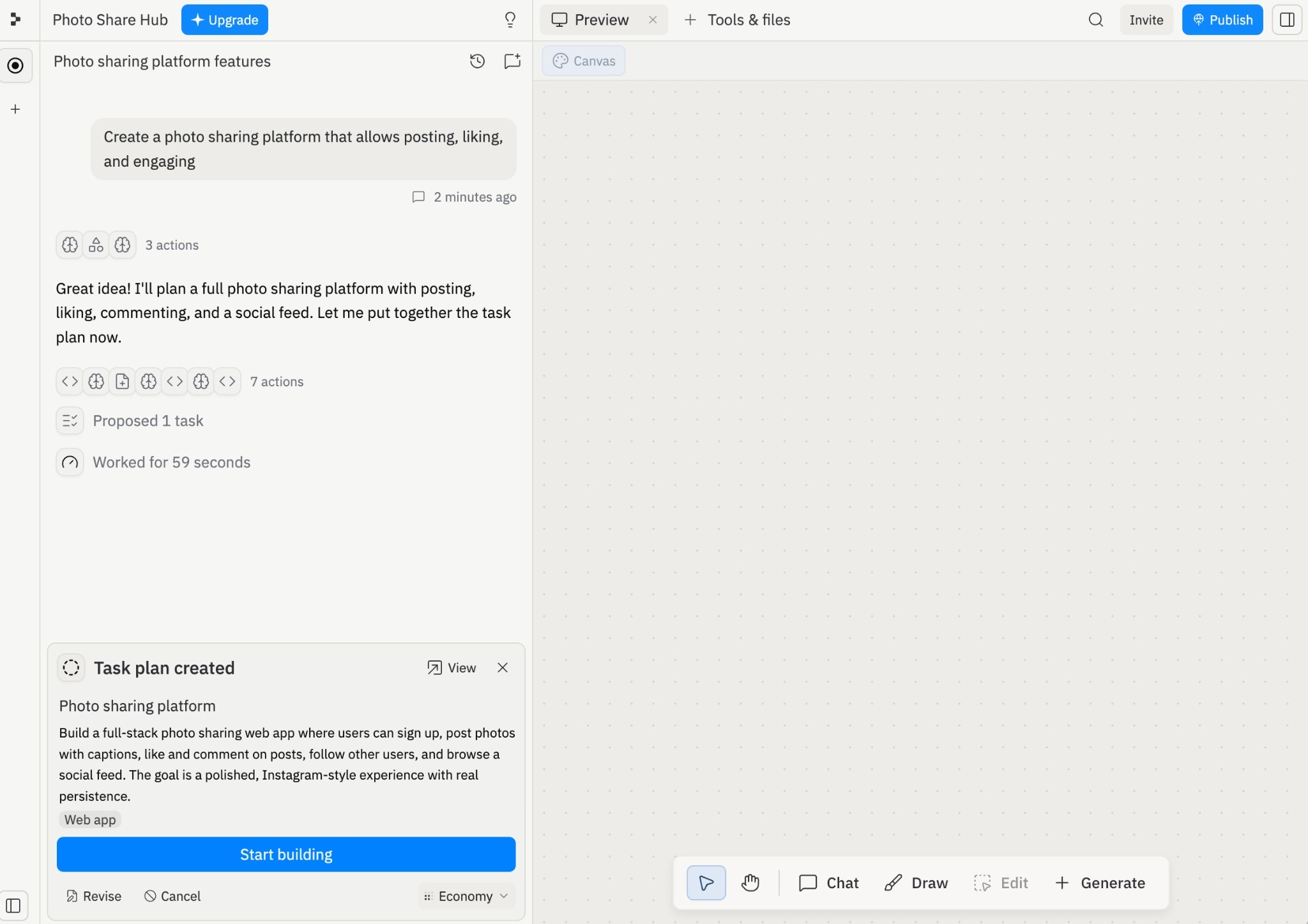
Replit's Canvas let me sketch and drag shapes around an infinite board to show the Agent the layout I had in mind. It's a smart way to head off misunderstandings early, since a quick sketch costs nothing while a wrong guess costs credits to undo.
After 38 minutes, the app was ready to test. I signed up, created a profile, and uploaded photos, then tried the comments, likes, and search. Everything worked on the first pass.

The Agent also suggested logical next steps once the build is finished, including taking the app mobile, speeding up the feed and explore pages, and letting users edit or delete their own posts.
Replit Auth can add Google sign-in with zero setup, but the Agent didn't offer or wire it in during my build, so testing even the first features meant signing up with a real email. Emergent leans the other way, adding Google sign-in by default, which is the smoother path when you just want to click through your own app quickly.
Replit Reviews: What Real Users Are Saying
I pulled user feedback from Trustpilot and G2, and the pattern is consistent. People love how fast they can start and how much the platform can do, and they're frustrated by what it costs to finish.
Replit currently holds a 3.1 out of 5 on Trustpilot across nearly 1,500 reviews, with ratings split between five-star praise and one-star billing complaints. G2 sits at 4.5 across 357 reviews, with Capterra similarly positive on a smaller sample.
Pros
- Speed from idea to app: Reviewers consistently describe going from a blank prompt to a working project in hours, including people with no coding background. One G2 reviewer said they spun up a project "within two hours."
- It teaches while it builds: Several Trustpilot reviewers with no programming experience say the Agent explains each technical step as it works, which helped them learn the basics while still shipping something usable.
- Everything in one place: Users like that the editor, database, hosting, and AI all live in one browser tab. One reviewer noted that jumping between a Python data script and a React app required no environment setup at all.
Cons
- Unpredictable costs: This is the most common complaint by a wide margin, and it traces back to Replit's effort-based pricing. The Agent bills credits for the work it does, so failed attempts, unintended code changes, and background refactoring all add to the tab. Trustpilot reviewers describe a month's credits draining in a single session, surprise charges of $50 to $90 on top of the $20 plan, and credits getting eaten even when they'd barely touched the Agent.
- The Agent can break what it builds: Multiple reviewers report the AI introducing bugs while fixing something else, then charging credits for the repair work. As one G2 reviewer put it, even with specific directions, the Agent doesn't always follow them.
- Slow support: Negative Trustpilot reviews repeatedly describe support tickets going unanswered or being closed without a fix. One reviewer spending around $500 per week on the platform reported tickets marked resolved while the billing problem continued.
The pattern is consistent: Replit gets people to a working app fast, then bills them unpredictably to finish it.
My Personal Take on Replit
Replit has earned its reputation as the developer's pick in this category. Several developer colleagues of mine reach for it whenever they need a quick prototype, and the appeal is easy to see. The whole platform lives in one browser tab, and because it's built for technical users, connecting external tools and services takes minutes rather than an afternoon of setup.
Agent 4 sharpens the experience, but the platform's real strength is that breadth, with the code editor, database, hosting, and AI working as one environment.
Pricing is where the downsides start to show. Effort-based billing means a complicated request costs more than a simple one, and you don't know which one you wrote until the charge arrives.
A developer who can read the code and steer the Agent efficiently can keep that under control. For a first-time builder, every debugging loop is a small invoice, and the platform's own Trustpilot page is full of people who learned that the hard way.
The interface tells the same story. Replit grew out of a developer code editor, and it shows. If words like repository, console, and deployment target feel like home, you'll move fast here. If they don't, expect a learning curve that the marketing doesn't mention.
Is Replit Right for You?
Replit is right for you if you're comfortable in a developer's world and wrong for you if you need predictable costs and a gentler interface.
Here's the breakdown.
Who will love it:
- Developers and technical tinkerers: If you can read code, Replit gives you an AI pair that handles the boring parts, plus a full cloud environment with zero setup. Side projects and prototypes come together fast.
- Small teams who want one shared workspace: The Pro plan's collaboration features, including parallel agents and a review queue for merging changes, suit teams of three to 10 people building together.
- Builders who want more than a web app: If your project spans a web app, a mobile app, and marketing assets, Agent 4's multi-artifact approach keeps it all in one project.
Who should avoid it:
- Non-technical builders on a fixed budget: The combination of effort-based pricing and a developer-style interface makes Replit a stressful first AI app builder. You'll spend credits learning the tool itself.
- Anyone who needs predictable monthly costs: If a surprise $90 charge would hurt, the credit model is working against you. Watch your usage dashboard closely or pick a platform with firmer cost ceilings.
The Best Replit Alternative: Emergent
If you landed in that second group, the platform I'd point you to is Emergent. It's a vibe coding platform that turns a plain-English description into a working app, with the interface, data, sign-in, and payments all handled for you. It's built for people who'd rather describe what they want than work in a developer's setup.
Where Replit asks you to navigate code files and consoles, Emergent starts a build by asking you clarifying questions about what you want.
From there, a coordinated system of specialized agents handles the rest. Some plan the build and shape the interface, others wire up the logic and integrations, and testing agents run end-to-end checks and rewrite broken code before you ever see it.
Here's what that gets you in practice:
- Launch without the developer learning curve: You describe what you want, answer a few questions, and let the agents handle the build.
- Fewer broken builds: Emergent's testing agents check the app end-to-end and fix failures automatically, instead of leaving you to spot bugs and pay for another repair loop.
- Costs you can plan around: Plans are credit-based with clear allotments. The free plan includes 10 monthly credits, and the Standard plan is $20/month for 100 credits, so you know your ceiling before you start. Credits stretch further on a simple landing page than on a full app, so heavier builds draw more.
- You own the result: When the app is ready, you click Deploy, and it's live on your own emergent.host address in about 10 to 15 minutes. You can also connect a custom domain through Emergent's built-in IONOS integration (here's the step-by-step guide) or point to a domain you already own, and you own the code, with the option to export it anytime.
To be fair to Replit, if you're a developer who wants a browser-based coding environment with an AI inside it, Replit does that well, and Emergent isn't trying to be that. Emergent is the better fit when the goal is a finished, working app rather than a coding environment.
Emergent's free plan includes 10 credits, enough to build a first app and judge it for yourself: Try building your first app on Emergent.
Final Verdict
For developers who want an AI-powered workspace for everything from code to slide decks, Replit works, and it remains the strongest pick in this category for developers prototyping at speed. But if you want a working app without the developer interface or the unpredictable bill, Emergent is the better choice.
Whichever way you lean, start free and watch the meter before you commit. Replit's Starter plan lets you test the Agent with daily credits, and Emergent's free plan includes 10 credits to build with.
A week of real use will tell you more about your actual monthly cost than any pricing page, and in this category, the expensive mistake is the subscription you picked before understanding how fast you burn credits.

Most AI app builders stop at prototypes. Emergent creates production-ready apps you can actually launch.
- Production-ready apps
- Web & mobile apps
- Deploy in minutes







