




Any AI tool can write a function, but the harder part is finding one that understands your whole project, fits the setup you already use, and finishes enough of the job to save more time than it costs.
I reviewed nine AI tools for coding through their current product documentation, pricing, workflow coverage, integrations, and developer feedback. I didn’t run hands-on benchmarks for this article, so the rankings reflect documented capabilities and practical fit rather than invented testing results.
Cursor is my top pick for most developers because it puts completion, agents, review, and background work inside one coding workspace. Claude Code is the stronger call for terminal-first engineering, while GitHub Copilot fits teams that want AI without changing their editor or GitHub workflow.
Why Choosing an AI Coding Tool Is Harder in 2026
The category now covers three different jobs.
An integrated development environment (IDE) tool, such as Cursor, puts AI around the editor itself. A command-line interface (CLI) tool such as Claude Code gives an agent direct access to files, commands, tests, and Git operations. Platforms such as Emergent and Replit go further into application creation, hosting, and publishing.
The difference between an assistant and an agent matters too. A basic assistant answers a question or suggests code. An agentic coding tool can interpret a goal, inspect files, make related changes, run commands, observe the result, and continue working without needing a new prompt after every action.
That doesn’t make the most autonomous tool the automatic winner. The right choice depends on where you work:
- Choose an editor-first tool when you want suggestions and agent actions beside the code you’re actively changing.
- Choose a terminal agent when you want to delegate repository-wide tasks and supervise the result.
- Choose Copilot when editor flexibility and GitHub adoption matter more than committing to a new workspace.
- Choose an app-building platform when your goal is a working application and you don’t want to manage the development environment yourself.
A recent developer Reddit thread reflects the same split.
Developers repeatedly recommend Claude Code for deeper terminal work, Cursor for an editor-centered workflow, and Copilot for broad model access and predictable integration. The main complaints focus on usage limits, subscription costs, and the time wasted moving between several tools, not a lack of code generation.

That discussion is anecdotal, but it captures the practical decision better than a feature checklist does.
How I Researched These AI Tools for Coding
I reviewed each tool’s official product pages, documentation, and public pricing as available on July 15, 2026. I also read the top competing roundups to see how others frame the choice and a developer Reddit thread to surface the most common complaints, but I didn’t use third-party articles for current prices or core product facts.
I ranked the tools across five practical questions:
- Where does the tool work? I looked at editors, terminals, browsers, GitHub, and cloud environments.
- How much can it do? I separated autocomplete and chat from tools that can inspect files, run commands, change multiple files, and open pull requests.
- How well does it fit an existing workflow? A capable tool still loses when adopting it means replacing an editor, rebuilding team rules, or changing repository processes.
- What control do you keep? I looked for review steps, permissions, model controls, organization policies, and isolation between agent tasks.
- What does the entry price buy? I compared free access and the lowest paid tier, then checked where credits, quotas, and usage-based charges affect the real cost.
I excluded simple code-chat pages such as DeepAI from the main ranking. They can generate or explain snippets, but they don’t provide the repository context, file access, command execution, testing loop, and workflow integration that now separate a serious coding tool from a general chatbot.
Cursor vs. Claude Code vs. GitHub Copilot: The Core Difference
The top three solve the same broad problem from different starting points.
Cursor makes the editor the product. You get inline completion, agents, cloud execution, code review, a CLI, and integrations around one AI-first workspace. Cursor agents can work in isolated environments, run tasks in parallel, and return changes for review while you continue editing.
Claude Code makes the agent the product. It reads your codebase, edits files, runs commands, and works across a terminal, IDE extension, desktop app, or browser. It fits developers who prefer assigning a complete engineering task over accepting suggestions one line at a time.
GitHub Copilot makes compatibility the product. It works across GitHub, Visual Studio Code, Visual Studio, JetBrains IDEs, Xcode, Neovim, Eclipse, and other supported environments. Its paid individual plans also include cloud agents, code review, model selection, and access to third-party agents such as Claude Code and Codex.
3 Best AI Tools for Coding: Quick Comparison
The table includes only each tool’s free option and starter paid plan. Cursor’s annual Pro rate is also reflected in Emergent’s current Cursor pricing guide because the vendor page presents yearly pricing through an interactive toggle.
1. Cursor: Best AI-First Coding Workspace
Cursor is the best AI tool for coding when you want AI built into every part of the editor rather than added through one extension.
It combines inline Tab suggestions with agents that can inspect a project, plan changes, edit files, run work in the cloud, and return the result for review. Cursor also extends outside the desktop editor through its CLI, GitHub pull-request review, Slack integration, and scheduled automations.
That range is why I rank it first. You can use Tab for the small work, such as completing a function or predicting your next edit, then hand a larger task to an agent without changing products. Cloud agents can work on separate tasks while your local editor remains available for the work that needs your attention.
Cursor also supports the Model Context Protocol (MCP), a standard that lets compatible AI tools connect to outside data and services. Skills, hooks, team rules, model controls, and repository access settings give you ways to shape how the agents work instead of repeating every instruction in chat.
Where Cursor Wins
Cursor is the strongest choice when your daily workflow moves between quick edits and larger delegated tasks.
A typical session could include:
- Accepting a multi-line completion while writing a component.
- Asking an agent to trace a bug across several files.
- Sending a slower refactor to a cloud agent.
- Reviewing a pull request through Bugbot.
- Returning to the local project without copying code between a browser chat and the editor.
Teams also get centralized billing, usage analytics, shared context, privacy controls, single sign-on, and repository or model access controls at higher tiers. Privacy mode prevents Cursor and its model providers from using code data for training when enabled.
Where Cursor Falls Short
Cursor asks you to make its editor the center of your workflow. Developers with carefully configured JetBrains, Neovim, Visual Studio, or company-managed environments may find that change is more disruptive than the AI benefits justify.
Its entry price can also understate the cost of frequent agent use. Each plan includes a set amount of model usage, and on-demand use continues on usage-based billing after the included amount is consumed.
Cursor itself recommends Pro+ for daily agent work and Ultra for power users, which tells you the $20 plan is an entry point rather than the natural ceiling for heavy use.
Developer feedback mirrors that tradeoff. Some developers in that Reddit thread preferred Cursor after running into Claude Code rate limits, while others reported burning through higher Cursor tiers quickly. Treat that as community sentiment rather than a controlled cost comparison, but track your first month of agent usage before standardizing it across a team.
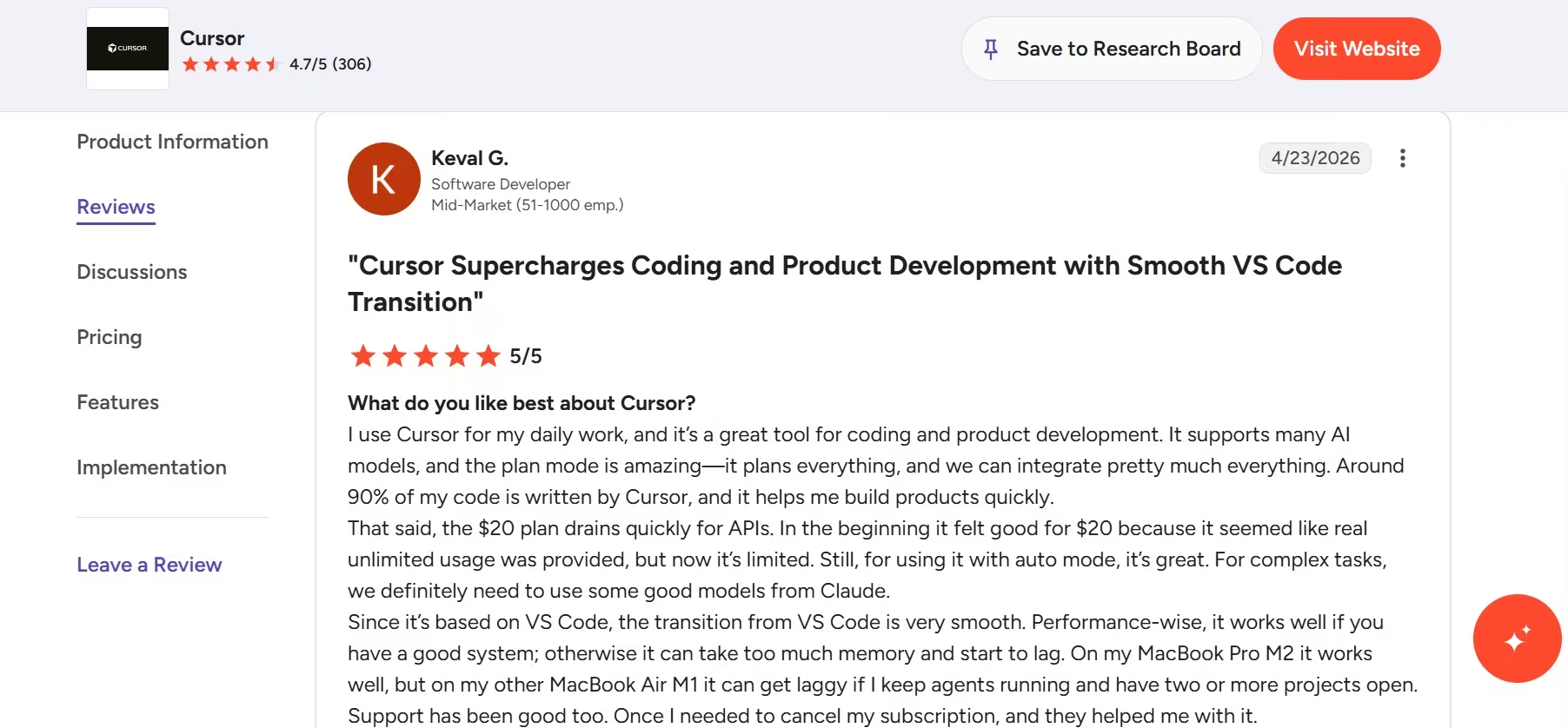
A G2 review from software developer Keval G. reflects both drawbacks: the $20 allowance can drain quickly, and agent-heavy sessions can lag on lower-powered computers.
Want the full picture of what developers are saying? Read our Cursor Reviews for a closer look at what real developers actually ran into.
Pros and Cons
Pros
- One workspace for autocomplete, chat, agents, background work, and review.
- Strong fit for developers moving from Visual Studio Code.
- Cloud agents let you delegate slower work without blocking the local editor.
- Team plans add shared rules, analytics, security controls, and administration.
Cons
- You need to adopt Cursor as your editor to get the full experience.
- Frequent frontier-model and agent use can push you past the starter tier.
- Some specialized extensions or established editor setups may not transfer cleanly.
Pricing
Hobby: Free. Pro: $20/month ($16/month billed annually); Pro+: $60/month; Ultra: $200/month; Teams Standard: $40/user/month; Enterprise: Custom.
Bottom Line
Cursor is the pick when you want AI handling both the next few lines and the next substantial unit of work. It gives most developers the best balance of direct control, agent depth, and day-to-day convenience.
Want the full breakdown of what each plan actually costs in practice? Read our Cursor pricing guide before you commit.
2. Claude Code: Best for Terminal-First Agentic Work
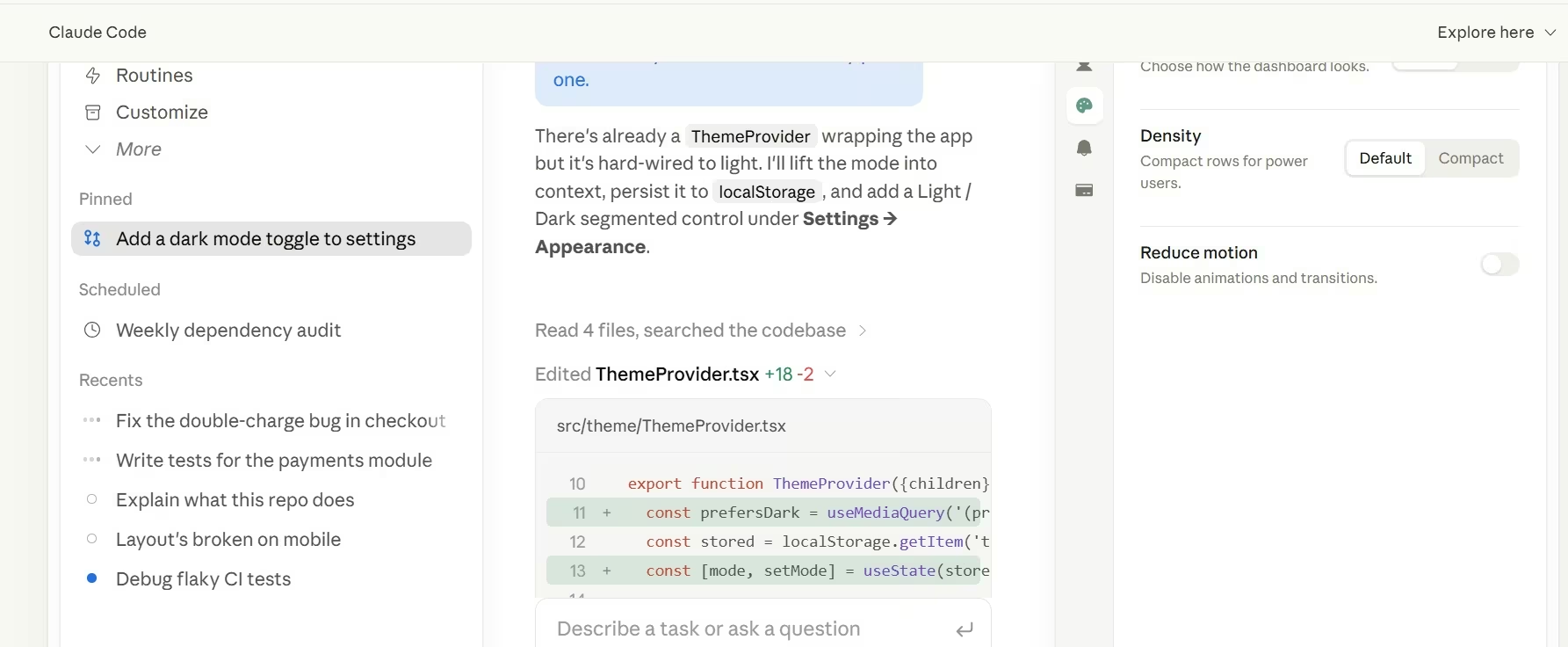
Claude Code is the better tool when you want to describe an engineering outcome, let an agent work across the repository, and review what it changed.
Claude Code can read a codebase, edit multiple files, run commands, and interact with development tools. It works in a terminal, IDE extension, desktop app, and browser, so terminal-first doesn’t mean terminal-only.
Its strength is the way it approaches complete tasks. You can ask it to implement a feature, find the cause of a failing test, update dependencies, create tests, explain an unfamiliar repository, or automate a repeated engineering process. It has direct access to the environment required to complete those steps instead of returning code for you to paste manually.
That makes Claude Code especially useful for:
- Multi-file feature work.
- Repository onboarding and codebase explanation.
- Refactors that require commands, tests, and iteration.
- Bug fixes where the agent needs to inspect an error and try another approach.
- Git and pull-request work.
- Repeated workflows configured through project instructions, skills, hooks, or MCP connections.
Where Claude Code Wins
Claude Code is my pick for developers who already think in tasks, repositories, commands, and diffs.
It doesn’t force a new editor. You can keep Visual Studio Code or a JetBrains IDE for navigation, debugging, and manual editing while Claude Code handles delegated work through the terminal or its integrations. That division is often cleaner than trying to make one editor responsible for every form of AI assistance.
Its direct access to files and commands also creates a more useful feedback loop than chat-only coding. The agent can run a test, read the failure, change its approach, and run the test again. You still review the result, but you don’t have to manually relay each output between the environment and the model.
Where Claude Code Falls Short
The same power raises the supervision requirement. A tool that can edit files and run commands can make a bigger mistake than an autocomplete tool, so you need clear repository rules, scoped permissions, version control, and meaningful tests.
Claude Code also has a cost problem for sustained work. The $20 Pro subscription includes Claude Code, but Max starts at $100/month for five times the Pro usage and offers a higher 20-times allowance at another tier. Community comments regularly praise Claude Code’s output while criticizing how quickly the lower allowance can run out.
It also won’t replace inline completion for every developer. You can use it through IDE integrations, but its core value is delegated task execution rather than predicting each line as you type.
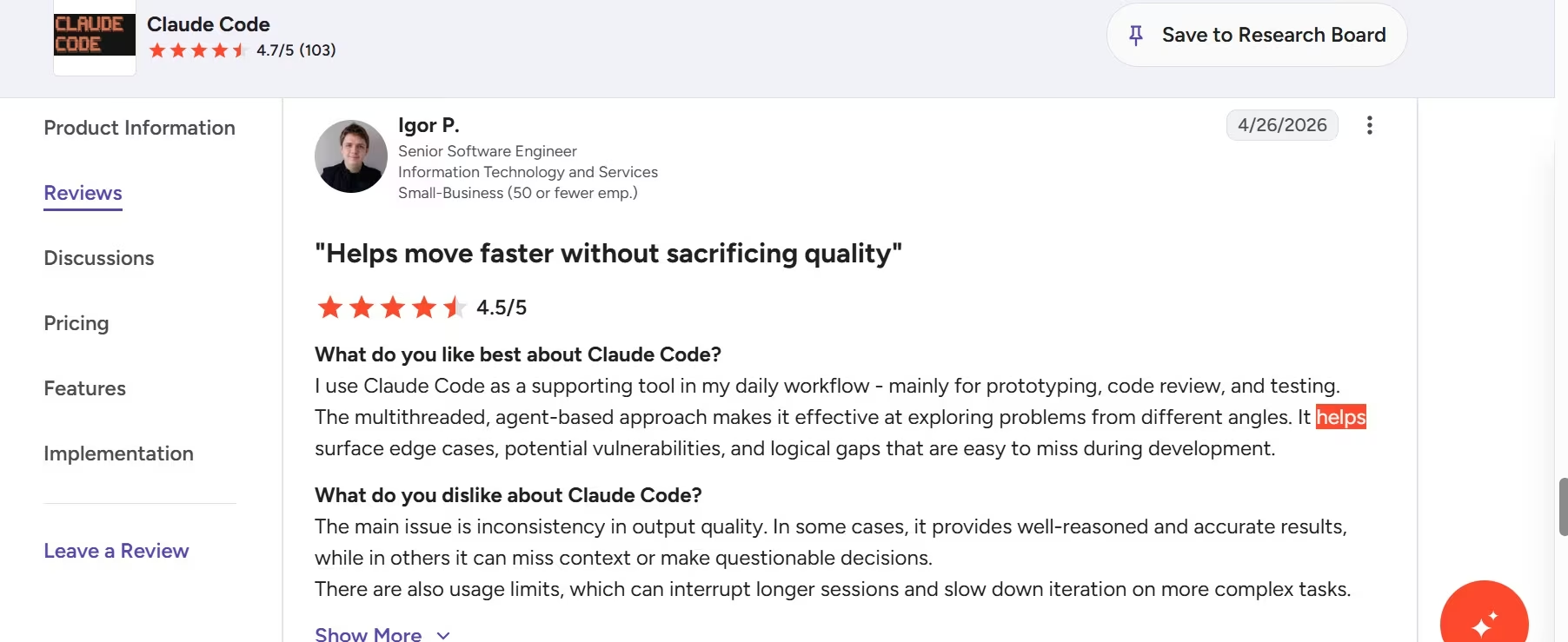
Igor P., a senior software engineer, praised Claude Code’s agent-based workflow but noted that inconsistent results and usage limits can interrupt longer, more complex sessions.
Pros and Cons
Pros
- Reads the repository, changes files, and runs commands.
- Works across terminal, IDE, desktop, and browser surfaces.
- Strong fit for multi-file refactors, debugging, testing, and automation.
- Lets you keep your current editor.
Cons
- The starter subscription can feel restrictive during long agent sessions.
- Effective use requires comfort with terminals, version control, permissions, and diffs.
- It isn’t the cleanest single-product answer for developers who rely heavily on inline completion.
Pricing
Claude Free: $0/month, but Claude Code is included starting with Pro. Pro: $20/month ($17/month billed annually, with $200 charged upfront); Max: from $100/month; Team Standard: $25/seat/month ($20/seat/month billed annually); Team Premium: $125/seat/month ($100/seat/month billed annually); Enterprise: Custom.
Bottom Line
Claude Code is the one to beat when you want an agent to complete substantial repository work and you’re comfortable reviewing terminal-driven changes. It beats Cursor for developers who value task delegation more than an all-in-one AI editor.
Want a closer look at how it holds up in real workflows? Read our Claude Code Review for the full verdict.
3. GitHub Copilot: Best for Broad IDE and GitHub Adoption
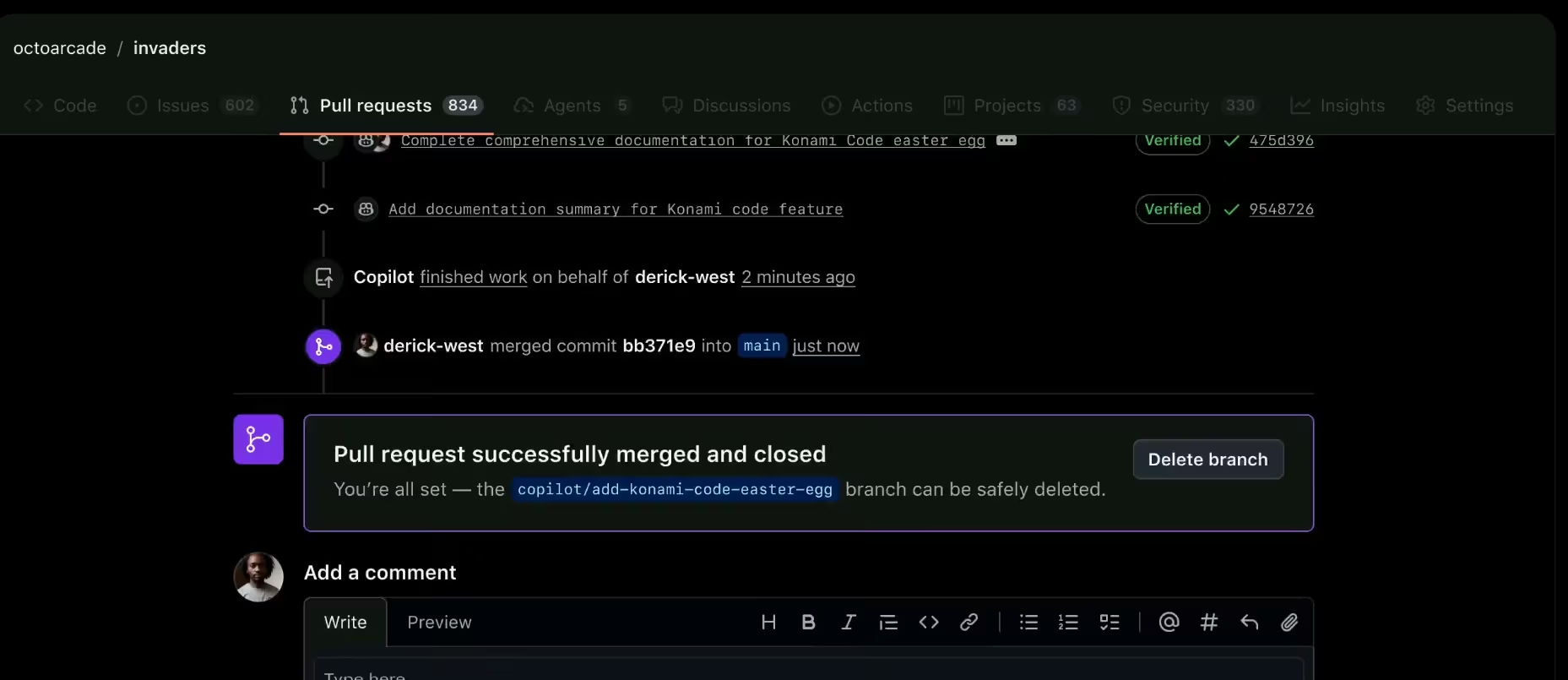
GitHub Copilot is the safest organization-wide choice when developers use different editors but share GitHub as the center of their work.
Copilot supports inline completions, next-edit suggestions, chat, agent mode, CLI workflows, code review, and cloud agents. Paid individual plans also provide model selection and access to third-party coding agents, including Claude Code and Codex.
Its main advantage is reach. GitHub supports Copilot across Visual Studio Code, Visual Studio, JetBrains IDEs, Xcode, Neovim, Eclipse, Zed, GitHub.com, GitHub Mobile, and the command line. You can add AI without asking every developer to abandon the tools they already know.
That makes adoption easier for mixed teams. A Python developer can remain in PyCharm, a .NET developer can remain in Visual Studio, and a front-end developer can remain in Visual Studio Code while the organization manages Copilot through GitHub.
Where GitHub Copilot Wins
Copilot is strongest when your work already begins and ends in GitHub.
Cloud agents can take work from issues, explore repositories, and return pull requests for review. Organization plans add licensing, policy management, intellectual-property protections, and deeper codebase customization. Copilot Enterprise can also index organizational code for more tailored assistance.
The $10 individual plan is another advantage. It includes unlimited code completion and next-edit suggestions, cloud-agent access, code review, model selection, and third-party agents, although agentic features use GitHub AI Credits.
Where GitHub Copilot Falls Short
Copilot’s breadth makes the product less opinionated than Cursor. You get AI across many surfaces, but the experience isn’t built around one unified coding workspace.
Its credit system also requires attention. Chat, agent mode, code review, the cloud agent, Copilot CLI, and Copilot apps consume GitHub AI Credits. The free tier limits chat and agent use, and the higher individual plans mainly increase the amount of agent work included.
Community feedback is mixed in a useful way. Some developers stay with Copilot because it works for the full month, supports several models, and fits their existing editor. Others describe autocomplete as inconsistent or prefer Claude Code for larger tasks.
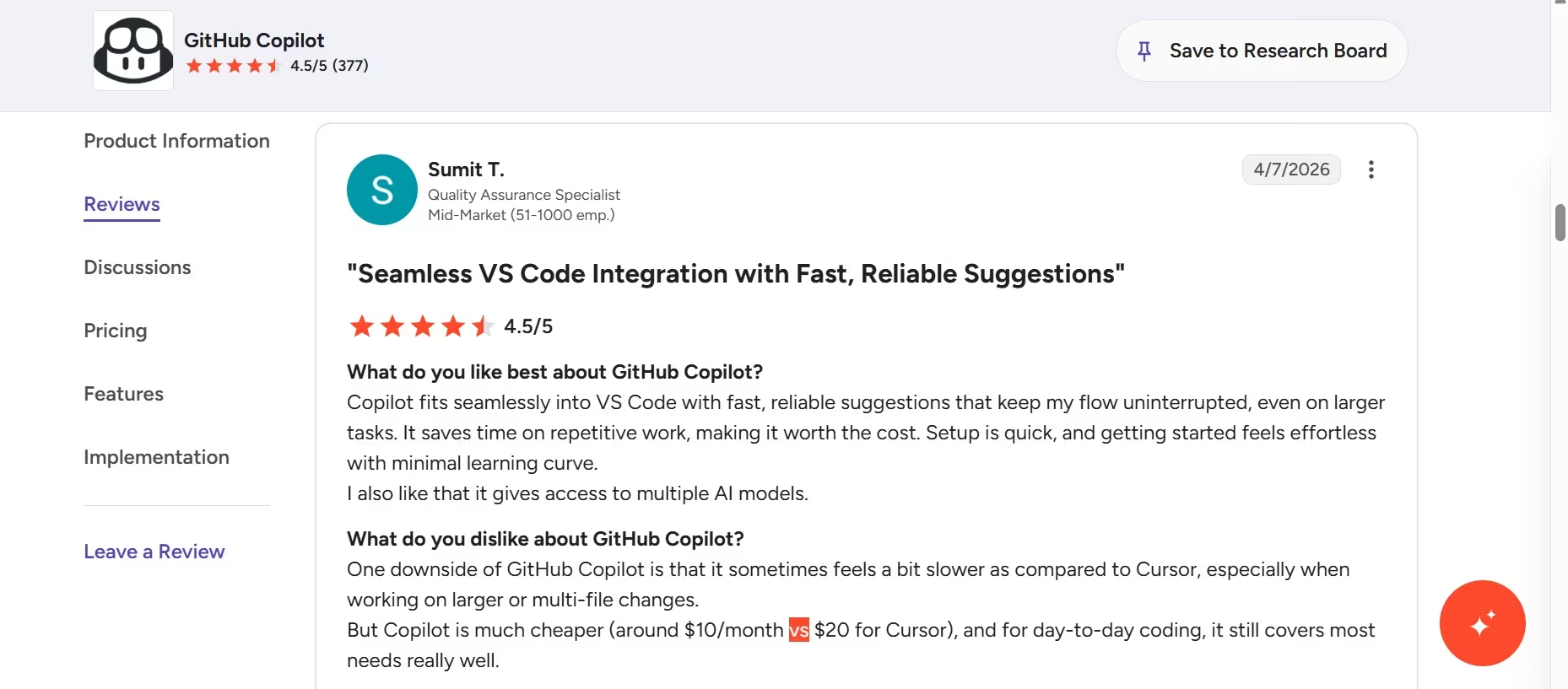
Sumit T. praised Copilot’s smooth Visual Studio Code integration but found it slower than Cursor when handling larger or multi-file changes.
Pros and Cons
Pros
- Broad editor, terminal, GitHub, and mobile support.
- Low starter price for individual developers.
- Fits existing company workflows and repository processes.
- Paid plans include model choice and access to third-party agents.
Cons
- Less cohesive than a workspace designed around AI from the start.
- Agentic workflows consume credits.
- Its main advantage shrinks when you’re already willing to move to Cursor or work directly through Claude Code.
Pricing
Free: $0/month. Pro: $10/user/month; Pro+: $39/user/month; Max: $100/user/month; Business and Enterprise: Custom.
Bottom Line
GitHub Copilot fits best when adoption, editor choice, and GitHub integration matter more than the deepest single-agent experience. It is the practical default for a mixed development team.
Other AI Tools Worth Checking Out
Emergent
Emergent helps you create web and mobile applications through conversation, with hosting and GitHub integration available as the plans increase.
Free costs $0/month; Standard costs $20/month ($17/month billed annually); Pro costs $200/month ($167/month billed annually); and Business and Enterprise are Custom. It sits just outside the top picks because it solves a different job: creating and launching an application for you rather than acting as a daily coding assistant inside an existing development setup.
OpenAI Codex
Codex handles features, refactors, migrations, parallel agent work, scheduled background tasks, and workflows across ChatGPT, editors, and terminals.
Free has limited Codex access, while expanded use starts with ChatGPT Plus at $20/month. Codex lands below the top three because its usage is bundled into a broader ChatGPT subscription, which makes its capacity and value harder to compare with a dedicated coding product.
Replit
Replit combines a browser development environment, agents, a database, collaboration, and publishing.
Starter is Free; Core costs $20/month ($18/month billed annually); Pro costs $100/month ($90/month billed annually); and Enterprise is Custom. Replit falls short because its browser-first build-and-publish workflow suits new applications better than developers with established local repositories and toolchains.
Gemini Code Assist
Gemini Code Assist provides code completion, generation, chat, codebase awareness, agent mode, Gemini CLI, and Google Cloud integrations.
Individual access is Free, Standard costs $22.80/user/month ($19/user/month billed annually), and Enterprise costs $54/user/month ($45/user/month billed annually). Its advantages are tied to Google Cloud, Firebase, BigQuery, Apigee, and other Google services rather than a broadly neutral workflow, which keeps it out of the top picks.
JetBrains AI
JetBrains AI adds coding assistance and agent access to supported JetBrains IDEs.
AI Free costs $0/month, AI Pro costs $10/month, and AI Ultimate costs $30/month, while organization tiers start at $20/user/month. It is an excellent extension of JetBrains products, but a weaker recommendation for developers spread across several editors.
Kiro
Kiro is an AI coding tool that helps you plan, write, test, and improve code. It can also break a large job into smaller steps and follow project rules while it works.
Free costs $0/month, and Pro costs $20/user/month. Kiro works best for developers who want a structured, specification-first workflow, but its more strict approach keeps it outside the top three for general use.
Which AI Coding Tool Should You Choose?
Choose Cursor when you:
- Want autocomplete and autonomous agents in one editor.
- Work mainly in Visual Studio Code or can move to a similar interface.
- Regularly switch between direct coding and delegated tasks.
- Need cloud agents, pull-request review, and team controls from one vendor.
Choose Claude Code when you:
- Live in the terminal.
- Delegate multi-file features, refactors, debugging, or test work.
- Want to keep your existing editor.
- Have strong version control, tests, and code-review habits.
Choose GitHub Copilot when you:
- Need AI across several editors.
- Already manage work through GitHub issues and pull requests.
- Want the lowest starter price among the top three.
- Need organization-level policies without forcing one IDE on everyone.
Choose OpenAI Codex when you already pay for ChatGPT and want parallel cloud agents, scheduled tasks, and coding work connected across ChatGPT, your editor, and the terminal.
Choose Emergent when the outcome matters more than the coding environment. It is the better call for a non-technical founder who needs a customer portal, internal operations tool, booking application, or mobile product and wants coordinated agents to help design, build, integrate, and publish it.
No AI coding tool should receive final approval over its own output. Review every diff, run the test suite, and inspect authentication, permissions, payments, external actions, and sensitive-data handling before releasing generated code.
Conclusion
Cursor is the best of these AI tools for coding for most developers in 2026. It combines fast inline help, capable agents, cloud work, review, and team controls without splitting the workflow across several subscriptions.
Claude Code wins when you want to hand substantial repository work to a terminal-first agent. GitHub Copilot wins when your team needs broad editor support and tight GitHub adoption at a lower entry price.
Pick the tool that matches where you already work. A slightly less autonomous assistant that fits your daily setup will save more time than a powerful agent your team avoids using.

Most AI app builders stop at prototypes. Emergent creates production-ready apps you can actually launch.
- Production-ready apps
- Web & mobile apps
- Deploy in minutes







