




Most AI website builders can give you a decent-looking homepage. The harder test is what happens when you ask the site to do something useful for a business, like taking a booking, collecting a custom order, accepting a payment, or getting found in local search.
I spent three days testing five AI website builders for small businesses against the same bakery brief, and followed those workflows well past the initial site generation.
I looked at local SEO and Google Business Profile support, lead capture, bookings, payments, ecommerce, ease of maintenance, and the price of the plan a small business would actually need.
By the end, you'll know which builder fits your business, what you'll actually be able to do with it, and where you'll still need to step in yourself.
If you're starting from scratch and still figuring out what your business website actually needs, this small business website guide walks through the pages, SEO basics, payments, and other pieces worth getting right before launch.
How I Researched and Tested These AI Website Builders
For each tool, I ran the same test brief through the AI setup flow:
"a family-owned bakery in Austin, Texas offering custom cakes and weekend baking workshops, with online ordering and class sign-ups."
Squarespace was the exception. Its Blueprint wizard has no field for a written business description anywhere in the flow, so I translated the brief into its Topic and Goals categories instead, and had to redo it once after a mismatched Topic entry generated an unrelated wellness site.
I started four of the five on a genuine free plan with no card required. Squarespace was the exception: it runs a 14-day trial instead. I also read through G2, Trustpilot, and Capterra reviews, including the negative ones.
I also looked at Durable and Framer for this list and left both off. Durable's CRM and invoicing are strong, but it is already covered in depth in our roundup of the best AI website builders. Framer is built for design-first agency work, a different job than day-to-day SMB operations.
I judged each tool against five criteria that matter more to a small business than how good the first AI-generated page looks:
- Local SEO and Google Business: Whether the tool syncs with a Google Business Profile natively or leaves that to the owner.
- Booking and lead capture: Whether appointments, forms, or waitlists work out of the box.
- Owner-maintainability: Whether a non-technical owner can update the site without a developer.
- Payments and invoicing: Whether checkout is native or bolted on through a third party.
- Cost at the SMB tier: The plan a small business would realistically buy, above the cheapest teaser price.
These five criteria are what I judged each builder on: whether a small business can actually run on it day to day, past how good the first generated build looks. I haven't ordered them best to worst, because the right pick changes with what your business sells.
1. Emergent

Emergent's sign-in and team collaboration screen
What is it: Emergent is an AI website builder for small businesses that generates a working site backed by real logic, forms, and a database from a plain-language description.
Best for: Small businesses that need bookings, payments, custom orders, or lead capture that go beyond a basic contact form.
Emergent was the only builder I tested where a customer could find a workshop, book a specific class, and pay for it without me bolting on a second tool. It took about 15 minutes to build the bakery site, and the detail held up all the way through.
The "It started with Grandma Rosa" story, three-generation history, tres leches recipe, and South Austin reference gave the site a sense of an actual local business rather than generic AI copy.
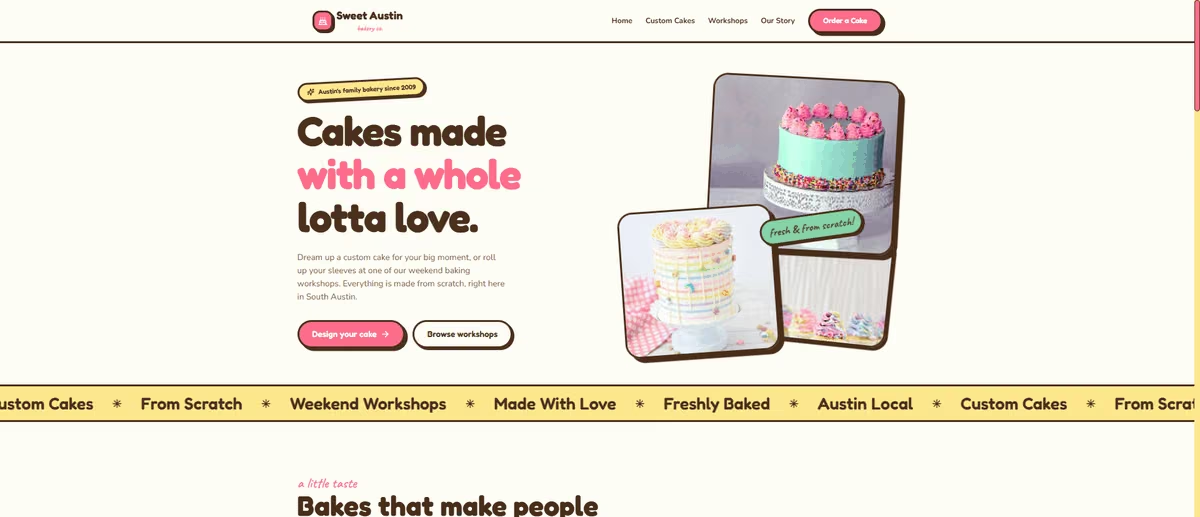
Emergent-generated bakery homepage with the Grandma Rosa origin story
The three workshop listings were just as specific: Sourdough 101 ($65 for beginners), Kids Cupcake Decorating ($35 for ages 5 to 12), and Buttercream Flower Cake ($85 for intermediate bakers), each with dates, times, durations, and live seat counts.
More importantly, the interactive parts worked as well as the static pages looked. Clicking "Reserve your spot" for Sourdough 101 opened a booking modal pre-loaded with that class's exact price, time, and duration, a real checkout step. "Pay $65.00 and book" then took me to a Stripe checkout page in sandbox mode with real card fields and currency conversion.
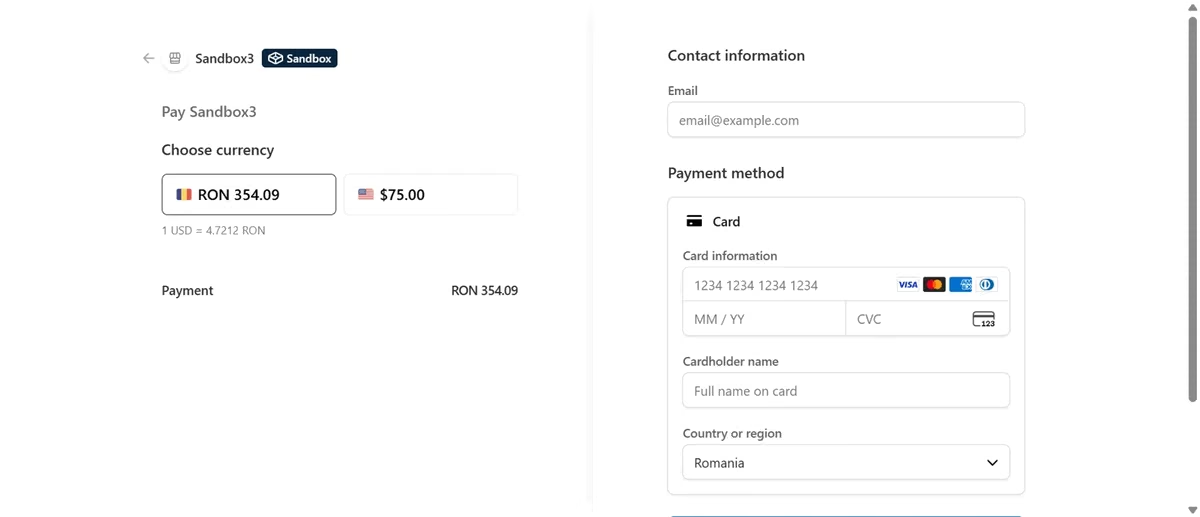
Emergent's Stripe checkout page for a paid workshop booking
"Design your cake" opened a detailed order form that asked for cake size and serving count, flavor, filling, frosting, dietary requirements, and an inspiration photo upload.
Because a custom cake doesn't have a fixed price, the form didn't try to force a checkout. It collected the information needed for a quote instead. I submitted a test request and confirmed in the admin panel that it landed in a gated backend log.
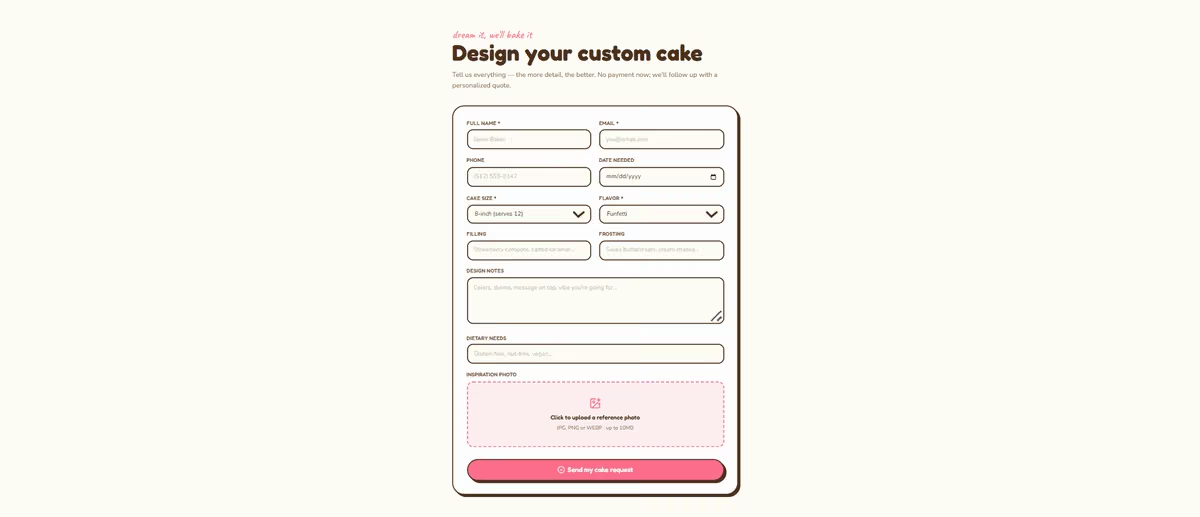
Emergent's custom cake order form collecting size, flavor, and design details
That made Emergent the only tool in my test where the lead capture, booking, and payment flows worked together as one connected business system built into the AI-generated website.
A customer could discover a workshop, see the available details, book a specific class, and pay for it. Someone ordering a custom cake could provide the information the bakery actually needs and wait for a personalized quote.
The build process itself cut down the fixing I had to do afterwards. Ongoing changes are a different question, and I get to that below.
The build agents ran comprehensive testing, created a test-credentials file, and handed the site to a separate Testing Agent. That extra testing step gave me more confidence in the functional parts of the site, because the system actively checked the build instead of leaving me to find and fix broken parts myself.
I didn't test local SEO or Google Business Profile setup on Emergent. Nothing in the build surfaced a GBP connection option or a local schema prompt on its own, so if that matters for your business, budget time to wire it in yourself.
Key Features
- Native Stripe checkout: Confirmed working in sandbox mode, with the price of the exact class carried into checkout.
- Context-aware payment logic: Fixed-price items like workshops go straight to checkout; variable-price requests like custom cakes correctly route to a quote form that waits for the bakery to confirm a price first.
- Self-testing build agents: Delegate to a separate Testing Agent and pause for review before considering a build finished. No other tool in my testing surfaced a comparable check.
- MCP connector: Lets a build connect straight into Claude or ChatGPT for teams already managing orders from a chat tool.
Pros and Cons
Pros:
- Booking and ordering are both real, working flows built on functioning backend logic.
- Correctly distinguishes between fixed-price and quote-based orders, applying the right payment pattern to each.
- Content depth exceeded every other tool tested.
Cons:
- The bakery build consumed 27.2 credits, well past the 10 the free plan includes, so testing Emergent properly means starting on Standard at $20/month.
- Local SEO and Google Business Profile setup aren't part of the build. Wire them in yourself.
- Updates happen through prompting and revision, a real learning curve for an owner used to a visual editor.
What Users Say
"It's very easy to instruct the building agents to accomplish your task. I also love having access to Wingman where you can discuss and ideas projects." - Robert W., G2

Positive G2 review praising Emergent's building agents and Wingman feature
"It took a while to understand how best to use it at first." - Max H., G2

Negative G2 review noting a learning curve with Emergent
Pricing
Free plan includes 10 monthly credits, no card required. Paid plans start at $20/month for Standard ($17/month billed annually, 100 credits per month), then Pro at $200/month ($167/month billed annually, 750 credits per month), with custom Business and Enterprise plans for higher usage.
The plan you actually need here is Standard at $20/month, because that's where the backend logic behind bookings and payments has enough credits to run past the first build.
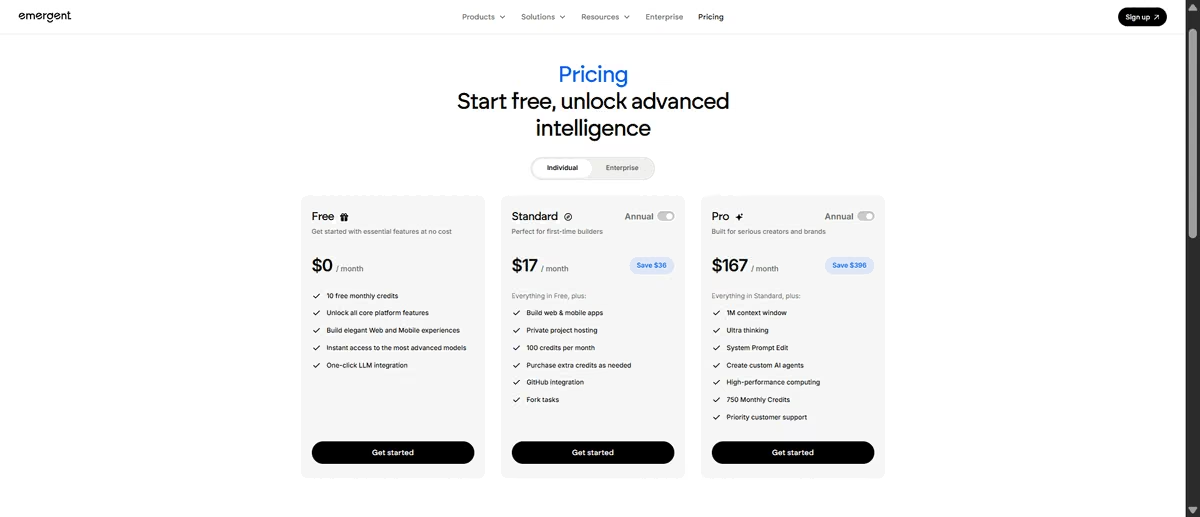
Emergent's pricing page showing Standard and Pro plans
Bottom Line
Emergent was the strongest tool I tested for turning an SMB website into a working business system, with bookings, payments, and custom lead capture connected to the site instead of stopping at a contact form. Local SEO is the trade-off: none of that comes built in, so pair it with a manual Google Business Profile setup.
2. Jimdo
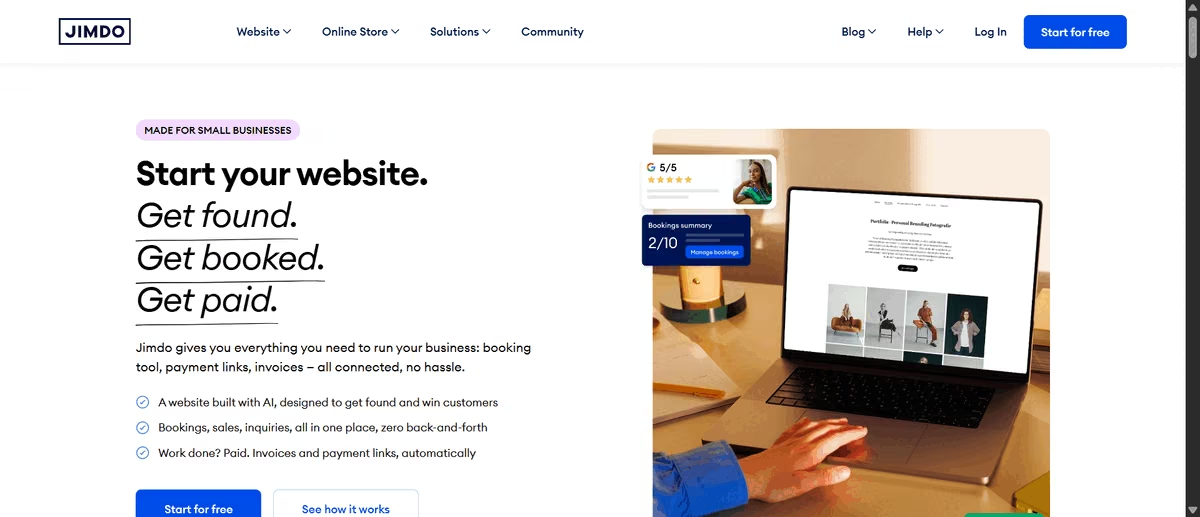
Jimdo's homepage promoting AI-assisted small business website setup
What is it: Jimdo is a small-business website builder with Companion, its AI assistant for getting help with tasks such as website copy, customer personas, emails, payment links, and site setup.
Best for: Local businesses that care more about managing their online presence and local listings than generating an entire website with AI.
From Jimdo's website, I expected to generate a website from a prompt, but the signup flow took me through a generic website template instead.
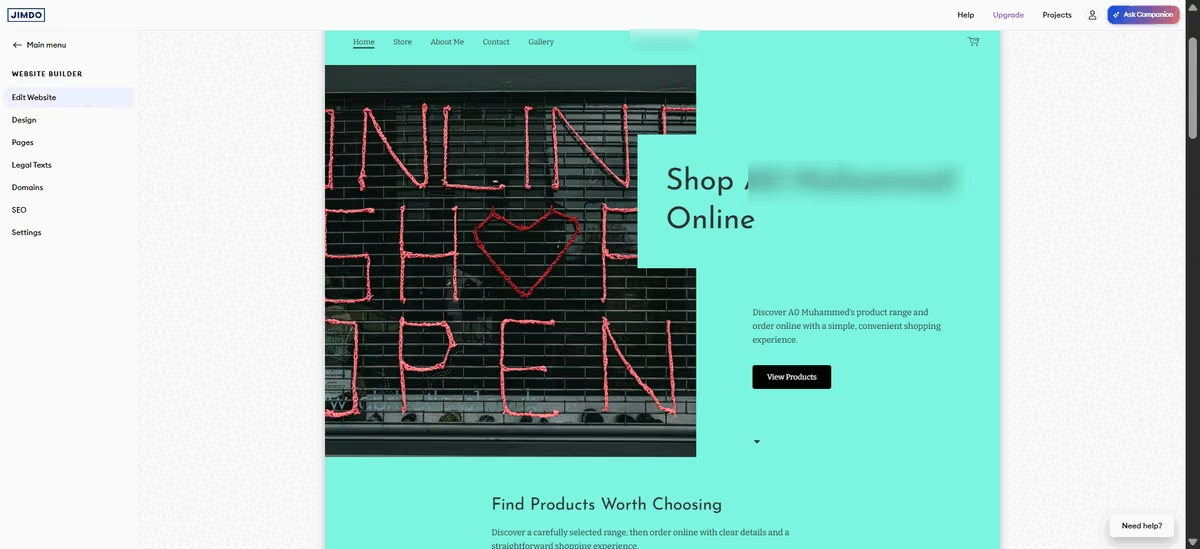
Jimdo's generic website template shown during onboarding
What I found instead was Companion, a separately launched AI chatbot designed to help with tasks on an existing Jimdo site rather than generate the whole site from scratch.
Jimdo's launch announcement describes Companion as a tool that shows what is working, recommends what to do next, and answers business questions, which matched what I found in testing.
I asked Companion to set up online ordering for custom cakes and sign-ups for weekend baking workshops. It handled the details surprisingly well. It asked for the workshop date, time, duration, price, and capacity, caught an ambiguous date I gave it, and confirmed which year I meant.
It also spotted a Jimdo limitation: fixed-date workshops require a capacity cap, so it suggested a sensible default rather than letting me continue with incomplete information.

Jimdo's Companion AI chat assistant setting up a baking workshop booking
None of this appeared on the website, though. Companion created the booking information through Jimdo's separate Events feature. A visitor wouldn't see the workshop or have a way to sign up unless I gave them a direct link to the event.
For my website itself, Companion could identify tasks I needed to complete, suggest what to do, explain how to do it, and even draft copy for me, but it can't make those changes to the website. As a business owner, that adds a significant amount of manual work.
Jimdo's local business tools made a stronger impression. Jimdo Local can keep a business's name, address, phone number, opening hours, photos, and services consistent across Google Business Profile, Facebook, Yelp, and other directories.
It also includes review monitoring and local ranking reports. The catch is that Jimdo Local requires a paid add-on or an eligible plan.
Key Features
- Companion AI assistant: Sets up structured records such as an Event with capacity and payment terms through conversation, then guides you through the site changes it cannot make itself.
- Bundled domain and email: Domain registration and DNS setup, including email forwarding, run through the same platform.
- Built-in SSL and automatic backups: Security and site backups are included without a separate add-on.
Pros and Cons
Pros:
- Companion catches real operational gaps unprompted. It queried an ambiguous workshop date and confirmed the year, then flagged that a fixed-date workshop needs a capacity cap before it can be published.
- Bundled domain, email, SSL, and backups reduce the number of separate vendors a small business owner has to manage.
Cons:
- The core AI website generator advertised on Jimdo's own marketing page could not be reached in testing.
- Support response times draw complaints on the free and entry plans, and the free tier locks the SEO settings, which blocks the discoverability a local business is on Jimdo for in the first place.
- Monthly billing is available, but the advertised rates assume a 12- or 24-month prepayment, so paying month to month costs more than the headline price.
What Users Say
"Most basic website builder, with all the necessary components in it so okay for startes and newbees, again free plan is available and has good templates with a responsible editor." - Sorya G., G2

Positive G2 review calling Jimdo a solid starter website builder
"The free tier does not allow you to do SEO. This restricts your free website's discoverability. You can simply use it as a portfolio website in the free version, and everything else is paid for. I hope the brand will be slightly flexible with its other features in the future. At least let us try things out before purchasing them." - Abhishek K., G2

Negative G2 review noting Jimdo's free tier blocks SEO features
Pricing
Jimdo's free plan requires no card. Its Website plans, on the current 12-month contract term, run $12/month for Start, $20/month for Grow, and $50/month for Unlimited. The plan you actually need here is Grow at $20/month if local search matters, because Jimdo Local sits behind a paid add-on or an eligible plan, not the entry tier.
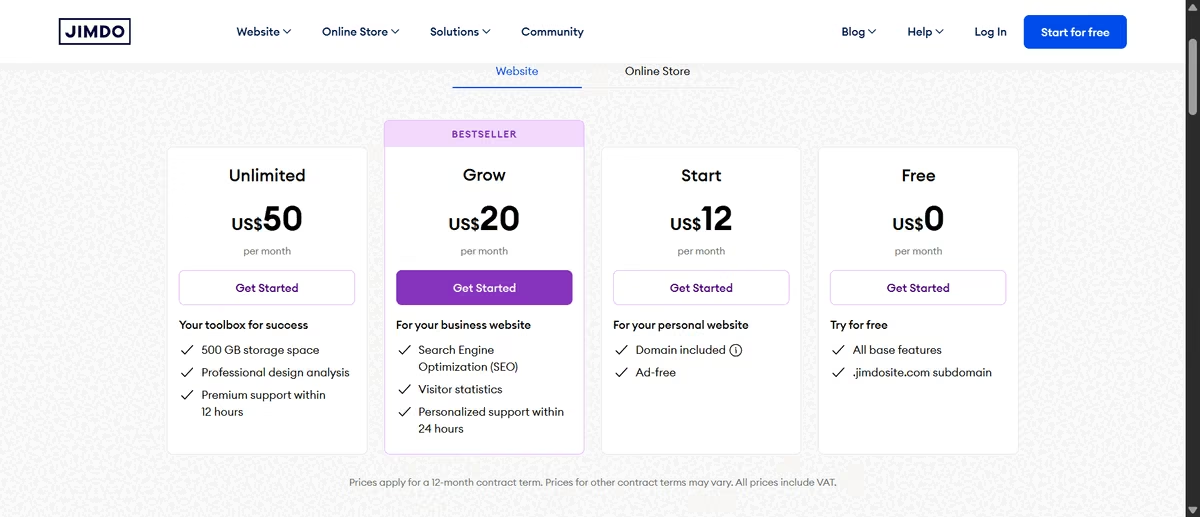
Jimdo's pricing page showing Start, Grow, and Unlimited plans
Bottom Line
Jimdo is a better fit for local businesses that want help managing their online presence than for owners looking for a true AI website builder. Companion handles planning and structured tasks well, and Jimdo Local gives it a real edge for local SEO and directory management once you're on a plan that includes it.
3. Wix
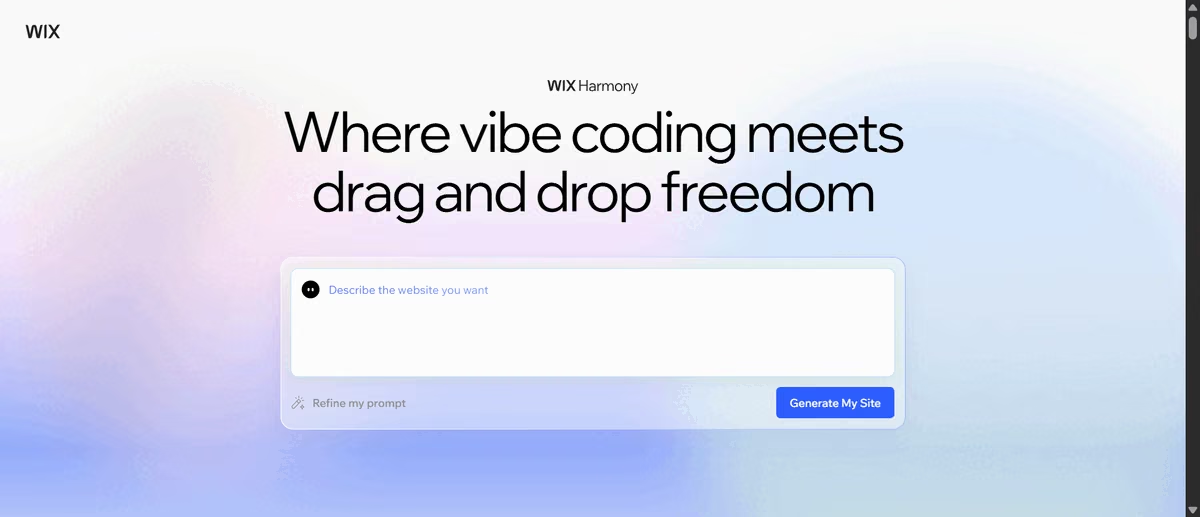
Wix Harmony's AI builder prompt screen for generating a website
What is it: Wix Harmony is Wix's AI platform, and its AI website builder uses the Aria agent to generate and edit sites through prompts while giving business owners access to the regular Wix editor for manual changes.
Best for: Small businesses that want bookings, sales, and local visibility handled in one subscription.
Wix is the closest thing here to a small business running on one subscription: local listings, bookings, a cart, and payments all in the same account. Getting there took two attempts.
Aria asks you to stay on the browser tab while it builds. I did, and my first run still had almost nothing to show after about 15 minutes. The hero section was empty, with no headline or image, and untranslated interface strings such as site_info.panel.brand_widget.title appeared throughout the Site Overview panel.
I rebuilt the site from scratch with the same prompt and waited another 15 minutes. The second attempt came out much cleaner, although Aria introduced a different set of problems.
It displayed prices in euros for a Texas business, and gave baking class names to physical products. The result blurred the line between the bakery's products and its workshops, which meant I still had to correct the business logic myself.
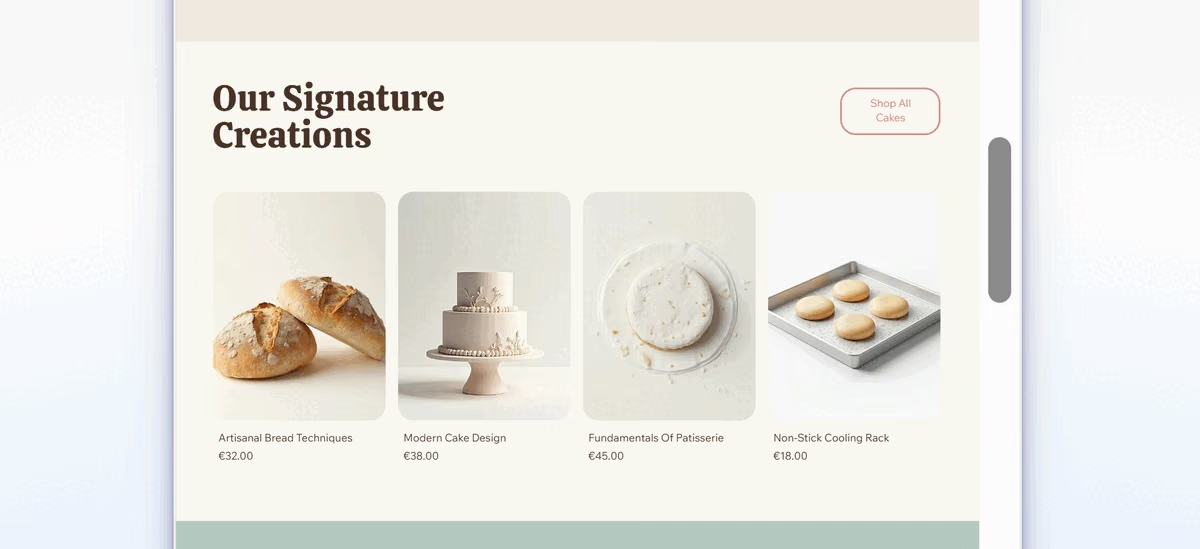
Rebuilt Wix Harmony bakery site showing signature product cards
The reliability issues also weren't unique to my test. Flow Cre8tive reported similar problems while testing Wix Harmony across multiple runs, including broken sections, missing content, and empty pages that remained even after asking the AI to fix them.
I liked how simple and polished the site looked, though. The pages opened with the right context, the subtle animation added some polish without getting in the way, and the overall design felt appropriate for a small bakery.
The copy was less convincing, but it covered the basics. It also included a "Visit Our Store" section with the business address and phone number. That gives customers the address and phone number without hunting, and gives search engines the consistent location details that local results depend on.
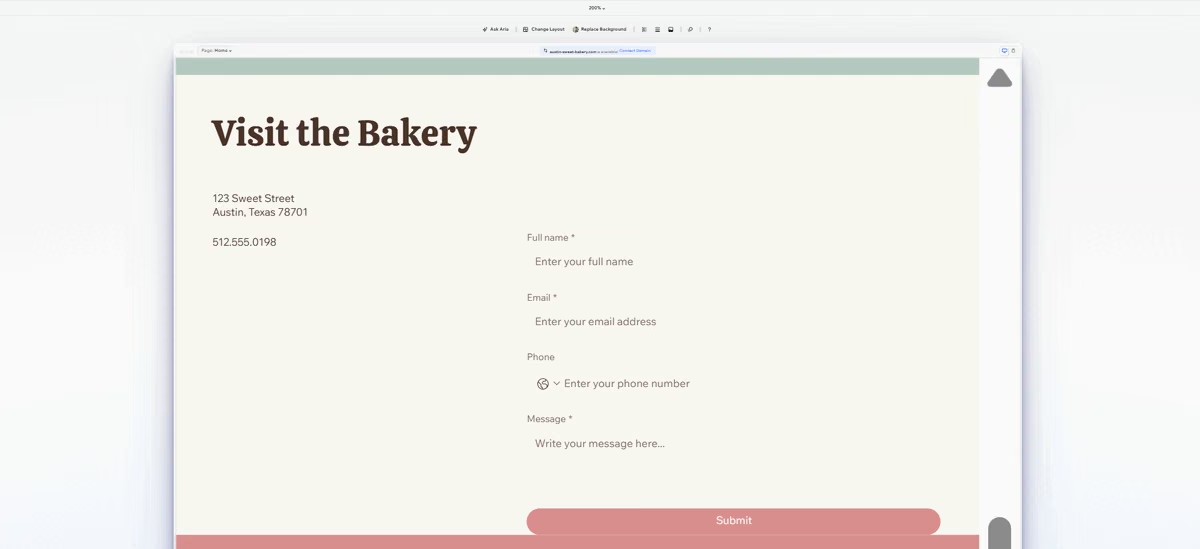
Wix Harmony's Visit the Bakery contact section with address and hours
The ecommerce experience impressed me most. I added a product to the cart and reached an actual checkout page with a live order summary. The free tier blocked me from completing the payment, but I could connect a payment method available in my location to test the payment flow.
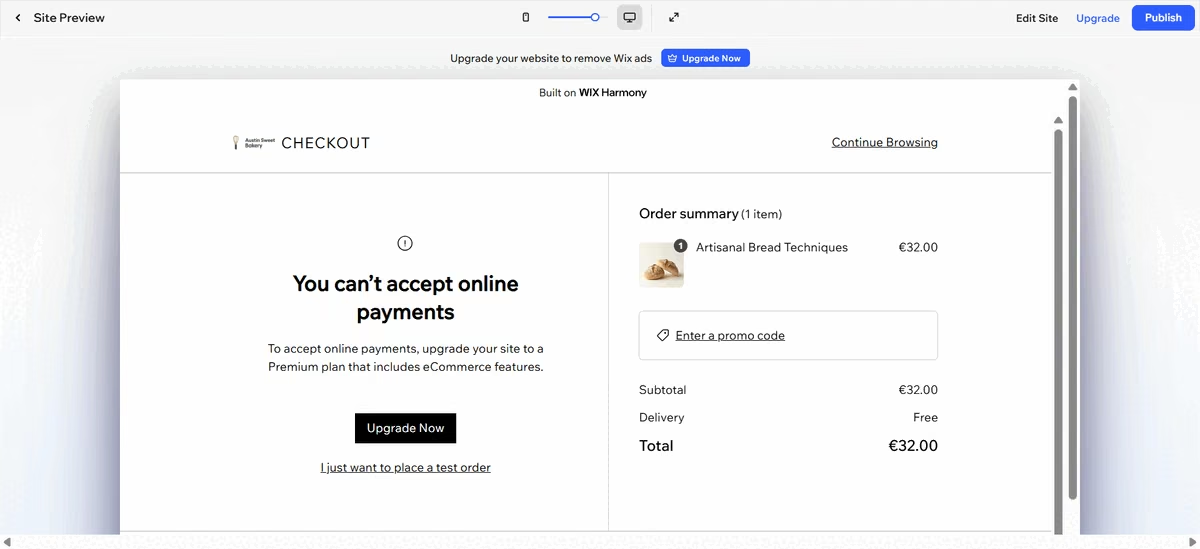
Wix Harmony's cart checkout page with an order summary
That made the experience feel much closer to a real small-business website than an AI-generated brochure. I could go from a prompt to a storefront, add products, build a cart, and reach checkout without stitching together separate tools.
Key Features
- Google Business Profile sync: Connects local search visibility directly to the site, confirmed on Wix's own SEO page.
- Bookings through Wix's own apps: Wix Bookings adds appointments, waitlists, and class sign-ups inside the platform, so there's no outside embed to maintain, on Core and above. I didn't get to test the booking flow in this build.
- Cart and checkout mechanics: Add-to-cart and order summary work on the free tier; completing a purchase requires the Core plan and up.
Pros and Cons
Pros:
- Ecommerce mechanics work out of the box; only completing a payment requires the Core plan and up.
- Aria's intake correctly captures business-specific needs and translates them into relevant page suggestions.
Cons:
- AI builds can be inconsistent, with the potential to miss important business details like pricing, product types, and local context.
- Booking through Wix's own apps wasn't part of this test, so confirm the flow yourself before relying on it.
What Users Say
"WIX incorporates CRM tools right in the platform that allows me to do a lot of my client follow-up right from the WIX platform." - B. Shelmon, Trustpilot

Positive Trustpilot review of Wix's CRM tools
"The main issue I have with Wix is that it's very glitchy. When I'm designing a website, things can be tough to add, and elements often move around without my doing. I'll set up my website, and then a week later, small features or aspects will have shifted. There's freezing going on during use, and certain webpage features either stop working or require frequent reloading. It's just very glitchy and needs cleaning up, as these technical glitches have been present for years." - Patrick L., G2

Negative G2 review describing Wix as glitchy
Pricing
Free plan available with Wix branding and a Wix subdomain. Paid plans start at $17/month for Light, billed annually, then Core at $29, Business at $39, and Business Elite at $159, all paid in full up front. The plan you actually need here is Core at $29/month, because that's where booking and payments start working.
Read more: Wix Pricing 2026: All 5 Plans, Real Costs & Which to Pick
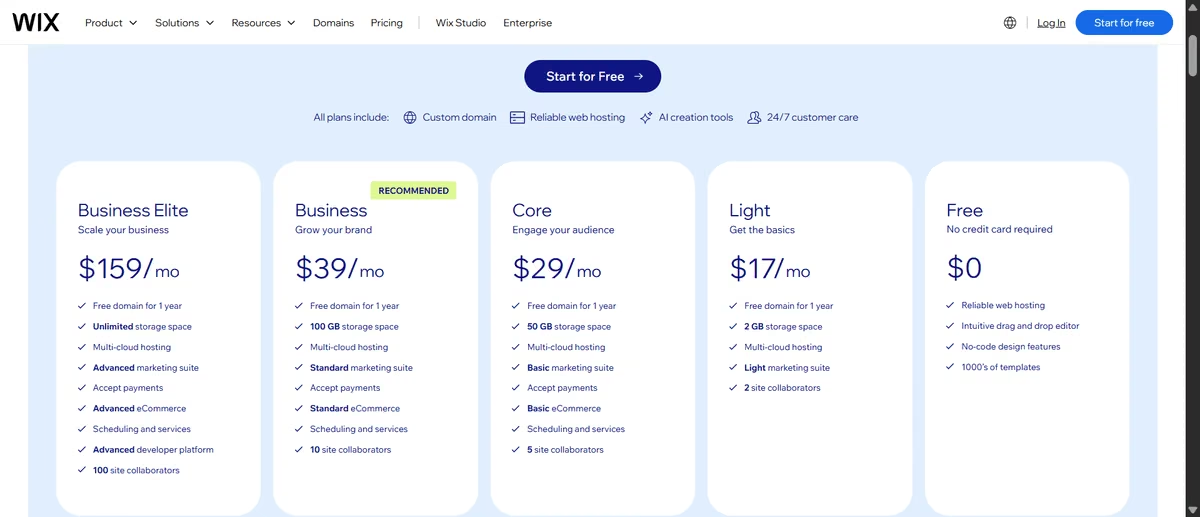
Wix's pricing page showing Light, Core, Business, and Business Elite plans
Bottom Line
I'd trust Wix's underlying platform more than Aria's first draft. Local listings, bookings, a cart, and checkout all live in one subscription once you're on Core, which makes it one of the more practical all-in-one picks I tested for a small business ready to run everything from a single dashboard.
Want to learn more about Wix? Read what we discovered after five weeks of real testing.
4. GoDaddy
GoDaddy's AI website builder homepage prompting for a domain name
What is it: GoDaddy's AI website builder, branded Airo, generates a small-business website from a prompt and lets you continue building and editing it through its AI agent.
Best for: Small businesses that want a fast, on-brief starting point with direct Google Business Profile integration.
GoDaddy generated my homepage in about 13 minutes, and this was one of the strongest first passes I saw. It used the real business name and address, added the correct opening hours, and created both "Order a Cake" and "Join a Workshop" calls to action from my brief.
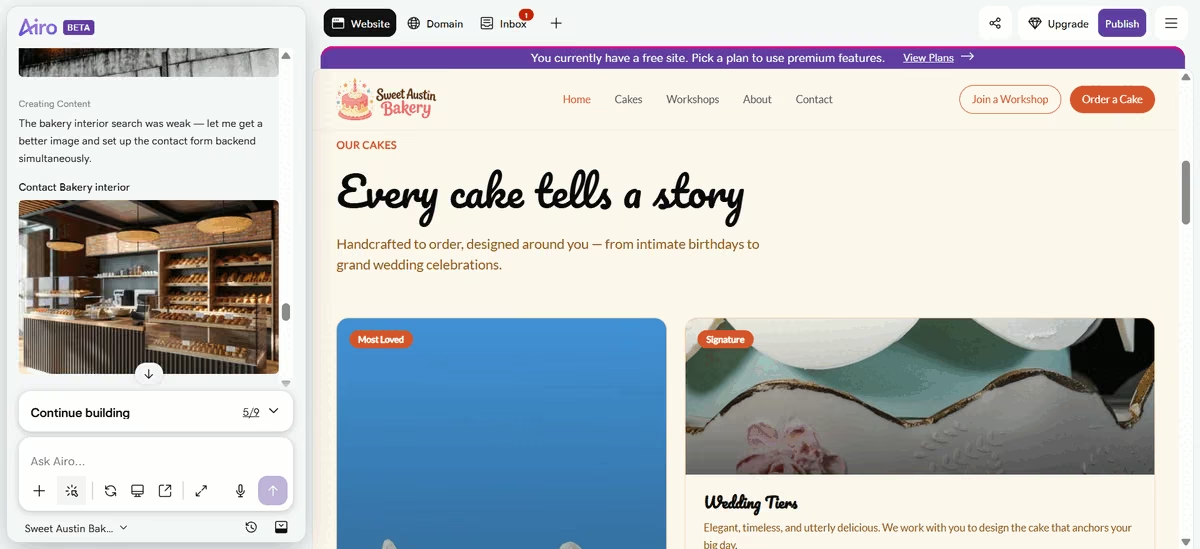
GoDaddy-generated bakery homepage with Order a Cake and Join a Workshop buttons
The problem was that the homepage was essentially the finished part of the site. Every other page, including Custom Cake Ordering and Baking Workshops, started as an unbuilt placeholder.
The individual pages came together much faster once I triggered them manually. The Workshops page took about three minutes and came back with three named class types, real pricing, a four-step "what to expect" walkthrough, a map, and an FAQ accordion.
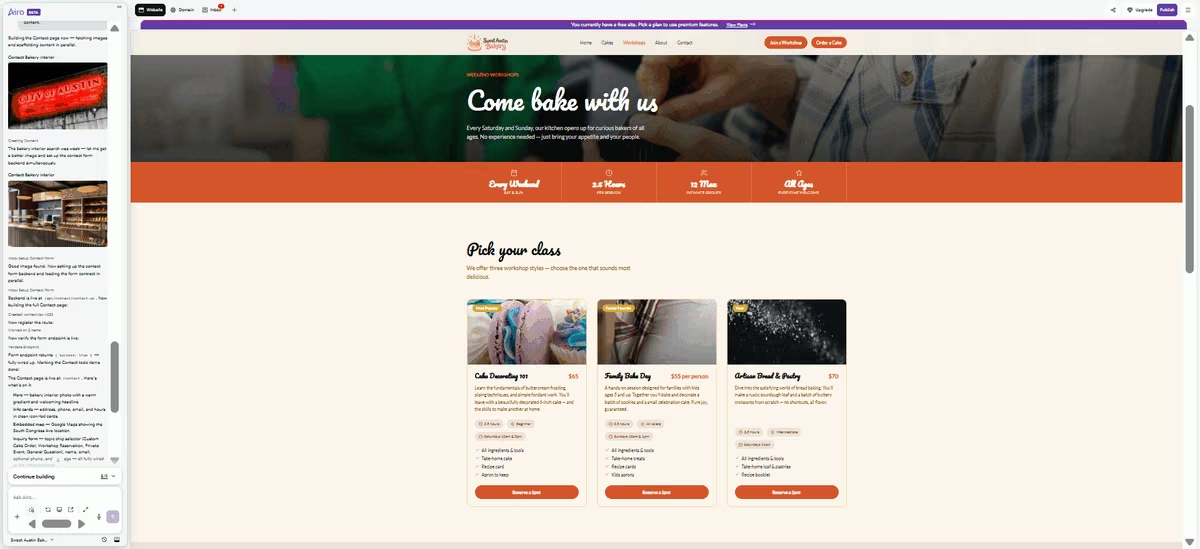
GoDaddy's Workshops page listing class types with pricing and an FAQ accordion
But the "Reserve a Spot" button led straight to another unbuilt placeholder. When I built that page, GoDaddy created a categorized contact form rather than a checkout. Customers could select Custom Cake Order, Workshop Reservation, Private Event, or General Question, then enter their name, email, and message.
Submissions appeared in GoDaddy's own in-dashboard Inbox. So the workflow functioned more like an email inquiry than a booking or payment system.
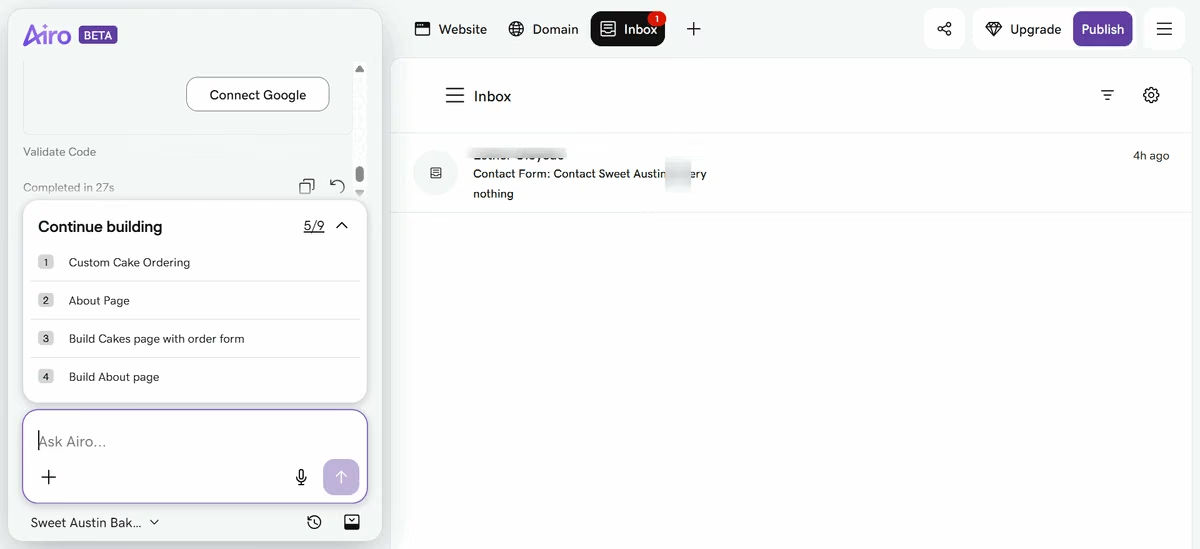
GoDaddy's categorized contact form for booking and order inquiries
That also made the free tier harder to stretch. After building only three pages, I had used 23 of my 50 credits. At that rate, finishing the remaining pages would consume most of the allowance and could require additional credits.
One feature I particularly liked was the ability to ask Airo, GoDaddy's AI agent, to connect the site to my Google Business Profile. That puts a genuinely useful local-business task inside the website-building workflow rather than leaving the owner to figure it out separately.
Key Features
- Domain registration and LLC filing: Available through ZenBusiness from the same account. You start each one yourself; the AI build doesn't.
- Embedded local map: Places the business address on an interactive Google Map directly on the Contact page.
- Categorized contact-to-inbox form: Routes cake orders, workshop reservations, and general inquiries by category into one dashboard inbox.
Pros and Cons
Pros:
- The only tool here that also offers domain registration and LLC filing from the same account, worth having in one place even though neither is automatic.
- Individual pages, once manually triggered, build in a few minutes with genuinely specific, on-brief content.
- Offered a direct Google Business Profile connection from inside the build, the strongest local-SEO move any of the five made on its own.
Cons:
- Every commerce and booking action tested routes to a categorized contact form that lands in GoDaddy's own inbox, functioning as an email inquiry with no built-in booking or payment processing behind it.
- Builds only the homepage up front. Every other page stays an empty placeholder until you trigger it, and each one you trigger spends credits.
What Users Say
"It is simple to use and easily creates a professional looking website." - Saara L., Capterra

Positive Capterra review of GoDaddy's website builder
"I think the pricing is more expensive, considering what I have to pay monthly or yearly." - Jess A., Capterra
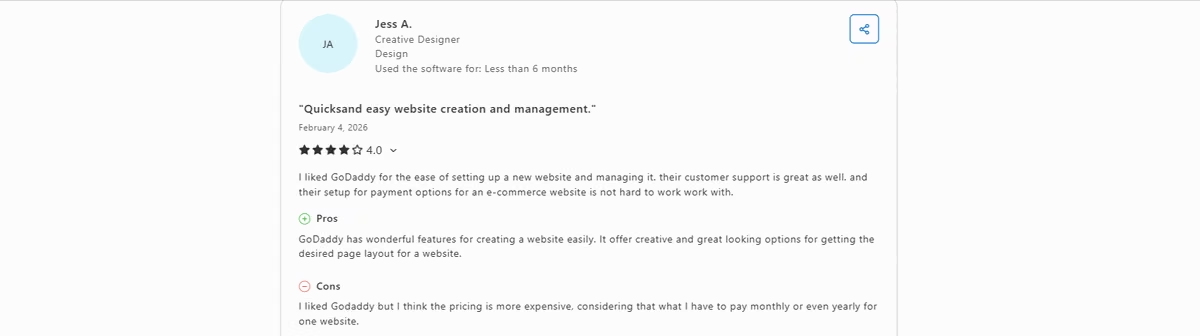
Negative Capterra review calling GoDaddy pricing too expensive
Pricing
Free plan includes 50 AI credits/month, no credit card required. Paid plans start at $9.99/month for Starter ($9.99 billed annually), then Professional at $49.99/month ($24.99 billed annually) and Ultimate billed at $199.99/month ($99 billed annually).
The plan you actually need here is Starter, since that's the tier GoDaddy ties to appointment tools and that unlocks a real checkout instead of the contact-form workflow this build produced.
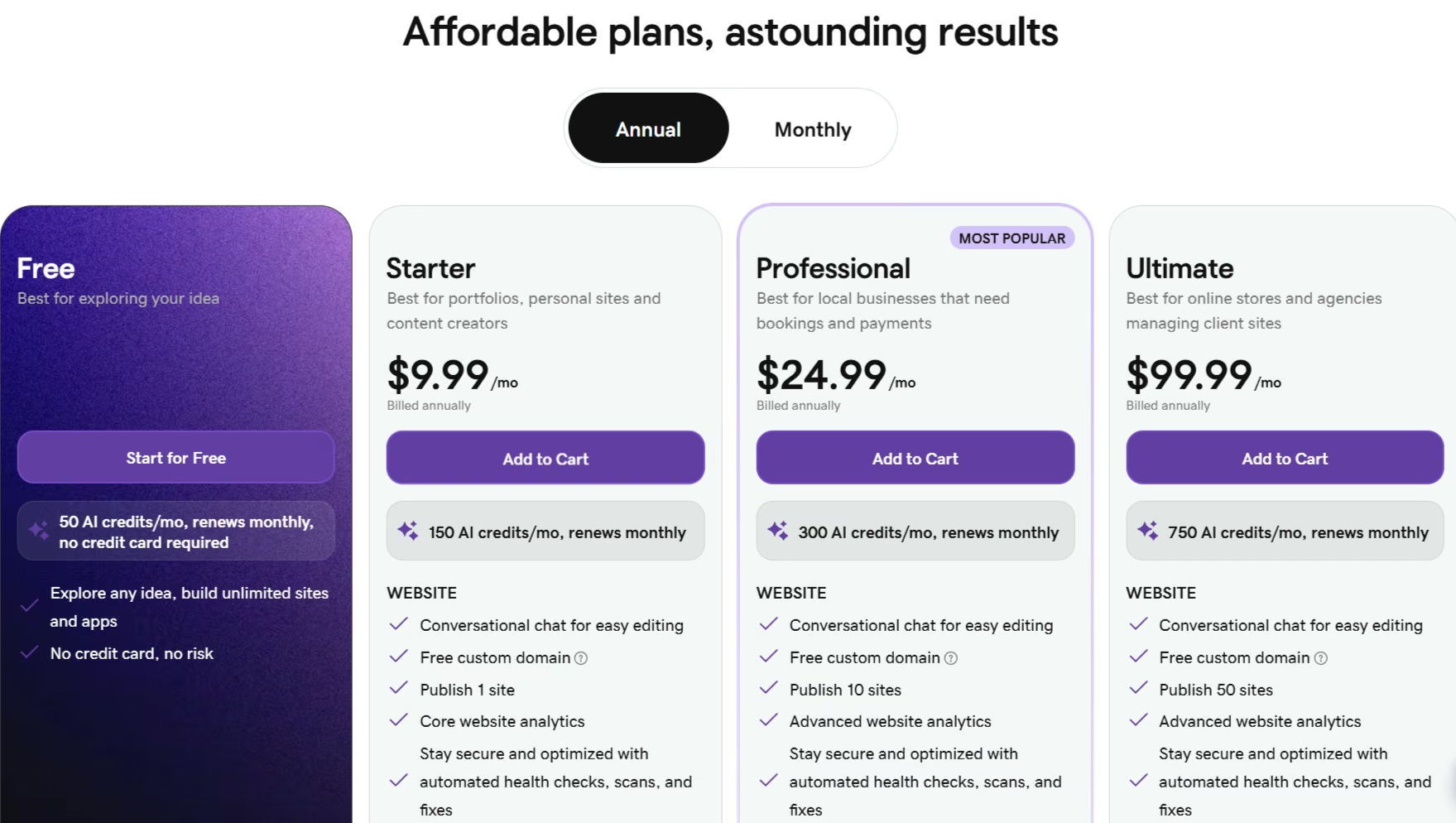
GoDaddy's pricing page
Bottom Line
Take GoDaddy's homepage and its Google Business Profile connection, then budget for the afternoon it takes to build every other page yourself. If you want the site live this week and local search is the point, that trade is worth making.
Want to explore some GoDaddy alternatives? Check out our in-depth guide on the best GoDaddy website builder alternatives in 2026.
5. Squarespace

Squarespace's Blueprint AI website builder landing page
What is it: Squarespace's Blueprint AI Builder is its guided AI website builder, which creates a site from structured inputs such as your business topic, goals, pages, colors, and fonts.
Best for: Small businesses that want more control over the site's structure and visual direction before the AI builds it.
Squarespace's Blueprint doesn't take a bakery brief the way the other tools I tested do. I selected options for Topic, Goals, Site Info, Pages, Colors, and Fonts, and at no point did it ask me to describe the business in my own words. The closest thing was a one- or two-word Topic field, and that choice mattered more than I expected.
My first attempt was a random "restaurant" selection that produced a wellness and home-goods site with no connection to a bakery. I tried again with "bakery," and the difference was immediate.
The new site included Custom Celebration Cakes, Pastry and Bagel Platters, a Hands-On Baking Class, and a Schedule a Tasting page, all much closer to the actual brief.
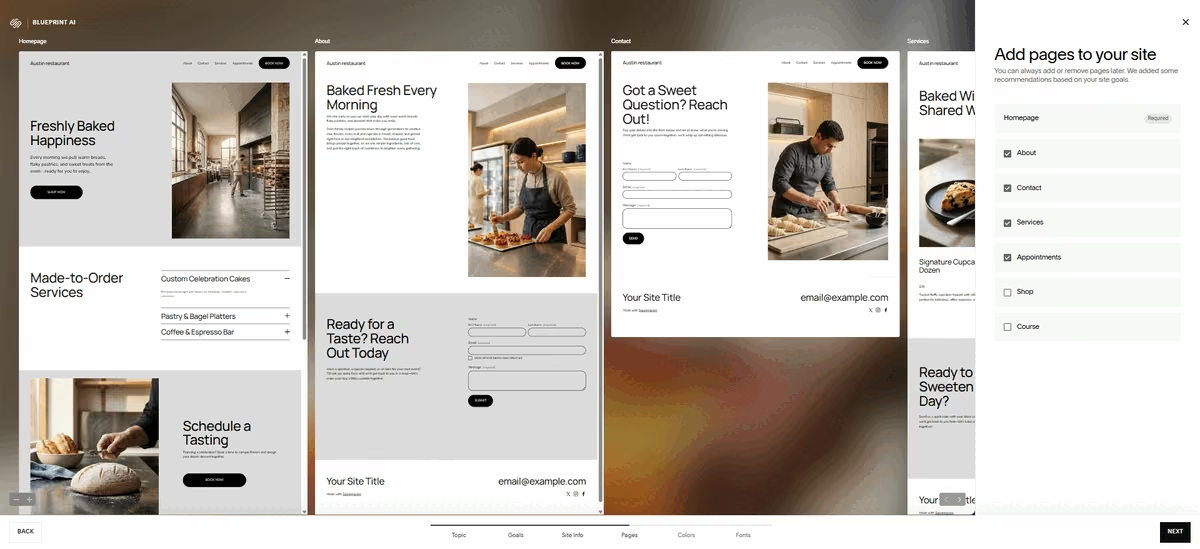
Squarespace's Blueprint bakery site generated after selecting the Bakery topic
Generation time also varied dramatically. My first run sat on a loading screen for more than 15 minutes until I refreshed the page, while the second build appeared in under a minute. Squarespace says generation time can vary depending on how much text the AI needs to create and current demand on its AI systems.
The visuals were on track, but the details were nowhere close to what I had in mind. I still needed to make significant changes to get the site where I wanted it, unlike the prompt-based builders that gave me something closer to a finished site with less manual work.
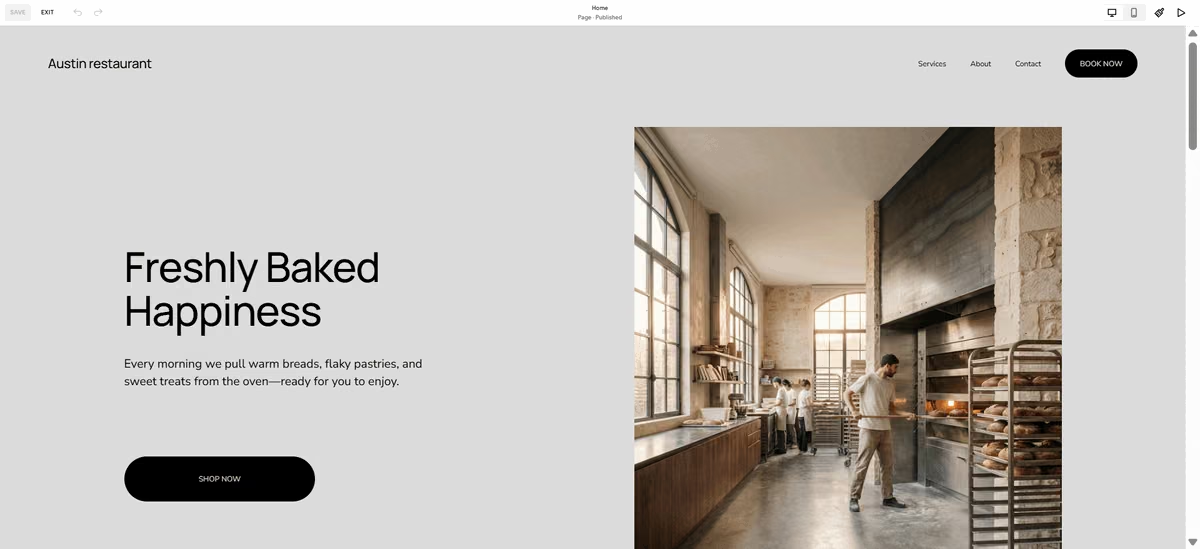
Squarespace's bakery site product grid with baked goods photography
Squarespace also has Clarkson AI chat for editing an existing site with natural-language prompts, but I couldn't access it during my test. I don't have a primary source confirming whether that's a broader rollout gap or specific to my account.
I didn't test Squarespace's local SEO or Google Business Profile tools either. The Blueprint build didn't surface a GBP connection option during setup.
Key Features
- Acuity Scheduling integration: Handles appointments, classes, and events once connected, on a separate Acuity subscription. Blueprint generated a Schedule a Tasting page but didn't wire Acuity to it, so connecting it is on the owner.
- Native ecommerce and digital products: Sells physical goods, tickets, or downloads without a third-party plugin.
- Clarkson AI chat: Lets an owner refine an already-built site with natural-language prompts, once the initial Blueprint draft exists.
Pros and Cons
Pros:
- Great out-of-the-box design quality.
- Booking and payments are both native once Acuity Scheduling is connected, though Acuity is a separate subscription on top of the website plan, and I couldn't test either flow inside the trial.
Cons:
- The setup wizard has no field for a written business description. A mismatched one- or two-word Topic entry can generate a site with no real connection to the business.
- Generation stalled past 15 minutes in my own testing, and Squarespace's documentation confirms timing varies with demand without giving a figure.
What Users Say
"I love how easy it is to use Squarespace. It helps me create websites with ease and has solutions and partners for taking donations, scheduling, and orders. I appreciate the ability to design a page however I want with text/image blocks while also using templates for overall website aesthetics. The initial setup was very easy, and it's convenient enough that I can manage it on my own, cutting out the middleman." - Hilary G., G2

Positive G2 review praising Squarespace's ease of use
"For people with some website design knowledge, the ability to customize and adjust more 'under the hood' things is not easy, let alone intuitive. Squarespace forces you to use their layout, and changing that is simply impossible. If you prefer more freedom with your design, it may be frustrating to work with. It also doesn't perform as well on some browsers (firefox seems to be best for editing)." - Martha V., G2

Negative G2 review noting limited design flexibility in Squarespace
Pricing
Squarespace offers a 14-day free trial rather than a permanent free plan. Paid plans start at $25/month for Basic ($19/month billed annually), then Core at $39/month ($29/month annually), Plus at $65/month ($49/month annually), and Advanced at $139/month ($99/month annually).
The plan you actually need here is Core at $39/month ($29/month annually), because that's where the Basic plan's 2% commerce fee drops to zero and Acuity-based booking becomes worth pairing with the site.
Read More: Squarespace Pricing: What You Actually Pay in 2026
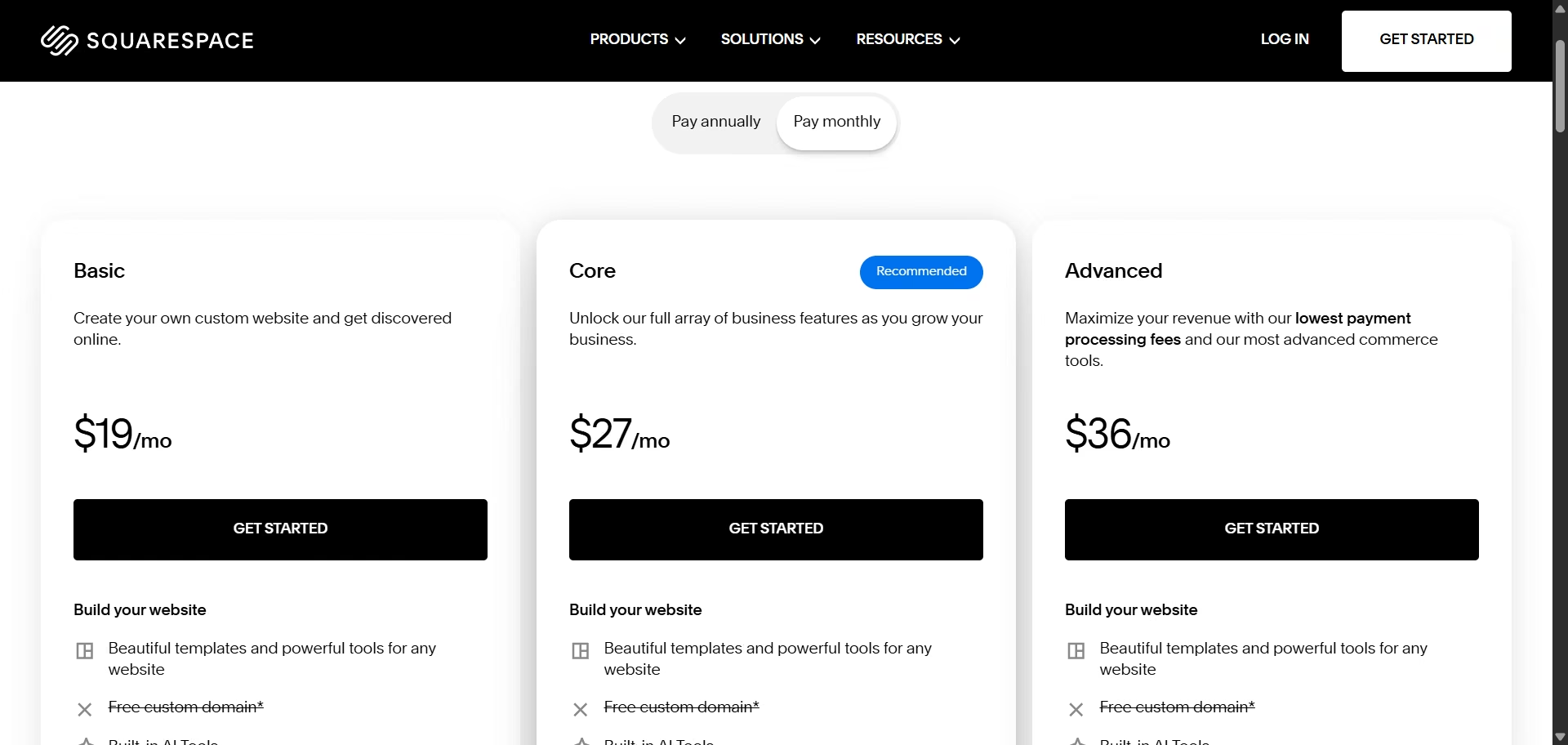
Squarespace's pricing page showing Basic, Core, Plus, and Advanced plans
Bottom Line
Squarespace can produce a strong SMB site when you give Blueprint the right starting information, but its structured setup puts more responsibility on the owner than the more conversational AI builders. Choose the wrong Topic and the result can miss the business completely; choose the right one and the output becomes much more useful.
If Squarespace feels too restrictive, you can see how it stacks up against other options in our comparison of the best Squarespace alternatives.
5 Best AI Website Builders for Small Businesses: Quick Comparison
Which AI Website Builder Should You Choose?
There isn't one universal winner here. Emergent, Jimdo, Wix, GoDaddy, and Squarespace each fit a different job, and the right pick depends on what your business needs to do online.
Choose Emergent if you:
- Need bookings, payments, custom orders, or lead capture that go beyond a basic contact form
- Want the AI to build and test business workflows alongside the website
Choose Jimdo if you:
- Want a simple website you can manage yourself without much technical knowledge
- Rely heavily on local search and want tools for managing your business listings and reviews
Choose Wix if you:
- Want an all-in-one website with ecommerce, bookings, payments, and local-business features
- Need an owner-friendly platform you can keep editing without a webmaster
Choose GoDaddy if you:
- Want to get a local business website online quickly and connect it to your Google Business Profile
- Prefer having your website, domain, marketing, and business tools in one dashboard
Choose Squarespace if you:
- Care most about getting a polished, professional-looking site with a guided setup
- Run a service business where appointments and events matter more than complex ecommerce
Skip AI website builders entirely if:
- Your business needs a custom ERP, regulated data handling, or a system your team will keep extending in code. Emergent gets closest of the five, but at that point you want engineers on it.
- You need complete control over the underlying website and want to avoid platform lock-in
If you're still comparing platforms beyond the AI-first options, Emergent's guide to the best online website builders compares Emergent with Wix, Shopify, Webflow, Framer, and Squarespace.
Final Verdict
Emergent was the strongest fit for the bakery I tested because it went beyond generating pages and actually built the booking, payment, and custom-order workflows the business needed, though it doesn't touch local SEO on its own.
Wix comes closest to a true all-in-one, with local listings, bookings, and checkout in one subscription once you're on Core. GoDaddy, Squarespace, and Jimdo each make more sense for a narrower job: fast local setup, a polished guided design, or simple local-listing management.
If you want an AI builder that can turn your website into a working part of the business, sign up for Emergent and build your site from a single prompt.

Emergent designs, writes, and publishes your whole site from one prompt. No templates, no drag-and-drop.
- Full site from one prompt
- Custom design, real pages
- Publish in minutes







