



TL;DR
- Emergent: The best value when the site has to book, log in, or take payment
- WordPress.com: The cheapest full multi-page site, if you pay the year upfront
- Wix: The most usable free plan for testing before you spend anything
- Carrd: The cheapest custom-domain option in this comparison, at $19 a year
- IONOS: The cheapest first year anywhere, and one of the priciest second years
- GoDaddy: The most generous free credits for generating a site
- Squarespace: The one worth paying more for when design does the selling
The price on an affordable website builder's homepage is usually the first-term rate. WordPress.com's $4 a month is real, and it renews at $6. Wix's cheapest paid plan can't process payments.
Squarespace's cheapest plan takes a 2% fee on every online store sale. Every figure below comes from the vendor's live pricing page, checked on the same day, with both billing toggles flipped to reflect the actual rate.
For each builder, you'll see three things: what you pay upfront, what the cheap plan leaves out, and what the same site costs in year two.
What "Affordable" Means Once You Do the Math
Affordable means what the site has cost you by the end of the first renewal, domain included. Four things separate a genuinely cheap builder from one that's cheap for twelve months.
Renewal pricing is the big one. Budget hosting-bundle builders advertise a rate that only applies to a long prepaid term. WordPress.com's Personal plan runs $4/month when you pay a year upfront, against $9/month billed monthly. That annual rate auto-renews at $6/month.
Feature gating is the second. Cheap tiers tend to drop the things a business site needs most. Wix's Light plan won't accept payments or take bookings, and moving up to Core costs $12 more per month.
Transaction fees are the quiet third. Squarespace's Basic plan charges 2% on online store sales and 7% on digital content and memberships. A store doing $1,000 a month in product sales hands over $20 on top of the subscription, or $70 if that same $1,000 is memberships.
Domain renewals are last. Four of the seven here include a free domain for the first year only. Budget $10 to $20 a year from year two onward, on top of everything else.
How I Tested These Affordable Website Builders
Every price in this article was taken from the vendor's official pricing page in August, 2026, with the monthly and annual toggles flipped both ways. Third-party pricing trackers in this category go stale within weeks, so none were used.
That scope is deliberate. Pricing pages often emphasize the lowest advertised rate while giving less prominence to the required commitment and first renewal price. Showing that difference is the point of this comparison.
Escape cost decided the close calls: how hard and expensive it is to leave if the site outgrows the plan.
Several builders were considered and left off. Bluehost and Network Solutions cover the same ground without changing the picture, so listing near-identical hosting bundles would only pad the list.
Webflow and Framer are strong builders, and neither stays affordable once you add the plans a real business site needs.
Quick Comparison: What You Actually Pay
Here's how the seven compare in terms of what you actually pay:
| Builder | Cheapest paid plan | Renewal rate | Free plan | Best for |
|---|---|---|---|---|
| Emergent | $20/month ($17/month billed annually) | Same | Yes, 10 credits a month | Sites that do a job |
| WordPress.com | $9/month ($4/month annually) | $6/month | Yes, with WordPress.com ads | Cheapest full site |
| Wix | $17/month billed annually | Same | Yes, with Wix ads and a subdomain | Testing before paying |
| Carrd | $9/year ($19/year for a custom domain) | Same | Yes, up to three sites | One page on a budget |
| IONOS | $1/month on Plus for year one | $20/month | No | Cheapest first year |
| GoDaddy | $19.99/month ($9.99/month annually) | Same | Yes, 50 AI credits a month | Free AI site generation |
| Squarespace | $25/month ($19/month annually) | Same | No, 14-day trial only | Design-led sites |
1. Emergent: Best for Sites That Have a Job to Do
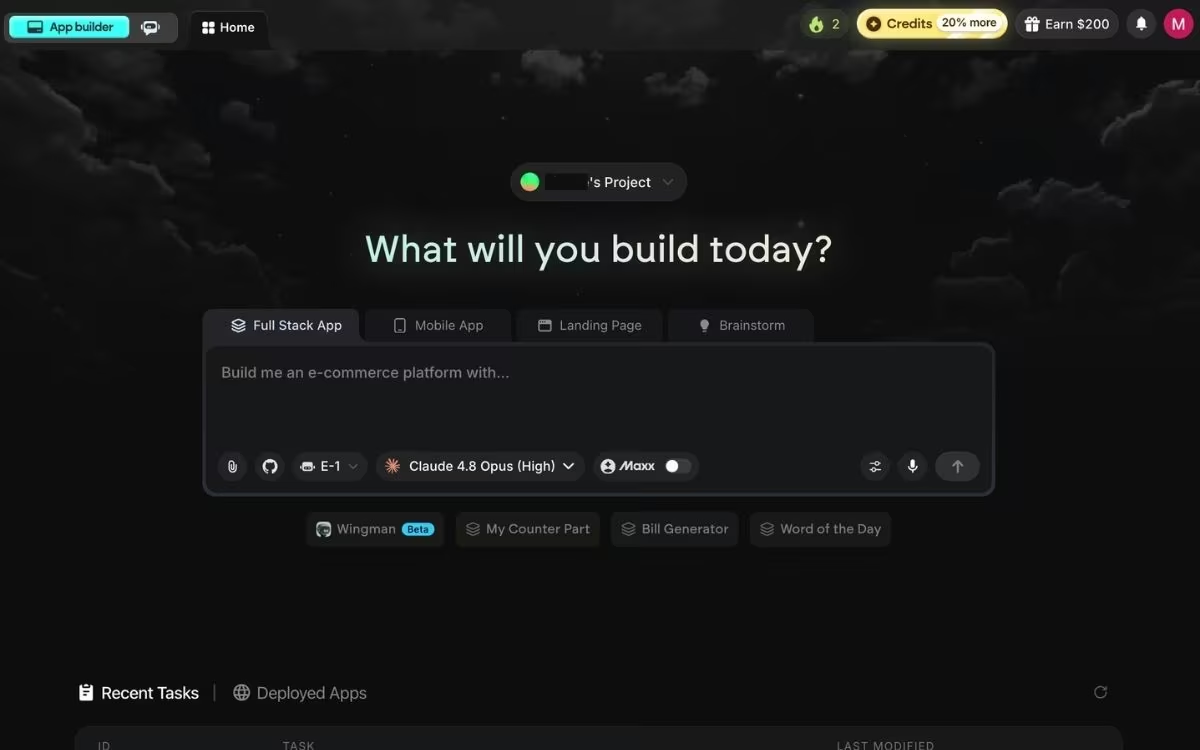
What it does: Emergent is an AI app-building platform built for vibe coding. You describe the site you want in plain English, and its AI Website Builder generates the pages, the sign-in, and the payment flow as one working site.
Best for: Sites that need to book appointments, take money, or log people in. A template builder would push those jobs into a business tier costing two to three times the entry plan.
I built a designer's portfolio in roughly 12 minutes, using about 11 credits. The result was a four-page site with a minimalist layout, a showcase of past work, a testimonial section, and a contact form for collaboration inquiries.
Emergent leads this list on value for money. It earns that slot because of what happens to the cheap plans everywhere else the moment your site needs to do something.
Wix Light can't take a payment. Carrd stops at one page. Squarespace Basic takes a cut of every sale. The upgrades that fix those things are where "affordable" quietly stops being affordable.
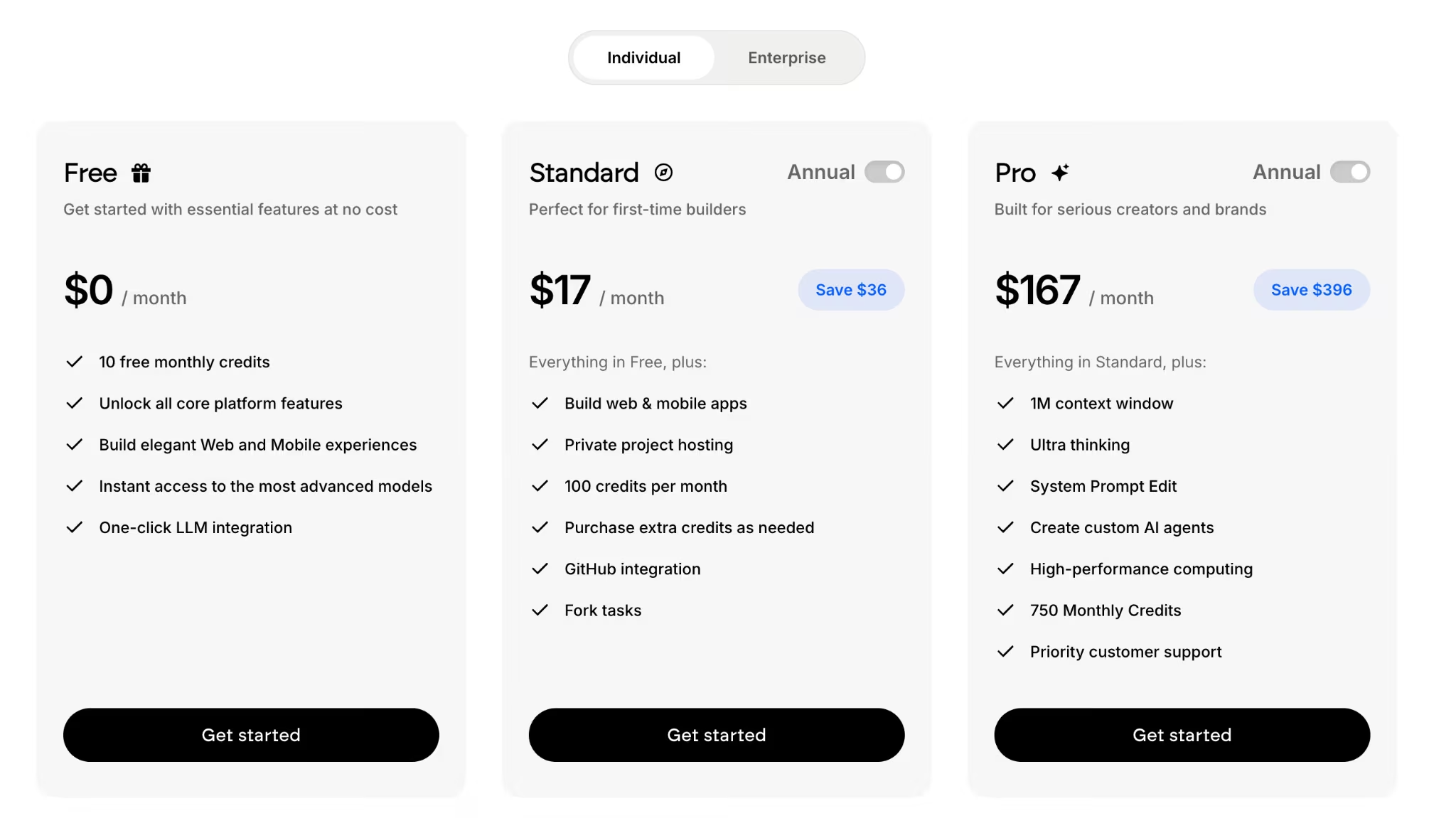
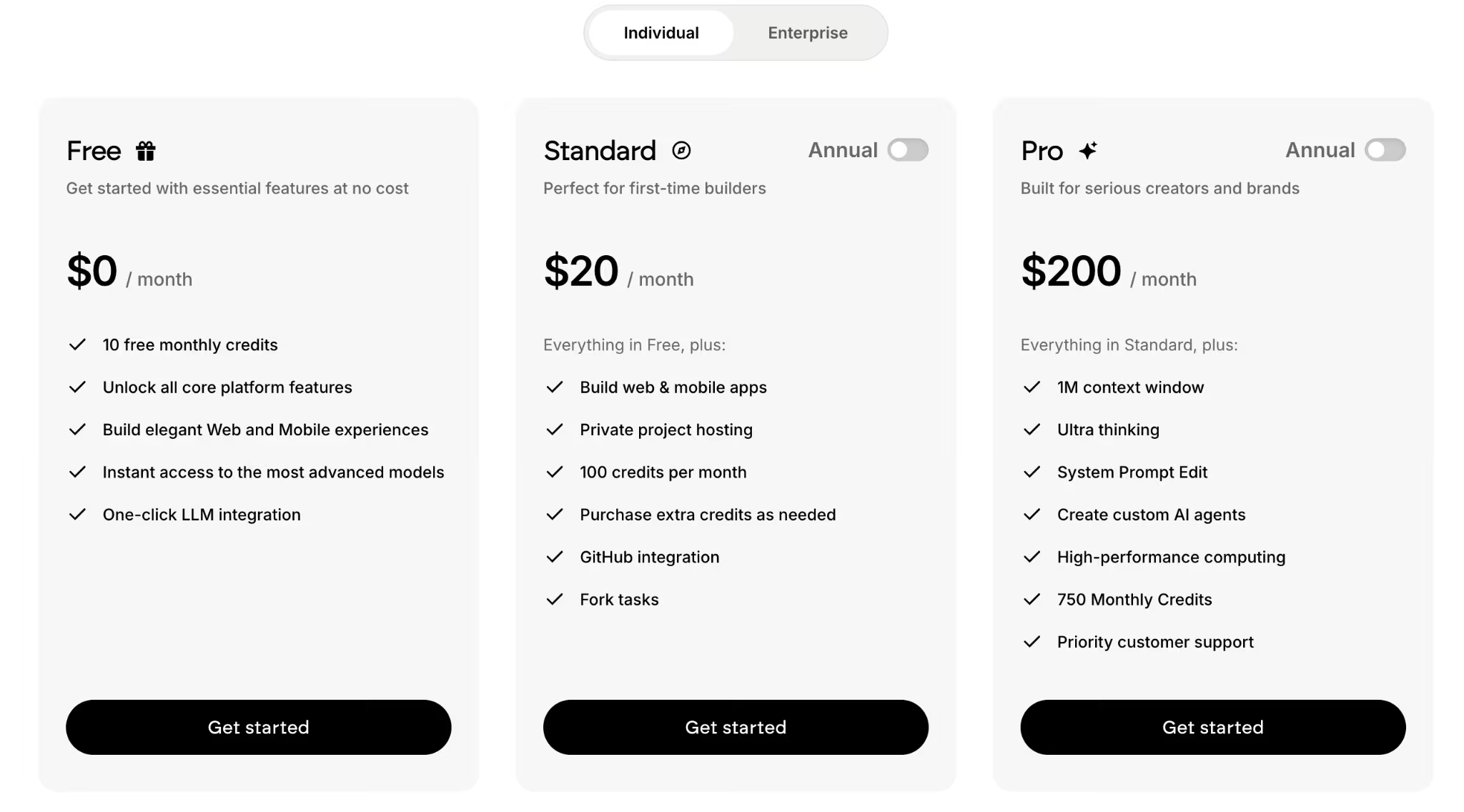
The free plan includes 10 credits/month, enough to generate a simple site and judge the output before spending anything. Standard runs $20/month, or $17/month when billed annually, and includes 100 credits per month, private project hosting, and GitHub integration.
Publishing is something you trigger. You click the Deploy button, and roughly 15 minutes later, the site is live on a .emergent.host subdomain. For a custom domain, buy a new one through Emergent's built-in IONOS integration or point a domain you already own at the site.
Where it stops making sense is the plain brochure site. If all you need is five pages and a contact form, you're paying for capability you'll never touch, and WordPress.com or Carrd will serve you better for less.
Key Features
- Plain-English generation: Pages, sign-in, and stored data wired together from one description
- Stripe payments on the entry plan: Taking money stays on the plan you're already paying for
- Emmy, the built-in assistant: Free to use, and asking her questions costs no credits
- MCP connector: Start a build from Claude or ChatGPT without leaving the chat
- Exportable code: The site can move to another host, so leaving doesn't start from zero
- A coordinated set of agents: Some shape the screens, others wire the logic and check the result before you publish
Pricing
Emergent charges a flat subscription with a monthly credit allowance rather than a per-site fee. The free plan includes 10 credits per month, and Standard costs $20/month ($17/month when billed annually) with 100 credits.
Pro runs $200/month ($167/month billed annually) with 750 credits, and Business and Enterprise are priced custom. Extra credits can be bought on any paid plan, so a busy month doesn't force an upgrade.
Pros and Cons
Pros:
- Flat subscription with no first-term rate that jumps at renewal.
- The free plan produces a real site you can evaluate before paying anything.
- Extra credits can be bought as needed, so a busy month doesn't force a plan upgrade.
- Entry plan includes features rivals reserve for costlier plans.
Cons:
- Credits make a complex build's monthly cost hard to predict.
- There's no template gallery to browse, so you describe the site and iterate on what comes back.
- Cheaper options make more sense when the site is purely informational.
- Few third-party reviews so far, so there's little outside feedback to weigh.
What Users Say
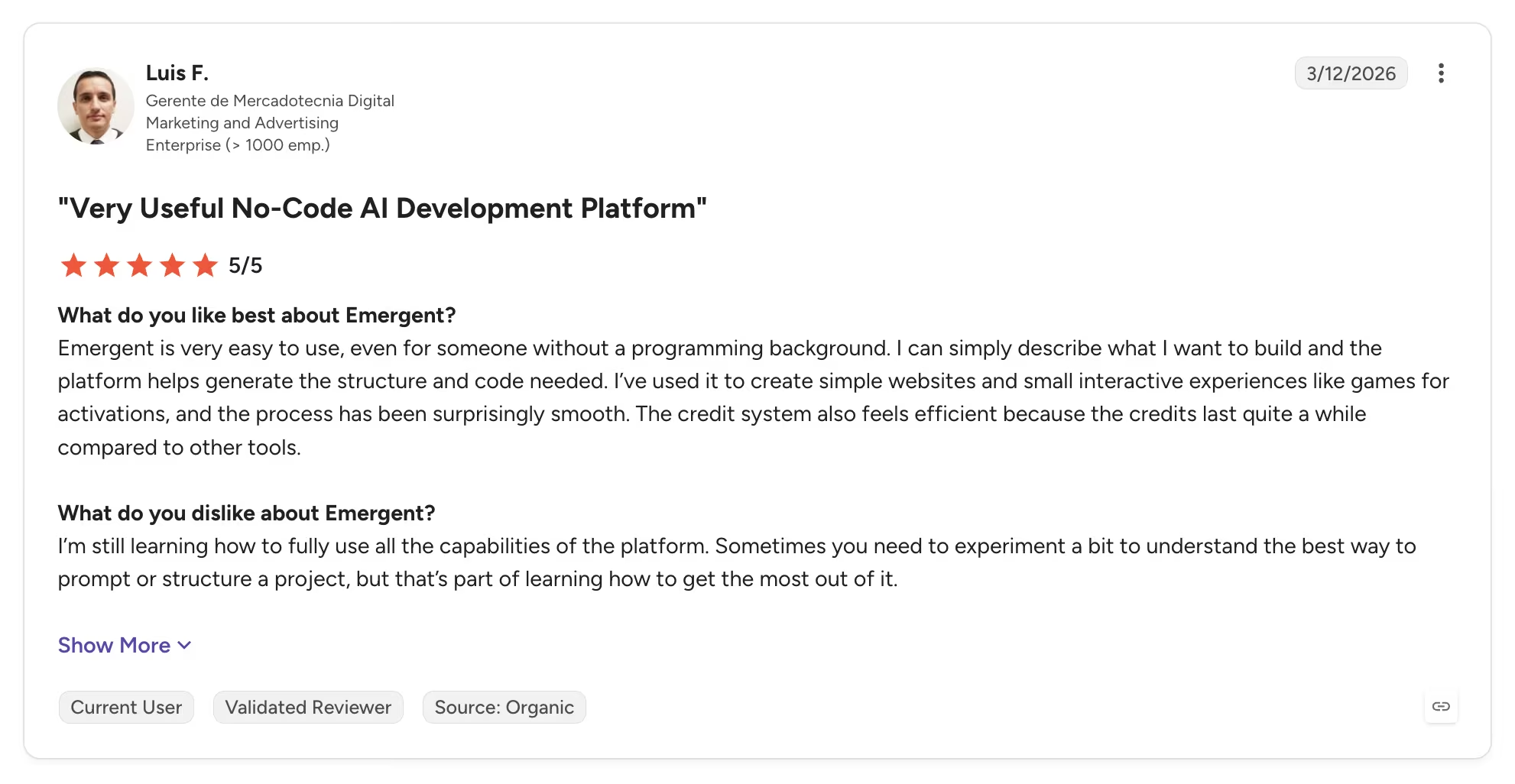
Emergent's G2 profile is young, with a 4.3 out of 5 rating from six reviews.
Luis F., a marketing manager with no coding background, rated it 5 out of 5 in March 2026. In his G2 review, he noted that "the credits last quite a while compared to other tools."
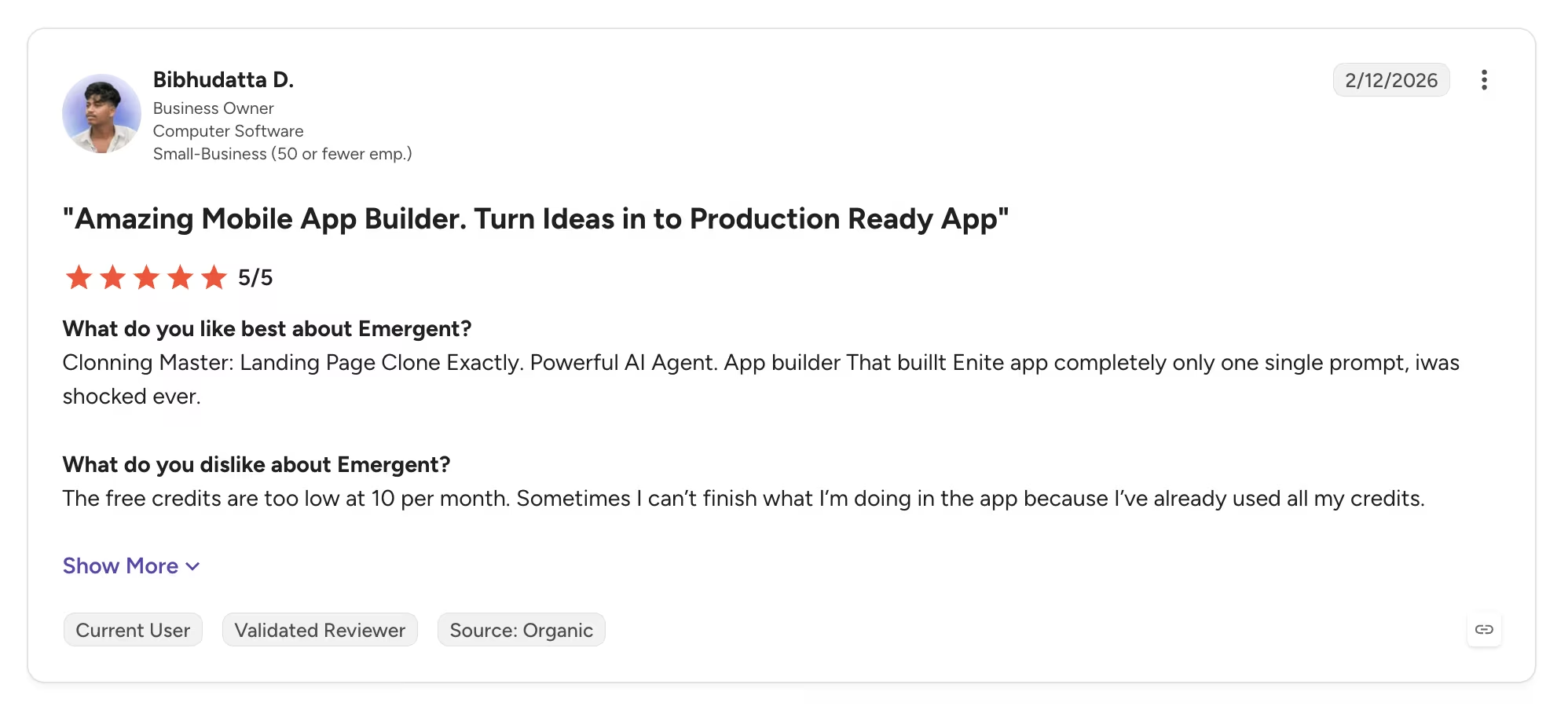
The consistent criticism is also about credits. Bibhudatta D. built a logistics CRM and a habit tracker on it. He rated Emergent 5 out of 5 on G2 and still put it plainly: "The free credits are too low at 10 per month." Budget for the paid tier if the build is complex.
Bottom Line
Emergent offers the best value here for a site that has a job to do. For $20/month, you can build a site with features such as user accounts, payments, and automations without paying for several separate tools.
Also read our best AI website builders guide for what else is worth trying when your site needs more than a template can offer.
2. WordPress.com: Best for the Cheapest Full Site
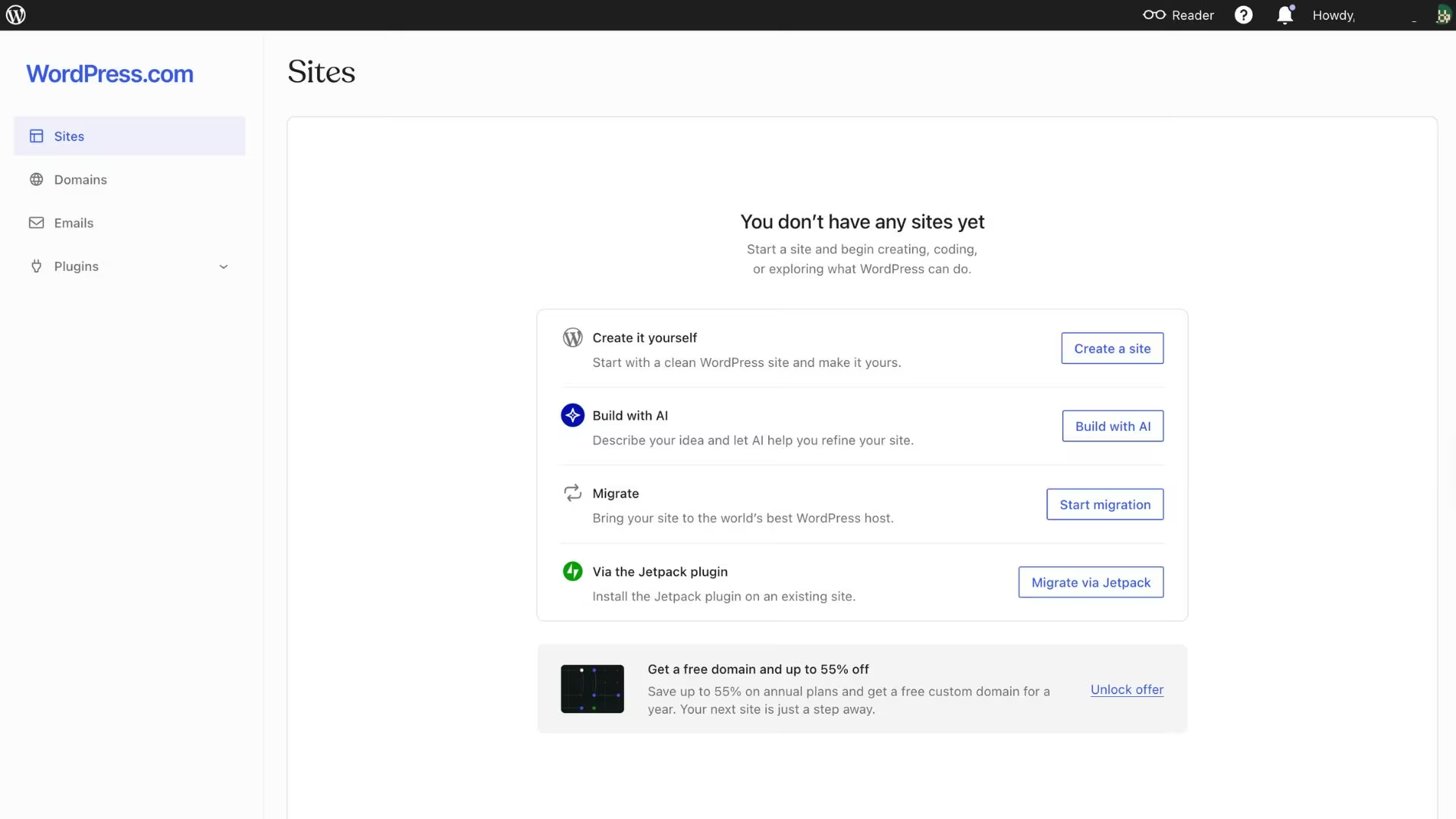
What it does: WordPress.com is the hosted version of WordPress, pairing managed hosting and a free domain with a block editor, an AI site builder, and access to over 60,000 plugins.
Best for: A content-led business site or blog that needs a credible multi-page presence at the lowest outlay, and where plugins matter more than pixel-level design control.
I found the AI website builder easy to use. It was fast, and the images it chose for the output were genuinely good. It asked a couple of questions along the way to keep the result aligned with what I wanted.
The Personal plan runs $9/month billed monthly, or $4/month if you pay for the year, which comes to $48. That covers 6 GB of storage, unlimited pages and posts, a free domain for the first year, no visitor ads, and the full plugin marketplace.
The catch is the renewal, and WordPress.com prints it on the pricing page. That $4/month annual rate auto-renews at $6/month, so year two costs $72 against year one's $48.
The other thing to watch is where payments sit. Personal can't take money. Payment buttons for PayPal and Stripe start on Premium at $18/month, or $8/month billed annually, renewing at $10.
Also read our best WordPress alternatives guide for what else is worth trying when payments require an upgrade.
Key Features
- Free domain for year one: Included on every paid plan, alongside managed hosting
- Guided AI website builder: Chat your way to a first draft instead of starting blank
- Over 60,000 plugins: Available from the Personal tier up, not gated behind a business plan
- A permanent free plan: Build on a WordPress.com subdomain with ads before paying anything
Pricing
WordPress.com has a free plan on a WordPress.com subdomain with ads. Personal runs $9/month billed monthly, or $4/month billed annually, and auto-renews at $6/month after the first year.
Premium runs $18/month ($8/month annually, renewing at $10) and adds payment buttons. Business runs $40/month ($25/month annually, renewing at $30), and Commerce runs $70/month ($45/month annually, renewing at $57).
Pros and Cons
Pros:
- Lowest entry cost of any full multi-page builder here.
- A free domain, managed hosting, and security come with every paid plan.
- Over 60,000 plugins from the entry tier up, where rivals gate them behind a business plan.
- A permanent free plan for building and testing before you pay.
Cons:
- The $4 annual rate renews at $6, so year two costs 50% more.
- Personal can't accept payments, so selling means Premium or higher.
- Reviewers consistently flag less flexibility than self-hosted WordPress.
- Free-plan sites carry WordPress.com ads on every page.
What Users Say
WordPress.com holds 4.4 out of 5 across 2,717 G2 reviews, the largest review pool in this roundup.
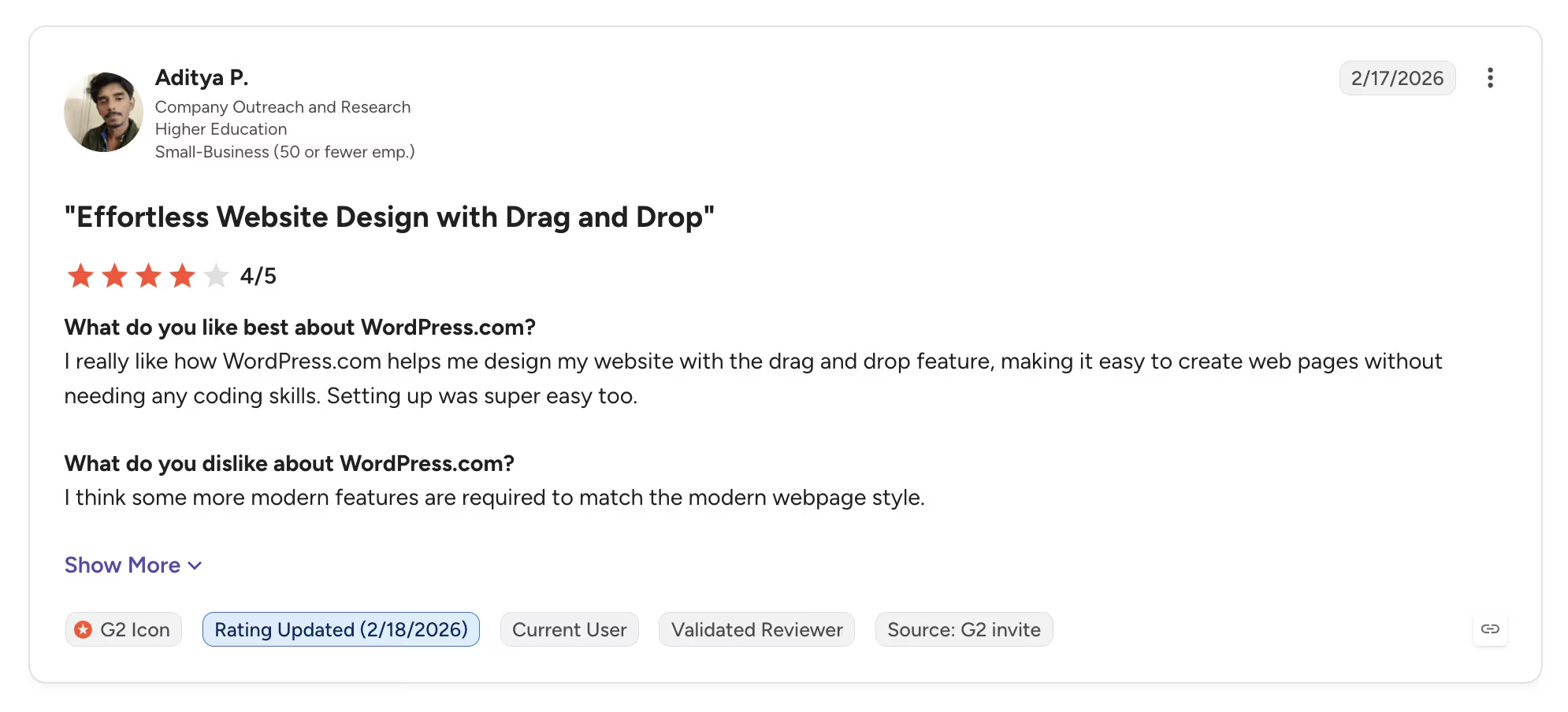
Aditya P. rated it 4 out of 5 and wrote in his G2 review that he likes how it lets him "design my website with the drag and drop feature."
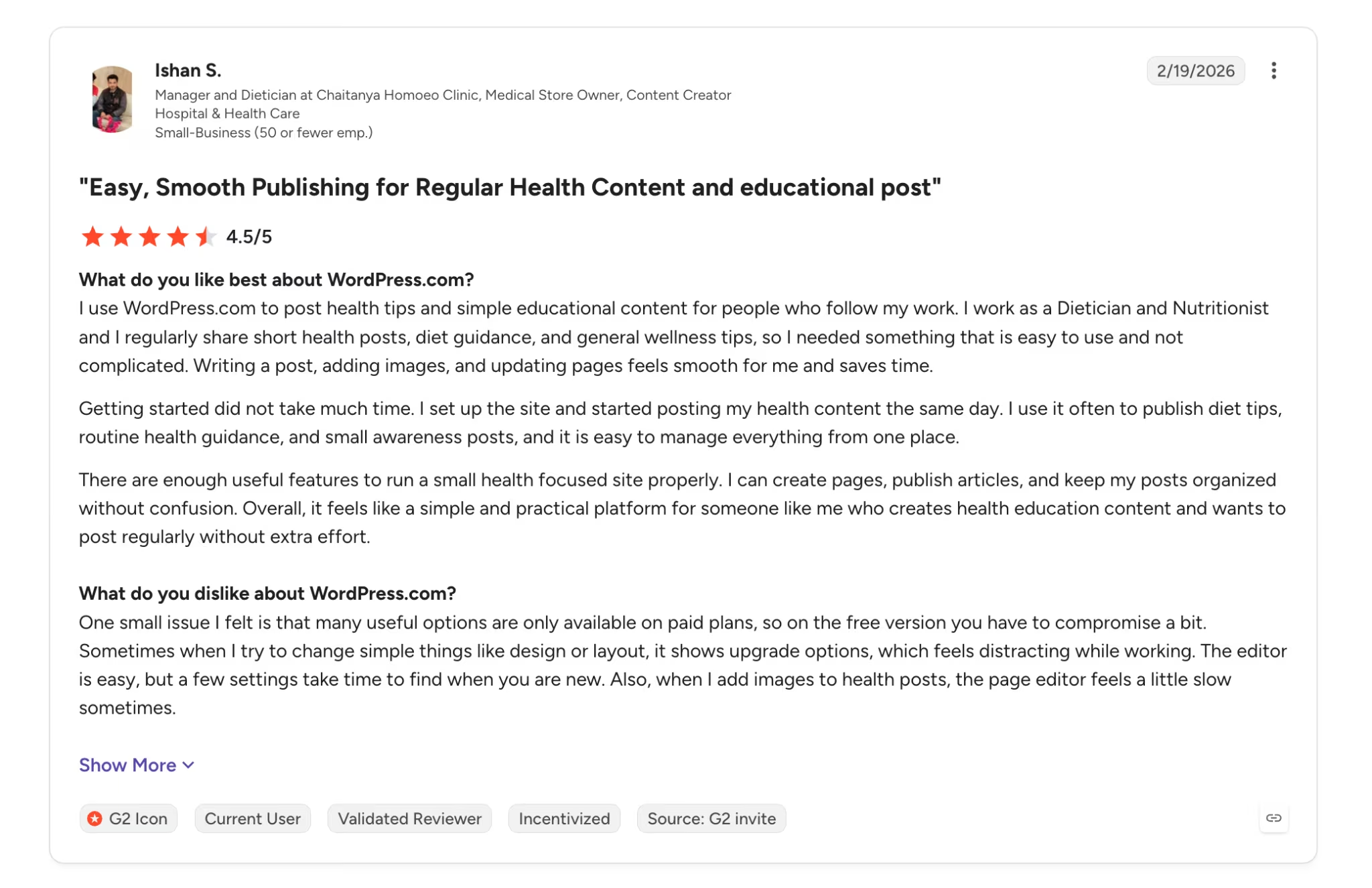
The recurring criticism is what sits behind the paywall. Ishan S. rated it 4.5 out of 5 on his G2 review and found that "many useful options are only available on paid plans," so the free version means compromising.
Bottom Line
Buy WordPress.com Personal if the site is content-led and you can pay the year upfront. Move to Premium if it ever needs to take money, and price both against the renewal rather than the first-year rate.
Also read our best online website builders guide for what else is worth trying when the renewal math or payment gating changes the calculation.
3. Wix: Best Free Plan to Test Before You Pay
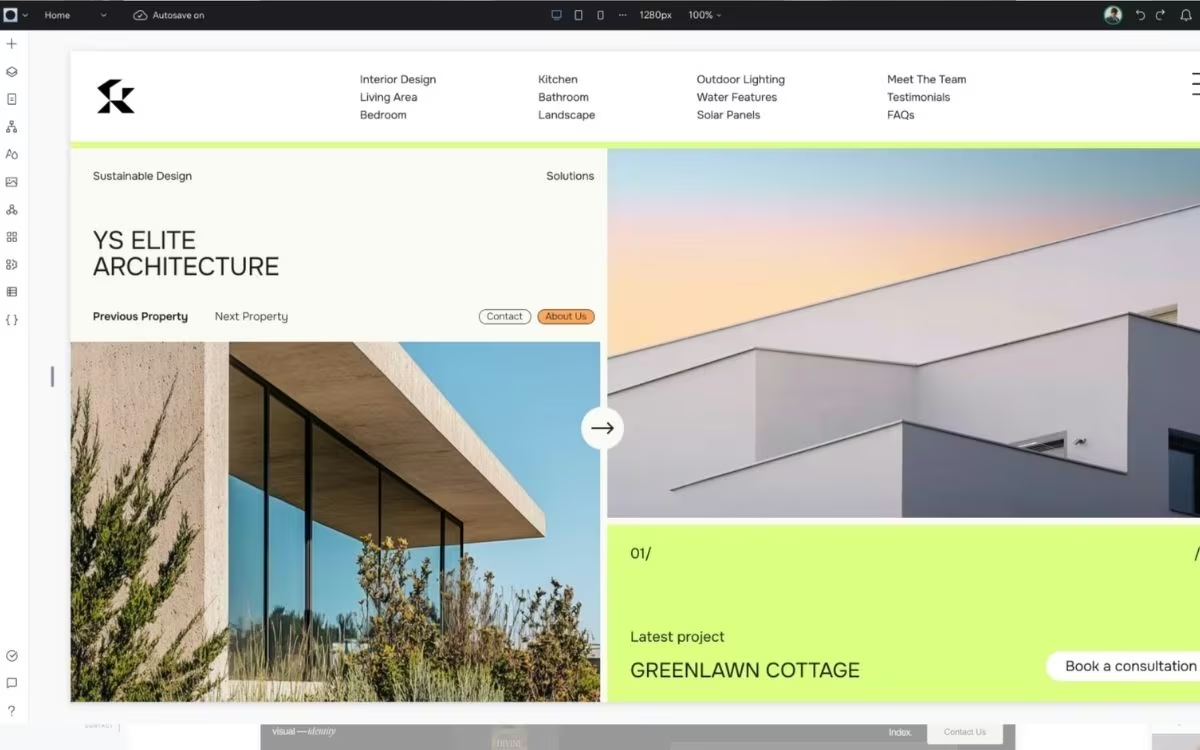
What it does: Wix pairs a drag-and-drop editor with AI site generation, a large template library, and an app market covering bookings, stores, and events.
Best for: Anyone who wants to build the whole site, see it finished, and only then decide whether it's worth paying for.
I put together a good-looking one-page site for a clothing brand without paying anything. The templates and the editor are solid, though most people still upgrade once they want the site to look properly professional.
Wix has the most usable free plan of the seven, and that's worth real money. It costs nothing, needs no card, has no time limit, and includes hosting, the full drag-and-drop editor, and the template library.
What the free plan leaves out is a custom domain, and every page carries Wix branding. It works as a staging ground while you build.
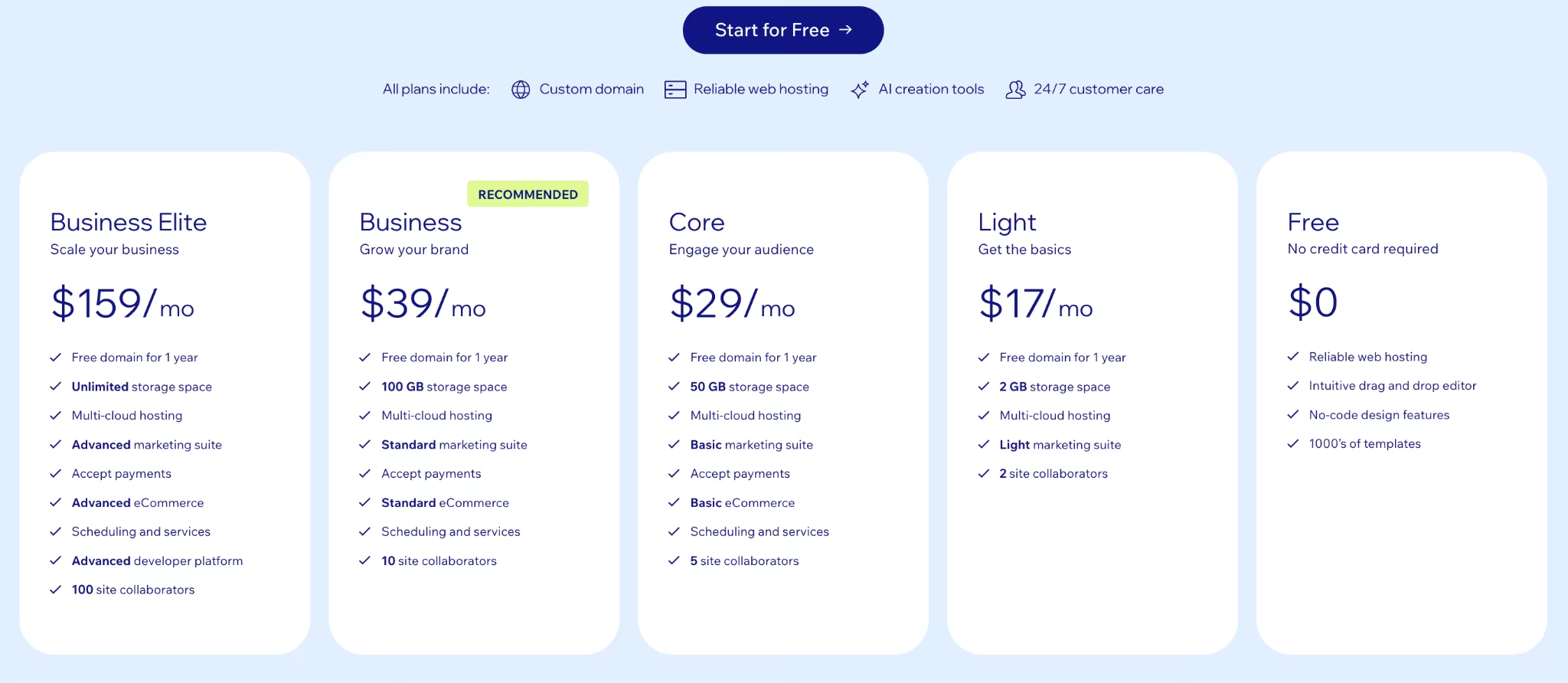
The Light plan at $17/month, billed annually, removes ads, connects a custom domain, and covers the domain for the first year. Read the feature list carefully, because Light gives you 2 GB of storage and two collaborators, and it can't accept payments, run a store, or take bookings.
Those capabilities start at Core, which is $29/month billed annually and adds 50 GB of storage and five collaborators. That's the number most small businesses actually pay, and it puts Wix at more than seven times WordPress.com's first-year rate, and nearly five times what it costs once it renews.
Wix also notes that the free domain voucher applies only to a first-time premium purchase, so it won't help on renewal or when you upgrade from Light to Core.
Also read our best Wix alternatives guide for what else is worth trying when the Core plan price becomes a concern.
Key Features
- A free plan with no expiry: Build and preview the entire site before deciding anything
- App market: Bookings, events, and restaurant tools bolt on as the business needs them
- Free domain for year one: Annual premium plans only, and only on a first purchase
- 14-day money-back guarantee: A full refund if the paid tier disappoints
Pricing
Wix publishes yearly subscription rates and notes that prices and currency vary by location, so these are the USD reference figures. The free plan carries Wix branding, and Light runs at $17/month, billed annually.
Core runs $29/month, Business runs $39/month, and Business Elite runs $159/month, all billed annually. The jump that matters is Light to Core, since payments, a store, and bookings all start at Core.
Pros and Cons
Pros:
- The free plan is complete enough to judge the finished site before paying.
- Templates and AI site generation get a decent-looking page up quickly.
- One dashboard covers the site, the contact list, and email follow-up.
- Cheaper than Squarespace at the entry tier.
Cons:
- Light can't process payments or bookings, so most businesses end up on Core at $29/month.
- Free-plan sites carry Wix branding on every page and can't use a custom domain.
- You can't switch templates once a site is created, published or not, without rebuilding it.
- Each premium plan covers only one site, so a second site requires a second plan.
What Users Say
Wix sits at 4.2 out of 5 across 1,889 G2 reviews, the lowest of the mainstream builders here.
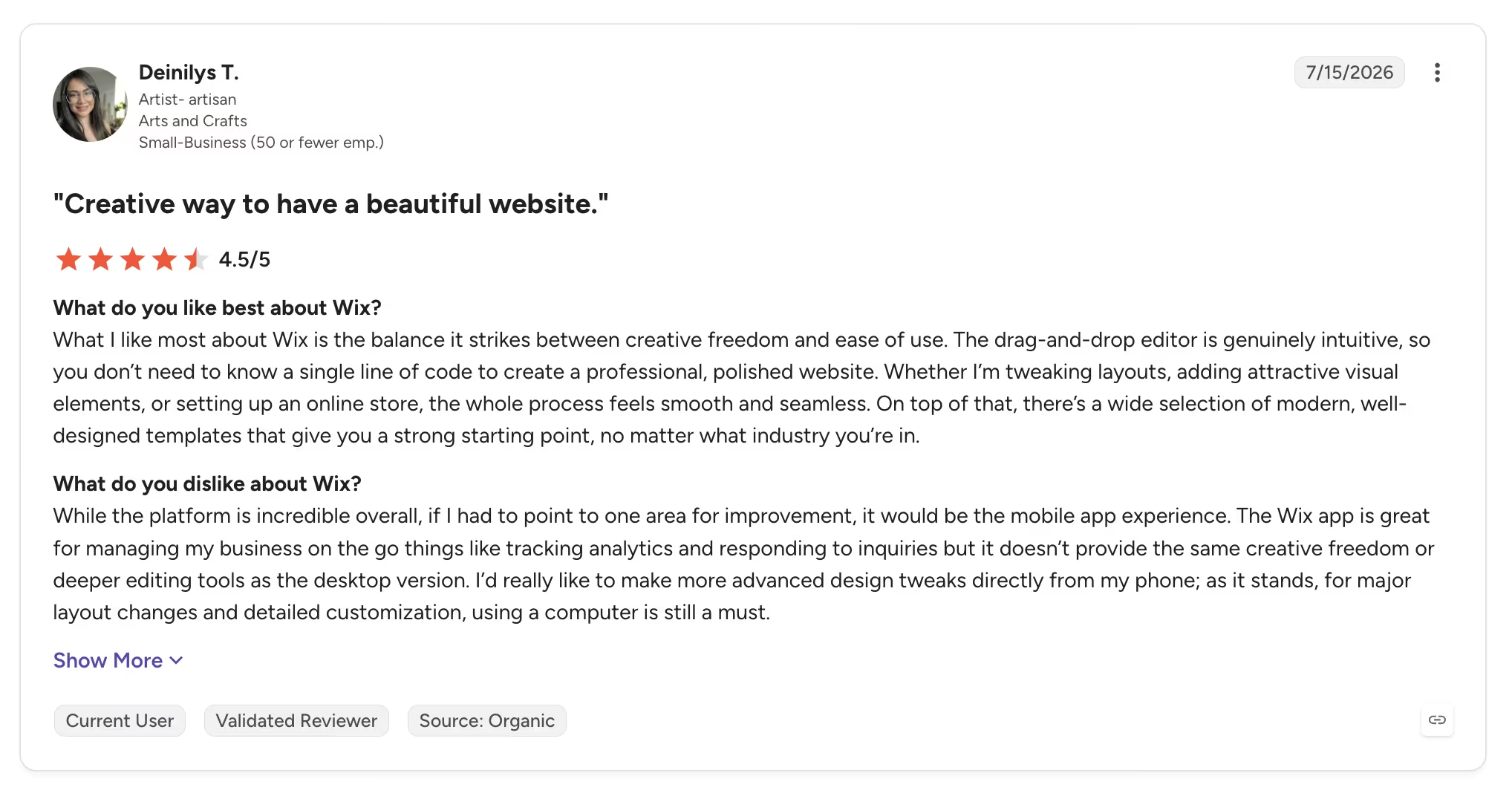
Artisan Deinilys T. rated it 4.5 out of 5 in July 2026, writing in her G2 review, "The drag-and-drop editor is genuinely intuitive."
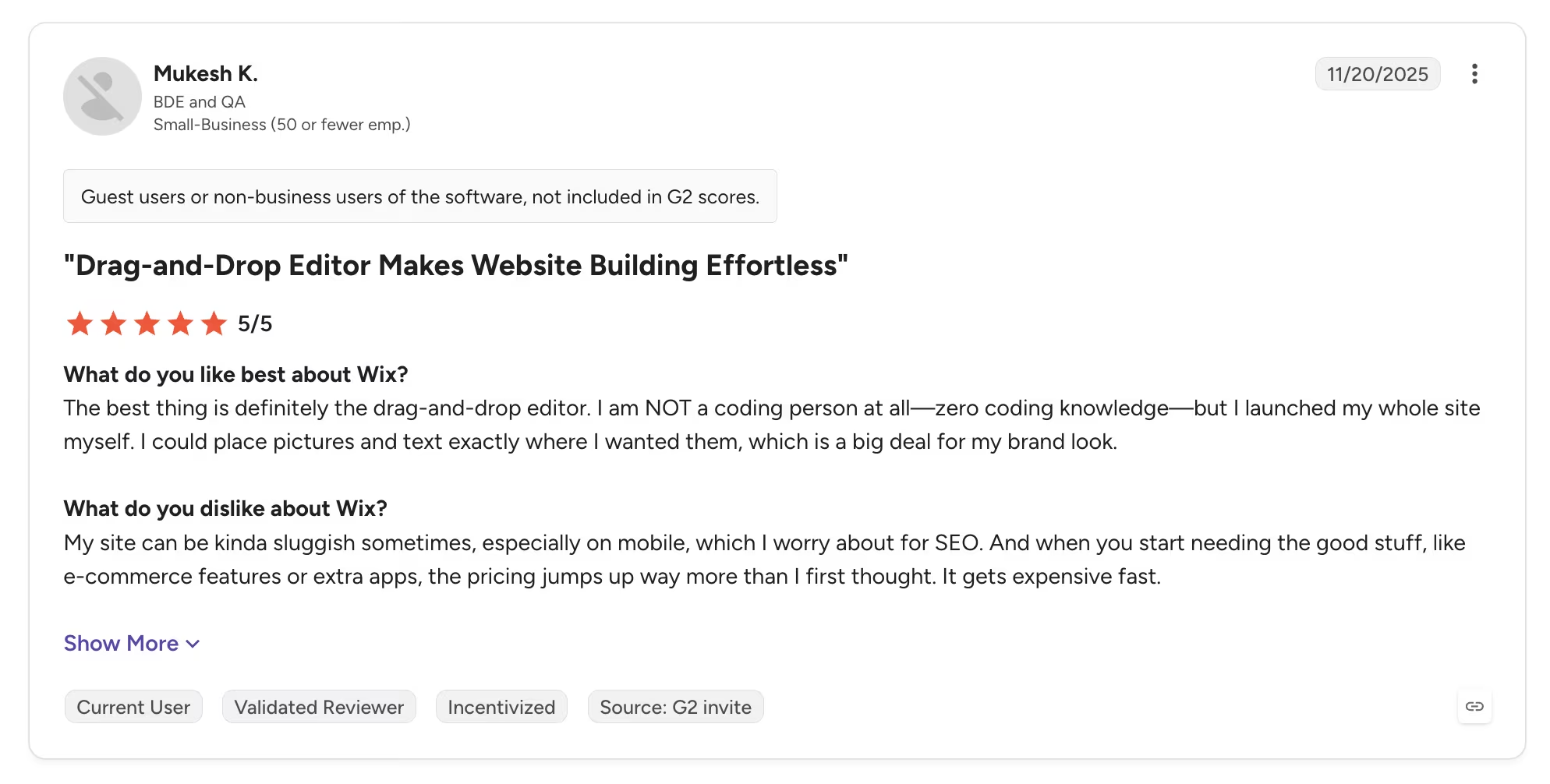
Cost creep is the pattern in the criticism. Mukesh K. rated Wix 5 out of 5 on his G2 review and still flagged the bill. Once you need ecommerce or extra apps, he wrote, "the pricing jumps up way more than I first thought."
Bottom Line
Build the whole thing on the free plan first. It costs nothing, it takes no card, and a finished site teaches you more about which features you actually need than any feature table will. Then price Core rather than Light if a booking or a payment is anywhere in the plan.
Want the full breakdown of what each plan actually covers? Read our Wix pricing guide before you commit.
4. Carrd: Best for One Page on a Tiny Budget
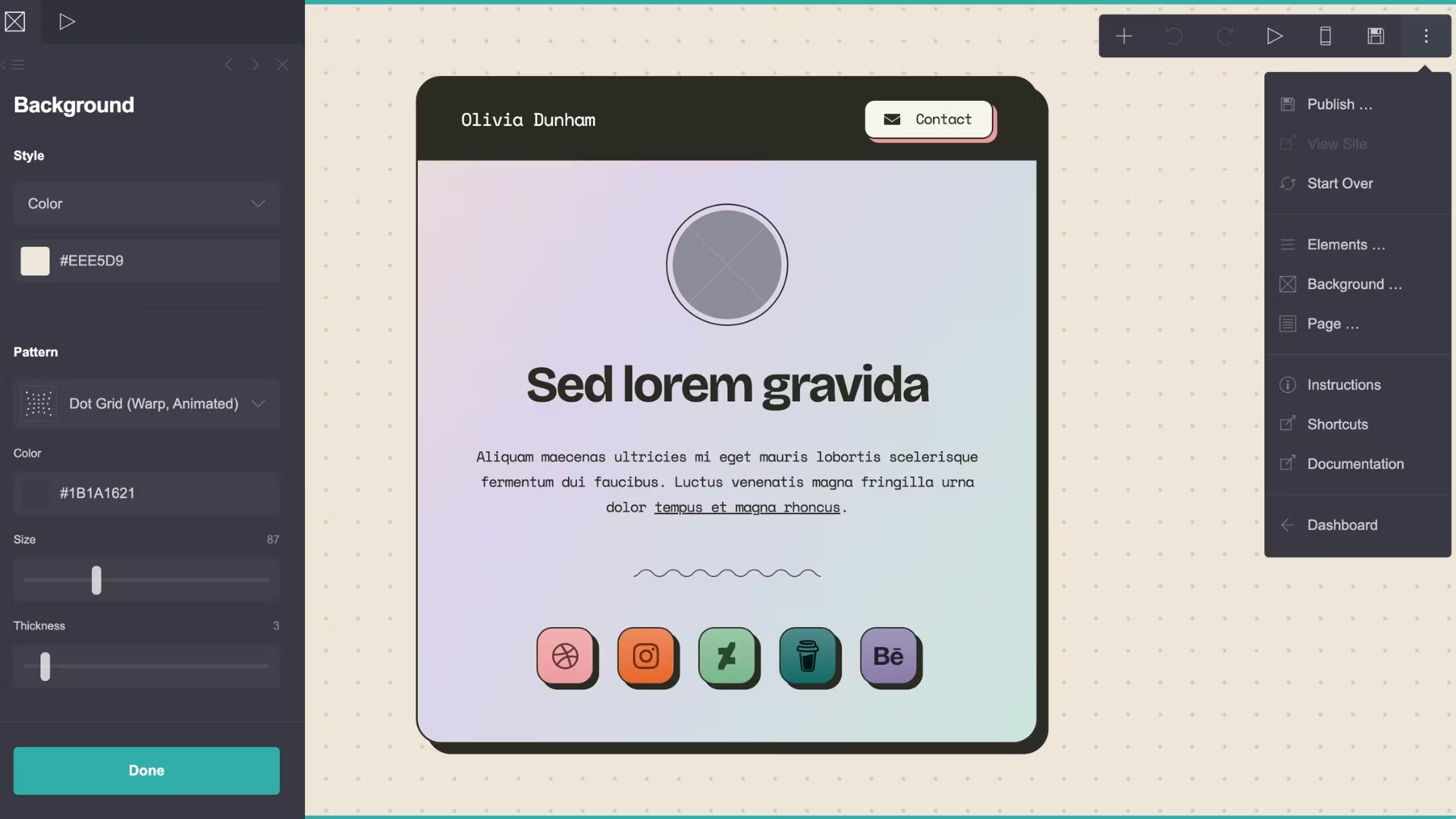
What it does: Carrd builds single-page responsive sites: the kind used for landing pages, personal profiles, and link-in-bio pages.
Best for: A freelancer, consultant, or side project that needs one credible page on its own domain and nothing more.
I built a one-page site for a newsletter app I was planning to launch, and the editor keeps things tidy. The single-page limit is the thing to remember, and sections only go so far in hiding it.
Carrd is the cheapest live site in this roundup by a wide margin, and the pricing is refreshingly free of tricks. There's no intro rate and no renewal jump. There's also no monthly billing, so you pay for the year in one go.
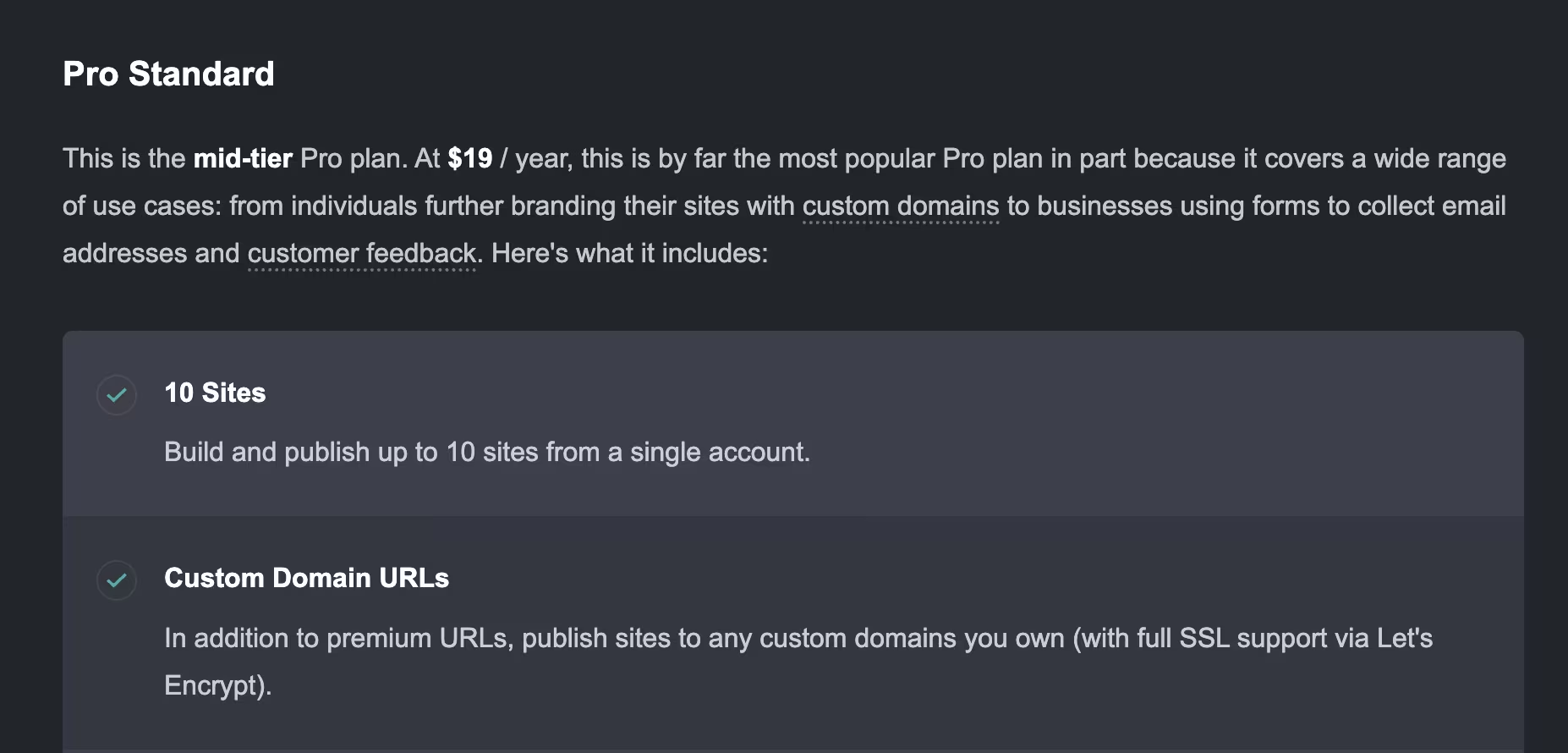
Pro Standard is the tier that matters at $19/year, about $1.58/month. That covers 10 sites, custom domain URLs with SSL, and embeds for Stripe and Gumroad. You also get contact and signup forms that connect to Mailchimp or Kit, plus analytics through Google Analytics, Plausible, or Matomo.
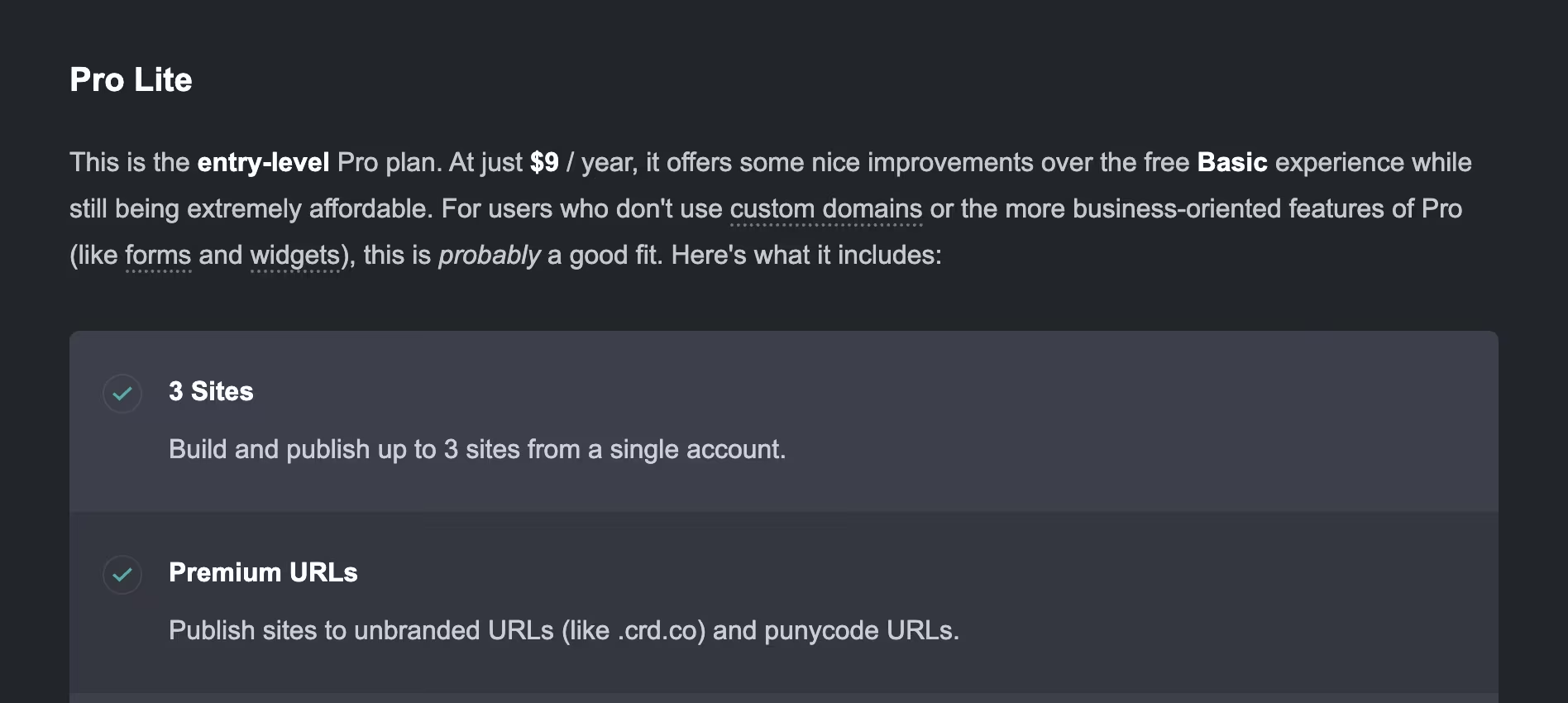
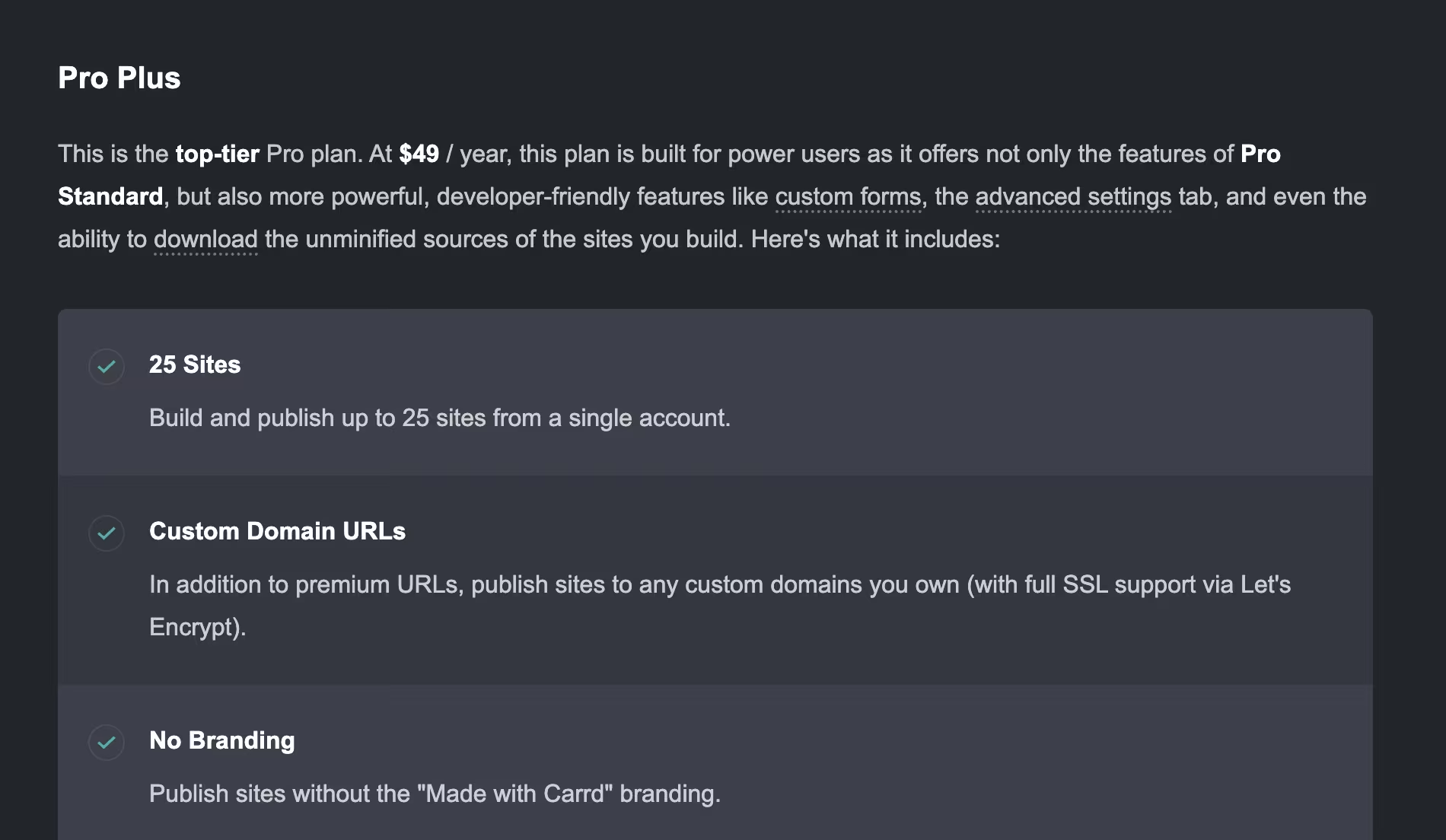
Skip Pro Lite at $9/year. It drops the branding but leaves out custom domains and forms, which are the two reasons most people upgrade in the first place. Pro Plus at $49/year adds advanced forms, password protection, redirects, and downloadable site files.
It's still one page, and no tier changes that. Sections and slash-URL redirects can imitate page-to-page navigation, but there's no blog and no product catalog, so a business needing a services page, an about page, and a blog should look elsewhere.
Key Features
- Custom domain from $19/year: The cheapest legitimate route to your own address
- Forms and embeds on Pro Standard: Lead capture and payment widgets without a higher tier
- Payments through embedded widgets: Stripe, PayPal, and Gumroad run the checkout
- Seven-day Pro trial: Custom domains and advanced forms free for a week, no card required
Pricing
Carrd bills annually with no monthly option, no promotional rate, and no renewal increase. The free plan covers three sites on a carrd.co subdomain, and Pro Lite runs $9/year without custom domains or forms.
Pro Standard runs $19/year and covers 10 sites with custom domains and forms, which makes it the tier worth buying. Pro Plus runs $49/year and adds advanced forms, password protection, and downloadable site files.
Pros and Cons
Pros:
- Costs less per year than most builders charge per month.
- Flat pricing with no promotional rate and no renewal increase.
- Pages load fast and go together in minutes.
- One Pro Standard plan covers 10 sites, so extra landing pages cost nothing.
Cons:
- Carrd builds one-page sites on every plan, with no blog or product catalog.
- No monthly option, so the full year is charged upfront.
- Pro Lite is a trap tier, since it omits the custom domain most buyers want.
What Users Say
Carrd holds 4.5 out of 5 on G2, the highest rating among the seven, though based on a much smaller pool of 34 reviews.
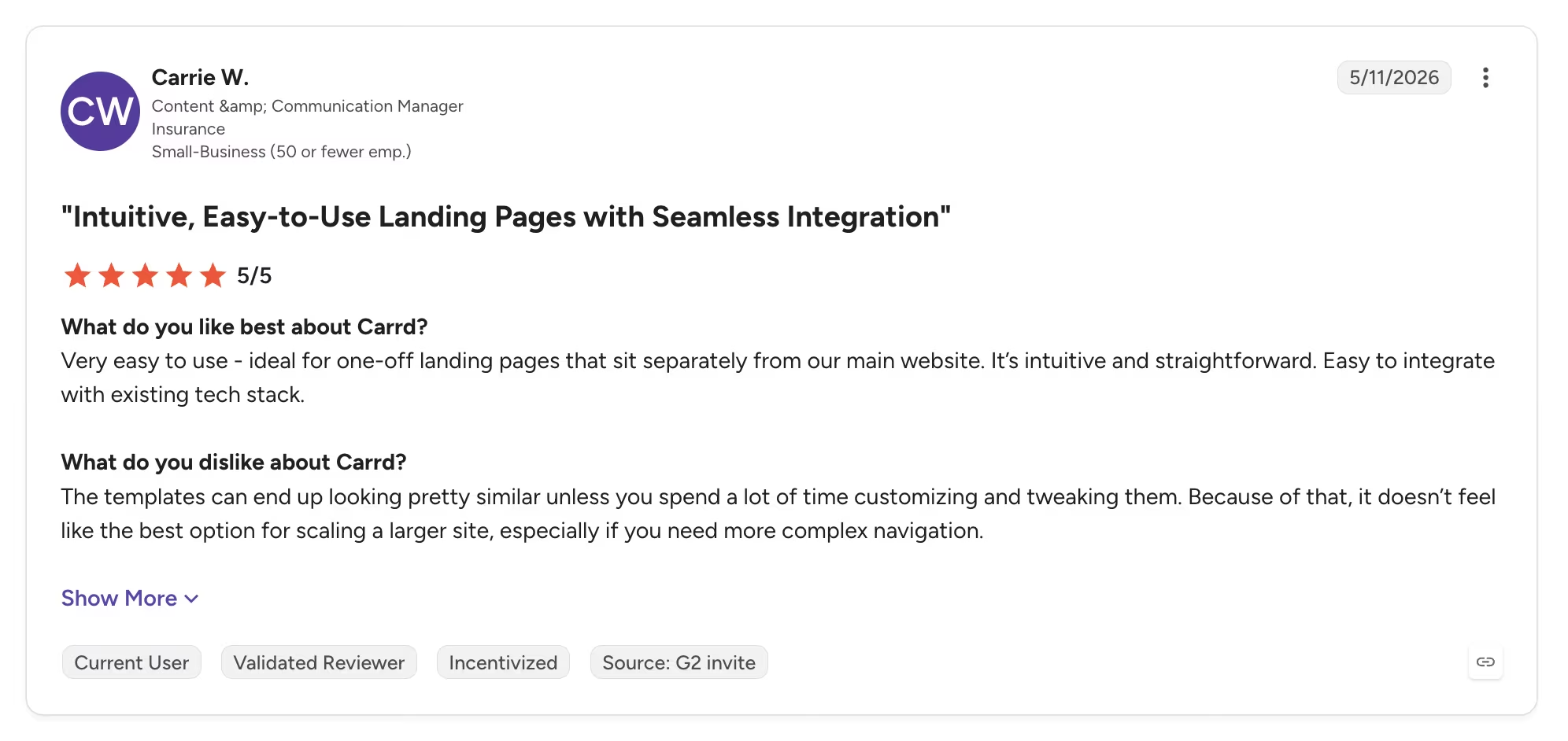
Communications manager Carrie W. rated it 5 out of 5 in May 2026 and called it "ideal for one-off landing pages" in her G2 review.
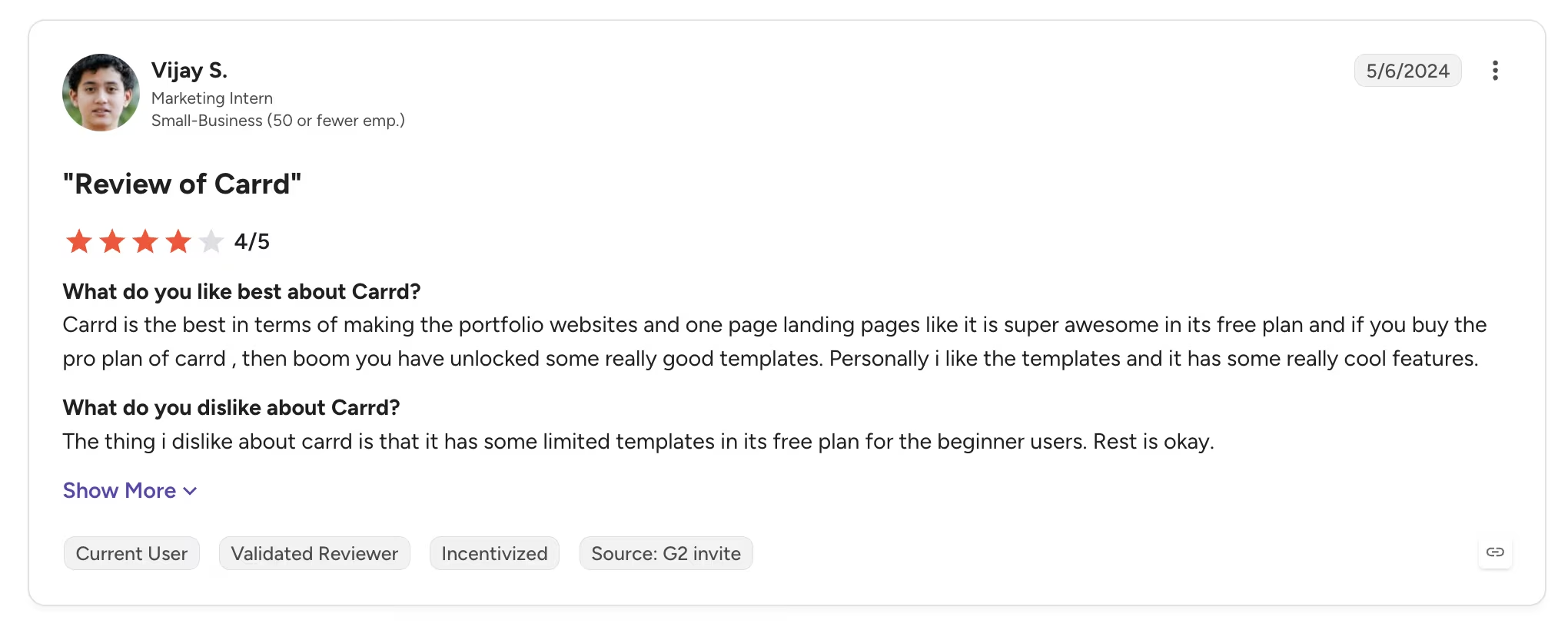
The criticism lands on what the free plan holds back. Marketing intern Vijay S. rated Carrd 4 out of 5 in May 2024. On his G2 review, he liked the paid templates but found that it "has some limited templates in its free plan."
Bottom Line
If one page genuinely does the job, Carrd is the best-value product in this category, and nothing else is close. Be honest with yourself about the page count first, because there's no way to grow into a second page later.
Also read our best free landing page builders guide for what else is worth trying when one page stops being enough.
5. IONOS: Best First-Year Price Anywhere
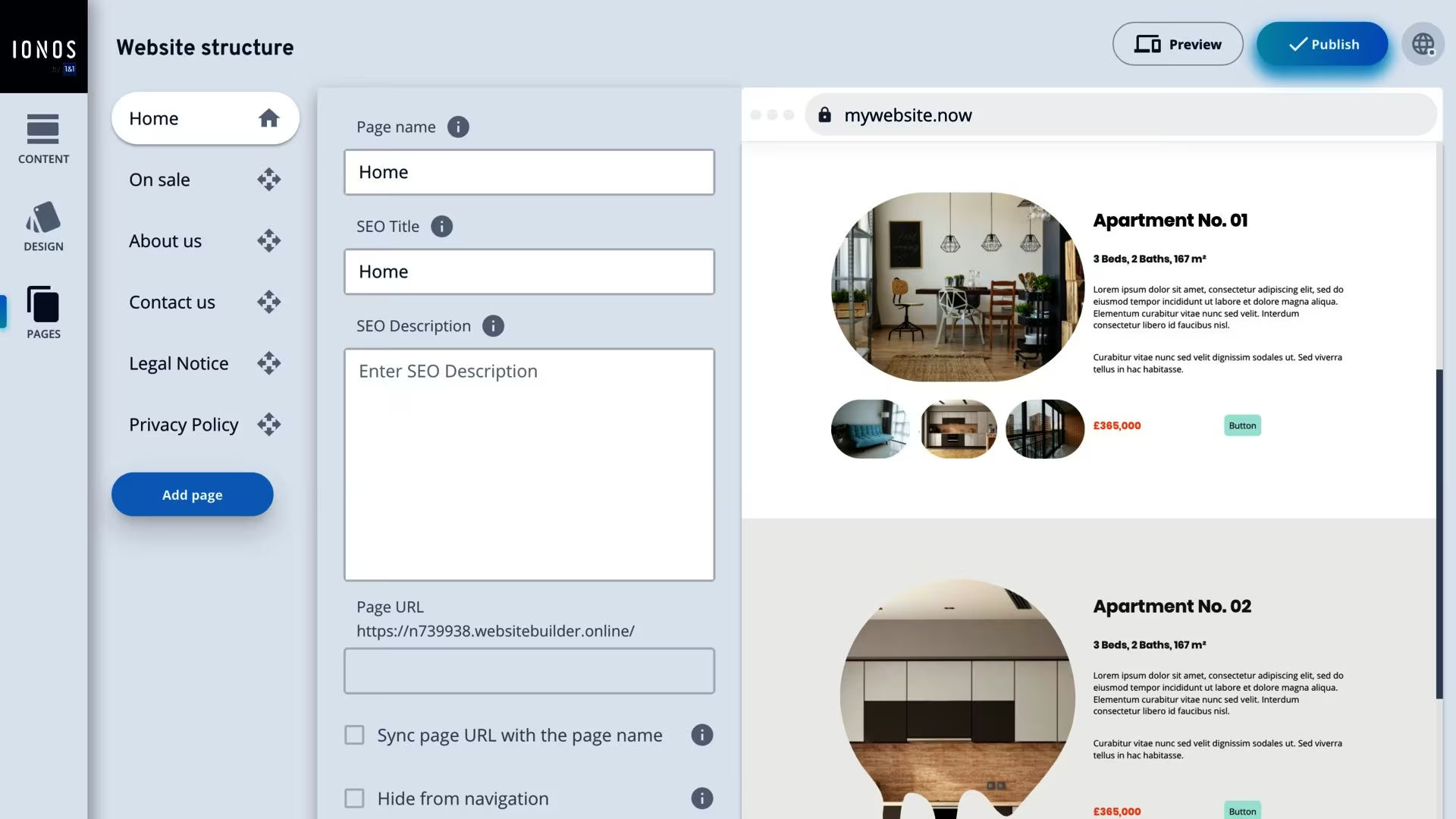
What it does: IONOS bundles a drag-and-drop builder and AI site generation with hosting, a free domain for the first year, and business email in one subscription.
Best for: A campaign page, a short-lived site, or anyone who wants the lowest possible first-year outlay and is willing to move before the second bill lands.
IONOS has no free tier, so there's nothing to try until you've bought a plan. Once you're inside, the AI support is the strongest part. You describe the idea, and the agent handles the build, and the output is mobile-optimized.
There are hundreds of templates to start from, so you're not facing a blank page. The site itself is harder to navigate than the others here.
IONOS is the builder Google names first when you search for cheap website builders, and the headline number is real. Its Plus plan runs $1/month for the first year, a quarter of what WordPress.com costs over the same twelve months.
The second year is where it turns. That plan renews at $20/month, more than three times WordPress.com's renewal, and Plus has no online store at all. The cheapest first year becomes one of the more expensive second years.
Key Features
- Free domain for year one: Included on every plan, alongside SSL and business email
- AI site generation: Describe the idea and the agent handles the build
- Hundreds of templates: A starting point rather than a blank canvas
- Mobile-optimized output: Sites render for phones without separate work
Pricing
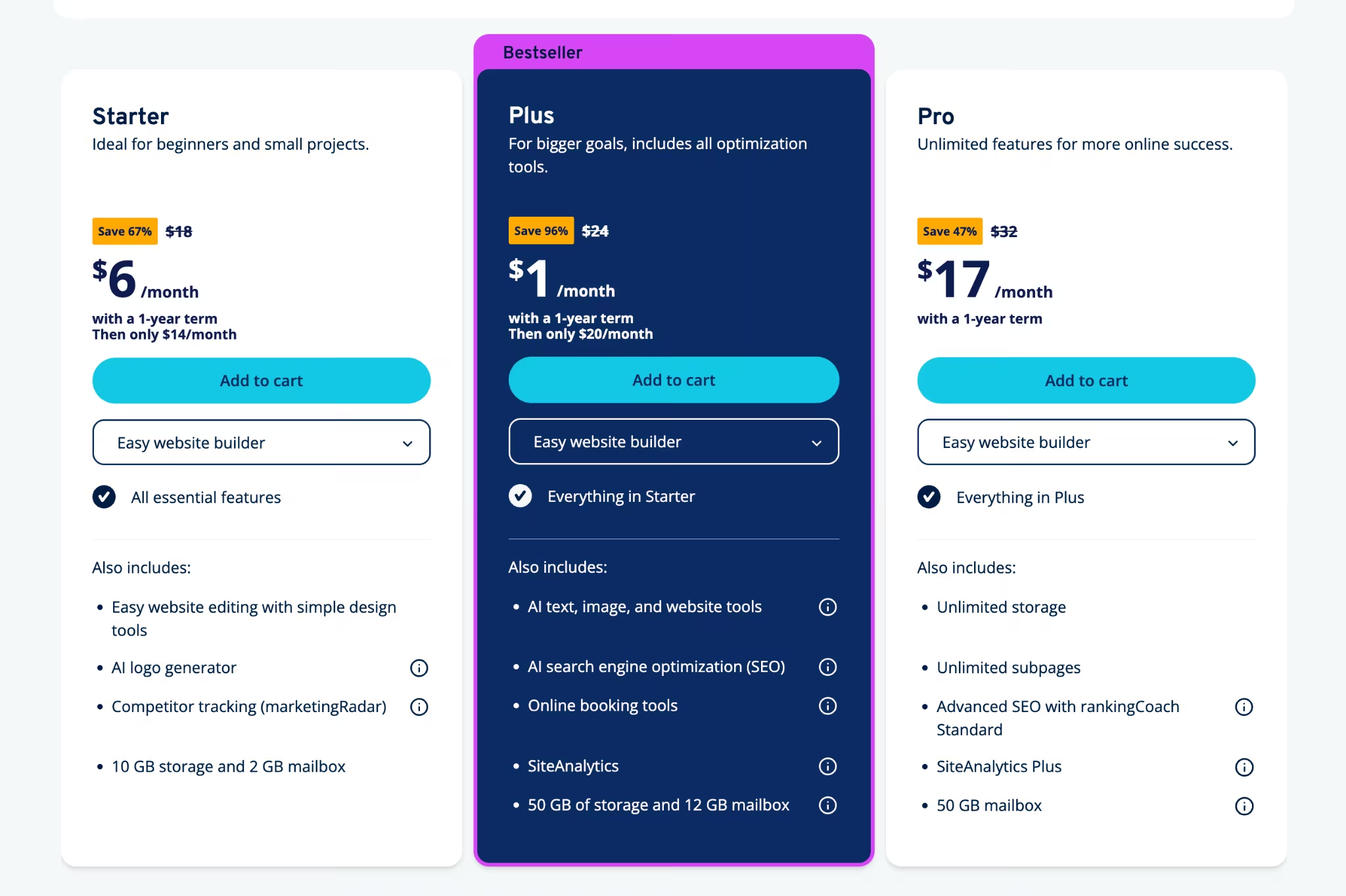
IONOS has no free plan, and every rate below is a first-year price on a one-year term. Starter runs $6/month for the first year and renews at $14/month.
Plus runs $1/month for the first year and renews at $20/month, and Pro runs $17/month for the first year. The Plus discount is the steepest in this roundup, and so is the step up that follows it.
Pros and Cons
Pros:
- The lowest first-year cost of any builder here, by a wide margin.
- A free domain, SSL, and business email come with every plan.
- AI generation handles the build from a plain description.
- Hundreds of templates, so you're never starting from nothing.
Cons:
- Plus renews at twenty times its first-year rate.
- No free plan, so the cheapest way in is still a purchase.
- Plus has no online store, so selling anything means moving up or moving out.
- The interface is harder to navigate than the others in this roundup.
What Users Say
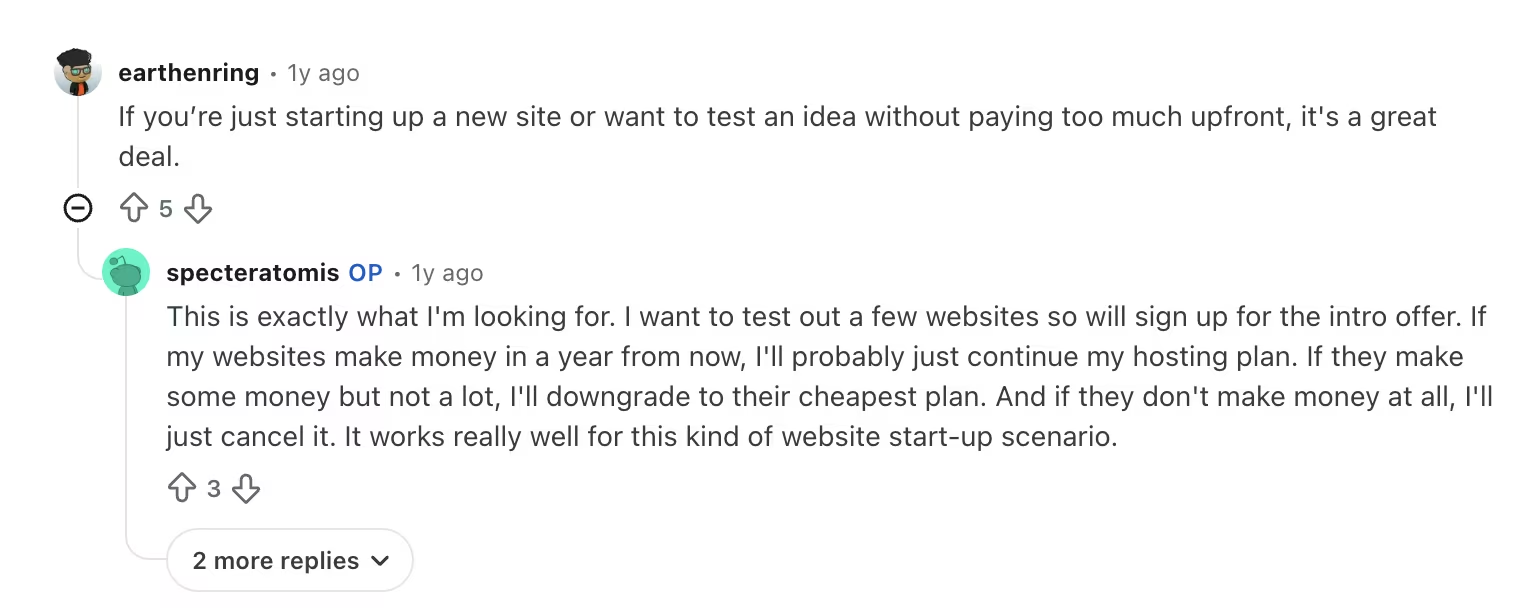
The praise is about low-risk entry. In r/webdevelopment, earthenring recommended it if you want to "test an idea without paying too much upfront, it's a great deal."

The criticism is the interface, which matches what I ran into. Competitive_Lab1813 wrote that "The dashboard and setup wizard feels old-fashioned but it gets the job done."
Bottom Line
Take the $1 plan if the site has a known end date, or if you plan to move before the renewal lands. Over two years, WordPress.com costs less and does more.
6. GoDaddy: Best Free Credits for AI Site Generation
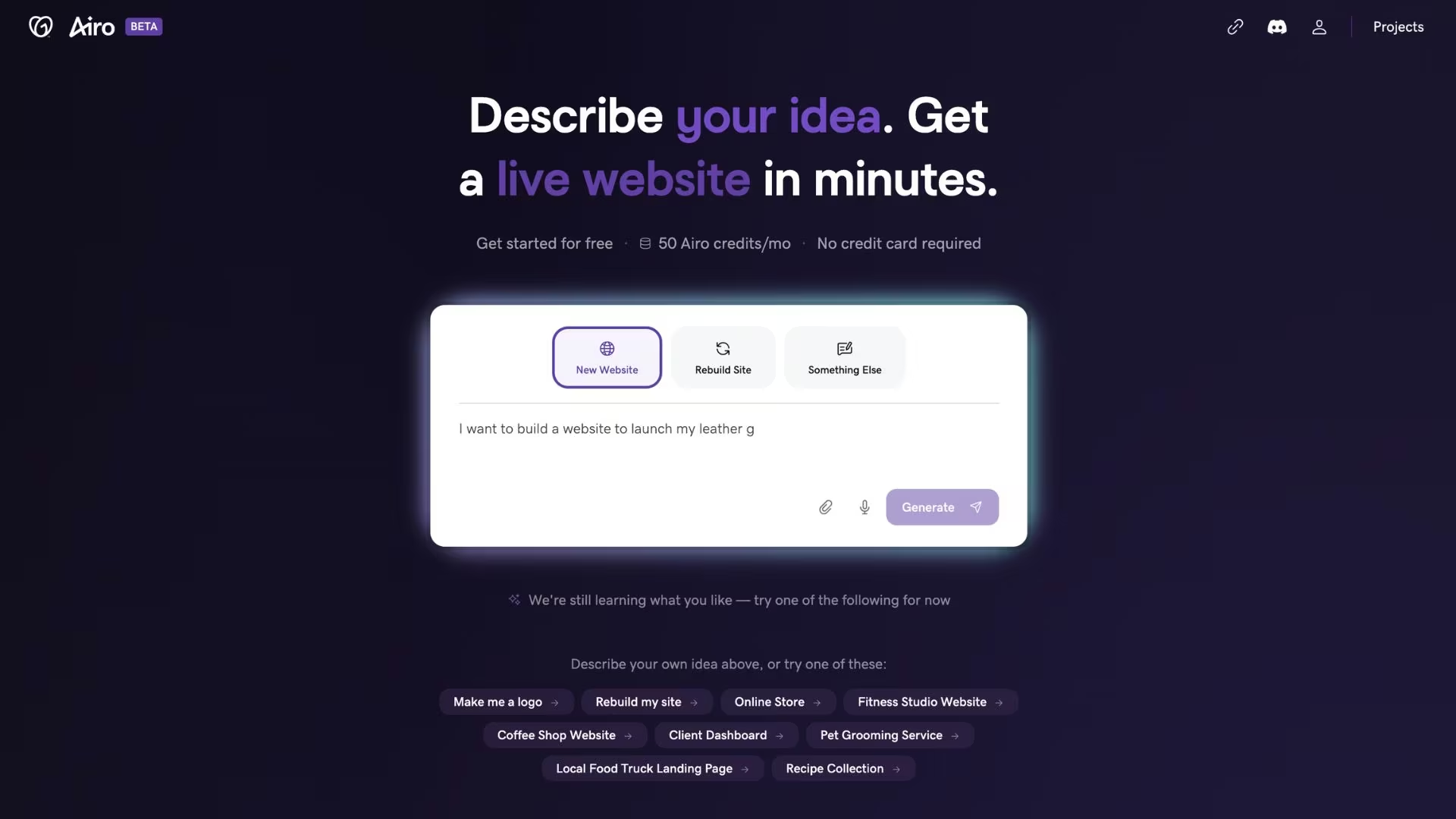
What it does: GoDaddy's Airo AI Builder generates a site from a short description, then bundles it with domain registration, email, and marketing tools under a single login.
Best for: Anyone who already registers domains with GoDaddy, or who wants to generate a real site with AI before paying anything.
I asked Airo for a wildlife photographer's portfolio and had it built in 13 minutes. It asked three questions first: what the portfolio should be called, who it should speak to, and what it should help visitors do.
I answered Untamed Light, print collectors, and wildlife enthusiasts, and to showcase work and sell fine-art prints. The free credits covered the whole build.
The free tier is the part worth knowing about. It gives you 50 AI credits a month with no card, renewing monthly, which is the most generous free allowance in this roundup.
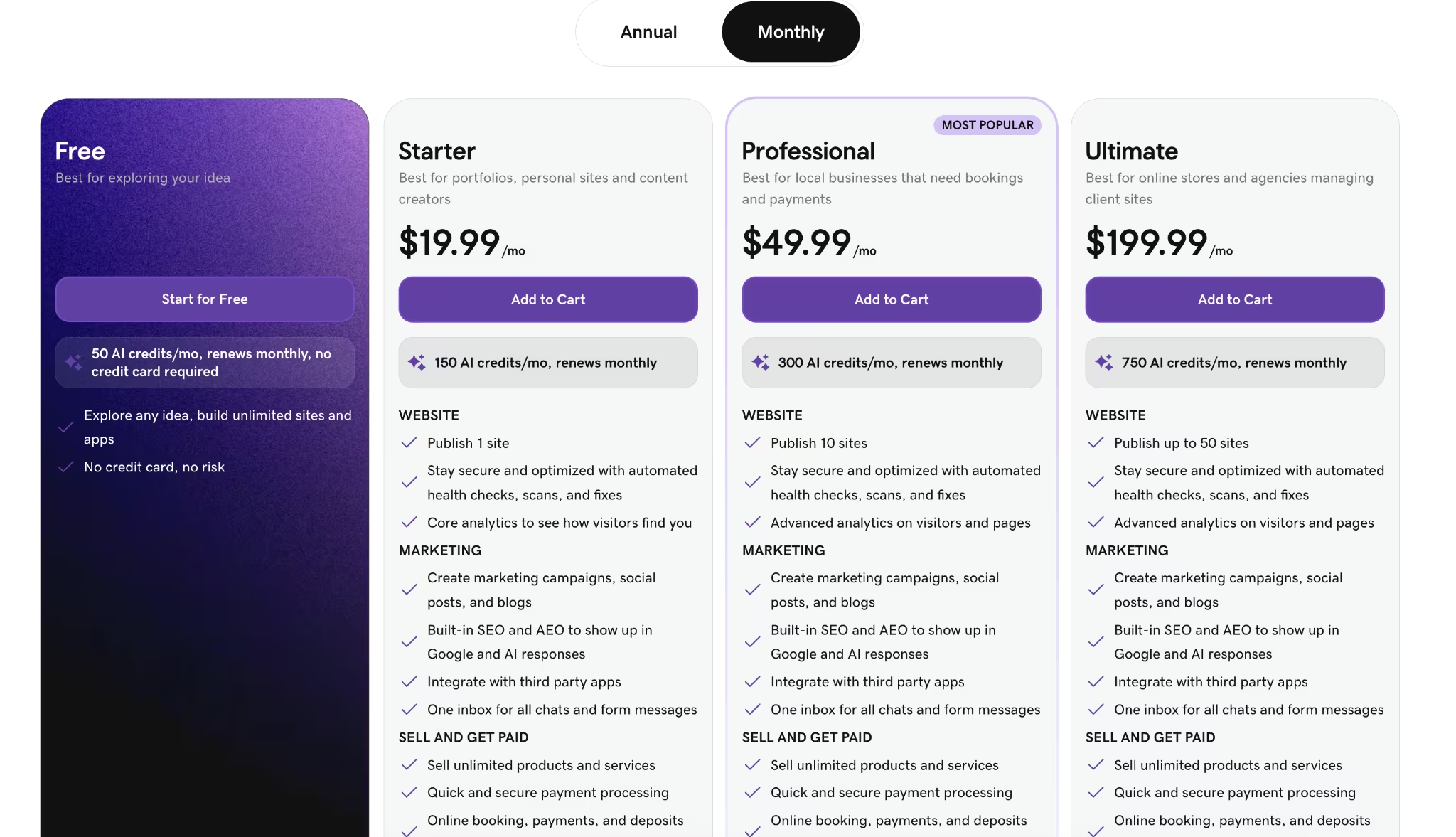
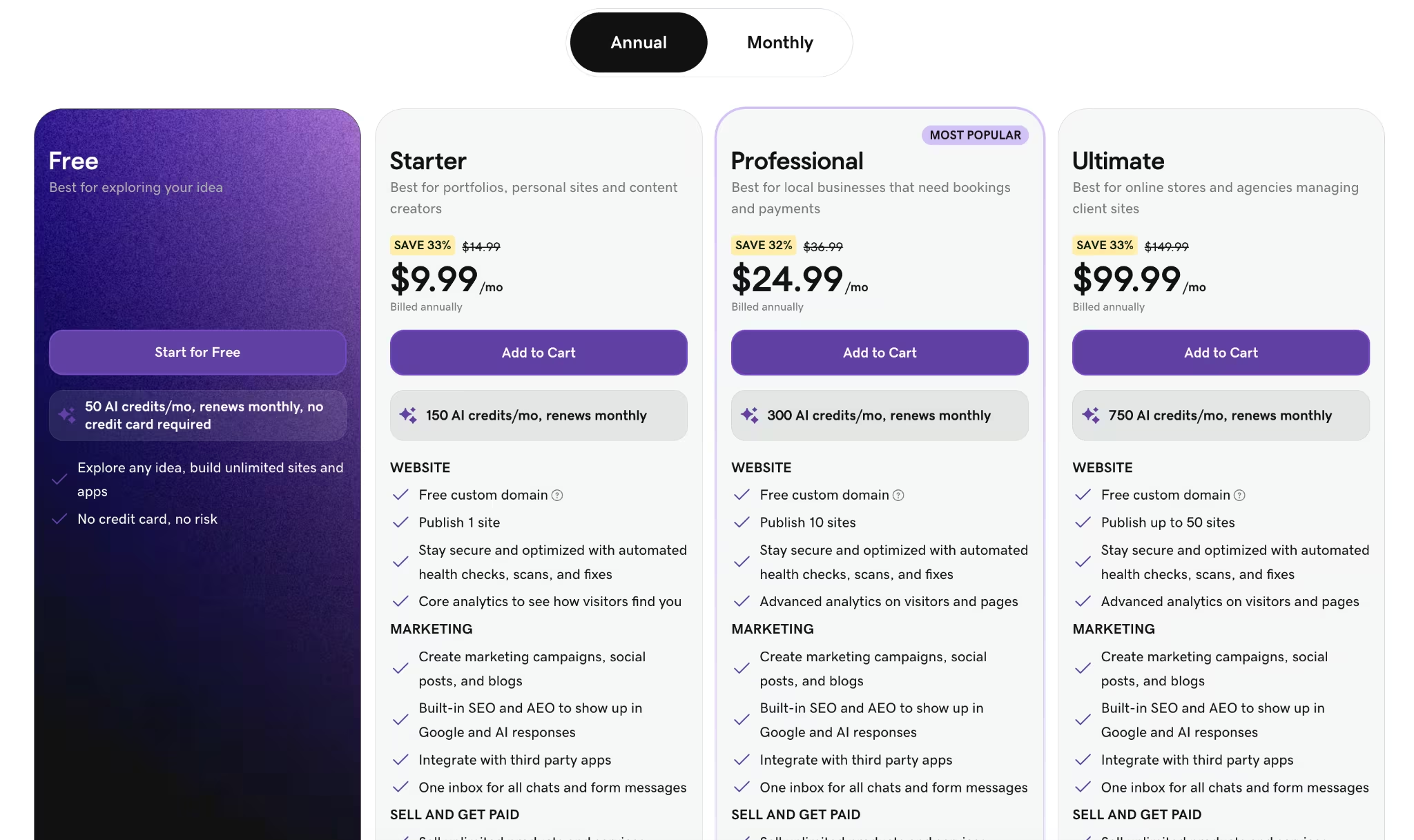
Paid plans start at $19.99/month, or $9.99/month billed annually. Credits scale with the tier, from 150 a month on Starter to 750 on Ultimate, and annual plans add a free custom domain.
Also read our GoDaddy alternatives guide for what else is worth trying.
Key Features
- 50 free credits a month: Enough to generate a simple site without a card
- Airo AI generation: A few questions answered, then a full draft site
- One dashboard for everything: Domain, email, site, and marketing on a single login
- Free custom domain on annual plans: Included with Starter and above when billed yearly
Pricing
GoDaddy starts every account on a free tier with 50 AI credits a month. Starter runs $19.99/month, or $9.99/month billed annually, and publishes one site with 150 credits a month.
Professional runs $49.99/month ($24.99/month annually) for 10 sites and 300 credits, and Ultimate runs $199.99/month ($99.99/month annually) for up to 50 sites and 750 credits. Credits reset monthly and don't roll over.
Pros and Cons
Pros:
- The most generous free tier here at 50 AI credits a month.
- Monthly billing is available, so no long prepaid term is required.
- Domain, email, hosting, and site management sit behind one login.
- Annual plans include a free custom domain.
Cons:
- At $19.99/month, the entry tier costs more than WordPress.com or IONOS.
- Credits reset monthly and don't roll over, so an unused month is lost.
- Starter publishes only one site.
- Sites can't be migrated off the platform, so leaving means rebuilding.
What Users Say
GoDaddy Website Builder holds 4.1 out of 5 across 189 G2 reviews, the lowest rating in this roundup.
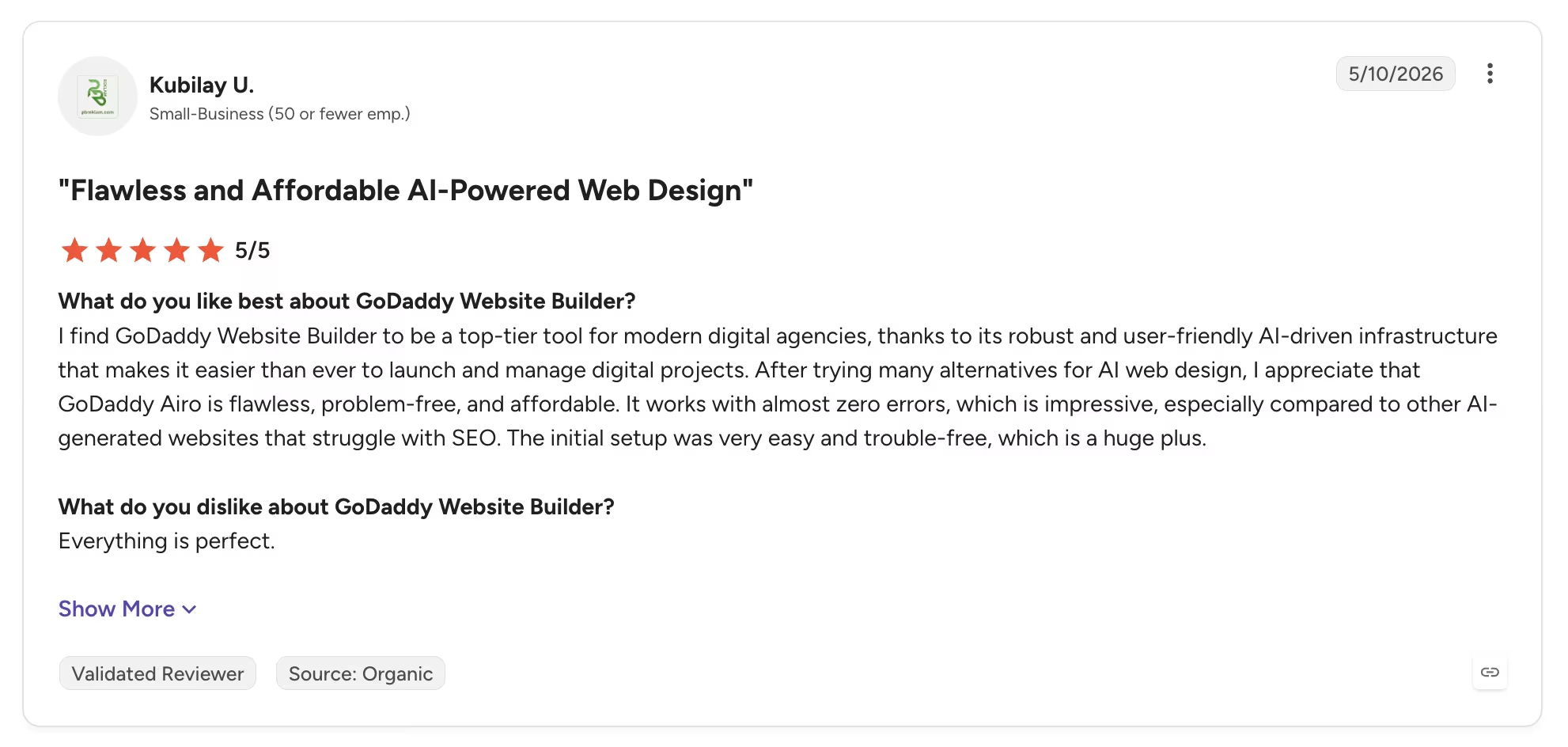
Kubilay U. rated it 5 out of 5 in May 2026 and wrote in his G2 review that "GoDaddy Airo is flawless, problem-free, and affordable."
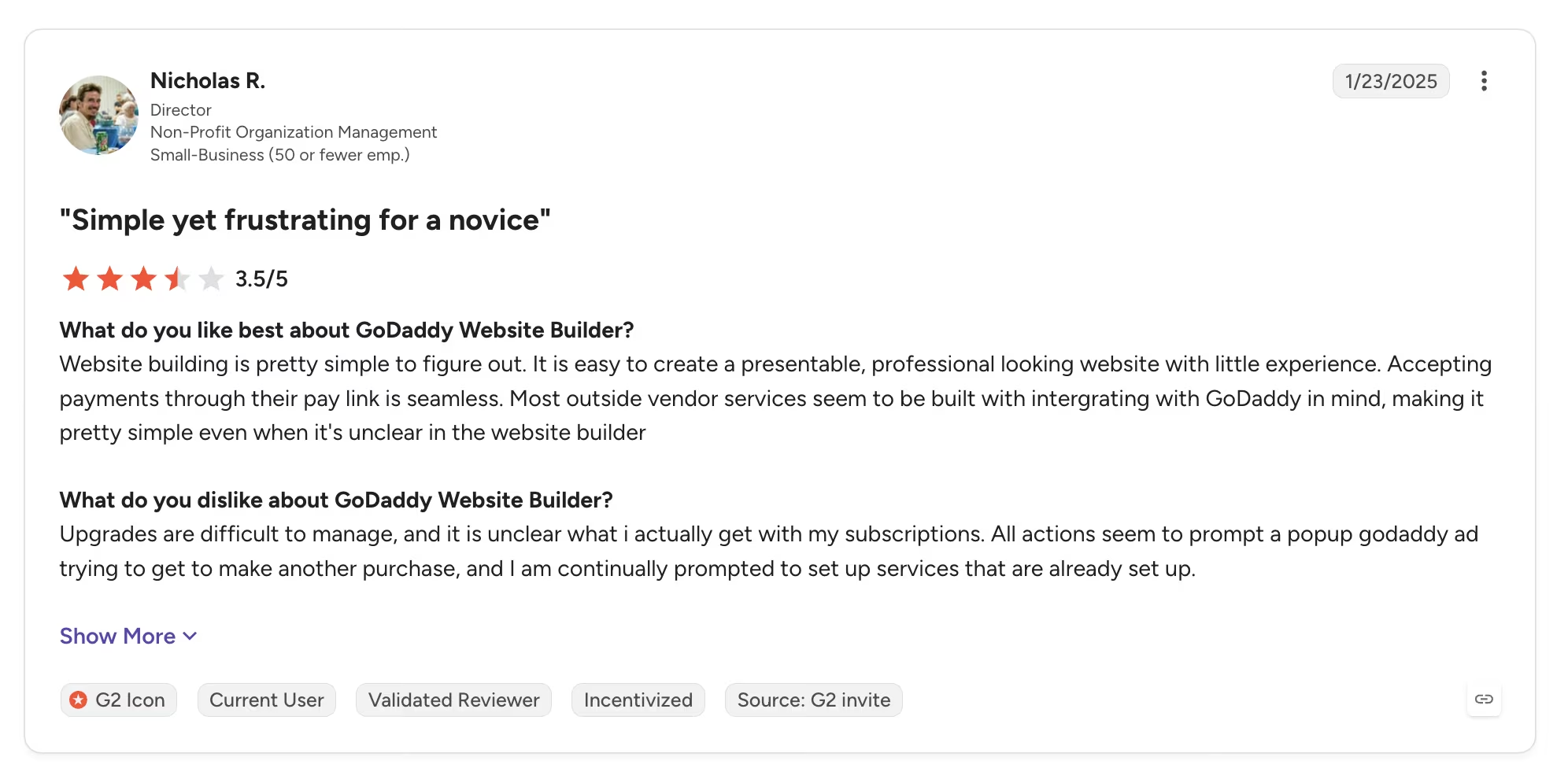
The recurring criticism is billing clarity. Nicholas R., a non-profit director, rated it 3.5 out of 5 on his G2 review and found that "it is unclear what I actually get with my subscriptions."
Bottom Line
Start on GoDaddy's free tier if you want to see what AI generation produces before spending anything. On price alone, WordPress.com and IONOS both beat it once you're paying.
7. Squarespace: Best if Design Is Worth Paying For

What it does: Squarespace is an all-in-one builder with a template library focused on design quality, plus hosting, scheduling, invoicing, and ecommerce, all under one subscription.
Best for: Service businesses and creatives where the site's main job is looking professional enough to win the inquiry, and where the design ceiling justifies the higher monthly rate.
Squarespace is where I go when design matters most, and it's my usual source of inspiration for layouts. The templates look more professional and put-together than most cheaper options, and the drag-and-drop editor stays easy to use.
Squarespace ranks last here for value for money, but it's still worth including because it's the one builder where paying more is defensible. The templates produce a better-looking site out of the box than anything else here.
Plans are available in four tiers: Basic, Core, Plus, and Advanced, and annual plans include a free custom domain for the first year.
On Basic, the fees add up faster than the subscription does. Basic carries a 2% transaction fee on online store sales and 7% on digital content and memberships, and it caps you at two contributors and 30 minutes of video storage.
Core costs $39/month, billed monthly, or $348/year ($29/month) annually. It removes the online store fee entirely, drops the digital fee to 5%, and lifts the contributor cap. If you sell anything at all, Core is the real entry point.
Also read our best Squarespace alternatives guide for what else is worth trying when the transaction fees or monthly rate become a concern.
Key Features
- Template quality: The strongest default designs of the seven, with no design work needed
- Scheduling and invoicing built in: Service businesses avoid two separate subscriptions
- Free custom domain for year one: Included with any annual plan
- 14-day trial with no card: Extendable once by a week, and annual plans are refundable for 14 days
Pricing
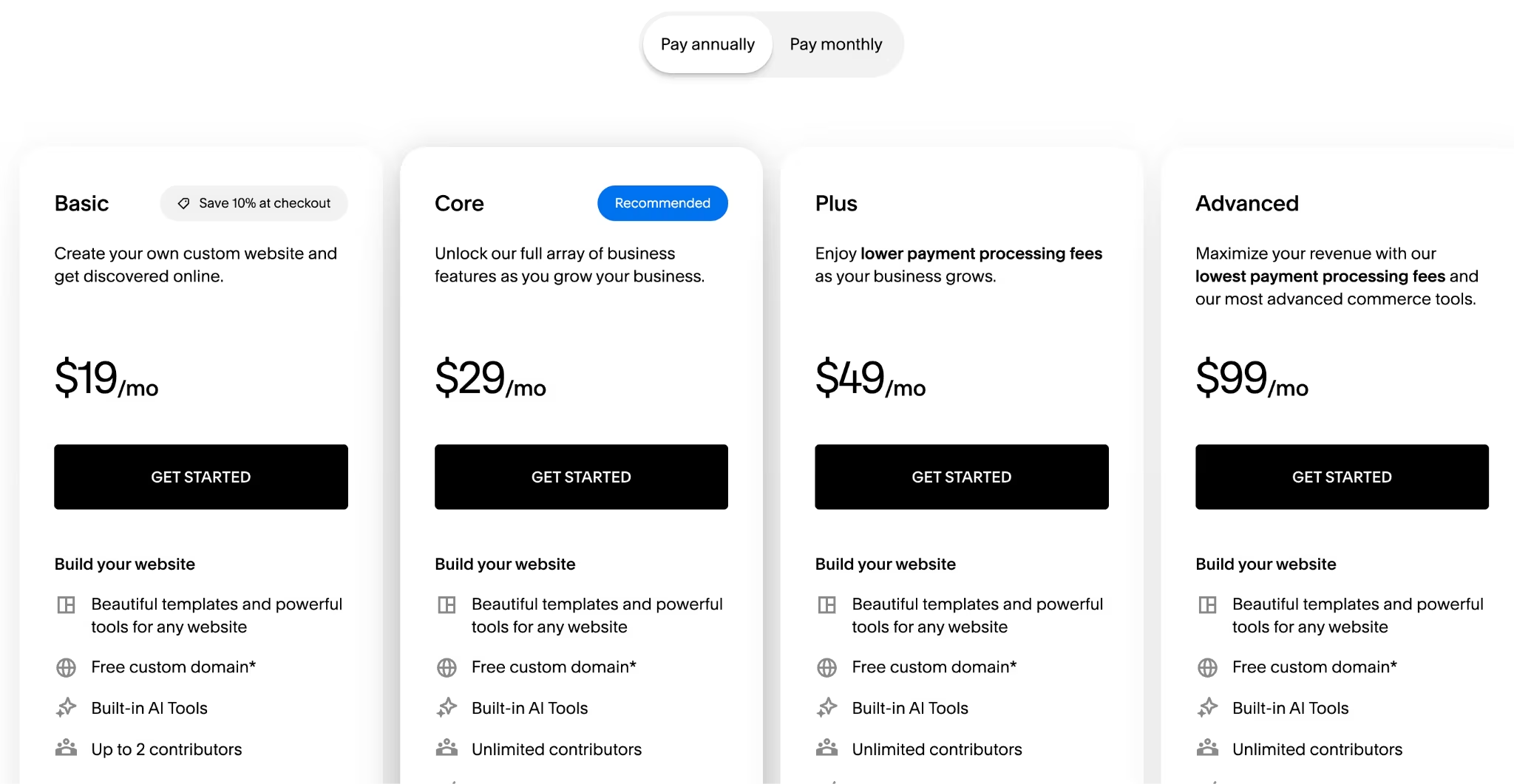
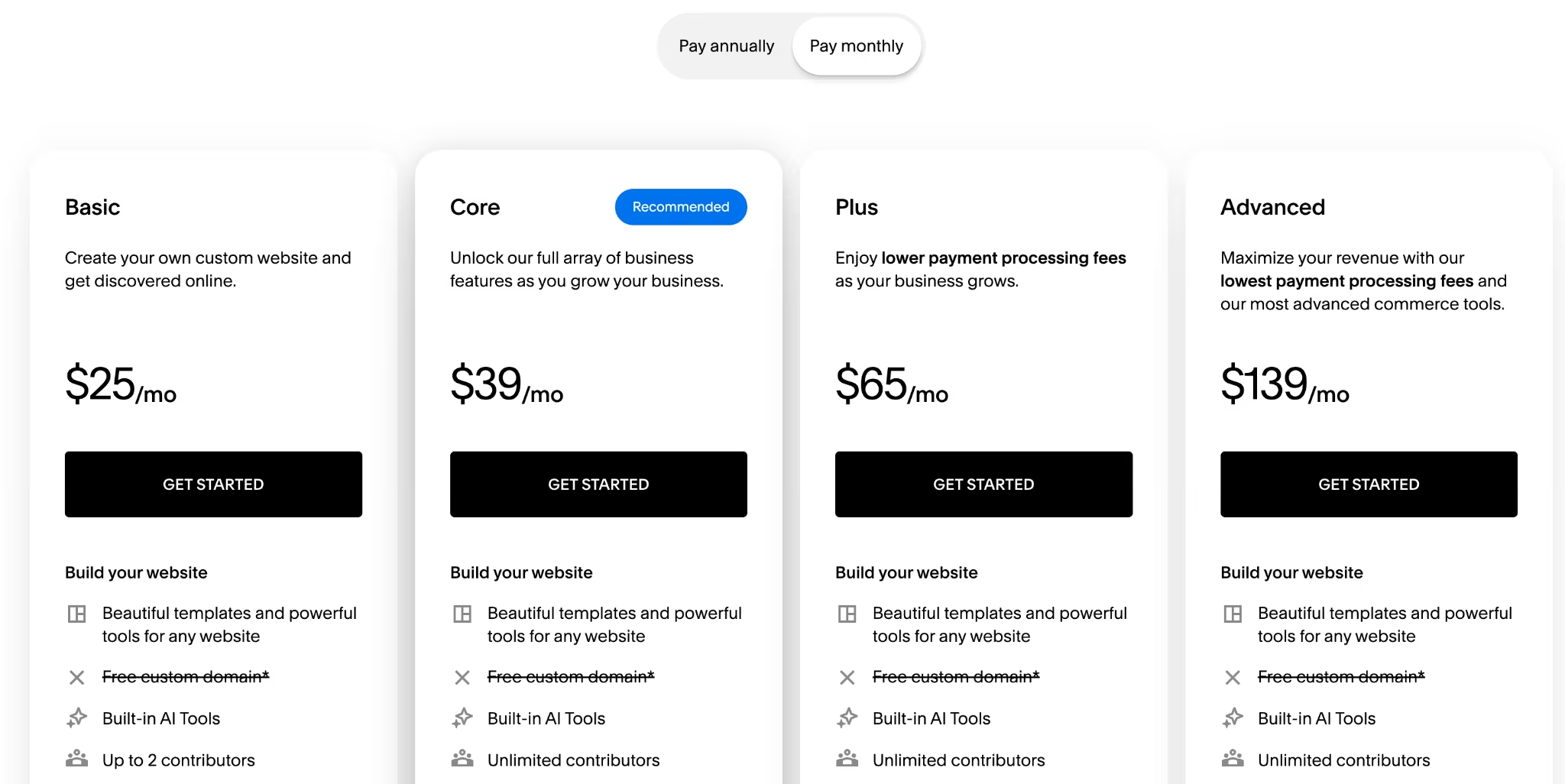
Squarespace has no free plan, only a 14-day trial that doesn't ask for a card. Basic runs $25/month ($19/month billed annually) and carries a 2% fee on online store sales.
Core runs $39/month ($29/month billed annually) and drops that fee to zero. Plus runs $65/month ($49/month billed annually), and Advanced runs $139/month ($99/month billed annually).
Pros and Cons
Pros:
- Best-looking sites here without hiring a designer.
- Flat, honest pricing with no first-term rate that jumps at renewal.
- Core and above charge 0% on online store sales.
- Unlimited contributors from Core up, against two on Basic.
Cons:
- The most expensive entry point of the seven.
- No free plan at all, only a 14-day trial.
- Basic's 2% store fee and 7% digital fee push most sellers up to Core.
- Reviewers consistently flag limited customization when you want something the template can't do.
What Users Say
Squarespace holds 4.4 out of 5 across 1,137 G2 reviews, and design quality is why people stay.
Designer Muzammil M. rated it 4.5 out of 5 in July 2026, writing in his G2 review, "I like the clean templates, organized editor."
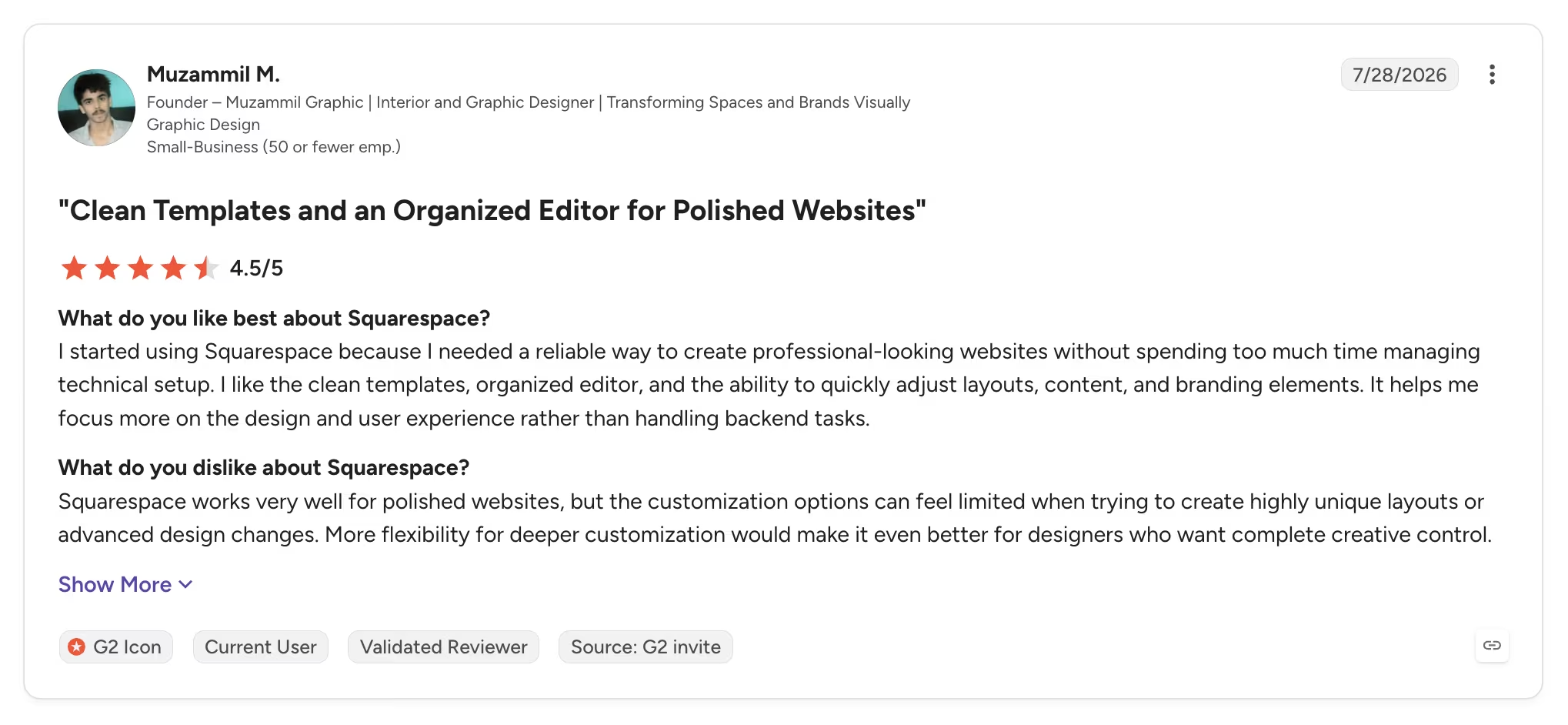
The most common criticism is the customization ceiling. Martha V. rated it 3.5 out of 5 in May 2026 and noted in her G2 review that "Squarespace forces you to use their layout, and changing that is simply impossible."
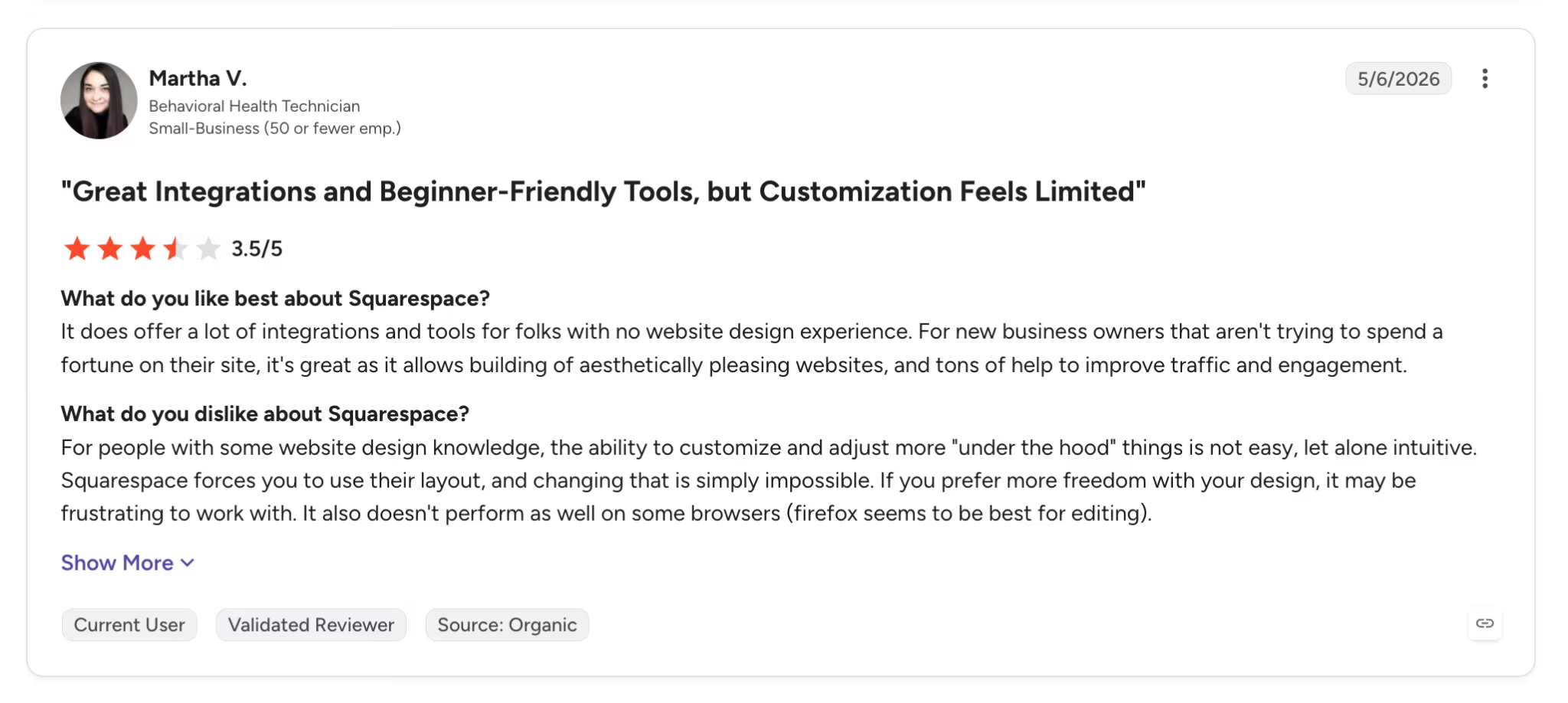
Want the full picture of what users are saying? Read our Squarespace Review for a closer look at what builders actually ran into.
Bottom Line
Design has to be doing real commercial work before the premium makes sense here. A photographer or a consultant whose site wins the inquiry can justify it. An internal tool, a landing page, or anything nobody judges you on cannot.
Want the full breakdown of what each plan actually covers? Read our Squarespace pricing guide before you commit.
Free Website Builders: What You Get for $0
Four of the seven here have a free tier, and they aren't equivalent. Wix's is the most complete, with hosting, the full editor, and the template library on a permanent free plan. GoDaddy's gives you 50 AI credits a month, Emergent's gives 10, and Carrd's covers three sites.
GoDaddy's gives you 50 AI credits a month, Emergent's gives 10, and Carrd's covers three sites. IONOS and Squarespace have none, and Squarespace runs a 14-day trial, so IONOS is the only builder here where the cheapest entry is still a purchase.
Google Sites is the one worth knowing about outside this list. It's free with any Google account, there are no hosting fees, and it publishes to a sites.google.com address.
There's no store, no payment handling, and little design control. That suits an information page, an intranet, or a community site rather than a business trying to sell.
The limit on all of them is the same. A free plan is a fine place to build and test, and a poor place to send customers. The platform's branding and address do the talking before your copy does.
Should You Hire Someone Instead of Using a Builder?
For most small sites, no. A builder costs $19 to $228 a year, and a freelancer costs more than that in a single afternoon.
Freelancers typically charge $50 to $150 an hour, or roughly $1,500 to $8,000 for a small business site. Agencies start higher again. What you buy at that price is custom design, judgment about structure, and someone to call when it breaks.
Hire a person when the site has to do something unusual, when brand design is doing real commercial work, or when your time is worth more than the learning curve. Use a builder when the site is a credible five-page presence, a portfolio, or a landing page.
Our breakdown of what it costs to create an app runs the same comparison for software rather than sites.
Which Affordable Website Builder Should You Choose?
The answer comes down to what the site has to do. Price the plan against the site you're building now.
Choose Emergent if you:
- Need bookings, logins, or payments without jumping a pricing tier for them.
- Would otherwise be stacking a builder plus three paid add-ons.
- Want to keep the code so the site can move later.
Choose WordPress.com if you:
- Want the lowest possible cost for a real multi-page site.
- Can pay a year upfront and accept the step up at renewal.
- Need plugins more than pixel-level design control.
Choose Wix if you:
- Want to build the finished site before spending anything.
- Need an app market to add functions as the business grows.
- Are fine landing on the $29/month Core plan for payments.
Choose Carrd if you:
- Genuinely need one page and know it.
- Want the lowest annual cost available anywhere.
- Don't need a blog or a product catalog.
Choose IONOS if you:
- Want the lowest possible first-year cost and know the site's lifespan.
- Plan to move before the renewal lands.
- Don't need an online store.
Choose GoDaddy if you:
- Want to generate a real site with AI before paying anything.
- Already keep your domain and email there.
- Prefer monthly billing to a prepaid term.
Choose Squarespace if you:
- Sell on the site's appearance.
- Want scheduling and invoicing without extra subscriptions.
- Can absorb a higher monthly rate for better defaults.
Skip all seven if you:
- Need a high-volume store where a dedicated ecommerce platform costs less in fees.
- Have an existing site on a platform that works, since migration usually costs more than the savings.
Final Thoughts
The cheapest affordable website builders in 2026 are cheap in different ways, and their entry prices don't compare cleanly. WordPress.com's $4 is a first-year rate. Carrd's $19 is for a whole year.
Work backward from the job. A one-page profile costs $19/year on Carrd, and anything more is a waste. A five-page brochure site is WordPress.com's territory, provided the renewal doesn't surprise you.
A site that books clients or takes payments is where the template builders stop being the cheap option. That's where Emergent's $20/month starts undercutting the tier upgrades and add-ons you'd otherwise stack up.
The number nobody prints on a pricing page is the cost to leave. Sites built in a closed drag-and-drop editor have to be rebuilt elsewhere, and that bill lands the same month as the renewal.
Ready to Build Your First App on Emergent?
If your site needs to do more than sit there, this is what makes Emergent worth pricing against a tier upgrade elsewhere.
- Skip the business-tier upgrade: Bookings, sign-in, and payments come with the plan.
- Judge it before you pay: Ten monthly credits are enough to generate a real site.
- Keep what you build: Exportable code means switching later starts from what you have.
- Use a domain you already own: Point it at the site, or buy one through the IONOS integration.
- Save $36 a year: Annual billing brings the standard pricing from $20/month down to $17/month.
Try building your first website on Emergent.

Emergent designs, writes, and publishes your whole site from one prompt. No templates, no drag-and-drop.
- Full site from one prompt
- Custom design, real pages
- Publish in minutes







