




App building software now covers everything from conversational AI builders to visual editors and mobile-focused tools. The best choice comes down to what you're building, where it needs to run, and how much of the build you want to do yourself.
To help you narrow the list, I reviewed 11 serious options using official product information, pricing, publishing documentation, and user feedback.
What Is App Building Software?
App building software helps you create a working application without starting every part from scratch. Depending on the product, you might describe the app in normal language, arrange screens visually, connect business data, work with generated code, or combine several of those approaches.
The category is wider than “no-code.” It covers tools for web apps, native mobile apps, internal business tools, customer portals, marketplaces, and software products.
That distinction is important because two products called “app builders” can give you completely different building experiences.
The Main Types of App Building Software
App building software falls into several broad groups:
- AI-first builders: Products such as Emergent start from a conversation. You explain what you want the application to do, then AI handles more of the initial building work.
- Visual builders: Bubble puts screens, data, and workflows into an editor where you configure how the application behaves.
- Visual builders with code access: FlutterFlow combines visual development with direct access to generated Flutter code. Tools that mix visual building with optional code are often described as low-code.
- Data-first builders: GlideOS can start from a spreadsheet, prompt, PDF, or screenshot, with a particular focus on internal business applications.
- Mobile-first builders: Thunkable focuses on iOS and Android apps, with AI and visual tools built around the mobile workflow.
- Coding frameworks: Flutter, React Native, and .NET MAUI give developers code-first ways to build across multiple platforms. They suit teams that want direct control over the codebase.
- Native development tools: Android Studio is Google's official development environment for Android, while Xcode is Apple's development environment for its platforms. These tools give developers the most direct route to platform-specific development.
If You're Looking for a More Specific Type of App Builder
If ease of building without traditional code is your priority, no-code app builders can be a good place to start, particularly for solo or nontechnical users who want to get an app up and running without relying on a developer.
For growing teams or more technical environments, app-building platforms offer more room to consider factors such as integrations, scalability, governance, and custom-code options as requirements become more complex.
Stay here if you want the general buyer view across the whole category.
How I Researched and Compared These App Building Software Tools
I reviewed each product's pricing page, plan details, publishing documentation, and user feedback on G2 and Trustpilot. I then compared the tools using the same six criteria below.
I started with 11 contenders. WeWeb, Softr, Lovable, Base44, Adalo, and AppSheet made the wider shortlist but landed in honorable mentions because their strongest use cases are narrower than my five main picks.
Emergent has also compared a wider range of AI app-building tools if you want to narrow the choice specifically to AI-led products.
I used six comparison criteria:
- App fit: What kind of product is the tool especially suited to building?
- Build style: Do you work through prompts, visual editing, business data, code, or a mix?
- Ease of entry: How much does a first-time builder have to learn before the product becomes useful?
- Publishing options: Can the app run on the web, mobile stores, or both?
- Pricing model: What is the free entry point, first paid tier, and main usage meter?
- Room to grow: Can another person or developer take over when the project needs more expertise?
Read More: 7 Application Development Tools, One Clear Verdict Each
5 Best App Building Software Tools Quick Comparison
The main differences are app type, build style, output, and entry price.
Read More: 9 Best Free AI App Builders That Let You Ship Real Apps in 2026
1. Emergent for AI-First Web and Mobile App Building
Emergent's aI app builder is my first pick for founders and operators because it starts with the outcome they already understand: what they want the product to do.
What it does: Emergent lets you describe a web or mobile application through conversation while AI agents handle the building process. Standard adds private project hosting and GitHub integration.
Best for: Founders, consultants, service-business owners, and small teams with a clear business problem but limited interest in learning visual programming before they can build.
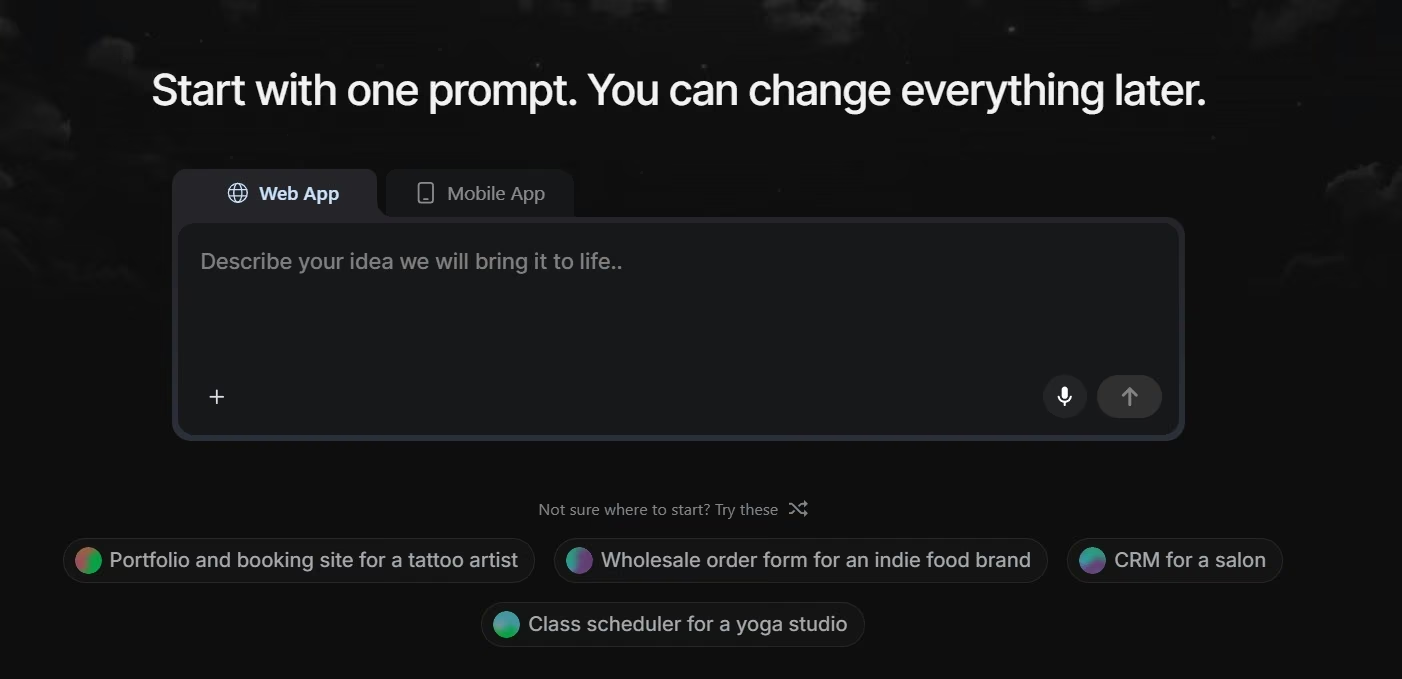
The difference is most obvious at the starting line. With Bubble, you eventually need to understand Bubble's own workflow system. With FlutterFlow, a larger app can pull you toward data structures, mobile-development concepts, and custom code.
Emergent hands more of that translation work to its agents. Some work on the interface, others handle logic and integrations, and testing agents check the build as it develops.
Standard includes 100 monthly credits, private project hosting, GitHub integration, and fork tasks.
Pro raises the allowance to 750 monthly credits and adds a 1 million-token context window, Maxx mode, System Prompt Edit, custom AI agents, and higher-performance computing.
Credit use is the tradeoff I'd pay most attention to. A prompt-led builder encourages iteration, and those iterations consume part of your allowance. User reviews are mixed on this point, with positive feedback around accessibility and critical feedback around needing more credits during repeated changes.
Emergent has also added Emmy, its built-in AI assistant. Emmy is available inside the browser product and can help turn a rough idea into a clearer build prompt, answer credit questions, explain product options, and guide publishing. Talking to Emmy itself costs no credits.
That is useful for a first-time builder, who can ask questions about the process before turning every uncertain idea into another paid build action.
Key Features
The features that matter most here are:
- Conversational building: Start with the outcome and workflow you want instead of assembling every screen manually.
- Web and mobile projects: Free and paid plans support web and mobile experiences.
- Private hosting: Standard adds private project hosting for work you don't want publicly exposed while building.
- Integrations: Connect GitHub for version control, Stripe for payments, Supabase for app data, and Twilio for messaging.
- MCP Connector: Build and manage Emergent apps from ChatGPT or Claude, then move into Emergent when you're ready to publish.
Pros and Cons
Pros include:
- Plain-language building suits people who understand the business problem better than software architecture.
- One product covers both web and mobile projects.
- GitHub support gives technical teammates a clearer handoff route.
- Emmy answers planning and product questions without using build credits.
Cons include:
- Repeated generation and fixes can make credit usage a major part of the cost.
- The 10-credit Free allowance leaves little room for exploring a larger project.
- Pro is a large price jump from Standard.
What Users Say

Tjokro gave Emergent five stars on Trustpilot and described it as “very simple and easy to use.” Tjokro said they could build software by describing what they needed through prompts without understanding complex coding.
The main complaint in more critical reviews is credit use during repeated changes and fixes. Emergent is easier to budget when you start with a clear first version.
Pricing
Emergent is free to start. Paid plans begin with Standard at $20/month ($17/month billed annually) and Pro at $200/month ($167/month billed annually), while Business and Enterprise are both priced custom.
Bottom Line
I rank Emergent first for someone who has an app idea but doesn't want to learn visual programming before they can build it.
Choose Bubble instead when you want to control detailed visual workflows yourself. Move FlutterFlow ahead when the project is mobile-first and downloadable Flutter code is a major requirement.
2. Bubble for Complex Visual Workflows
Bubble is the strongest main-list option for buyers who want a visual system with deep control over how an application behaves.
What it does: Bubble combines a visual interface, workflows, stored data, integrations, hosting, and support for web and native iOS and Android applications. Web + Mobile projects can share their underlying data and workflows.
Best for: Marketplaces, portals, software-as-a-service products, and other applications where you want direct control over rules and user actions instead of having a prompt make most of the decisions for you.
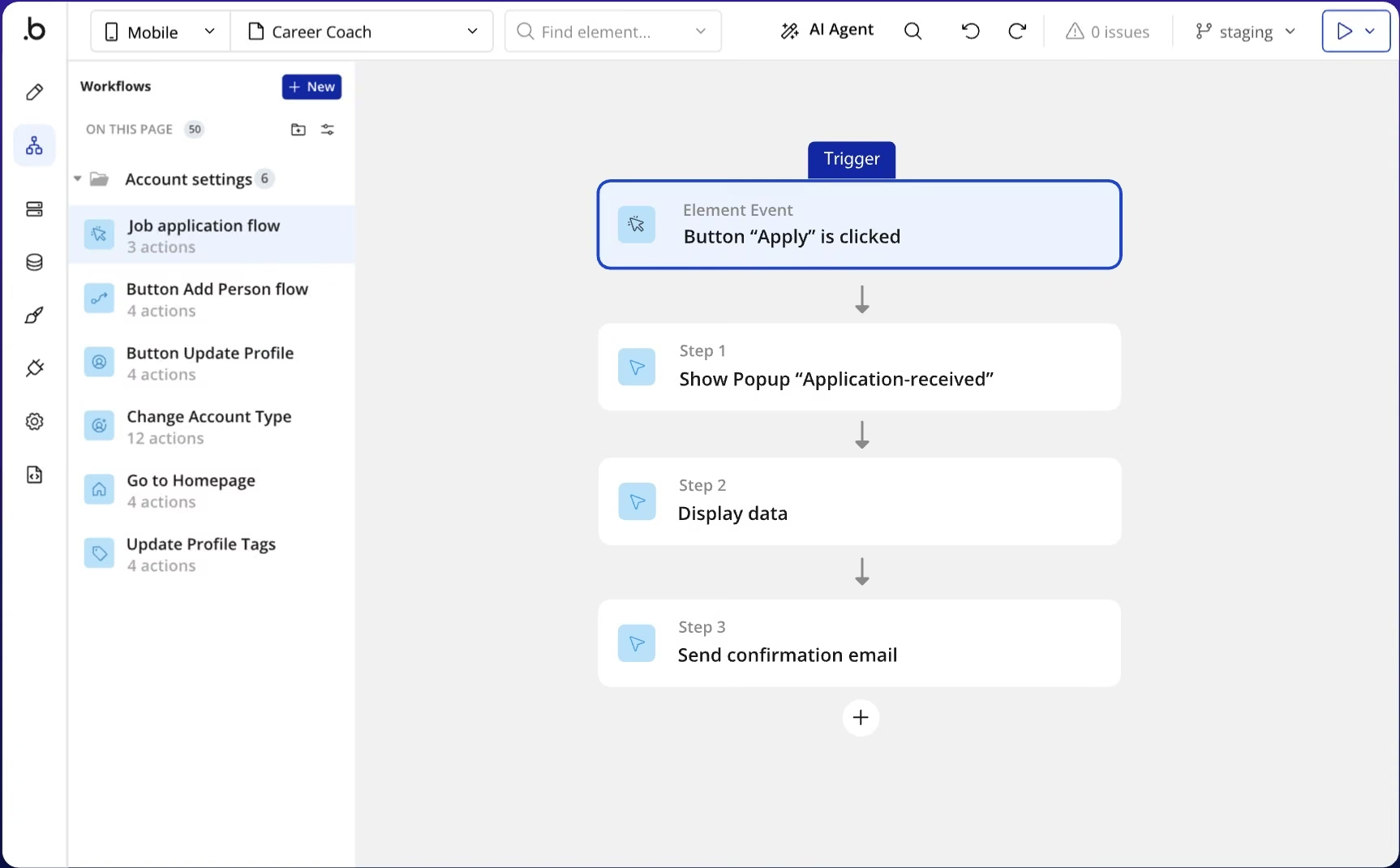
The reason Bubble sits second is that its power and its learning curve come from the same place.
You can control what happens when someone clicks a button, what data they see, which rules apply, and how the app responds to different conditions. Bubble becomes a serious option once your app has real business rules behind the screens.
Its mobile story has also changed. Bubble now supports web-only, mobile-only, and combined Web + Mobile plans.
The tradeoff is that you are learning Bubble's way of building software. G2 reviewers praise faster development and templates, while the review summary also flags a steep learning curve among recurring drawbacks.
Bubble also measures the server work behind your application using workload units (WU). Database operations, workflows, web requests, and other activity contribute to workload use, so a live app's cost can depend on how much work it asks Bubble to do.
Bubble works best for someone willing to learn its system. If your priority is getting from an idea to a working app with less setup, Emergent is easier to start with.
Key Features
The features that matter most here are:
- Visual workflows: Build detailed behavior around actions, data changes, and conditions.
- Web and native mobile: Plans support browser apps and iOS or Android apps.
- Shared projects: Web + Mobile projects can share data and workflows.
- Managed runtime: Bubble handles the environment in which the live application runs.
Pros and Cons
Pros include:
- Deep visual control suits apps with lots of business rules.
- Web and native mobile can live inside one project.
- Built-in data and hosting reduce the number of separate services you have to assemble.
- A mature community gives you more places to find tutorials and help.
Cons include:
- Advanced projects require you to learn Bubble's workflow model.
- Bubble apps remain dependent on Bubble's underlying platform code.
- Workload usage adds another pricing variable after launch.
What Users Say
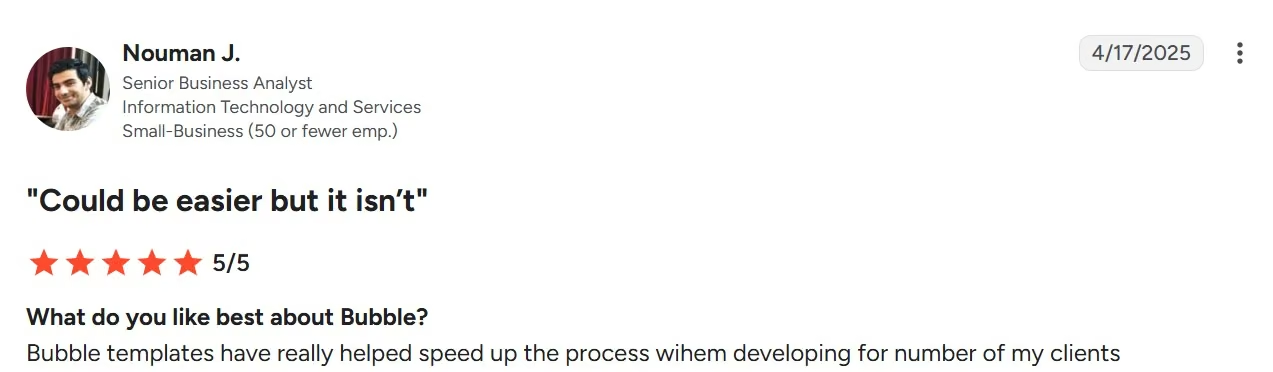
Nouman J. praised Bubble for speeding up client work. In the G2 review, Nouman said Bubble's templates “helped speed up the process” when developing client projects.
Other Bubble reviews point to the learning curve as the main tradeoff. The visual editor gives you a lot of control, but learning how Bubble handles workflows and data takes time.
Pricing
Bubble is free while you're building. Web + Mobile plans start with Starter at $69/month ($59/month billed annually), while Growth costs $249/month ($209/month billed annually) and Team costs $649/month ($549/month billed annually).
Bubble also offers separate web-only and mobile-only plans at lower starting prices, while Enterprise uses custom pricing.
Bottom Line
Choose Bubble when you want to see and control the application's rules rather than having an AI agent make most of those decisions for you.
It earns second place here because that flexibility serves a wide range of apps, but the learning commitment is larger than Emergent for the founders and operators this article prioritizes.
3. FlutterFlow for Mobile Apps With Source-Code Control
FlutterFlow is the strongest pick in this list when mobile is the center of the product, and you want a visual builder that can hand you the Flutter source code.
What it does: FlutterFlow provides a visual development environment for mobile, web, and desktop applications. Its Basic plan adds unlimited projects, source-code and APK downloads, local-device testing, and one-click app-store deployment.
Best for: Mobile-first startups, product designers, agencies, and mixed technical teams that want visual speed without giving up the option to work directly with Flutter later.
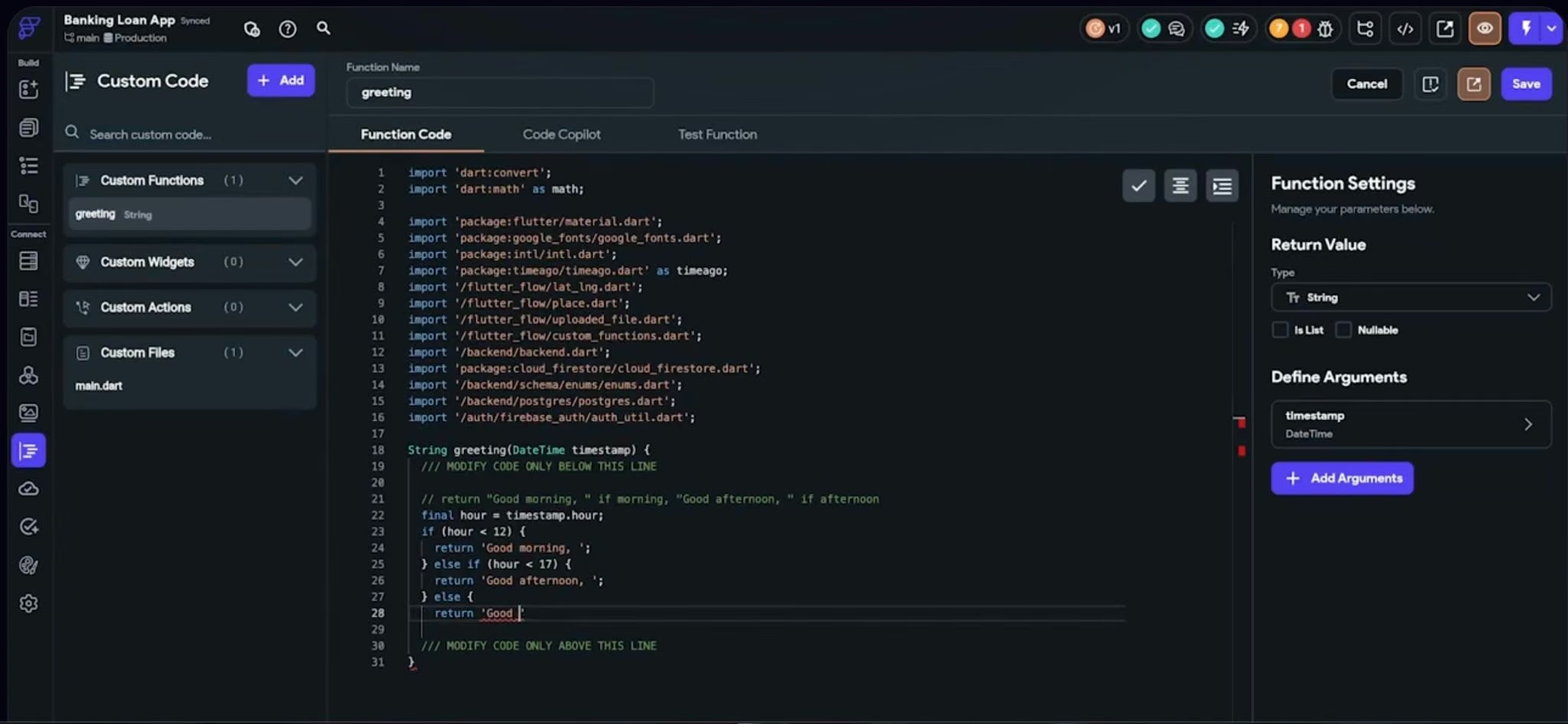
FlutterFlow is the visual product you build in. Flutter is the Google-backed framework underneath it, which is why the two names sometimes get mixed up.
That distinction changes the buying decision. The result is a visual builder that gives paid customers a Flutter project and access to its generated source code.
For someone starting with a visual builder, the appeal is easy to understand. You can build screens visually and publish to app stores without starting in a traditional coding environment. If a developer joins later, the project has a clearer route into normal Flutter development.
That freedom comes with a higher learning ceiling. Firebase, Supabase, application programming interfaces (APIs), state, and custom code can all become part of a larger FlutterFlow project. The interface cuts the manual work, but you still have to understand how the pieces of a bigger app fit together.
G2 feedback reflects both sides. Ease of use and rapid development appear among the positive themes, while reviewers also mention a steeper learning curve and the value of coding knowledge when using more advanced capabilities.
Key Features
The features that matter most here are:
- Cross-platform development: Build mobile, web, and desktop apps.
- Code download: Basic includes downloadable source code and APK files.
- Store deployment: Basic includes one-click app-store deployment and local-device testing.
- Developer collaboration: Growth adds GitHub integration, real-time collaboration, branches, and Visual Studio Code support.
Pros and Cons
Pros include:
- Mobile-first visual development without closing off source-code access.
- Direct app-store publishing tools on Basic.
- Good path for bringing Flutter developers into the project later.
- Support for both visual work and deeper custom development.
Cons include:
- Complex projects still require technical concepts.
- GitHub collaboration starts above the Basic tier.
- External services such as your chosen database can bring separate costs.
What Users Say
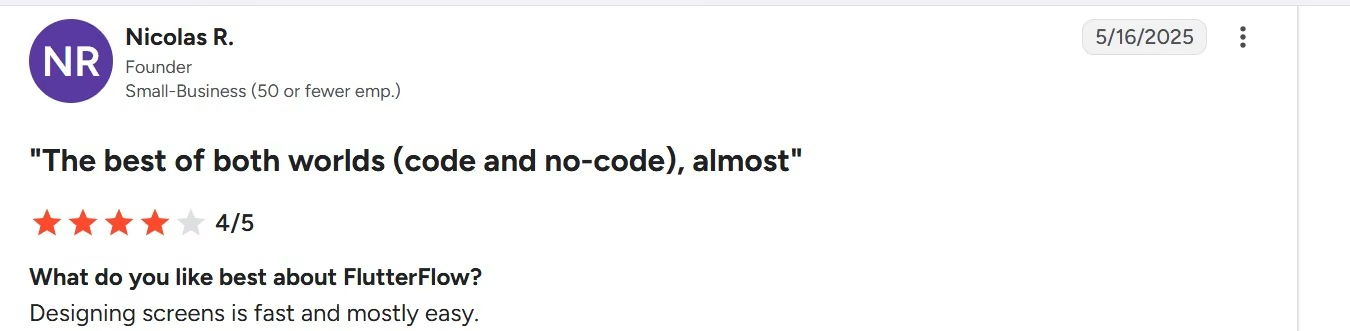
Nicolas R. described FlutterFlow's visual building experience as quick to work with. The G2 review says, “Designing screens is fast and mostly easy,” and also praises the option to add custom code and move into a full Flutter app later.
Pricing
FlutterFlow is free to start. Basic is $39/month ($29.25/month billed annually).
Growth costs $80/month for the first seat and $55/month for the second, or $60 and $41.25 with annual billing. Business costs $150/month for the first seat and $85/month for seats two through five, or $112.50 and $63.75 with annual billing. Enterprise uses custom pricing.
Bottom Line
Put FlutterFlow above the other tools if your question when buying starts with “mobile app” and ends with “a developer may own this later.”
It ranks below Bubble in this broad parent guide because FlutterFlow's strongest advantage is more specific. For the right mobile project, that specificity is exactly why I would choose it.
4. GlideOS for Internal Business Apps
GlideOS is the most distinct tool in the top five because it starts from the business data you already have.
What it does: GlideOS is an AI software-development product for internal business applications. You can start from a spreadsheet, prompt, PDF, or screenshot, and its agent builds around that information.
Best for: Operations teams, agencies, property managers, service businesses, and other organizations replacing spreadsheets or manual processes with software.
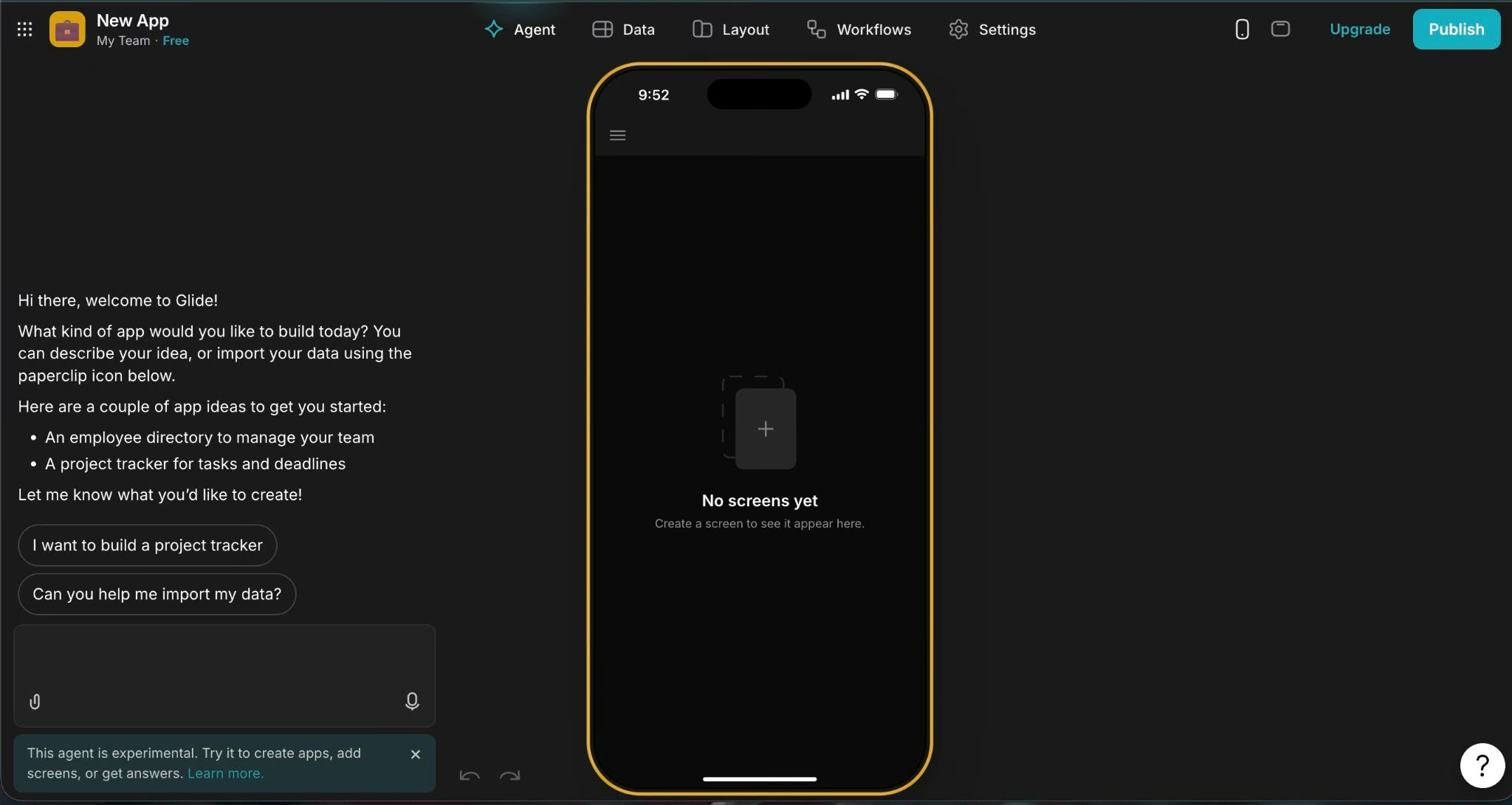
A property-management team might already track maintenance jobs in a spreadsheet, with addresses, tenants, contractors, statuses, costs, and dates sitting in rows and columns.
GlideOS fits that problem naturally. Instead of beginning by drawing an application screen, you can give the platform the business information that already describes the process.
Glide calls its spreadsheet interpretation system SheetSense. It reads the data, formulas, and structure in a spreadsheet to give GlideOS more context for the app.
A spreadsheet isn't required, because GlideOS can also begin from a prompt, PDF, or screenshot, but business data remains central to the product's positioning.
GlideOS is separate from Glide Classic. It has its own projects and pricing, and Glide says there is no migration tool between the two products.
I rank it fourth because that focus makes it excellent for internal business apps and less compelling for consumer mobile products. If you want a consumer mobile application built around app-store distribution, FlutterFlow or Thunkable starts closer to that job.
For an operations team trying to turn an ugly spreadsheet into software people will actually use, GlideOS deserves to be much higher on the shortlist.
Key Features
The features that matter most here are:
- Several starting points: Begin from a spreadsheet, prompt, PDF, or screenshot.
- Internal-app focus: GlideOS plans are optimized around internal business applications.
- Database included: Solo and higher tiers include a database.
- Team controls: Team adds member-only sign-in, while Enterprise adds single sign-on, custom connectors, backups, and higher support levels.
Pros and Cons
Pros include:
- Business data gives the AI useful context from the start.
- Internal tools are a core use case.
- You can begin with formats people already use at work.
- Solo includes five projects and a database.
Cons include:
- GlideOS is separate from Glide Classic and has no easy migration path.
- AI building uses credits.
- Its core positioning is less suited to native consumer mobile apps.
What Users Say
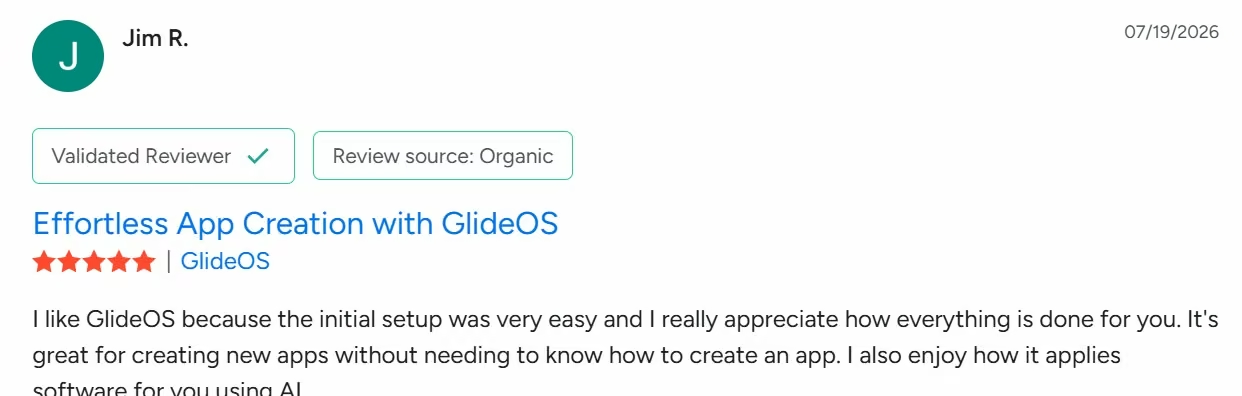
Jim R. called GlideOS's initial setup “very easy” in a July 2026 G2 review. Jim also liked how much of the initial setup GlideOS handled automatically.
The bigger concern is predicting how many credits a project will use. That becomes more relevant with larger internal apps that need several rounds of changes than with a small first project.
Pricing
GlideOS is free to try. Solo starts at $25/month, Team costs $125/month plus $10 per member, and Enterprise uses custom pricing. Glide says annual GlideOS plans are coming soon, so there is no annual rate to list yet.
Bottom Line
Choose GlideOS when the problem begins with business data, spreadsheets, or an internal process that has outgrown its tools.
That job is narrow enough to keep GlideOS below the first three overall, but strong enough that I wouldn't replace it with a more generic fifth visual builder.
5. Thunkable for Beginner-Friendly Native Mobile Apps
Thunkable gives a first-time mobile builder a more guided route into iOS and Android than a developer-oriented mobile stack.
What it does: Thunkable combines AI generation, a visual building environment, and mobile publishing. Plans include AI tokens, private-project allowances, and different limits around live published applications.
Best for: Beginners, educators, small businesses, and founders whose first question is “How do I make a mobile app?” rather than “How do I build a large software system?”
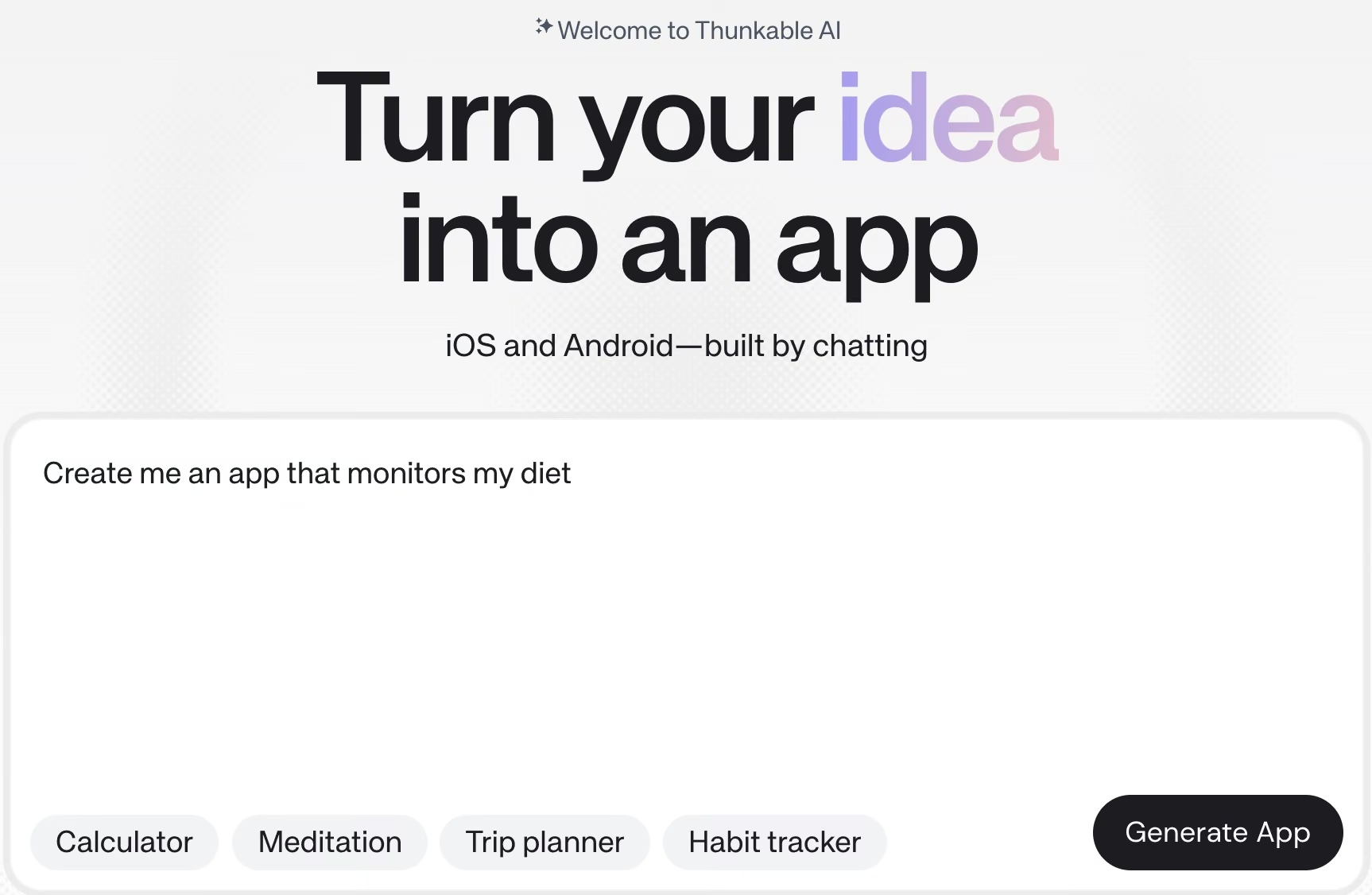
Thunkable makes the list because it does one important job clearly. It keeps iOS and Android at the center of the product.
Its newer conversational interface also makes that entry point easier.
Compared with FlutterFlow, the tradeoff is straightforward. Thunkable is easier to start with if you want to build a mobile app without learning Flutter concepts. FlutterFlow is the better fit if you want source-code access or expect a developer to take over later.
Pricing needs a closer read than the $19 headline. Accelerator gives you a private project and more AI tokens, but Builder is the first plan with one live published app. Advanced removes the live-app limit.
Thunkable requires an active subscription for published apps to remain active. Apple and Google developer licenses are separate costs when you publish to their stores.
For a first version you're testing internally, Accelerator can make sense. If your goal is a branded app that stays live for customers, price the project from Builder rather than assuming the cheapest paid tier represents the real publishing cost.
Key Features
The features that matter most here are:
- AI-assisted building: Paid tiers include larger AI-token allowances for generative features.
- Private projects: Accelerator includes one private project.
- Live publishing: Builder includes one live published app, while Advanced includes unlimited live published apps.
- Mobile-store path: Thunkable supports the developer-account workflow required for publishing to Apple and Google.
Pros and Cons
Pros include:
- Mobile is the main product experience rather than an add-on.
- The newer chat interface lowers the starting barrier.
- Several paid tiers let you match the plan to testing needs or a live customer app.
- Beginner-oriented visual building makes the product approachable.
Cons include:
- The cheapest paid tier doesn't include a live published app.
- An active subscription is required to keep current-plan published apps active.
- Advanced custom requirements can push against the boundaries of the simpler building model.
What Users Say
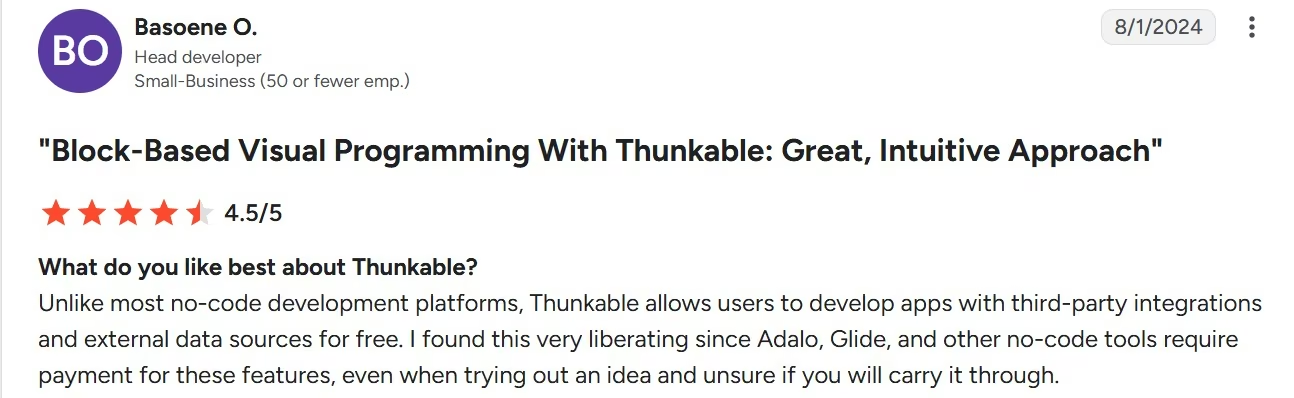
Basoene O. liked Thunkable's support for third-party integrations and outside data sources. The same review says integrations and API calls can take more steps than expected, so advanced workflows may need more setup.
Pricing
Thunkable is free to start. Accelerator is $19/month ($18/month billed annually), Builder is $59/month ($37/month billed annually), and Advanced is $189/month ($99/month billed annually). Enterprise and Education both use custom pricing.
Bottom Line
Pick Thunkable when native mobile is the goal, and you want the easiest starting experience among the dedicated mobile choices here.
Pick FlutterFlow when you're comfortable with a steeper learning path in return for stronger source-code control.
Other App Building Software Worth Checking Out
The main list stops at five because these six products make more sense once your requirements get narrower.
- WeWeb: WeWeb is a strong web-app option when visual editing, Vue.js code export, and self-hosting are central requirements. Code export and self-hosting are included on every paid plan, with paid seats starting at $25/month ($20/month billed annually). Its clearest advantage fits the extensibility and web-app lens more than this broad roundup.
- Softr: Softr is well suited to portals and structured business applications. It's free to start, with Basic at $25/month ($19/month billed annually). It stays outside the top five because portals and structured business apps are a narrower job than the main categories above.
- Lovable: Lovable is a conversational builder for web apps and gives you ownership of generated code. Pro starts at $25/month ($21/month billed annually). It stays outside the top five because it builds web apps, not installable iOS or Android apps, so native app-store publishing isn't part of the product.
- Base44: Base44 is a prompt-led app builder with a built-in backend and database. Starter costs $20/month ($16/month billed annually) and includes in-app code editing, while GitHub integration starts on Builder. It stays outside the top five because its AI-first use case overlaps with Emergent.
- Adalo: Adalo is a visual builder for web, iOS, and Android apps, with publishing built into its paid plans. Starter costs $45/month ($36/month billed annually). It stays outside the top five because its strongest fit is dedicated visual and mobile building, which is already covered more deeply by the main picks.
- AppSheet: AppSheet is a strong option for turning spreadsheets and business data into internal apps, especially for teams already using Google Workspace. Starter costs $5/user/month. It stays outside the top five because its strongest fit is structured internal workflows rather than the broader range of app-building jobs covered above.
Which App Building Software Should You Choose?
Pick your app building software by the job you need finished. Focus on what you're building, where it runs, and how much of the build you want to control.
Choose Emergent if you:
- Want to begin by explaining the application in plain language.
- Are a founder or operator rather than a software engineer.
- Need a web or mobile product.
- Want AI to handle more of the build process.
Choose Bubble if you:
- Need lots of custom workflows and business rules.
- Prefer direct visual control.
- Want web and native mobile experiences to share data and logic.
- Are prepared to learn Bubble's building model.
Choose FlutterFlow if you:
- Are building mobile first.
- Want downloadable Flutter code.
- Expect a developer to become involved later.
- Prefer visual building with a higher technical ceiling.
Choose GlideOS if you:
- Already have business data in spreadsheets or files.
- Need an internal tool rather than a consumer app.
- Want to replace a manual company process.
- Prefer giving the builder existing business context.
Choose Thunkable if you:
- Want a beginner-friendly mobile builder.
- Need iOS or Android publishing.
- Prefer AI and visual tools over a traditional mobile-development setup.
- Don't need Flutter source-code ownership.
The split also tells you when to leave this guide. If “without code” is the deciding requirement, use the no-code roundup. If governance, integrations, scale, or technical escape hatches dominate the decision, use the app-building-platforms guide instead.
Final Verdict
Emergent is my first app-building software pick for founders and operators who aren't developers because its conversational model covers the broad “I know the app I want, but I don't want to become an app developer first” problem.
Bubble is the stronger visual choice for detailed workflows. FlutterFlow gets my mobile-first recommendation when source-code access is a priority. GlideOS wins when you’re starting with an internal business process, while Thunkable gives beginners a simpler path to building native mobile apps.
Start building with Emergent.
Most builders stop at a prototype. Emergent ships real web and mobile apps, with accounts, databases, and payments included.
- Production-ready apps
- Web & mobile apps
- Deploy in minutes







