



TL;DR
Quick picks, in order:
- Emergent: Best for a fully custom product, complete with its own interface, stored data, and hosting, once a templated site can't keep up.
- Wix: Best for a single plan that covers shop, booking, and loyalty natively.
- Squarespace: Best for polished design, with booking sold as a separate product.
- Shopify: Best for ecommerce depth when selling products is the whole business.
- GoDaddy: Best for bundling a domain, site, and store under one account.
- WordPress.com: Best for owning your content outright, with named booking and loyalty plugins to pick from.
Somewhere between the third customer who asks, "Do you have a website?" and the moment a competitor shows up first in search and you don't, you decide it's time to build a website. You don't have time to learn to code, and hiring a developer isn't in the budget.
Every business website builder's homepage promises easiest, cheapest, most complete. I wanted to see what happens after you sign up and try to build a real shop page with a working cart.
I tested more than a dozen business website builders and narrowed the list to six, building the same small shop on each one. By the end, you'll know which builder fits your business and your budget.
Which Business Website Builder Should You Choose?
- Choose Emergent if you need custom booking logic, stored data, or a path to a mobile app, the kind of thing a themed drag-and-drop builder can't stretch to. Skip it if you just want a simple brochure site live today with no setup; a template builder gets you there faster.
- Choose Wix if you want shop, booking, and loyalty all live on a single plan without adding a second product. It won't fit if you need any of that live for free, since booking, checkout, and loyalty all build out on the free tier but stop working until the site upgrades to Core.
- Choose Squarespace if design polish matters most and you're comfortable paying for Acuity Scheduling separately. Skip it if booking needs to be bundled into one bill.
- Choose Shopify if selling products is the entire business and appointments aren't part of it. It's the wrong pick if a service business needs booking from day one, since nothing about Shopify handles that natively.
- Choose GoDaddy if you want your domain, site, and store under one account. It comes up short if online loyalty matters, since GoDaddy's loyalty feature only applies to in-person purchases through its Smart Terminal.
- Choose WordPress.com if you want to own your content outright and expect to add more tools over time through plugins. It's a heavier lift if you want something live today without installing WooCommerce and a booking plugin yourself.
How I Tested These Business Website Builders
I signed up for all six and gave each one the same prompt. One of the six is Emergent, our own product. It's covered first in the breakdown below, tested and scored with the same pros, cons, and cost detail as the other six.
What each one received:
Build a website for Marigold & Twine, a small boutique that sells home goods and gifts. Use a sage green and cream color palette. I need:
- A home page with a hero and value prop
- A shop page with at least 3 products and a working cart/checkout
- A contact page with a form and a way to book a shopping appointment
- A loyalty points system where customers earn points on purchases and can see their points balance
While building, I paid attention to five things:
- Setup time. How long it took from account creation to a publishable site.
- Native versus bolted on. Whether cart/checkout, booking, and loyalty were native features or had to be added separately.
- Actual cost. What the plan cost to run this exact build, not the price advertised on the homepage.
- Mobile. How the mobile version of the site held up.
- One surprise. One thing that worked better or worse than the marketing page promised.
Three platforms didn't make the final five.
Canva was the first to go. Canva Free users can design up to 20 sections per page, but publishing is capped at 10 sections per page. Canva does sell ecommerce templates with Stripe checkout links, but there's no way to manage products, orders, or inventory behind them.
A shop needs more than a page with a payment link. It's worth using if you need one polished page, nothing more.
Weebly was next. Since Square acquired it in 2018, opening a store on Weebly routes new signups through Square Online instead. Testing Weebly alone no longer reflects what a new signup gets.
Consider it only if you already run in-person sales through Square hardware and want the website inside that same account.
Webflow was the last one out. It puts CSS-level properties directly in a visual panel, built for pixel-level control over layout and spacing rather than simple drag-and-drop. The learning curve pays off only when a designer's already on the team, not when you're building this alone.
Testing took just under 2 hours across all six, ranging from about 10 minutes for the fastest build to 30 minutes for the longest.
Business Website Builders at a Glance
Before the full breakdown below, this shows how all six line up against each other:
| Platform | Best for | Price |
|---|---|---|
| Emergent | Custom logic, stored data, and hosting beyond a template | Free to start; paid plans from $20/month ($17/month billed annually) |
| Wix | All-in-one native features | Core: $36 monthly ($29 billed annually) |
| Squarespace | Design-first service businesses | Core: $39 monthly ($29 billed annually) |
| Shopify | Ecommerce depth | Basic: $39 monthly ($29 billed annually) |
| GoDaddy | Bundled domain and store | Commerce: $34.99 monthly ($20.99 billed annually) |
| WordPress.com | Ownership and plugins | Business: $40 monthly ($25 billed annually) |
Pricing confirmed live August 2026
The 6 Best Business Website Builders
1. Emergent: Best for a Fully Custom Product Beyond a Template
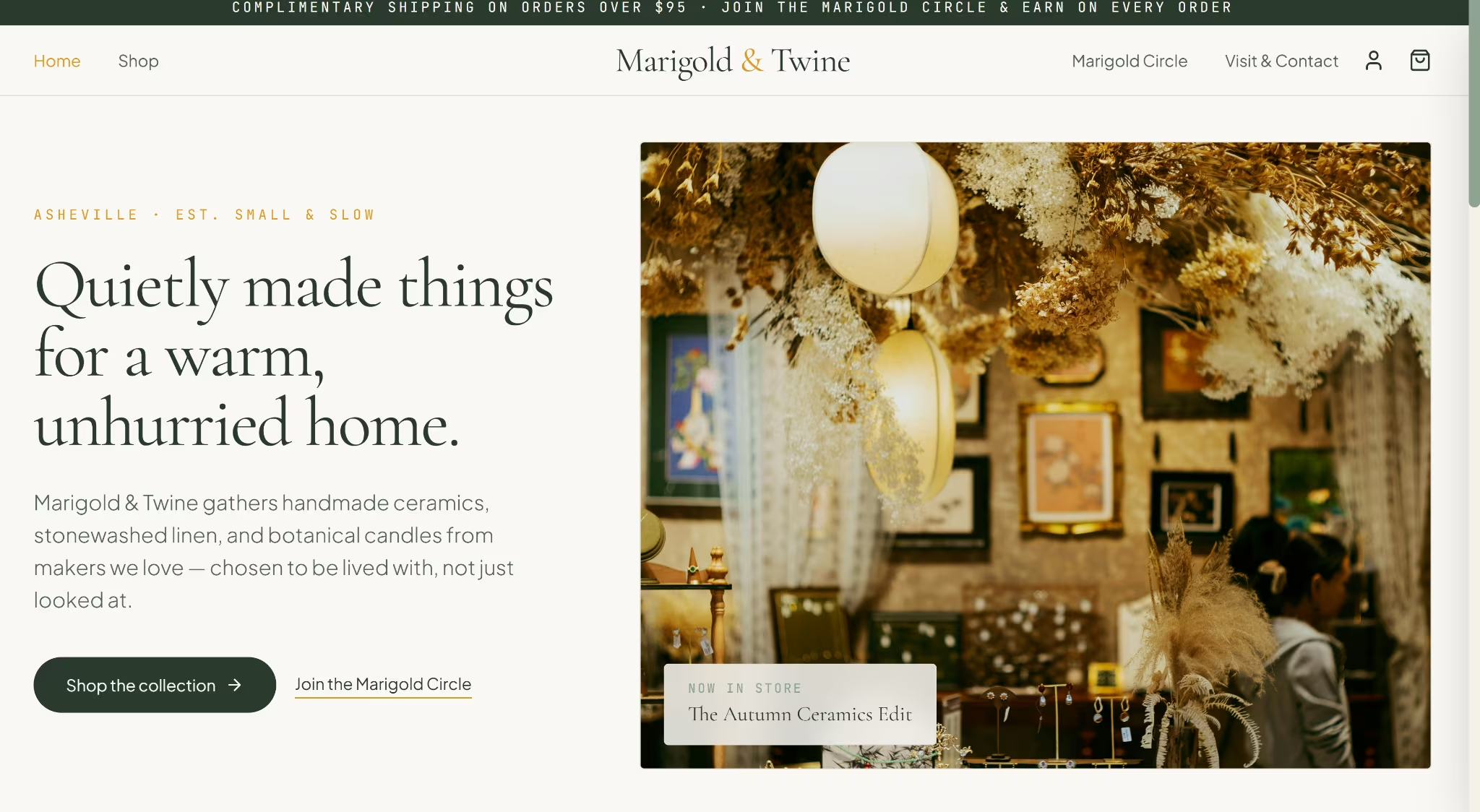
Emergent is an AI website builder that generates a working product with its own interface, stored data, and hosting included, all from a single prompt.
I pasted the website prompt into the Emergent conversation box, and it turned into a working store in about 24 minutes. The site included real product photography and a Stripe sandbox checkout that took a test payment and credited loyalty points on the spot.
Booking included a guest count and refreshment choice built in alongside the date. An admin dashboard came with it too, tracking orders, appointments, messages, revenue, and points issued in one place.
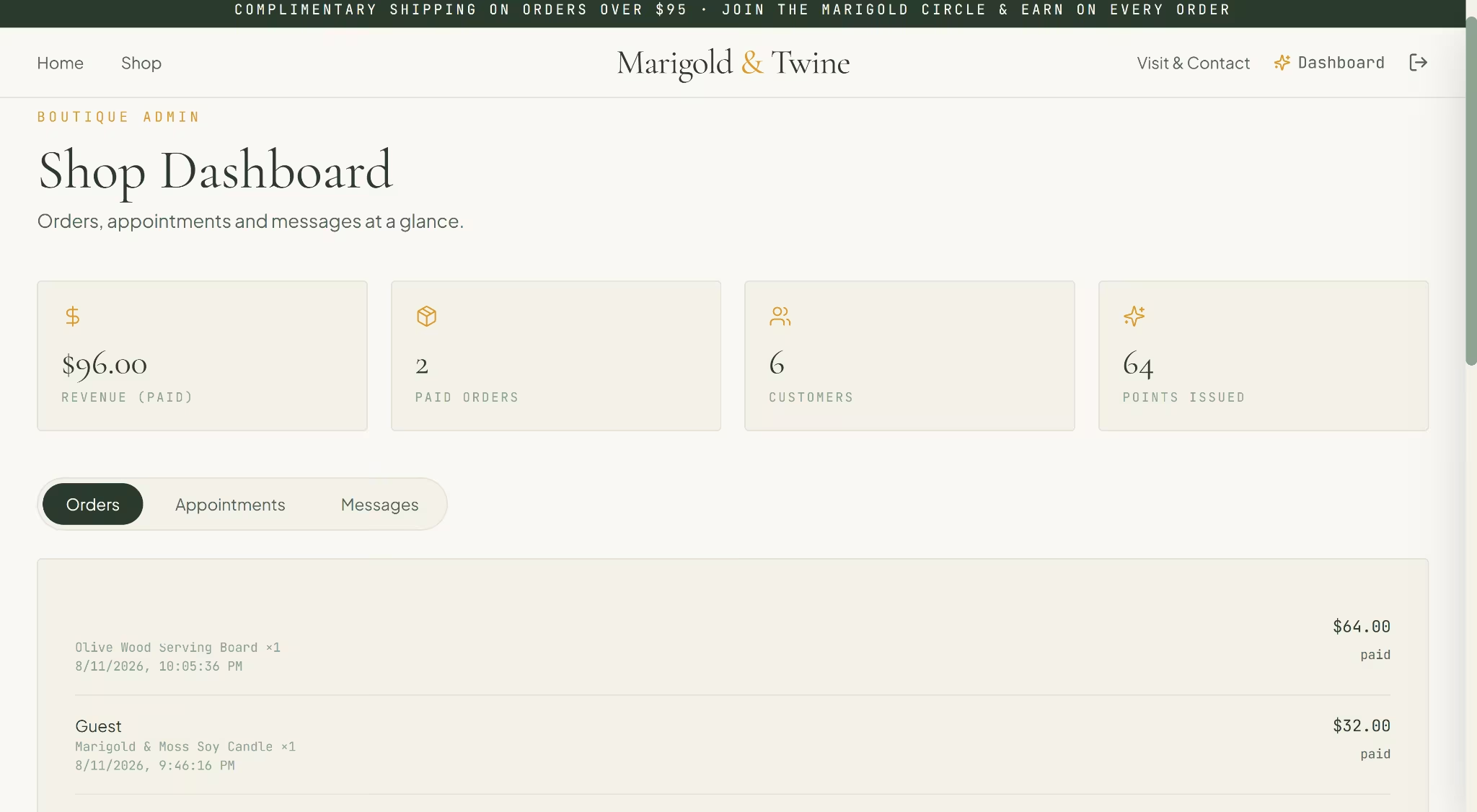
The dashboard didn't work at first. One follow-up prompt asking what went wrong was enough to diagnose and fix it.
The $10 loyalty voucher can be earned and tracked but can't be redeemed at checkout yet, and order confirmation emails are off by default.
What I got was a full product, interface, stored data, and hosting included, instead of a themed site. Paid plans can even generate a React Native and Expo codebase for iOS and Android, something none of the other six can touch.
Key Features
- Custom booking logic: Generated a guided appointment flow with guest count and refreshment choice straight from a plain-language prompt.
- Built-in admin dashboard: Orders, appointments, messages, revenue, and points issued together in one custom-built view.
- Mobile app path: Paid plans can generate a React Native and Expo codebase for iOS and Android.
- Built-in guidance: Emmy walks new builders through scoping the idea, picking the right agent, and deploying, right inside the build flow.
- MCP Connector: Build straight from Claude or ChatGPT using the Emergent MCP Connector, with no separate dashboard needed to kick off or manage a build.
Pros
- Generates a full product, interface, stored data, and hosting included, instead of a themed site sitting on someone else's template engine.
- Booking logic can reflect how the business works, with a guest count and refreshment choice built in alongside the date.
- The admin dashboard rolls orders, appointments, messages, revenue, and loyalty points into one view with no separate plugin or app.
- Paid plans can generate a React Native and Expo mobile codebase for iOS and Android.
Cons
- The admin dashboard didn't work correctly on first generation. It took a follow-up prompt to diagnose and fix.
- The loyalty voucher can be earned and tracked but can't be redeemed at checkout yet.
- Order confirmation emails are off by default and need to be turned on before launch.
- There's no template to browse. You're describing what you want rather than picking a design, which is a bigger lift than a templated builder if you just need a simple site live today.
Best For
A business that's outgrown, or expects to outgrow, what a templated site can do: custom booking logic, a real admin dashboard, or a mobile app down the line.
Someone who wants shop, booking, and loyalty generated together from one prompt rather than assembled from separate native features or apps.
Pricing
Emergent starts free, with paid plans beginning at $20/month, or $17/month billed annually. Check Emergent's pricing page for current rates.
2. Wix: Best for Shop, Booking, and Loyalty on One Plan
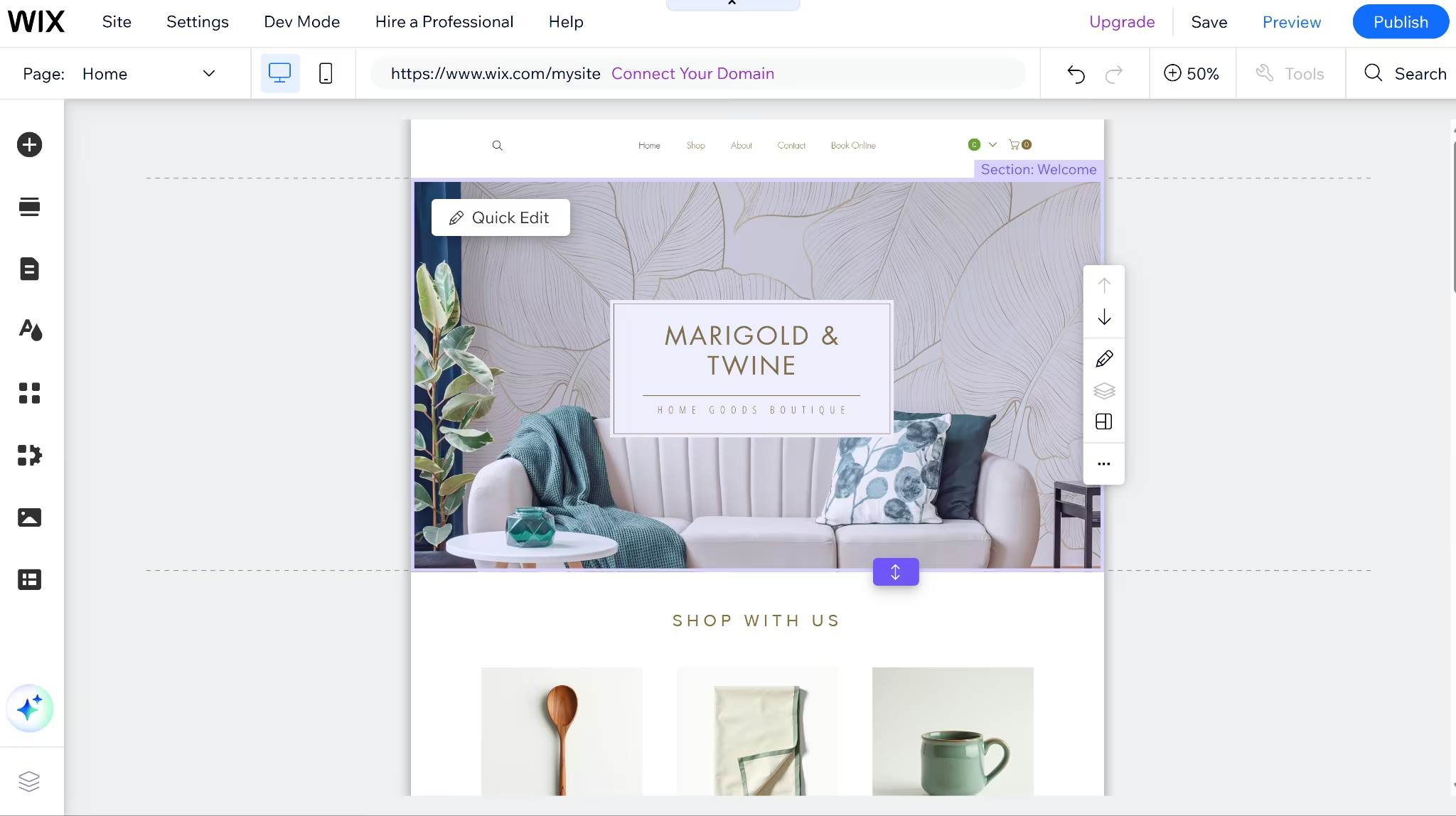
I gave Wix's AI setup chat the prompt above, named the boutique Marigold & Twine, and picked a sage green and cream palette. The whole build took about 15 minutes.
The chat walked through adding Wix Stores, Wix Bookings, and Wix Forms one at a time, then handed off to a template picker.
The calendar, cart, and loyalty page all build out fully for free, but nothing can process bookings, payments, or rewards until the site is on Core. All three are also built into Wix itself, not a third-party plugin standing in for any of them.
Also read our best Wix alternatives guide for what else is worth trying when the Core plan requirement or built-in feature limits become a concern.
Key Features
- Wix Bookings: Native scheduling and appointment management, included from the Core plan.
- Wix Stores: Native ecommerce, supporting up to 50,000 products once the site is on Core or above.
- Wix Loyalty Program: A free app that awards points across store purchases, bookings, and event tickets, with no third-party software required.
Pros
- Shop, booking, and loyalty are all native on a single Core plan ($36/month, or $29/month billed annually), the only one of the six where that's true.
- The loyalty app extends across Stores, Bookings, Restaurants, Pricing Plans, and Events rather than being limited to one sales channel.
- The interface for building out a service, calendar, and pricing is usable without a developer, even though the plan wall sits behind it.
Cons
- Wix's plans page only shows the annual rate. The real monthly price is published on a separate blog post.
- Light, the cheapest paid tier, can't accept payments at all, so a business site means jumping straight to Core.
- Booking and loyalty both build out fully for free, but neither can go live until the site upgrades to a plan that accepts payments.
Best For
- A boutique or service business that needs shop, appointment booking, and a loyalty program without stitching together three separate tools.
- Someone who wants to build out the full shop and booking setup before paying, since the interface, calendar, and product listings are all usable on the free tier, even though going live still requires Core.
Pricing
Light runs $24/month billed monthly, or $17/month billed annually, with no ecommerce or booking. Core moves to $36/month billed monthly, or $29/month billed annually, unlocking ecommerce, booking, and the free loyalty app.
Business costs $46/month billed monthly, or $39/month billed annually, adding standard ecommerce and 100GB of storage.
Business Elite tops out at $172/month billed monthly, or $159/month billed annually, with advanced ecommerce and unlimited storage.
The monthly figures above come from a separate blog post, since Wix's plans page only shows the annual rate.
Want the full breakdown of what each plan actually covers? Read our Wix pricing guide before you commit.
3. Squarespace: Best for Design-First Shops That Pay Separately for Booking
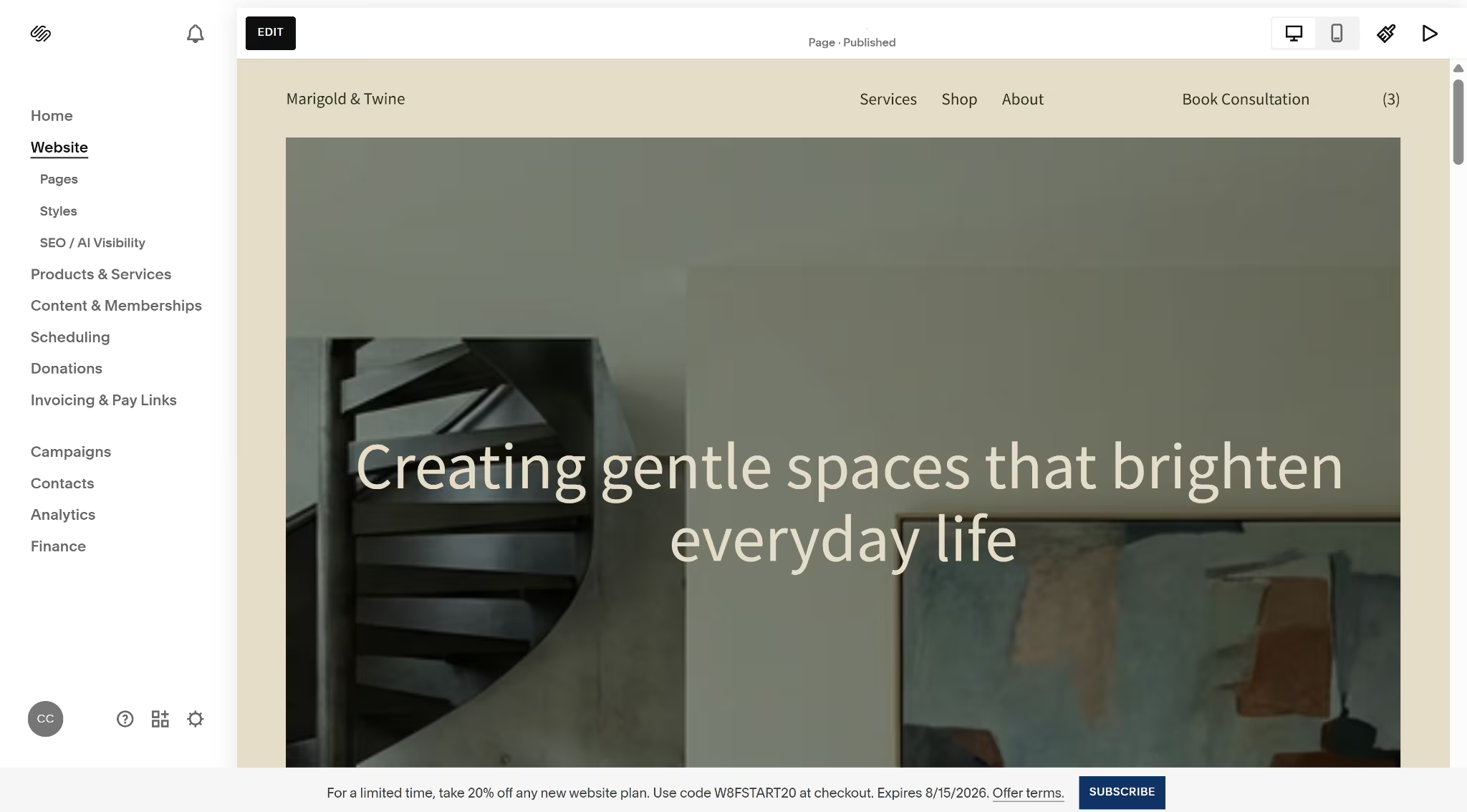
Squarespace's onboarding is a guided questionnaire, not a conversational AI chat like Wix's, a difference worth seeing side by side if design is the deciding factor.
It asked what the site needed to do, then moved into color palette and brand personality choices. The whole build took about 20 minutes, most of it spent connecting Acuity.
Squarespace has a native Service product type that adds a fixed-price service to the same cart as physical products. It handles payment, but there's no calendar and no time slot, so it can't take a real appointment. For that, Squarespace sends you to Acuity.
Setting up Acuity meant embedding it as a separate page on the site. Booking through Acuity's standalone link worked. The same booking through the embedded version on the site failed on every retry.
Squarespace's trial doesn't let the site go live, and that wall appears at checkout as well. The cart itself builds fine. Payment can't process until the site is published, which requires a paid plan.
Mobile view held up in preview, and the contact form submitted cleanly. Neither one touches the publish wall.
Also read our best Squarespace alternatives guide for what else is worth trying when the Acuity setup or publish wall becomes a concern.
Key Features
- Squarespace Payments: Native checkout, with transaction fees dropping to 0% from Core upward.
- Acuity Scheduling: Squarespace's booking product, but billed as a separate subscription from the website plan.
- Service products: A native product type that sells a fixed-price service in the same cart as physical products, no calendar required.
Pros
- Ecommerce is native from the entry tier, cheaper to start selling than Wix's equivalent jump.
- Acuity can be embedded directly into a Squarespace site rather than living on a separate domain.
- Mobile view and the contact form both passed with no setup issues on either.
Cons
- Booking adds $20 to $61/month, or $16 to $49 billed annually, on top of the website plan, since Acuity has never been bundled into a Squarespace tier.
- No loyalty tool ships with any Squarespace plan. Squarespace's Extensions help article covers sales tax, shipping, and marketing add-ons, with loyalty absent from that list.
- The embedded booking page errored at checkout on every retry. The same appointment booked successfully through Acuity's standalone link.
- The trial blocks the site from going live at all, which blocks checkout too. Squarespace's Help Center confirms a paid plan is required to publish, unlike Wix's free-tier publishing.
Best For
- A design-first business that's comfortable paying for and managing Acuity as a separate product, since Squarespace's booking still runs through it.
- Someone selling a fixed-price service that doesn't need a live calendar, since the native Service product type lets that sit in the same cart as physical products.
Pricing
Basic runs $25/month billed monthly, or $19/month billed annually, with a 2% online store transaction fee.
Core moves to $39/month billed monthly, or $29/month billed annually, and drops that fee to 0%.
Plus costs $65/month billed monthly, or $49/month billed annually, adding abandoned cart recovery and carrier-calculated shipping.
Advanced tops out at $139/month billed monthly, or $99/month billed annually, with the lowest processing rates and unlimited video storage.
Acuity Scheduling, sold separately:
Starter runs $20/month billed monthly, or $16/month billed annually, with 1 calendar.
Standard moves to $34/month billed monthly, or $27/month billed annually, for up to 6 calendars.
Premium tops out at $61/month billed monthly, or $49/month billed annually, for up to 36 calendars.
Want the full breakdown of what each plan actually covers? Read our Squarespace pricing guide before you commit.
4. Shopify: Best for Ecommerce-First Businesses
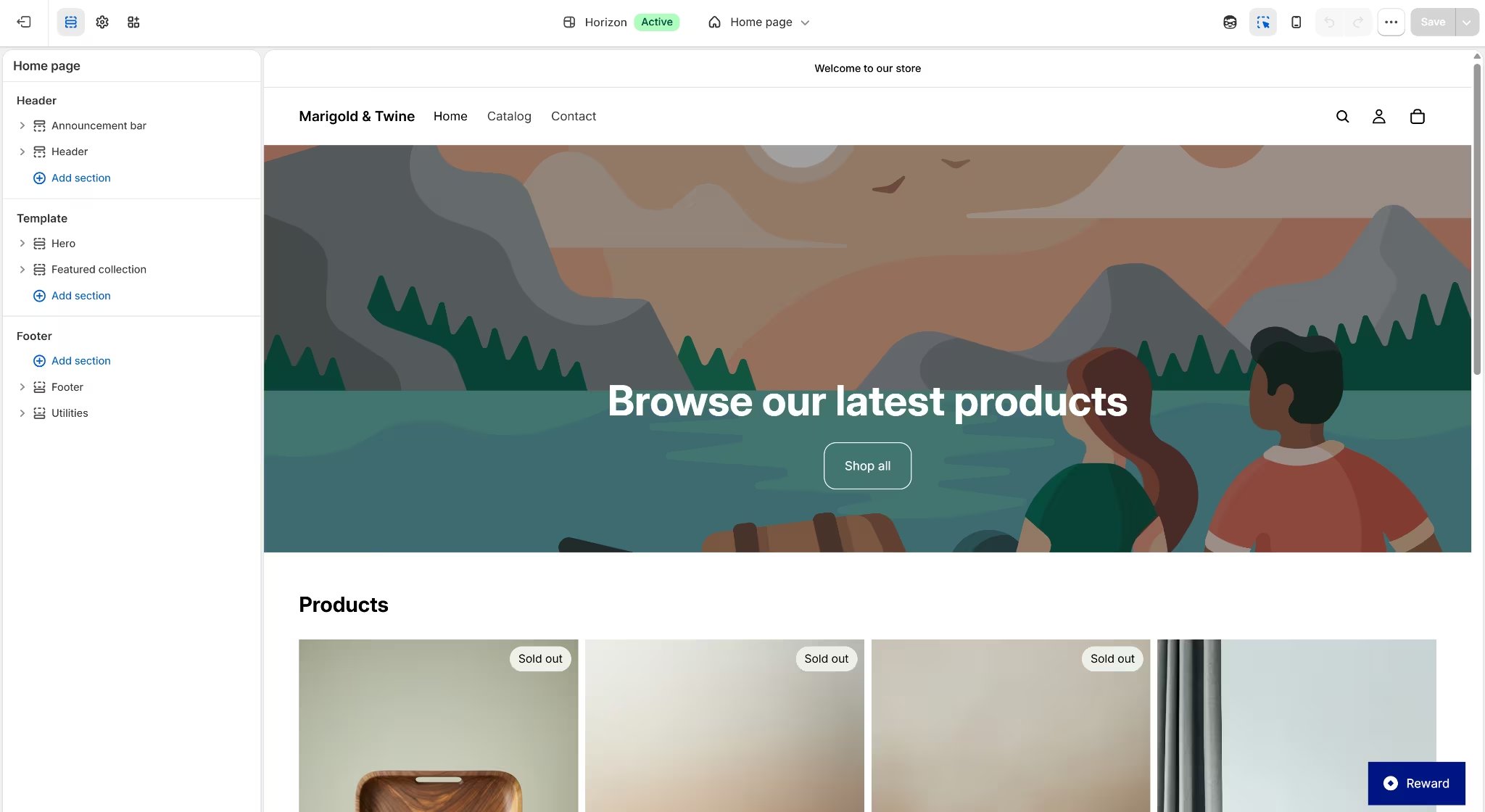
Shopify's AI assistant told me what was native and what needed an app before I built anything. Shop and cart were native. Booking and loyalty both needed a third-party app either way.
It also generated three complete storefront designs from one prompt. I compared all three and picked one.
Cowlendar only showed up on the storefront after I linked it to a specific published product, a step the initial setup toggle never mentions.
Once linked, booking ran without a hitch. The calendar showed actual availability, a set price, and a completed checkout through Shopify's cart.
The loyalty app, BLOY, installed free, with paid tiers running $10 to $129 a month depending on order volume.
The contact form also worked without issue. Building the test website on Shopify took about 30 minutes, the longest of the six so far.
Also read our best Shopify alternatives guide for what else is worth trying when the app dependency or setup time becomes a concern.
Key Features
- Shopify Payments: Native checkout across every plan, with card rates dropping at higher tiers.
- Shopify App Store: Where booking and loyalty both live as add-ons, since neither ships natively.
Pros
- Checkout and cart functionality are native and mature at every paid tier, with no separate ecommerce upgrade needed.
- The App Store carries dedicated booking apps built specifically for Shopify's product and checkout structure.
Cons
- Booking has no native option at all. A service business needs a paid app from the App Store from day one to take appointments.
- Loyalty is a third-party app too. Shopify's App Store lists it as its own category, with nothing built into the platform.
- Cowlendar had to be linked to a published, live product before it worked, a step that wasn't obvious from the initial toggle.
Best For
- A business that wants the AI setup to explain what's native versus what needs an app before building anything, rather than finding out later.
- Someone who wants to compare multiple generated storefront designs instead of committing to the first result.
Pricing
Basic runs $39/month billed monthly, or $29/month billed annually. Grow moves to $105/month billed monthly, or $79/month billed annually.
Advanced costs $399/month billed monthly, or $299/month billed annually. Plus starts from $2,300/month.
Shopify's trial is 3 days, shorter than Squarespace's 14, and it doesn't drop directly to the plan rates above. It rolls over to a $1/month promotional rate for the first 3 months, then bills at the regular price.
Booking and loyalty apps, sold separately:
- Cowlendar (booking): Free for up to 5 bookings a month, then $13.99 to $59.99/month.
- BLOY (loyalty): Free for up to 200 orders a month, then $10 to $129/month.
5. GoDaddy: Best for Bundling a Domain, Site, and Store
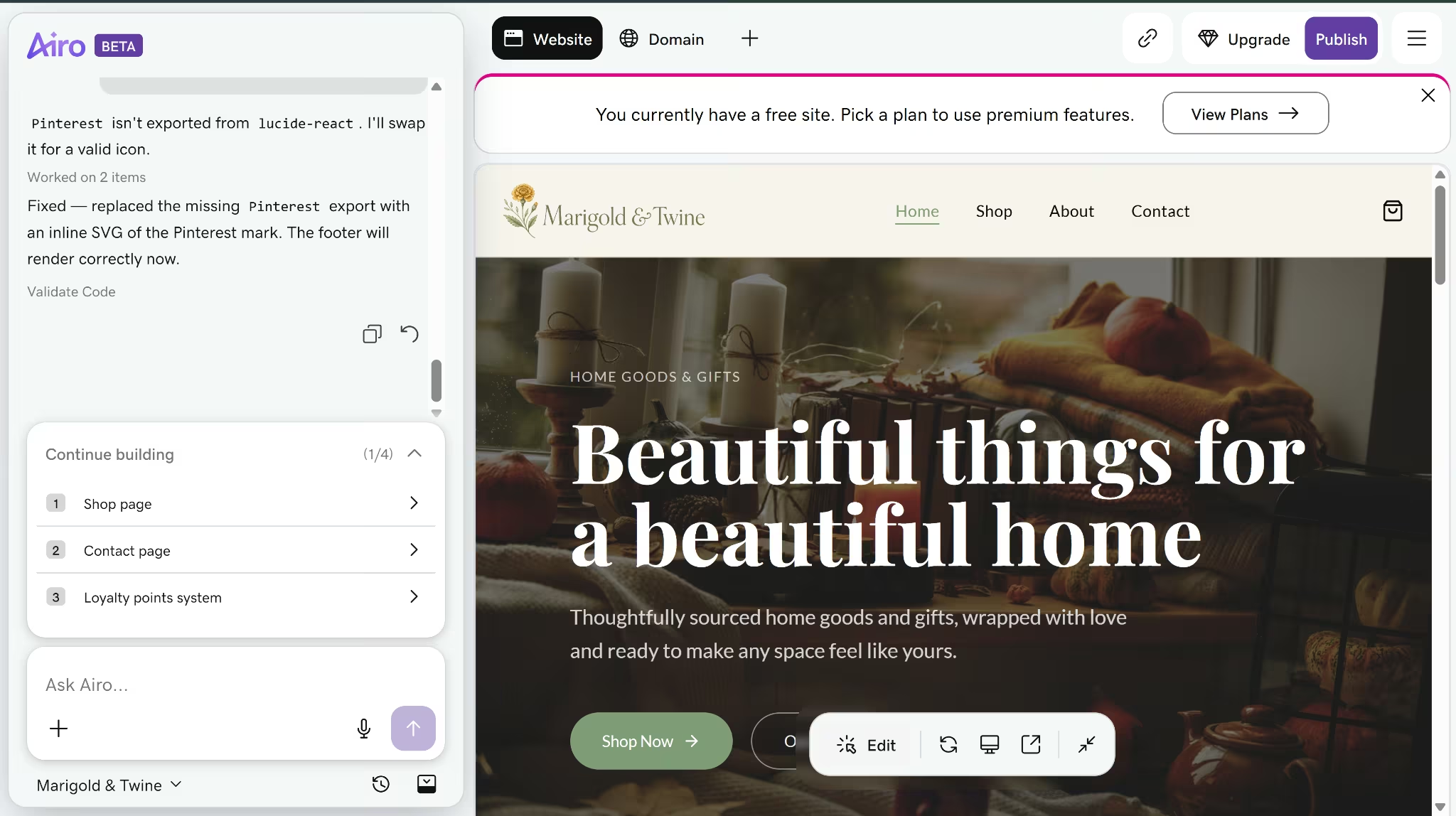
GoDaddy's AI builder, Airo, asked a couple of style questions, then generated the homepage and site structure in about 10 minutes. It hit one error along the way, a broken icon import in the generated code.
Fixing it just meant asking Airo to sort it out. It found the problem and swapped in a working replacement on its own.
Building the rest of the site meant follow-up prompts for each page, about 4 to 5 minutes a page rather than the one-pass generation Wix and Shopify managed. The shop page then hit GoDaddy Payments' identity verification wall before checkout could go live.
Activating GoDaddy Payments itself costs nothing, with no setup or monthly fees. It does require the business owner's SSN and EIN, standard for any payment processor.
Airo kept building anyway, finishing the shop without live payments connected until its monthly credit allowance ran out and queued everything else for next month.
The Contact page combined a message form and appointment booking on one page, with real-time slot selection.
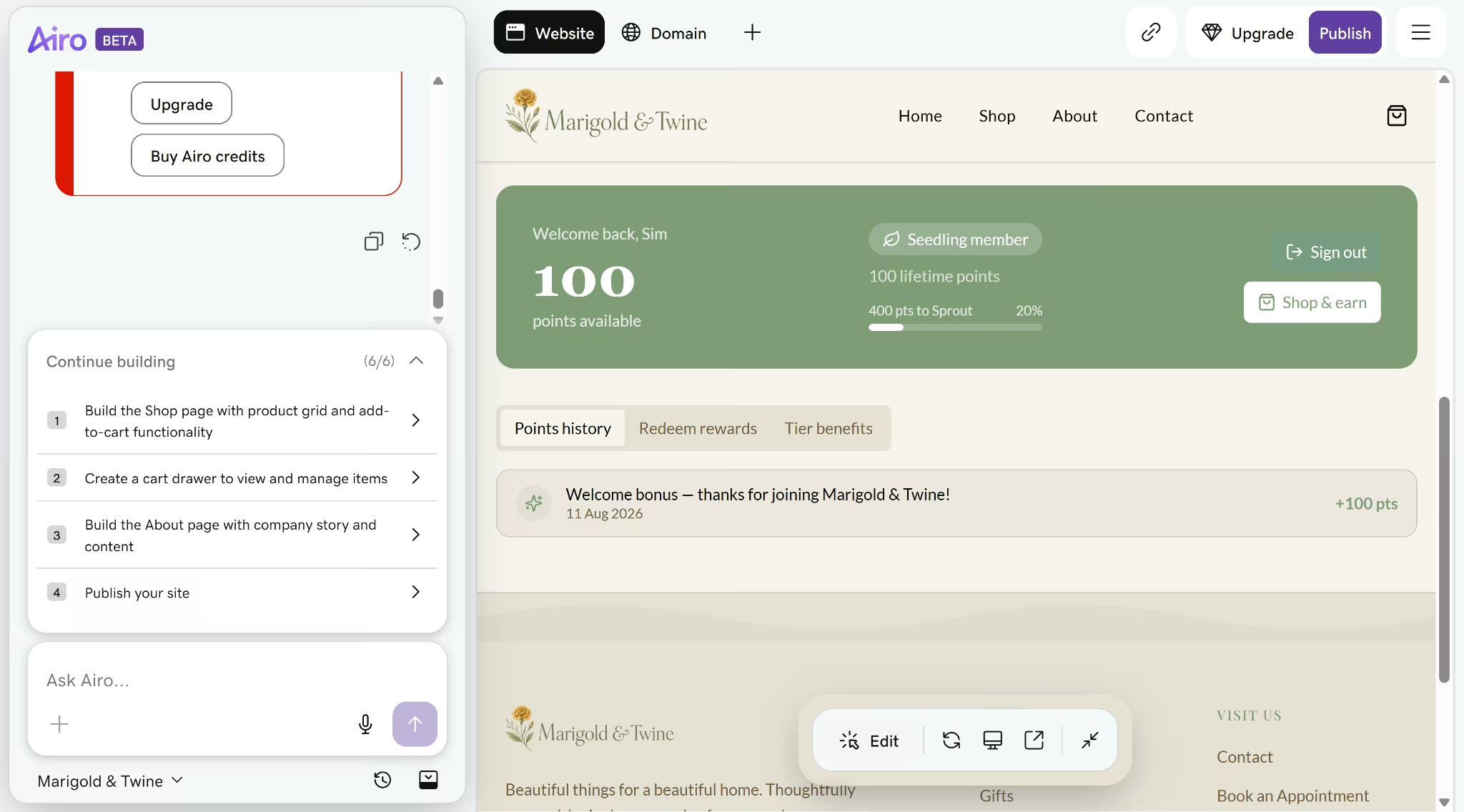
Loyalty is where this build pulled ahead. Airo generated a fully custom program, complete with points, member tiers, and a rewards page, built directly into the site, something none of the other six templated builders could match.
Also read our best GoDaddy website builder alternatives guide for what else is worth trying when the credit allowance or payment verification wall becomes a concern.
Key Features
- Websites + Marketing Commerce plan: Native ecommerce with 0% online store transaction fee, plus a 2.7% + 30¢ card processing rate.
- Online booking, payments, and deposits: Native appointment scheduling, included starting on the Premium plan.
Pros
- Booking is native starting at Premium, cheaper to reach than GoDaddy's ecommerce tier.
- Annual billing saves 53 to 62% off the monthly rate, the widest annual discount of the six.
- Booking and a message form share one screen, with live slot selection rather than a plain request field.
- Airo built a fully custom loyalty program into the site itself, complete with points, tiers, and a rewards page. That's separate from GoDaddy's built-in loyalty tool, which is limited to in-person purchases through Smart Terminal.
Cons
- The free custom domain and free professional email are tied to annual billing. Paying monthly means missing out on both, no matter which plan you pick.
- GoDaddy's built-in loyalty tool is limited to in-person purchases through Smart Terminal, not online orders. Airo can generate a custom loyalty system instead, but that's one-off code you'd have to maintain yourself.
- Airo's monthly credit allowance ran out before the shop page's product grid and cart finished building, queuing the rest until the next reset.
- Publishing requires an upgrade, the same wall Squarespace's trial has.
Best For
- A business that wants its domain, site, and store bundled under one account rather than managed across separate services.
- A business that wants a custom loyalty program, complete with points and tiers, generated as part of the site itself rather than bolted on through a separate app.
Pricing
Basic runs $16.99/month billed monthly, or $9.99/month billed annually.
Premium moves to $29.99/month billed monthly, or $14.99/month billed annually, and adds native booking.
Commerce tops out at $34.99/month billed monthly, or $20.99/month billed annually, and adds ecommerce.
6. WordPress.com: Best for Named, Established Plugins
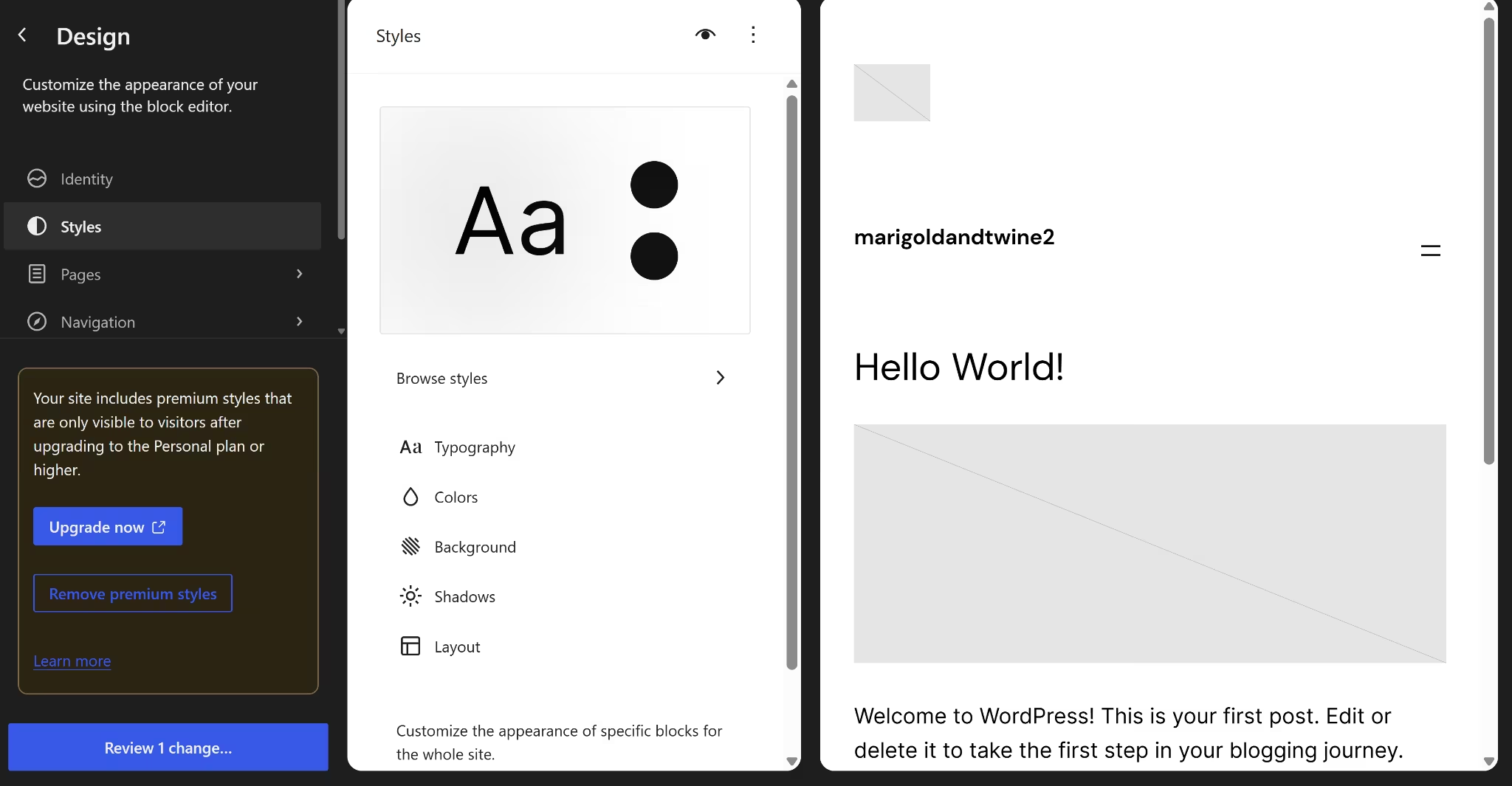
WordPress.com's "Create with AI" option pushed straight into picking a domain and a plan before anything got built, the same wall found in earlier testing. Manual building hit the same wall.
Most templates were premium, nothing free was built for a home goods or gift shop, and the closest generic shop theme wouldn't activate cleanly.
Rather than force a broken template into shape, my testing stopped there. The whole attempt ran about 10 minutes and never produced a working site.
The Styles panel couldn't change the color palette either, not without a Personal plan first.
With no working site to test against, what follows on shop, booking, and loyalty comes from WordPress.com's plugin directory instead of hands-on results.
WooCommerce (free) handles cart and checkout, confirmed installable manually on Business. Amelia is one of several named booking plugins listed in WordPress.com's appointment-scheduling category.
Points and Rewards for WooCommerce, WPLoyalty, and myCred are all listed as loyalty plugin options in WordPress.com's plugin directory, installable on any paid plan.
Also read our best WordPress alternatives guide for what else is worth trying when the plugin wall or premium template costs become a concern.
Key Features
- WooCommerce: Free ecommerce plugin, installable manually on the Business plan or pre-installed with a curated extension bundle on Commerce.
- Plugin access: Open to every paid plan, including Personal, as of April 2026.
- Named plugin options: Amelia for booking, and Points and Rewards for WooCommerce, WPLoyalty, or myCred for loyalty.
Pros
- You own what you build. WordPress content and plugins export cleanly and can move to self-hosted WordPress or another host, so you're never locked into one platform.
- Booking and loyalty plugins both exist in WordPress.com's plugin directory, installable on any paid plan, with named, established options rather than a single default choice.
Cons
- Nothing is native. Shop, booking, and loyalty all require a plugin install rather than a built-in feature.
- Commerce costs $45/month billed annually just for a pre-installed version of a plugin that's free to add manually on Business.
- Most templates are premium. No free template built for a home goods or gift shop was available in testing, and the closest free shop theme was difficult to activate cleanly.
- Global styles are gated too. Site-wide color and typography changes require upgrading to Personal or higher, confirmed directly in testing by WordPress.com's upgrade prompt in the Styles panel.
Best For
- A business that wants named, established plugins for booking and loyalty rather than one default option.
- Someone who's fine assembling the site from a plugin stack in exchange for owning and exporting their content later.
Pricing
Personal runs $9/month billed monthly, or $4/month billed annually. Premium moves to $18/month billed monthly, or $8/month billed annually.
Business costs $40/month billed monthly, or $25/month billed annually; the practical floor for a working shop since WooCommerce installs free here.
Commerce tops out at $70/month billed monthly, or $45/month billed annually, with WooCommerce pre-installed plus 25+ premium extensions.
How to Evaluate Business Website Builders
The price on the homepage is the smallest part of this decision. Five factors decide whether a business website builder actually fits:
- Actual cost past the intro price: The advertised rate is rarely what you pay at renewal. GoDaddy's annual discount ranges from 53 to 62% off the monthly rate, while Emergent's paid tier starts at a flat $20/month with no bait-and-switch renewal jump. Check the renewal terms before the sign-up number.
- Native features versus bolted-on ones: A "shop and booking" plan can mean very different things. Squarespace sells booking as a separate Acuity subscription, Shopify needs a paid App Store add-on for both booking and loyalty, and Wix includes live time-slot booking on its base plan.
- Room to grow without switching platforms: A shop that adds booking or loyalty later shouldn't require moving to a new builder entirely. Check whether the feature exists anywhere on the platform, even at a higher tier, before committing.
- Ownership and portability of your content: WordPress.com content lives on plugins you control and can move. A Wix or Squarespace site is harder to export in full if you switch builders later.
- Ease of setup with no technical background: Some platforms need extra pieces assembled first. WordPress.com needs WooCommerce and a booking plugin installed before anything works. Shopify and Squarespace need add-ons too, just fewer.
Wix and GoDaddy are the two templated builders where shop, booking, and loyalty come ready to use out of the box. Emergent gets there too, entirely from a prompt.
Which Business Website Builder Is Easiest to Use?
Wix's guided chat felt the smoothest of the five templated builders here, walking through the shop, booking, and forms without a single confusing step
GoDaddy was the only build that broke and then repaired itself. Airo hit a code error, found the cause, and applied a working fix with no input from me.
Squarespace and Shopify asked for more patience, though not for the same reason.
Squarespace means managing Acuity as a second product, and its embedded booking flow failed outright in testing. Shopify's AI assistant tells you upfront what needs a third-party app, an honest approach that still adds setup work.
WordPress.com was hardest by a wide margin, the only one of the six where testing on the free tier never produced a business site. Its free tier is good for content-heavy sites. A business site would need paid plans and a tall stack of plugins.
Emergent skips the template step entirely, working from a prompt instead of a theme picker. The build was still comparably fast, about 24 minutes for a full product with its own dashboard. If the site has to go live this week, start with Wix. Budget a weekend for WordPress.com.
The Verdict
Wix is the pick for most businesses that want a native, all-in-one templated site. It needs the fewest add-ons to run a real shop end to end. Emergent is the pick for a business whose site needs something a template can't do: custom booking logic, stored data, or a mobile app down the line.

Emergent designs, writes, and publishes your whole site from one prompt. No templates, no drag-and-drop.
- Full site from one prompt
- Custom design, real pages
- Publish in minutes







