Website Building

Dec 31, 2025

5 Best Portfolio Website Builders Creators Are Using in 2026

Explore the best portfolio website builders in 2026 to showcase work professionally with case studies, performance, flexibility, and long-term career growth.

Best Portfolio Website Builders

In 2026, a professional portfolio website is one of the most important credibility signals for designers, developers, artists, and independent professionals. According to a 2025 survey by Adobe, over 72 percent of creative professionals say clients and recruiters evaluate portfolios primarily through personal websites rather than marketplaces or social platforms. This makes portfolio websites a critical career asset rather than a simple showcase.

Portfolio website builders have evolved far beyond static galleries. Today’s platforms support storytelling, case studies, interactive layouts, performance optimization, and scalable content structures. The best portfolio website builders balance visual flexibility, speed, and long-term control, allowing professionals to present work clearly while adapting as their careers evolve.

What is a portfolio website builder?

A portfolio website builder is a platform that enables individuals to showcase their work, projects, and professional identity online without building everything from scratch. These builders typically include templates or systems optimized for projects, visuals, and case studies rather than generic pages. The goal is to present work in a structured, credible, and visually compelling way.

In 2026, advanced portfolio website builders also support interactive elements, CMS-driven project pages, SEO controls, and AI-assisted content creation. This allows portfolios to function as living professional profiles rather than static collections.

List of TOP 5 Portfolio Website Builders in 2026

The best portfolio website builders in 2026 for creating fast, modern, and professional online portfolios.


  1. Emergent

  2. Adobe Portfolio

  3. Canva

  4. Framer

  5. Wix


Read About: Best AI Website Builders


What are the key features of portfolio website builders?


  1. Structured project and case study layouts

Portfolio builders provide layouts designed for showcasing work as projects or case studies rather than isolated images. This allows professionals to explain context, process, and outcomes. Structured presentation improves credibility and understanding.


  1. Visual customization and design control

Strong portfolio builders offer control over layout, typography, and spacing. This helps creators align the site with their personal brand. Visual control differentiates portfolios in competitive fields.


  1. Performance and responsive design

Portfolios must load quickly and work across devices. Builders optimize performance and responsiveness by default. Speed and accessibility affect first impressions.


  1. CMS-driven content management

Many platforms include CMS functionality for managing projects. This allows easy updates and scalability. Content stays organized as portfolios grow.


  1. SEO and discoverability tools

Portfolio websites benefit from search visibility. Builders include tools for metadata and structure. SEO supports long-term discoverability.


  1. Long-term flexibility and ownership

As careers evolve, portfolios need to adapt. Builders that support growth without rebuilds protect long-term investment. Ownership and control matter.

5 Best Portfolio Website Builders in 2026

The portfolio website builder landscape in 2026 is segmented between template-driven creative tools, design-first interactive platforms, and system-level builders that support long-term scalability. The platforms listed below stand out because they go beyond simple galleries and instead enable structured storytelling, performance optimization, and professional credibility. These tools are actively used by designers, creatives, and builders who rely on portfolios for serious career outcomes.

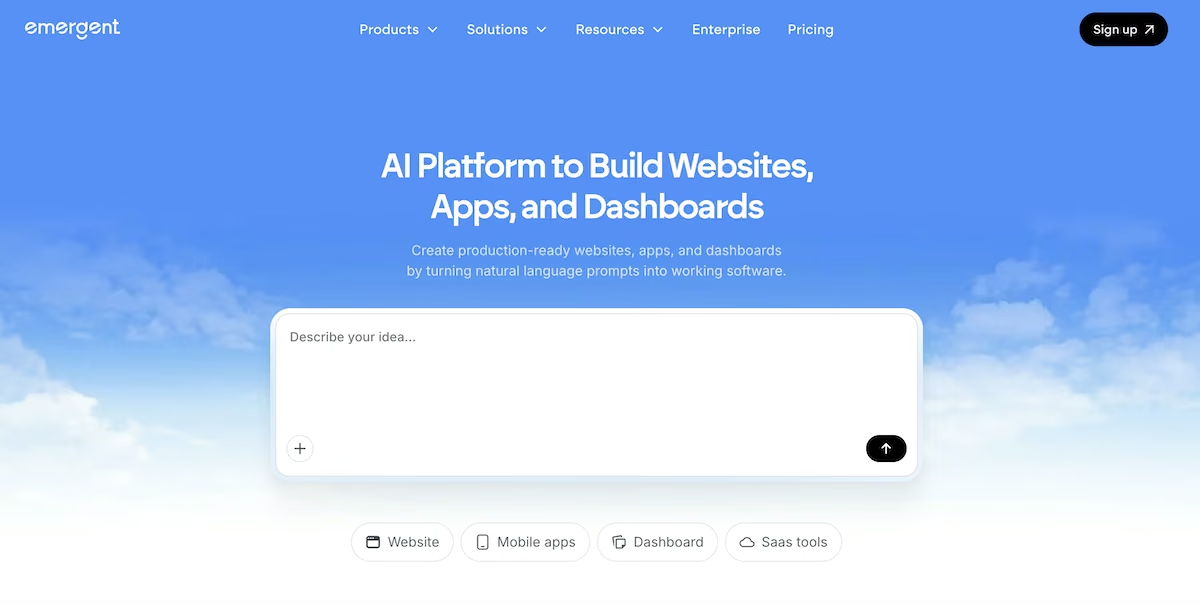
  1. Emergent (A Full-Stack Vibe Coding and No Code Platform)


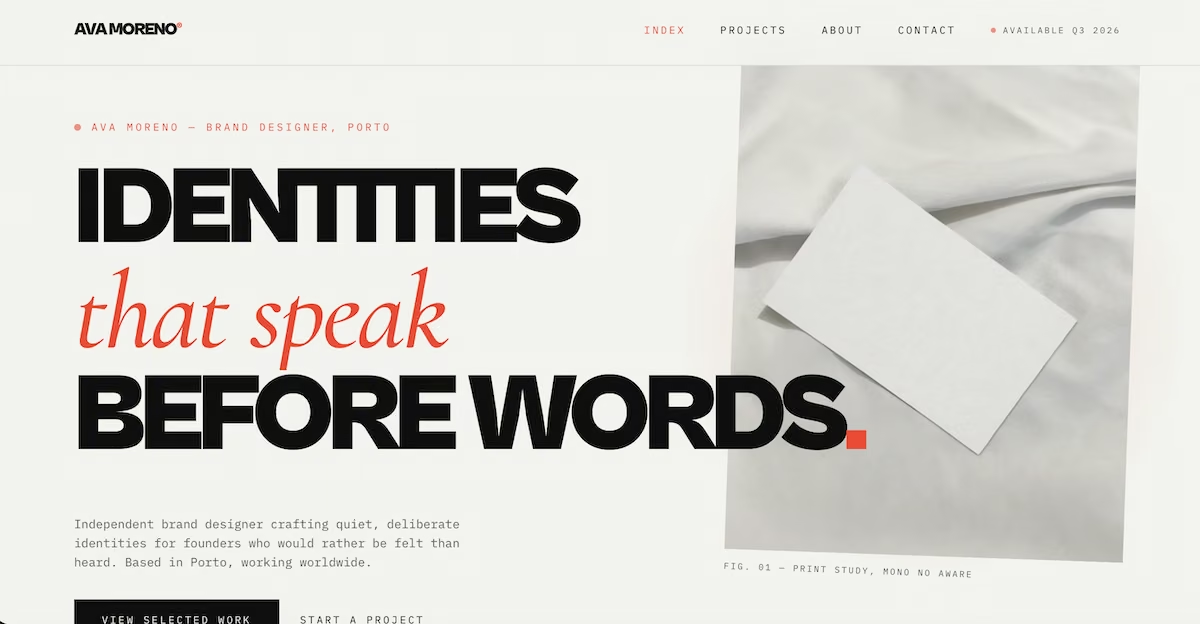
Emergent is one of the best, full-stack, AI-powered vibe coding and no code platforms for professionals who want their portfolio to function as a dynamic career system rather than a static showcase. In 2026, portfolios built with Emergent go beyond visuals to include structured case studies, interactive storytelling, and scalable content systems that evolve with a person’s work. It is especially suited for designers, developers, founders, and creators who treat their portfolio as a long-term professional asset.

Key features of Emergent


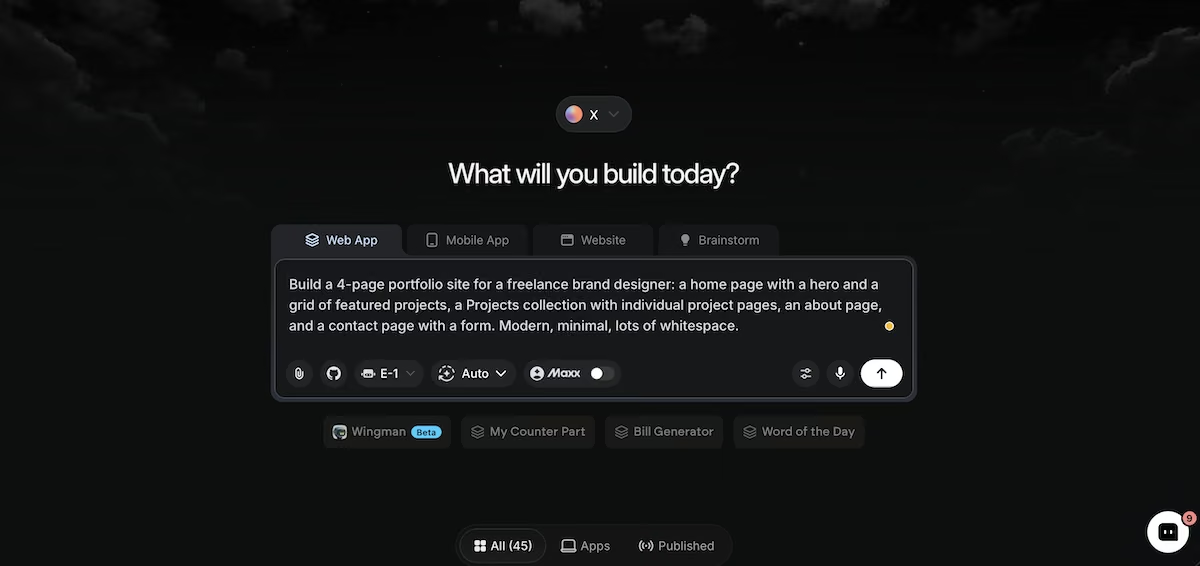
  1. Prompt-driven portfolio and case study generation

Emergent allows users to describe their profession, projects, and goals in natural language. The platform generates a complete portfolio structure including project pages, case study templates, navigation logic, and SEO-ready sections. This removes manual setup while ensuring the portfolio reflects real professional depth rather than surface-level presentation.


  1. Structured project and case study modeling

Projects in Emergent are treated as structured entities with fields for problem context, approach, execution, and outcomes. This allows consistent storytelling across all work. Structured modeling helps recruiters and clients understand not just what was built, but how and why.


  1. High-performance visual delivery

Emergent optimizes media delivery to ensure fast load times without sacrificing quality. Visual-heavy portfolios remain responsive across devices. Performance optimization is handled system-wide rather than page by page.


  1. Dynamic content updates and iteration

As new work is added, portfolios can update dynamically without redesign. Project collections, featured work, and navigation adapt automatically. This supports continuous career growth without maintenance overhead.


  1. AI-assisted writing and refinement

Emergent helps refine project descriptions, case studies, and personal statements. AI assistance improves clarity and structure while preserving author voice. This reduces friction for professionals who struggle with written articulation.


  1. Scalable foundation for future expansion

Emergent portfolios can evolve into blogs, product showcases, documentation sites, or personal platforms. The system is not limited to portfolios alone. This future-proofing is valuable for long-term professional growth.

Suggested Read: Best Vibe Coding Tools


Unique features of Emergent


  1. Portfolios as living professional systems

Emergent treats portfolios as systems that evolve with experience, not static collections. Content, structure, and logic adapt over time. This approach aligns with modern career paths.


  1. Unified design, content, and workflow layer

All visuals, copy, and structure live in one connected system. Updates propagate automatically across the site. This reduces inconsistencies and manual maintenance.


  1. Prompt-driven evolution instead of rebuilds

Users can restructure their portfolio through prompts rather than manual redesign. New directions or focus areas can be reflected quickly. This flexibility is rare among portfolio builders.


  1. Advanced access and presentation control

Emergent allows selective visibility for specific projects or pages. Users can tailor what different audiences see. This supports recruiter, client, or collaborator-specific sharing.


  1. Ownership without platform lock-in

Portfolios are not tied to marketplaces or templates. Users retain control over structure and content. Long-term independence is preserved.


  1. Designed for serious professional outcomes

Emergent is built for users who want portfolios to drive hiring, contracts, and opportunities. Features support depth and clarity over surface-level visuals. This positioning differentiates it from template-first tools.

Advantages of Emergent


  • Enables portfolios to function as scalable professional systems.

  • Supports deep, structured case studies rather than simple galleries.

  • Maintains strong performance even with rich visuals.

  • Reduces friction in writing and updating portfolio content.

  • Adapts easily as careers and focus areas evolve.

  • Suitable for long-term, serious professional use.

Limitations of Emergent


  • More powerful than basic portfolio builders, which may feel complex initially.

  • Requires upfront thinking about how work should be structured.

  • Overkill for users needing only a single static portfolio page.

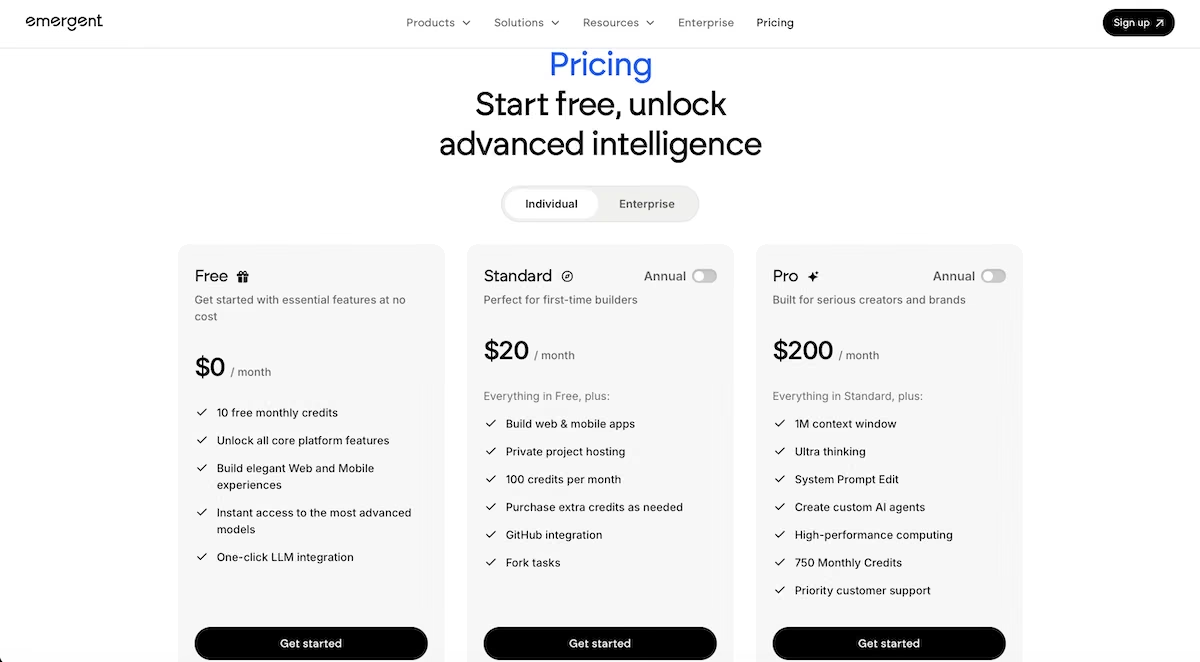
Pricing and Plans of Emergent


Plan

Pricing

Key Highlights

Free

$0/month

10 credits/month


• All core features

• Build web & mobile experiences

• Access to advanced models

Standard

$20/month (annual)

Everything in Free


• Private hosting

• 100 credits/month

• Extra credits purchasable

• GitHub integration

• Fork tasks

Pro

$200/month (annual)

Everything in Standard


• 1M context window

• Ultra thinking

• System prompt edit

• Custom AI agents

• HPC compute

• 750 credits/month

• Priority support

Team

$300/month (annual)

Everything in Pro


• 1250 shared credits/month

• Admin dashboard

• Real-time collaboration

• 5 team members included

Enterprise

Custom

Everything in Team


• Higher usage

• SSO & domain capture

• Advanced organizational features

Read More About: Emergent Pricing and Plans


  1. Adobe Portfolio


Adobe Portfolio is a portfolio website builder designed for creatives who want a clean, professional showcase tightly integrated with the Adobe Creative Cloud ecosystem. In 2026, it is commonly used by photographers, designers, illustrators, and visual artists who already rely on Adobe tools and want a simple way to publish their work online. The platform prioritizes ease of use and visual consistency over deep customization or system-level flexibility.

Key features of Adobe Portfolio


  1. Seamless integration with Adobe Creative Cloud

Adobe Portfolio connects directly with tools like Lightroom, Photoshop, and Behance. Creatives can sync projects and images without manual uploads. This tight integration simplifies publishing workflows for users already embedded in the Adobe ecosystem.


  1. Clean, portfolio-focused templates

The platform offers templates designed specifically for showcasing visual work. Layouts emphasize imagery, spacing, and minimal distractions. This ensures portfolios look professional without extensive design decisions.


  1. Automatic image optimization and responsiveness

Images are optimized automatically for different screen sizes and devices. Portfolios load reliably across desktops, tablets, and phones. Performance and responsiveness are handled by the platform.


  1. Simple project and page management

Users can create project pages and organize work into sections easily. The interface is straightforward and non-technical. This supports quick updates without maintenance overhead.


  1. Custom domains and branding basics

Adobe Portfolio allows custom domain connections and basic branding adjustments. Users can control fonts, colors, and layouts within the template system. Branding flexibility is limited but sufficient for clean presentation.


  1. Built-in hosting and security

Hosting and SSL are included by default. Users do not need to manage infrastructure or updates. Reliability and security are handled automatically.

Unique features of Adobe Portfolio


  1. Native Creative Cloud workflow alignment

Adobe Portfolio is built to fit naturally into Creative Cloud workflows. Work created in Adobe tools flows directly into the portfolio. This reduces friction between creation and publishing.


  1. Minimal setup for fast launch

Portfolios can be launched quickly with very little configuration. Users can publish work in minutes. This speed is ideal for creatives who want results without setup complexity.


  1. Consistent visual quality across devices

Adobe enforces visual consistency through its templates and rendering system. Portfolios look polished across devices. This consistency is a strong advantage for visual professionals.


  1. Behance synchronization option

Users can optionally sync projects from Behance. This allows maintaining both a community profile and a personal portfolio. Content management becomes more efficient.


  1. No plugin or extension management

The platform does not rely on plugins or add-ons. Features are built in. This eliminates maintenance and compatibility issues.


  1. Bundled access with Adobe subscriptions

Adobe Portfolio is included with many Creative Cloud plans. Users do not need a separate subscription. This adds value for existing Adobe customers.


Advantages of Adobe Portfolio


  • Tight integration with Adobe Creative Cloud tools.

  • Clean, professional templates optimized for visual work.

  • Very easy to set up and maintain.

  • Automatic image optimization and responsive design.

  • Hosting and security included by default.

  • Cost-effective for existing Adobe subscribers.

Limitations of Adobe Portfolio


  • Limited customization beyond provided templates.

  • Not suitable for interactive or highly personalized portfolios.

  • Lacks CMS depth for complex case studies.

  • No advanced workflows or logic-based content control.

  • Not ideal for non-Adobe users.

  • Scaling beyond simple portfolios is restrictive.

Pricing and Plans of Adobe Portfolio


Plan

Pricing

Key Highlights

Behance Pro

$9.99/month (annual commitment)

Publish up to 5 portfolio sites, customizable themes, Adobe Fonts access, 0% platform fees on sales and freelance projects, advanced analytics

Creative Cloud Pro

$69.99/month (annual commitment)

Publish up to 5 portfolio sites, Adobe Fonts access, includes 20+ Adobe creative apps (Photoshop, Illustrator, Premiere Pro, etc.), does not include Behance Pro benefits


  1. Canva


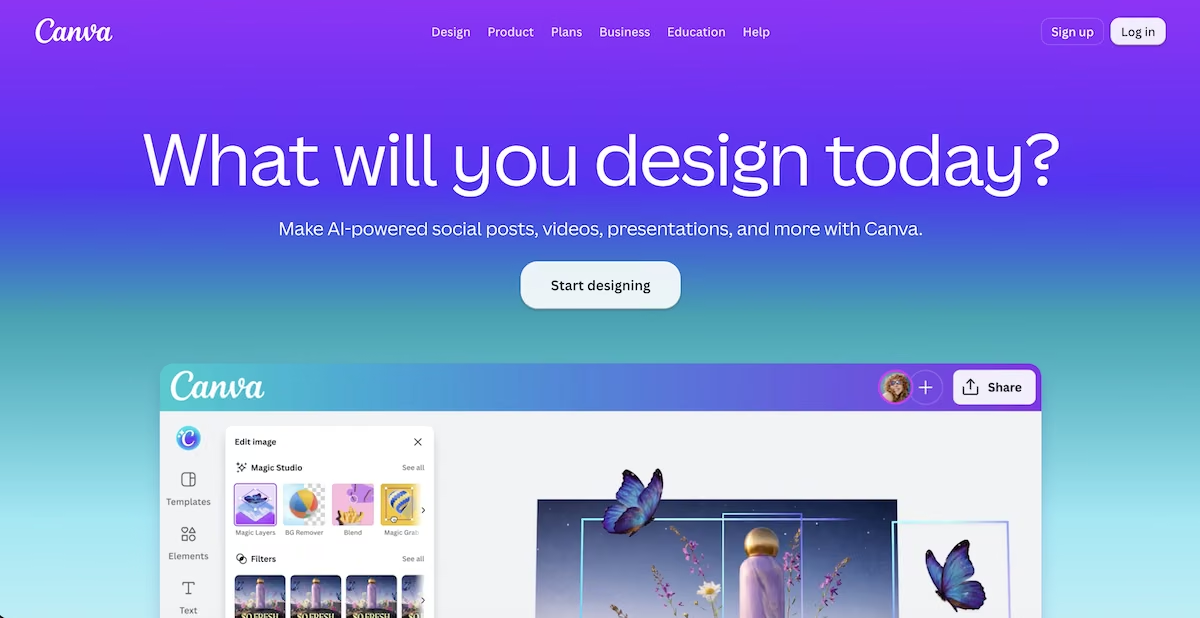
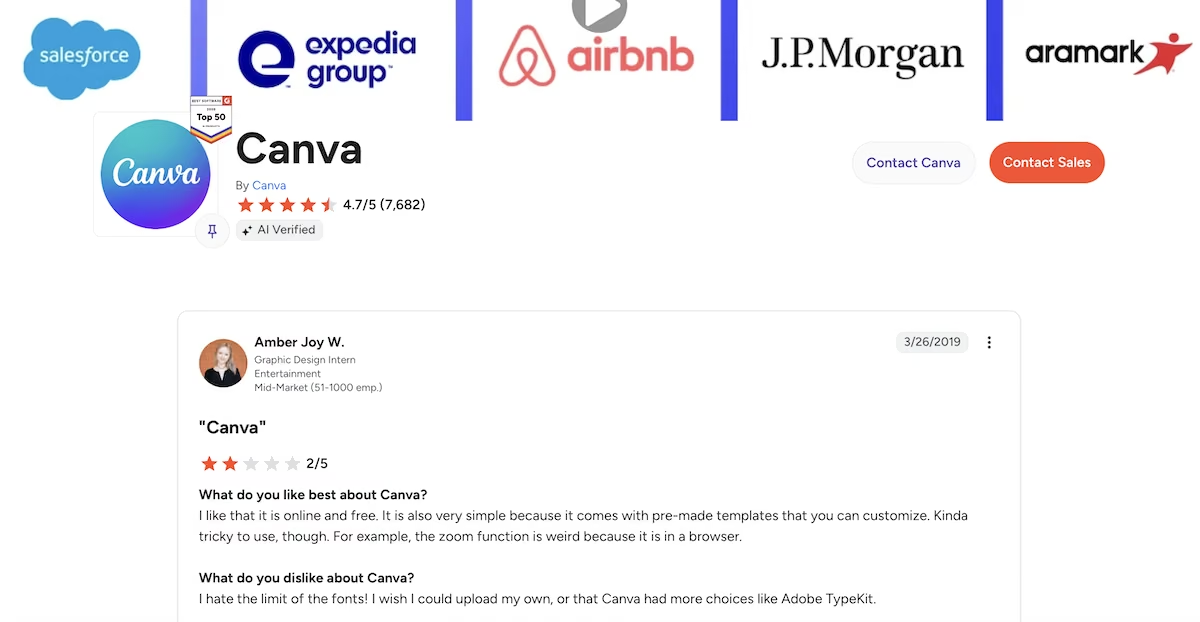
Canva is a design-first platform that has expanded into website and portfolio creation for users who want speed, simplicity, and visual polish without technical complexity. In 2026, Canva is widely used by marketers, creators, students, and early-stage professionals who want to build visually appealing portfolios quickly. It is best suited for simple portfolios where ease of creation matters more than deep structure or long-term scalability.

Key features of Canva


  1. Template-driven portfolio creation

Canva provides a large library of portfolio and website templates designed for different professions and styles. Users can start from a template and customize visuals easily. This dramatically reduces the time required to create a presentable portfolio.


  1. Drag-and-drop visual editor

The editor allows users to place text, images, icons, and sections freely. No coding or technical knowledge is required. This makes Canva accessible to beginners and non-technical users.


  1. Integrated design asset library

Canva includes access to a vast library of fonts, icons, illustrations, and stock images. Users can enhance portfolios visually without sourcing external assets. This is especially useful for early-career professionals.


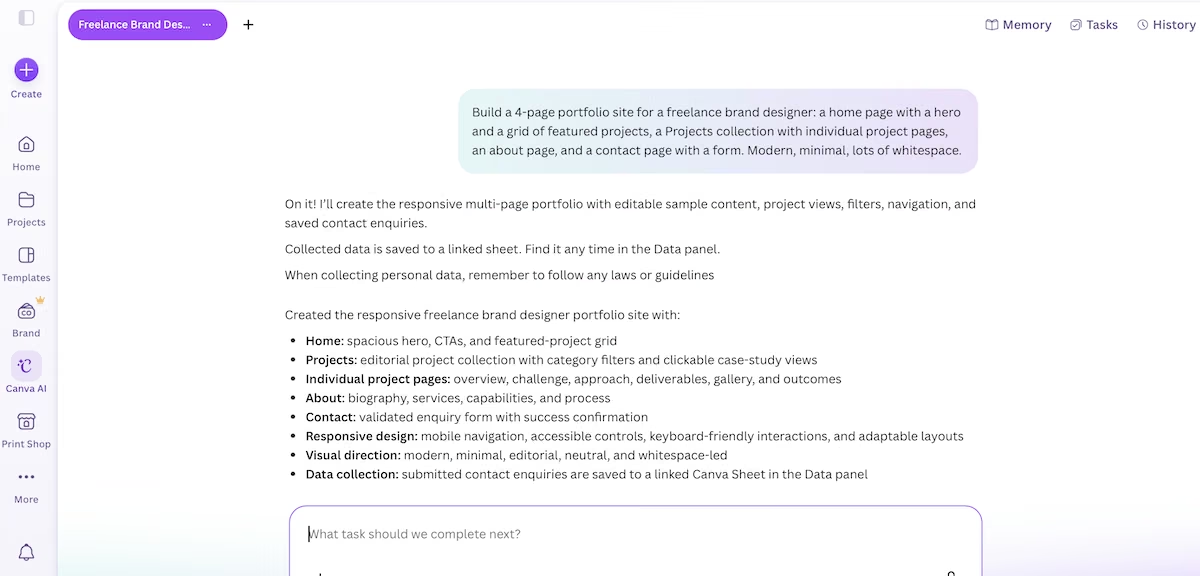
  1. Simple multi-page website support

Canva portfolios can include multiple pages such as About, Work, and Contact. Navigation is handled automatically. This allows basic site structure without CMS complexity.


  1. Automatic responsiveness

Canva websites are responsive by default. Designs adapt to different screen sizes. Users do not need to manage mobile layouts manually.


  1. Fast publishing and hosting

Publishing a portfolio with Canva is quick and frictionless. Hosting is included and managed by the platform. This supports instant deployment without setup.

Unique features of Canva


  1. Design-first accessibility

Canva’s core strength is making design accessible to everyone. Portfolio creation feels familiar to users already using Canva for graphics. This lowers the barrier to creating a visually polished site.


  1. Rapid iteration and experimentation

Users can duplicate designs, test variations, and update content quickly. Iteration is fast and forgiving. This suits users experimenting with personal branding.


  1. Unified design ecosystem

Portfolios can align visually with resumes, presentations, and social content created in Canva. Branding consistency is easy to maintain. This ecosystem approach is unique.


  1. No technical maintenance

Users do not manage hosting, security, or updates. Everything is handled by Canva. This simplicity appeals to users who want zero maintenance.


  1. Low learning curve

Most users can build a portfolio within hours. The interface is intuitive and well-documented. Learning overhead is minimal.


  1. Cost-effective entry point

Canva offers free and low-cost plans. Users can publish simple portfolios without significant expense. This makes it accessible for students and freelancers.


Advantages of Canva


  • Extremely easy to use for beginners.

  • Fast portfolio creation with minimal setup.

  • Large template and design asset library.

  • Hosting and responsiveness included.

  • Low cost and accessible pricing.

  • Good for simple, visually polished portfolios.

Limitations of Canva


  • Limited flexibility for complex case studies or structured content.

  • Not suitable for long-term, scalable professional portfolios.

  • SEO and customization options are basic.

  • Design-heavy approach can limit storytelling depth.

  • Limited control over backend structure and data.

  • Migration options are restricted as needs grow.

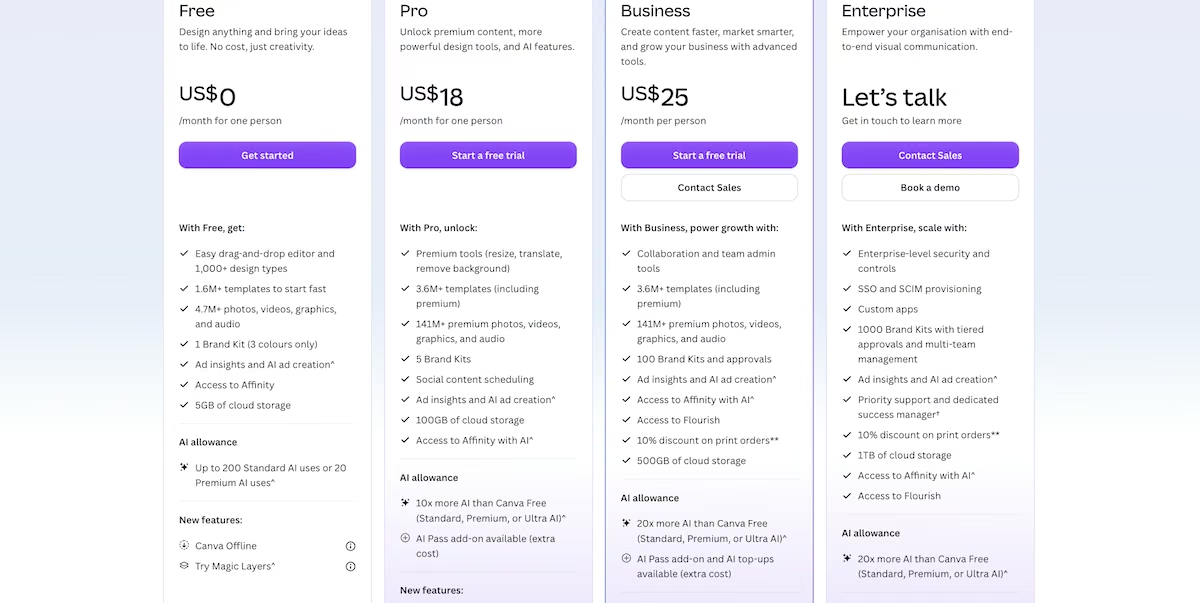
Pricing and Plans of Canva


Plan

Pricing

Key Highlights

Free

$0/month

Basic design tools, limited templates and assets, 5GB storage

Pro

~$12.99–$15/month (individual)

1TB storage, premium templates and assets, Brand Kits, background remover, 100M+ assets

Teams

~$10–$14.99/user/month (min 3 users)

All Pro features plus team collaboration, shared folders, brand controls

Enterprise

Custom pricing

Advanced security, SSO, admin controls, enterprise support

Education

Free (eligible users)

Full Pro features for verified K–12 teachers and students

Nonprofits

Free (eligible orgs)

Full Pro features for registered nonprofits


  1. Framer


Framer is a design-first, interactive website builder favored by designers, product thinkers, and creatives who want complete control over motion, layout, and interactivity. In 2026, Framer is widely used for modern portfolios that emphasize storytelling, animation, and product thinking rather than static presentation. It is especially popular among UX designers, product designers, and founders showcasing interactive case studies.

Key features of Framer


  1. Canvas-based design with pixel-level control

Framer provides a free-form canvas where users can design layouts with precise control over spacing, alignment, and hierarchy. Unlike template-first builders, layouts are not constrained to predefined grids. This allows designers to translate visual concepts directly into live portfolios.


  1. Native animation and interaction support

Animations, transitions, and hover states are built into the core editor. Designers can add motion without external libraries or plugins. This enables portfolios that demonstrate interaction design rather than just visual outcomes.


  1. CMS-powered project and case study pages

Framer includes a CMS that allows users to manage projects and case studies dynamically. New work can be added without redesigning pages. This supports growing portfolios with consistent structure.


  1. High-performance rendering and delivery

Websites built with Framer are optimized for speed despite heavy visual and motion elements. Performance optimization is handled automatically. This ensures interactive portfolios remain smooth and responsive.


  1. Responsive design controls

Designers can adjust layouts for different breakpoints directly within the editor. This provides precise control over how portfolios behave across devices. Responsiveness is handled visually rather than through code.


  1. Custom domains and deployment workflow

Framer supports custom domains and instant publishing. Deployment is fast and reliable. Users can iterate and publish changes without complex build steps.

Unique features of Framer


  1. Portfolio-first interaction design focus

Framer is uniquely suited for portfolios that need to demonstrate interaction and motion. It allows designers to show how experiences behave, not just how they look. This makes it ideal for UX and product roles.


  1. No-code to low-code extensibility

While primarily no-code, Framer allows advanced users to extend functionality when needed. This hybrid approach appeals to designers with technical curiosity. Flexibility increases without overwhelming beginners.


  1. Modern aesthetic and tooling

Framer’s output reflects modern web design trends such as smooth transitions and dynamic layouts. Portfolios feel current and polished. This aesthetic resonates with product teams and startups.


  1. Rapid iteration and preview

Changes are reflected instantly during editing. Designers can experiment quickly and refine interactions. Iteration speed is a strong advantage.


  1. CMS-driven scalability without heavy setup

The CMS allows structured content without complex configuration. Portfolios can scale to dozens of case studies cleanly. This balances freedom and organization.


  1. Strong alignment with product and startup culture

Framer portfolios often align with how modern product teams think about storytelling and presentation. This cultural fit matters in hiring contexts. It differentiates portfolios from traditional static sites.

Advantages of Framer


  • Excellent for interactive and motion-rich portfolios.

  • Full creative control over layout and behavior.

  • Built-in animations without plugins.

  • CMS supports scalable case studies.

  • Fast performance despite rich visuals.

  • Well suited for UX and product designers.


Limitations of Framer


  • Steeper learning curve than template-based builders.

  • Overkill for simple, static portfolios.

  • Less suitable for non-design professionals.

  • Writing-heavy portfolios require extra structuring.

  • Advanced customization can take time.

  • Not ideal for users wanting minimal design decisions.

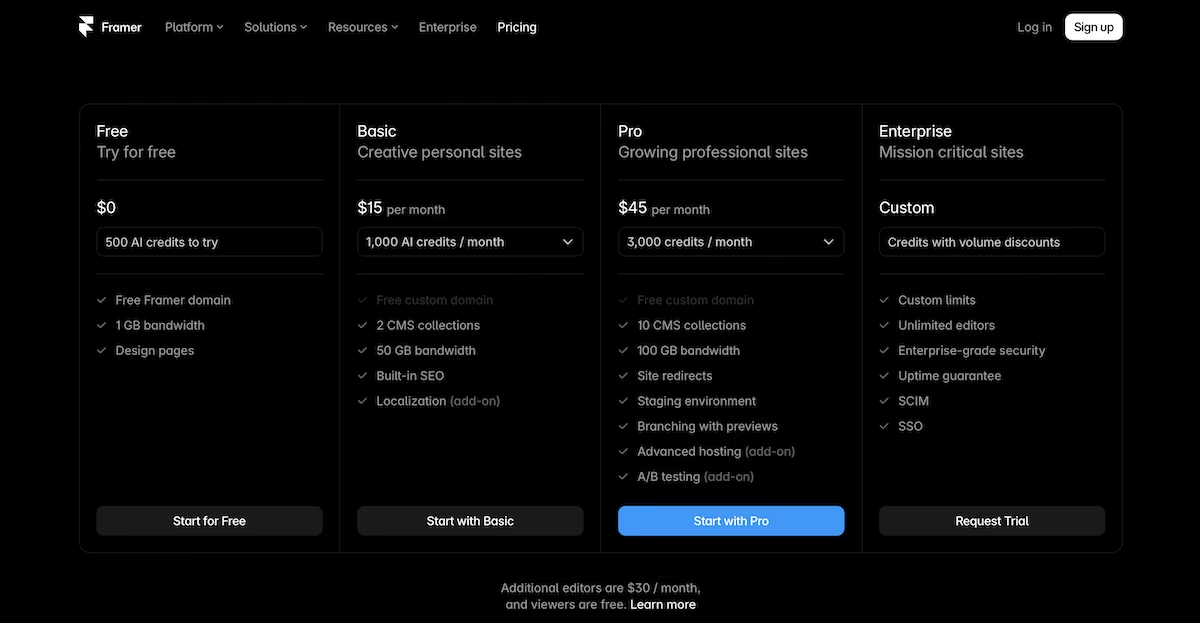
Pricing and Plans of Framer


Plan

Pricing

Key Highlights

Free

$0/month

Build and test on a Framer subdomain, Framer branding included, suitable for experimentation

Basic (Personal / Hobby)

~$15/month (billed annually)

Custom domain, personal websites, essential features for simple projects

Pro (Professionals / Small Teams)

~$45/month (billed annually)

Higher CMS limits, custom code support, more bandwidth, suitable for professional sites

Scale (Growing Companies)

~$100–$200/month (billed annually)

Advanced features, higher usage limits, built for growing businesses and teams

Enterprise

Custom pricing

Advanced security, custom limits, priority support, tailored for large organizations


  1. Wix


Wix is a flexible, general-purpose website builder that remains a popular choice for portfolios in 2026 due to its balance of ease of use, design freedom, and AI-assisted setup. It is widely used by creatives, freelancers, and professionals who want control over visual presentation without deep technical complexity. Wix is especially suitable for users who want customizable portfolios that can evolve into broader personal or business websites.

Key features of Wix


  1. AI-powered portfolio website creation

Wix uses AI to generate an initial portfolio based on inputs such as profession, style, and goals. The AI creates layouts, sections, and starter content that users can refine. This speeds up setup while still allowing manual customization afterward.


  1. Drag-and-drop visual editor

Wix provides a free-form editor that allows users to position elements visually. Layouts are not restricted to rigid templates. This enables a high degree of creative control over portfolio presentation.


  1. Extensive gallery and media options

Wix supports multiple gallery formats including grids, sliders, and masonry layouts. Users can choose how projects and visuals are displayed. This flexibility supports different portfolio styles and disciplines.


  1. CMS support for projects and collections

Wix includes a CMS that allows users to manage projects dynamically. New work can be added without redesigning pages. This supports scalability for growing portfolios.


  1. Mobile optimization and device previews

Wix automatically generates mobile-friendly versions of websites. Users can fine-tune mobile layouts separately if needed. This ensures portfolios look strong across devices.


  1. App marketplace for extended functionality

Wix offers an app marketplace with tools for forms, analytics, ecommerce, and more. Users can extend portfolio functionality as needs grow. This modularity adds flexibility.

Unique features of Wix


  1. Broad design flexibility without code

Wix allows extensive customization without requiring programming knowledge. Users can break away from preset layouts. This appeals to creatives who want visual freedom.


  1. AI-assisted content and layout suggestions

Beyond setup, Wix AI can suggest improvements to layout and copy. Users retain full control over edits. This guidance helps non-designers make better decisions.


  1. Ability to grow beyond portfolios

Wix portfolios can evolve into blogs, stores, or business websites. The platform supports multiple use cases. This adaptability extends site lifespan.


  1. Reliable managed hosting

Wix handles hosting, security, and updates. Users do not need to manage infrastructure. Reliability is important for professional visibility.


  1. Multi-user editing and collaboration

Multiple collaborators can edit the site. This supports team-based portfolios or shared projects. Collaboration improves efficiency.


  1. Large ecosystem and long-term stability

Wix has a large user base and established product roadmap. Long-term support is likely. Platform stability matters for professional sites.


Advantages of Wix


  • High design flexibility without coding.

  • AI-assisted setup reduces initial effort.

  • CMS supports scalable project management.

  • Large ecosystem of extensions and tools.

  • Reliable hosting and maintenance handled by the platform.

  • Suitable for a wide range of portfolio styles.

Limitations of Wix


  • Can feel overwhelming due to many options.

  • Performance depends on design discipline.

  • Not optimized specifically for portfolio storytelling.

  • Advanced layouts require careful manual tuning.

  • SEO depth is moderate compared to system-level builders.

  • Less structured than portfolio-first platforms.

Pricing and Plans of Wix


Plan

Pricing

Key Highlights

Free

$0

For trying Wix and basic experimentation

Light

$17 per month

Ideal for portfolios and personal sites

Core

$29 per month

Designed for small online stores and growing businesses

Business

$36 per month

Suited for established businesses needing more capabilities

Business Elite

$159 per month

Built for large businesses with advanced requirements

Enterprise

Custom pricing

Tailored for global brands with high-scale, industry-level needs

What are the benefits of using portfolio website builders?


  1. Professional credibility and trust

A well-built portfolio website signals professionalism. Clients and recruiters trust personal sites more than third-party platforms. Credibility improves opportunities.


  1. Clear storytelling of work

Portfolio builders help creators present work as narratives rather than raw outputs. Context and process are communicated effectively. This differentiates strong portfolios.


  1. Faster setup without technical overhead

Builders remove the need to manage infrastructure. Professionals can focus on presentation. Time-to-launch is reduced.


  1. Scalability as experience grows

Portfolios often expand over time. CMS-driven builders support adding new work easily. Scalability avoids rebuilds.


  1. Ownership of professional presence

Creators own their site and content. Portfolios are not subject to platform algorithms. Ownership supports career longevity.

How to choose the best portfolio website builder?


  1. Evaluate whether your portfolio needs structure or just visuals

Some professionals only need a visual showcase, while others need structured case studies that explain context, decisions, and outcomes. If your work requires explanation, iteration, or narrative depth, a builder with CMS-style structure is essential. Choosing a purely visual tool can limit long-term clarity and credibility.


  1. Assess how often your portfolio will evolve

Portfolios are not static, they change as careers grow. A good builder should allow you to add, reorganize, or refocus work without redesigning the entire site. Builders that force manual layout updates for every change become friction points over time.


  1. Consider performance and first-impression speed

Recruiters and clients often view portfolios briefly before deciding to engage further. Slow load times or heavy animations can hurt perception. Performance should be consistent even as visuals, media, or interactions increase.


  1. Think about audience-specific presentation needs

Some portfolios are viewed by recruiters, others by clients, collaborators, or investors. The ability to control visibility, sequencing, or emphasis matters. Builders that support selective presentation give professionals more strategic control.


  1. Plan for ownership and long-term flexibility

Your portfolio should not be tied to a single template or ecosystem that restricts future growth. Builders that allow expansion into blogs, products, or platforms protect long-term professional value. Ownership and adaptability matter more than short-term convenience.


Why is Emergent the best portfolio website builder?


  1. Designed for portfolios as evolving professional systems, not static showcases

Emergent treats a portfolio as a living system that grows alongside a person’s career, rather than a fixed set of pages. Projects, case studies, and narratives are structured in a way that allows continuous addition, reorganization, and refinement without redesign. This system-first approach aligns with modern, non-linear career paths where focus and positioning change over time.


  1. Enables deep, consistent case study storytelling at scale

Emergent allows professionals to model projects with consistent depth, including problem framing, approach, execution, and outcomes. This ensures that every case study communicates thinking, not just output. Recruiters and clients can quickly understand how someone works, even across a large body of projects.


  1. Reduces friction in writing, updating, and maintaining portfolio content

Through AI-assisted refinement and structured content models, Emergent removes much of the manual effort involved in maintaining a portfolio. Updating descriptions, adding new work, or improving clarity does not require rewriting from scratch. This keeps portfolios current and polished with far less ongoing effort.


  1. Maintains performance and clarity even with rich, complex content

Emergent handles performance optimization at the system level, ensuring that portfolios remain fast even as they include visuals, media, and structured narratives. Unlike design-heavy tools that slow down as complexity increases, Emergent preserves speed and readability. This protects first impressions at every stage of growth.


  1. Future-proofs portfolios beyond a single use case

Emergent portfolios are not locked into being only portfolios. They can expand into blogs, documentation, product showcases, or personal platforms without migration. This flexibility allows professionals to evolve their online presence as opportunities and goals change, making Emergent a long-term investment rather than a temporary tool.


Conclusion

Portfolio website builders in 2026 serve very different professional needs, from quick visual showcases to deeply structured storytelling platforms. Tools like Adobe Portfolio and Canva prioritize speed and simplicity, while Framer and Wix offer more design freedom and interaction. Emergent stands apart by enabling portfolios to function as scalable, structured professional systems that evolve with experience. For professionals who care about long-term growth, clarity, and adaptability, structure matters as much as aesthetics.

FAQs

1. Do professionals still need portfolio websites in 2026?

1. Do professionals still need portfolio websites in 2026?

1. Do professionals still need portfolio websites in 2026?

1. Do professionals still need portfolio websites in 2026?

2. Are templates enough for competitive portfolios?

2. Are templates enough for competitive portfolios?

2. Are templates enough for competitive portfolios?

2. Are templates enough for competitive portfolios?

3. Which portfolio builder is best for designers?

3. Which portfolio builder is best for designers?

3. Which portfolio builder is best for designers?

3. Which portfolio builder is best for designers?

4. Can portfolios evolve into full websites?

4. Can portfolios evolve into full websites?

4. Can portfolios evolve into full websites?

4. Can portfolios evolve into full websites?

5. What matters more, visuals or structure?

5. What matters more, visuals or structure?

5. What matters more, visuals or structure?

5. What matters more, visuals or structure?

The world’s first agentic vibe-coding platform where anyone can turn ideas into fully functional apps using plain English prompts. From solo builders to enterprise teams, millions use Emergent to build faster and smarter.

Copyright

Emergentlabs 2024

Design and built by

the awesome people of Emergent 🩵

The world’s first agentic vibe-coding platform where anyone can turn ideas into fully functional apps using plain English prompts. From solo builders to enterprise teams, millions use Emergent to build faster and smarter.

Copyright

Emergentlabs 2024

Design and built by

the awesome people of Emergent 🩵

The world’s first agentic vibe-coding platform where anyone can turn ideas into fully functional apps using plain English prompts. From solo builders to enterprise teams, millions use Emergent to build faster and smarter.

Copyright

Emergentlabs 2024

Design and built by

the awesome people of Emergent 🩵

The world’s first agentic vibe-coding platform where anyone can turn ideas into fully functional apps using plain English prompts. From solo builders to enterprise teams, millions use Emergent to build faster and smarter.

Copyright

Emergentlabs 2024

Design and built by

the awesome people of Emergent 🩵