



TL;DR
- Emergent: Best for non-technical restaurant owners who want to describe the site they want and leave room for more custom workflows later.
- Wix: Best for restaurants that want easy menu editing plus built-in ordering and reservation tools.
- GoDaddy Airo: Best for restaurant owners who want easy AI setup and a strong mobile-first draft.
- Squarespace: Best for restaurants that care most about visual control and are happy to spend longer setting things up.
- Canva: Best for getting a simple restaurant website together quickly with almost no learning curve.
Building a restaurant site sounds simple until the builder decides your About section is optional, moves your contact block above the menu, or makes you pick every font before it will show you a homepage.
I tested five restaurant website builder options by creating the same fictional Austin restaurant, Juniper & Smoke, in each one. I kept the build basic: a landing page, a short About section, a simple menu, opening hours, an address, phone number, and one menu call to action.
Then I ran the same editing, mobile, and cleanup checks wherever the builder supported them.
Emergent gave me the most complete first build; Canva was the quickest; Wix needed another attempt; GoDaddy Airo was easy to set up and produced a strong mobile version in just over four minutes, but it missed one menu item; and Squarespace traded speed for much more hands-on visual control. Here’s where each one held up.
What I Learned From Building the Same Restaurant Five Times
First-draft quality was only half the test. Every builder eventually got Juniper & Smoke into a usable shape. The bigger difference was what happened after I asked to move the menu, change one price, add a drink, or clean up the mobile version.
That’s important for a restaurant because the site won’t stay the same for long. You’ll change prices, add dishes, update opening hours, or swap out photos. A quick first build is less useful if every small update takes too much work.
I saw the same split I’ve found across broader AI website builders. Some tools are strongest when you describe the outcome and let AI handle the work. Others give you a visual editor and expect you to make more decisions yourself.
For this test, I gave more weight to how much work remained after the first build than to the number of features sitting in a dashboard.
How I Tested These Restaurant Website Builders
I built the same fictional Austin restaurant, Juniper & Smoke, across all five tools. The restaurant had the same name, copy, menu, hours, contact details, colors, and basic site requirements each time.
My main build prompt:
Create a mobile-friendly website for a fictional neighborhood restaurant called Juniper & Smoke in Austin, Texas. Include a hero section with the restaurant name, a short tagline, and a View Menu button, a short About section, a simple menu with Starters, Mains, and Drinks, opening hours, an Austin address and phone number, and a simple contact section. Use a warm, modern restaurant style with terracotta, cream, charcoal, and muted green. Make the menu and opening hours easy to find on mobile, and avoid unnecessary sections or advanced features.
I used the same restaurant content throughout, including Charred Corn Dip for $10, Smoked Mushroom Tacos for $16, and Texas Wagyu Burger for $21. This gave me fixed details to check instead of judging every site on looks alone.
Next, I ran a small editing test.
The editing request: Change “View Menu” to “See Our Menu,” move the menu above the About section, change Smoked Mushroom Tacos from $16 to $17, add Peach Iced Tea for $5, and leave the existing visual style alone.
Then I checked the mobile version.
The mobile test: I looked for the restaurant name and main button near the top, readable menu names and prices, clear opening hours, a usable phone number, and enough space around buttons.
Finally, I asked for a cleanup that made the type of restaurant, menu, hours, address, and phone number easy to find without adding extra sections.
One important difference: Squarespace’s Blueprint AI workflow didn’t give me the same single prompt box I used with the other AI-led builders. I recreated the same site and performed the same changes manually instead of pretending it was an identical prompt test.
I also kept the test intentionally basic. I did not place live food orders, process payments, connect a point-of-sale (POS) system, or make real reservations. When I discuss those capabilities below, I’m referring to the platform’s current official product features, not something I personally transaction-tested.
That narrower scope kept the test fair. I used the same basic build across every tool and clearly separated the features I tested myself from the ones I only verified through official product information.
Restaurant-specific platforms often cost more than general builders. Our best online website builders guide compares six on what each one actually charges.
5 Best Restaurant Website Builders: Quick Comparison
My results at a glance:
| Tool | Best For | What Happened in My Test | Free Option | Starter Paid Plan |
|---|---|---|---|---|
| Emergent | Prompt-first custom sites | Complete first build, best visual result | Yes | $20/month($17/month billed annually) |
| Wix | Restaurant features and easy edits | Needed another attempt, strong mobile result | Yes | $24/month($17/month billed annually) |
| GoDaddy Airo | Easy AI setup and mobile results | Fast first build, strong mobile version, one menu item missing | Yes | $9.99/monthbilled annually |
| Squarespace | Visual control | Slower setup, strong editing and mobile results | 14-day trial | $25/month($19/month billed annually) |
| Canva | Fast simple sites | Fastest build, limited direct editing | Yes | $18/month($12/month billed annually) |
1. Emergent: Best for a Custom Prompt-First Restaurant Website
My Testing Experience
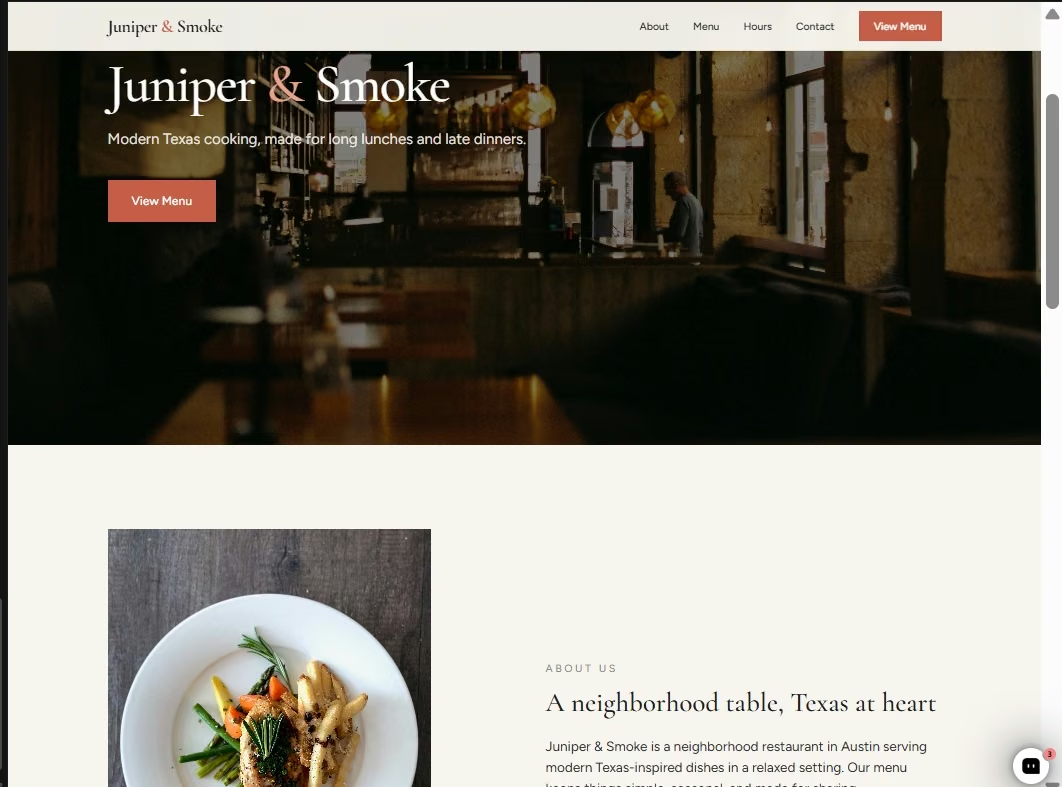
Emergent took around seven minutes to give me my first Juniper & Smoke site. That was slower than Canva and GoDaddy Airo in my test, but it was also the first build I had the least to complain about.
The basic build used about three credits. More importantly, everything I asked for was there on the first try. My sections were placed properly, the About content showed up where it should, the menu prices were present and correct, and the overall site looked finished rather than like a rough page I still needed to arrange.
My second prompt was handled without any issues. The menu moved, the price changed, the new drink appeared, and the rest of the design stayed intact. The mobile version was properly optimized when I checked it, and my final cleanup came back clean too.
The visual was my favorite of the five. It had the warm restaurant feel I was aiming for without me choosing a template, font pairing, or page structure one item at a time.
What I liked even more was how Emergent behaved after the build. It started suggesting ways the restaurant site could be better, including a direct Google Maps directions button, an “Open now” status based on the restaurant hours, menu photos, and email alerts for contact messages.
That assistant-style experience also fits with Emmy, Emergent’s new built-in chat assistant, which understands the context of your current project and can help turn a rough idea into a build-ready prompt or answer questions while you’re building.
I skipped those extras because I wanted to keep the five tests equal. Still, those suggestions felt useful rather than random feature padding. They were the sort of next steps I could imagine a restaurant owner asking for after the basic website was done.
The main tradeoff is editing style. I couldn't click directly into the preview and change an element the way I could in Squarespace. I had to describe the change I wanted instead. For me, that was easy enough, but someone who likes moving text and images around by hand may prefer a conventional visual editor.
Emergent’s restaurant product can also go further than my basic test, including third-party ordering and reservation integrations, payment flows, menu updates, and POS connections through prompts. I didn’t test those advanced workflows here.
Key Features
- Prompt-based building: You describe the restaurant, pages, content, and changes in normal language instead of assembling every section yourself.
- Useful follow-up suggestions: Emergent surfaces practical next steps once the basic site is working.
- Prompt-driven updates: Menu text, prices, and page structure change when you ask.
- Room for custom workflows: You can extend the site with ordering, reservation, payment, or other integrations when the basic website is no longer enough.
Pros and Cons
Pros:
- Strongest first draft in my test: It included everything I asked for without needing another build prompt.
- My favorite visual result: The site already felt polished on the first build.
- Easy for a non-technical owner: I could describe changes instead of figuring out a conventional website editor.
- Good sense of scope: Emergent suggested useful upgrades but also recognized when my requested site was finished.
Cons:
- Not the fastest builder I tested: My first build took around seven minutes.
- No direct preview editing in my workflow: Changes went back through the agents instead of letting me click and edit the page itself.
- Credits add up as you iterate: My simple first build used about three credits, so a much larger site or repeated revisions will use more.
What Reviewers Say

Tjokro, on Trustpilot, called Emergent “very simple and easy to use” and liked being able to build by describing what was needed through prompts.
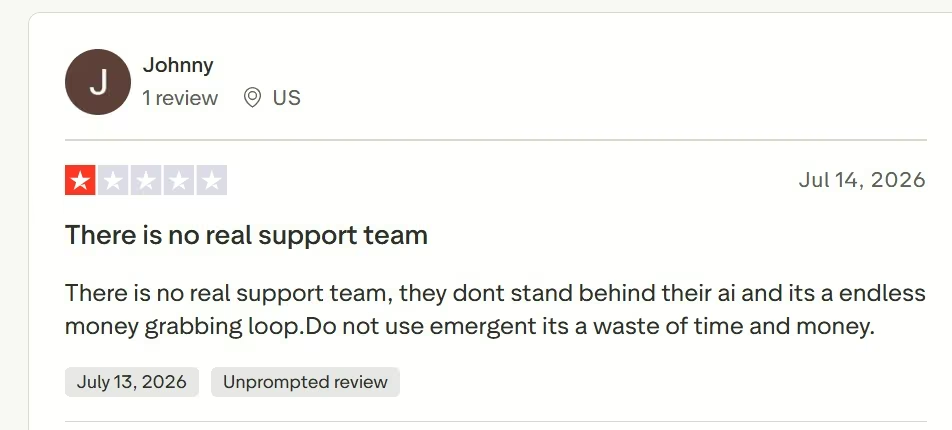
Johnny, also on Trustpilot, had the opposite experience and criticized support and ongoing costs. His experience is worth weighing if your project will need many rounds of changes and heavier credit use.
Pricing
Free costs $0/month with 10 monthly credits. Standard costs $20/month ($17/month billed annually), while Pro costs $200/month ($167/month billed annually). Business and Enterprise use custom pricing.
Bottom Line
Emergent gave me the best complete first build in this test. I’d pick it if I were a non-technical restaurant owner who wanted to explain the site once, refine it through conversation, and leave room to build more custom restaurant functions later.
If your preferred way of working is clicking directly into every section and rearranging it yourself, Squarespace gives you more of that control.
2. Wix: Best for Restaurant Features and Easy Ongoing Edits
My Testing Experience
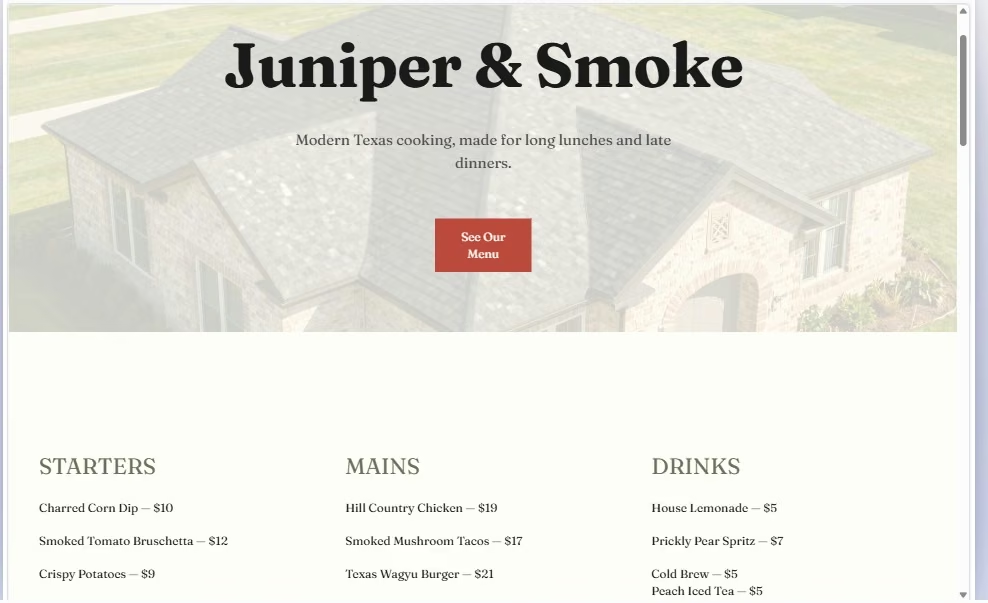
Wix had a rougher start than I expected. Setting it up wasn’t particularly easy, and the first time I submitted my restaurant brief, I didn’t get the result I was waiting for.
I entered the prompt again. This time Wix built most of the site, but it missed my About section completely.
The second editing test went much better. Wix moved “See Our Menu” up, placed the menu content where I wanted it, changed the price correctly, and kept the existing colors, fonts, and overall visual style. It did all of that quickly.
I was also happy with the mobile site. It checked the boxes I was looking for without making me fight the layout, and the final cleanup took around three minutes.
The missing About section was the real problem: I used the same brief for every tool on purpose, so I didn't want to give Wix extra help to get there.
Menu editing was one of Wix’s stronger points. Changing dishes and adding content felt straightforward once I was working inside the site. That is useful for a restaurant where prices, seasonal dishes, or drinks may change after launch.
Where Wix lost me was the visual. I didn’t really like the overall look it gave Juniper & Smoke. It was usable, and most of what I requested eventually appeared, but it didn’t have the same finished feel I got from Emergent or the visual control I got from Squarespace.
Still, if your priority is getting a functional restaurant site together quickly and being able to edit it later, that is a fair trade.
Wix also has one of the more restaurant-specific toolsets in this list. Its current restaurant product supports mobile-friendly menus, online orders, table reservations, multiple payment methods, delivery integrations, loyalty programs, and POS integrations. I only tested the basic website and menu workflow, not those live restaurant operations.
Key Features
- Editable restaurant menus: Add dishes, sections, descriptions, and prices through a restaurant-focused menu system.
- Ordering and reservations: Wix can take food orders and table reservations once you move into the required paid setup.
- Restaurant management tools: Orders, loyalty features, analytics, and other restaurant activity can sit under the same account.
- Visual editing: After the AI work, you can still make more direct changes yourself.
Pros and Cons
Pros:
- Easy menu maintenance: I found changing and adding dishes straightforward.
- Strong mobile result: My test page was already well organized on a phone.
- Good small-edit performance: The second prompt changed the requested details without disrupting the existing style.
- Restaurant-specific tools available: Ordering, reservations, menus, payments, and loyalty can all live in Wix.
Cons:
- Setup gave me friction: My first attempt didn’t produce the site as expected.
- It missed a requested section: The About section was absent even after my next changes.
- The visual wasn’t for me: It worked, but I preferred the look of other builders in the test.
What Reviewers Say
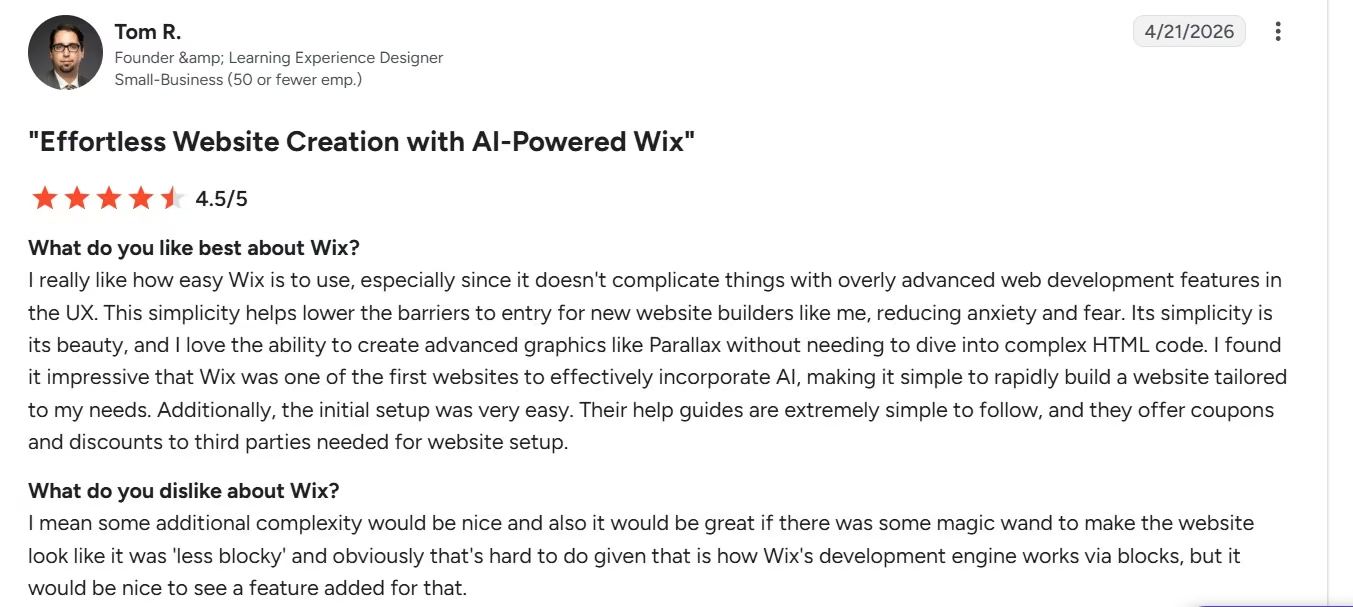
Tom R. (G2) liked how quickly Wix and its AI helped him build without advanced web knowledge, but wished the resulting design looked less “blocky.” That was close to my experience: the site worked, but the visual wasn’t my favorite.

Ariel G., also on G2, had a more critical experience and said Wix had a history of “not being good at customer support,” although he noted that responses seemed to be improving. That is worth keeping in mind if you expect to need more hands-on help after launch.
Pricing
Free costs $0/month. Light costs $24/month ($17/month billed annually), Core costs $36/month ($29/month billed annually), Business costs $46/month ($39/month billed annually), and Business Elite costs $172/month ($159/month billed annually). Enterprise has custom pricing.
Core is the first tier that accepts payments, so restaurants planning to sell directly need to look beyond Light. The current Wix pricing difference is more important once the site goes beyond showing your menu and contact information.
Also read our Wix pricing guide, which covers what each of the five plans really costs once you add what you need.
Bottom Line
Wix recovered well after a frustrating start. I’d use it for a restaurant that expects staff to make regular menu edits and wants ordering or reservations available in the same platform.
I wouldn’t choose it purely for the first visual it gave me. If your restaurant’s design is the thing you care about most, I had better results elsewhere.
3. GoDaddy Airo: Best for Easy AI Setup and Strong Mobile Results
My Testing Experience
GoDaddy Airo was one of the easiest builders to get started with. The interface was straightforward to navigate, and I didn’t spend much time figuring out where to begin before giving it the Juniper & Smoke brief.
The free plan gave me 50 AI credits. My first build used six of them and finished in 4 minutes 7 seconds, which made Airo faster than Emergent in this test but still slower than Canva.
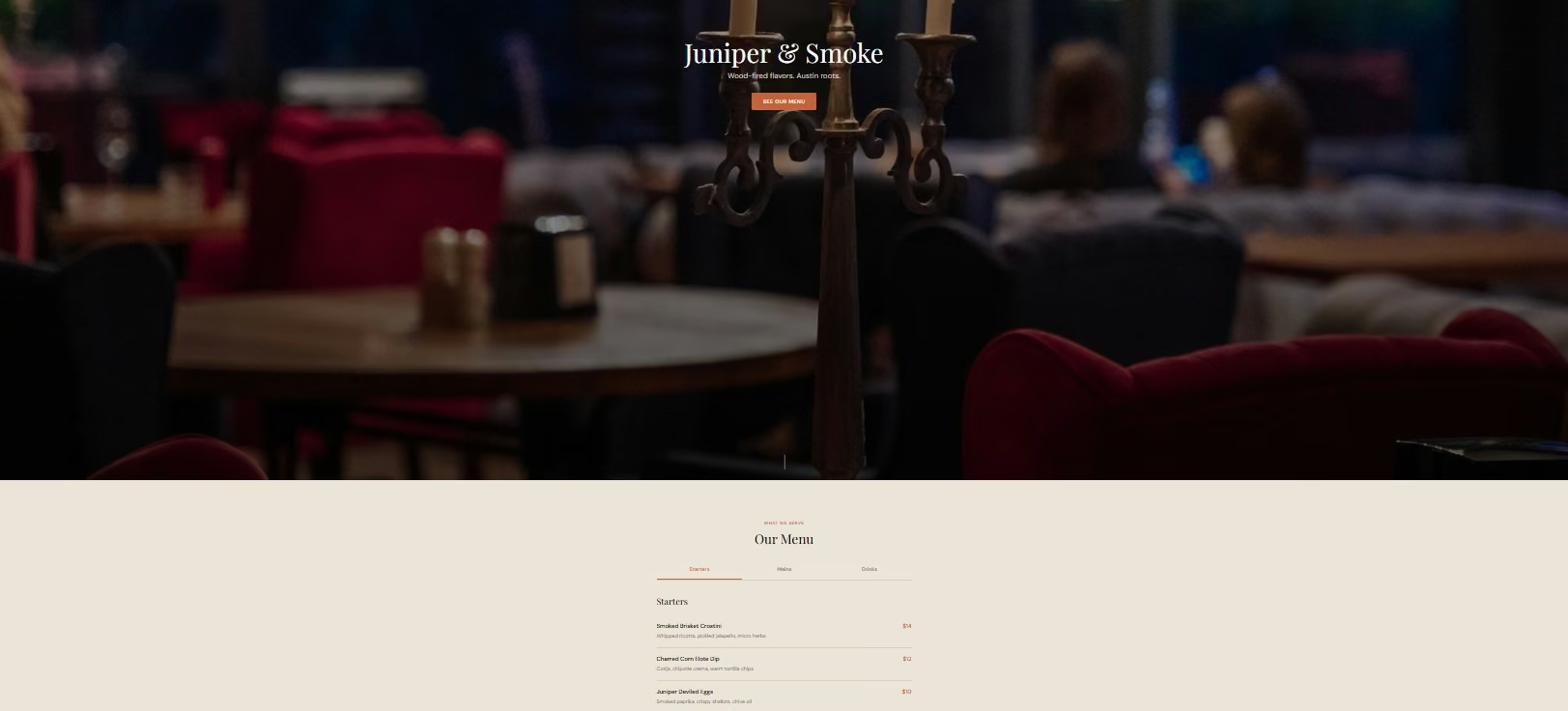
I also liked being able to see what Airo was doing as it worked. It selected restaurant photography, created a custom color palette, paired Playfair Display with DM Sans, generated a logo, and built the header, footer, and homepage in phases instead of disappearing behind a loading screen.
The first result looked good overall. The hero, About content, menu, opening hours, address, phone number, and general restaurant style were all there, and the mobile version looked especially good. I didn’t have to fix the phone layout or hunt for the important restaurant information.
The desktop version was less convincing. The visuals were fine, but the spacing and overall polish could have been better. I also discovered during the editing test that Smoked Mushroom Tacos, one of the fixed dishes I included specifically to check accuracy, hadn’t made it into the generated menu.
My follow-up editing request took about two minutes. It changed “View Menu” to “See Our Menu,” moved the Menu above the About section, and added Peach Iced Tea for $5. The visual also improved slightly after the changes.
The taco price edit was the interesting part. Airo checked the content file, noticed Smoked Mushroom Tacos wasn’t there, and told me the closest $16 item was a Smoke & Honey Old Fashioned. It didn’t silently change the wrong dish. I liked that caution, although the missing item was still a first-draft accuracy miss.
Once the first homepage was complete, Airo also suggested clear next steps such as building a full menu page, Contact page, or About page. That felt useful for a restaurant owner who knows what the business needs but may not know what page to build next.
GoDaddy also positions Airo specifically for food businesses. Beyond the basic site I tested, it can generate online ordering and reservation apps, digital menus, and connect with restaurant services such as OpenTable, Resy, Tock, Toast, UberEats, and DoorDash. I didn’t test those operational features here.
Airo lands somewhere between pure speed and deeper customization for me. It was fast, beginner-friendly, and strong on mobile, but I’d still check every menu item before publishing rather than assuming the AI carried every detail across perfectly.
Key Features
- Conversational website building: Describe the restaurant you want, then refine content, layout, and visuals through follow-up prompts.
- Restaurant-specific apps: Airo can add digital menus, online ordering, reservation systems, and other restaurant workflows.
- Restaurant integrations: It supports connections to services such as OpenTable, Resy, Tock, Toast, UberEats, and DoorDash.
- Free starting credits: The free plan includes 50 AI credits per month, which lets you test a real build before moving to a paid plan.
Pros and Cons
Pros:
- Very easy to get started: I found the interface straightforward to navigate and didn’t need much setup before building.
- Fast first preview: My homepage finished in 4 minutes 7 seconds using six credits.
- Strong mobile result: The phone version looked good without needing another layout fix.
- It caught an editing mismatch: Airo noticed the taco wasn’t in the menu instead of changing the wrong $16 item.
Cons:
- One requested menu item was missing: Smoked Mushroom Tacos never appeared in the first build.
- Desktop polish could be better: The visuals looked good, but I thought the spacing needed more work.
- The edit test wasn’t fully successful: Airo completed the other changes but couldn’t update the missing taco price.
- Credits are easy to notice: My simple first homepage used six of the 50 free monthly credits.
What Reviewers Say

Kubilay U. on G2 praised GoDaddy Airo’s AI-driven setup and said he found the initial setup easy and trouble-free. That was close to my experience: I could get into the builder quickly, and the first Juniper & Smoke preview didn’t take much work to start.

Nicholas R., also on G2, found GoDaddy’s website builder easy enough to create a professional-looking site with little experience, but said subscriptions and upgrades could be confusing. His review covers GoDaddy Website Builder rather than my exact Airo workflow, but it’s useful context if you plan to move beyond the free builder and start adding paid services.
Pricing
A free plan is available and includes 50 AI credits. Starter costs $9.99/month billed annually with 150 monthly credits, Professional costs $24.99/month billed annually with 300 credits, and Ultimate costs $99.99/month billed annually with 750 credits.
Bottom Line
GoDaddy Airo was one of the easiest builders in this test to set up, and its first mobile result was one of its strongest points. The 4-minute first build was quick, and most of my edit requests worked without much effort.
I wouldn’t publish the first AI-generated menu without checking it carefully, though. Missing Smoked Mushroom Tacos stopped Airo from completing the price-change test, even though I liked that it caught the mismatch instead of editing the wrong item
4. Squarespace: Best for Visual Control
My Testing Experience
Squarespace was the odd one out in my testing process.
Wix and Canva let me get much closer to starting with the restaurant brief itself. Squarespace started by asking me questions about what the website was for and what I wanted to achieve. Then Blueprint AI guided me through decisions such as the site title, brand personality, pages, colors, and fonts.
For this test, that meant I couldn’t run my edit prompts in exactly the same way. I had to manually recreate the same changes, including changing menu prices through the editor.
The mobile page was very well optimized, too.
I actually appreciated the questions at first. They made Squarespace think about the site before throwing a page at me, and I think that helped the final visual.
The setup took longer than the prompt-first builders.
I kept thinking that most of those choices were already sitting inside the prompt I had prepared. Instead of pasting one restaurant brief and letting the builder pull out “Juniper & Smoke,” “sophisticated,” “About,” “Contact,” and the visual direction, I was making those decisions one by one.
The upside became obvious once I was inside the site.
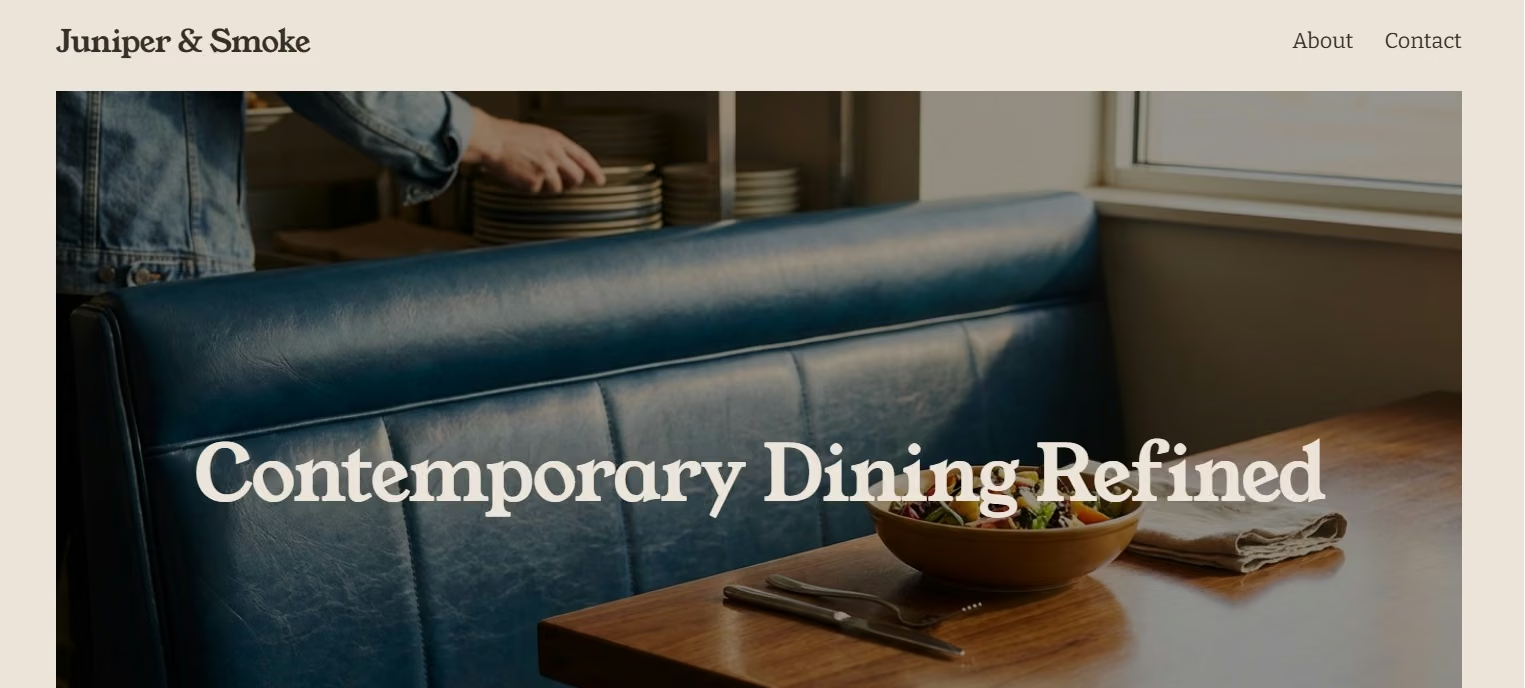
Squarespace gave me much more direct editing control than Canva’s AI-generated page. I could keep changing things, moving pieces around, and adjusting the visual until it looked the way I wanted. The initial build also contained the important content I needed.
My bigger concern is that I'm a complete beginner. I found parts of Squarespace a bit hard to navigate, and the setup felt time-consuming compared with the “tell the AI what you want and keep moving” experience.
But visually, I liked it. The questions at the start and the number of design options clearly paid off in the finished site. This is why Squarespace remains one of the more interesting business website builders when visual presentation is just as important as speed.
For restaurants specifically, Squarespace supports restaurant menu blocks, OpenTable blocks, eCommerce, reservation-focused layouts, and restaurant templates that adapt across phones, tablets, and desktop screens.
Key Features
- Guided Blueprint AI setup: The onboarding asks about your goals, pages, personality, and design direction before building.
- Direct visual editing: You can keep adjusting sections yourself instead of depending only on AI prompts.
- Restaurant menu tools: Menu blocks are designed to display restaurant items and pricing directly on the site.
- Reservation options: Squarespace supports restaurant-focused blocks and integrations such as OpenTable.
Pros and Cons
Pros:
- Strong visual result: I liked the finished design and the range of choices behind it.
- Excellent direct editing: I could keep changing the site until it looked the way I wanted.
- Good mobile version: My site translated well to the smaller screen.
- Thoughtful onboarding: The initial questions helped establish a clear visual direction.
Cons:
- More time-consuming: I had to make several decisions that a single detailed prompt could have covered.
- Less comparable as a prompt test: I performed several edits manually because Blueprint AI didn’t give me the same workflow.
- Navigation takes learning: I found it less obvious for a total beginner than Canva or Emergent’s conversational approach.
What Reviewers Say
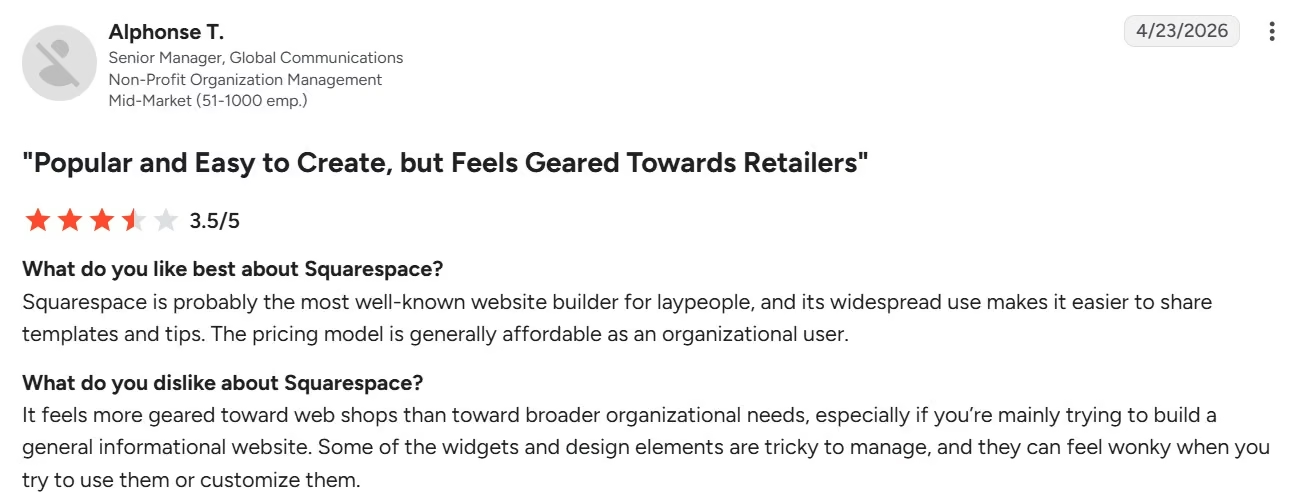
Alphonse T., G2, liked Squarespace as an accessible builder with familiar templates but found some widgets and design elements tricky to manage. That matches the tradeoff I noticed between strong visual control and a less immediate setup.

Mrs. Phyllis C., G2, liked how straightforward the initial setup was but said “the lack of easily accessible customer service really turned me off” and felt the pricing was high. That gives another side to the smoother setup and visual control I found once I was inside the builder.
Pricing
Squarespace has a 14-day free trial rather than a permanent free plan. Basic costs $25/month ($19/month billed annually), Core costs $39/month ($29/month billed annually), Plus costs $65/month ($49/month billed annually), and Advanced costs $139/month ($99/month billed annually).
Bottom Line
Squarespace took more work to set up, but it gave me much more control over the final look. I’d pick it for a restaurant that relies heavily on photography, typography, and a polished visual identity and doesn’t mind spending extra time getting the design right.
For a non-technical owner who wants to describe the site and move on, I’d start with Emergent or GoDaddy Airo instead.
Also read our Squarespace pricing guide for what each plan costs once you add what a restaurant site needs.
5. Canva: Best for Creating a Basic Restaurant Site Fast
My Testing Experience
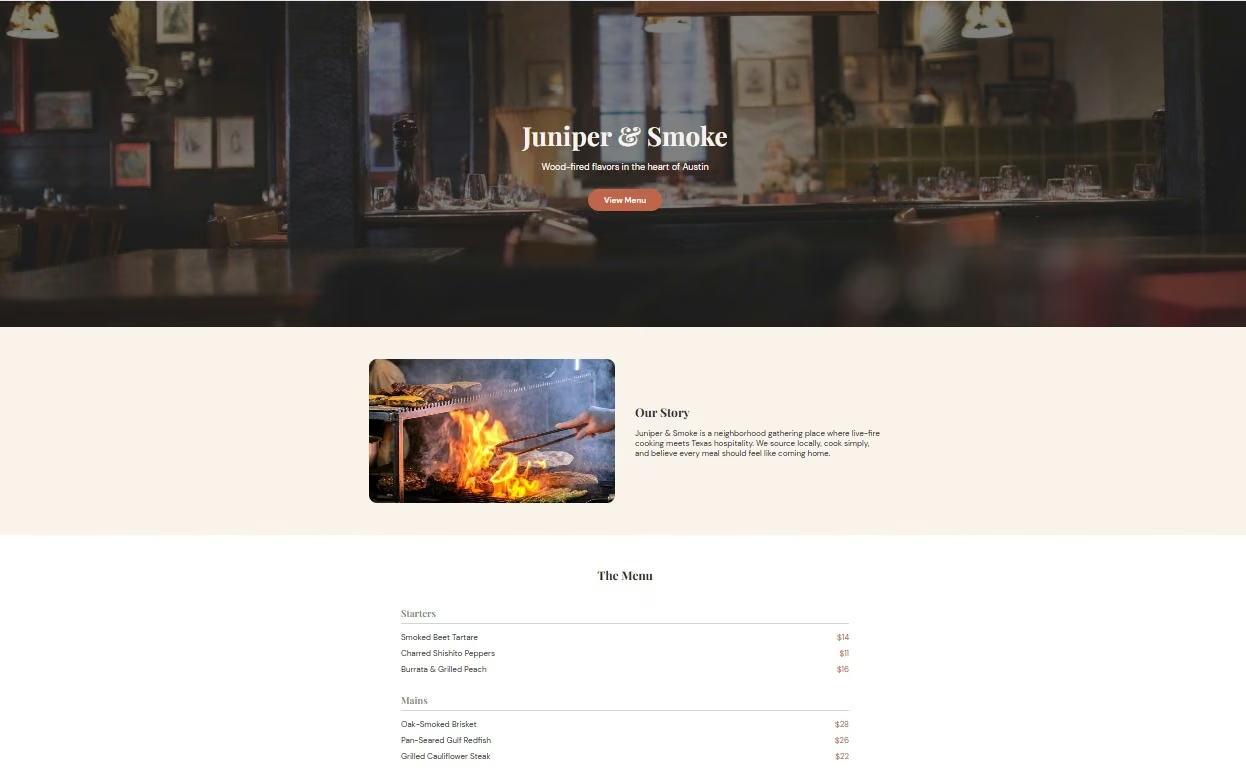
Canva was the quickest tool in my test. I gave it the first Juniper & Smoke prompt, and in roughly three minutes I had a page with all of the main sections I had asked for.
The “View Menu” button worked properly and took me down to the menu.
My second prompt helped. Canva responded in about a minute, made the requested changes, and brought the site back the way it was supposed to look. So the AI could make the edits for me even when direct editing wasn’t as convenient.
The first mobile version rearranged my page in a way I didn’t want. The “Get in touch with us” area moved higher up while the menu, About content, and other information came later. That wasn’t the priority order I had asked for.
It was also very easy to navigate. If you’re not particularly technical and your main goal is to get something presentable online without spending half the day learning a website builder, Canva makes a strong first impression.
Then I hit the limitation: I couldn't easily open the menu Canva AI had built and edit or add dishes directly. To get more direct editing control, I would have had to move into a different template or workflow.
That’s important because restaurant menus change.
The first mobile layout needed another pass.
My later requests were handled better, so Canva was still responsive. I just wouldn’t assume that a nice desktop result means the mobile hierarchy is finished.
This is where Canva lands for me. It is very good at getting you from nothing to something quickly. Its current restaurant builder also combines restaurant templates, AI tools, free Canva-domain publishing, collaboration, and Pro traffic analytics.
It becomes less convincing when you want to keep treating the website like an operational restaurant site rather than a designed page.
Key Features
- Fast AI-assisted creation: You can get a simple restaurant page together quickly without knowing web design.
- Restaurant templates: Canva has layouts specifically for restaurants, cafes, catering businesses, and other food brands.
- Shared design system: The same Canva account can handle your site, menu graphics, flyers, social posts, and other restaurant materials.
- Free publishing: Canva lets you publish on a Canva domain, with custom-domain options available when you upgrade.
Pros and Cons
Pros:
- Fastest first build in my test: I had all the requested sections in about three minutes.
- Easy to navigate: This was one of the least intimidating options for a non-technical person.
- Prompt changes were quick: My second set of edits came back in about a minute.
- Useful beyond the website: Restaurant owners already creating menus and social content in Canva can keep assets together.
Cons:
- Direct menu editing was limited in my AI-built version: I couldn’t simply edit the generated menu the way I wanted.
- Mobile hierarchy needed attention: My first mobile result moved contact content above more important restaurant information.
- Better for simple sites: I’d move to another tool when the website needs regular structured updates or deeper restaurant workflows.
What Reviewers Say

Jessica V., G2, liked how quickly she could create a simple website even without being a designer, but noted that “sometimes the AI doesn't understand what I want to do.” That was close to my experience: Canva was quick and easy to start with, but I had less control when I wanted specific edits.
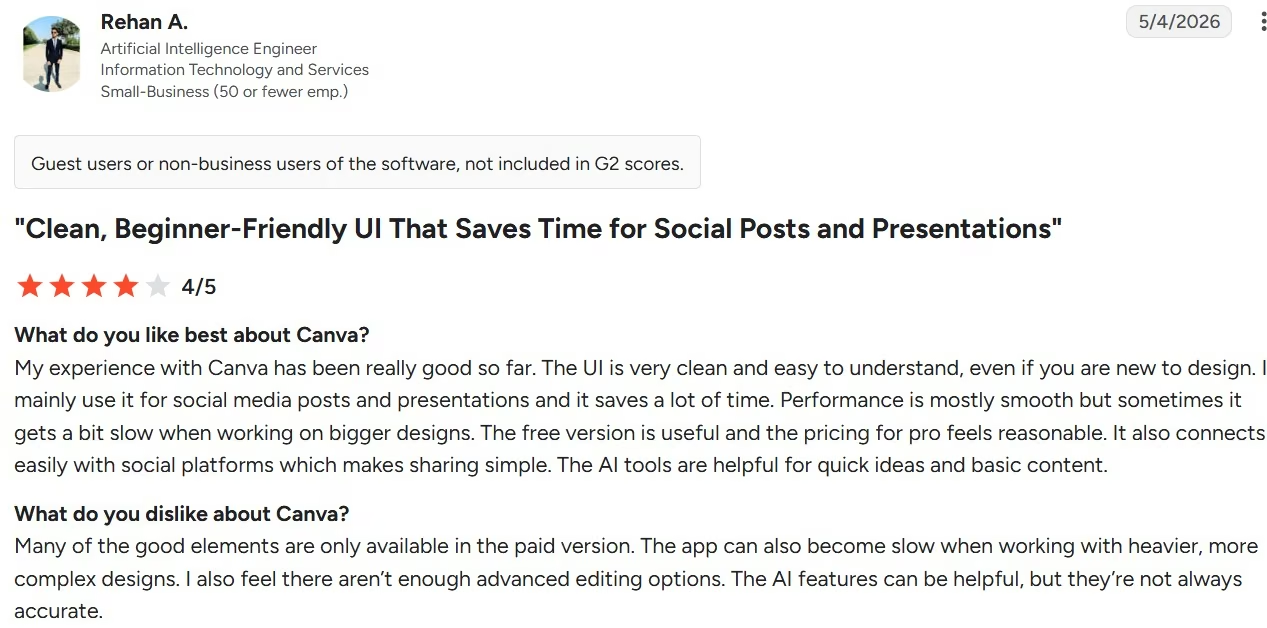
Rehan A., G2, found Canva clean and easy to use but said heavier designs could slow down, advanced editing options felt limited, and the AI features “aren’t always accurate.” That lines up with my experience of needing another pass when Canva didn’t give me the layout I wanted.
Pricing
Free costs $0/month. Pro costs $18/month ($12/month billed annually), while Business costs $25/month ($20.83/month billed annually). Enterprise uses custom pricing.
Bottom Line
Canva is the tool I’d hand to someone who wants a simple restaurant page today and doesn’t want a learning curve. It was fast, easy, and handled my prompt changes well.
I’d choose another builder if you expect frequent menu updates, want to edit the page directly, or plan to grow the site into a larger business system.
Other Tools Worth Checking Out
These four didn’t make my hands-on five because I wanted to keep the main comparison focused on website builders I could use for the same basic Juniper & Smoke build.
- Square Online: Square starts at $0/month and combines a website builder with pickup, local delivery, customer accounts, payments, and Square POS syncing. It makes the most sense when your restaurant already runs on Square, so I left it outside this more general website-builder test.
- Popmenu: Popmenu starts at $159/month prepaid annually and combines a restaurant website with interactive menus, Google Business Profile syncing, guest contacts, marketing, and restaurant integrations. It is much more of a restaurant marketing platform than the basic builders I tested, and its entry price puts it in a different buying decision.
- BentoBox: BentoBox combines restaurant websites with menus, online ordering, marketing, and hospitality tools. Its Takeout & Delivery subscription starts at $49/month plus $0.99 per order and card-processing fees. I kept it outside the same-brief test because it leans more toward restaurant ordering and operations than a general website-builder workflow.
- Shopify: Shopify Basic costs $39/month ($29/month billed annually) and gives you a full online store, checkout, inventory management, and commerce tools. I’d consider it for a restaurant with a serious merchandise or packaged-food business, but if that is your main goal, comparing Shopify alternatives makes more sense than treating Shopify as a basic restaurant website builder.
- Owner.com: Owner.com combines an AI-optimized restaurant website with direct online ordering, a branded app, loyalty, and automated marketing. Flexible costs $249/month plus a 5% restaurant fee per order, while Flat Rate costs $499/month with no additional restaurant fees. I kept it outside the same-brief test because it focuses more on direct restaurant orders and growth than general website building.
Which Restaurant Website Builder Should You Choose?
The right choice depends on what you want to happen after you finish the first page. My testing made that much clearer than the feature lists did.
Choose Emergent if you:
- Want to describe the website rather than assemble it manually.
- Care about getting a complete first draft with less cleanup.
- Want AI to handle later menu, layout, and copy changes through conversation.
- Can see the basic restaurant site growing into more custom workflows later.
Choose Wix if you:
- Expect to update dishes and menu content regularly.
- Want restaurant ordering, reservations, payments, loyalty, and other tools available in the same platform.
- Don’t mind spending a little more time getting the first design where you want it.
- Prefer being able to edit the site yourself after AI helps with the setup.
Choose GoDaddy Airo if you:
- Want an AI builder that is easy to navigate and quick to get started with.
- Care about getting a strong mobile version without much manual cleanup.
- Don’t mind checking the generated menu carefully before publishing.
- May eventually want to add restaurant workflows such as ordering, reservations, or delivery integrations.
Choose Squarespace if you:
- Care a lot about how the restaurant looks online.
- Want to keep adjusting the site directly until the design feels right.
- Don’t mind answering more setup questions and making more choices yourself.
- Prefer visual control over the fastest possible build.
Choose Canva if you:
- Need a simple restaurant page fast.
- Already know how to use Canva.
- Rarely change the menu or can live with making changes through AI.
- Want the website to share the same visual assets as your menus, flyers, and social content.
Final Verdict
Emergent is my pick from this test. It wasn’t the fastest, but the extra few minutes paid off. Its first Juniper & Smoke build included everything I asked for, used about three credits, looked the best to me, and needed the least structural cleanup.
Wix comes next when you need more restaurant-specific tools. My setup was less smooth, and I didn’t love the visual, but menu editing was easy, the mobile result was good, and its restaurant features go well beyond the basic page I tested.
GoDaddy Airo is the option I’d pick when ease of setup and mobile performance matter more than getting every visual detail perfect on the first try.
It built my first page quickly and handled most of the follow-up edits, but the missing taco is exactly why I’d double-check menu content before publishing.
Squarespace wins on hands-on visual control, while Canva wins on pure speed and simplicity.
My biggest takeaway from testing five restaurant website builder options is simple: don’t judge the tool only by the homepage it produces. Change a menu price. Move a section. Check the mobile version. Those small jobs tell you much more about what owning the site will feel like six months from now.

Emergent designs, writes, and publishes your whole site from one prompt. No templates, no drag-and-drop.
- Full site from one prompt
- Custom design, real pages
- Publish in minutes







