TL;DR
- Emergent: Best for actors who want a fully custom site.
- Squarespace: Best for a polished, casting-ready portfolio you can keep current without a designer.
- Wix: Best for actors who want the most layout control inside a drag-and-drop editor.
- WordPress: Best for actors who prefer full ownership and can handle ongoing upkeep.
- GoDaddy Website Builder: Best for keeping your domain, email, and site in one account.
- SITE123: Best for getting a basic actor site live fast.
A casting director finishes your self-tape and opens a browser. Your site is the next stop. If it loads slowly, looks dated, or hides your reel behind three clicks, you risk losing the callback before anyone reads your credits.
This guide compares the six best website builders actors use to put a reel, headshots, and credits in one place. I evaluated each one on reel and media embedding, how easy it is to update credits, template flexibility, mobile display, and pricing.
I built an actor site by hand on six of these tools using their free plans or trials. I priced every plan from the vendor's own page and cross-checked published reviews for friction the marketing copy skips.
By the end, you'll know which builder fits your budget, how much control you want, and how fast you need to go live.
Why an Actor Needs a Site at All
You already have profiles on IMDb, Backstage, and Actors Access. Casting directors use those daily, so it's fair to ask why building your own site is worth the time.
The truth is none of those platforms are yours. IMDb decides what appears on your page. Backstage buries older credits under newer activity from other performers.
If a casting director googles your name after watching your self-tape, what they find next is whatever those platforms decide to show.
A site you own puts your reel first, in the order you pick, with nothing else on the page competing for attention. You control which headshot leads, which credits get top billing, and how fast a new booking shows up after you land it.
On a platform profile, you're waiting on someone else's edit queue. On your own site, you publish the update yourself, the same day.
It also gives you one URL to put everywhere: your email signature, your self-tape slate, your agent's roster page. That's a small thing until a casting associate is juggling twenty submissions and yours is the one that's a single click away instead of three.
None of this needs to cost much or take long. Every builder below gets you there, some in an afternoon, some in less.
What differs is how much control you get, how fast you can update it after a callback, and what you pay once the introductory rate ends.
How I Evaluated These Website Builders
I scored what each platform claims it can do for a portfolio website or a reel-first site, and where reviewers say that claim breaks.
Here's what separated a builder that helps from one that gets in the way:
- Media embedding: Can you drop in a Vimeo or YouTube reel, stills, and a resume without a fight?
- Template flexibility: Can the layout look like an actor site, or are you stuck in a generic business skin?
- Credits updates: How fast can you add a new booking after a callback?
- Mobile display: Are the reel and contact info easy to tap on a phone?
- Pricing: What you pay in year one versus what you pay when the promo ends.
That filter is what ranked each builder for a specific job. I also looked at Site.pro, but dropped it since SITE123 already covers the same ground with more features.
Why not a builder made only for actors?
They exist. ActorGear and Web For Actors both sell purpose-built actor sites, and smaller actor-only portfolio services sit alongside them. I left them out on purpose.
All six builders below were judged on the criteria above, and each one clears the bar an actor site has to clear.
What a general-purpose tool adds on top is room to move: it still works when the shape of your career changes, and the afternoon you spend learning it pays off again if you later sell classes, a workshop, or coaching. The specialist tools are built for one version of your career.
6 Best Website Builders: Quick Comparison
Use this table as a recap. Match the “Best For” column to how you work, then read the full write-up before you pick a plan. Prices are starting rates from each vendor's official pricing page. Promo rates can jump at renewal.
| Tool | Best For | Starting Price |
|---|---|---|
| Emergent | Custom actor site | $20/mo ($17/mo annual) |
| Squarespace | Polished, casting-ready portfolio | $25/mo ($19/mo annual) |
| Wix | Max layout control | $17/mo |
| WordPress | Full ownership | Free software + hosting |
| GoDaddy Website Builder | Domain, email, and site in one place | $19.99/month ($9.99/mo annual) |
| SITE123 | Fastest path to a live page | $0, then $12.80/mo |
1. Emergent: Best for a Fully Custom Actor Site

What it does: You describe the site you want in plain language, and Emergent's agents design, code, and deploy a live web app.
Best for: Actors who want a custom portfolio (reel, headshots, credits, contact) and may later add booking forms, mailing lists, or a members area. Also a fit if you plan to ship more than one site and want the code in GitHub.
I signed up for Emergent’s AI website builder on the free plan, got 10 credits for the month, and tried to build a simple actor site: bio, headshots, credits, a reel, and a way for casting to get in touch.
So I prompted the tool:
“Build a clean, mobile-friendly one-page actor website for William: header with name and union status, short bio, placeholder headshot gallery, credits table (year, title, role, type), YouTube reel embed, and a contact form. Dark background, light text, no login, no extra pages.”
The agents asked a few clarifying questions (how many pages, whether the reel should sit on the home page) and then started building. The first draft took about 17 minutes.
Live preview displayed a clean, responsive layout. Hero with a placeholder portrait, bio block, gallery tiles, a simple credits table, the embed, and a working-looking form. Nothing flashy, but it read like a real actor page.
That first generation ate most of the ten credits, so I spent what was left on one short follow-up: “make the credits table tighter and put the reel under the bio”.
Then the meter was empty. I could still click around the preview and send the temporary share link. I couldn't publish a lasting public URL, attach a custom domain, or push the code to GitHub. Those are on paid tiers. Large video hosting wasn't something I could finish on free either.
For evaluating the idea, the free plan worked. In one sitting, I had a clickable website I could send privately. An actor who needs a live site would need more than ten credits, since deploying a live app runs about 50 credits a month on its own.
Key Features
- Prompt-to-site build: You specify reel embeds, credit lists, and contact paths. The output is a real site.
- Media and embeds: You can ask for Vimeo or YouTube players, image galleries, and a resume page so a casting director hits the tape first.
- Code you can take with you: on paid plans you can push your project to GitHub with Save to GitHub, picking the repo and branch each time. If you hire a developer later, they inherit a normal stack.
- Deployed URL: Preview, then publish. Hosting and a live link sit in the same flow.
- Credit updates: Adding a new credit or resume line means prompting the agent to edit that page, which spends credits like any other change.
- Mobile view: You can ask the agent to check and fix the mobile layout.
Pros and Cons
Pros:
- The layout starts from your description, not a stock portfolio theme.
- You grow past a static portfolio (audition tracker, mailing list, client portal).
- Export/GitHub on paid plans makes a later handoff realistic.
Cons:
- More upfront building than picking a Squarespace or Wix portfolio theme.
- There's no ready-made actor layout. You describe the structure yourself before anything appears.
- Credits meter the work. Extra prompts and fixes burn the monthly allotment.
What Users Say
“Emergent is very easy to use, even for someone without a programming background.” — Luis F., G2

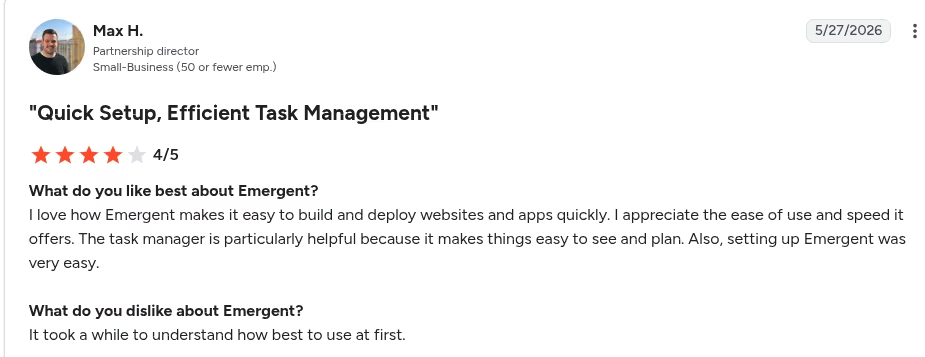
“It took a while to understand how best to use at first.” — Max H, G2
Pricing
Free tier to start (limited monthly credits). Paid individual plans start at $20/month billed monthly ($17/month on annual billing) for the Standard tier with 100 credits. Pro is at $200/month ($167/month annual).
Enterprise and Business are custom. Deploying an app can consume additional credits each month. Confirm current credit counts before you commit.
Annual billing saves $36 a year on Standard at current prices.
Bottom Line
I'd point an actor to Emergent if the site needs to be custom, or if the portfolio is step one of a bigger tool, like a booking form, a mailing list, or a second app down the line. It's also the only builder on this list that hands you code you can walk away with, so a developer inherits a normal stack instead of a locked editor.
2. Squarespace: Best for a Polished Portfolio You Can Keep Current

What it does: Squarespace gives you designed templates, hosting, and a drag-and-drop editor so you can publish a clean actor site without hiring a designer.
Best for: Actors who want a site that looks finished on day one. Headshots, reel, resume, and contact on a mobile-ready layout with little tinkering.
I signed up for Squarespace’s 14-day trial and built an actor portfolio. It asked me what my site was about (I chose Art), and what I wanted to do with the site. I selected “Showcase work/expertise”. I added my email to sign up, set my site title, and hit Customize.
Then Squarespace went to work, preparing my site. Because I chose “Art” at the beginning, Squarespace thought I was an artist who makes things, so it created a site for an artist,
I clicked Edit to change things and make it my own.
I built five pages: Home (full-width headshot and a short tagline), About, Credits, Reel, and Contact. Credits were a text list plus an image gallery for stills. Headshots were in a simple gallery so they could look sharp on a smartphone.
For the reel, I used a Video block and pasted a public YouTube URL. Squarespace's cap covers video you upload, and its help center labels the allowance "uploaded video storage." Embeds appear not to count, though Squarespace doesn't say so outright, so I left native upload unused.
The trial site is private by default. Search engines don't index it.
I used the built-in editor to do all the style changes (fonts, colors, section height, mobile crop). You can add custom CSS (I didn't) if you want. I'm not an actor (I'm horrible at it), so I grabbed a few images from Unsplash to spruce up the site.
It was up and running in a little over 3 hours.
On the free trial, I designed the profile, galleries, and reel for free, but I can't publish it online, attach a custom domain, or keep it live after the trial ends.
Key Features
- Portfolio and video templates: Full-bleed stills and a dedicated reel section so the tape isn't buried under a blog.
- YouTube and Vimeo embeds: Paste a URL.
- Easy credit updates: Change a text block or resume page in minutes after a new role.
- Mobile-first pages: Templates ship responsive. Casting staff checking on a phone get a usable reel and contact path.
- Built-in style editor: Change fonts, colors, and section height without code; custom CSS is there if you want it.
- Private trial site: The 14-day trial stays unindexed, so nothing half-built shows up in search.
Pros and Cons
Pros:
- Looks professional without a designer.
- Reel embeds are a native block.
- Hosting, SSL, and a domain (first year on annual plans) sit in one bill.
Cons:
- No free plan. You get a 14-day trial.
- Native video storage is 30 minutes on Basic. Host the reel on Vimeo or YouTube.
- Less layout freedom than Wix. You work inside the template system.
- Squarespace raised prices in July 2026: Core and Plus by 26% on annual billing, Basic by 19%, with Advanced held at $99. There was no public announcement; the change reached customers by email. Check the live pricing page before you renew.
What Users Say
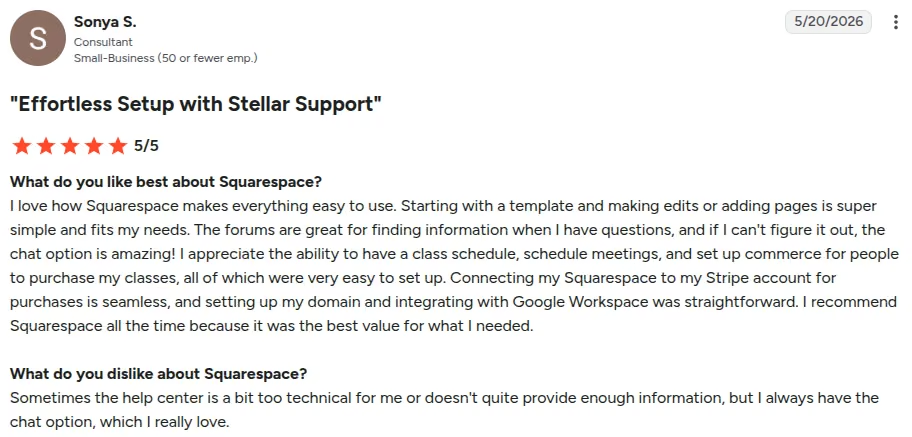
“I love how Squarespace makes everything easy to use. Starting with a template and making edits or adding pages is super simple and fits my needs.” — Sonya S., G2
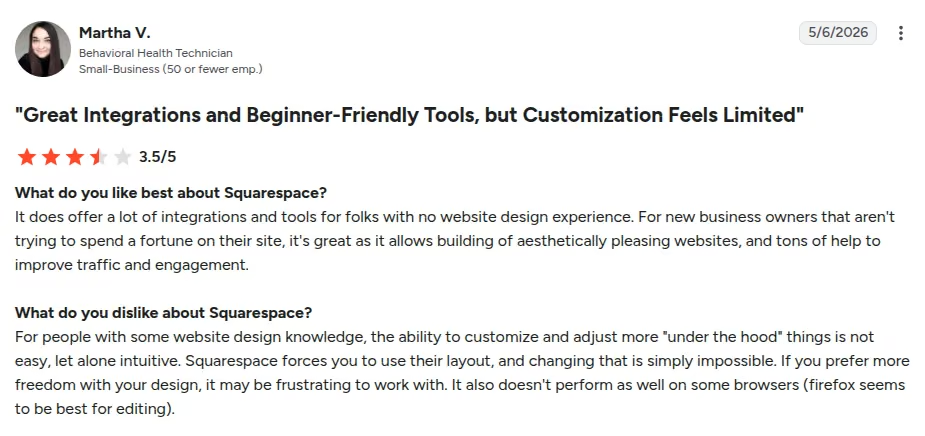
“Squarespace forces you to use their layout, and changing that is simply impossible.” — Martha V., G2
Pricing
There's a 14-day free trial. Basic is $19/month billed annually or $25/month billed monthly. Core is $39/month ($29/month annual). Plus is $65/month ($49/month annual). Annual billing includes a free custom domain for year one.
Advanced costs $139/month ($99/month annual). That Basic video cap climbs to five hours on Core, 50 hours on Plus, and unlimited on Advanced. For most actor sites, Basic is enough if the reel lives on Vimeo or YouTube.
Read more: Squarespace Pricing: What You Actually Pay in 2026
Bottom Line
I'd send most actors here first if they want a site that looks like they hired someone, without building a custom app. If you need pixel-level control or plan to add tools beyond a portfolio, look at Emergent or Wix.
3. Wix: Best for Maximum Layout Control
What it does: Wix is a drag-and-drop website builder with a huge template library and an editor that lets you place almost every element by hand. Wix has now added an AI builder, called Aria.
Best for: Actors who want more layout control than Squarespace gives you. Unusual homepage, stacked reels, mixed stills, or a look that doesn't match a standard portfolio theme.
I spent a night putting together an actor profile live on Wix’s free plan. Like with Squarespace, I started with my Google email account (you can use another email provider), and answered a few questions like who I was building the site for. I chose myself/brand.
I was presented with 2 options: Chat with AI (building with AI) or set up without AI. I chose the former; it's faster and would take you to your destination quicker than a drag-and-drop builder.
Wix’s AI builder asked me what my site was about. So I wrote: I'm an actor. I want to build a website to showcase my profile and work.
Other questions followed:
- What's your primary goal: landing auditions, connecting with agents/casting directors, or building your fan base?
- Do you want visitors to contact you directly through your site, or just view your reel and headshots?
- Would you also like to showcase your work with a video reel on your site?
- What's your name, and what types of roles do you typically pursue? (I chose action.
- What's your biggest strength as an actor (your physicality, intensity, range) that you'd want to highlight first on your site?
It recommended and pre-selected a few apps to boost my site’s functionality.
It asked me to buy a custom domain, but I declined.
Then it went on to generate my website, taking about 30 minutes. Wix’s AI builder took me closer than Squarespace did, but I still had work to do, stripping the dummy copy, editing the Home page, and adding 3 more pages: Work, Reel, and Contact.
Wix pins its banner on every page, a reminder that I was on their Free plan. Storage was tight, so I compressed every still before upload.
Twelve headshots and production stills fit. I didn't upload a reel file. I pasted a YouTube embed on the Reel page. It played in place and didn't count against the 500 MB quota. Vimeo works the same way, if you prefer that.
Basic SEO fields let me set a title and description on Home and Contact. The AI builder built a standard contact form I can use to collect name, email, and a message.
There were things I couldn't do on this plan: a custom domain, removal of the Wix banner, adding Google Analytics, and payments. You need a paid plan for those.
Key Features
- Pixel-level editor: Move blocks, overlays, and galleries without staying inside a rigid section stack.
- Video and media apps: Embed YouTube or Vimeo, add galleries, and keep headshots in a lightbox.
- App Market: Forms, mailing lists, and booking widgets if you later sell classes or coaching.
- Free plan to draft: Build the full site before you pay. The live free site carries Wix ads and a wixsite.com URL.
- Credit updates: Edit a text element in the Wix Editor and republish immediately.
- Mobile view needs a pass: Wix keeps a separate mobile editor, so a reel or credits list placed well on desktop often needs manual adjustment to look right on a phone.
Pros and Cons
Pros:
- Most control of any mainstream drag-and-drop builder on this list.
- Strong media tools for reels and stills.
- You can publish a draft for free while you decide.
Cons:
- You can't switch templates on an existing site. Wix's own help center says you start a new site and move content by hand.
- The editor has more knobs. Easy to overdesign a page that should stay simple for casting.
- Free plan shows Wix branding. A custom domain needs a paid plan.
- Sites don't export cleanly to another platform.
What Users Say
“The drag-and-drop editor is genuinely intuitive, so you don’t need to know a single line of code to create a professional, polished website.” — Deinilys T., G2

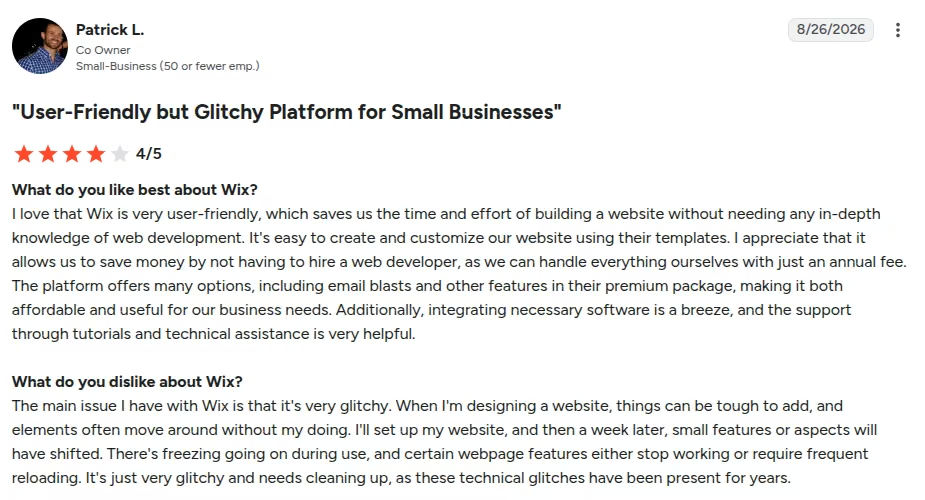
“When I'm designing a website, things can be tough to add, and elements often move around without my doing.” — Patrick L., G2
Pricing
Free plan exists (ads + Wix subdomain). Then Light $17/month, Core $29/month, Business $39/month, Business Elite $159/month. Light is the usual actor plan: custom domain, no Wix ads, 2 GB storage.
The free domain voucher applies to a first purchase only, so year two adds the domain at standard rates on top of the same plan price.
Read more: Wix Pricing 2026: All 5 Plans, Real Costs & Which to Pick
Bottom Line
Choose Wix if you want to place every block yourself and you're willing to commit to one template. If you want a finished look with fewer decisions, Squarespace is calmer. If you may rebuild the product later as an app, Emergent is the better long path.
4. WordPress: Best for Full Ownership You Maintain

What it does: WordPress is the software behind a huge share of the web. You run it on your own host (WordPress.org) or on managed hosting (WordPress.com), and you control themes, plugins, and content.
Best for: Actors who want the files, the domain, and the stack to stay theirs. Also a fit if a manager or web person will take the site over later.
I built a working actor site on WordPress.com’s free plan, using a subdomain.
I chose a free block theme with a simple header and large image areas. You can grab one of the paid themes if you spend money.
The Site Editor let me swap the homepage layout, tweak the theme’s built-in color and font presets, and add a menu. I couldn't add custom CSS or upload another theme.
Pages are unlimited. I made Home, Bio, Resume, Headshots, Reel, and Contact. I used the block editor to edit headings, paragraphs, images, gallery, buttons, columns, and embeds.
For headshots, I used compressed JPEGs, as storage is limited to one gigabyte. It'll fill up if you upload stills without first optimizing them.
You can't upload videos and audio files for free. I hosted the reel on YouTube and pasted the URL, and WordPress turned it into a player. You can do the same with Vimeo clips.
For contact, I used the form block (Jetpack included) to create name, email, and message fields.
Being on the free plan, I had to live with WordPress.com ads on the pages, platform branding, community-forum support only, and that WordPress.com URL.
For a starter profile (bio, stills, a reel embed, and a form), it's usable. I had the first working version in 45 minutes.
If you want more control and features, use WordPress.org plus Elementor (and a few other plugins) instead. You'll need hosting and a custom domain. It's more technical, though; you may need a designer or a developer.
Key Features
- Themes built for portfolios: Plenty of actor and creative themes with galleries, reel sections, and resume layouts.
- Embeds and plugins: Native embeds for YouTube and Vimeo. Plugins for sliders, SEO, forms, and backups if you self-host.
- You own the content: Export posts, pages, and media. A developer can move the site without rebuilding from screenshots.
- Scale when you need it: Add a blog, mailing list, or members area without changing platforms.
- Credit updates: Editing a page or resume block is a normal edit on either WordPress.com or a self-hosted site, published as soon as you save.
- Mobile display varies by theme: Most current themes are responsive by default, but on self-hosted WordPress this depends entirely on which theme you pick, so check a demo on a phone first.
Pros and Cons
Pros:
- Strongest ownership story on this list.
- You can match almost any layout with a theme plus a builder plugin.
- Easy to hand off to a web person later.
Cons:
- On self-hosted WordPress.org, maintenance is on you: core updates, theme updates, plugin updates, backups. WordPress.com handles those on paid plans.
- Self-hosted WordPress has more moving parts than Squarespace or Wix.
- A cheap theme plus too many plugins can slow the reel page.
- WordPress.com's free plan blocks plugins entirely, and its cheapest paid tiers still give you less control over hosting and code than self-hosting does.
What Users Say
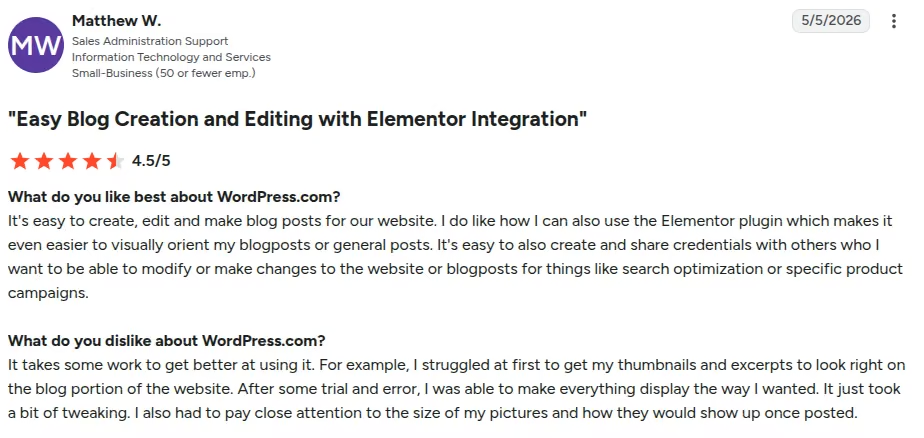
“It's easy to create, edit and make blog posts for our website. I do like how I can also use the Elementor plugin which makes it even easier to visually orient my blogposts or general posts. " — Matthew W., G2
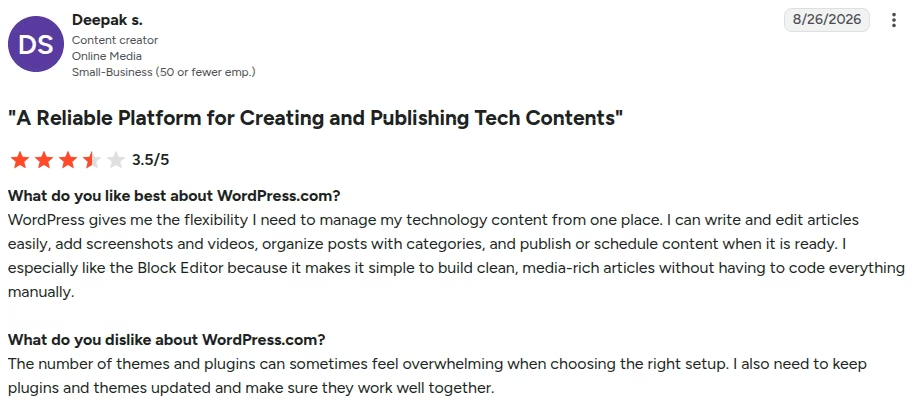
"The number of themes and plugins can sometimes feel overwhelming when choosing the right setup. I also need to keep plugins and themes updated ." — Deepak s., G2
Pricing
WordPress.org software is free. You pay for hosting, a domain, and optional premium themes or plugins. Shared hosting often starts around a few dollars a month on promo pricing. Budget extra for backups and a reputable host.
WordPress.com has a free plan (subdomain, limited features). Personal is at $9/month billed monthly ($4/month billed annually) with a free domain the first year on annual plans. Premium is $18/month ($8/month annual).
Business, $40/month ($25/month annual), unlocks plugins and custom themes at a much higher rate. Then Commerce for online stores costs $70/month ($45/month annual), while Enterprise (for big businesses) is custom-priced.
The annual rates are introductory. Personal renews at $10/month, Premium at $18/month, and Business at $45/month, all billed every 12 months, so an actor on Personal pays $48 in year one and $120 in year two, plus the domain once the free year ends.
Bottom Line
I'd recommend WordPress to an actor who already has someone to keep the site patched, or who's willing to learn that routine. If you want to publish this week and forget the engine room, pick Squarespace or Wix.
Read more: 5 Best WordPress Alternatives I Tested in 2026
5. GoDaddy Website Builder: Best for Keeping Your Domain, Email, and Site in One Place

What it does: GoDaddy Website Builder sits next to GoDaddy domains and email. You register the name, create a site, and add a mailbox without leaving the same vendor.
Best for: Actors who already bought a domain at GoDaddy, or who want one login for name, inbox, and portfolio.
GoDaddy promises to build you a website in minutes. So I signed up for GoDaddy’s Website Builder free plan. My goal was to build a simple actor site: headshots, a short bio, selected credits, a reel, and a way for agents to get in touch.
The free plan offers 50 credits a month. GoDaddy’s AI Website Builder (Airo) is similar to Wix’s AI assistant, Aria.
It asked what my site was about, and I gave it the same answer I'd given Wix. Then came a similar run of questions:
- What's your name or stage name?
- What type of acting work do you do?
- What's the main goal for your site?
- Get discovered by casting directors.
- What visual style fits your personal brand as an actor?
- What tone should your site's messaging have?
When I was done with the questions, Airo produced (in a few minutes) a mobile-friendly draft: a hero with name and tagline, an About block, a photo gallery, and a Contact area.
I never got as far as embedding the reel. The credits ran out first, so I can't say how well GoDaddy handles video.
The first copy and images were generic, which I expected. I replaced the stock portraits with uploaded headshots and stills. The editor works in prebuilt sections, so I could swap photos, edit captions, and change a gallery layout, but I couldn't freely drag pictures anywhere on the page. Customization isn't Airo’s long suit.
AI text gave me a usable bio draft. I rewrote most of it, so it sounded like the actor. Unfortunately, I blew my credits before I could finish building the site, and will have to wait till next month (for free credits) unless I get on a paid plan.
For an actor who needs just a shareable homepage while deciding on a paid domain later or something better, the free plan will do. 50 credits won't give you a polished site with all the essential pages or functions, but a cash-strapped actor bootstrapping their way to success can use this.
Key Features
- Domain + site in one account: One bill, one renewal calendar, one support queue. Email is a separate GoDaddy product.
- Prompt-driven build: Airo asks about your work and generates the pages, rather than starting you in a template.
- AI is the only build flow: There's no separate manual editor to fall back on.
- Connect a name you already own: Useful if yourname.com has lived at GoDaddy for years.
- Credit updates: Text edits in the builder publish immediately after you save.
- Mobile display: Pages adjust for mobile automatically, though you get less manual control over that layout than Wix or Squarespace give you.
Pros and Cons
Pros:
- Least friction if GoDaddy already holds your domain.
- Email and site stay attached to the same brand name.
- Enough structure for a basic actor page.
Cons:
- The free domain renews at standard rates after year one, and checkout add-ons renew separately.
- Checkout adds extras that are easy to miss (privacy, email, security add-ons).
- Templates look more “small business” than casting portfolio.
- Weaker design control than Wix or Squarespace.
What Users Say
“I appreciate that GoDaddy Airo is flawless, problem-free, and affordable. It works with almost zero errors.” — Kubilay U., G2

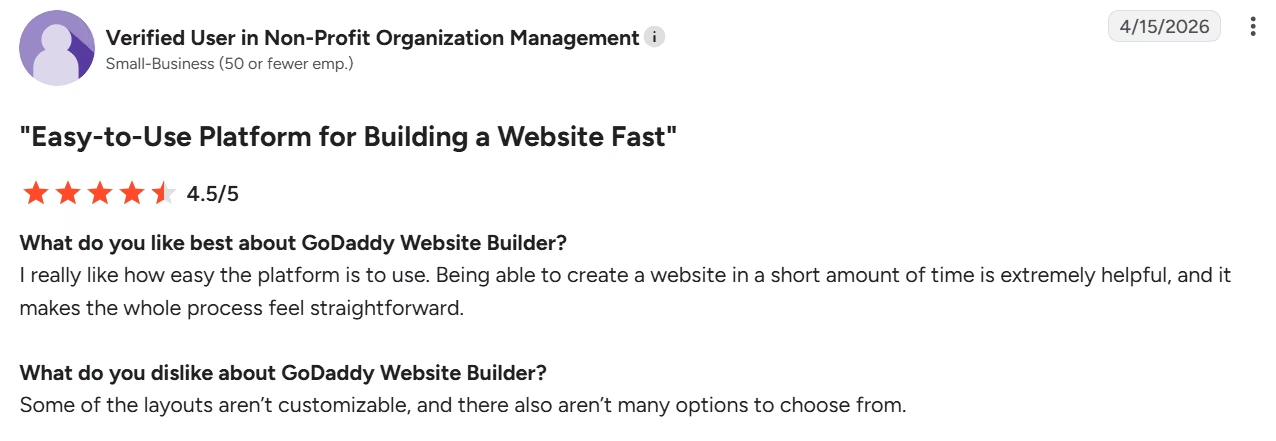
“Some of the layouts aren’t customizable, and there also aren’t many options to choose from.” — Verified User in Non-Profit Organization Management, G2
Pricing
The free plan gives you 50 AI credits a month with no card required. Starter is $19.99/month ($9.99/month annual), Professional is $49.99/month ($24.99/month annual), and Ultimate runs at $199.99/month ($99.99/month annual).
Domains can list as low as $0.01 the first year on a 3-year term, then renew at standard rates, which vary by extension. Confirm the live offer on their official page; promo rates aren't the long-term rate.
Bottom Line
Pick GoDaddy if keeping domain, email, and site in one account matters to you. If the site is the main tool for callbacks, Squarespace or Wix will present the reel better.
Read more: Best GoDaddy Website Builder Alternatives in 2026
6. SITE123: Best for Getting Live Today

What it does: SITE123 is a beginner builder with a setup wizard. You answer a few prompts, land on a template, swap in your copy and images, and publish.
Best for: Actors who need a URL this week. A holding page with headshot, reel link, and contact beats no site while you wait on a fuller build.
I landed on SITE123, clicked on Get Started, and was given four options for a website type: a professional business website, an online store, a blog, and a landing page. I chose the professional website path.
Next, I was asked to describe my site. So I wrote: William is a professional actor. Here, you'll find all you need to know about him, including the films he's been in.
In less than 5 minutes, I had the draft: a professional acting portfolio, featuring a dedicated biography section, a showcase of my filmography, and a contact section tailored for casting and bookings. The SEO, navigation, and imagery were updated to match my supposed acting career.
I tried to use Inline Edit to tweak the site, but it didn't work. So I returned to AI Edit.
I asked the AI builder to build me an About page. The About page came back just as fast: a detailed biography, career highlights, and special skills, with the navigation updated to link to it.
I built out the other pages with AI. I could have done the same with the normal builder, but the AI route is much faster.
I think SITE123 AI builder is one of the better ones on this list if you're building a basic website.AI Edit works and is fast. You get to see the changes made immediately.
For a working actor who needs a simple, free showcase that can go live the same day, the free plan did the job.
Key Features
- Setup wizard: Pick a purpose, get a working draft, replace placeholder text.
- Free publish: Live site on a SITE123 subdomain with no card required.
- Video and image blocks: Enough to embed a YouTube or Vimeo reel and a few stills.
- One-click upgrade path: Connect your domain when you're ready to look official.
- Credit updates: Editing a page in the wizard-based editor is quick, and changes publish as soon as you save.
- Mobile display: Templates are mobile-responsive by default.
Pros and Cons
Pros:
- Fastest path from zero to a live URL on this list.
- Simple editor. Hard to get lost.
Cons:
- Free plan: subdomain, SITE123 branding, 250 MB storage and bandwidth.
- Fewer polished portfolio templates than Squarespace.
- Less control than Wix. Fine for a short site, tight for a custom look.
- Paid plan is the only serious option if you want yourname.com.
What Users Say
"I really like how simple it is to create a blog site without any coding knowledge at all. With just a few clicks and a couple of prompts, you can have your own blog up and ready to go." — Achin P., G2

"The customization options are more limited than other applications of the same type. [sic]" — Ana H., G2 (2018)

Pricing
SITE123's pricing page shows Free and Premium; its FAQ refers to further tiers, so confirm what's on offer at checkout.
Free: $0/month (250 MB storage, 250 MB bandwidth, subdomain). Premium is $12.80/month, dropping to $10.80 on an annual plan paid up front (free domain for one year, 3 GB storage, 3 GB bandwidth, connect your domain, remove the floating tag, store features).
14-day money-back on Premium. The free domain that comes with Premium lasts one year; after that you pay standard domain renewal on top of the plan price.
Bottom Line
Use SITE123 when “live today” beats “perfect layout.” Treat it as a stopgap if you later want a casting-ready portfolio on Squarespace or a custom build on Emergent.
Which Website Builder Should You Choose?
The right pick depends on how much custom work you want and how fast you need to be live. It also depends on who will maintain the site once it's up.
Choose Emergent if you:
- Want a site that isn't a locked template
- May add booking, a mailing list, or another app later
- Care about taking the code with you
Choose Squarespace if you:
- Want a polished, casting-ready portfolio with little tinkering
- Need the reel and stills to look finished on a phone
Choose Wix if you:
- Want to place every block yourself
- Can commit to one template and won't need to swap it later
Choose WordPress if you:
- Want full ownership of files and stack
- Can handle updates, backups, and plugins (or have someone who will)
Choose GoDaddy Website Builder if you:
- Already keep your domain and email at GoDaddy and want one account
- Want the AI to build a first draft from a description instead of starting from a blank page
Choose SITE123 if you:
- Need a basic site live today and can live with a simple layout
- Want a setup wizard to walk you through it instead of building from scratch
Skip this whole category if:
- You'd rather hire someone to build and update the site. That's a valid path. See the FAQ.
Final Verdict
If you want full control over the build and a site you can grow into something more than a portfolio, Emergent is the custom path.
If you'd rather have a casting-ready look this month with less hands-on building, Squarespace is a fast, polished alternative. If you need to move blocks around and accept that you can't switch templates later, pick Wix. WordPress wins when ownership matters more than convenience.
GoDaddy and SITE123 win on budget, one-account setup, and speed. My own bar: publish the reel where a tired CD can find it in two taps.
Ready to build yours? Emergent's AI Website Builder turns a plain-language description into a working portfolio site, reel and all, no templates or code required.
Emergent designs, writes, and publishes your whole site from one prompt. No templates, no drag-and-drop.
- Full site from one prompt
- Custom design, real pages
- Publish in minutes
Emergent designs, writes, and publishes your whole site from one prompt. No templates, no drag-and-drop.
- Full site from one prompt
- Custom design, real pages
- Publish in minutes