




5 Best Photography Website Builders: TL;DR
- Emergent: best for getting a custom photography site from a detailed brief with very little setup work.
- Wix: best for combining AI-generated pages with direct visual editing.
- Squarespace: best for photographers who want guided design choices and a polished starting point.
- Format: best for photographers who want to shape their portfolio site by hand.
- SmugMug: best for photographers who also need photo storage, client delivery, and image sales.
If you photograph for a living, your website has two jobs. It needs to show your work well and make it easy for the right client to contact you. Building the site can eat into the time you'd rather spend shooting, editing, or talking to clients.
To test the best photography website builders, I built the same fictional photography business on Emergent, Wix, Squarespace, Format, and SmugMug. I used Lumen & Pine Photography, an Austin studio offering weddings, portraits, and personal-brand photography.
The differences showed up fast. Wix took about 10 minutes to reach a clean first preview, Emergent about 15 minutes, Squarespace about 20 minutes, Format about 25 minutes, and SmugMug about 40 minutes in total. With SmugMug, I spent the first 15 minutes learning my way around the site, then another 25 minutes completing the setup.
What Should a Good Photography Website Builder Help You Do?
A photography site needs to put your images first without making the rest of your business hard to find. You still need clear services, an About page, simple navigation, and an inquiry path that tells a visitor what to do next.
Your builder should also fit the way you like to work. If you want to describe your idea and see a site take shape, an AI website builder gives you a faster starting process. If you enjoy choosing every image block, font, page, and layout yourself, a traditional visual editor can suit you better.
For this test, I paid close attention to three things. I wanted a strong first homepage, enough structure for a real photography business, and a clear path from browsing photos to sending an inquiry.
Also read our how to make a photography website guide for the parts that matter most: galleries, image quality, and load speed.
How I Tested These Photography Website Builders
I used Lumen & Pine Photography as the control site for every builder. The fictional studio is based in Austin and specializes in weddings, portraits, and personal-brand photography.
The core brief: “Build a polished photography website for a fictional business called Lumen & Pine Photography, an Austin-based photographer specializing in weddings, portraits, and personal-brand photography.”
I also asked for Home, Portfolio, Services, About, and Contact pages. The visual direction was warm and editorial, with natural-light photography, neutral colors, and simple navigation. The portfolio needed Weddings, Portraits, and Branding categories.
The Contact page needed fields for name, email, photography service, preferred date, location, and a short message. I wanted a clear inquiry call to action across the site.
Prompt-led builders received that brief directly. Guided builders received the same business details through their questions. With Format and SmugMug, there wasn't a prompt box for the job, so I followed their normal site-building process toward the same target.
My test question: How much work do I still have to do before I have a photography site I'd feel comfortable showing a client?
I stopped once I had enough of a site to judge the first usable result. I also tracked how long it took me to reach that point: Wix took about 10 minutes, Emergent 15, Squarespace 20, Format 25, and SmugMug about 40 minutes. Those times include the setup work I personally needed as someone relatively new to each builder.
Best Photography Website Builders: Quick Comparison
Here's the short version of how they compare:
| Tool | Best For | Free Plan or Trial | Starter Paid Option |
|---|---|---|---|
| Emergent | Prompt-first site building | 10 free monthly credits | $20/month($17/month billed annually) |
| Wix | AI plus direct editing | Free plan | $24/month($17/month billed annually) |
| Squarespace | Guided design | 14-day trial | $25/month($19/month billed annually) |
| Format | Hands-on portfolio control | 14-day trial | $14/month($10/month billed annually) |
| SmugMug | Galleries, delivery, and sales | 14-day trial | $29/month($20/month billed annually) |
1. Emergent: Best for Getting a Custom Site From a Prompt
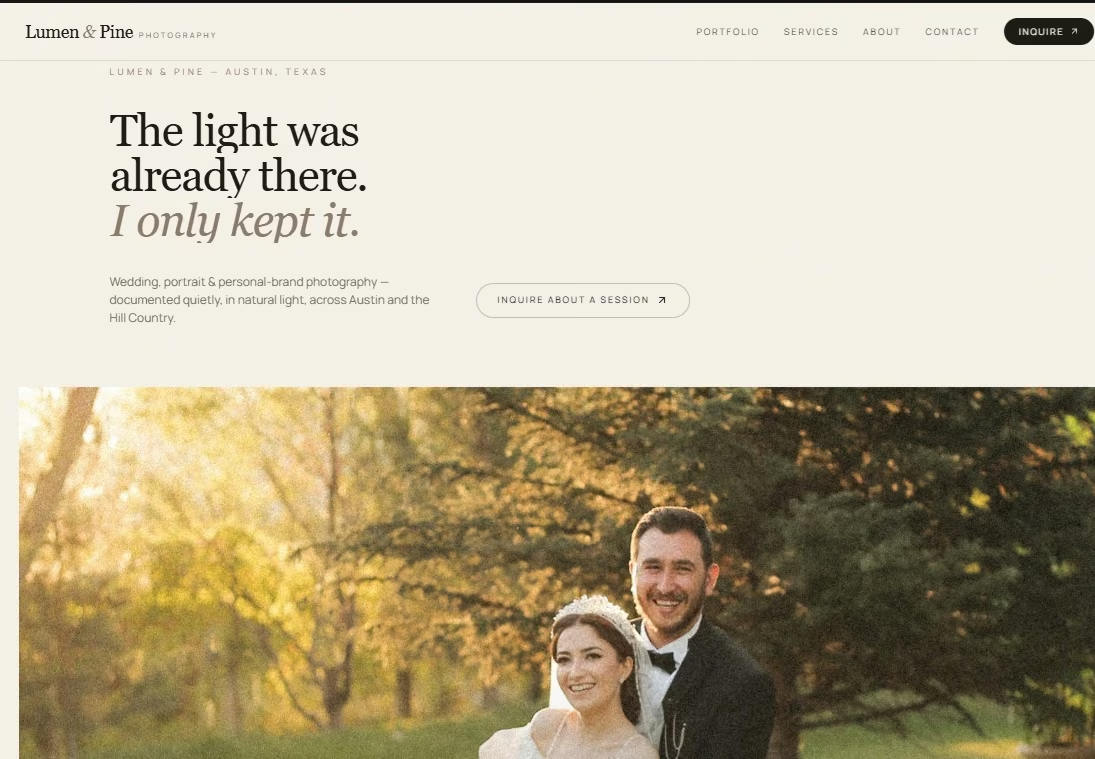
Emergent gave me the closest result to what I had described without asking me to build the pages myself. I entered the photography brief, and the builder came back with three useful questions before it started.
It asked how I wanted inquiries handled, what photography style I wanted, and whether it should invent the photographer's persona. I chose stored form submissions with email notifications, warm natural-light imagery, and a fictional photographer.
About 15 minutes later, I had a first preview for 7 credits. The site already had Lumen & Pine branding, Austin positioning, navigation, a large wedding image, and an inquiry button.
The first homepage also gave me a headline I hadn't written myself. “The light was already there. I only kept it.” That was one of the few moments in this test where I looked at the generated copy and felt like it belonged on a photography site.
I later refined the portfolio into 18 images, split across Weddings, Portraits, and Branding. The finished inquiry form also blocked an incomplete submission and accepted the test inquiry once I filled every required field.
For a photographer who doesn't want to spend an afternoon arranging sections, this is the workflow I'd choose first. You can describe the business in normal language and keep refining the result through conversation.
Emergent also has an AI chat assistant, Emmy, built into the product. If you're unsure how to turn a rough idea into a useful first prompt, Emmy can ask follow-up questions and create a build-ready prompt without using your credits.
You can also start from Emergent's dedicated photography website builder if you already know you're building a photography site.
The strongest parts were:
- Low setup work: I spent my time describing the site rather than placing every section myself.
- Useful first draft: The first preview already looked like a photography business rather than a blank template waiting for content.
The drawbacks were:
- Credit use: Extra changes continue using credits, so repeated revisions can increase your build cost.
- Direct visual tweaks: A visual editor can feel quicker when you already know the exact image or font you want to swap.
What Other Users Say
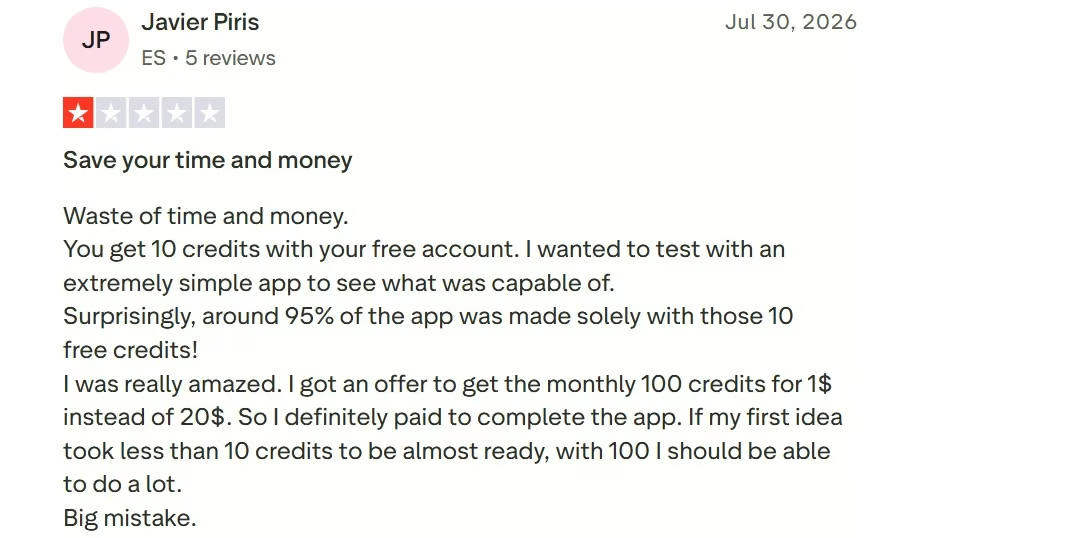
In his Trustpilot review, Javier Piris said he was impressed that roughly 95% of a simple app was built with his first 10 free credits on Emergent. His experience changed during revisions, when a few small changes burned through far more credits.
That lines up with my experience: the first build can get surprisingly far, while continued changes are where you'll want to watch credit use.
Pricing
Free is $0/month with 10 monthly credits. Standard is $20/month ($17/month billed annually). Pro is $200/month ($167/month billed annually). Business and Enterprise use custom pricing.
2. Wix: Best for AI Building With Direct Visual Editing
Wix gave me a strange start. I entered the full brief in one go, and it didn't handle it properly. The response suggested parts of the request were outside what it could do.
I split the prompt into two pieces. Wix understood the request after that and started asking questions about the inquiry form, the photographer's style, ideal clients, and the About page.
A few of those questions covered details I'd already supplied. It asked what drew the photographer to documentary, natural-light work, then later asked for a specific shoot memory it could use in the About story.
That extra questioning slowed the setup down. The actual site result was much better than the opening experience suggested.
I liked the portfolio Wix created, and the visual editor gave me a clear way to change images, text, and design choices myself. That combination is where Wix stood out for me: I got AI help up front and still had direct control when I wanted to change the result myself.
I also reached a clean first preview in about 10 minutes, the fastest time in my test.
If AI gets you 80% of the way there and you want to finish the final details by clicking directly on the page, Wix gives you that route. Wix Harmony now combines natural-language site creation with drag-and-drop editing, and the AI tools are available on the free plan.
The strongest parts were:
- Good portfolio starting point: Wix gave me a photography portfolio I was happy to keep working on.
- Direct editing: You can move from AI generation into visual editing without rebuilding the site elsewhere.
The drawbacks were:
- Long brief handling: I had to split my prompt before the builder understood the job.
- Repeated questions: The setup asked me for details I'd already covered.
What Other Users Say
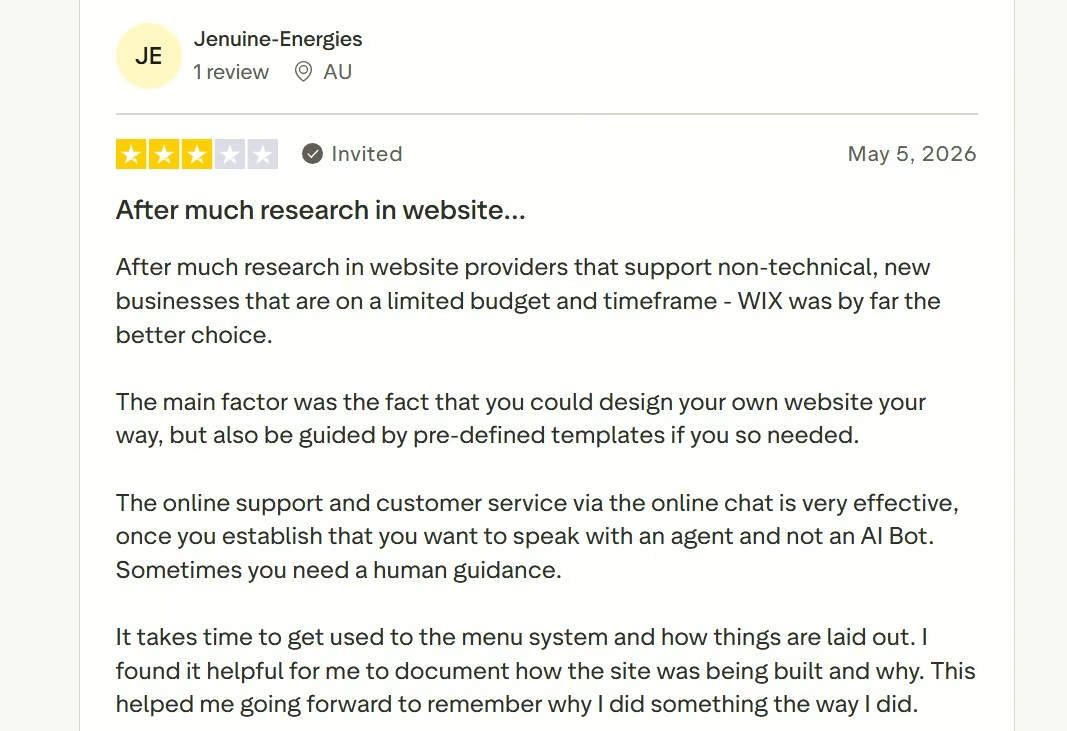
On Trustpilot, Wix reviewer Jenuine-Energies liked being able to design a site their own way while still using templates for guidance. They also said the menu system takes time to learn, and finding something can be difficult when you don’t know the right term to search for.
That fits my experience with Wix: there’s plenty of control, though the setup can ask more of you than expected.
Pricing
Free is $0/month. Light is $24/month ($17/month billed annually), Core is $36/month ($29/month billed annually), Business is $46/month ($39/month billed annually), and Business Elite is $172/month ($159/month billed annually).
3. Squarespace: Best for Guided Design Choices
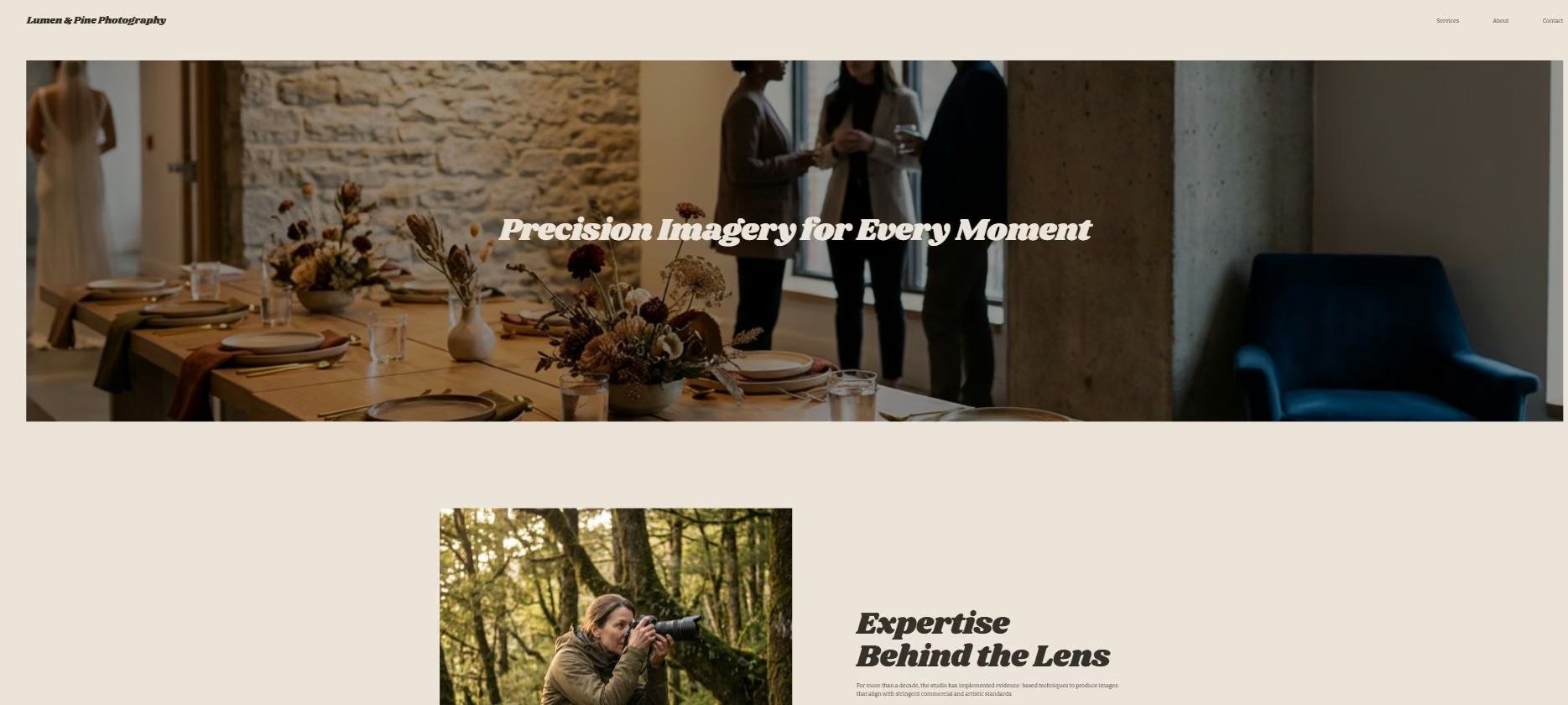
Squarespace felt much more guided than Wix or Emergent. Blueprint AI asked for the site title and brand personality first, so I entered Lumen & Pine Photography and chose “Sophisticated.”
From there, I selected pages, colors, and fonts before seeing the finished starting site. The suggested pages included Home, About, Contact, Shop, Services, Appointments, and Course.
Portfolio wasn't one of the recommended page choices I saw. I chose Home, About, Contact, and Services for the test.
From the first Blueprint AI questions to a clean starting site, the setup took me about 20 minutes in total.
My final result looked polished and clean. It also felt basic compared with the photography site I had pictured. I still needed to shape the content and portfolio structure inside the editor.
I can see why a first-time site owner would enjoy this workflow. You aren't staring at a blank screen. Squarespace walks you through brand personality, pages, colors, fonts, and other design choices in order.
Blueprint AI can also generate text and images from the business details you supply. You can then change copy, images, layouts, and site styles in the editor.
The strongest parts were:
- Clear design guidance: The setup gives you a simple path through personality, pages, colors, and fonts.
- Polished base design: My first site looked tidy without much design experience from me.
The drawbacks were:
- Portfolio setup: I didn't get the portfolio structure I wanted from the initial page recommendations.
- Extra shaping: I still needed to work inside the editor before the site felt like my original brief.
What Other Users Say
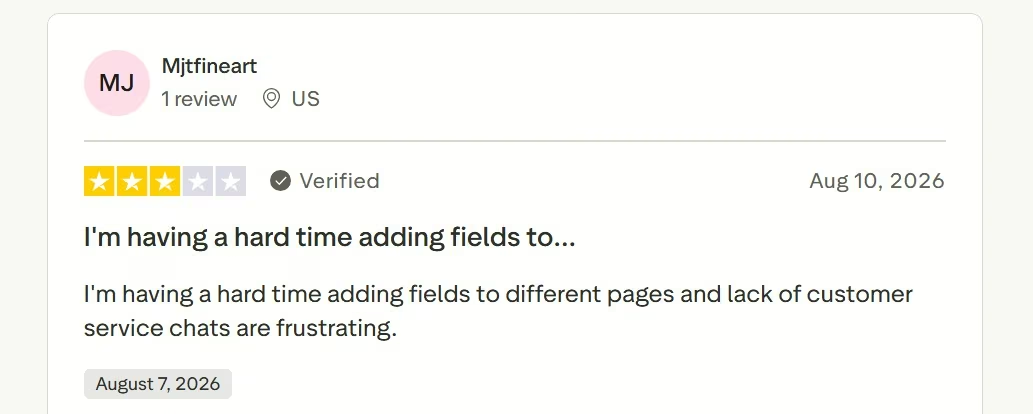
On Trustpilot, Squarespace reviewer Mjtfineart said adding fields to different pages was difficult and found the lack of customer-service chat frustrating.
My issue was different, though the theme was similar: Squarespace gave me a clean starting point, and I still had to work through several setup choices to get closer to the site I wanted.
Pricing
Basic is $25/month ($19/month billed annually), Core is $39/month ($29/month billed annually), Plus is $65/month ($49/month billed annually), and Advanced is $139/month ($99/month billed annually). Every Squarespace website starts with a 14-day trial.
4. Format: Best for Hands-On Portfolio Control
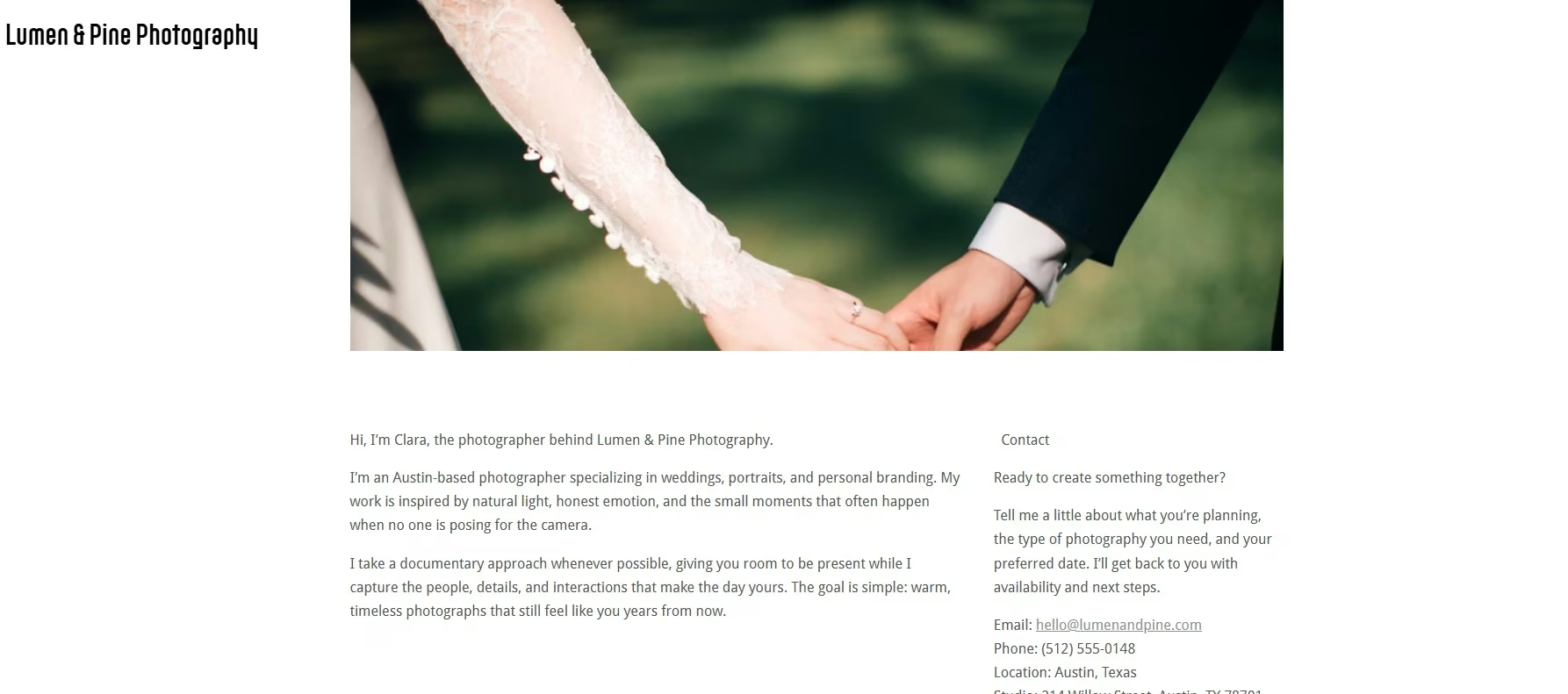
Format made me do nearly everything myself. There were no setup questions to help me turn the Lumen & Pine brief into a finished structure.
Finding the template I wanted took time. Once I had it, I changed the images, wrote the About copy, added contact details, and started filling in the site section by section.
I spent about 25 minutes getting the basic result together. I hadn't finished a portfolio when I stopped the test. Format gives you space to add plenty of portfolio images, so the limitation here was the amount of setup I could finish within my test window.
The direct control is the reason I'd still recommend Format to the right photographer. You can choose your own hero image, move through the template, and decide exactly what appears on the page.
If you're trying to send somebody a portfolio link before the end of the day, I'd choose one of the prompt-led options first. Format suited me better once I already knew exactly how I wanted the page arranged.
Its current plans include photography-focused tools such as Lightroom integration, client galleries, copyright protection, and gallery password protection.
The strongest parts were:
- Direct control: I could change the content and images myself instead of asking an AI to interpret each revision.
- Clearer navigation than SmugMug: I found my way around Format faster during this test.
The drawbacks were:
- Setup time: My basic starting site took about 25 minutes.
- Manual portfolio work: I hadn't finished building the portfolio before I ended the test.
What Other Users Say
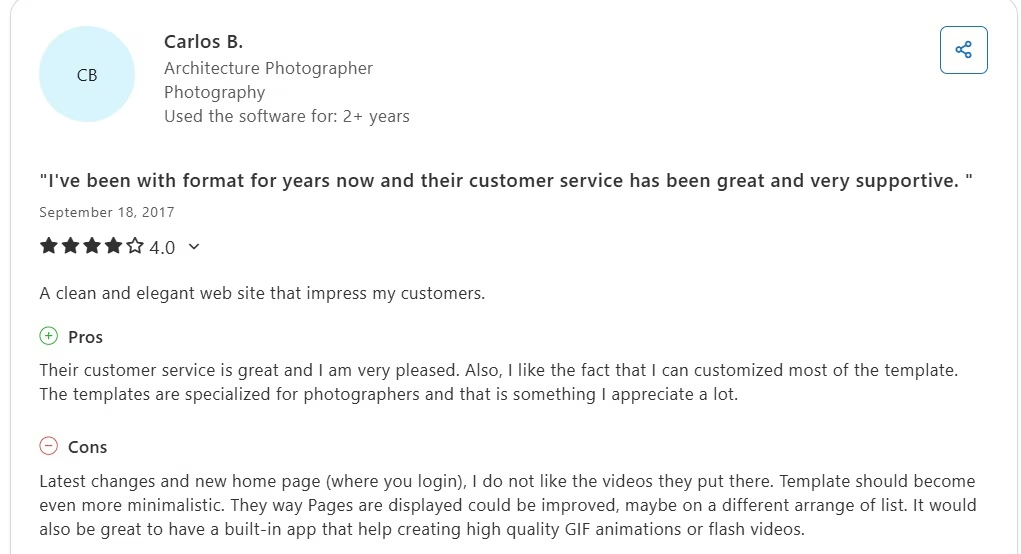
On Capterra, Carlos B. says he liked its clean photography templates and the amount of customization available. He gave ease of use a 3/5 and felt the way pages were displayed could be improved.
I had a similar trade-off: Format gave me control over the look, though getting the basic site into shape took more hands-on work than the AI-led builders.
Pricing
Basic is $14/month ($10/month billed annually), Pro is $24/month ($12/month billed annually), and Pro Plus is $36/month ($15/month billed annually). Format offers a 14-day trial without a credit card.
5. SmugMug: Best for Photo Storage, Delivery, and Sales
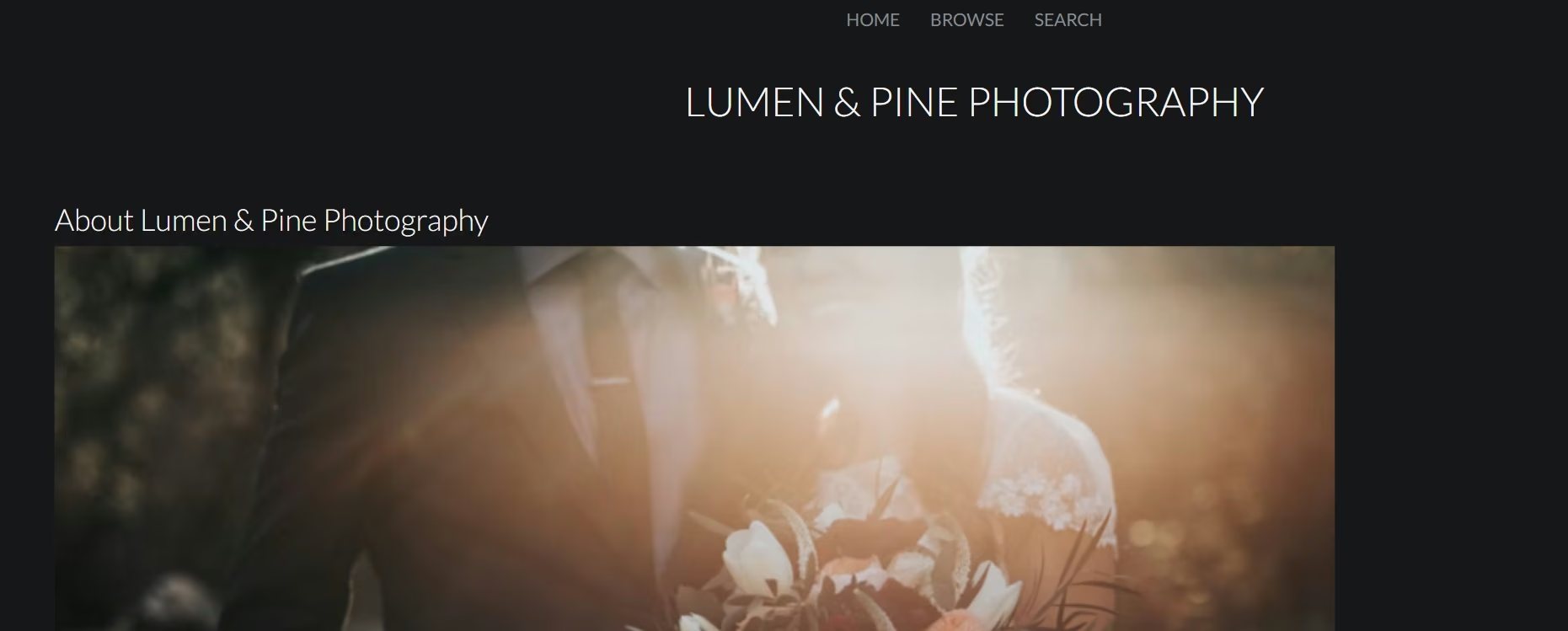
SmugMug gave me one of the cleaner manual results. I preferred the final look to my Format page. Getting the page into that shape took me longer.
Navigation was the biggest problem during my test. I spent about 15 minutes learning my way around SmugMug before I could work comfortably, then another 25 minutes completing my setup. That put my total at roughly 40 minutes, the longest setup time of the five builders I tested.
I eventually got the Services section in place, and I liked the finished look. The learning curve was what slowed me down, especially as someone coming into the builder relatively new.
That experience made SmugMug the hardest builder for me to navigate in this test. I liked the finished look, though getting there took more effort.
SmugMug becomes much more interesting when your website also needs to handle the photos after a shoot. Its Portfolio plan includes professional website templates, photo sales, watermarks, theft-protection tools, and digital delivery. Its plans also include unlimited full-resolution JPEG storage.
So I'd look at SmugMug for an established photographer who wants galleries, client delivery, storage, and selling tools living in the same account. For a quick first site, I found the editor harder to learn than every other builder in this test.
The strongest parts were:
- Clean finished look: I preferred the visual result to the Format page I built.
- Photography business tools: Galleries, storage, delivery, and sales go beyond a basic portfolio website.
The drawbacks were:
- Navigation: I had the hardest time finding the controls I needed.
- Manual setup: Adding basic business sections took longer than I expected.
What Other Users Say
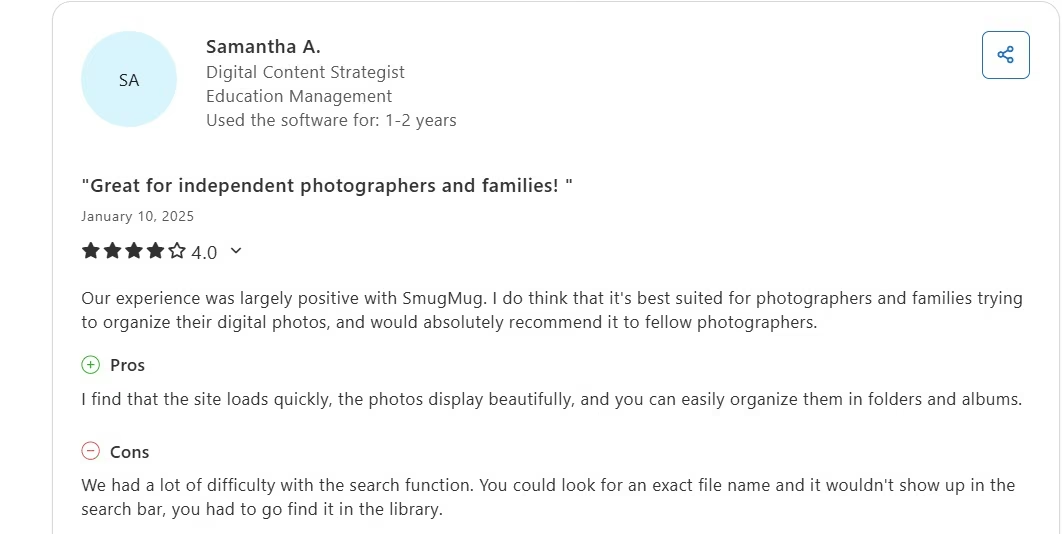
On Capterra, Samantha A. liked how quickly SmugMug’s site loaded, how well photos were displayed, and how easily she could organize albums. She had trouble with the search function and sometimes had to find files manually in the library.
That mix makes sense to me: I liked SmugMug's finished look, though finding my way to the controls I needed slowed down my build.
Pricing
Direct is $29/month ($20/month billed annually), Portfolio is $35.50month ($23.50/month billed annually), Pro is $52/month ($37/month billed annually), and Enterprise uses custom pricing. Portfolio is the first current plan that includes customizable professional website templates.
Other Photography Website Builders Worth Checking Out
- Zenfolio: Zenfolio is built around photographers, with portfolio websites, client galleries, proofing, selling tools, and photography-business features. Basic starts at $9/month ($7/month billed annually), and I left it out of the top five because I didn't run the same Lumen & Pine build through it.
- Pixieset: Pixieset combines a photography website with client galleries, a store, and studio-management tools. It's a strong option if client delivery is part of your workflow. It has a free plan, while Plus starts at $15/month ($12/month billed annually) and adds unlimited pages and photos, a custom domain, and removes the Pixieset banner.
- Canva: Canva makes sense when you want a simple portfolio and already know its drag-and-drop editor. You can start free; Canva Pro costs $18/month/user (or $144/year). Canva Business plan costs $25/month/user (or $250/year). Enterprise is custom. I omitted Canva because its website tools are broader design tools rather than a photography-business system.
Which Photography Website Builder Should You Choose?
Emergent is the one I'd choose when you want to explain the site and get a strong first version quickly. Wix gives you a good middle ground when you want AI help followed by hands-on visual editing.
Squarespace works well if you'd rather make guided design choices before you start editing. Format gives you direct control if you enjoy building the page yourself. SmugMug suits a photography business that also needs storage, galleries, delivery, and image sales.
Your business type also changes what you should prioritize. A photographer needs image-heavy pages and simple inquiries. Other service businesses can have a different checklist, which is why the right website builder for a therapist can look very different from the picks in this list.
If most of your work is weddings, your website also has to speak clearly to couples who are planning an event and comparing several vendors.
If your clients are couples, our best wedding website builders guide covers the platforms they'll be using.
Final Verdict: Best Photography Website Builder in 2026
Emergent is my first pick from the five builders I tested. Lumen & Pine reached a credible first preview in about 15 minutes and used 7 credits. I spent that setup time describing the business rather than assembling the page section by section.
Wix comes next for its mix of AI and visual editing. Squarespace gives you a polished guided start. Format and SmugMug make more sense when you want stronger manual control or dedicated photography workflows.
If your main goal is getting a professional photography website online without turning site building into a second job, I'd start with Emergent.

Emergent designs, writes, and publishes your whole site from one prompt. No templates, no drag-and-drop.
- Full site from one prompt
- Custom design, real pages
- Publish in minutes







