TL;DR
- Emergent: Best for couples with a multi-event or culturally blended wedding whose RSVP logic doesn't fit a standard one-event template
- Joy: Best for couples who want the strongest free all-in-one platform, guest list tools, registry, and AI features included
- The Knot: Best for couples who want wedding planning tools and the website in the same free dashboard
- Zola: Best for couples who want the smoothest registry checkout and a free auto-built planning checklist
- Minted: Best for couples who want their website to visually match their printed invitations
- Squarespace: Best for couples who want total design control and will wire up RSVP through a third-party tool to get it
- Wix: Best for couples who want design freedom at a lower price, with RSVP and guest lists handled natively by Wix Events
- Canva: Best for couples who want full design control and already use Canva, with no built-in RSVP
Most wedding website builders are built for one wedding, on one day, with one guest list. That isn't what most couples are actually planning: a welcome party, a rehearsal dinner, a mehndi, a reception, each with a different set of names on the door.
So I gave seven platforms the same 15-minute job and watched where the RSVP logic broke. Five let me build. Two never let me in. An eighth, Canva, is here too, for a different reason: it's the design-first option with no RSVP feature at all.
Choosing a Wedding Website Builder
A wedding website has to do two jobs most sites don't: collect an answer from up to a few hundred people, and do it for events that don't always share the same guest list.
A cousin invited to the reception but not the rehearsal dinner, a destination wedding with a welcome party the night before, a multi-day celebration with different dress codes per event, these are ordinary wedding realities that a single flat RSVP form handles badly.
I looked at eight platforms that regularly come up for wedding planning, from free all-in-one wedding-specific tools to general-purpose builders to Emergent's prompt-based approach, and grouped them by what a couple needs.
A couple planning one reception and a couple planning a three-day, multi-culture celebration are not shopping for the same thing.
By the end, you'll know which platform fits your wedding, and what happens to your site and your guests' data once the wedding is over, since that's the one thing every other guide on this topic skips.
How I Researched These Wedding Website Builders
This comparison draws on each platform's official documentation, current pricing pages, and third-party reviews.
For the hands-on portion, five of the seven platforms got an identical 15-minute task: create a free account and build a one-page site with RSVP tracking for two events with different guest lists, a rehearsal dinner and a reception, using only the platform's own setup flow.
Two platforms, The Knot and Zola, blocked me before I could start, and I've said so in their sections and kept my hands-on verdict out of them.
I also evaluated every builder against five broader criteria:
- Multi-event RSVP logic: Whether a platform can track separate guest lists and responses per event natively, or forces a workaround.
- Registry integration: Whether guests can browse and buy without leaving your site, or get redirected to a separate store.
- Data portability after the wedding: Whether you can export your guest list, RSVP responses, and photos, and whether the site itself stays live as a keepsake.
- The cost once you need the full package: The total cost once a custom domain, premium templates, and the paid tier a couple wants are included.
- How the platform makes money: “Free” wedding sites still need to make money, and understanding the business model can explain what the platform promotes, upsells, or puts in front of you.
This helped separate the platforms that look similar on a features page from the ones that behave very differently once a multi-event wedding is involved.
What Happens to Your Wedding Website After the Wedding
Every platform on this list will get your RSVPs collected and your registry linked. The question nobody in this SERP asks: what happens to all of it once the wedding is over, and can you get it back?
Joy, Zola and Minted keep a wedding website available with no expiry date, making them useful as keepsakes. The Knot only keeps a site live for one year after the wedding date. Their guest-management tools also generally allow couples to export guest and RSVP data, although the exact fields and export options vary by platform.
If you're planning to send physical thank-you cards based on who attended which event, confirm you can pull a clean guest list export before you commit.
General-purpose builders like Squarespace and Wix behave differently: since RSVP runs through a connected third-party form or plugin, guest responses often live in that system's dashboard, not the website builder's.
That means you may have to check two places instead of one, and you could lose access to your responses if you cancel the plugin subscription after the wedding.
Multi-event weddings add another layer of complexity. A couple planning a mehndi, ceremony, and reception with three different guest lists needs RSVPs collected correctly for each event, and the data still organized by event when exported.
Before you build, ask: "Can I export a separate guest list per event, with responses, six months from now?" Most platform help centers will answer this directly if you search their support docs, and it's worth five minutes before you commit to one for months of planning.
Thinking about keeping your wedding site live as a personal page once the planning is over? Our comparison of personal website builders
A Note on Emergent
Emergent is our product, and we're leading with it rather than pretending to be a neutral reviewer. It's not a replacement for a dedicated wedding platform's registry or guest-communication tools, and we'll say where those matter more.
Wedding Website Builders Compared at a Glance
| Platform | Best For | Starting Price |
|---|---|---|
| Emergent | Multi-event or culturally blended weddings | $20/month |
| Joy | A free all-in-one platform with a native registry | Free |
| The Knot | Planning tools bundled with your website | Free |
| Zola | The strongest registry experience | Free |
| Minted | Matching your printed invitations | Free |
| Squarespace | Full design control | $25/month |
| Wix | General-purpose design flexibility | Free |
| Canva | Full design control with no built-in RSVP | Free (Pro $18/mo) |
Emergent: Best for Multi-Event or Culturally Blended Weddings

What it does: Emergent is an AI website builder that turns a plain-language description into a working website, custom logic included, like multi-event RSVP tracking with a different guest list for each event.
Best for: Couples whose RSVP logic doesn't fit a single-event template, because there's a mehndi, a rehearsal dinner, and a reception, each with a different guest list.
A single prompt, "Build a wedding website with separate RSVP tracking for a rehearsal dinner and a reception, where guests can be invited to one, both, or neither," produced a website in 14 minutes, just a minute under the allotted time.

The RSVP form had the requested conditional logic natively, the same setup that on Joy or Zola means manually tagging every guest by event.
I tested it as a guest would: answering “both” routed me to two separate meal-choice questions, one per event, while answering “neither” skipped both and went straight to a decline confirmation.
That branching is exactly what a rehearsal dinner with a smaller guest list needs, and it's the one thing none of the wedding-specific platforms below do natively.

The design itself came back as a clean but generic template, nowhere near as polished as Zola or Minted's wedding-specific designs, and the catch is the same one that shows up across independent reviews of the platform generally: credit-based billing that can run unpredictably on retries.
My take: if your wedding is one event with a standard guest list, a free platform will get you there faster and with better default design.
Minted and Zola both give you separate event pages with their own guest assignments, and for three fixed events that's enough.
What none of them do is branch: a guest's answer to one event changing which events or questions they see next. If your RSVP flow has that kind of conditional logic, Emergent is the only option here that can express it.
Key Features
- Prompt-to-build generation: Describe your wedding's event structure and RSVP logic in plain language instead of tagging guests manually after the fact.
- Per-event conditional RSVP forms: Different guest lists and different questions for each event, built natively rather than bolted on.
- Built-in hosting and database: Publishes to production hosting with guest data stored and exportable.
- Iterative refinement by prompt: Add an event, change a question, or adjust guest logic by describing the change.
- Credit-based scaling: Usage scales with how much you build and iterate.
Pros and Cons
Pros:
- Handles per-event RSVP logic (different guest lists, different questions per event) that dedicated wedding platforms manage through manual guest tagging, not native logic.
- Faster to correct multi-event logic than manually configuring guest tags across several events on another platform.
- No separate hosting or database setup; guest data is stored and exportable from one place.
Cons:
- Default templates are noticeably less wedding-polished than Zola, Minted, or Joy out of the box.
- No native registry; guests get linked out to wherever you're registered, unlike Joy or Zola's built-in registry.
- Credit consumption is a recurring theme in independent reviews, and costs can run above the sticker price on heavy iteration.
What Users Say

“Emergent in 2026 works fantastic. Tell it what you want and within days you get an application that would have take months to program before.” - Joost van der Leij, Trustpilot

“It does a good job but at times it makes mistakes in coding and then I ask about it and it says opps I'll fix it but if course that costs credits. This could be precived as a credit grab.” - Steve Barber, Trustpilot
Pricing
Emergent is a flat monthly subscription that includes a monthly credit allotment, with extra credits available on top.
The free plan includes 10 credits. $20/month, or $17/month billed annually, gets you Standard's 100 credits, which covered this build with room left over. Heavy iteration burns credits faster, so a complex multi-event site can cost more than the sticker price.
Bottom Line
I'd recommend Emergent to a couple for multi-event or culturally blended wedding logic a template can't express. It makes its money on the subscription itself, not on selling you anything else, and all-in that's $20/month or $17/month billed annually. A free wedding-specific platform will generally serve you better for a single-event wedding with a standard guest list.
Want to see how Emergent's prompt-based approach compares to the other AI-powered options? Our comparison of AI website builders
Joy: Best Free All-in-One Platform

What it does: Joy is a free wedding website and app platform with a strong guest list manager, native registry, and useful AI tools layered on top.
Best for: Couples who want a real guest-list manager, native registry, and design quality this good without paying a cent, guest management, registry, and AI features included, without paying for anything beyond an optional custom domain.
Joy started badly.
I encountered some issues early on after creating an account on Joy. I kept getting the error that my event wasn’t saved. It resolved itself after a few retries but that alone took over five minutes of the test.
Once I got in, I selected the website option from the dashboard and chose a simple, beige template. It made some automatic changes based on my location, which was a nice touch. All in all, it took less than two minutes to get a published site with an RSVP form live.

Managing RSVPs across multiple events required manually tagging each guest according to the events they were invited to.
Adding the second event meant going back into the guest list one name at a time and checking a box for “rehearsal dinner,” with no bulk-select option I could find. This was manageable for a small test list, but with 150 or more names, that's 150 individual clicks before the first invite goes out.
My take: for a single or two-event wedding, this is the one I'd pick from the free tiers here. For three-plus events with different guest lists, the manual tagging adds up fast.
Key Features
- Guest grouping: Lets you group guests into parties or households, such as couples and families, to simplify invitations and RSVPs.
- Behavioral RSVP tracking: Flags guests likely to attend but unlikely to reply on their own, based on email-open behavior.
- Native zero-fee registry: Cash funds with no transaction fee, plus a one-time 20% completion discount on eligible Joy Shop items for six months after the wedding.
- AI thank-you note and Writer's Block assistant: Drafts thank-you notes and website copy (About Us, vows) when you're stuck.
- Guest travel tools: Guests can hail an Uber or Lyft straight from the Joy app, with maps and accommodation booking alongside it.
Pros and Cons
Pros:
- Covers price, functionality and design quality better than the other free tiers here.
- Its AI guest grouping and behavioral RSVP tracking are quite useful.
- Registry integration is fully native with no guest redirect and no transaction fees.
Cons:
- Multi-event guest-list separation relies on manual tagging, not native per-event branching.
- No custom domain on the free tier; costs $19.99/year to add.
- Matching printed invite designs are more limited than Minted's selection.
What Users Say

Frank, in a single four-star review, captured both sides:
“Great free site for setting stuff up! ...I personally found the UI quite confusing…the site split the backend in to 'basic website pages' and to 'special pages', which we found hard to navigate.” - Trustpilot
Pricing
Free for the website, guest list manager, and registry. A custom domain typically costs around $19.99/year, although the exact price varies by domain.
Bottom Line
I'd recommend this to most couples: it's free, the AI tools save real time, and the registry is the only one here with no transaction fee on cash funds.
Joy's business model leans on its own registry shop and a paid domain upgrade rather than the website itself, so all-in you're looking at $0 to roughly $20/year for a domain.
Zola's registry is the better browsing experience for guests; Joy's is the cheaper one for you. Budget extra setup time if you're running three or more events with different guest lists.
Want to see how Joy compares against every other budget-friendly option out there, not just wedding platforms? Our comparison of affordable website builders puts them side by side.
The Knot: Best for Planning Tools in One Dashboard

What it does: The Knot is a free wedding website builder tightly integrated with a full wedding planning dashboard, checklist, budget tracker, and vendor discovery, in one account.
Best for: Couples who want their wedding website and their broader planning tools (checklist, budget, vendor research) in the same dashboard instead of juggling separate apps.
I created an account with The Knot and entered the wedding date, couple names, and a venue, then hit a design page that never finished loading. Everything below comes from The Knot's own documentation and from verified user reviews, not from my own build. Treat it as a shortlist candidate to try yourself, not a tested pick.

Key Features
- Combined checklist and budget tool: Auto-builds a planning timeline from your wedding date, alongside website building.
- Multi-event guest list manager: Assign guests to multiple events and collect addresses via a secure link.
- Hotel room-block discovery: Surfaces discounted hotel blocks near your venue directly in the dashboard.
- Synced registry options: Add anything from a honeymoon fund to a department store registry in one place.
- Guest photo sharing: The Guest, The Knot's free companion app, collects photos and videos guests shoot on their phones during the event.
Pros and Cons
Pros:
- Genuinely useful if you want your website and your planning tools (checklist, budget, vendor research) in one account.
- Hotel room-block visibility saves a separate research step for out-of-town guests.
- A wide theme library, per The Knot's own site.
Cons:
- Reviewers describe the dashboard as promotion-heavy, surfacing vendor and partner offers alongside planning tools.
- Custom domain costs $19.99/year, and the purchase flow defaults to a two-year registration.
What Users Say

Rudresh Mishra, in a single review, captured both sides:
“In general, I have had nothing but great things to say about The Knot, which has enabled me to do my vendor planning, create a wedding website, and track my guest list in one place. ...The site does sometimes get slow and glitchy. I’ve run into problems while editing my guest list, with changes not reflecting immediately until refreshing the page.” - Trustpilot
Pricing
Free for the core website and planning dashboard. Custom domain is $19.99/year, and the purchase flow defaults to a two-year registration.
Bottom Line
The Knot makes its money on vendor referrals, which is why the dashboard puts photographers in front of you while you're trying to edit a page. All in, with the custom domain, expect $19.99/year. This is a shortlist candidate if a combined planning dashboard matters more to you than website flexibility, worth trying yourself since I couldn't get past the design page.
Zola: Best Registry Integration

What it does: Zola is a free wedding website builder built around its own registry platform, with a free auto-built planning checklist and a seating chart tool with AI-assisted suggestions.
Best for: Couples who want the smoothest registry experience here and a free tool that auto-builds a planning timeline from their wedding date.
Like The Knot, I couldn't test Zola: the website blocked my IP address, and I couldn't create an account. Everything below comes from Zola's own documentation and from verified user reviews, not from my own build. Treat it as a shortlist candidate to try yourself, not a tested pick.
Key Features
- Native registry with zero redirect: Guests browse and purchase without leaving your wedding website.
- Free auto-built wedding checklist: Generates a personalized planning timeline from your wedding date, including cultural or religious milestones if selected.
- Group-based seating chart: Pulls in confirmed guests already sorted into groups like family and coworkers, then lets you refine by group tag or dietary restriction.
- Multi-event page reordering: Reorder or rename pages (Schedule, Travel, Registry, Wedding Party) to match your event structure.
- Address collection via secure link: Collects and formats guest addresses for printed save-the-dates and invitations.
Pros and Cons
Pros:
- Guests browse and buy the whole registry without ever leaving the wedding site, the shortest checkout path of any platform here.
- Free planning checklist auto-builds a realistic timeline, useful even outside the website itself.
Cons:
- Zola doesn't allow custom pages, so you work within its fixed set of page types rather than adding your own.
- Fewer overall customization options than Joy or Minted.
- Custom domain pricing starts at $17.99/year.
What Users Say

“We selected Zola for its cash gift registry feature, which turned out to be a convenient and user-friendly option for our wedding guests.” - Lisa Jones, Trustpilot
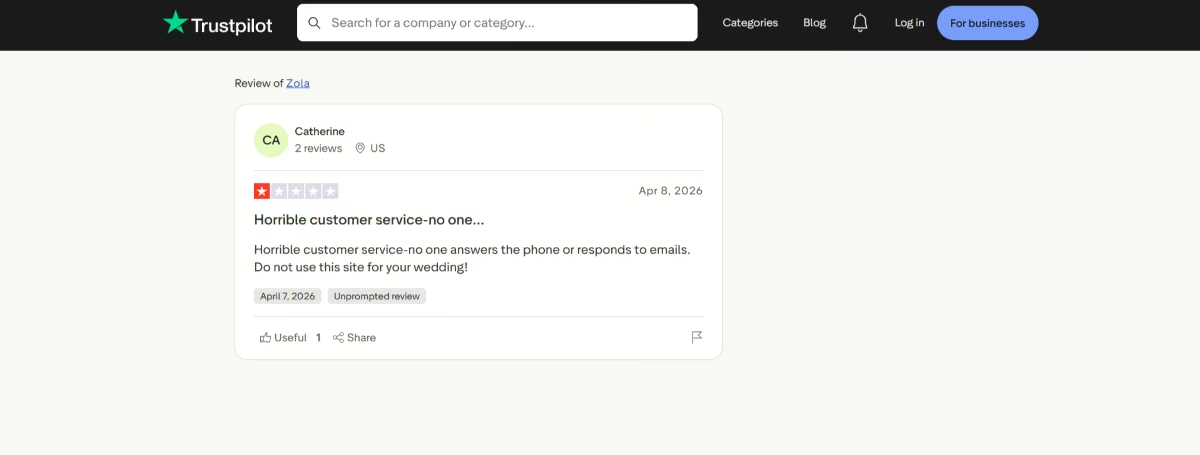
“Horrible customer service-no one answers the phone or responds to emails.” - Catherine, Trustpilot
Pricing
Free for the core website, registry, and checklist tool. Custom domain starts at $17.99/year.
Bottom Line
Zola makes its money the same way The Knot does, on vendor referrals and its own registry marketplace, though the registry checkout itself carries no fee. All in, with the custom domain, expect $17.99/year. This is a shortlist candidate if the registry experience matters more than website flexibility, worth trying yourself since I couldn't get past account creation.
Minted: Best for Matching Your Invitations
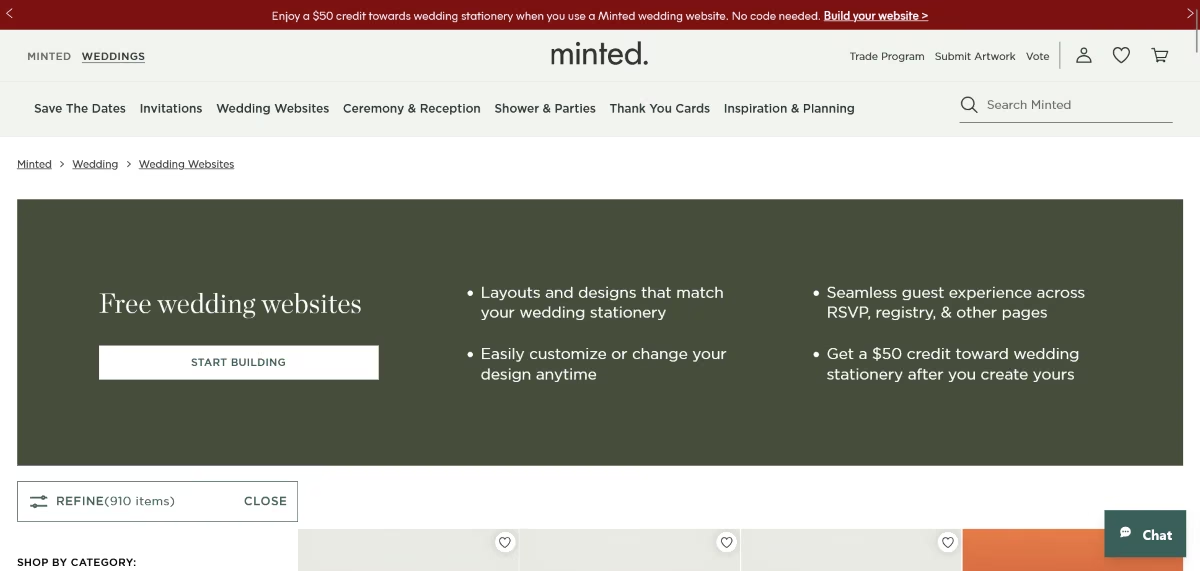
What it does: Minted is a free wedding website builder built around its stationery business, with hundreds of designs from independent artists that match printed invites, save-the-dates, and menus.
Best for: Couples who want their wedding website to visually match their printed invitation suite exactly, down to the font and color palette.
I picked a design from Minted's catalog and used the dashboard's live preview to check changes as I made them.
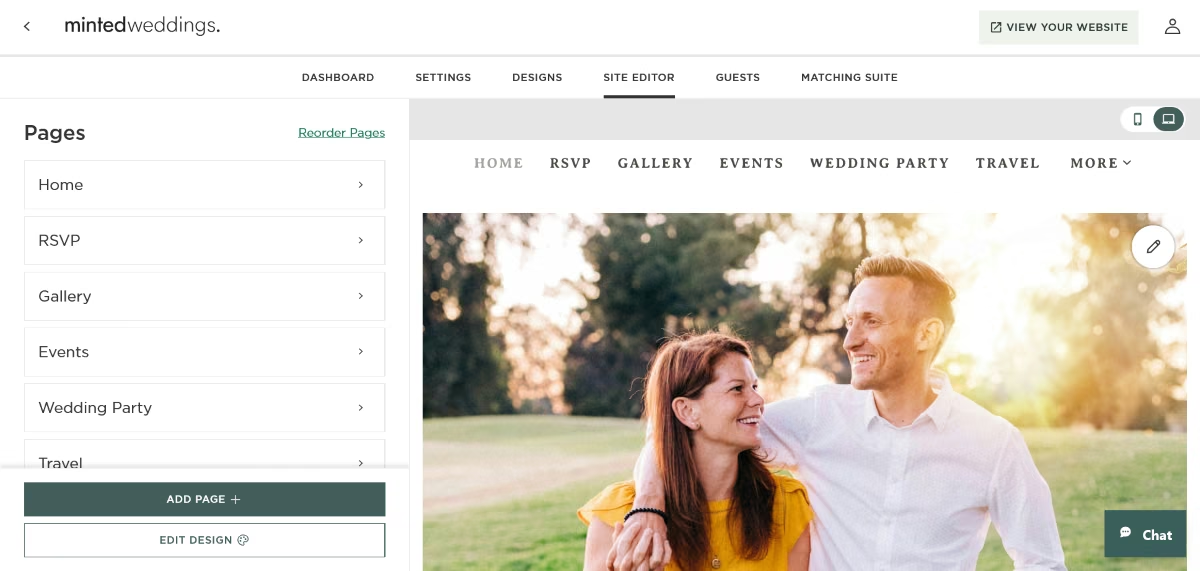
It took roughly 10 minutes to get a published site live and create a second event page for the rehearsal dinner, with its own guest assignment and RSVP questions.
The interface took more clicks to find basic settings than Joy or Zola: adding the second event page meant navigating through a separate “Events” panel rather than a visible add button on the page itself, and changing the RSVP deadline required opening a settings modal nested two levels inside the event editor rather than sitting on the main dashboard.
There's no traditional wedding registry either. Cash funds only, and guests get linked out for anything you're registered for elsewhere.
If matching printed invitations is a priority, nothing else on this list gets as close; the tradeoff is a clunkier building experience and no built-in registry.
Key Features
- Matching stationery designs: Hundreds of website designs with coordinating invites, save-the-dates, and menus from independent artists.
- Multi-event page support: Add pages for separate events (bridal shower, rehearsal dinner) and assign guests to each, though each event is fixed rather than conditional on a guest's earlier answers.
- Universal guest list with address collection: Collects addresses via matching Digital Address Cards, reusable later for Minted holiday cards.
- Free stationery consultation: A complimentary one-on-one session with a Minted wedding expert to pick and customize your stationery.
- Custom designer option: Work directly with a Minted designer on a fully custom design starting at $270.
Pros and Cons
Pros:
- The only platform here where your site and your printed suite come from the same design, down to the typeface.
- Multi-event page support is more native than Joy's or The Knot's guest-tagging approach.
- Free concierge consultation and custom URL upgrade add further value beyond the templates.
Cons:
- Basic settings and event pages are nested deeper in the interface than on Joy or Zola, adding clicks to routine edits.
- Interface takes noticeably more clicks to navigate than Joy or Zola.
- Lacks traditional planning tools like a checklist or budget tracker.
What Users Say
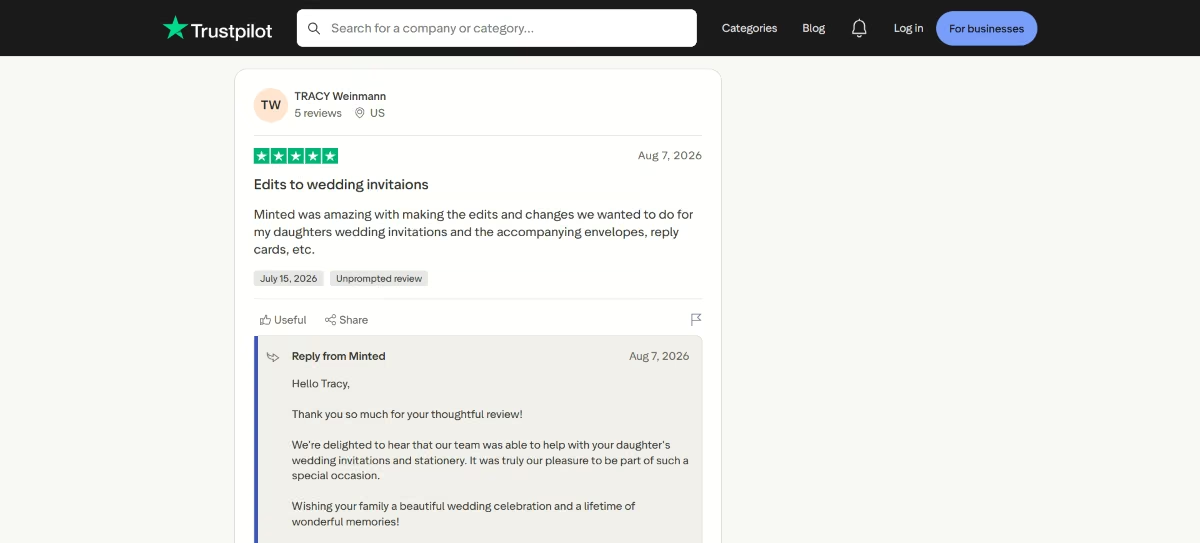
“Minted was amazing with making the edits and changes we wanted to do for my daughters wedding invitations and the accompanying envelopes, reply cards, etc.” - Tracy Weinmann, Trustpilot

“Minted has nice quality cards, but their service and delivery is awful” - Jennifer Langford, Trustpilot
Pricing
Free for the core website. A custom URL costs $15/year. Minted throws it in free with its $49 Wedding Website Service appointment; the separate stationery consultation is free but doesn't include the URL. Fully custom website artwork from a Minted designer starts at $270.
Bottom Line
Minted's business model is stationery and print, not the website: the site is free bait for the print order. All in, expect $0 for the core site or $270 and up if you want a designer-built custom page. Already ordered Minted invitations?
Then this is the obvious pick, and the design match is worth the clunkier editor. It works best for a couple who has picked their Minted suite and wants their website to visually match their invitations and stationery, but not as a first choice for planning tools or registry.
Squarespace: Best for Full Design Control

What it does: Squarespace is a general-purpose website builder offering complete design flexibility, used for wedding sites by couples who want something a wedding-specific template can’t offer.
Best for: Couples with web design experience or ambition who want a fully custom, highly personalized site and are willing to set up RSVP through a third-party integration.
I filled Squarespace’s site-building questionnaire and selected the Soria wedding website template. Three minutes later I had a page live, faster than any other platform here.
Then I hit the RSVP page. It came pre-built with fields for names, dietary restrictions, and free-text questions, which looks right until you try to make the rehearsal-dinner question appear only for the people invited to it.
There's no way to do that. The form block collects answers; it doesn't know who anybody is, so a Squarespace RSVP form treats a 150-person reception and a 12-person rehearsal dinner as the same flat list.
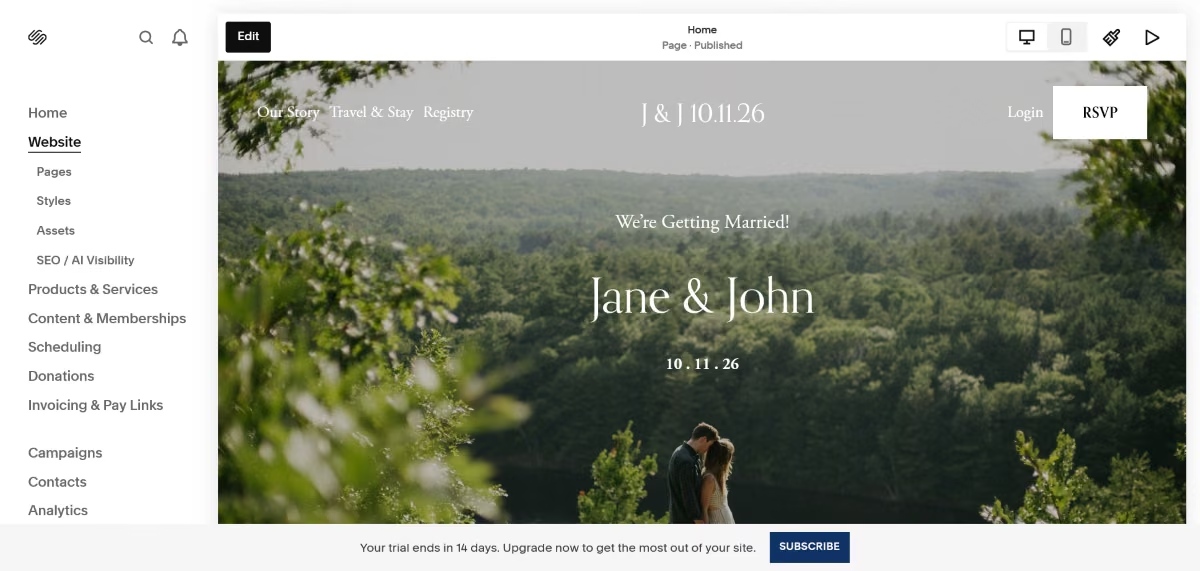
Squarespace offers more layout and animation control than any wedding-specific template on this list allows, but its RSVP and guest-management tools are more basic than those built specifically for weddings.
Key Features
- Complete design and layout flexibility: Custom animations, layouts, and aesthetics no wedding-specific template offers.
- Named designer template collection: Professional-grade templates as a starting point for further customization.
- Built-in RSVP: Includes a customizable RSVP form with fields for details, dietary restrictions, and other questions.
- Built-in email marketing: Useful for save-the-date campaigns or guest updates beyond the site itself.
- Full mobile and desktop preview: Check exactly how your custom layout renders across devices before publishing.
Pros and Cons
Pros:
- More layout and animation control than any wedding-specific platform on this list.
- No forced wedding-template aesthetic, build the site you envision from scratch.
- Strong blogging and content tools if you want to document the planning process publicly.
Cons:
- Advanced RSVP functionality requires a third-party integration and a second dashboard to manage responses.
- More expensive than every free wedding-specific platform on this list at the entry tier.
- Multi-event guest-list logic isn't built in; it depends entirely on whatever RSVP plugin you connect.
What Users Say
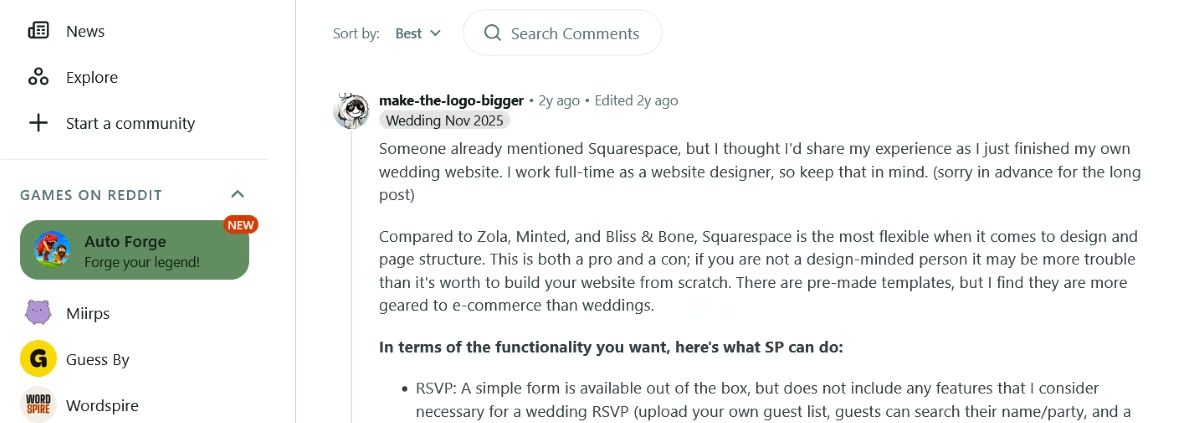
“Compared to Zola, Minted, and Bliss & Bone, Squarespace is the most flexible when it comes to design and page structure…There are pre-made templates, but I find they are more geared to e-commerce than weddings.” - make-the-logo-bigger, Reddit
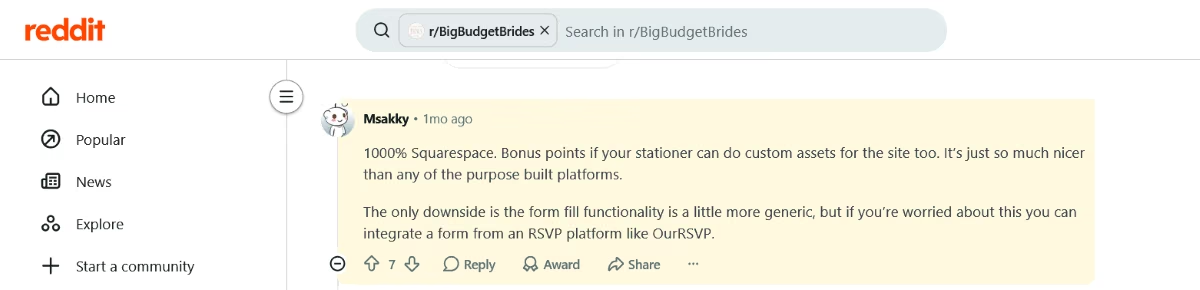
“The only downside is the form fill functionality is a little more generic, but if you’re worried about this you can integrate a form from an RSVP platform like OurRSVP.” - Msakky, Reddit
Pricing
The Basic plan starts at $25/month, or $19/month billed annually, and every site begins with a 14-day free trial. Squarespace offers built-in customizable RSVP forms but advanced RSVP functionality requires a third-party integration.
Before choosing Squarespace for your wedding website, it’s worth understanding the ongoing cost. Our Squarespace Pricing guide breaks down its plans and pricing so you can see what you’ll actually pay.
Bottom Line
I’d recommend this to couples who want a site that feels fully custom and are willing to spend extra for it. Squarespace's business model is the subscription itself, and all-in that's $19 to $29/month billed annually depending on tier, plus whatever RSVP app you connect.
Wix: Best for General-Purpose Flexibility
What it does: Wix is a general-purpose website builder with wedding-adjacent templates, design tools, and built-in Wix Events for creating and managing RSVP events. Its app marketplace can extend the site with additional functionality when needed.
Best for: Couples who want more design freedom than free wedding-specific platforms offer, while keeping RSVP management inside Wix.
Wix wanted to build it for me before I asked.
I used Wix's AI site generator, which produced a wedding-adjacent starting template from a short questionnaire. I decided to go with a premade template instead of building from a prompt.
The wedding website went live in around five minutes. RSVP and guest management for the rehearsal dinner and reception was easy to set up using Wix Events: I created two separate event listings, each with its own registration form and guest capacity, then linked both from the homepage.
Guests invited to only one event just don't see the other listing, which handles the split cleanly without any manual tagging.
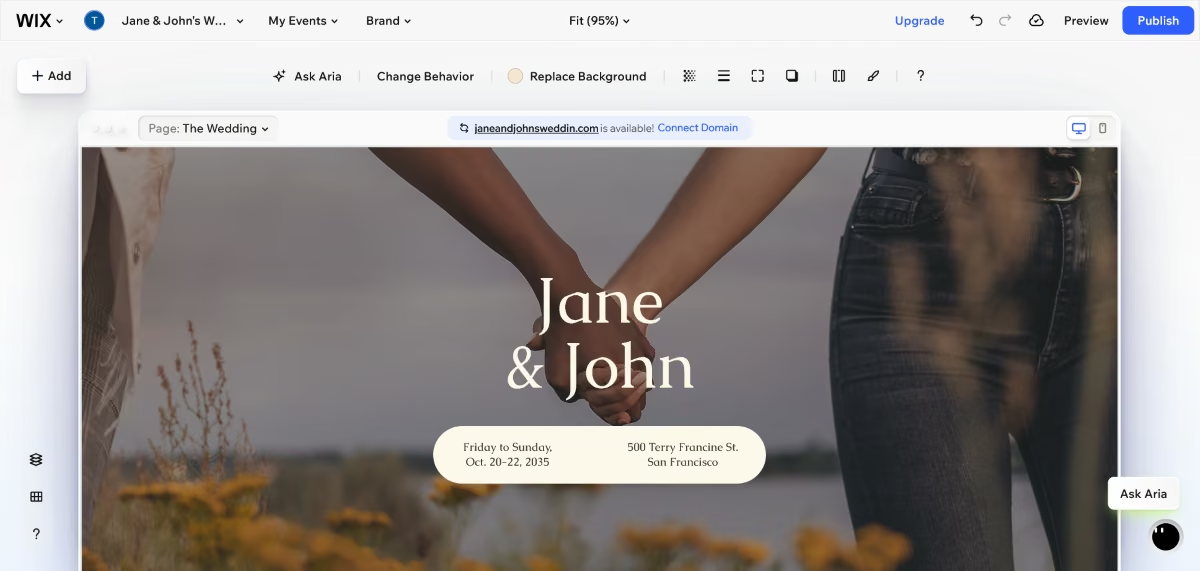
My take: Wix is a strong middle ground for couples who want design flexibility without paying Squarespace prices, while still getting native RSVP and guest-management features. The trade-off is that Wix Events feels more like a general event-management system than a purpose-built wedding platform.
Key Features
- AI-generated starting template: Produces a wedding-adjacent draft from a short questionnaire in minutes.
- Native RSVP and guest management: Wix Events supports multiple RSVP events, customizable registration forms, guest lists, plus-ones, guest limits, and waitlists.
- Flexible gallery and photo display: Hover effects and layout options for engagement photos and galleries.
- Free plan available: A genuine way to test the platform before committing to a paid tier.
- Custom domain and e-commerce add-ons: Available if a couple wants to sell wedding merchandise or favors alongside the site.
Pros and Cons
Pros:
- More design flexibility than the free wedding-specific platforms, and a lower entry price than Squarespace.
- Native Wix Events eliminates the need for a third-party RSVP app for many weddings.
- Free plan lets you test the platform with no commitment before building the site.
Cons:
- No dedicated native wedding registry; registry functionality may require a third-party solution.
- Some wedding-specific guest-management features are less polished than on dedicated wedding platforms.
- Once a template is live, switching to a different one generally means rebuilding, not restyling.
What Users Say
“It’s not complex at all; it’s genuinely easy to use…It makes things super easy and relevant, especially for a non-tech developer.” - Vinay V., G2

“Very advanced custom functionality sometimes requires third-party apps or workarounds rather than being handled directly within the editor.” - Tarun K., G2
Pricing
Free tier available. Most couples land between $24 and $46/month on month-to-month billing, or $17 to $39/month billed annually, once RSVP and e-commerce apps are added.
Bottom Line
Wix makes its money on the subscription plus a cut of anything sold through its app marketplace, and all-in for RSVP and guest management you're looking at $24 to $46/month month-to-month, or $17 to $39/month billed annually.
Wix is the middle option: more design freedom than the free platforms, cheaper than Squarespace, RSVP handled in-house. It fits a couple who wants that freedom without Squarespace's price tag, and native RSVP and guest-management tools without having to assemble the basics from third-party apps.
Want to see how Wix stacks up against the full field of general-purpose website builders, not just wedding platforms? Our comparison of online website builders
Canva: Best for a Free Design-First Page
What it does: Canva turns a design tool into a wedding page: pick a template, drop in your own photos and text, and publish.
Best for: Couples who already use Canva, want full design control over every element, and don't need advanced RSVP tracking.
Starting from a wedding template, the editor is identical to any other Canva project: I could drag text and photo blocks into place, swap fonts, and match the color palette to invitations already made in Canva.
I used Magic Write to generate a short love story about the couple and the built-in photo editor to clean up engagement photos without leaving Canva.

Publishing is a single “Publish Website” button that opens a panel offering a free Canva subdomain or a connected custom domain. A Canva Free account allows up to five live sites at once.
Canva also offers RSVP forms for wedding websites (Elements > Forms), but the RSVP functionality is less prominent than other tools in this list. Canva's strength remains the visual side of the website and couples who want sophisticated guest-management workflows will find a dedicated wedding platform more purpose-built for that job.
My take: Canva looks particularly appealing if the website's design matters as much as its practical function. It gives couples the familiar flexibility of Canva's editor while covering the basic essentials of a wedding website, including basic RSVP collection.
Key Features
- Full design freedom: A blank-canvas editor with the same drag-and-drop tools as Canva's broader design suite, not a fixed template structure.
- Massive template and asset library: Thousands of free and premium wedding-specific templates, photos, and graphics.
- Free custom domain option: A .my.canva.site subdomain is included free; a fully custom domain requires a paid plan.
- No coding required: Built for the same non-technical audience as Canva's design tools generally.
Pros and Cons
Pros:
- Design control that none of the wedding-specific platforms on this list can match.
- Genuinely free to build and publish, with no forced upgrade to launch a basic site.
Cons:
- RSVP functionality is less wedding-specific than the dedicated platforms
- Some premium templates, design assets, and features require Canva Pro.
What Users Say

“What I like best about Canva is how easy it is to create professional looking designs without a steep learning curve. The interface is clean, templates are easy to customize, and there are plenty of built-in assets to work with. It is also quick to move from an idea to a finished design, which is useful when working on different types of content.” - Shubham S., G2

“The AI features still need a bit of supervision. More than once, Magic Write gives me a solid starting point, but I almost always tweak the wording to better match the brand's voice. For me, it's a great assistant, not something I rely on to do the final work.” - Valeria B., G2
Pricing
The website builder itself is free on any Canva account. Premium templates and assets require Canva Pro at $18/month, or $144/year billed annually.
Bottom Line
Canva’s business model charges for the Pro subscription and premium marketplace content, not website hosting. The wedding website itself can be created for free, while Pro (priced at $18 per month) unlocks a much larger library of premium templates, photos, graphics, and other design features.
Canva is a good option if design flexibility is your priority. It is fundamentally a general-purpose design platform rather than a wedding-specific guest-management tool. If you need more specialized RSVP workflows for multi-event weddings, a dedicated wedding platform will be a much better fit.
Which Wedding Website Builder Should You Choose?
There's no single best answer here. The right pick depends on the nature of your celebration and what you're optimizing for.
Choose Joy, The Knot, or Zola if you:
- Want the strongest free, all-in-one option with a single event or a simple multi-event structure
- Prioritize registry integration (Zola) or a combined planning dashboard (The Knot)
Choose Minted if you:
- Want your website to visually match your printed invitations and don't need a built-in registry
Choose Squarespace or Wix if you:
- Want full design control outside the wedding-template ecosystem and don't mind setting up RSVP through a separate tool
Choose Emergent if you:
- Are planning multiple events with different guest lists and need RSVP logic a template can't express natively
Choose Canva if you:
- Already design in Canva and want complete visual control over every element, colors, fonts, and layout. You don’t need built-in RSVP tracking, or don't mind managing it through a separate app like ouRSVP
Before you commit to any of them:
- Confirm that you can export a clean, per-event guest list with responses months after the wedding. Most platforms can, but it’s worth verifying before you build.
Final Verdict
For most couples planning one or two events with a standard guest list, Joy is the one to beat: it’s free, offers useful AI tools, and its registry checkout has no added friction.
If the registry is your top priority, Zola remains the benchmark. If you want your website to match your printed invitations, Minted does that better than any other option here.
If you want more design control and don’t mind the extra setup, Squarespace and Wix both deliver at different price points, but you’ll need a separate tool to manage RSVPs.
Emergent is built for the complicated version: a mehndi, a mixed-culture ceremony, a multi-day celebration, each with its own guest list. You describe the logic once instead of tagging every guest across every event.
Whichever you pick, confirm you can export a clean, per-event guest list with responses months after the wedding. Most platforms can, but it's worth verifying before you build.
Emergent designs, writes, and publishes your whole site from one prompt. No templates, no drag-and-drop.
- Full site from one prompt
- Custom design, real pages
- Publish in minutes
Emergent designs, writes, and publishes your whole site from one prompt. No templates, no drag-and-drop.
- Full site from one prompt
- Custom design, real pages
- Publish in minutes