



To cut through the v0 vs Bolt.new noise in my feeds, I built the identical client portal, a login, dashboard, and request form, in each one. Here's what held up and what fell apart.
v0 vs Bolt.new: What's the Difference?
Bolt.new is an AI app builder that scaffolds a working full-stack app from a single prompt. v0 is an AI frontend generator that produces high-quality React and Next.js UI you wire into your own stack.
Picture building a house. Bolt frames the whole structure fast, with walls up and plumbing roughed in. v0 is the designer who makes one room look stunning and leaves the wiring to you. Both tools are useful for different jobs.
Choose Bolt.new if: You want an app-like prototype on screen quickly and you're fine cleaning up the code later.
Choose v0 if: You want production-shaped UI components that drop into a real React or Next.js project.
How they stack up at a glance:
| Feature | Bolt.new | v0 |
|---|---|---|
| Best for | Fast full-stack MVPs and clickable demos | Polished React and Next.js UI |
| Pricing model | Token-based, scales with project size | Credit-based, drawn per generation |
| Key strength | Builds more of the app from one prompt | Cleaner, more production-ready front-end code |
| Main weakness | Wobbles as the project grows | Not a full app builder; you wire the backend |
| Ideal user | Founders and indie hackers | Developers and React teams |
Bolt handles more of the full build, while v0 produces cleaner frontend code. The better pick depends on whether you want broader app generation fast or better frontend code to build on.
The split makes sense once you see what each tool is reaching for. Bolt tries to assemble a full app, so it reaches into the database, auth, and pages all at once. v0 tries to nail the interface, so it hands you components and leaves the plumbing to your engineering process.


When I ran the client-portal brief, Bolt.new gave me a clickable app almost right away, login screen and all. v0 gave me a cleaner dashboard, but left the backend to me. They were answering different questions.
Meet Bolt.new: Idea to Working App in the Browser
Bolt.new runs in the browser and turns plain English into a working full-stack app, which gets you past the empty screen fast. There is no local setup, and the early build is fun to watch.
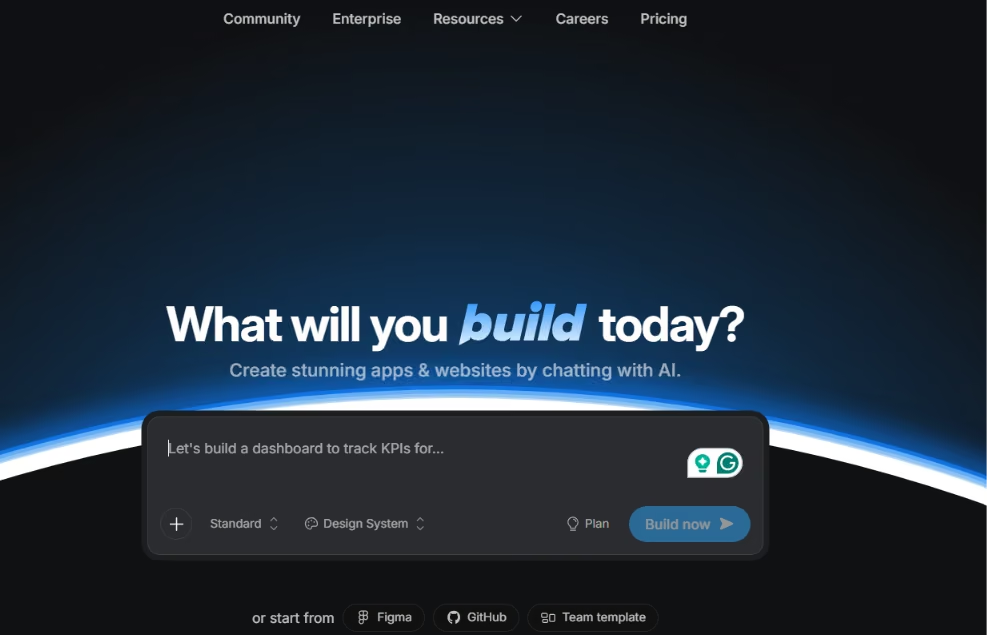
For the portal, Bolt's first few passes felt unusually fast. Within minutes, I had pages, a rough auth flow, and a data model, none of which I'd written a line of.
For a founder staring at a blank screen, that momentum is worth more than it sounds. The hardest part of building anything is usually starting, and Bolt removes that problem early.
The trouble comes later, because as the portal grew past those first screens, Bolt started losing the thread of its own structure, the same drift you'll see in the user reviews below.
Bolt is hard to beat for the first 70% of an app, but the deciding question is who handles the debugging, structure, and production cleanup after the prototype works.
Meet v0: Production-Shaped UI for React and Next.js
v0 is Vercel's frontend tool. Prompt it, and it builds React and Next.js components with Shadcn and Tailwind. It also syncs to GitHub, deploys on Vercel, and lets you tweak in a visual Design Mode.
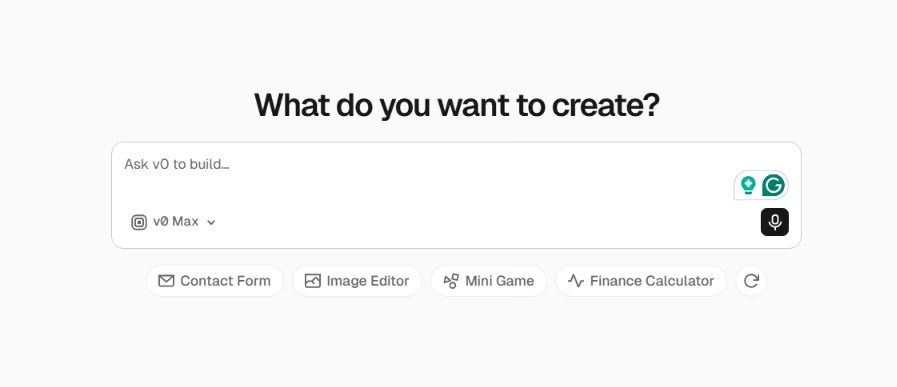
The dashboard v0 looked like something I'd ship without a rewrite. The components were cleaner and more idiomatic than Bolt's, the kind of React a senior dev would not wince at inheriting. That quality is the reason to pick it.
Then I asked for the auth and data behind the dashboard, and the seams showed. v0 hands you a front end and trusts you to build the rest.
That feels freeing if you already have an engineering workflow, and frustrating if you expected a finished app. Knowing which side you are on decides whether v0 lands as a gift or a letdown.
Also read our best v0 alternatives guide for what fills in the backend and auth that v0 leaves to you.
Feature-by-Feature: Same Portal, Two Very Different Builds
The same brief and the same prompts produced two very different results. Each tool pulled ahead in different parts of the build, so I broke the comparison down by the pieces that actually decide a project.
UI and Output Quality
A screenshot flatters both tools, so the real gap only opens once you read the code.
v0's components were tighter and more consistent. You could hand that React to a teammate without apologizing first. Bolt's dashboard looked good on screen, but it got messier underneath as I bolted on the request form and the project list.
If the interface is going to live in a real codebase, that difference compounds every week you keep building.
Winner: v0, because it produced cleaner, more consistent UI code.
Full-Stack Scope and Backend
Bolt was stronger here because it tried to stand up the whole portal from a single prompt, including the login, project dashboard, and request form. v0 declined the backend and handed it back to me.
For a non-developer, that reach is the entire appeal, because Bolt hands you something that works end to end, even if the wiring is rough.
Remember that "more of the app" also means more generated code nobody reviewed.
Winner: Bolt.new, since it's the only one that builds backend scope from the prompt, including auth and a data layer.
Developer Workflow and Integrations
If a developer is ever going to own this code, the workflow weighs as much as the output.
v0 syncs to GitHub and deploys on Vercel, so what it generates lands inside a normal engineering process instead of a walled garden. Bolt mostly keeps you inside its own environment.
The workflow gap barely matters for a throwaway prototype, but for a team that needs version control and code review, v0's fit pays for itself fast.
Winner: v0, because its GitHub sync and Vercel deploy fit a real dev workflow.
Scaling as the Project Grows
As the portal grew, Bolt hit the wall first.
It lost context and duplicated components. Then it fell into a fix loop where it kept "solving" the same bug over and over. v0 held together longer, mostly because it had less to manage. It was handling the UI, not the whole app.
Neither one handled complexity well, so keep each request small and save checkpoints often.
Winner: v0, narrowly, because it held its structure better as the project grew while Bolt drifted first.
Pricing and Cost
This is where people get the most confused, so let's slow down. Bolt.new and v0 charge in completely different ways, and which one is cheaper depends entirely on how you build.
Bolt charges by token, and your usage climbs as the project grows, because it syncs more of your filesystem to the AI with every message.
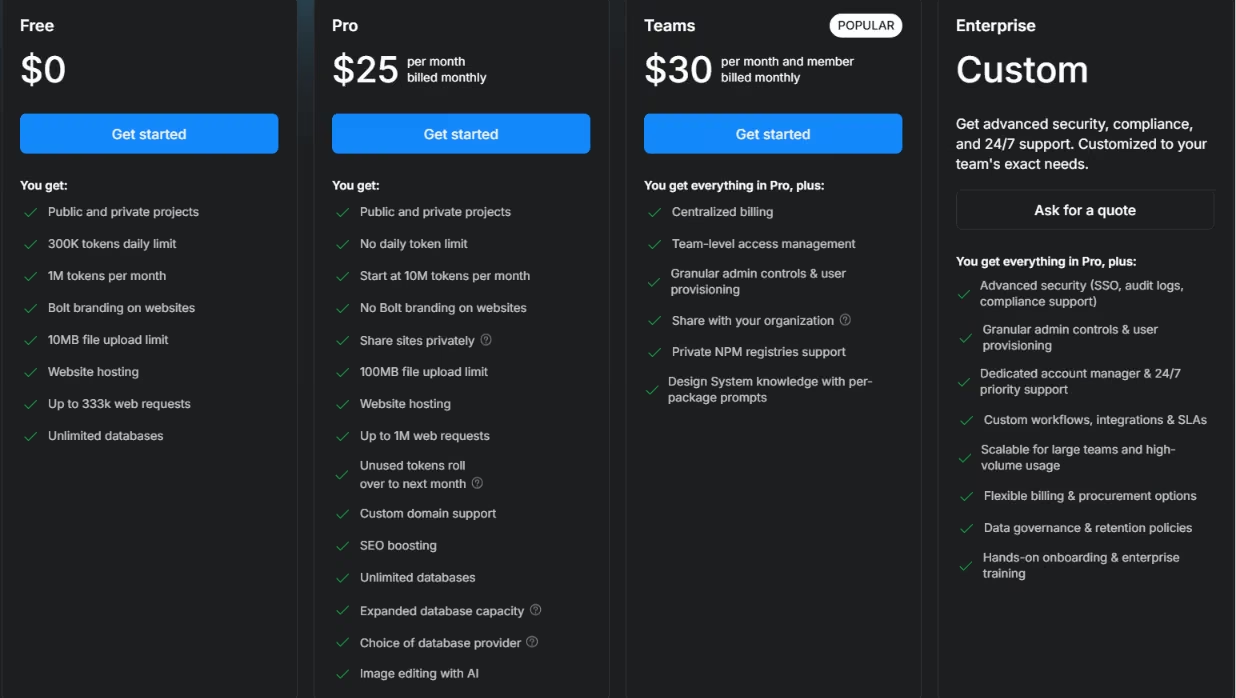
Bolt.new costs:
- Free: 300K tokens a day and 1M a month, enough to test an idea
- Pro: $25/month ($18/month billed yearly), no daily cap, starting at 10M tokens a month, with unused tokens rolling over for one extra month
- Teams: $30/month ($27/month billed yearly) per member, with tokens metered per person rather than shared
- Enterprise: Custom pricing for security, compliance, and support
v0's pricing flips that. Instead of a token bucket, it runs on credits drawn per generation, and the per-token rate depends on which model you pick.
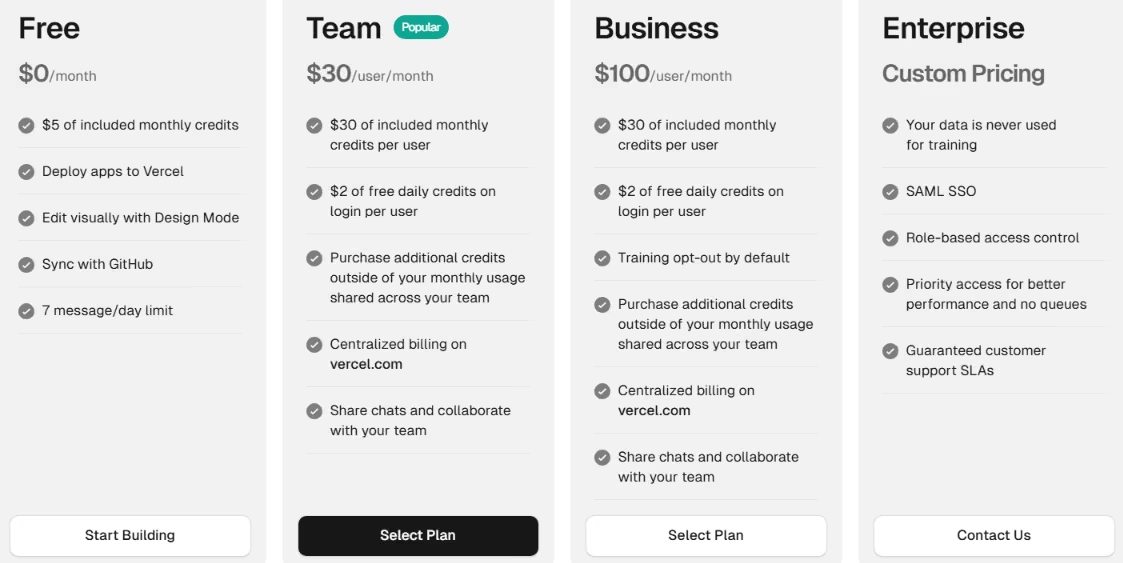
v0 costs:
- Free: $5 in monthly credits, capped at 7 messages a day
- Team: $30/month per user, with $30 in monthly credits plus $2 in daily credits per user
- Business: $100/month per user, same $30 credits, with training opt-out on by default
- Model rates run from about $1 per million input tokens on v0 Mini up to $10 per million on v0 Max Fast, and credits roll over but expire after 65 days
So which wins? It depends on how much you iterate, how big the project gets, and which v0 model you lean on.
For short bursts of front-end work, v0's credits stretch further, because you're only paying to generate UI. Once you're iterating hard on one growing app, Bolt's flat Pro plan and token rollover are easier to predict, since the cost doesn't spike every time a generation misses.
Pro Tip
Protect your credits by working in small steps. When the AI loops on a bug, fix it by hand instead of paying it to guess again. On Bolt, a leaner project also costs less per message.
Note: Both tools change their pricing often, so confirm the live numbers on the Bolt.new and v0 pricing pages before you commit.
Winner: Tie, because v0 costs less for focused UI work while Bolt is easier to budget on a large, ongoing build.
Also read our guide on the best vibe coding tools in 2026 to see how both stack up against the full field.
Production Readiness: What to Check Before You Ship
Production is where AI-built apps break, because these tools optimize for a working demo, not an app that's safe with real users.
Before anything you build here touches a customer, walk through this:
- Exposed secrets: Are API keys sitting in client-side code?
- Database rules: Is row-level security configured, or can users read each other's data?
- Rate limits: Are your AI and API calls capped against abuse?
- Error handling: Does the app fail gracefully, or white-screen on the user?
- Auth gaps: Are protected routes actually protected?
- File structure: Did the tool create modular files or one giant monolith?
- Exportability: Can you take the code out and maintain it elsewhere?
- Human review: Has a developer read the generated code before real users touch it?
That list is long because a working demo and a launchable product sit further apart than they look.
The fastest path I've found is to use Bolt or v0 to reach a working draft, then hand it to a developer for an afternoon of hardening before anyone logs in.
What Real Users Are Saying
To balance my own testing, I pulled feedback from dated reviews on G2, Reddit, and Trustpilot. Trustpilot runs harsh for both tools, and review platforms attract people who showed up to complain, so read these as where the pain clusters, not as a clean satisfaction score.
Bolt.new
Pros
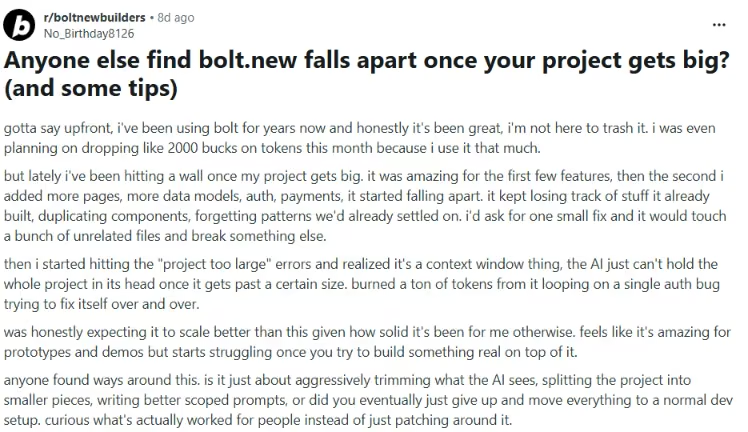
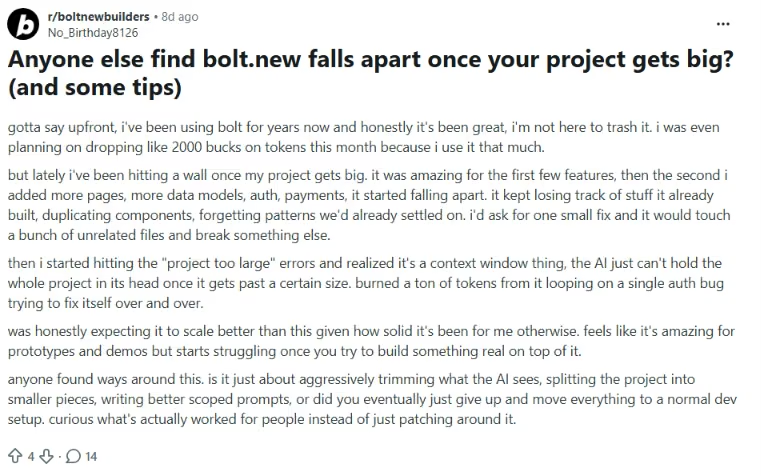
- On the early build, one user said it's "amazing for prototypes and demos," which matches the arc I lived on the portal.
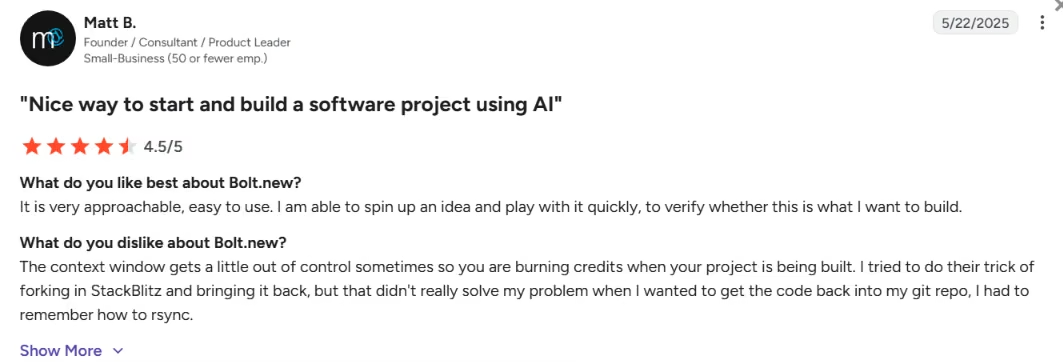
- Another reviewer said, “It is very approachable, easy to use.”
Cons
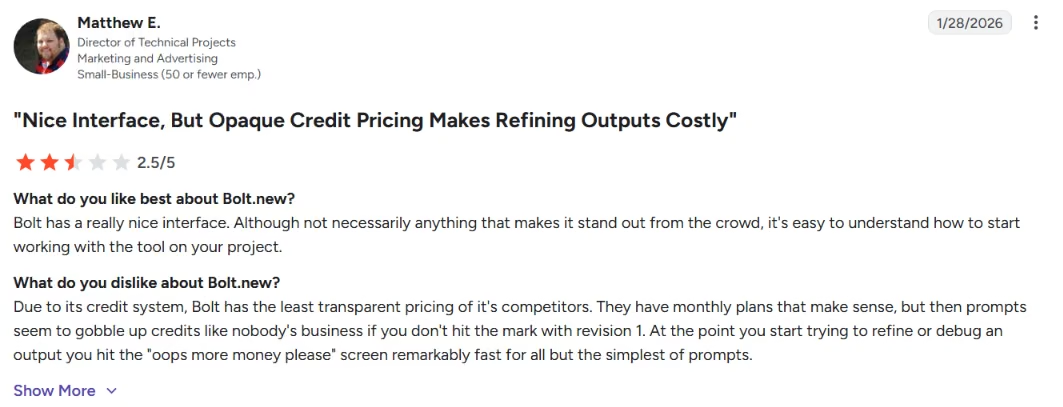
- Token burn is the loudest complaint. One reviewer said, "prompts seem to gobble up credits like nobody's business."
- Another user said, “it's amazing for prototypes and demos but starts struggling once you try to build something real on top of it.”
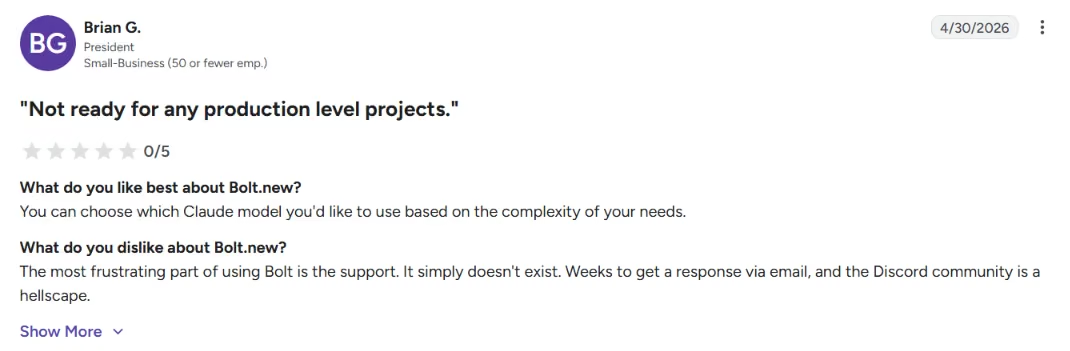
- On support, a blunt reviewer said “It simply doesn't exist.”
v0
Pros
- On UI, one user said, "It's great at whipping up an ShadCN-based UI very quickly," which tracks with the dashboard I got.

- A senior dev summed it up as "v0 for anything serious, Bolt for prototypes," adding that "v0 focuses on what it does best: UI components and FIRE FRONTENDS."

Cons
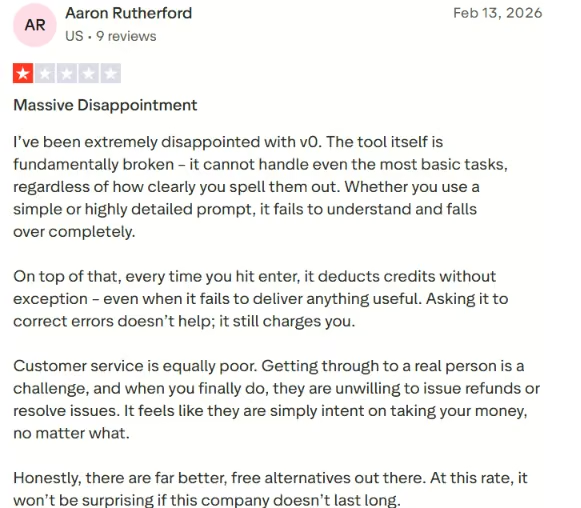
- On cost, a reviewer complained, "every time you hit enter, it deducts credits without exception."
- It's not a full app builder. One user said, "It frequently fails at simple tweaks, refinement, long context windows, and bug-fixing."

How to Make Your Choice
The right pick follows from what you're trying to ship, and from how comfortable you are touching the code afterward. Here's the at-a-glance version.
| What you're building | Better choice | Why |
|---|---|---|
| Clickable MVP for a non-technical founder | Bolt.new | More app-like, less setup, faster idea-to-demo |
| React components for a developer | v0 | Built for UI and component generation |
| Polished landing page | Either, slight v0 edge | v0 for clean UI; Bolt if the page needs app logic |
| Full-stack SaaS prototype | Bolt.new | More ambitious full-stack scaffolding |
| Production frontend you'll maintain | v0 | Better React, Next.js, and Vercel fit |
| Hackathon demo | Bolt.new | Speed and app-like scaffolding win |
| Design system or component library | v0 | Strong, consistent component output |
| Backend-heavy or long-lived product | Neither alone | Use as accelerators; backend needs real engineering |
Bolt.new is Better For:
- Founders who want a clickable MVP fast.
- Teams building full-stack prototypes or hackathon demos.
- Builders who care more about speed than code control.
Bolt wins when the goal is a client-ready demo. If you need a working portal in front of a client this week to prove the idea, Bolt's reach gets you there fastest, and the rough code underneath becomes your problem later.
v0 is Better For:
- Developers and teams already working in React, Next.js, and Vercel.
- Designers building design systems or component libraries.
- Builders who want production-shaped front ends they'll own and maintain.
v0 wins when the code has to live in a real project. If you already have an engineering workflow and a backend you trust, v0 drops a clean UI into it without making you untangle a generated mess first.
Use Neither Alone For:
- Anyone building backend-heavy apps or products meant to last, without an engineering review.
For anything with real users, real data, or a long maintenance life, neither tool finishes the job by itself. Use them to reach a working draft fast, then treat that draft as the start of the engineering work, not the end of it.
My Verdict
Bolt.new assembles more of the app and gets you to "I can click it" faster, at the cost of code that frays as the project grows. v0 gives you better UI for a real engineering process, at the cost of doing the backend yourself.
Neither replaces a production engineer, and treating either like one is how people end up with a pretty demo and a scary codebase. Pick Bolt when momentum matters most, and pick v0 when code quality and workflow fit matter most. Either way, plan for the production review that both tools still require.
Build the Whole App, Not Just the Demo
Once you know whether you need a whole app fast or a clean UI for an existing stack, the next move is simple. Run your own brief through the tool that fits, then watch where it strains.
Bolt is the place to start if you want something clickable end-to-end by the end of the day, and v0 is the place to start if you're already in React and want UI you won't rewrite.
But if you want a working app with logins and data that holds together past the prototype stage, Emergent is built for that gap.
Instead of asking one model to hold the whole app together, Emergent splits the build across specialized agents. That helps the app stay coherent once real users, real data, and production checks enter the picture.
Emergent's setup targets the production hardening Bolt and v0 leave to you. If production hardening is the work you'd rather not own alone, you can start building on Emergent for free to see how far the same brief gets.


Most AI app builders stop at prototypes. Emergent creates production-ready apps you can actually launch.
- Production-ready apps
- Web & mobile apps
- Deploy in minutes







