


TL;DR
- Cursor produces more production-ready code and handles multi-file refactoring that Copilot simply cannot match.
- GitHub Copilot is faster for inline completions, debugging, and documentation — and costs half as much at $10/month vs $20/month.
- Both tools use models from OpenAI and Anthropic, but Cursor lets you switch between them; Copilot keeps you primarily on OpenAI.
- If you want to skip the code editor entirely and go straight from idea to deployed app, Emergent is the alternative worth considering.
You're already using an AI coding tool, or you're about to pick one. The problem isn't a lack of options. It's that every comparison reads like a marketing page with no real output to show for it. GitHub Copilot lives inside the IDE you already use. Cursor rebuilds the entire editing experience around AI. Both use the same underlying models, cost roughly the same, and promise to make you faster, but on very different types of work.
To find the real difference, I tested both tools on three identical prompts, no retries, no cherry-picking. Below you'll find a 20-feature breakdown, honest side-by-side outputs, a full pricing comparison, and a direct recommendation based on the kind of work you actually do.
What is GitHub Copilot?
GitHub Copilot is GitHub's AI coding assistant, built on OpenAI's models and shipped as a plugin for VS Code, JetBrains, Neovim, Visual Studio, Eclipse, and Xcode.
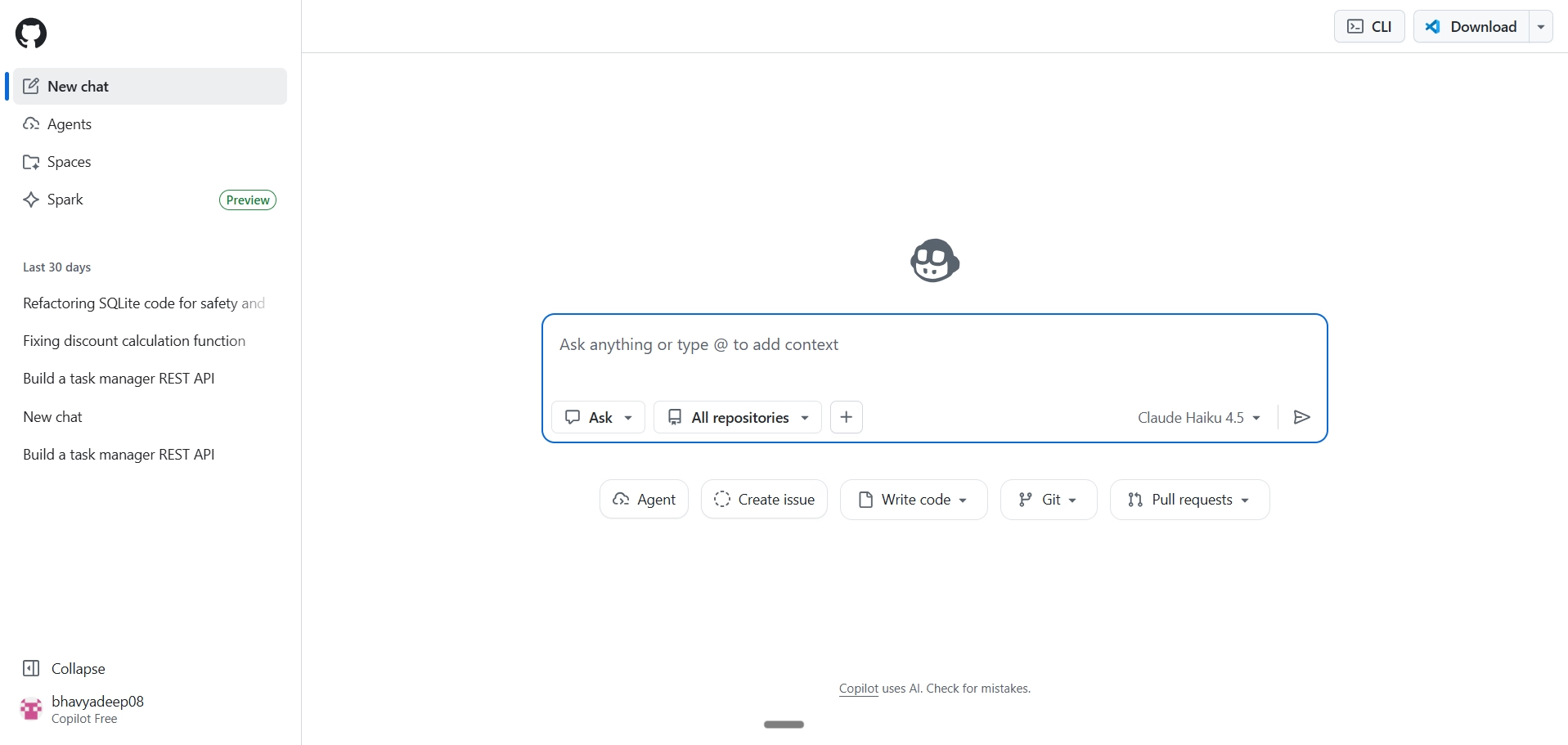
It now operates across three distinct layers:
- Inline completions handle single-line and multi-line suggestions as you type.
- Agent mode (GA across VS Code and JetBrains as of March 2026) goes further by autonomously determining which files to edit, runs terminal commands, self-heals runtime errors, and iterates until the task is done.
- Copilot cloud agent, works asynchronously in a GitHub Actions environment.
You assign a GitHub issue to Copilot, and it researches the repository, builds a plan, writes code on a branch, and opens a pull request for review. Copilot also supports MCP (Model Context Protocol) for connecting to external tools, Spaces for scoping context to specific tasks, custom instructions via repository-level files, and multi-model selection including Claude and Gemini alongside OpenAI's models.
GitHub positions Copilot as the tool that meets developers where they already are. You don't switch editors, learn a new interface, or change your deployment workflow. That strategy has made it the most widely adopted AI coding assistant by install base, particularly among teams already embedded in the GitHub ecosystem.
Enterprise teams use it for policy-managed code generation with audit logs and IP indemnity. Solo developers and learners use the free tier (2,000 completions and 50 chat messages per month) as a zero-friction starting point.
The typical Copilot user reaches for it during focused, single-file tasks:
- Writing new functions
- Generating unit tests
- Fixing scoped bugs
- Producing documentation
Where Copilot fits less naturally is work that spans entire repositories or requires the AI to reason across file boundaries without manual guidance.
What is Cursor?
Cursor is a standalone AI code editor built by Anysphere, forked from VS Code, that rebuilds the entire editing experience around AI agents. Its Composer model (version 1.5, shipped February 2026 with 20x scaled reinforcement learning) handles multi-file planning and execution natively.

Background Agents run on isolated cloud VMs, cloning your repo, checking out a branch, and opening a pull request without touching your local machine. You can trigger them from the IDE, Slack, Linear, or a mobile app. BugBot, Cursor's automated PR reviewer, scans pull requests for bugs and logic issues with a 78% resolution rate across 50,000+ analyzed PRs.
Cursor supports frontier models from OpenAI, Anthropic (Claude Opus 4.6), Google (Gemini 3 Pro), and xAI (Grok Code), plus its own proprietary Tab and Composer models. It also supports MCP with 30+ integrations launched in March 2026, including Atlassian, Datadog, GitLab, and PagerDuty.
Cursor positions itself as the editor for developers who want AI to understand the full architecture, not just the file they have open. Its codebase embedding model indexes your entire repository, and with Cursor 3 (released April 2026), the interface has shifted from a file-centric IDE to an agent workbench where you can run multiple agents in parallel across local, cloud, and remote SSH environments.
The typical Cursor user works on multi-file features, cross-system refactors, and greenfield projects where the AI needs to track dependencies, imports, and architectural patterns across dozens of files simultaneously. Teams at scale use it for large migrations, onboarding (where Cursor explains the codebase contextually to new engineers), and autonomous task delegation through Background Agents. The trade-off is real: you leave your current editor behind. But for developers whose work regularly spans five, 10, or 40 files in a single change, that trade-off pays for itself quickly.
GitHub Copilot vs Cursor: Core differences
The fundamental difference is architecture. Copilot is a plugin that augments your editor. Cursor is an editor rebuilt around AI. That distinction shapes everything: how much context each tool sees, how it interacts with your project, and what kind of tasks it handles well.
Copilot works file-by-file. It reads the open tab, sometimes pulls from adjacent files, and generates suggestions scoped to the immediate context. Cursor reads your full repository. Its Composer mode can plan changes across five, ten, or 40 files at once, tracking dependencies and import chains as it goes.
Copilot focuses on speed and convenience. You stay in VS Code, get fast inline completions, and use chat for questions. Cursor focuses on depth and control. You get a new editor, but that editor understands your project at an architectural level. For inline completions on isolated functions, both tools perform similarly. The gap widens on multi-file refactoring, architectural changes, and project-level code generation.
GitHub Copilot vs Cursor: Feature comparison
The table below compares both tools across 20 dimensions that matter in daily development work. Features were evaluated based on publicly available documentation, release notes through March 2026, and hands-on testing.
| Feature | GitHub Copilot | Cursor | Winner |
|---|---|---|---|
| IDE / editor type | Plugin (VS Code, JetBrains, Neovim, Visual Studio) | Standalone editor (VS Code fork) | Tie |
| Setup and onboarding | Install extension, sign in with GitHub | Download app, import VS Code settings | Copilot |
| Language support | Most major languages | Most major languages | Tie |
| Inline autocomplete quality | Fast, accurate for single-file work | Comparable; context-aware across files | Tie |
| Chat interface | Sidebar chat in IDE | Sidebar chat + Composer panel | Cursor |
| Code generation scope | Single file, function-level | Multi-file, project-level via Composer | Cursor |
| Refactoring capability | Solid for isolated functions | Architecture-level; tracks cross-file dependencies | Cursor |
| Debugging depth | Precise, fast on scoped bugs | Can over-suggest in tight debugging contexts | Copilot |
| Code explanation | Structured breakdowns with test cases | Concise, developer-oriented explanations | Tie |
| Test generation | Generates unit tests with edge cases | Context-aware tests across project files | Cursor |
| Documentation generation | READMEs, docstrings, curl examples | Minimal; focuses on code over docs | Copilot |
| Context depth | Active file + limited adjacent files | Full repo indexing with dependency tracking | Cursor |
| Codebase understanding | Limited to open tabs | Indexes entire repository | Cursor |
| Multi-file refactoring | Manual file-by-file guidance | Composer mode handles it automatically | Cursor |
| Architecture-level changes | Requires manual orchestration | Plans and executes across systems | Cursor |
| AI agent capabilities | Agent mode (GA as of 2025) | Composer acts as a planning agent | Tie |
| Performance on large codebases | Consistent; no degradation | Can degrade on very large repos | Copilot |
| Memory and persistence | Session-based context | Custom rules files + repo indexing persist | Cursor |
| Security and data handling | GitHub enterprise compliance, SOC 2 | Privacy mode available; SOC 2 certified | Tie |
| Extensibility and integrations | Full VS Code extension ecosystem | VS Code extensions (most compatible) | Copilot |
I tested GitHub Copilot vs Cursor on real prompts, here's my honest review
I ran three prompts on both tools without retrying or cherry-picking outputs. No tweaking, no follow-ups. The goal was to see what each tool delivers on the first attempt, which is what matters when you're in the middle of actual work.
Test 1: Build a simple REST API
Prompt
"Build a simple REST API in Python for a task manager. It should support creating, listing, updating, and deleting tasks. Each task has a title, status (pending/done), and created_at timestamp. Use whatever framework you think is best. Show me the complete, runnable code."
Cursor's output
Cursor chose FastAPI without hesitation and delivered production-style code from the first response. It used Pydantic models with field validation, proper type hints throughout, an Enum for task status, and timezone-aware timestamps.
It also generated a requirements.txt and gave run instructions using uvicorn without being asked. Cursor didn't just answer in the chat. It created actual files on my machine, initialized a git repository, and set up the project folder automatically. It even asked what to name the project before writing a single line.
GitHub Copilot's output
Copilot chose Flask and produced a complete, well-structured response. The code included input validation, consistent JSON responses, proper HTTP status codes, and a health check endpoint.
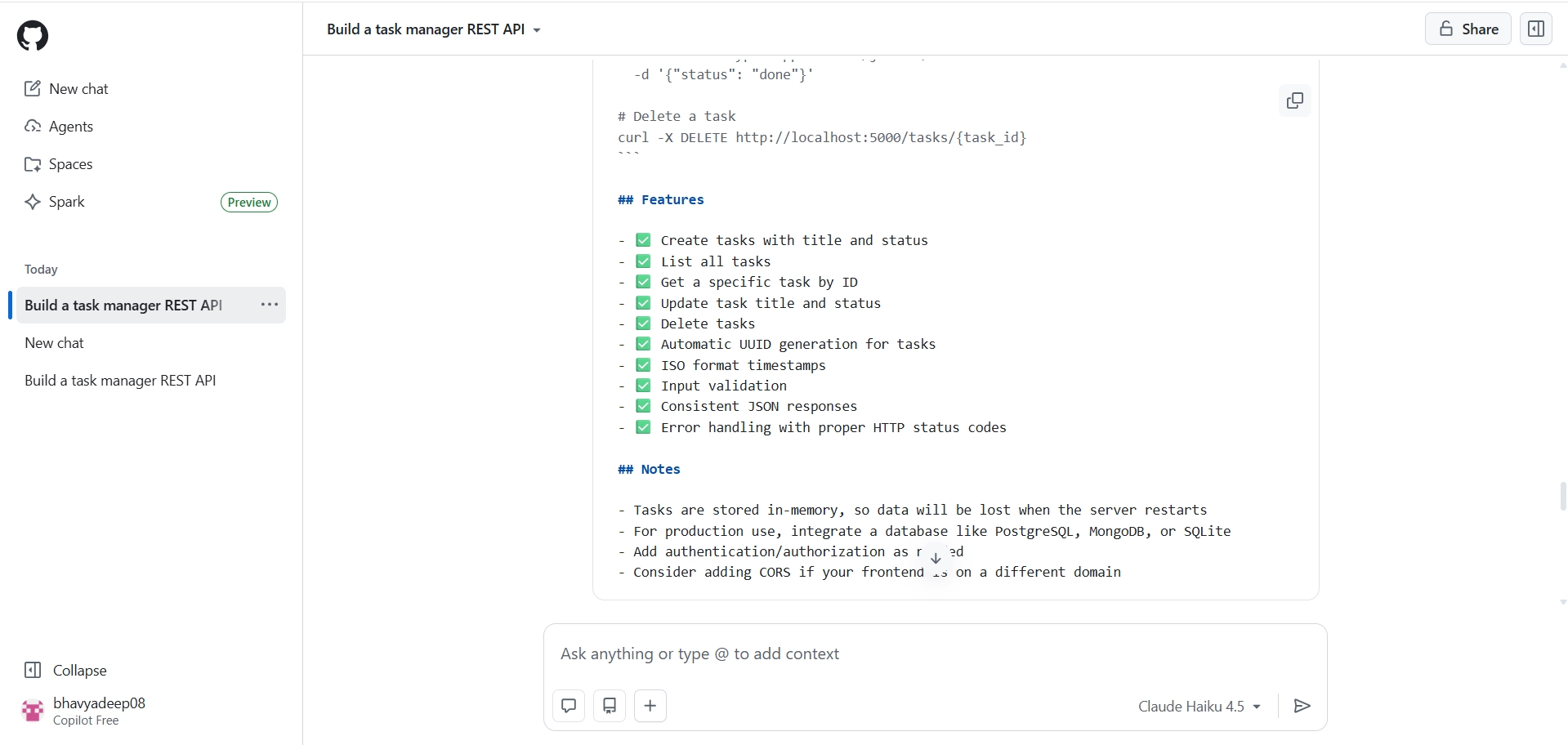
It also generated a full README with curl examples, a features checklist, and a notes section warning about production limitations like in-memory storage and the need for authentication. Copilot ended with a conversational offer to add SQLite persistence, pagination, or auth.
| Dimension | Cursor | GitHub Copilot |
|---|---|---|
| Framework chosen | FastAPI | Flask |
| Code style | Type hints, Pydantic, Enums | Class-based, straightforward |
| Went beyond the prompt | Created actual project files, git repo | Added README, curl examples, notes |
| Tone | Acted like a developer | Acted like an assistant |
Verdict
Cursor wins on code quality and depth. Copilot wins on documentation and guidance. If you're building something real, Cursor's output is closer to production-ready. If you're learning or need a walkthrough, Copilot's response is easier to follow.
Test 2: Fix a broken function
Prompt
"This function is supposed to apply a percentage discount to a price. Passing 100 and 20 should return 80. Find all the bugs, explain why each one is a bug, and give me the fixed version."
Cursor's output
Cursor identified both bugs clearly: the missing /100 conversion and the no-op assignment. Explanations were direct and plain.
The fixed code was clean and minimal. It also offered to add input validation for edge cases like negative prices or discounts over 100%, but kept the response tight.
GitHub Copilot's output
Copilot gave a more structured breakdown, labelling each bug with a heading, explaining the problem, the why, and the expected behavior separately. It included test cases covering four scenarios and added inline comments in the fixed code.
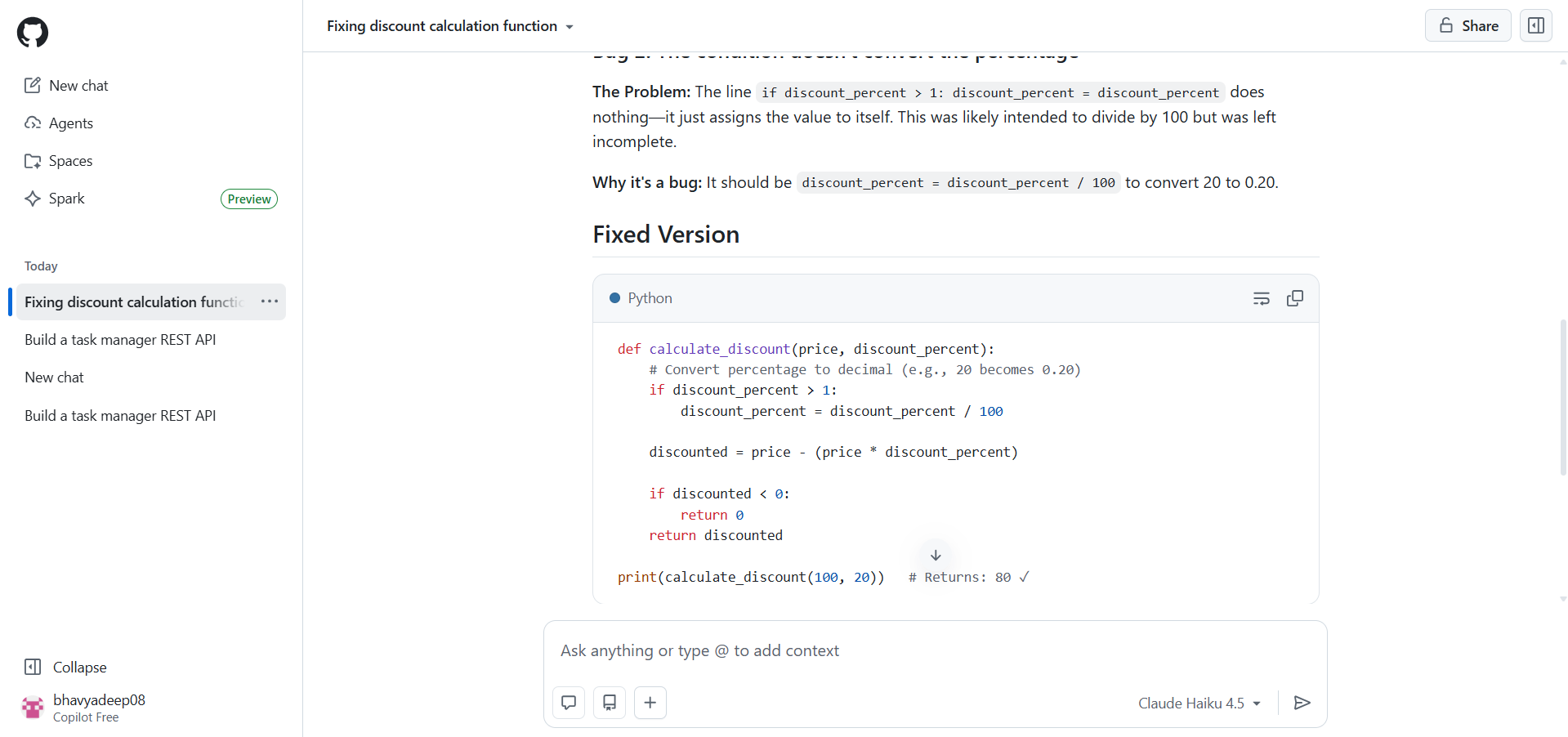
However, its fix used if discount_percent > 1 to decide whether to divide by 100, which handles inputs like 0.5 but is a fragile assumption that breaks for edge cases like a 0.5% discount on a large price.
| Dimension | Cursor | GitHub Copilot |
|---|---|---|
| Bugs found | Both identified | Both identified |
| Fix quality | Clean, correct, minimal | Correct but with a fragile edge case |
| Explanation style | Concise and direct | Structured with headers and test cases |
| Added value | Offered stricter validation | Included test cases |
Verdict
Cursor wins on fix quality. Its solution is simpler and more correct. Copilot's structured explanation is easier to read, but the fix introduces a conditional that could silently fail on edge case inputs.
Test 3: Refactor messy code
Prompt
"Refactor this code. It has serious problems. Fix everything wrong with it — structure, naming, safety, and style. Explain each change and why. Follow Python best practices."
Cursor's output
Cursor addressed every major issue systematically: SQL injection via parameterized queries, connection leaks via context manager, vague naming, fragile tuple indexing replaced with sqlite3.Row, overly broad SELECT *, missing type hints, nested if blocks flattened with early returns, and Python idioms like is None and f-strings.
Every fix was explained with a before/after comparison. The result reads like a code review from a senior developer.
GitHub Copilot's output
Copilot went further in terms of architecture. It didn't just clean up the function. It split it into three separate functions (get_user_by_id, update_user_last_seen, process_active_user), introduced a context manager for database connections, flagged the hardcoded database path as a problem, and called out the SQL injection vulnerability as the highest priority issue with a clear attacker scenario.
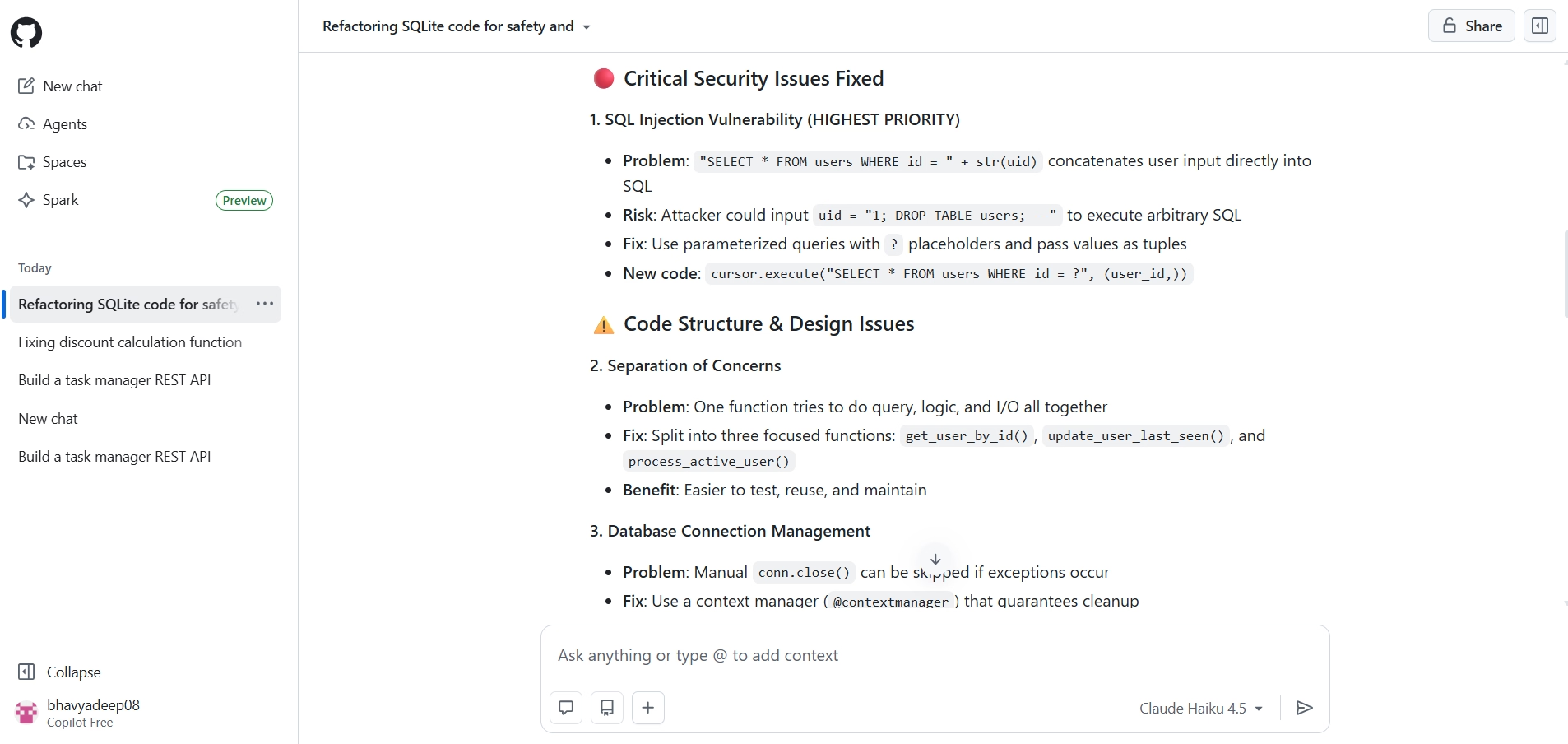
It also suggested namedtuple and row_factory as optional improvements and added docstrings to every function.
| Dimension | Cursor | GitHub Copilot |
|---|---|---|
| SQL injection fix | Yes, parameterized queries | Yes, with attacker scenario explained |
| Separation of concerns | Single refactored function | Split into three focused functions |
| Naming and style | Fully cleaned up | Fully cleaned up |
| Documentation | Minimal | Docstrings added to every function |
| Depth of restructuring | Code-level cleanup | Architecture-level redesign |
Verdict
Copilot wins. Both tools caught every issue, but Copilot restructured the code at an architectural level. For developers making real decisions, that depth matters.
Overall Test Results
Cursor won two out of three tests, but the pattern matters more than the score. Cursor dominated on code quality and project setup, it created files, initialized a git repo, and delivered production-style code without being asked. Copilot pulled ahead the moment the task required architectural thinking, restructuring a messy function into three focused, well-documented pieces that a senior developer would actually approve in a code review.
The takeaway that none of the individual tests surface on their own: these tools have different ceilings, not just different speeds. Cursor's ceiling is depth, it thinks in projects. Copilot's ceiling is structure, it thinks in systems. If your work regularly crosses both, the strongest setup isn't choosing one. It's knowing which one to reach for first.
| Test | Winner |
|---|---|
| Build a simple API | ✅ Cursor |
| Fix a broken function | ✅ Cursor |
| Refactor messy code | ✅ GitHub Copilot |
| Overall | Cursor (2/3) |
"When we refactored our product filtering system across roughly 40 files, Cursor understood the full architectural picture. Copilot was making suggestions that were technically correct but didn't account for the underlying design. Cursor saved us around 35% of development time on that task."
— Rafael Sarim Oezdemir, Head of Growth, EZContacts
GitHub Copilot vs Cursor: Pros and cons
1. Pros and cons of GitHub Copilot
| Pros | Cons |
|---|---|
| Fast inline completions that stay in your flow | Limited to single-file context in most situations |
| Works inside VS Code, JetBrains, Neovim, and Visual Studio | Multi-file refactoring requires manual guidance |
| Strong documentation generation (READMEs, docstrings, test cases) | Agent mode is still maturing compared to Cursor's Composer |
| Free tier available for all VS Code users | Less effective at understanding full repository architecture |
| Consistent performance on large codebases | Chat responses can be verbose for experienced developers |
| Enterprise compliance and GitHub ecosystem integration | Cannot index or reason across an entire codebase |
2. Pros and cons of Cursor
| Pros | Cons |
|---|---|
| Full repository indexing with dependency tracking | Requires switching from your current editor |
| Composer mode handles multi-file changes automatically | Can degrade on very large repositories |
| Production-quality code output from the first response | Over-suggests in tightly scoped debugging scenarios |
| Creates project files, folders, and git repos automatically | Smaller ecosystem than VS Code's extension marketplace |
| Supports custom rules files for project-specific instructions | Steeper learning curve for Composer and repo-wide features |
| Multiple model options (GPT, Claude, Gemini) | Documentation generation is minimal compared to Copilot |
GitHub Copilot vs Cursor: Pricing
Both tools offer free and paid plans. Copilot's free tier (launched April 2025) lowered the barrier significantly, though it caps completions and chat interactions per month. Cursor's free tier is similarly limited. The paid plans are where the real comparison happens.
Pricing comparison of GitHub Copilot and Cursor plans (pricing as of April 2026)
| Plan | Copilot price | Copilot includes | Cursor price | Cursor includes |
|---|---|---|---|---|
| Free | $0/month | 2,000 completions + 50 chat messages/month | $0/month | 2,000 completions + 50 premium requests/month |
| Individual / Pro | $10/month | Unlimited completions, unlimited chat, agent mode | $20/month | Unlimited completions, 500 premium requests, Composer mode |
| Business / Team | $19/user/month | All individual features + admin controls, policy management | $40/user/month | All Pro features + centralized billing, admin dashboard, usage analytics |
| Enterprise | $39/user/month | All Business + SAML SSO, audit logs, IP indemnity | $40/user/month | All Business + SAML SSO, enforced privacy mode, custom security controls |
Copilot is the more affordable option at every tier. At $10/month for individuals, it's half the price of Cursor's Pro plan. For teams, the gap narrows but Copilot still costs less per seat. The question is whether Cursor's deeper context awareness and Composer mode justify the premium for your specific workflow.
Want the full breakdown of every GitHub Copilot plan? Also read our GitHub Copilot pricing.
Note
Pricing is accurate as of April 2026. Both tools update their plans frequently. Verify current pricing on GitHub Copilot's pricing page and Cursor's pricing page before making a purchasing decision.
When should you choose GitHub Copilot over Cursor?
Copilot is the better choice when your work is primarily single-file, when you value staying inside your existing IDE, or when your team is already on the GitHub ecosystem. Specifically, Copilot makes more sense if:
- You work primarily in VS Code or JetBrains and don't want to switch editors.
- Your daily tasks involve writing new functions, debugging isolated bugs, or generating boilerplate.
- You need strong documentation generation (READMEs, docstrings, test cases) alongside code.
- Your team uses GitHub Enterprise and needs centralized policy management, audit logs, and IP indemnity.
- Budget is a deciding factor and you want the most capable free tier or the cheapest paid plan.
When should you choose Cursor over GitHub Copilot?
Cursor is the better choice when your work spans multiple files, when you need the AI to understand your full codebase, or when you're doing heavy refactoring. Specifically, Cursor makes more sense if:
- You regularly refactor code across five or more files where dependencies matter.
- You want the AI to index your entire repository and maintain awareness of your architecture.
- You're building new features that touch frontend, backend, and database layers simultaneously.
- You want to use multiple models (Claude, GPT, Gemini) and switch between them based on the task.
- You're comfortable switching to a new editor in exchange for deeper AI integration.
"For production agentic systems in regulated industries, Copilot treats every file like an island. Cursor's multi-file Composer mode fundamentally changes the workflow for complex, cross-system changes. We've paired it with skills-based Claude Code workflows and cut day-long tasks to a couple of hours. If you're building at the agentic layer, Cursor isn't optional, it's infrastructure."
— Rahul Gupta, Head of AI Foundry, Insight Global Consulting
Beyond Copilot and Cursor: Vibe coding and Emergent
Copilot and Cursor both assume you're writing code. You choose a framework. You structure files. You manage dependencies. The AI helps, but you're still the one driving, writing every line yourself. A different category of tool skips that step entirely. Vibe coding platforms let you describe what you want to build in natural language and get a working application, not just code suggestions.
Emergent is an agentic vibe coding platform that generates full-stack, production-ready applications from plain English prompts. Instead of helping you write code faster, Emergent writes the code for you: frontend, backend, database, authentication, and deployment. You describe the product. Emergent's AI agents handle the React frontend, Node.js backend, MongoDB database, testing, and one-click deployment with custom domains.
The platform supports 100+ integrations (Stripe, OAuth, Supabase, Twilio, and more) through an Integration Agent that handles setup and configuration automatically. Its Universal LLM Key gives you access to GPT, Claude, and Gemini through a single credential, with no separate API accounts to manage. You can create Custom Agents for specialized workflows and deploy to the web or build mobile apps with Expo and React Native.
How Emergent compares to Cursor and GitHub Copilot?
Copilot and Cursor operate at the code-editing layer. Emergent operates at the application layer. The comparison below shows where each tool sits in the development workflow.
| Dimension | GitHub Copilot | Cursor | Emergent |
|---|---|---|---|
| What it does | Suggests code inside your IDE | Edits code with full project context | Builds full-stack apps from prompts |
| User role | You write the code | You direct the code | You describe the product |
| Output | Code completions and chat answers | Code edits across files | Working apps (frontend + backend + DB) |
| Deployment | Not included | Not included | One-click deploy with custom domains |
| Best for | Developers who want faster coding | Developers who want smarter editing | Anyone who wants to ship a product |
If you're a developer who wants AI to help you write better code faster, Copilot or Cursor is the right tool. If you want to skip the code-writing step entirely and go from idea to deployed application, Emergent is designed for exactly that. Plans start at $20/month (Standard) with 100 credits, scaling to $200/month (Pro) with 750 credits, Custom Agent creation, and mobile app development.
Final verdict
Use Cursor if you work on multi-file projects where the AI needs to understand your full codebase. Cursor produces more production-ready code on the first attempt, handles cross-file refactoring that Copilot cannot match, and gives you control over which model you use. It costs more ($20/month vs. $10/month), but developers working on complex projects will recoup that in the first week through reduced back-and-forth.
Use GitHub Copilot if you want a reliable, affordable AI assistant inside the editor you already use. Copilot is faster for inline completions, better at documentation, sharper at scoped debugging, and half the price. For solo developers, learners, and teams that prioritize GitHub ecosystem integration, Copilot delivers strong value without requiring you to change anything about your setup.
Use both if your work varies between isolated tasks and systemic changes. Multiple experts in our research recommended a hybrid approach. Copilot for fast completions and boilerplate. Cursor for architectural refactoring and multi-file features.
Use Emergent if you want to skip the code editor entirely. Emergent doesn't help you write code. It builds the application. For founders, PMs, and developers who want to go from idea to deployed product without managing frameworks, dependencies, or infrastructure,Emergent operates at a different level.

Most AI app builders stop at prototypes. Emergent creates production-ready apps you can actually launch.
- Production-ready apps
- Web & mobile apps
- Deploy in minutes







