



TL;DR
Replit is a cloud platform that builds and hosts a working app straight from a plain-language prompt, with no separate setup required.
Cursor is a local, VS Code-based editor with AI agents built in. It's made for someone who already writes code and wants to move faster inside their own project.
Choose Replit if:
- You'd rather describe an app than write code yourself.
- You want to see the finished build at a working link within minutes, not after a separate round of hosting setup.
- You're starting from nothing, with no existing local project or dev environment.
Choose Cursor if:
- You're comfortable writing and reading code and want an AI agent working inside your own editor.
- You already have a local project or codebase you want to keep building on.
- You're fine setting up hosting yourself, on a host of your choosing.
Test Replit vs Cursor by building the same app from one prompt, and you'll get two completely different definitions of what "AI coding" means. Replit leaves you looking at a working link. Cursor leaves you looking at a folder of code you're expected to run yourself.
I put that gap to a real test: same app, same prompt, 4 days of evenings and a weekend split between both tools. I built a URL shortener with click tracking (let’s call it LinkSnap), from scratch in Replit and then again in Cursor, tracking every credit spent, every minute it took, and every bug that showed up along the way.
That difference came down to who each tool assumes you are, and how much of the job it expects you to handle yourself. This comparison walks through exactly where each tool got LinkSnap right, where it broke, and which reader each one fits.
Why Picking the Wrong One Here Costs You a Rebuild
Get this pick wrong, and you'll end up rebuilding the whole app from scratch.
I watched this happen in miniature with LinkSnap. I started in Cursor before I had any local project to build on, and that cost me setup work Replit would have skipped entirely.
If I had started in Replit instead, for a project I already had running locally in Cursor, I would have abandoned code I had already written.
Your starting point and hosting preference decide this more than a five-minute demo. Choose based on whether you are starting from zero or an existing project and whether you want hosting handled for you. A mismatch adds early setup work when you move to the other tool.
Meet Replit: Features & Highlights
With that split on the table, here's what each tool did with the same build, starting with Replit.
I opened a fresh Repl and typed the exact same prompt I'd use in Cursor a day later:
"Build a URL shortener web app. Users can paste a long URL and get a short link back. When someone visits the short link, redirect them to the original URL and log a click. Add a simple dashboard that lists every link I've created with its total click count. Include a basic login so only I can see my own dashboard."
I watched Agent 4 scaffold the whole build in one pass. It built the redirect route, the short-code generator, and a Postgres-backed table to store every link. It also added a login screen and a dashboard listing each link with its click count, and made the build reachable at Replit's own preview link right away.
Replit handled the hosting decision and started the server automatically. The link worked on the first try, with nothing else to set up.
It burned 17 credits and took 12 minutes from the first prompt to the initial reachable build. That's a fast first pass for a build that needed a database, a login, and two working routes.
It wasn't flawless. When I tested the redirect from an incognito tab, the click count on my dashboard wasn't moving. The redirect route kept serving a cached response and skipped the click-logging code every time. A one-line follow-up, asking Agent 4 to check for caching on that route, fixed it in a single pass.

Replit is the closer of the two for a builder who'd rather hand the coding off entirely. It gets you to a working app fast, and it hosts that app without you doing anything else.
Key Features
- Agent 4: Replit's current AI agent. It includes a visual design canvas, support for forked tasks running in parallel, and the ability to build a complete working app (web and mobile) from one prompt.
- Zero-setup browser IDE: Everything runs in the browser, which removes local installation and handles environment and dependency setup inside the workspace.
- Built-in database and sign-in: Replit can add a database and login system without you wiring either one up by hand.
- Built-in hosting: Every build gets a hosted preview link automatically, which removes the separate hosting choice during testing.
- Real-time multiplayer collaboration: Multiple people can edit the same project at once, with live cursors and in-app chat.
- 50-plus supported languages: Beyond JavaScript and Python, Replit supports a long list of languages for a wide range of build types.
- SOC 2 Type II compliance: Relevant for teams that need a documented security standard before adopting a new tool.
If you want to see what developers think about Replit beyond the comparison, Replit reviews offer additional insight into its strengths and limitations.
Meet Cursor: Features & Highlights
A day later, I opened a blank local folder in Cursor and ran Agent mode with the identical prompt:
"Build a URL shortener web app. Users can paste a long URL and get a short link back. When someone visits the short link, redirect them to the original URL and log a click. Add a simple dashboard that lists every link I've created with its total click count. Include a basic login so only I can see my own dashboard."
Cursor's agent (I'd picked Grok 4.5 as the working model for this run) scaffolded a Next.js app backed by a SQLite database, and the dev server was already running by the time it finished.
Unlike Replit's live link, I still had to open a browser to localhost myself and dig the login password out of the generated .env.local file before LinkSnap would even render.
Cursor doesn't host the app, so I had to complete the local setup before I could preview it. That extra work gave me more control over the stack.
Once it was running, a bug showed up. The dashboard page and the short-code redirect were both matching the same /:code route pattern. When I visited the dashboard, it triggered the redirect handler instead, so my list of links never showed up.
It took two agent prompts and 26 minutes total to get from the first request to a fully working app, including the fix. The second prompt asked Cursor's agent to separate the dashboard onto its own path, and it rewrote the routing in one pass.

Cursor's strength showed up in that fix. It understood the whole small codebase at once and moved the dashboard behind its own /dashboard path without me pointing at the specific files involved.
If you already have a project open and want an agent that reasons across the whole thing, that's where Cursor earns its keep. It won't get you to a public link on its own.
Key Features
- Composer: Cursor's own in-house AI model, offered as a fast, cost-efficient option alongside frontier models like Grok 4.5 for describing and generating code changes across a project.
- Agent mode with parallel subagents: Multiple subagents can run at once, each defaulting to a different frontier model (Grok 4.5, GPT-5.6, Claude Opus 5, and Gemini 3.1 Pro were all available during testing).
- Cloud agents: Agents that run from a browser or phone, so a task can keep going without the desktop app open.
- Bugbot: Automated review that checks pull requests for bugs before a human merges them.
- MCPs, skills, and hooks: Ways to connect Model Context Protocol (MCP) servers, custom skills, and hooks directly into an agent's workflow.
- VS Code extension compatibility: Cursor supports extensions from the VS Code marketplace because it is forked from VS Code.
- CLI, web, and mobile surfaces: Beyond the desktop editor, Cursor is reachable from a command line, a browser, or a phone.
To get a better sense of how Cursor performs beyond the feature comparison, Cursor reviews offer insight into developers’ real-world experiences with the tool.
Replit vs Cursor: At a Glance
| Feature | Replit | Cursor |
|---|---|---|
| Best For | A non-developer building from scratch | A developer with an existing project |
| Pricing | $20/month ($18/month, billed annually) | $20/month ($16/month, billed annually) |
| Key Strength | One-click hosting, no separate deploy step | Deep understanding of an existing codebase |
| Main Weakness | Less useful with a large local codebase | No built-in hosting, must be set up separately |
| Ideal Team Size | Solo builders to small teams | Solo developers to dev teams already in Git |
Replit vs Cursor: Feature-by-Feature Comparison
Development Environment
The day-one difference between a hosted preview and a blank terminal comes down to how each tool treats your local environment.
Replit runs entirely in the browser, which removes the local installation step and handles more of the environment setup. That's the same one-pass build covered above, and for someone new to development environments, it reduces the chances of hitting an error about a missing dependency or a misconfigured variable.
Cursor is a local editor, and setup happens on your own machine before anything else runs. The identical prompt left me opening a browser to a localhost link myself and digging a login password out of a generated .env.local file before I could see anything render.
Once it was running, though, Cursor showed me exactly what code it had written, file by file. That's a level of visibility Replit's browser IDE doesn't surface as directly.
Winner: Replit, for anyone starting without an existing local setup. Cursor's deeper code visibility is the better fit once there's already a codebase to reason about.
AI and Automation Features
Both tools use an AI agent, but Replit's works across the hosted build while Cursor's works inside a project you control.
Replit's Agent 4 is the more hands-off of the two. Point it at a prompt, and it plans, writes, and wires up the whole app on its own, with a visual canvas and the option to fork parallel tasks once a project outgrows a single build. LinkSnap needed exactly one follow-up prompt beyond the original: the caching fix covered above.
Cursor's Agent mode works inside a project you control, with a choice of the four frontier models listed above or Cursor's own Composer model for faster, cheaper edits. Fixing LinkSnap's routing bug took one follow-up prompt, and the agent reasoned across the whole small codebase.
Cursor's automation covers code changes. MCPs, skills, and hooks expand what the agent can reach, while going live and hosting still require separate setup. If a terminal-first execution agent is also on your shortlist, Claude Code vs Cursor covers how that comparison plays out differently.
Winner: Tie. Both agents needed exactly one troubleshooting round to turn a single prompt into a working app. Replit's agent covers more ground on its own, from the database to the live link. Cursor gives you model choice and file-level reasoning inside a codebase you keep full control over.
Hosting and Going Live
Replit hosts every build automatically. The moment Agent 4 finished, LinkSnap was already running at a working URL, with nothing extra to configure and no host to choose, though reaching that state never required making it public.
Cursor stays out of hosting altogether. During testing, LinkSnap only ever ran on a local dev server on my own machine. To make it reachable to anyone else, I'd have needed to pick a separate hosting provider and set it up myself. Cursor does not handle that work.
Winner: Replit. LinkSnap stayed private during testing, but Replit could turn the hosted preview into a public link without a separate hosting setup.
Collaboration
Replit's collaboration model lets several people work in the same project at once. They can see each other's live cursors and discuss fixes in the in-app chat.
Cursor's model runs through the same channels a dev team already uses. It leans on Git-based workflows plus newer additions like Cloud agents and Slack, Linear, and GitHub integrations set up through a one-time connector authorization. A task gets picked up, reviewed, and merged the way engineering work already moves.
Winner: Replit, if you want to build alongside someone in real time. Cursor is the stronger fit for a team that already lives inside Git and wants to route work through it.
Pricing and Total Cost to Ship
Both tools' entry paid plans carry the exact same sticker price, which makes them look interchangeable until you check what that price buys.
Replit Core runs $20/month ($18/month, billed annually), and that includes hosting. LinkSnap used 17 of that monthly credit allowance to build, leaving most of it untouched.
The finished app was already running at a working, hosted URL with nothing extra to pay for. Replit Pricing 2026 breaks down what happens once a build needs more credits than that entry allowance covers.
Cursor Pro also runs $20/month ($16/month, billed annually), but that buys coding assistance only. Hosting isn't part of it.
My local test never needed a host. I'd still need to pay for a separate hosting service on top of the $20 subscription to get LinkSnap from Cursor in front of anyone else. Cursor Pricing 2026 covers what that separate hosting bill typically adds.
Winner: A tie on sticker price, but Replit's plan covers more of the total cost since hosting is already bundled in.
Integrations and Ecosystem
This is the one feature area where the two switch places.
Replit covers the essentials and can connect to services such as Linear and Notion through its own connector setup from inside Agent 4, but its outside ecosystem is smaller than Cursor's.
Cursor can use extensions from the VS Code marketplace because it is forked from VS Code. It also adds MCPs, skills, and hooks for connecting outside tools, plus support for running inside JetBrains IDEs alongside the same team connectors covered above.
Winner: Cursor. Integrations are its clear edge over Replit.
Security and Privacy
Security requirements change with what's riding on the app. A weekend build can skip this section entirely. An app someone else logs into, with real data behind it, can't.
Replit and Cursor both carry SOC 2 Type II certification, so neither is disqualified on paper for a team that needs a documented compliance standard before adopting a new tool. Where they differ is what that certification covers.
Replit's coverage extends to the platform itself, with AES-256 encryption at rest (your data is scrambled while it sits in storage) and DDoS protection built into every plan's hosting layer. Single sign-on (SSO/SAML) and role-based access control (RBAC), which lets an admin decide who can touch what, exist too, but only on Replit's higher-tier plans, not the Core plan this test used.
Those platform controls do not secure the app's own user accounts, data-visibility rules, or permissions. Replit adds those only when they are prompted for or built.
Cursor's certification covers a narrower, different surface. Code stays on the local machine by default, and Privacy Mode keeps prompts sent to a model out of training data, backed by zero-retention agreements with the model providers behind it.
That protects the code being written. It says nothing about the app that code becomes once it's hosted, because Cursor does not provide hosting infrastructure.
Winner: Tie. Replit locks down more of the finished app's infrastructure automatically. Cursor locks down the code and the editing session itself. Neither one secures an app's own end users without extra work from whoever's building it.
Performance and Limitations
Replit's performance depends on the plan behind it. LinkSnap never came close to a resource ceiling on Core. Free-tier builds are a different story: Replit caps Agent credits and compute more tightly there, and a heavier workload runs into a shorter timeout before it finishes what it's doing.
The bigger limit shows up once a build outgrows something LinkSnap-sized. Replit lacks the CI/CD workflow a dedicated hosting provider can offer, including automated tests and rollbacks before a change reaches the live app.
Its agent also defaults to a short list of familiar stacks (Node/Express, Python/Flask, and React among them), and asking for something outside that list makes the build harder for it to reason through. Compute on a published app stays capped to whatever the plan allows.
Replit's deployment types carry different reliability profiles: Reserved VM (a virtual machine) runs on a dedicated machine for consistent uptime, while Autoscale trades some of that consistency for automatic scaling. Neither comes with a contractual uptime guarantee.
Cursor's local editor depends on the machine running it. More RAM and a faster CPU help with a large codebase and multiple local agents. Cloud agents run separately, so the hardware limit applies to the local workflow tested here.
For that local workflow, there was no Replit-style compute pool. The main limit came from the hardware I used.
Winner: Tie. Replit's ceiling depends on its plan. Cursor's local ceiling depended on the test machine, while this test did not measure Cloud agent limits.
What Real Users Are Saying
Replit
“What I like most about Replit is its instant cloud-based development environment. I can start coding, testing, and collaborating directly from the browser without spending time configuring a local development setup.” - Ravindra N., G2
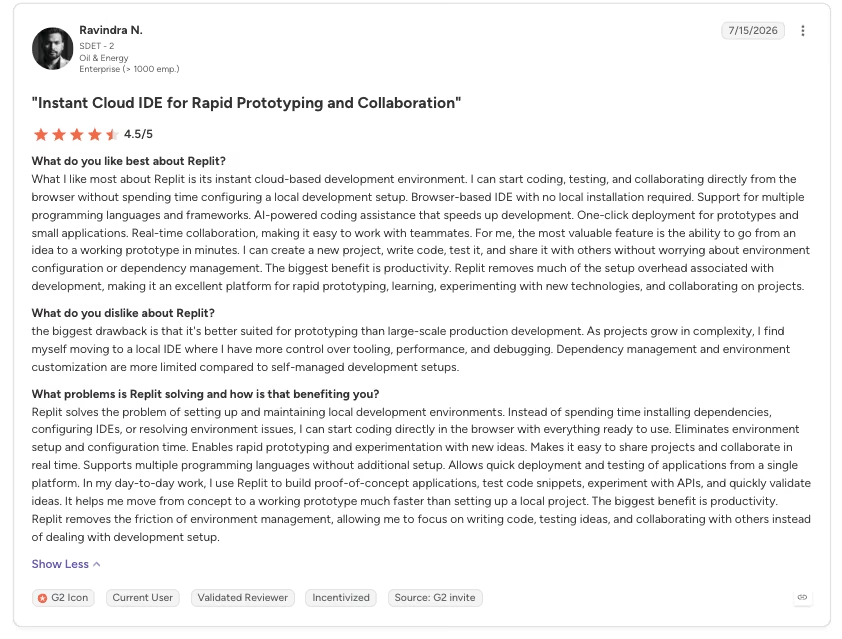
“Pricing, agent behavior, and AI limitations are the biggest downsides. The AI agent can make autonomous changes that introduce bugs or architectural regressions, which then require additional paid usage to debug, fix, or roll back.” Anonymous, G2
Cursor
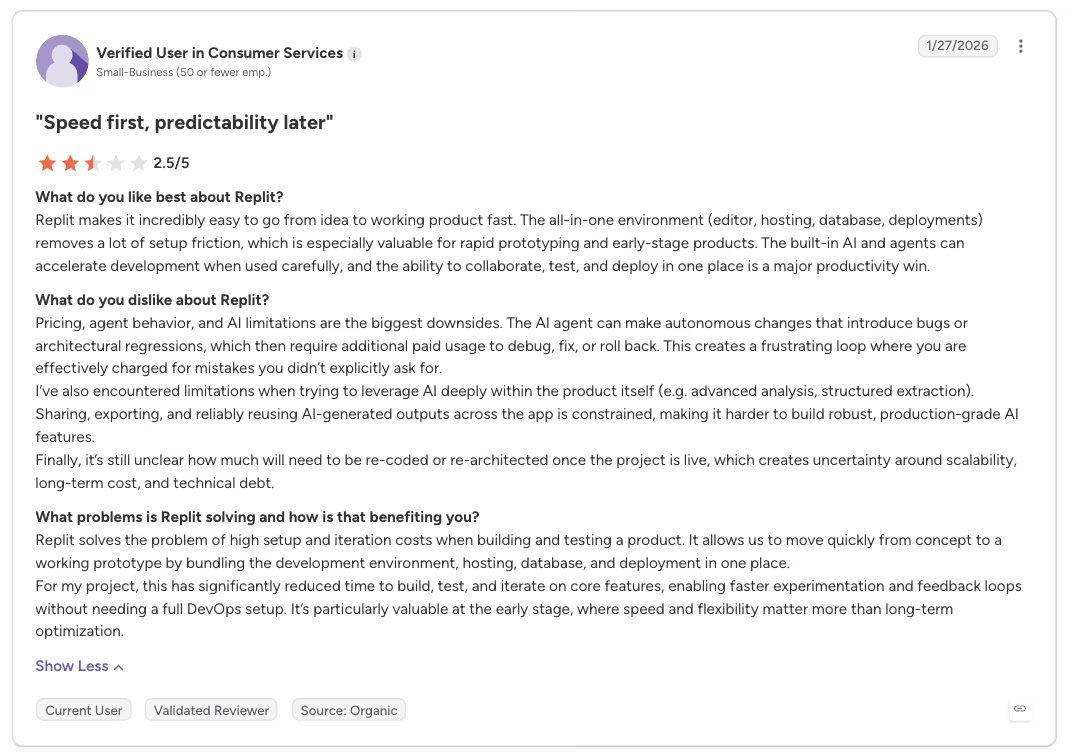
“What I like most about Cursor is that it feels like an IDE first and an AI tool second, which means I'm the guy in the chair. The AI is deeply integrated into the development workflow instead of feeling like a separate chatbot.” - Hitarth Anand R., G2
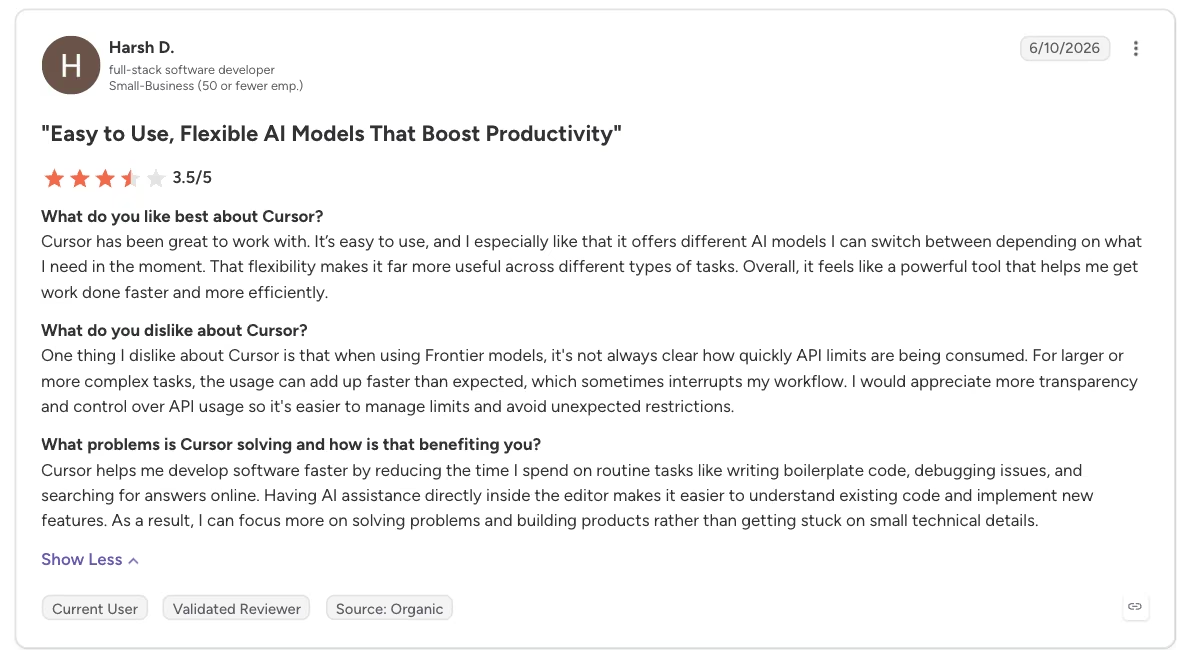
“For larger or more complex tasks, the usage can add up faster than expected, which sometimes interrupts my workflow.” - Harsh D., G2
How to Make Your Choice
Replit and Cursor serve different starting points. In this test, Replit reached a hosted, working app faster. Cursor speeds up coding inside a project and environment you already control while leaving hosting to you.
Replit Is Better For:
- Someone without an existing local dev environment who doesn't want to set up hosting separately
- A non-developer turning an idea into a working build
- Someone who wants one bill to cover both the build and the hosting
Cursor Is Better For:
- A reader who already codes and has an existing local project to build on
- A team already living inside VS Code, Git, Slack, and Linear
- Someone who wants to choose a different model for different parts of the work
My Verdict
For this build, and for someone like me, Replit wins. I'm not a professional developer. Replit produced the initial hosted build in 12 minutes and 17 credits, and one follow-up prompt fixed the click-count bug.
Cursor is the better fit if you already code and have a project open, because its codebase understanding and model choice give you more control over the work. You'd get less from a tool that hands you a finished app you didn't have much hand in shaping.
If you want to explore another side of the comparison, v0 vs Cursor looks at how Cursor differs from v0 in AI-assisted development.
How Emergent Handles What Replit and Cursor Leave to You
Replit and Cursor both leave something unaddressed. Replit gets a non-developer to a hosted app with no separate hosting step to handle, but you're still watching an agent work through the raw build process yourself, one prompt and one fix at a time. That's the same way I watched Agent 4 handle LinkSnap's redirect bug.
Cursor assumes you already know how to code, and it never touches hosting at all. You're still the one who makes a project reachable: the same setup work I did by hand before LinkSnap ever loaded in a browser.
Emergent is built for the builder caught between coding and hosting by hand. Describe a working app with logins and payments, and Emergent's agents handle the build as one system, wiring up the logic and database alongside the interface.
They plan and build the app, then review it before handing back a connected working draft.
Emergent publishes your app to managed production infrastructure with SSL, custom domains, and uptime monitoring included. Publishing requires the Standard plan ($20/month) and costs 50 credits per month per deployed app, so factor that in alongside build credits.
If you want an app built end to end, with hosting and checks included, connect your own tools through Emergent's MCP support. Then describe what you want built.

Most AI app builders stop at prototypes. Emergent creates production-ready apps you can actually launch.
- Production-ready apps
- Web & mobile apps
- Deploy in minutes







