




You're sitting at your desk with a dozen tabs open, hunting for a church website builder because "someone said 'we need a better website' at last week's meeting", and somehow it became your job.
Well, I've done the research, so you don't have to. I reviewed church website builders and a leading AI website builder, narrowing the list to the nine best. You'll get what each one includes, what it costs, and who it fits best.
How I Researched & Tested These Church Website Builders
I built full test sites for the same fictional church wherever self-serve access allowed, covering service times, staff bios, a sermon upload, and an online giving setup.
Wherever the platform supported it, I also tested a connection to church management software.
Not every platform offered that access. Where a tool required a demo call or sales conversation instead of self-serve signup, that section is built from the vendor's own site and documentation, and says so directly.
One of the nine, Emergent, lets you write out what you want in your own words and have AI build the site from that. The other eight are template-based, and most of their AI features are narrow, aimed at specific tasks like sermon transcription and content tagging. Amplify comes closest with an AI Website Builder, but it works from a fixed set of questions rather than a prompt you write yourself.
A handful of platforms didn't make the final nine; most were general-purpose website builders, some church-specific but outside the scope of this round.
Also read our how to build a church website guide for setting the site up so a volunteer can keep it updated.
Those builders are:
- Wix: Includes basic donation form functionality you can drag onto a page, but no dedicated tithing module, no sermon library, and no ChMS sync built in. Recurring giving and fund designation need a third-party app like Tithe.ly or Donorbox.
- Squarespace: No native giving, no sermon library, and no ChMS sync. Each needs a third-party embed.
- WordPress: The most flexible of the three, but nothing church-specific comes built in. Giving needs a plugin like GiveWP or Charitable, and a sermon library or ChMS sync each needs their own plugin too.
- CloverSites: Ministry Brands folded it into Amplify, which is already on this list, and cloversites.com now redirects to Ministry Brands. Its standalone drag-and-drop pitch also overlaps closely with ChurchSpring's, and there wasn't room for a third simplicity-focused pick.
- Google Sites: Google's own free, general-purpose option for a small congregation, but with no church-specific features like sermon hosting, giving, or ChMS sync built in.
- Ministry Designs: A church-specific platform used by more than 67,000 churches, but pricing is demo-only, with no published number or self-serve signup to test against.
9 Best Church Website Builders: Quick Comparison
The nine church website builders at a glance:
*Tithe.ly's $19 monthly figure is for the standalone Custom Church Website plan. Giving is included, so you only pay transaction fees to collect donations. Church management ($72 monthly) and the branded app ($89 monthly) are separate, or bundled into All Access at $119 monthly.
1. Emergent
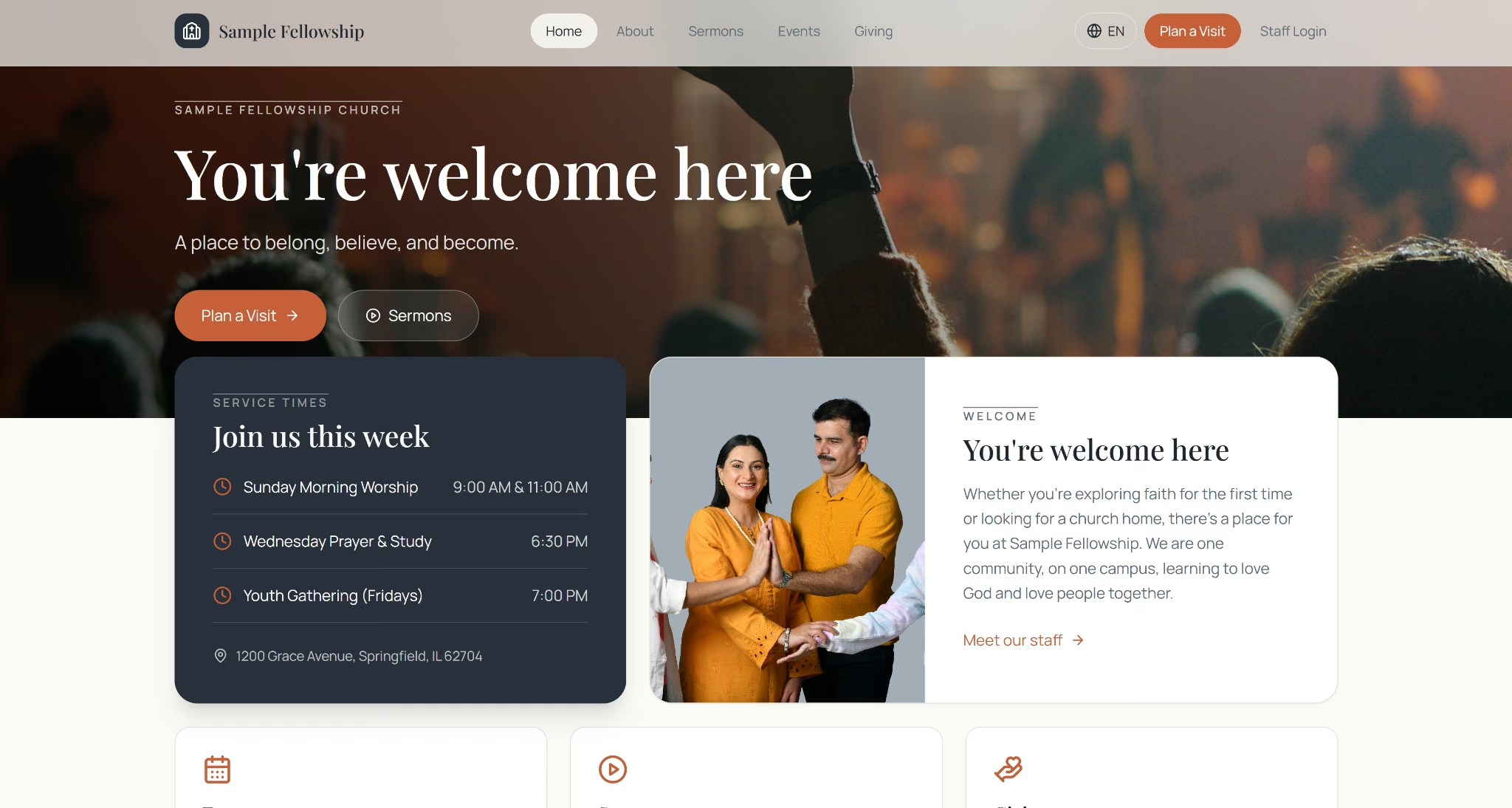
With Emergent's AI church website builder, you skip the templates entirely: just describe the site you want in plain language, and AI agents design, code, and deploy it for you.
I built a custom church website with this prompt:
Build a website for a single-campus church called Sample Fellowship Church. Include a homepage with our service times and a short welcome message; an About page with staff bios; a Sermons page where we can upload and organize past messages by date and speaker; an Events page for upcoming church events; and a Giving page for online donations.
Add a language toggle so visitors can view the site in Spanish and English. When someone fills out our Plan a Visit form, send them a welcome email right away, then a follow-up email three days later if they haven't replied.
Create two staff account types: an Admin role that can edit everything, and a Volunteer role that can only edit the Events page and can't see giving records. Connect the site to Planning Center so our church data stays in sync. Use a clean, modern design with an editable color scheme.
The build finished in 20 minutes and delivered four results.
The first was the Volunteer role. I'd asked for someone who can't see giving records, and Emergent blocked it at the server level, rather than with a hidden button a curious volunteer could work around by guessing a URL.
The second was the welcome email. I submitted the Plan a Visit form myself, and the email landed in my inbox seconds later, addressed to the name I'd typed in.
The third was the Spanish toggle. I'd asked for it in one line, buried in a much longer prompt, and the translation reached every part of the site.
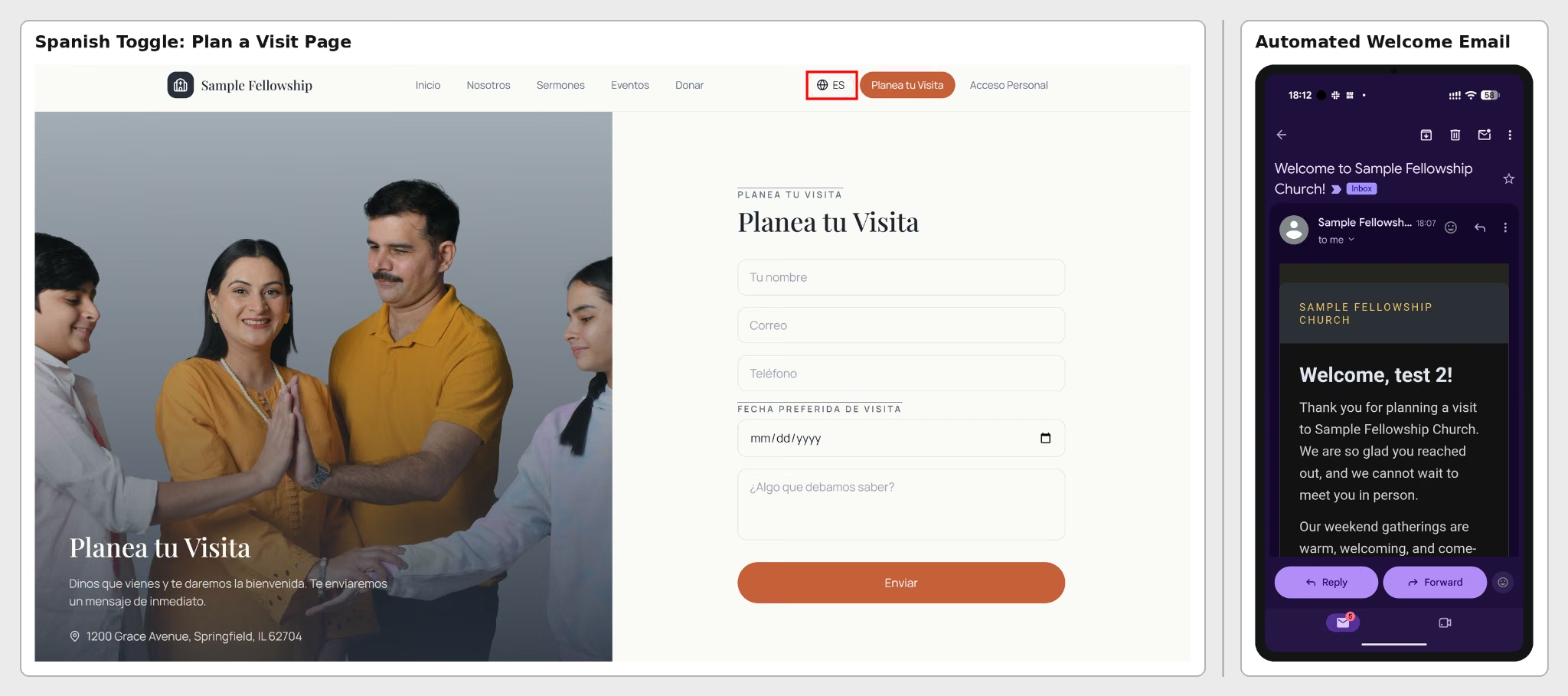
The fourth was the Giving page, which processed an actual Stripe test transaction. The Stripe integration named in the prompt wired up a working payment flow instead of a form that only looks right.

Here's a walk-through of the finished site, from the homepage through Sermons, Events, and Giving, with the Spanish toggle switched on partway through.
Best for: A fully custom site with direct code access, if you're comfortable describing what you want in a prompt rather than picking from a menu.
Key Features
- Code you can edit directly: Open the build in the built-in VS Code environment, or export it to GitHub.
- Emmy: A free, always-on assistant that helps write prompts, explains options, and walks through publishing.
- MCP Connector: Start a build from Claude or ChatGPT instead of opening Emergent directly.
- Integrations: Connects to Planning Center, Stripe, and dozens of other apps by name in the prompt itself.
Pros
- The generated homepage came with the full layout already in place, including placeholder service times and an address ready to swap for your own
- The Giving flow included a thank-you confirmation page and an emailed receipt, a full donor experience beyond just checkout
- Ships with inspectable code. The test build generated and passed 27 automated tests, including end-to-end checks on the giving and form flows
- Also builds native mobile apps for iPhone and Android, ready for the App Store and Google Play. A separate build from the website, for a future companion app
Cons
- Connecting Planning Center for real takes setup outside the prompt; the build wires it up in mock mode until you do that
- Pricing is credit-based rather than a flat monthly plan, so cost depends on what you build
Pricing
Emergent has a free plan with 10 credits a month, enough to try a build before paying anything.
The Standard plan is $20 monthly ($17 billed annually) with 100 credits, and Pro runs $200 monthly ($167 billed annually) for 750. Beyond your monthly credits, cost is credit-based, so what you pay depends on what you build.
Check Emergent's current pricing before committing, since plans and credit costs can change.
Bottom Line
Emergent starts from a prompt and builds exactly what you describe, with customization that most common website builders can't match without a developer. It's the pick if you'd rather define your own church website from scratch than pick a template.
2. The Church Co
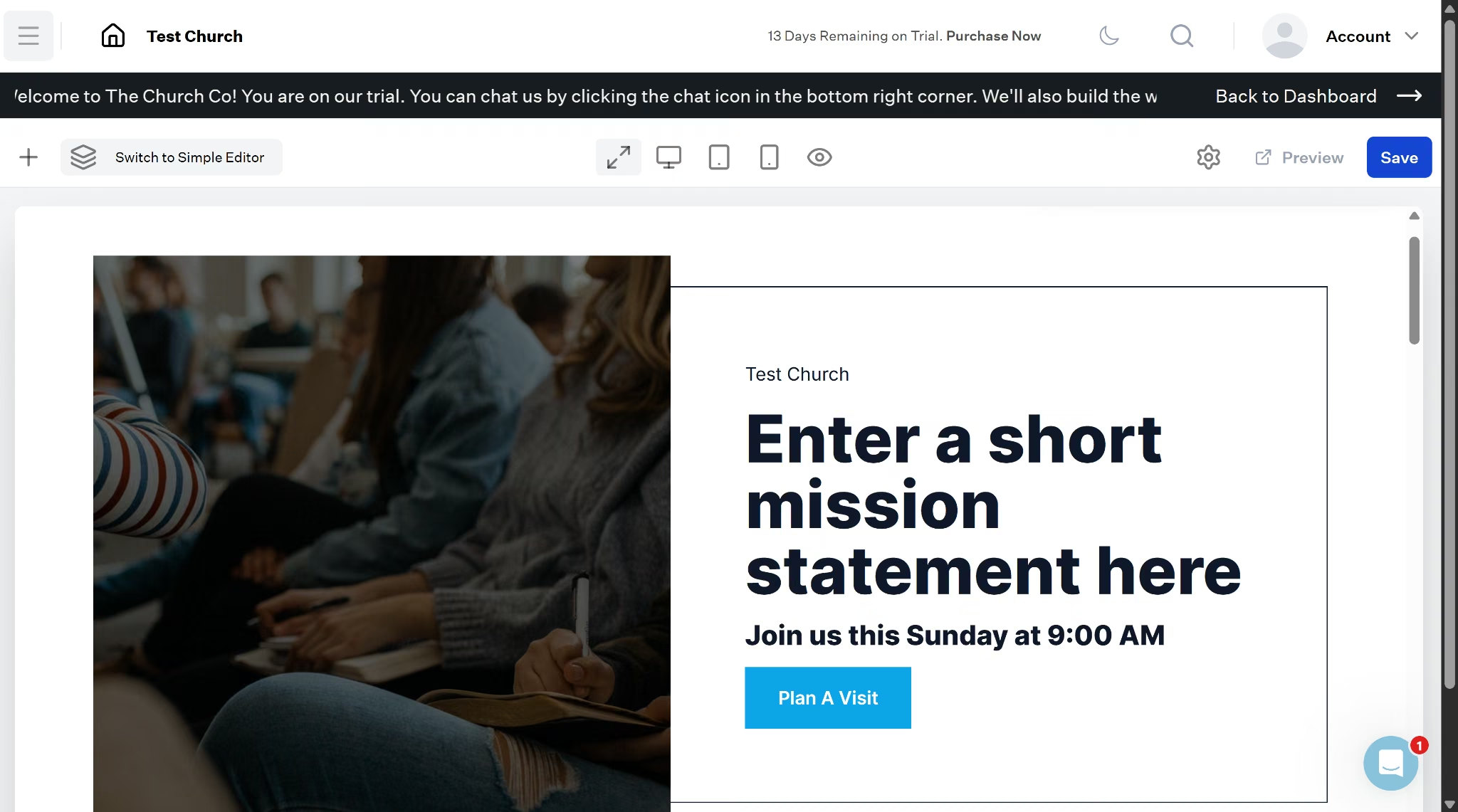
The Church Co asked me one question before anything else. Did I want their designers to build the site for me, or did I want to build it myself?
A professionally built Church Co site typically takes about three weeks from signup to launch.
I chose to build it myself instead, since I wanted to see the editor firsthand. The Church Co's guide claims a self-guided build can be finished in under 30 minutes, and I wanted to see if that held up.
It mostly did. Three quick steps got me set up: footer details, a brand color, a theme, and I landed in a live editor with a homepage already built for me instead of a blank page.
I edited premade content from the first minute.
Giving was the first thing I tried to set up myself. I found a donate button already wired to a /give page by default, so the structure was there before I touched anything. Configuring it, though, was where I hit a wall.
I opened the Giving section in the sidebar, which has five sub-pages (Dashboard, Funds, Transactions, Recurring Gifts, Settings).
When I clicked into Settings during the trial, I hit an upgrade wall, separate from the general trial countdown shown elsewhere in the dashboard. I couldn't connect a live payment processor without paying first.
I clicked into Sermons next and found content organized as Channels, Series, and Episodes rather than a flat upload list. Separate tools exist for Note Outlines, Contributor tagging, and Chat Rooms tied to livestream, eight distinct resource types in total.
Digging through The Church Co's help center afterward, I found a feature I hadn't seen anywhere in the editor itself. It was a Church Online Block, a dedicated livestream watch page with its own scheduled window.
Back in Settings, I also found three account roles (editor, admin, and owner), built for churches with more than one person touching the site.
Best for: Churches with a heavy sermon library organized by channel and series, and multi-campus churches that need to manage several locations from one dashboard.
Key Features
- Sermon and media library: Channels hold series, series hold episodes, with note outlines, contributor tagging, and podcast distribution to major platforms.
- Online giving: Accept donations directly on the site rather than routing visitors to a third-party page.
- Broad integration list: Beyond the core ChMS integrations, The Church Co also connects with Tithe.ly, Church Community Builder, Stripe, Google Analytics, Google Tag Manager, Facebook, Instagram, and more.
- Planning Center, PushPay, and ChurchSuite integration: Connecting Planning Center once syncs events, registrations, groups, forms, giving, and sermons automatically, so the team isn't manually keeping every platform current.
- Members portal: Lets members manage giving and contact information from a login.
- Multi-campus support: A dedicated Campuses section in Settings lets multi-site churches add and manage each location separately, without being gated behind an upgrade the way Giving was during the trial.
- In-editor mobile app designer: Build native app screens and a nav bar directly inside the same dashboard used for the website, with a live phone-frame preview, on the Ultimate tier.
- Free build included with yearly subscription: Covers a theme setup of up to nine pages on annual plans, at no added cost. The typical process, from signup to launch, takes about three weeks.
Pros
- Free professional build included with any yearly plan, no separate design fee
- Native integrations with Planning Center, PushPay, and ChurchSuite cut out manual data entry
- Sermon library structure runs channels, then series, then episodes, with note outlines built in
Cons
- Ultimate tier jumps to $232 monthly ($199 billed annually), a steep step up from Basic for churches that outgrow the entry plan
- Giving setup sits behind an upgrade. The sidebar has a full Giving section (Dashboard, Funds, Transactions, Recurring Gifts, Settings), but opening Giving Settings during the trial returns a feature-specific upgrade prompt, separate from the general trial countdown shown elsewhere in the dashboard
Pricing
Basic starts at $34 monthly ($29 billed annually) and covers a working church website. It includes free hosting, unlimited pages, a sermon and media library, an events manager, and secure online giving.
Premium at $57 monthly ($49 billed annually) is where the ChMS integrations show up. Premium adds Planning Center, PushPay, and ChurchSuite connections, plus livestream, a members portal, small groups, and sermon notes.
The jump to Premium is worth it if your church already runs on any of those platforms.
Ultimate at $232 monthly ($199 billed annually) shifts from software to service. You get a dedicated web design team, unlimited design requests, the mobile app builder covered earlier, and newer AI features for sermon transcription and image tagging.
Above Ultimate sit two marketing tiers, each bundling in every Ultimate feature. Google Ads Management and Local SEO & AEO Management are both $582 monthly, or $499 monthly billed annually.
Google Ads Management includes $10,000 in free Google ad spend along with weekly ad optimization. Local SEO & AEO Management covers weekly SEO work and keyword research aimed at ranking in both Google search and AI answer engines.
The top tier, Full Marketing Management, bundles both together with everything from Basic, Premium, and Ultimate for $873 monthly, or $749 monthly billed annually.
Bottom Line
The Church Co's sermon system, ChMS sync, and multi-campus support go deeper than what most church website builders offer.
I couldn't fully test giving myself, since the trial blocked that specific setup, so confirm it works the way you need before signing an annual contract.
3. ChurchSpring
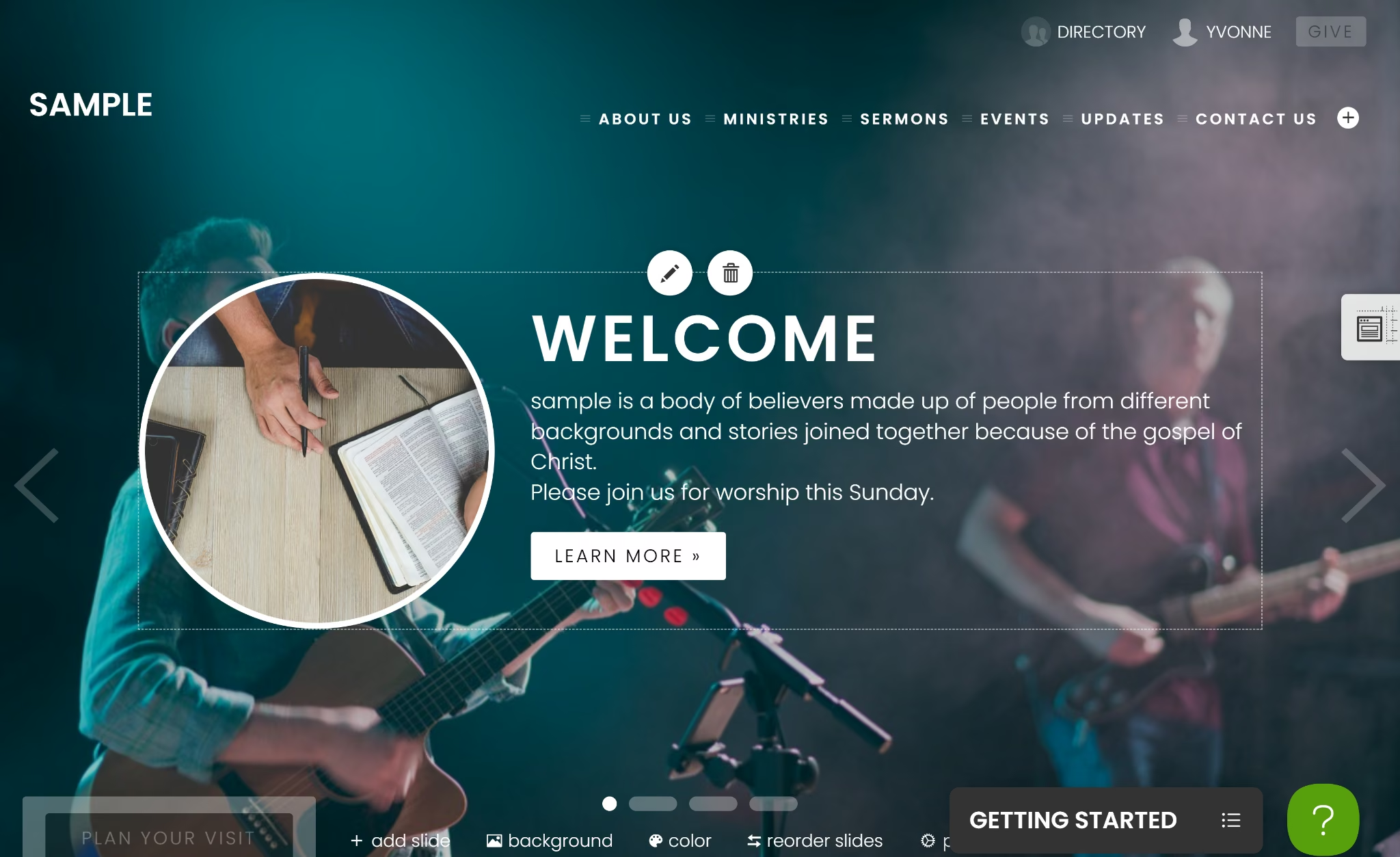
ChurchSpring opened with a short form about the church and my role. The result used my church's name in the homepage welcome message instead of generic placeholder text. Editing happens directly on the page, with edit and delete icons on hover.
Sermons live in a dedicated media section, with fields for speaker, series, Bible passages, tags, and a rich text editor for the description. Audio uploads are limited to MP3 files only, with an embed code option if you have a recording elsewhere.
ChurchSpring also has a social media scheduling option that lets you queue posts the moment you publish the sermon, instead of doing that work separately afterward.
Admin permissions use seven on-off toggles covering website, people, groups, giving, messaging, permissions, and settings access. Giving is unchecked by default when you invite a new admin, a sensible default for a volunteer team.
Member profiles go deeper than a contact card, with tabs for notes, giving, activity, and prayer requests, plus household grouping. A pastor could see a family's giving pattern alongside their prayer requests on one profile.
One discrepancy I noted was that the pricing page lists People and Groups as Flourish-tier features, but my trial account was on Sprout and still had full access to both, so confirm what your actual plan includes before relying on member management.
Giving needs the most detailed setup of any tool tested here. Beyond a bank account and routing number, it asks for the primary contact's birth date and the last four digits of their Social Security number, plus the church's EIN.
Canceling isn't self-service. My trial's dashboard directed me to call ChurchSpring or schedule a call rather than letting me end it myself. Plan around that before entering your credit card number.
Best for: Churches that want member profiles, household grouping, and small-group scheduling built into the website, if simpler on-off permissions work better than per-product roles.
Key Features
- Inline updating: Update text, images, and sermons directly on the page without a separate admin dashboard.
- Free giving with no add-on fees: Giving is included at every plan tier rather than sold separately. You pay Stripe's standard 2.9% + $0.30 per card gift and 0.8% capped at $5 for bank transfers, and ChurchSpring adds nothing on top.
- Free mobile church app: Every plan includes a branded app, automatically synced to the website.
Pros
- You can see the exact price for every plan (Sprout, Grow, Flourish) directly on ChurchSpring's site. Subsplash is the one tool on this list that only gives you a price after a sales call
- Giving and a mobile app are included at every price point rather than sold as upsells
Cons
- Storage is capped at 5 GB on the entry Sprout plan, well below Nucleus's or The Church Co's unlimited options
- Church management features (member portal, directory, small groups) are listed as Flourish-tier only on the pricing page
- No self-service cancellation. Ending a plan requires calling ChurchSpring or scheduling a call, confirmed directly in the account dashboard
Pricing
Every plan opens with a 7-day free trial that includes full access to the plan you pick, with no setup fees.
Sprout starts at $79 monthly ($71 billed annually) and covers a working church website with unlimited giving, unlimited forms, and 5 GB of storage, but no sermon hosting.
Grow at $129 monthly ($116 billed annually) is where sermon hosting shows up, along with sermon notes, an events manager, podcast integration, and livestream. Storage jumps to 25 GB.
Flourish at $159 monthly ($143 billed annually) adds church management features. You get a members portal, a members directory, small groups, email messaging, and a social media scheduler, plus unlimited storage.
Bottom Line
ChurchSpring pairs the website with member and group management that goes deeper than anything else on this list outside a dedicated ChMS. Household grouping, giving history, and prayer requests all live on one profile.
4. Nucleus
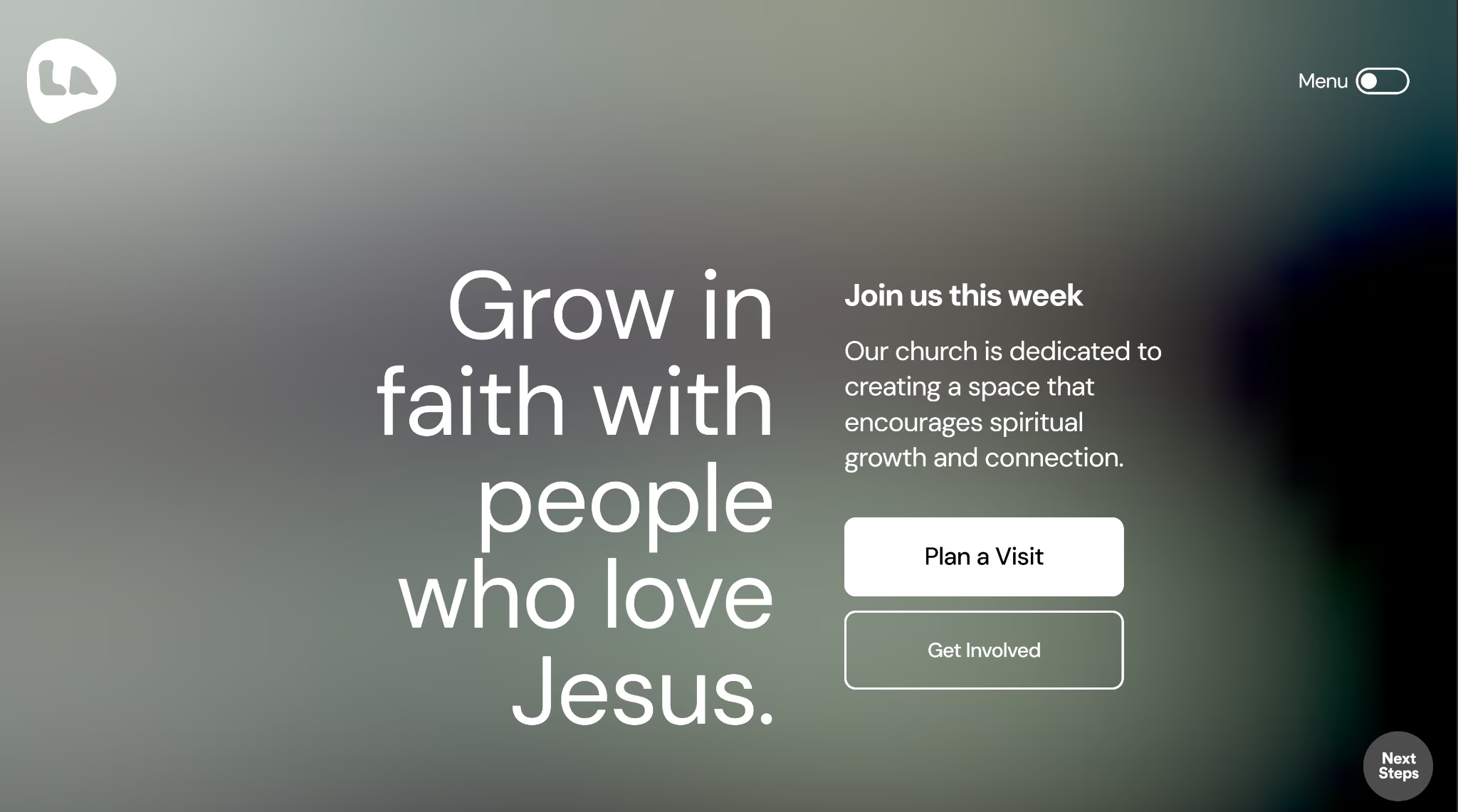
Nucleus started with the longest onboarding of any tool tested so far. Setup asked for my role, the senior pastor's name, and a website URL, with no option to skip and fill it in later.
Answering it all took about 7 minutes. The actual build, once I finished, took less than a minute.
The Nucleus build came back generic. Despite the detailed setup, the homepage I got used stock headline text and stock button copy; nothing pulled from what I'd just entered.
The trial dashboard pointed me to Nucleus's current offer: 1,000 churches get a free professional website makeover through the end of 2026.
The package includes a photographer visiting your church in person, a design team rebuilding the site around those photos, a copywriter rewriting the text to match your church's tone, and basic SEO work plus printed connect cards, all at no cost.
Hosting is free for the first 30 days after delivery, then runs $49 monthly to keep the site live.
I moved on to sermon creation and found out that you can upload an audio file directly instead of only linking to an external video.
Each sermon also gets its own SEO fields and social preview settings, separate from one setting applied to the whole site.
On the sermon page, visitors get a notes panel where they can type while they watch or listen, then email themselves the notes, download them, or share them.
Permissions are more specific than a single role for the whole account. You could give a volunteer full access to manage sermon uploads while keeping them locked out of giving records entirely.
Nucleus also has a section called People. I thought that was some sort of ChMS, but it's really just a list built from form submissions and anyone added by hand. It isn't a member database with attendance tracking, small groups, or multi-campus management.
Best for: Churches that need deep sermon media and fine-grained permissions, if you're fine pairing it with a separate ChMS.
Key Features
- Sermon hub: Organize messages by date, topic, or speaker, with scripture references and transcripts.
- The Launcher: A persistent on-page next-steps menu for visit planning, prayer requests, and giving.
- Prayer: A dedicated prayer request hub with a prayer wall.
- Planning Center and Zapier integrations: Connects directly to Planning Center, plus Zapier to automate workflows with other apps.
- Done-for-you templates: Build full pages from a template library in a couple of clicks.
Pros
- Templates look more modern and design-forward than the older builders on this list
- The Launcher and Flows features are distinct from what other church-specific builders offer
- Unlimited pages and users included even on the base Web plan
Cons
- No discount for paying annually. $99 monthly comes out to $1,188 a year either way
- Smaller, newer company than The Church Co or Tithe.ly, meaning fewer tutorials and community troubleshooting resources
- Doesn't include built-in giving unless you upgrade to Nucleus Complete at $199 monthly, and there's no ChMS or mobile app on any Nucleus plan
- No multi-campus support, confirmed in the trial dashboard; churches running more than one location will need a different tool
- Nucleus People isn't a full ChMS. It's a contact list built from Flow form submissions and manually added people, with no attendance tracking, small groups, or volunteer scheduling
Pricing
Nucleus Web costs $99 monthly, billed the same whether you pay monthly or annually, since Nucleus offers no discount for paying yearly.
Nucleus Web covers the website builder itself. It includes Sermons, The Launcher, Prayer, Flows, and Messages & Posts, plus web hosting, unlimited pages, an SSL certificate, and support for a custom domain.
Nucleus Complete runs $199 monthly and adds everything from Web, plus a giving module, a communications engine, and media tools, for churches that want the full platform rather than just the site.
Bottom Line
Sermon depth and permission control are what set Nucleus apart. Every product, from sermons to giving to the website itself, gets its own permission level, but what Nucleus calls a ChMS falls well short of one.
Also read our idea to live website in a day guide if a working first version matters more than the perfect one.
5. Subsplash
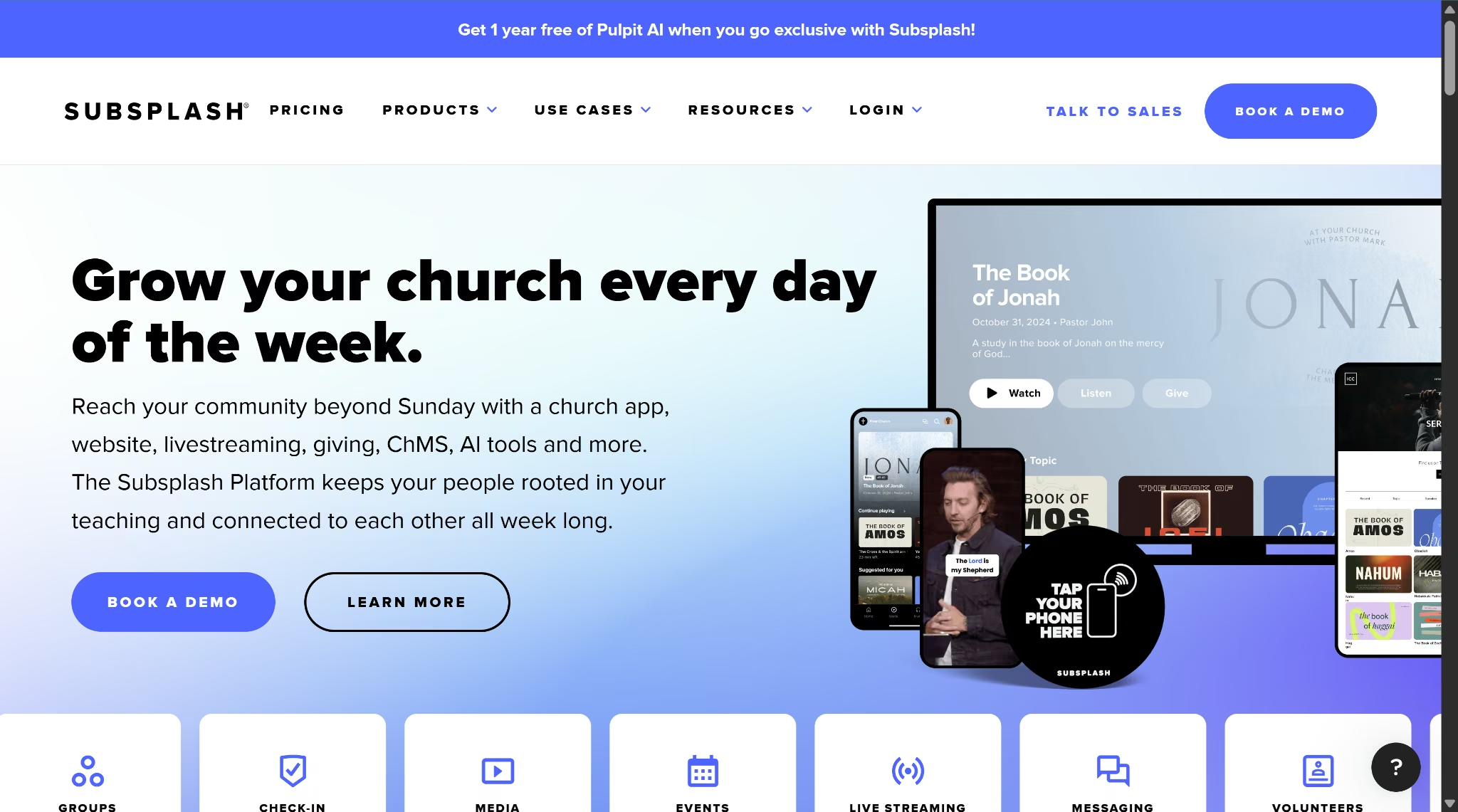
Subsplash bundles a website builder called SnapPages into a much larger platform that also covers apps, giving, live streaming, and church management.
I couldn't get a hands-on account to test myself, since Subsplash has no self-serve trial. Subsplash leads with Book a Demo and Talk to Sales, and the Get started buttons on the pricing page route to that same demo request rather than a signup form.
Upload a sermon once in the Subsplash Dashboard, and it shows up automatically on the website, the mobile app, and the TV app; no need to post it three separate times. The website builder itself, SnapPages, is a drag-and-drop editor with church-specific templates.
Subsplash also bundles in four tools most builders on this list don't:
- Child check-in tracks which kids are in the nursery and matches them to a parent at pickup.
- Volunteer management schedules who's serving each week without a spreadsheet.
- Service planning lays out the run of a Sunday service, song order, speaker, and tech cues.
- Pulpit AI turns sermon content into clips, discipleship material, and social posts. Amplify has AI sermon tools too, but Pulpit AI is the only one on this list that ships the repurposing output as a named product.
Giving comes in three packages. Subsplash Giving alone is free at $0 monthly. The website-inclusive Subsplash One tier and the larger Enterprise package both have no published price, so you'll need a sales call for either.
Best for: Churches that want website, app, and livestream as one system, sales call and all.
Key Features
- Custom mobile and TV apps: Website content and a branded app stay in sync from one platform.
- Live streaming: Broadcast services directly through the website or app.
- Child check-in: Built-in tool for managing kids' ministry check-in and security.
- Online giving and donor management: Giving tools ship in the same package as the website rather than as an add-on.
- Pulpit AI: Generates clips, discipleship material, and social posts from sermon content.
Pros
- Website and branded mobile app content stay synced automatically, no duplicate updates
- Child check-in and service planning tools go beyond what most website-only builders offer
- Subsplash Giving (donation tooling alone) is available at $0 monthly, with no subscription fee, though card and ACH processing rates still apply
Cons
- No public pricing for the website-inclusive Subsplash One tier. Requires a sales call to get a number
- Positioned as a full digital platform rather than a lightweight website builder, which may be more than a small church needs
Pricing
Subsplash Giving costs $0 a month and includes mobile, web, and text giving, donor management, and real-time reporting, with processing rates of 2.99% plus 30 cents per card transaction and 1% for ACH.
Subsplash One is the tier that includes the website builder itself. Card transactions run 2.3% plus 30 cents, the rate Subsplash calls its Exclusive Partner rate, earned by making Subsplash your only giving platform rather than by buying a specific tier.
GrowCurve is available to any Exclusive Partner, not just Subsplash One customers, and it lowers the card rate further, down to as low as 1.9%, as your church's giving volume grows.
In practice, that means the fee you pay on each donation shrinks automatically as more people give, without your church having to renegotiate anything.
The subscription price itself isn't published, so budgeting still means a sales call regardless of which rate you land on.
Enterprise adds a multi-campus app and a direct integration with Rock RMS, a church management system some larger churches already use to track members and giving.
Its subscription cost, like Subsplash One's, isn't published and requires talking to sales.
Bottom Line
Subsplash makes the most sense for churches that want their website, app, and livestream content working as one system from day one. For a church that wants to test the product firsthand before committing, the lack of any trial is the clearest reason to look elsewhere on this list first.
If the AI route appeals, our how to build a website with AI guide covers what that process looks like.
6. Tithe.ly
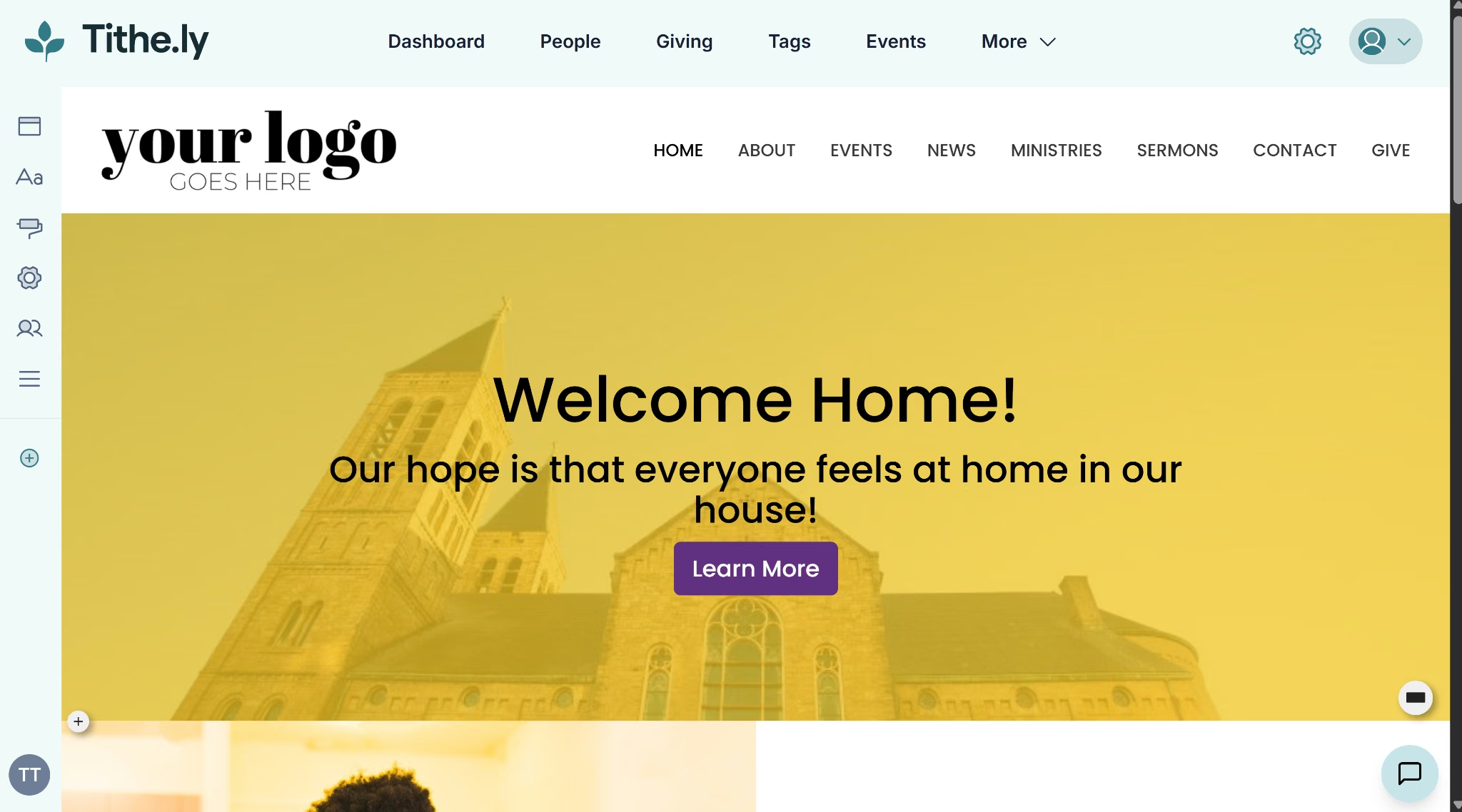
Tithe.ly sells its website builder as one piece of a larger bundle. I picked All Access to see the full suite, which started a 30-day trial after I entered a card. Onboarding asked my goal, and "build a website" routed me into Sites.
The build itself was fast. I picked a template, entered an address and logo, and Sites generated a working homepage on its own, close to the two minutes promised on screen.
Sermons sit under a Podcasts category, split into Sermon and Series.
A sample sermon plays through an embedded YouTube video instead of something hosted natively, worth knowing if you expected Tithe.ly to store the file itself.
Giving came next. Activating it required:
- Tax ID or EIN documentation
- A bank account and routing number
- Business information for compliance
Staff access comes in three tiers. Account Owner and Admin both get full control, while a Limited Access role can be restricted to exactly what someone needs. A volunteer who only handles giving reports, for example, can be given access to Giving alone, with no way to touch the website.
Tithe.ly's permission flexibility made me check whether campuses worked the same way.
Churches running more than one location get Giving and church management that track members and donations by campus, so gifts don't get mixed up between locations.
The website side works differently. Say a church opens a second campus and wants a website for it too. Tithe.ly doesn't let you add that as a second site inside your existing dashboard.
You have to request the extra site through a separate form, wait two to three business days for setup, and pay another $19 a month. Only one site can be linked to your Tithe.ly dashboard, so the second arrives with its own login and lives entirely outside it.
Taken together, Tithe.ly reads as a giving platform that grew a website feature alongside everything else it sells.
Best for: Churches already using, or planning to use, Tithe.ly's giving and ChMS tools who want the website folded into the same account, and single-campus churches on a tight budget looking for the cheapest published website price on this list.
Key Features
- Sermon media library: Sermons sit under a dedicated Podcasts category, split into Sermon and Series, alongside separate content types for Events, News, Blog, Pages, Collections, Tags, and Live Streams.
- Plan Your Visit tool: Lets first-time visitors share their information and schedule a visit ahead of time.
- Built-in giving: Website connects directly to Tithe.ly's giving platform rather than an external embed.
- ChMS integrations: Connects with Elvanto, Planning Center Giving, Rock RMS, and other church management platforms, set up through the Giving product's Integrations settings rather than the Sites settings page.
Pros
- Lowest entry price among the tools on this list with published pricing, at $19 monthly for the standalone website
- Native connection to Tithe.ly's giving and ChMS tools if a church already uses them
- No contracts, cancel anytime
Cons
- The $19 monthly Custom Church Website plan covers the website and giving. Church management and the branded app are separate products, or come with the $119 monthly All Access bundle
- Limited standalone design customization compared to The Church Co or Nucleus
- Starting the 30-day free trial asked for a credit card before I could get in, unlike The Church Co, which lets you explore the trial with no payment method attached
- Activating giving requires a 3-step compliance process (Tax ID or EIN, bank account details, and business information), so it isn't something you can turn on instantly
Pricing
Free Giving costs $0 a month and covers unlimited donations, a mobile giving app, and pledge drives, with processing rates of 2.9% plus 30 cents per card transaction, 1% plus 30 cents for ACH, and 3.5% plus 30 cents for Amex.
Giving + Church Management at $72 monthly adds unlimited admin users, volunteer scheduling, a remote admin app, and a drag-and-drop email editor for member communication.
All Access bundles giving, church management, worship team tools, the custom website, and the custom app for $119 monthly, discounted from a $228 standard rate.
Paying for each of those products on its own would cost more than the bundle.
Custom Church App and Custom Church Website are also sold standalone, at $89 monthly and $19 monthly, if you only need one piece rather than the full bundle.
Enterprise is built for churches with 2,000 or more attendees. It includes negotiated processing rates and a dedicated customer success manager, and requires scheduling a call to get pricing.
Tithe.ly also sells Premium Onboarding as a one-time $599 add-on, covering five training sessions, 60 days of one-on-one support, and migrating your existing records over.
Bottom Line
Tithe.ly treats the website as one piece of a bigger giving and church management platform, and that shows throughout. The build itself is fast and cheap to start.
7. Church123
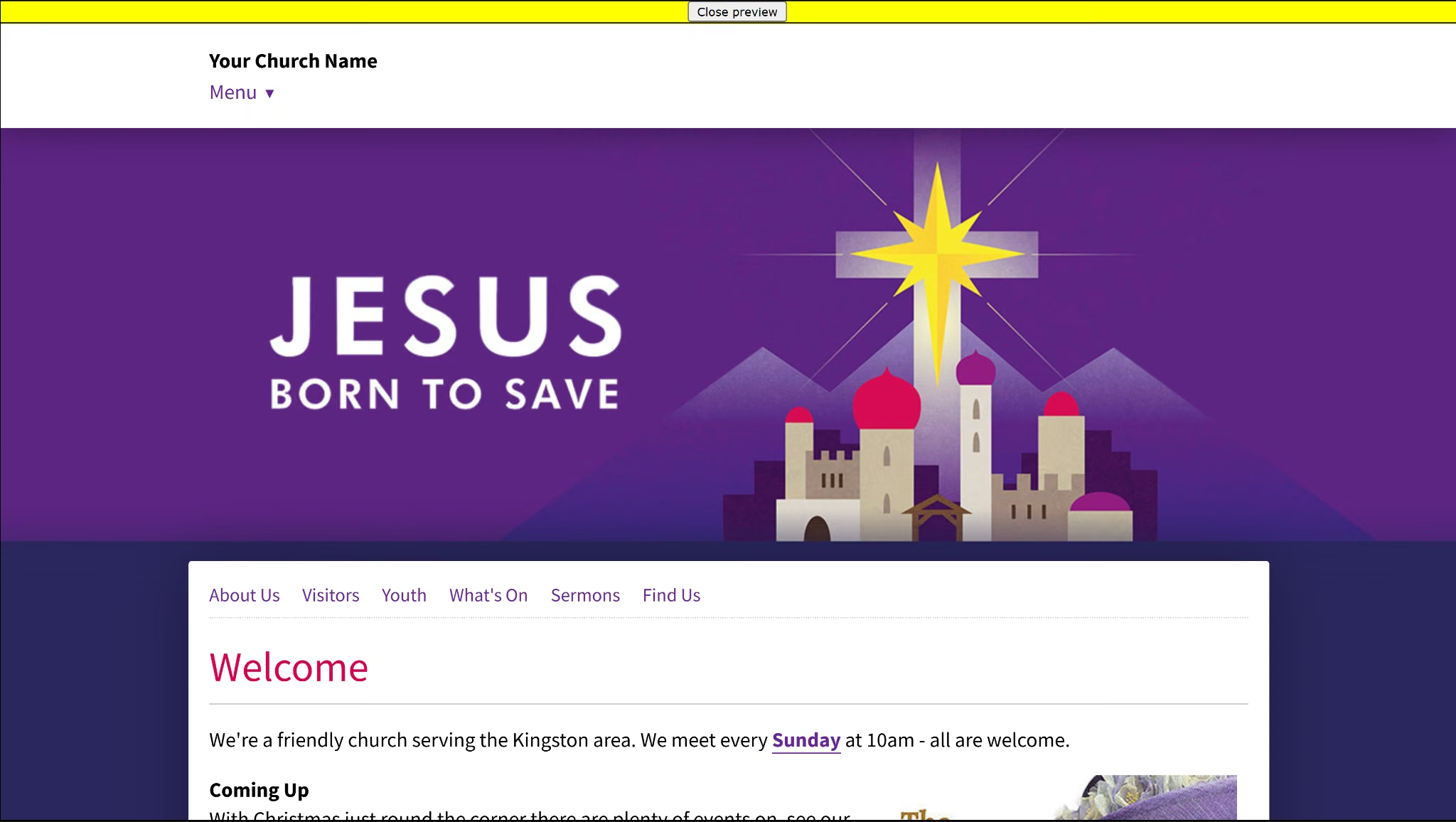
Church123 walks you through a multi-stage setup wizard rather than dropping you straight into an editor.
Before you personalize anything, Church123 gives you a live preview of the template itself, complete with placeholder text and a stock example church.
Permissions are more thought-out than I expected. You can add a Co-administrator with full control, a Sub-editor limited to specific pages, or a Treasurer who only handles invoices.
The Treasurer role is useful if a bookkeeper needs to pay bills without editing sermons or pages.
A safety rule is built into that system too. No one under 16 can be added as an editor or administrator, and the setup screen recommends keeping at least two people with admin access.
The site initially lives at a default web address under Church123's hosting domain, until you register or connect one of your own. You can register through them, connect a domain you already own, or have them manage it entirely.
A separate Advanced Features section adds podcasts, a photo and video library, interactive maps, and custom forms, each switched on individually rather than bundled by default.
One of those, News Feeds, lets you embed an outside RSS feed on your site, like BBC or CNN headlines, so the page updates automatically whenever that outside source publishes something new.
Amazon Support is unusual for a church tool. You can add affiliate links for books you recommend, so your church earns a small commission on anything bought through them.
That's a small perk, useful mainly for churches that publish reading lists or resource pages rather than something most congregations will lean on daily.
Switching templates is free at any point, and doing so doesn't delete any pages you've already built.
Church123 also offers custom design work for churches that want something beyond the template library, though that's a paid add-on quoted case by case rather than a published price.
You get free email and phone support with every plan, on top of a 30-day trial confirmed both on their site and in the signup flow. Church123 is UK-based, though. And the only support number is a London line they ask you to call during UK office hours, though they'll call you back at no cost.
Best for: Small churches that want to see the actual price upfront, test the product for 30 days without commitment, and value phone support over a more modern-looking editor.
Key Features
- Over 200 templates: Switch your church's design at any time at no charge, without losing existing pages.
- Hosting included: No separate hosting purchase required; it's bundled into the website package.
- Domain and email management: Church123 can register and manage your domain name and any email addresses you need.
- Free email addresses with domain registration: Registering a domain through Church123 includes 5 email forwarder addresses at no extra cost.
- 30-day free trial: Build and test a full site before paying, with no card required to start.
Pros
- Published pricing for every plan, no sales call required
- 30-day free trial with no payment details needed to start
- Free template switching at any time without losing existing pages or content
Cons
- No monthly billing option. Pricing is quarterly or annual only, which is a bigger upfront commitment than tools with a true monthly plan
- Design options lean toward simple, standard templates rather than the more modern, design-forward look of newer builders like Nucleus
Pricing
Webbuilder costs $75 per quarter or $295 annually, with no monthly billing option. Registering a domain through Church123 rather than elsewhere costs $22.50 per year for a .com, .net, or .org domain.
Bottom Line
Church123's pricing and product are both straightforward; what's on the pricing page is what you pay, and every plan includes support. The editor and admin screens do feel more basic than the newer tools on this list.
8. Amplify (Ministry Brands)
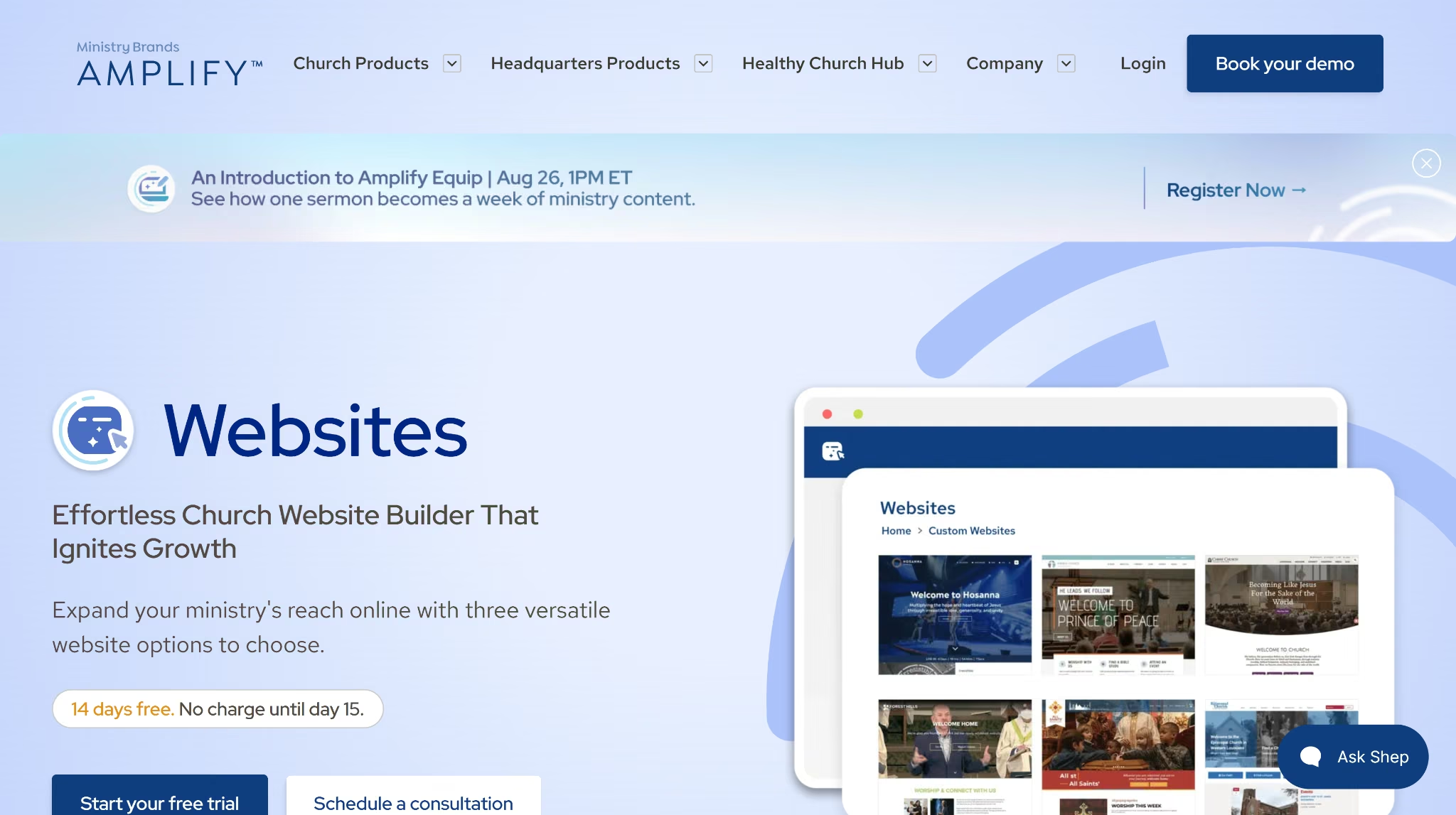
Amplify is Ministry Brands' all-in-one church platform. It bundles a website builder with online giving, live streaming, church management, and safety tools under one account.
I didn't get a build session inside the editor, so this section comes from Ministry Brands' own site and the signup flow.
Amplify is sold two ways. The full Ministry Brands product suite (giving, ChMS sync, live streaming, and safety compliance) requires a sales conversation to price out.
The website builder alone works differently. Amplify Church Website Builder starts at $32 monthly, with a 14-day free trial, cancellation anytime, and nothing due today.
Amplify's Websites page lists a drag-and-drop editor, church-ready templates, mobile-friendly design, and an option to build on WordPress's Elementor. It also markets content sync, online giving, and live streaming on the same page, without saying which of those the entry-level plan includes.
Amplify's broader pitch is a church management system with a built-in website.
Update a sermon, event, or staff bio once in the ChMS, and it flows automatically to the website, app, and other connected tools.
This kind of automatic sync is useful if your team currently updates the same content across three or four separate logins.
The broader plan also includes AI tools for sermon prep and Amplify Safety, covering background checks and child safety training, something most website-only builders leave out entirely. Giving is part of that bundle too.
Which tier unlocks which of these features beyond the base $32 monthly website plan isn't published, so churches wanting the fuller Ministry Brands suite still need that sales call for exact pricing.
Best for: A standalone website builder with free trial, or larger churches wanting the complete Ministry Brands suite, with ChMS sync, giving, and safety compliance bundled in.
Key Features
- AI Website Builder: Answer a few questions about your church and Amplify generates a ready-to-edit site draft
- Live streaming: Broadcast services with reliability built for larger congregations.
- ChMS content sync: Update content once and it flows to the website and connected church management tools automatically.
- Amplify Safety: Background checks and child safety training tools, powered by Protect My Ministry.
- Online giving: Ministry Brands says churches use Amplify Giving to drive over $6.5 billion in annual donations.
Pros
- Update a sermon, event, or staff bio once in your ChMS, and it appears on the website automatically, useful if your church already runs other Ministry Brands products
- Bundles website, giving, live streaming, and safety/compliance tools under one account
- Backed by an established company with a large existing church customer base
- The standalone website builder has a self-serve signup with a 14-day free trial, unlike Subsplash's website-inclusive tier, which requires a sales call before you see any number
Cons
- Full platform pricing, ChMS sync, giving, live streaming, and safety tools, beyond the base website plan, still requires a sales call
- Best fit narrows quickly to churches already using (or willing to adopt) other Ministry Brands products; less compelling as a standalone website tool
Pricing
Amplify Church Website Builder costs $32 monthly on its own, with a 14-day free trial, cancellation anytime. You won't find this number on a public pricing page. It only shows up once you start the signup flow.
Pricing for the fuller Ministry Brands product suite, ChMS sync, giving, live streaming, and safety compliance isn't published.
Bottom Line
Amplify's real strength is how tightly it ties the website to the rest of the Ministry Brands tools.
Update a sermon or event once, and it shows up everywhere your church already runs, without the manual re-entry most standalone website builders leave you doing by hand.
9. ShareFaith
ShareFaith pairs a church website builder, built on WordPress's Elementor editor, with a library of worship media, giving tools, and multi-site management.
I stopped at the paywall rather than buying a membership, so this section comes from ShareFaith's own pages.
Also on this list, ShareFaith and Amplify are both owned by Ministry Brands, following its 2018 acquisition of ShareFaith.
ShareFaith publishes its full lineup on its signup page: five tiers, monthly or annual. The website builder sits on the Websites plan at $60 monthly, or $48 monthly billed annually during their current sale.
ShareFaith's most distinctive feature is its media library, included on every plan, though downloads are metered by monthly credits. You get worship graphics, slides, and editable source files in PSD and PowerPoint.
Teams that build sermon graphics from scratch every week could save hours here.
Because the builder runs on Elementor, a widely used WordPress editor, you get more design control than most church-specific competitors offer. It's closer to building on general WordPress than working inside a fixed template.
You pay no separate monthly giving fee, and if you run more than one campus, you can manage multiple church sites from one account.
The tradeoff is the credit system; downloads are metered rather than unlimited, even though the library itself holds over 100,000 assets.
Best for: A large built-in library of worship graphics and design files, plus design flexibility from a WordPress/Elementor foundation.
Key Features
- Media library: Access to a large collection of worship graphics, videos, and editable design files (PSD, PowerPoint).
- Elementor-based design control: Built on WordPress's Elementor editor for detailed design flexibility without requiring code.
- Online giving (Suite plan only): Text, online, app, and kiosk giving with no monthly platform fee, though transaction fees still apply.
- Multi-site hosting (Suite plan only): Website hosting plus three subdomains on one account.
Pros
- No separate monthly giving fee
- Media library spans 100,000+ assets, though the Websites plan meters downloads at 20 credits a month, roughly ten church graphics or five worship videos
- WordPress/Elementor foundation gives more granular design control than most church-specific competitors
Cons
- The events calendar runs on a bundled third-party plugin, Modern Events Calendar Lite, managed through the WordPress dashboard rather than the site editor directly
- The media library's 100,000+ assets sound unlimited, but the Websites plan caps downloads at 20 credits a month, and unused credits don't carry over to the next one
Pricing
ShareFaith runs five plans, and only one of them, Websites, includes the actual website builder. It costs $60 monthly, or $48 monthly billed annually during ShareFaith's current sale, and comes with 20 media credits a month, the drag-and-drop editor, unlimited templates, and the sermon library.
The other four plans are built around the media library rather than the site itself. Starter Package ($30 monthly, $20 billed annually) and Premium Kids ($60 monthly, $44 billed annually) are media-only, with no website builder included.
Ultimate Access ($90 monthly, $68 billed annually) adds the graphics editor and kids curriculum on top of more monthly credits, and ShareFaith Suite ($190 monthly, $167 billed annually) bundles all of it together with website hosting, three subdomains, and online giving.
Credits don't roll over on any plan, and the sale pricing reverts to the standard rate after 12 months.
Bottom Line
The media library is worth considering on its own if your team spends hours building sermon graphics each week, bundled into membership rather than sold separately.
ShareFaith is priced in the same range as ChurchSpring and The Church Co, so the real question is whether the media library earns the credit limits that come with it.
If the budget is coming out of general funds, our cost to build a website guide covers what each route really costs.
Which Church Website Builder Should You Choose?
If you’re not sure which website builder to choose:
- Choose Emergent if you'd rather define your own church website from a prompt than pick a template. Choose The Church Co if you run a multi-campus church with a deep sermon library and want a design team to build the site for you rather than doing it yourself.
- Choose ChurchSpring if you want member profiles, household grouping, and small groups built into the website itself instead of a separate tool.
- Choose Nucleus if sermon media depth and fine-grained permissions matter more to you than having giving and ChMS built in from day one.
- Choose Subsplash if you want your website, app, and livestream managed as one system, and a sales call before signup isn't a dealbreaker.
- Choose Tithe.ly if your church already runs on Tithe.ly's giving or ChMS tools, or you want the cheapest published entry price on this list.
- Choose Church123 if you want to see the exact price before signing up and value phone support over a modern-feeling editor.
- Choose Amplify if your church already uses other Ministry Brands products and wants everything synced under one account, or if you just want the standalone website builder without a sales call.
- Choose ShareFaith if you want a large library of worship graphics and editable design files bundled into membership at no separate cost.
Final Verdict
After going through all nine, the right pick depends more on what's already true about your church than any single ranking. Emergent doesn't fit the church-specific mold of the other eight tools. It builds a fully custom site from a prompt instead of a template.
Sermon depth and design quality point toward The Church Co and Nucleus as the strongest builders on this list, though neither bundles a full ChMS the way ChurchSpring does.
A church already running on a bigger platform, giving and ChMS through Tithe.ly, a full digital suite through Subsplash, or existing Ministry Brands tools through Amplify, usually does better staying inside that platform than switching.
A marginally better website builder alone rarely justifies leaving a platform your church already depends on.
ChurchSpring treats the website as secondary to member and group management, worth a look for churches outgrowing spreadsheets.
Church123 remains the most transparent option if published pricing and a person on the phone matter more than a modern editor.
Every church-specific tool on this list works from a template you fill in. When that's not enough, or you want to see the actual code behind the site, Emergent can build it for you.
Skip the template. Build your custom church website on Emergent instead.

Emergent designs, writes, and publishes your whole site from one prompt. No templates, no drag-and-drop.
- Full site from one prompt
- Custom design, real pages
- Publish in minutes







