



TL;DR
- Bolt: Best for getting a prototype in front of people the same afternoon.
- Cursor: Best for developers who want to approve every command.
- Emergent: Best for a builder that checks its own work.
Bolt vs Cursor is one of those comparisons where both tools demo beautifully. Anything in this category can turn a prompt into something that looks finished in a few minutes. What separates them is what happens after that.
So I gave Bolt, Cursor, and Emergent the same brief: a project management app for a small creative agency, with sign-in, kanban boards, and a dashboard that flags late work. Same prompt, same day, no hints.
I timed every build, counted what each one cost, and noted every point where I had to step in. By the end, you'll know which one fits how you actually work.
How Bolt, Cursor, and Emergent Actually Differ
The category has grown quickly, and the tools inside it are less alike than the marketing suggests. One runs in a browser tab, one runs on your own machine, and one lies somewhere in between.
Bolt and Cursor users rarely agree on which is better, mostly because they were using the tools for different jobs.
The question worth answering: which one suits a designer with an idea, and which one suits the person who'll maintain the code in six months?
How I Tested These AI Coding Tools
I built the same app three times: a project management tool for a fictional creative agency, with email sign-in, a kanban board per project, and a dashboard listing every project with its task counts.
Here's the prompt I used, word for word, in all three tools:
Build a project management app for a small creative agency. Team members sign in with email. Each project has a board with three columns: To Do, In Progress, and Done. Tasks have a title, an assignee, a due date, and a status, and can be dragged between columns.
Add a dashboard that lists every project with a count of tasks by status, and flags any project that has a task past its due date. Seed it with four team members, three projects, and twelve tasks spread across the columns - two of them overdue.
I used Bolt and Cursor on free accounts. I made an exception for Emergent, since I already had a paid plan, and its free plan allowance wouldn't cover a build of this size.
My pass/fail test was the overdue flag. The prompt asks for a project-level flag that ignores completed tasks, which is trickier than comparing a due date to today. A project with a task finished two weeks late should still read as on track.
| Bolt | Cursor | Emergent | |
|---|---|---|---|
| Build time | 5 minutes | 68 minutes | 13 minutes |
| Cost | 101,000 tokens | 45% of monthly allowance | 15.19 credits |
| Hands-on steps | None | Six approvals | One question |
| Overdue flag | Correct | Correct | Correct |
Emergent: Best for a Builder That Checks Its Own Work
What it does: Emergent takes a plain-English prompt and builds a complete web app with its database, tests it, then shows the result in the Preview tab.
Best for: Founders and teams that need a working product rather than a demo, and that want to own the code outright.
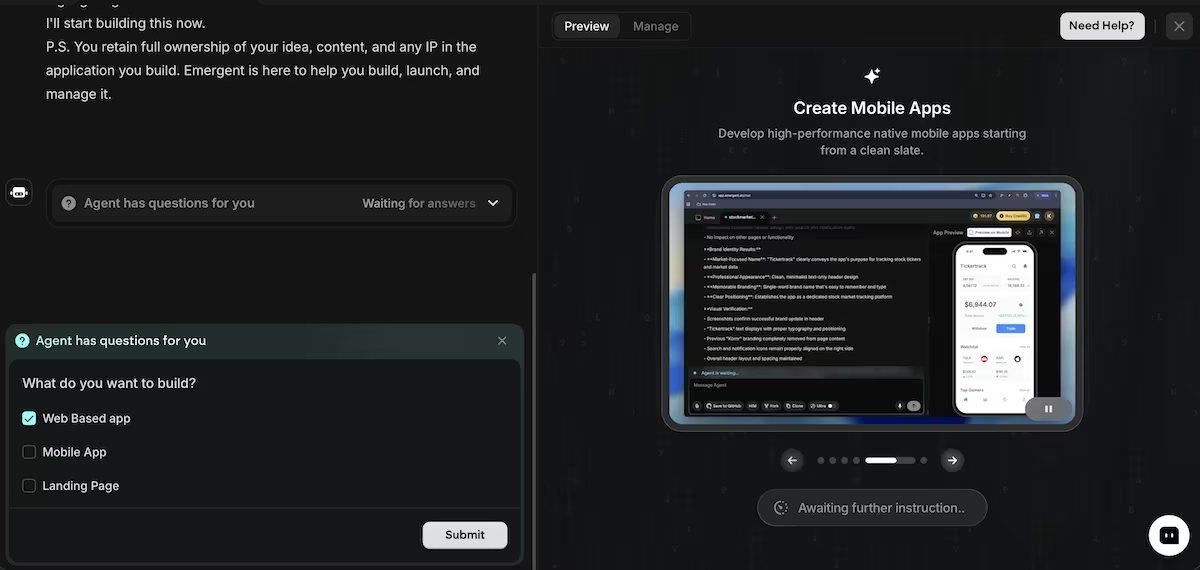
Emergent was the only app builder that asked me a question before it started building: web app, mobile app, or landing page. I chose web app, and it got to work.
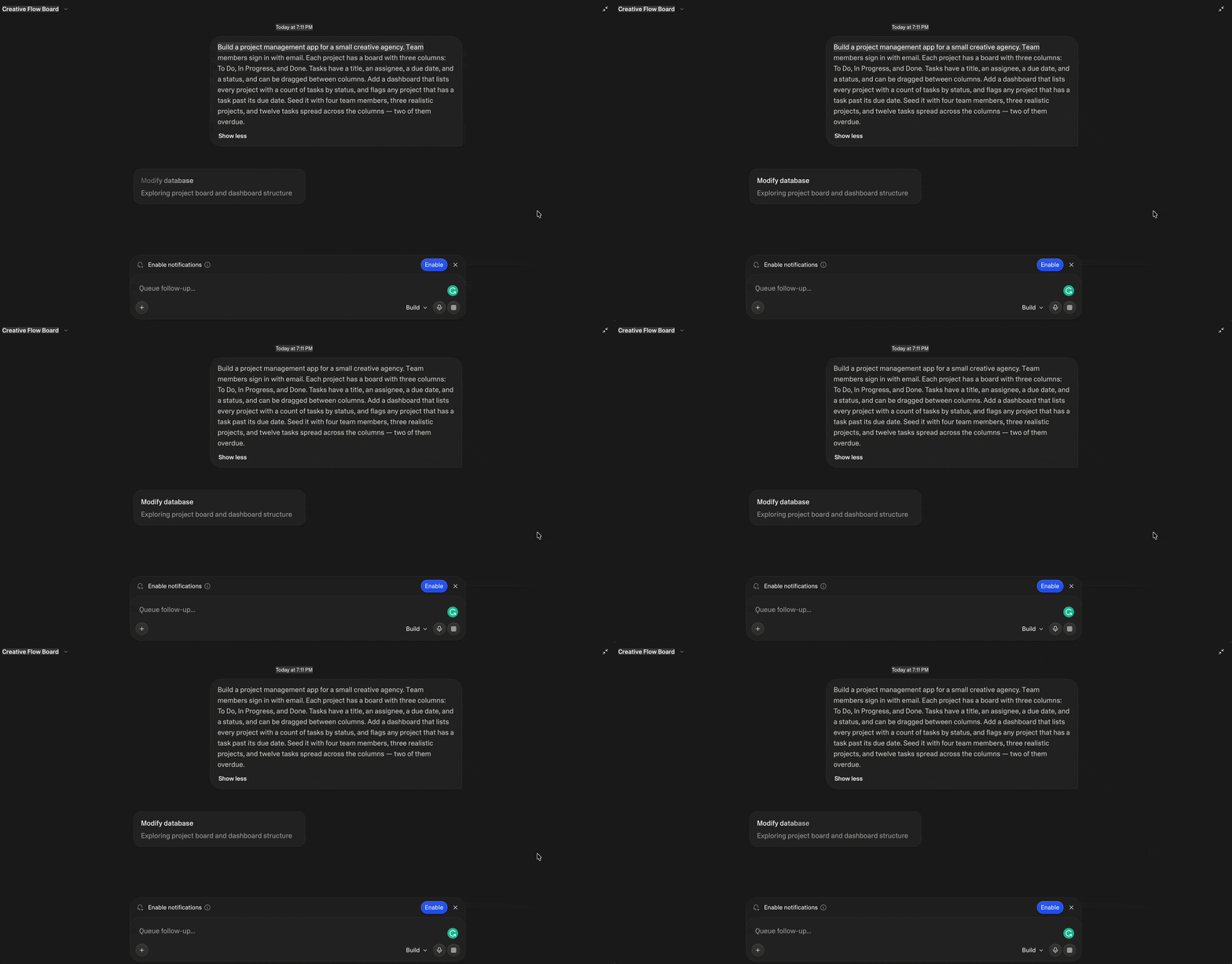
Emergent wrote a product requirements document into the project, saved a set of test credentials, and ran its own testing agents against the build before it told me it was done.
In just 13 minutes, the builder had taken my prompt and turned it into a finished app. It named the agency Meridian Studio, picked a color palette and a typeface pairing, and wrote the landing page copy for a sign-in screen.

The dashboard displayed four team members, three projects, 12 tasks, and two overdue flags, which is exactly what I asked for. It flagged Kestrel Coffee Rebrand and Solstice App Launch, left Meridian Editorial on track, and put both overdue tasks in different projects.
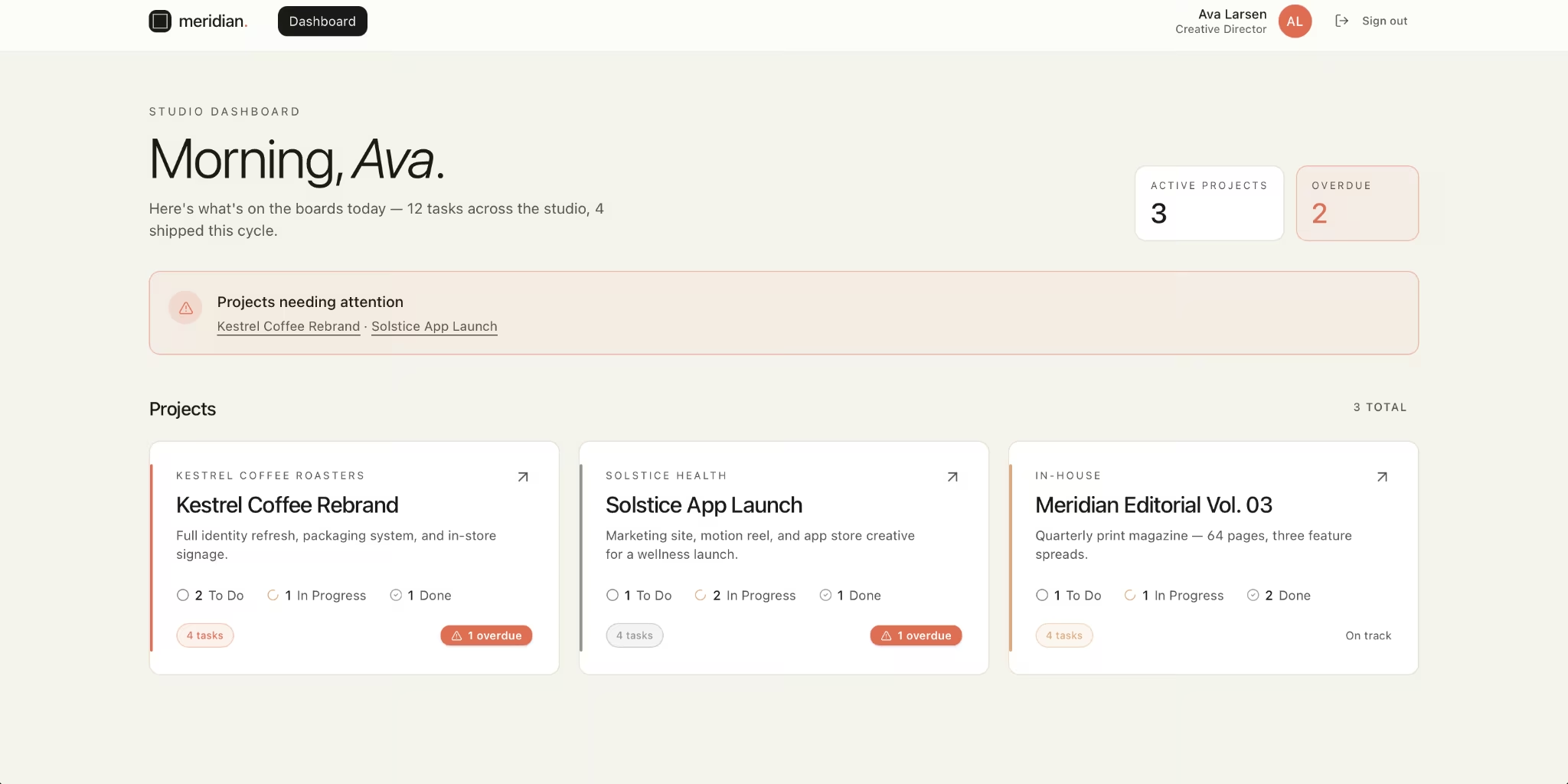
There was one flaw I noticed, even though it wasn’t super impactful. The dashboard greeted me with "Morning, Ava". It was 7 pm.
The real issue was the cost, as the build burned 15.19 credits. A free Emergent account gets 10 credits a month, so this app wouldn't have finished. I was able to complete the build, as I was on a paid plan. Otherwise, it would have cost me $20 to upgrade.
On the flip side, Emergent states the ownership position up front: you keep your idea, your content, and any IP in the app. That kind of promise is reassuring when you start building your own tool.
Key Features
- Self-testing while building: It runs a built-in testing pass as part of a coordinated system that splits the work, checking the app works before you ever see the finished product.
- Complete app from one prompt: the interface and a seeded database together, rather than just an interface you're left to configure yourself.
- Ownership stated from the outset: You keep your own idea, the content, and any IP in the build.
Pros and Cons
Pros:
- The only tool of the three that verified its own build before showing the result
- Correctly excluded completed tasks from the overdue count, leaving Meridian Editorial on track
- Reads conditional rules in a brief and builds them correctly, rather than applying a blanket check
- A working app you can sign into and test within minutes
Cons:
- The build burned 15.19 credits, which would have exceeded the 10-credit monthly allowance on the free plan
- The dashboard greeted me with "Morning, Ava" at 7 pm
- While I didn’t deploy my build, doing so uses extra credits, so ongoing edits can add up
What Users Say
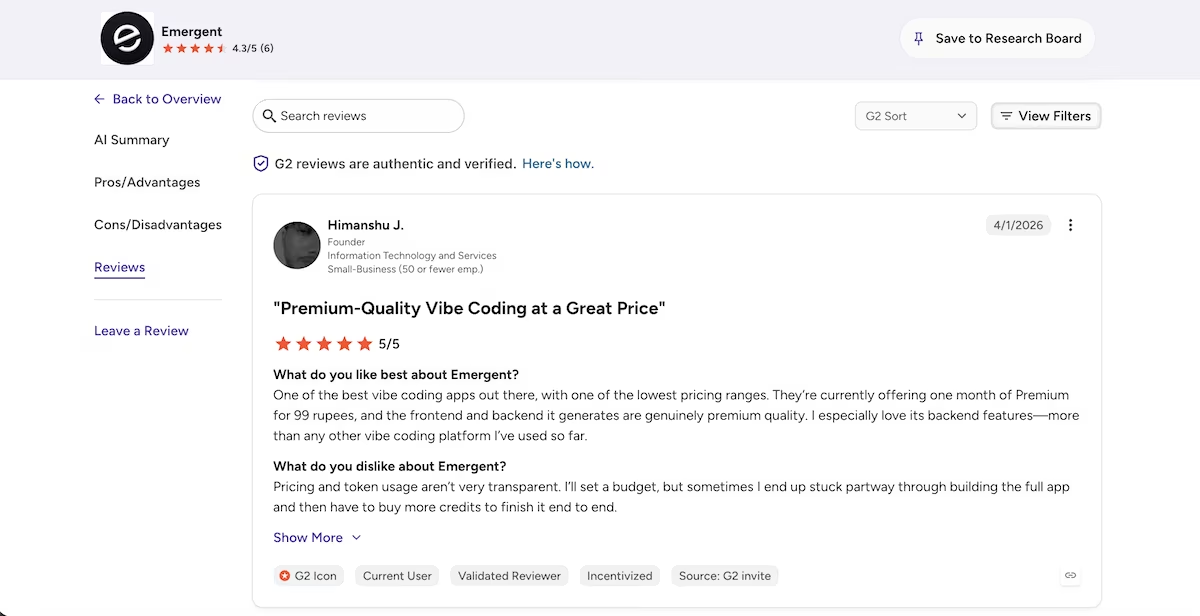
“One of the best vibe coding apps out there, with one of the lowest pricing ranges.” Himanshu J. (G2)
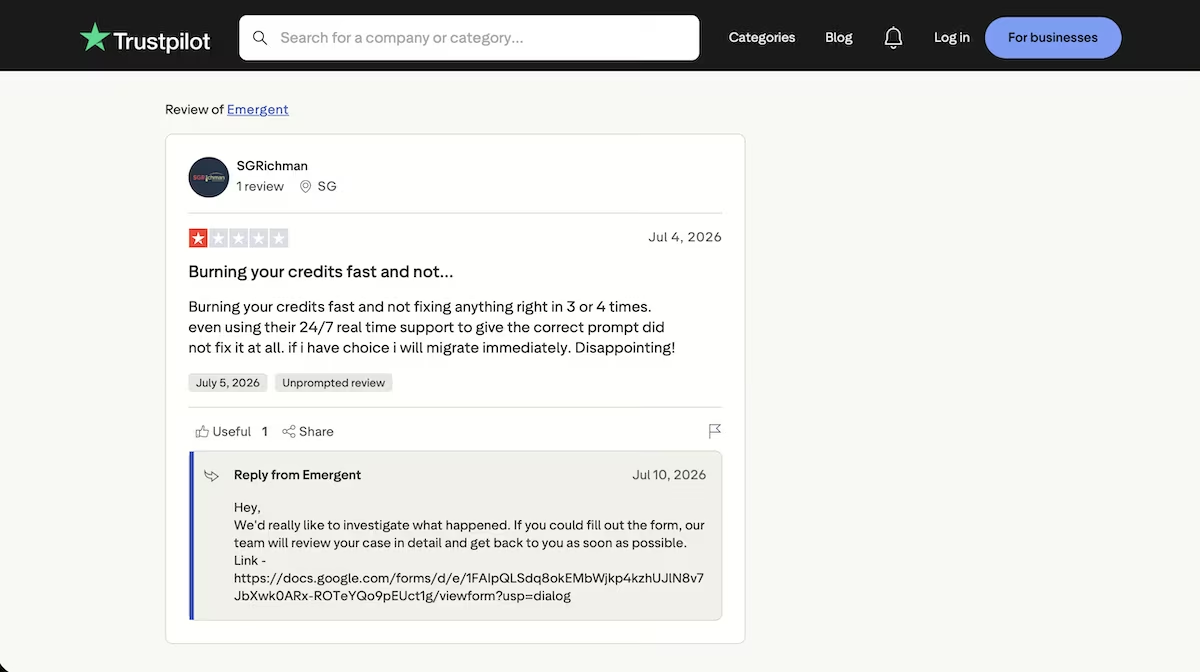
“Burning your credits fast and not fixing anything right in 3 or 4 times.” SGRichman (Trustpilot)
Pricing
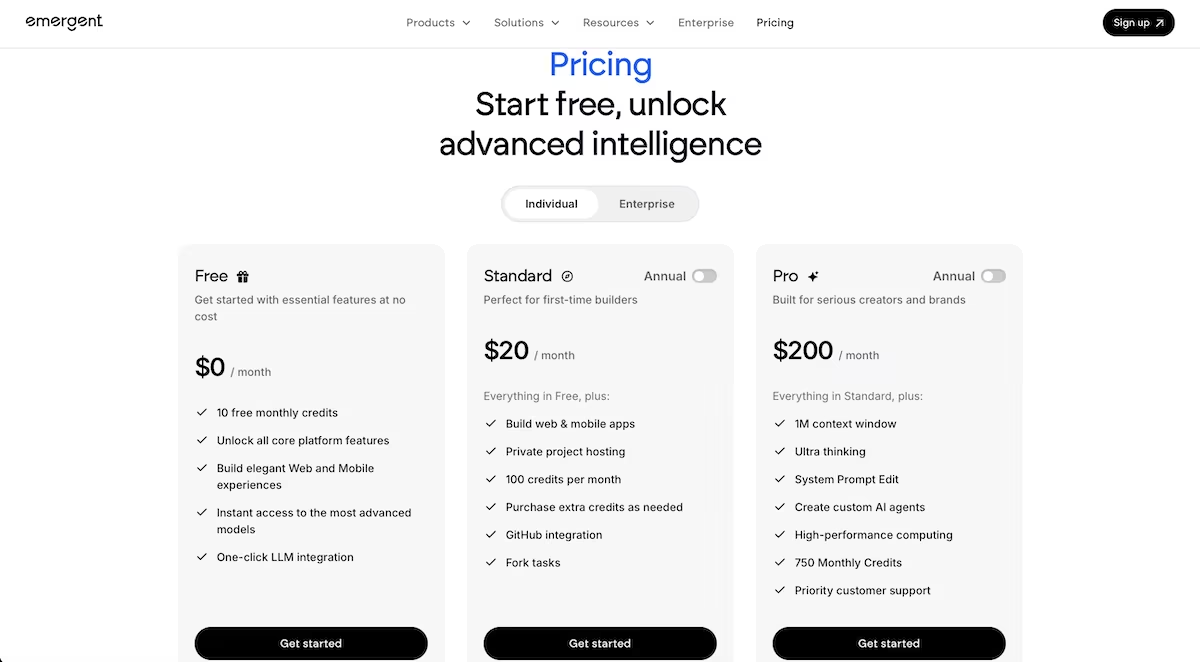
Emergent's free plan gives you essential features and 10 credits a month. Paid plans start at $20/month for the Standard tier, with Pro at $200/month for heavier use.
Bolt: Best for Getting a Prototype in Front of People the Same Afternoon
What it does: Bolt takes a plain-English prompt and builds an app in your browser (database included), then previews it in the same tab and publishes it to a live URL.
Best for: Founders, designers, and product people who want to see an idea in front of them quickly, without installing anything.
I pasted the shared prompt into Bolt on the free plan and left it alone. It replied that it would build a project management app for a creative agency with sign-in, a dashboard, and draggable kanban boards, then started reading the project files.

About a minute in, it wrote a plan and worked its way through it: database schema, seed data, sign-in screen, dashboard, kanban board, and then a design pass.
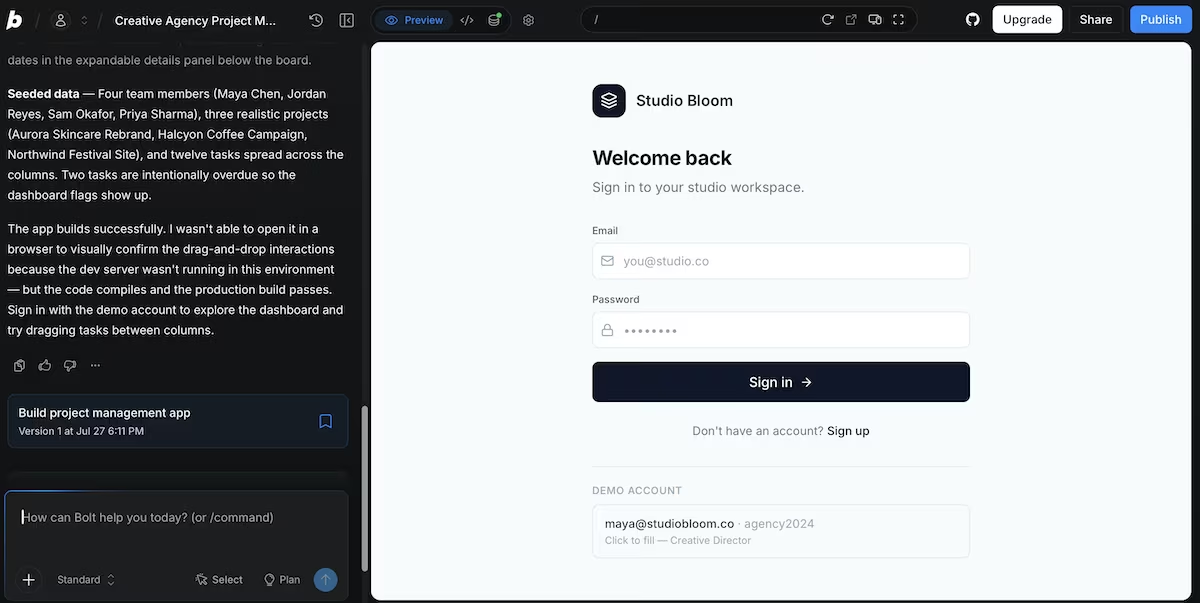
Five minutes after I gave it the prompt, it was done. It had named the agency Studio Bloom, set up a database on Bolt Cloud, and created a demo account with the details printed on the sign-in screen.
The dashboard included all three projects, task counts by status, and a red banner reading 2 overdue tasks across the studio. Aurora Skincare and Halcyon Coffee each showed one overdue task. Northwind Festival showed On track.
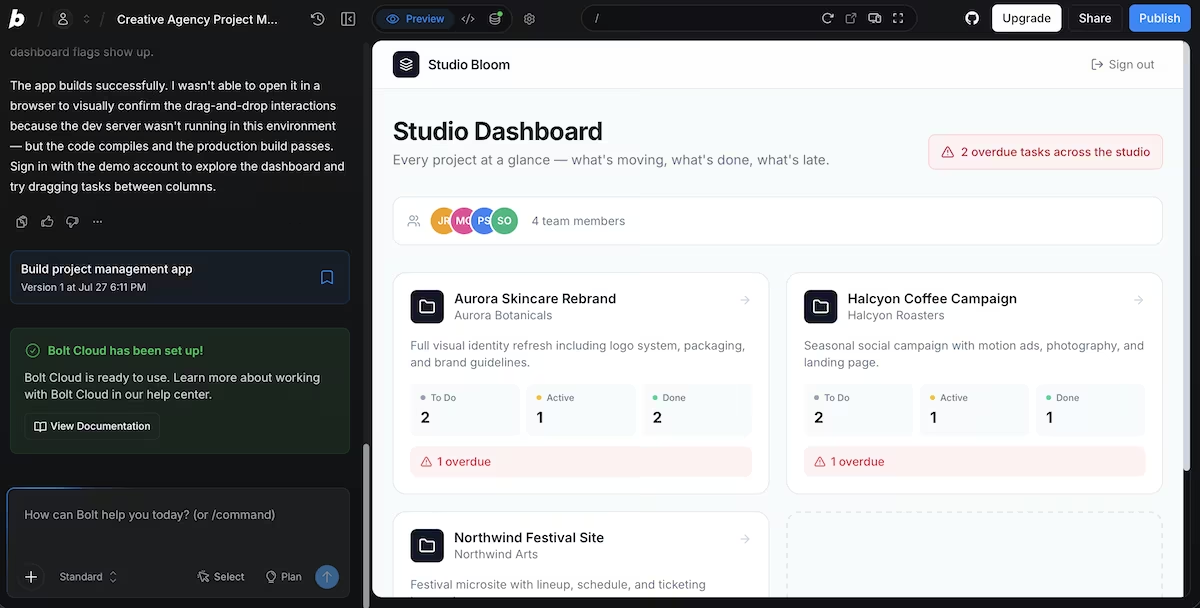
That last part is the bit I was watching for. My prompt asked it to flag "any project that has a task past its due date," and the boards were full of completed tasks with dates in the past: Jul 15, Jul 19, Jul 22, Jul 24. None of them were flagged. Northwind stayed green with a Jul 24 task in its Done column, which means Bolt understood that finished work can't be late.
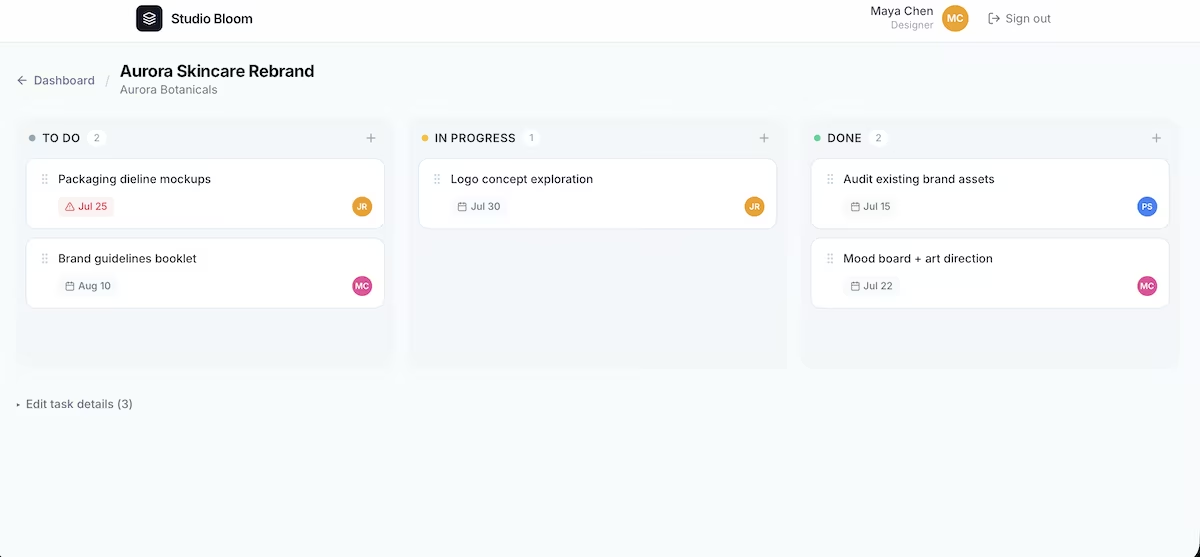
All 12 tasks were there, spread across the three boards, each with an assignee avatar and a due date. Bolt couldn't open the app itself to test the dragging, and said so in its summary.
The build used about 101,000 tokens, roughly a third of the daily free allowance. If you want an idea in front of you inside 10 minutes, Bolt is where I'd start. If you want to keep editing that app for months, the token meter will have you on the paid plan sooner than you'd like.
Key Features
- Database included by default: Bolt Cloud set up the tables and seeded the data during the build, with no separate account or configuration.
- Preview in the same tab: The app appears next to the chat as it's being built, so you can sign in and click around without leaving the page.
- Publish to a live URL: One button puts the app online, with custom domains on the paid plans.
Pros and Cons
Pros:
- One prompt produced the app, the database, and the seed data, with no follow-up prompts needed
- Read the brief closely enough to leave completed tasks out of the overdue count
- The free plan covered the whole build with room for several more
Cons:
- Bolt couldn't open the app to check the drag-and-drop, so I had to test that part myself
- The two preview buttons in the toolbar did nothing when clicked, though fullscreen opened fine
- Anything you publish on the free plan shows Bolt branding
Also read our best Bolt.new alternatives guide for what else is worth trying when the token meter or lack of long-term editing flexibility becomes a constraint.
What Users Say
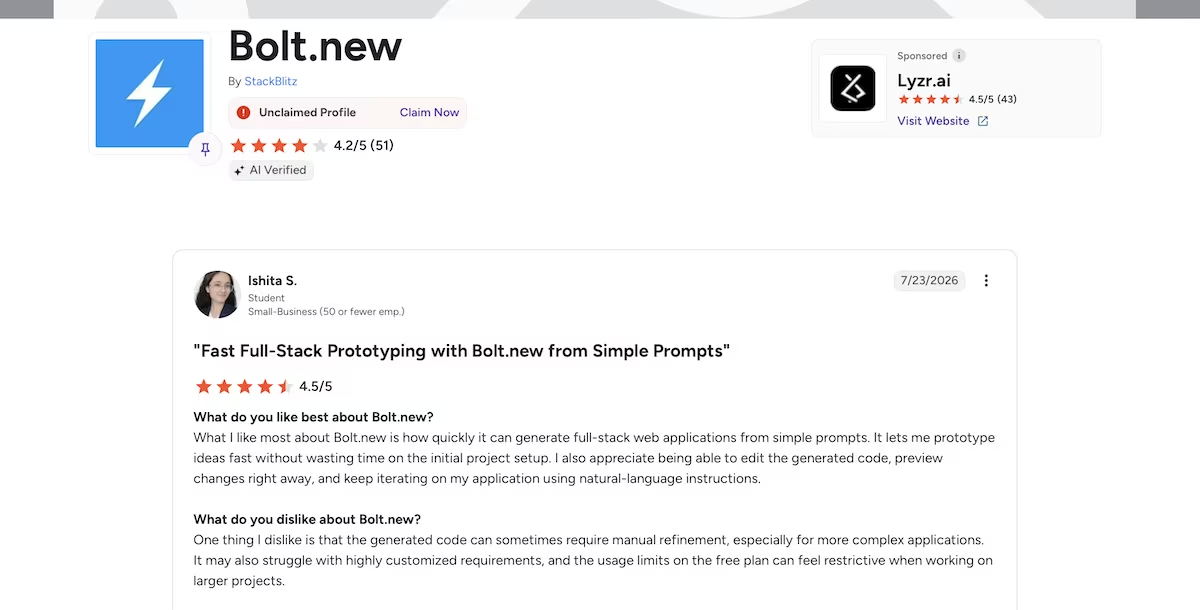
"It lets me prototype ideas fast without wasting time on the initial project setup." Ishita S. (G2)
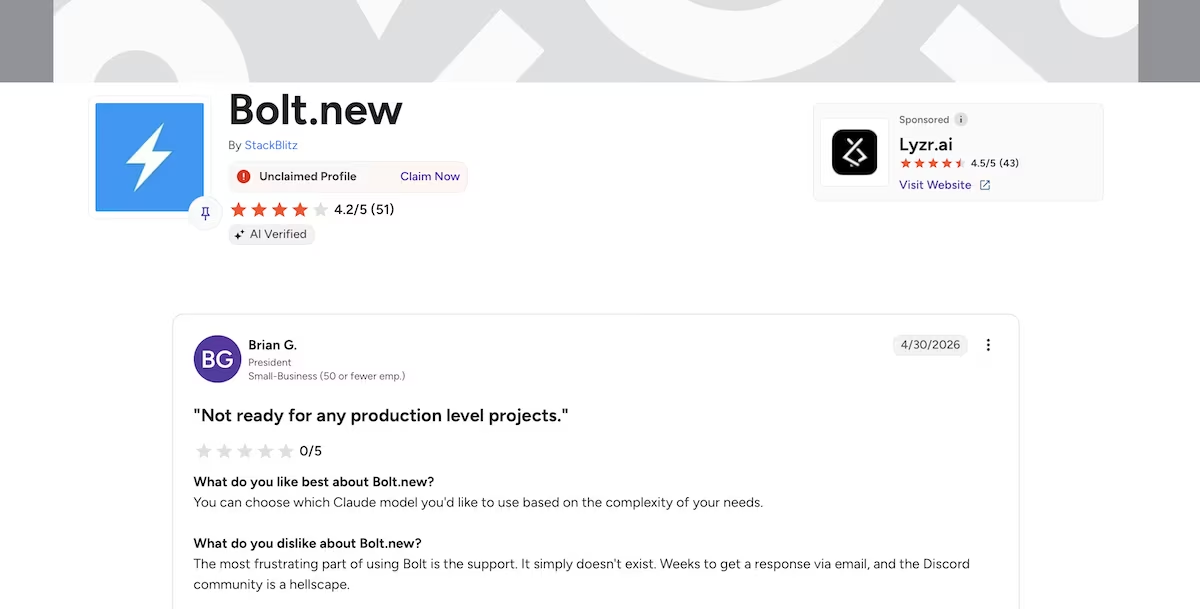
"The most frustrating part of using Bolt is the support. It simply doesn't exist." Brian G. (G2)
Pricing
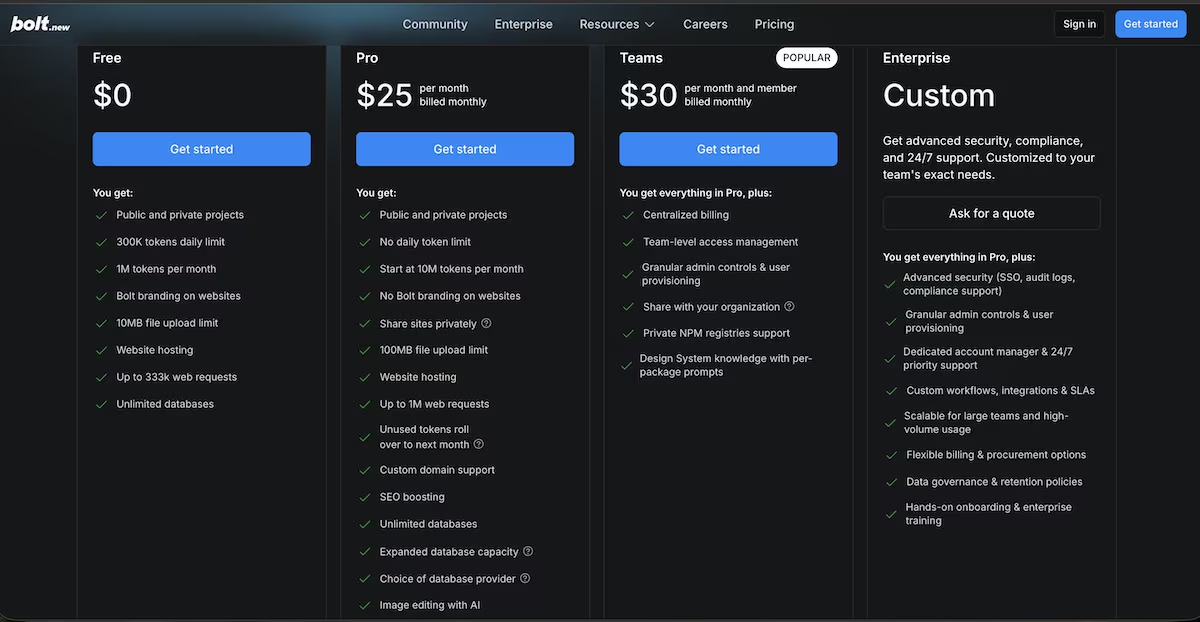
Bolt's free plan gives you 300,000 tokens a day (one million a month), unlimited databases, and hosting. Pro is $25 a month billed monthly for 10 million tokens, with no daily limit and no Bolt branding. Teams is $30 per member.
Want the full breakdown of what each plan actually covers? Read our Bolt.new pricing guide before you commit.
Cursor: Best for Developers Who Want to Approve Every Command
What it does: Cursor is a code editor with a built-in AI agent. You point it at a folder and describe what you want, and it writes the files and runs the commands on your own machine.
Best for: Developers and technical founders who already work in a codebase and want to keep control over every file and command.
I opened an empty folder in Cursor, pasted the same prompt into Agent mode, and sent it. It read the folder, said it would build a project management app with sign-in, kanban boards, and a seeded dashboard, then produced the first command.
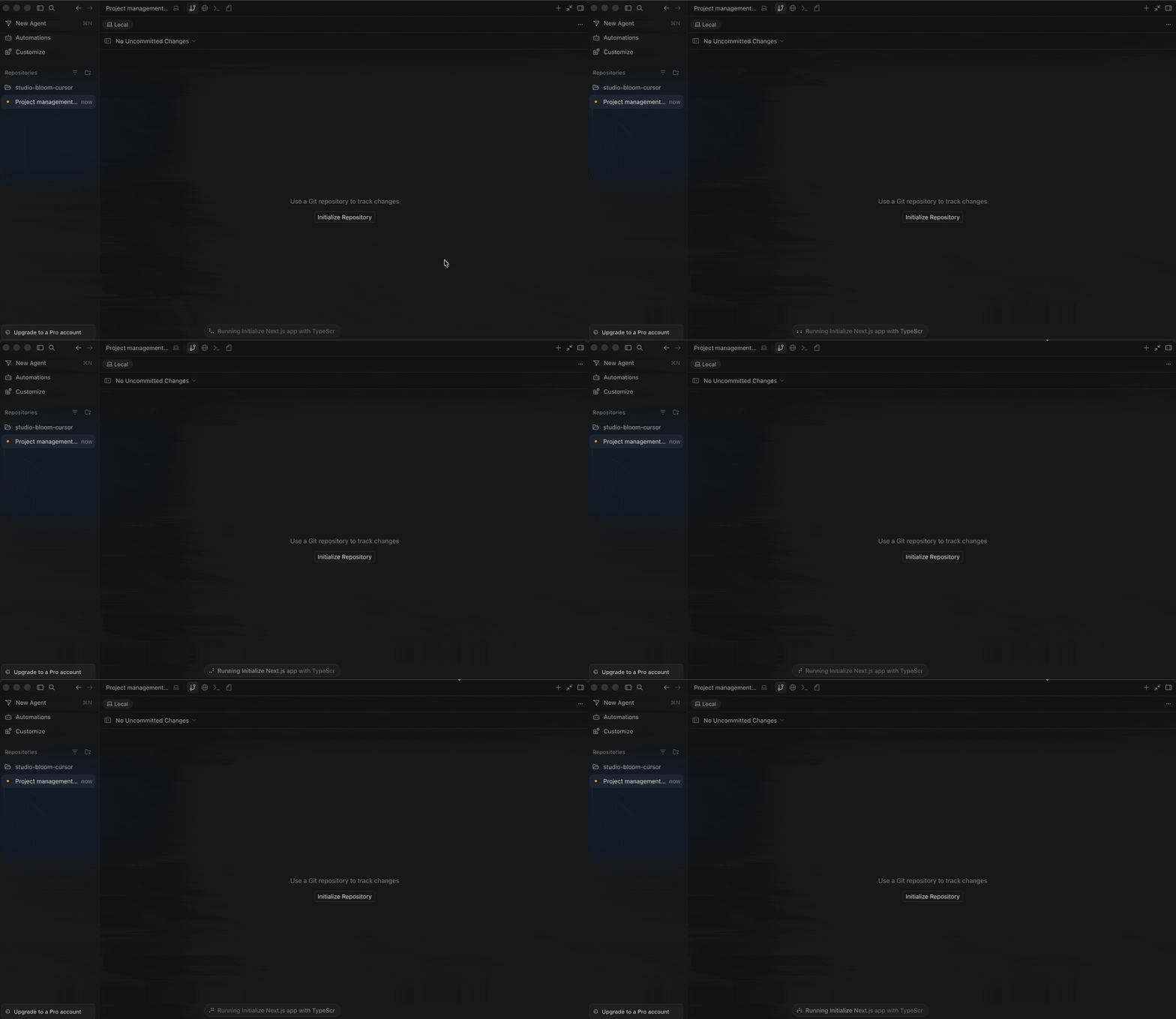
Then it stopped. Cursor asks before it runs anything on your Mac, so a grey box appeared with the command inside it, and a Run button next to Skip. The problem was that the box was hidden (I’d have needed to scroll down to see it), and so I missed it. Cursor continued to say it was running, but in reality it did nothing for 31 minutes.
Cursor asked for six approvals in all, including installing packages, setting up the database, seeding it, and starting the server. At one point the agent went quiet between steps and needed a one-word follow-up (continue) to restart.
Cursor picked its own tools: Next.js, NextAuth, Prisma with a SQLite database saved as a file on my Mac, dnd-kit for the dragging, and Tailwind for the styling.
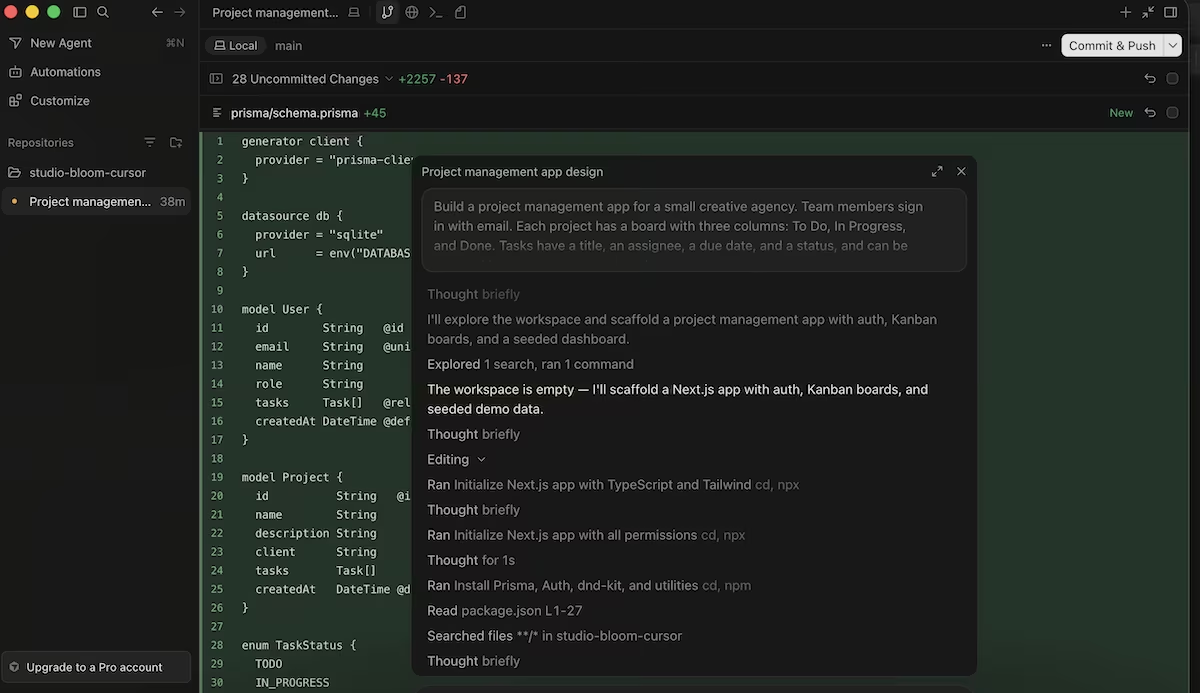
The README file described the app as finished, listing four team members, three projects, and 12 tasks. I opened the address it gave me, and the browser refused to connect.
I pasted the error into the chat. It said that nothing was listening on the port, the database had never been created, and that the earlier setup commands were interrupted before finishing. It had written up work it hadn’t done.
It then created the database, seeded it, and started the server. Once the app opened, it showed a Project Board sign-in screen listing four demo emails, and a dashboard showing that “2 projects need attention.”
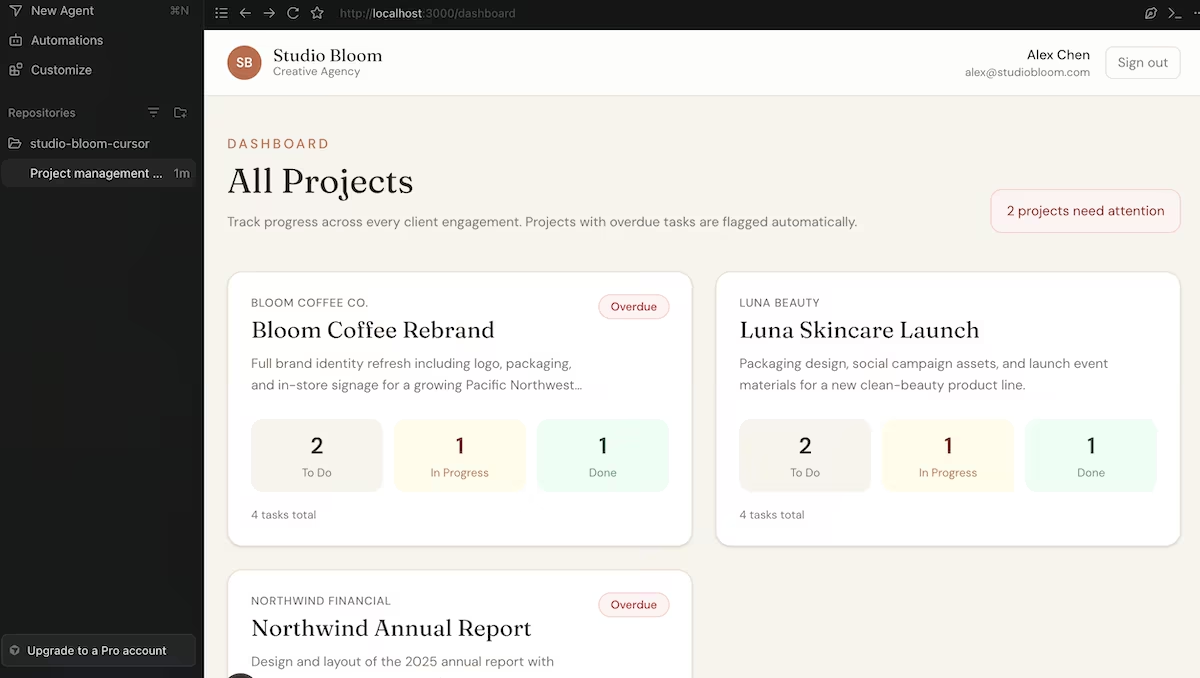
The overdue logic was right. Bloom Coffee flagged "Design logo concepts" (Jul 20) as LATE, Northwind flagged "Copy edit executive summary" (Jul 22), and Luna was clean. Completed tasks dated Jul 10, 15, and 18 all appeared in the Done columns without any flags. From start to finish, the build took 68 minutes, including the 31 spent waiting on the approval I'd missed.
Key Features
- Approval before every command: nothing runs on your machine until you click Run, so you see each step before it happens.
- Its own choice of tools: the agent picked the database, the sign-in method, and the styling without asking, and listed them in a README.
- Errors go back into the chat: pasting a browser error in got a specific diagnosis and a fix rather than a guess.
Pros and Cons
Pros:
- The overdue logic came out right the first time, with completed tasks correctly left out
- You keep the files on your own machine and can see exactly what changed
- Pasting the connection error produced an accurate diagnosis within a minute
Cons:
- Six separate approvals, and the run pauses silently until you notice
- It wrote a README describing seeded data before the database existed
- Nothing appears on screen until the server starts, so there’s no preview while it builds
Also read our best Cursor alternatives guide for what else is worth trying when the approval flow or local setup requirement doesn't fit.
What Users Say
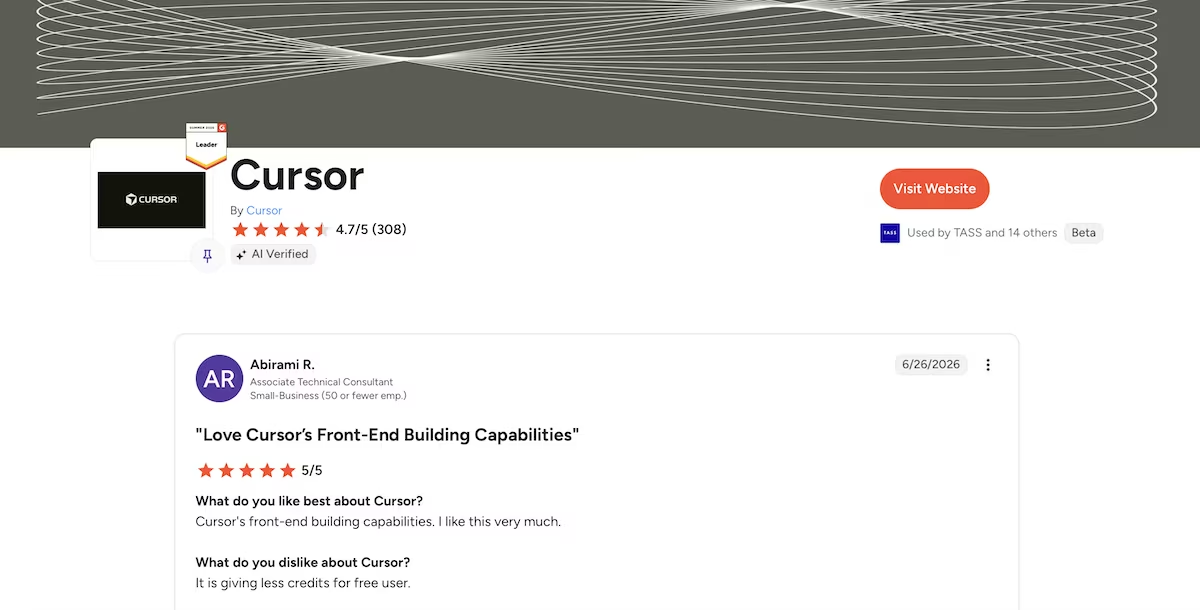
“Cursor's front-end building capabilities. I like this very much.” - Abirami R. (G2)
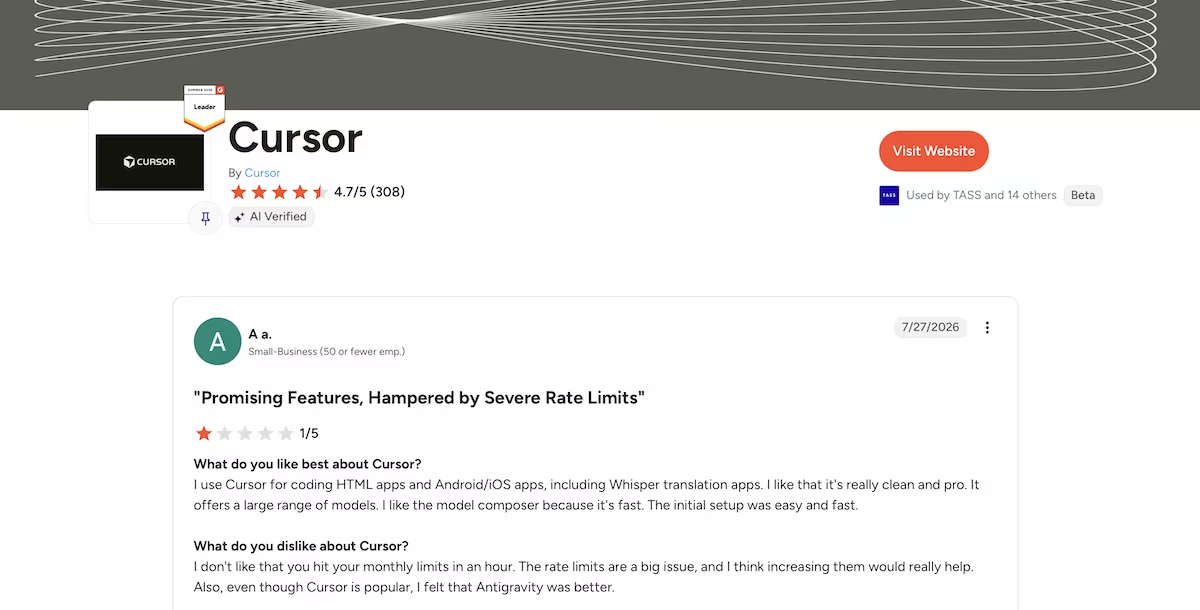
“The rate limits are a big issue, and I think increasing them would really help.” - A a. (G2)
Want the full picture of what developers are saying? Read our Cursor Reviews for a closer look at what real developers actually ran into.
Pricing
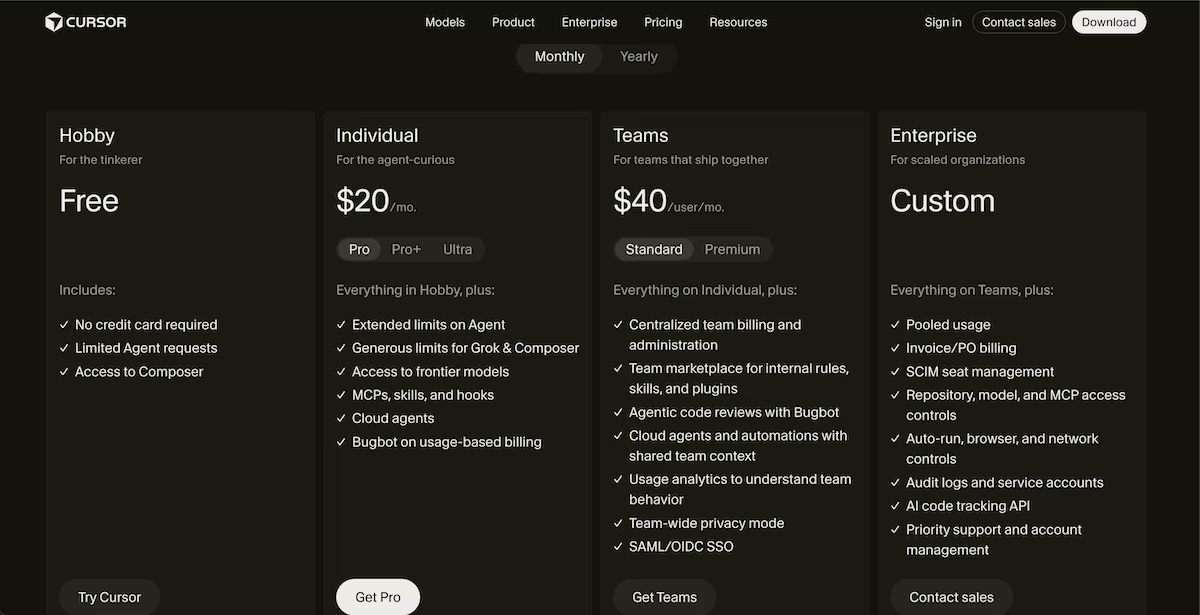
Cursor's free plan includes a monthly usage allowance that resets on a set date. This build used 45% of mine. Pro is $20 a month for access to premium models and unlimited tab completions, with higher tiers above it. You pay for the editor rather than per build, which is a different model to the credit-based vibe coding tools.
Which AI Coding Tool Should You Choose?
All three tools understood the overdue rule, which surprised me. The differences showed up everywhere else: how long it took, how often I had to step in, and whether the tool told me the truth about what it had done.
Choose Bolt if you:
- Want something on screen in minutes rather than hours
- Don't write code and don't want to install anything
- Are testing an idea rather than starting a product
Choose Emergent if you:
- Want the build checked before it delivers
- Care about owning what comes out of it
- Are happy to pay for a plan to get a full build
Choose Cursor if you:
- Already write code and want to stay close to it
- Want to approve each command before it runs
- Plan to keep working on the project for months
Skip all three if you need something with a support contract behind it, or you're handling other people's payment or medical data. In these cases, you should get a developer.
My Verdict
Bolt took five minutes and needed no follow-ups, which I was impressed with, considering I stayed inside the free plan. Emergent was the only one that checked its output before handing it over, which counts for a lot once a build gets bigger than this one. Cursor is still the right pick if you want to read every line it writes.
If you'd rather describe an app than build one, Emergent turns a plain-English brief into a full app with its database, then runs its own tests before finishing. There's also an MCP connector if you'd rather kick off builds from a chat window you already use.
Start with Emergent and see where it takes you.

Most AI app builders stop at prototypes. Emergent creates production-ready apps you can actually launch.
- Production-ready apps
- Web & mobile apps
- Deploy in minutes







