



Custom mobile apps for business put your workflow in a customer's or employee's pocket instead of forcing a generic product to fit. Drawing on the test apps I’ve built and the builders I’ve used, here's what holds up, what it costs, and where beginners get stuck.
What Is a Custom Mobile App for Business? The 30-Second Answer
A custom mobile app is software built around your exact workflow and customers, rather than a generic product you adapt and hope it fits. It could be a booking app, a loyalty app, or an internal tool for a field team.
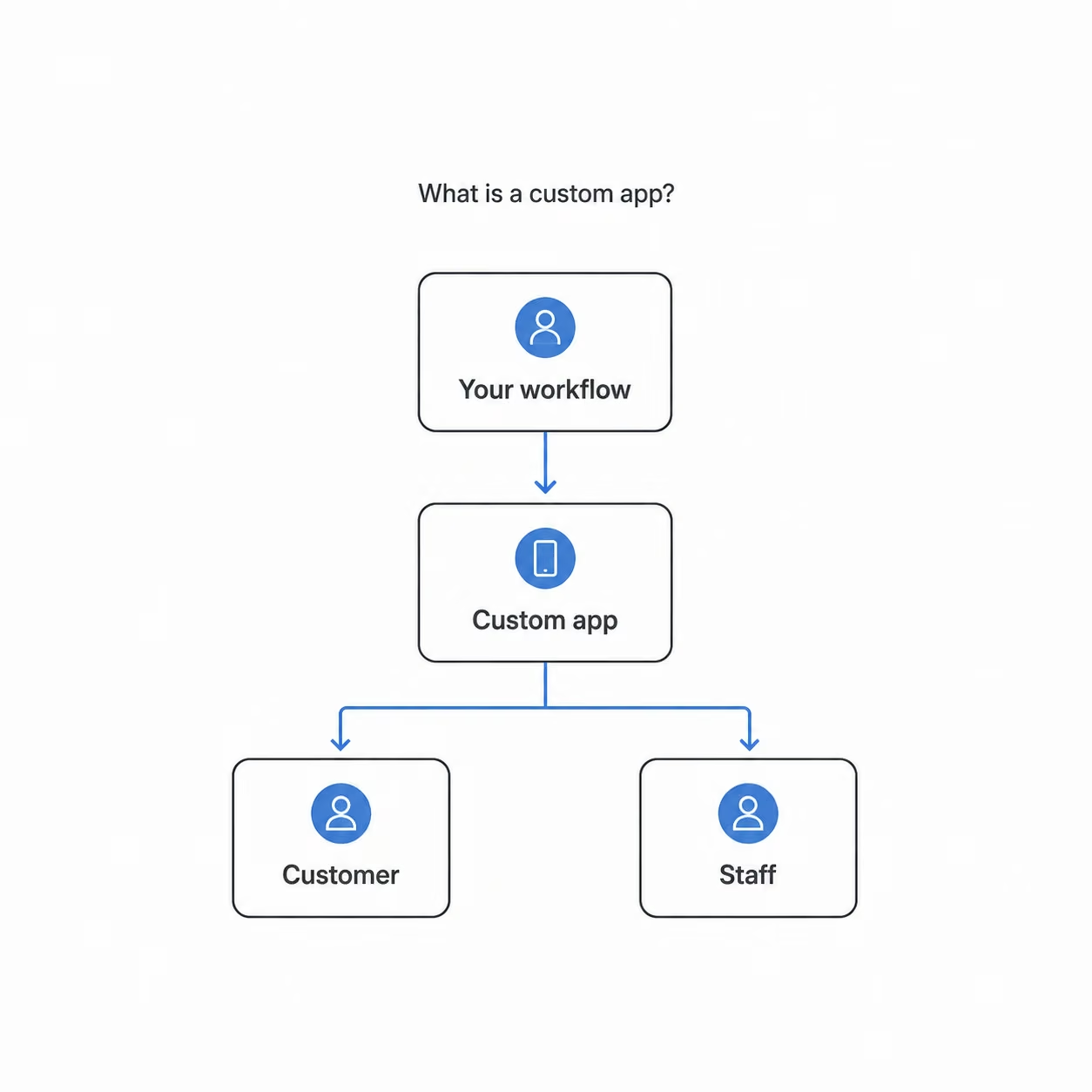
I saw what that means firsthand when I built a test app for a moving company. It had to serve two groups at once: customers requesting quotes and tracking their move, and staff assigning jobs and updating status from the road.
A custom app only earns its cost when people open it repeatedly. Building it is the straightforward part, and the harder question is whether anyone has a reason to come back twice a week, because that is what decides whether the money was worth spending.
Key Features
Most custom business apps share the same handful of building blocks. Once you know these building blocks, it gets easier to compare platforms.
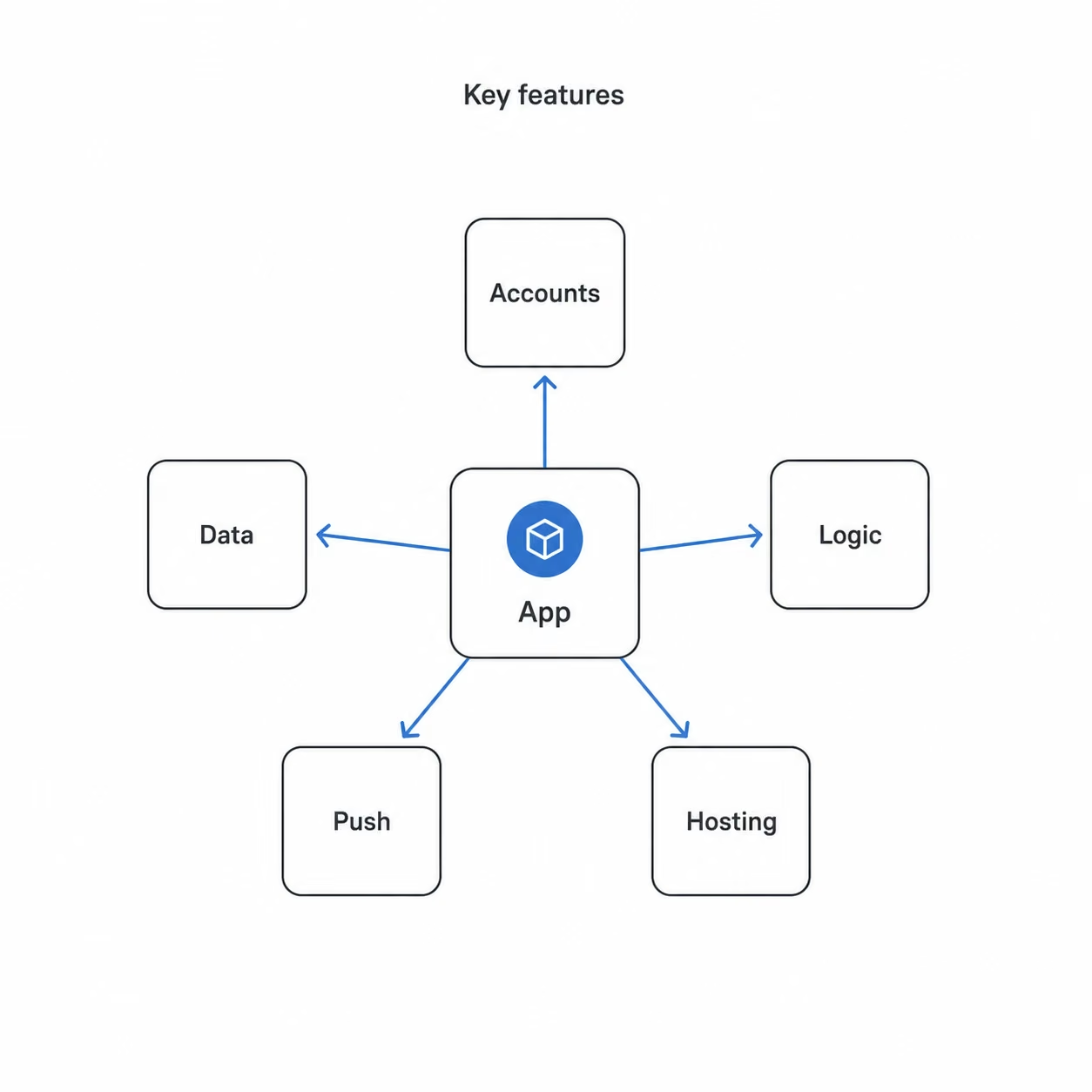
- User accounts: Customers and staff each sign in to their own view, so a manager sees everything and a customer sees only their own bookings.
- A place for data: Every app needs somewhere to store information, like a list of customers or jobs. Some tools use a built-in database, others connect to a spreadsheet-style database such as Airtable.
- Logic: The rules that make the app act, like saving a form, sending a confirmation, or blocking a double booking.
- Push notifications: The app can reach users on their home screen without relying on email.
- Hosting: Putting the app online so people can use it, which the platform handles for you.
Pro Tip
When you compare tools, look past the drag-and-drop screens. You will spend most of your time on where the data lives and how the logic works.
How Does a Custom Mobile App Work?
A custom app turns each coding task into a choice you make in a builder or hand to a developer. You lay out the screens, decide where the data lives, add the rules, set up logins, then put it online. The platform or the build team turns those choices into an app people can use.
Over many builds, I land on the same order every time:
- Plan the data first: Write down what the app stores and how the pieces connect. A customer connects to a booking, and a job connects to a crew.
- Build the screens: Lay out the pages people tap through, usually a list, a detail page, and a form. This part goes quickly.
- Connect the data: Link the screens to the stored information, so the app shows real names and numbers instead of blank boxes.
- Add the rules: Tell the app how to behave, which turns a set of screens into a working tool.
- Set up logins and test: Decide who gets in and what they can do, then try to break it before real users do.
Here is what that looked like when I built a test booking app. I finished the customer-facing screens in an afternoon. The rules took much longer, because I had to prevent double bookings, send move-day reminders, and block anyone from booking a date in the past.
The screens were quick and fun, but the rules underneath took most of the work. I see that same split in almost every app I build.
Custom Mobile App vs Mobile Website: What's the Difference?
The main difference is reach and retention. A mobile website meets people in a browser, while a custom app earns a home-screen icon, push notifications, and offline use. The catch is that an app costs more and only pays off if people open it again.
"Custom app" covers several formats, and picking the wrong one is how budgets disappear.
| Option | Best for | Weakness |
|---|---|---|
| Mobile website | Basic presence, lead capture, menus, service pages | No app-store presence, weaker push and retention |
| Web app or PWA | Internal tools, dashboards, client portals, light workflows | May not feel fully native |
| Web-to-app builder | Turning an existing web product into iOS and Android faster | Limited for deep device features or heavy customization |
| Custom native or cross-platform app | Complex workflows, APIs, offline use, field teams, high-retention apps | Highest cost, longest timeline, ongoing upkeep |
In the test moving app I built, the customer quote flow could live happily as a web app. The staff side, with offline job updates in low-signal conditions, is where a more capable native build starts to earn its cost. Match the format to the job before you match a tool to the format.
Read our guide on how to create a business app in an afternoon to see how quickly you can go from format decision to working product.
What I Liked and Didn't Like About Building Custom Apps
Testing different app builders and building sample apps has shown me where a custom app helps and where it gets in the way.
Pros (What Works)
- Speed from idea to app: One test app I built was usable in days. Building the same thing by hand would have taken weeks and much greater technical skill.
- A real edge over a website: Push reminders, offline crew updates, and a login-gated dashboard are things a mobile site cannot match.
- You own the customer relationship: Accounts, history, and notifications sit with you, not a third-party marketplace that rents you access to your own customers.
- A faster field team: One purpose-built tool beats five generic ones and a group text, because the crew captures the data once, on the spot.
Cons (Where It Falls Short)
- Cost climbs after launch: The price you sign up for is rarely the price you pay once users, storage, and usage grow.
- You can hit hard limits: The easier a tool is, the less it lets you customize later, and some projects stall on the one feature that is not an option.
- Mobile is a hidden trap: Building screens is easy, but getting a real app into the Apple or Google store needs developer accounts, approvals, and review rules that sit outside your builder.
- Upkeep never stops: Apple, Google, APIs, and devices change, so someone has to maintain the app long after launch.
Also read our best low-code app builders guide to see how each platform handles the limits and costs covered above.
How Much Does a Custom Mobile App Cost?
A custom mobile app for business runs from $0 a month on a no-code plan to $300,000 or more for a complex enterprise build, because what you build and who builds it drive the price far more than any feature list. Anyone who quotes one number for "a business app" without asking what it does is guessing.
Here is the rough 2026 spread by who builds it. Treat these as planning ranges, not quotes.
| Build path | Typical cost | Best for |
|---|---|---|
| No-code or AI builder | $0 to $200 a month | Validating an idea, internal tools, simple apps |
| Freelancer | ~$3,000 to $50,000+ | A simple, well-defined MVP |
| Medium complex build | ~$50,000 to $150,000+ | A production-ready first version |
| Enterprise or complex build | ~$150,000 to $300,000+ | Deep integrations, compliance, scale |
A few things move the number more than anything else:
- Complexity: A read-only catalog is cheap. User accounts, live data, and offline sync each add cost and weeks.
- Integrations: Hooking into payments, a CRM, or a scheduling system is where simple projects quietly get expensive.
- Platforms: Building for iOS, Android, and web at once multiplies the work over shipping one platform first.
- Region and team: An onshore agency, an offshore shop, and a no-code build sit at very different price points for the same brief.
If you want to validate cheaply first, the no-code and AI route runs from $0 to about $200 a month. That buys you a tested idea this month instead of a six-figure commitment before anyone has tapped a button.
App-store fees are the last piece people forget. Apple's Small Business Program offers a reduced 15% commission for eligible developers, and standard rates run 15% or 30% depending on the program and purchase type. Google Play's 2026 fee structure is more tiered, with rates depending on install type, program eligibility, billing setup, and region.
The gap is real money. On an app earning $10,000 a month from in-app purchases:
| Store fee | Platform takes | You keep |
|---|---|---|
| 15% | $1,500/mo | $8,500/mo |
| 30% | $3,000/mo | $7,000/mo |
That 15-point swing is $18,000 a year. That is worth knowing before you model revenue.
Should You Build a Custom Mobile App? My Take
After the builds, the broken bookings, and the surprise bills, I still reach for a fast, simple app first on most projects. A fast, simple app is the quickest, honest path from "I have an idea" to "here is something people can use." It works best when the job matches the tool's limits, and the problems show quickly when you push past them.
A Custom App Is Perfect For:
- Testing an idea cheaply: Build a rough version this week and find out whether people will use it, instead of guessing for months.
- Tools for your own team: Trackers, dashboards, and staff portals that live behind a login almost never need an app store, so you skip the hardest part.
- Apps that show data to people: A login, a filtered list, and a clean view are squarely in reach.
- Founders who want control: Direct control over your own product beats managing a developer for every small change.
Skip a Custom App If You:
- Need rare features or huge scale: A developer or a code-export path will serve you better when the app does something unusual or has to handle heavy traffic.
- Are building something regulated: Finance, healthcare, or marketplace apps need more control than most all-in-one tools allow, so bring in a developer early.
- Want a true app-store app on day one: Getting into the App Store takes time, and some tools get you closer than others, but you still have to learn the process.
Also read our Vibe Coding vs Traditional Coding guide for a developer's honest take on when each approach actually makes sense.
How to Build a Custom Mobile App in 5 Steps
You don't need a course or a big plan to begin. You need one idea small enough to finish. I would give a friend starting from zero this path.
- Pick one small problem: Skip the dream startup for now and pick one annoying task instead, like a quote form, a booking list, or a job tracker. The goal is to learn before you launch.
- Plan your data: Write down what the app stores and how the pieces connect. This is the step most people skip, and the one that cost me a full rebuild on one of my first test apps.
- Pick the path that fits: Choose a no-code tool, an AI builder, or a developer based on the job, not on which is most powerful. For a full working app from a single description, an AI builder like Emergent fits, while a staff dashboard might be fine on simpler no-code.
- Build screens, then rules: Lay out the pages first for a quick early win, then add the rules underneath. Expect the rules to take longer than the design.
- Try to break it, then launch: Tap every button, submit empty forms, and book the same slot twice. Find what falls apart while you are still testing, before real users hit it.
Pro Tip
Start two copies from day one. Build the real app in one, and use the other as a practice space to test risky changes first. You keep your main app clean and learn faster by breaking the spare.
Also read our best no-code software builders guide to find the right platform before you start building.
Custom Mobile App Best Practices I Wish I Knew Earlier
Every tip here came from a build that bit me. Learn them now and skip the painful version.
- Plan data first: Screens are the fun part, so most people start there. Plan your data first instead, because the way your information connects shapes the whole app, and getting it wrong means taking the app apart later.
- Read the limits: The headline price does not tell you enough. Check the per-user fees and the caps on storage and usage against your real needs before you build.
- Keep a practice copy: Never test a risky change on your live app. Break things in a spare copy, and move the fix over only once it works.
- Know your exit: Ask the boring questions up front. Can you export your data? Could you rebuild this elsewhere if a price hike forced your hand?
- Watch the first draft: AI tools make a slick first draft that looks finished, but it rarely is. The real test comes when the app handles live data and logins, which is where weak builds fall apart.
My Verdict on Custom Mobile Apps
I've built business apps for years, and I still start most projects with the fastest, simplest path that fits. For staff tools, customer portals, and testing an idea before you spend real money, that path gets you to a working version faster with less risk.
A custom app works best when the project fits its limits. If you need rare features, huge scale, or a polished app-store presence on day one, a developer or a code-export route earns its place, because you own the code and can push further. For regulated or marketplace apps, you will want more control than most all-in-one tools give.
A custom mobile app is the right move for most common business projects. Start small, ship something real, and reach for heavier tools only when the job demands it. The mistake is expecting one to handle work it was never built for.
How Emergent Can Help You Build Your App
If the steps above made building feel doable, an AI builder can be a practical place to start. It can also pick up where pure no-code runs short. Emergent is built for non-technical people who want to turn a plain-language description into a working app without starting from blank screens or raw code.
With Emergent, you can:
- Get a working app from one description: Its agents design, build, and deploy the whole app, including the screens people use, the data behind them, and the connections to your other tools, from what you describe in plain language.
- Move faster than reviewing code by hand: Emergent's agents build inside guardrails, so you get the speed of vibe coding without babysitting every file.
- Build for iOS and Android from one codebase: Emergent supports cross-platform mobile app development with Expo (React Native), which makes it easier to turn one app idea into a production-ready mobile build for both platforms.
- Keep code you own: On the Standard plan and up, your app syncs to a GitHub repository under your account, so it moves with you if you ever hire a developer.
Try building your first app on Emergent and see how far one clear description gets you.

Most builders stop at a prototype. Emergent ships real web and mobile apps, with accounts, databases, and payments included.
- Production-ready apps
- Web & mobile apps
- Deploy in minutes







