Beginner
•
How to Build an Infinite Canvas Image Discovery App
An infinite-scrolling image discovery platform for browsing, saving and sharing images
Written By :

Naman Madhur

Overview
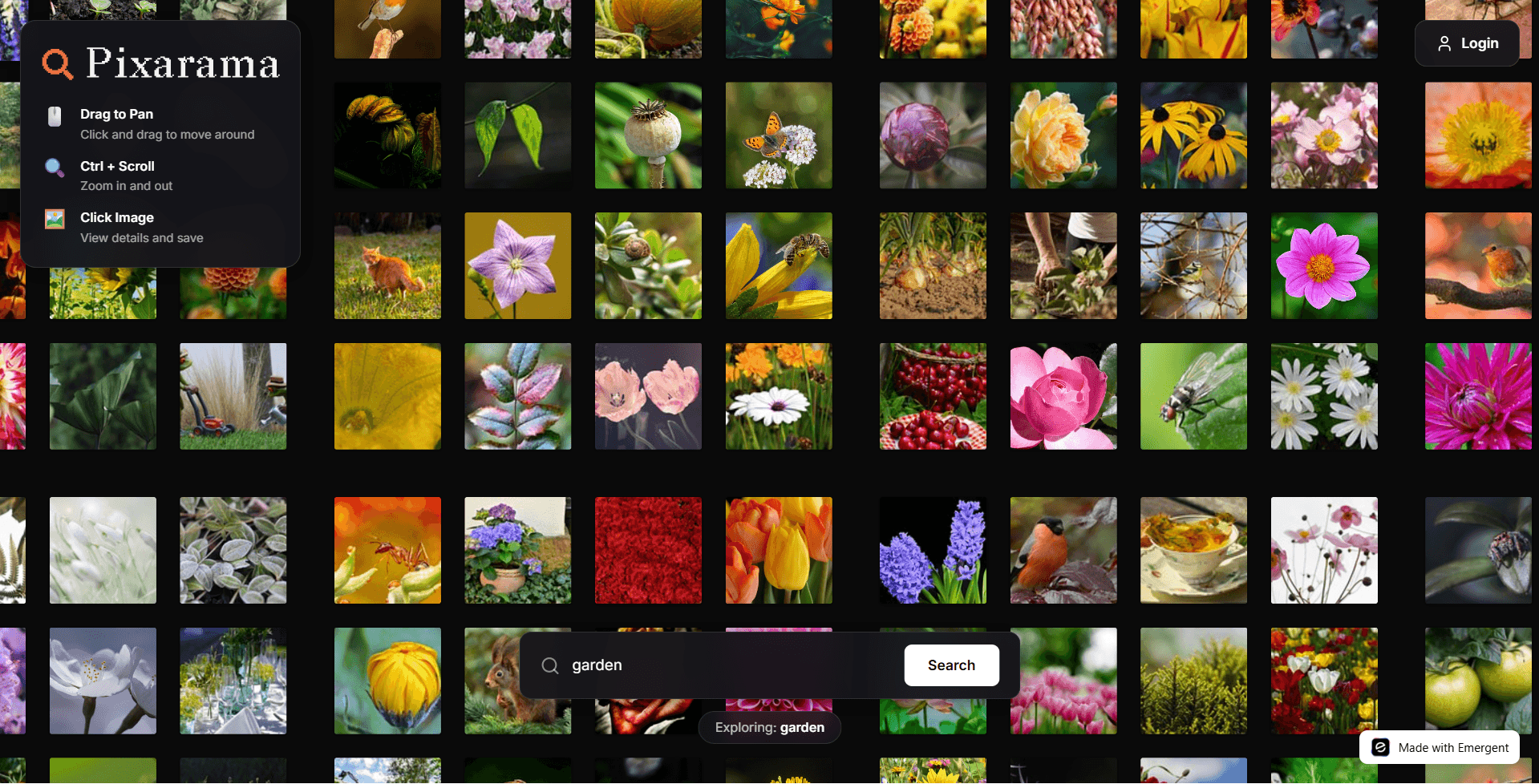
Pixarama provides an infinite canvas of image tiles, progressive quality upgrades, collections, sharing, and a mobile-first experience. Users scroll or pan endlessly, save favorites into collections, and share public collections by link.
Tech Stack
Layer | Tools |
|---|---|
Frontend | React, Hooks, Axios, React Router, Lucide React, Sonner |
Rendering | DOM absolute positioning, CSS transforms |
Backend | FastAPI, Motor (async MongoDB), Pydantic, HTTPX |
Auth & Security | JWT, bcrypt |
Deployment | Kubernetes, Supervisor, Ports: frontend 3000, backend 8001 |
External APIs | Pixabay, Wikimedia Commons |
Architecture Overview

Main Features
Feature | What it does |
|---|---|
Infinite canvas | Pan and zoom over a tile-based world of images |
Progressive loading | Load preview then upgrade to higher quality |
Collections | Save images to named collections and share links |
Image details | Large preview, attribution, download |
Sharing | Public links to collections |
Auth | JWT login and protected actions |
Mobile support | Touch pan, pinch zoom, safe area support |
Image Sources and Integration
API | Role | Notes (Heads Up!) |
|---|---|---|
Pixabay | Primary image source - preview, webformat, largeImage | Watch rate limits; handle 429 errors |
Wikimedia Commons | Secondary source for attribution and variety | Use thumbnails and credits; combine results with Pixabay |
Key Challenges and Solutions
Challenge: Canvas rendering reliability
Problem: PixiJS caused rendering failures in some environments.
Solution: Replace with simple DOM absolute-positioned
<img>tiles and CSS transforms.
Challenge: Grid spacing gaps
Problem: Extra gap between tiles caused black seams.
Solution: Use tile edge spacing math and position at TILE_SIZE intervals.
Challenge: Pixelated images
Problem: 150px previews looked blurry on 200px tiles.
Solution: Progressive loading: preview → webformat (640px) → large image for downloads.
Challenge: CORS issues
Problem: crossOrigin blocked in some cases.
Solution: Remove crossOrigin on simple display; only use crossOrigin when canvas pixel access is needed.
Challenge: Mobile UX and safe area
Problem: Notch, home bar and touch controls needed fixes.
Solution: Add viewport-fit and env(safe-area-inset-*) CSS, implement touch handlers and splash guidance.
Performance Optimizations
Optimization | Why it matters |
|---|---|
Tile loading with margin | Only create DOM for nearby tiles |
LRU tile cache | Keep memory use bounded |
Progressive image upgrade | Fast first paint, better final quality |
API caching | Reduce rate limit hits and latency |
Lazy DOM creation | Avoid excessive reflows on large world sizes |
Next Steps and Extensions You Can Add
Add paid tier for curated collections and higher download rate.
Add AI-powered image tagging and recommendations.
Add offline tile prefetch and background sync for mobile.
Add user collections sync between devices.
Wrapping Up
You now have a complete breakdown of how Pixarama was built from the ground up:
The full architecture
The rendering strategy
Image API integration
Mobile and performance decisions
The challenges and how each was solved
Feature set, UX flow, and data handling
Deployment structure
This project demonstrates how a simple DOM-based approach combined with modern APIs and progressive techniques can create a smooth, production-quality infinite image explorer.
Check out our finished product over at https://visual-collections-2.emergent.host/ or check out the super-short overview of the app down below!