



Plenty of startup teams I know run on 6 to 8 AI tools at once and still feel like half their stack overlaps. I tested ten tools across five real founder workflows to map which tool pulls its weight and which job it actually owns.
10 Best AI Tools for Startups: Quick Comparison
Each tool here covers a different job. If two tools on this list feel interchangeable to you, one of them is probably not worth keeping in your stack.
| Tool | Strengths | Best For | Starting Price |
|---|---|---|---|
| ChatGPT | Drafts, brainstorms, multimodal input | Content and copy at speed | $20/month |
| Claude | Long-context reasoning, nuanced writing | Research and deep analysis | $20/month |
| Emergent | App building from a single prompt | Building product without a dev team | $20/month |
| Lindy | Inbox management, scheduling, follow-ups via iMessage | Email triage and recurring delegation | $49.99/month |
| Perplexity | Live web search with cited sources | Market research and competitor intel | $20/month |
| Notion AI | Docs, wikis, AI Q&A over your own data | Knowledge base and internal documentation | $20/member/month |
| HubSpot AI | CRM, email sequences, deal tracking | Sales pipeline and customer management | $10/user/month |
| Canva AI | Design generation, brand kits, presentations | Pitch decks and marketing visuals | $18/month |
| Fireflies.ai | Transcription, summaries, action items | Meeting notes and follow-ups | $18/user/month |
| Cursor | AI-assisted code editing in VS Code | Founders writing and shipping code | $20/month |
How I Researched and Tested These AI Tools for Startups
I ran each tool through five actual founder workflows over three weeks. The kind of work that shows up on a Monday morning: a pitch that needs rewriting, a competitor you need to understand in an hour, a product that needs to ship before you can afford to hire.
A few I've been using for months. Others I came back to specifically to test features that shipped since I last looked. Where I hit a wall, I said so. Where something surprised me, that's in the review.
I scored each tool on five things:
- Core job performance: How well each tool handles the specific workflow it was chosen for, measured against the use cases founders actually hit
- Usability: Whether it feels fast and intuitive from the first session, without a learning curve that slows a small team down
- Integrations: How cleanly it connects to the other tools in a typical early-stage stack
- Free tier depth: How far you can actually get before hitting a paywall in an actual workflow
- Startup fit: Whether the pricing, onboarding, and output quality make sense for a team of 1 to 10
1. ChatGPT: Best for Brainstorming and Content Drafts

What it does: ChatGPT is a conversational AI that handles written content, code, file analysis, and image generation inside a single interface.
Best for: Founders and small teams who need one tool for drafting, brainstorming, research, and file analysis without switching between apps.
I used it to draft a 2,000-word positioning brief, then dropped in a competitor's deck as a screenshot and asked for a teardown. GPT-5.5 already delivered solid performance, but with 5.6 I noticed a meaningful improvement that let it hold the whole brief in context across the session, and the first pass needed only light editing.
That's the multimodal side of it, and on a lean team, that saves real time. Screenshots, PDFs, spreadsheets. Feed them in and get something usable without opening another app.
Key Features
- GPT-5.6 as the default model: Handles multi-step reasoning, long documents, and nuanced rewriting without switching interfaces
- Projects with persistent memory: Group conversations by client or campaign so context carries across sessions without re-pasting the same brief
- Multimodal input: Upload images, PDFs, spreadsheets, and screenshots directly into chat to analyze or repurpose from any source
- Canvas mode: Side-by-side editor for longer documents. Highlight sections and ask for targeted rewrites without starting over
- Custom GPTs: Task-specific assistants trained on your brand voice or SOPs, shareable across the team
Pros and Cons
Pros:
- GPT-5.5 held the full session in its 1M-token context window without losing the thread.
- Projects group conversations by client or campaign. Context carries over. No digging up the same brief every time you pick up a thread
- Custom GPTs pay off fast once you train one on your brand voice. Every team member starts from the same baseline
Cons:
- Vague prompts produce mediocre output. The people who get the most from it tend to already know how to brief a writer
- Memory and Projects lag on mobile. If you switch devices mid-session, expect to re-establish context
What Users Say

"The best feature of ChatGPT, according to me is Group Chat. Being able to have conversations with other people while also bringing ChatGPT into the discussion makes the experience feel different from using a normal AI tool." — Mamta N., G2

"There is not much I dislike about ChatGPT. But sometimes it gives answers that are too general or not fully accurate, so I have to double-check the information." — Ananthi S., G2
Pricing
Plus is $20 per month, with full GPT-5.6 access and no daily cap on file uploads or image generation. Learn more about ChatGPT pricing, including plans, features, and costs
Bottom Line
If you produce written content at volume, ChatGPT is where most founders start.
Also read our guide on can ChatGPT build an app to see how far it goes beyond writing before you need a dedicated app builder.
2. Claude: Best for Research and Long-Form Reasoning

What it does: Claude is an AI assistant built by Anthropic that handles long-document analysis, structured reasoning, and extended writing tasks across web, desktop, and mobile.
Best for: Founders who need to think through strategy, analyze documents, or produce structured long-form content that has to stay logically consistent, even if it's slower.
A 40-page competitor whitepaper and a term sheet in the same session, with questions across both. Claude held every detail without cutting off or losing context. That's the context window doing its job.
The other thing worth testing is Claude Cowork, available on Pro. I described what I needed, connected a Google Drive folder, and stepped away. The agent completed the task and flagged decisions before making them, especially when the files being touched contain your actual data.
Key Features
- Up to 1M tokens context window: Process entire contracts, research papers, or investor reports in a single session without losing context halfway through
- Claude Cowork: Delegate tasks that touch local files and cloud apps from the desktop, with step-by-step approval before anything changes
- Research mode: Pulls from the web and connected integrations to generate cited, multi-source reports inside a shareable artifact
- Extended thinking: Reason through multi-step problems before answering, which produces more defensible outputs on strategic questions
- Projects with persistent memory: Organize work by client or product area so context and instructions carry across every session
Pros and Cons
Pros:
- The token context window means you can feed in a 40-page whitepaper and a term sheet and ask questions across both without anything dropping out
- Extended thinking shows the reasoning step by step before landing on an answer. On strategic decisions, you can push back on the logic before trusting it
- Cowork flags decisions before making them. I handed off a Drive folder task, stepped away, and came back to a finished draft with three checkpoints logged. No surprises
Cons:
- No native image generation. Visual workflows need a second tool
- Pro limits burn faster than expected on long Cowork sessions. Two heavy research days in a row, and you're watching the counter
What Users Say

"Long context. It can read books, codebases, and 100+ page PDFs without losing track of what’s going on." — Shrawan Kumar B., G2
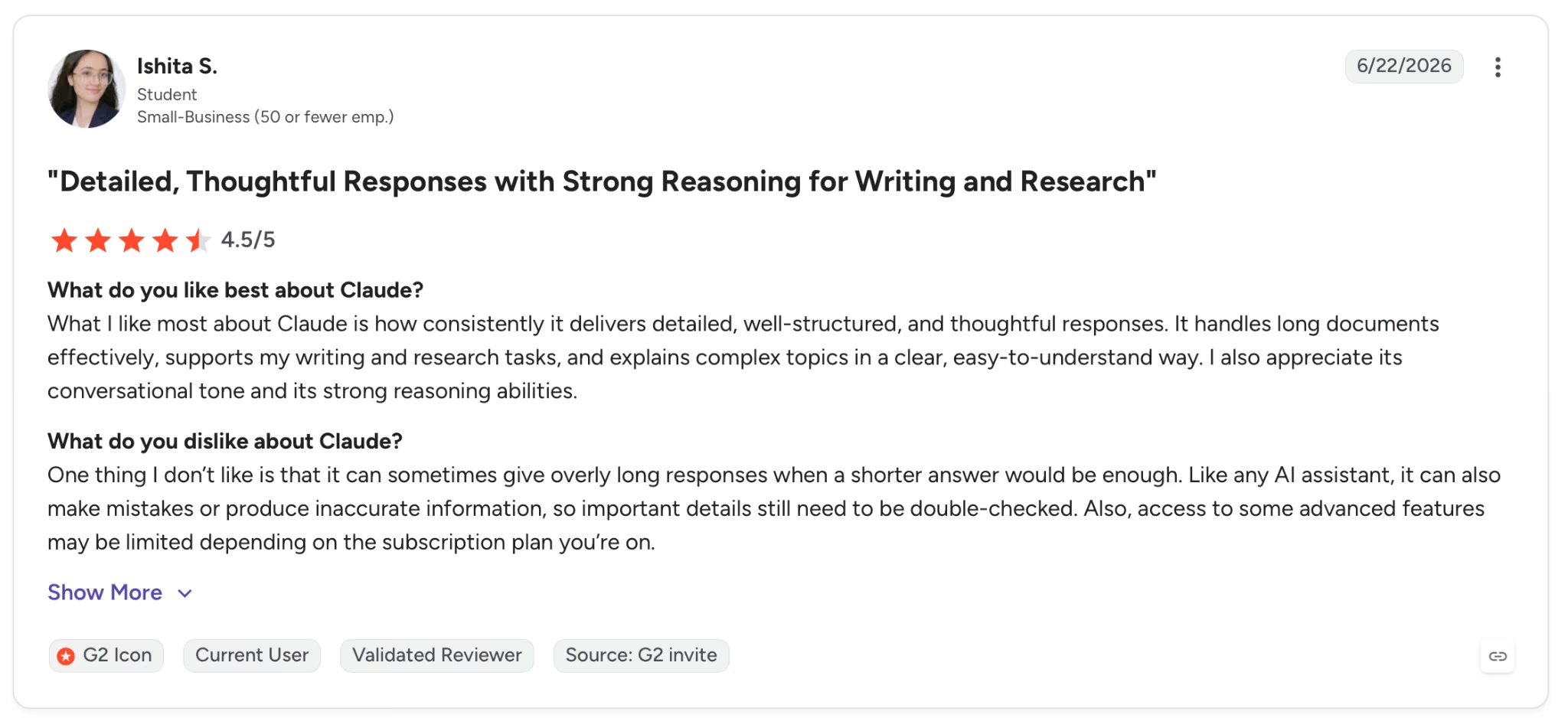
"One thing I don’t like is that it can sometimes give overly long responses when a shorter answer would be enough." — Ishita S., G2
Pricing
$20 per month (or $17 billed annually). Pro adds Cowork, Research mode, and every available Claude model.
Bottom Line
Long documents, strategy decks, decisions that need a reasoning trail. Claude keeps the full context in view across all of it.
Read More: Claude vs ChatGPT: Which AI Actually Performs Better?
3. Emergent: Best for Building Your Product Without a Dev Team
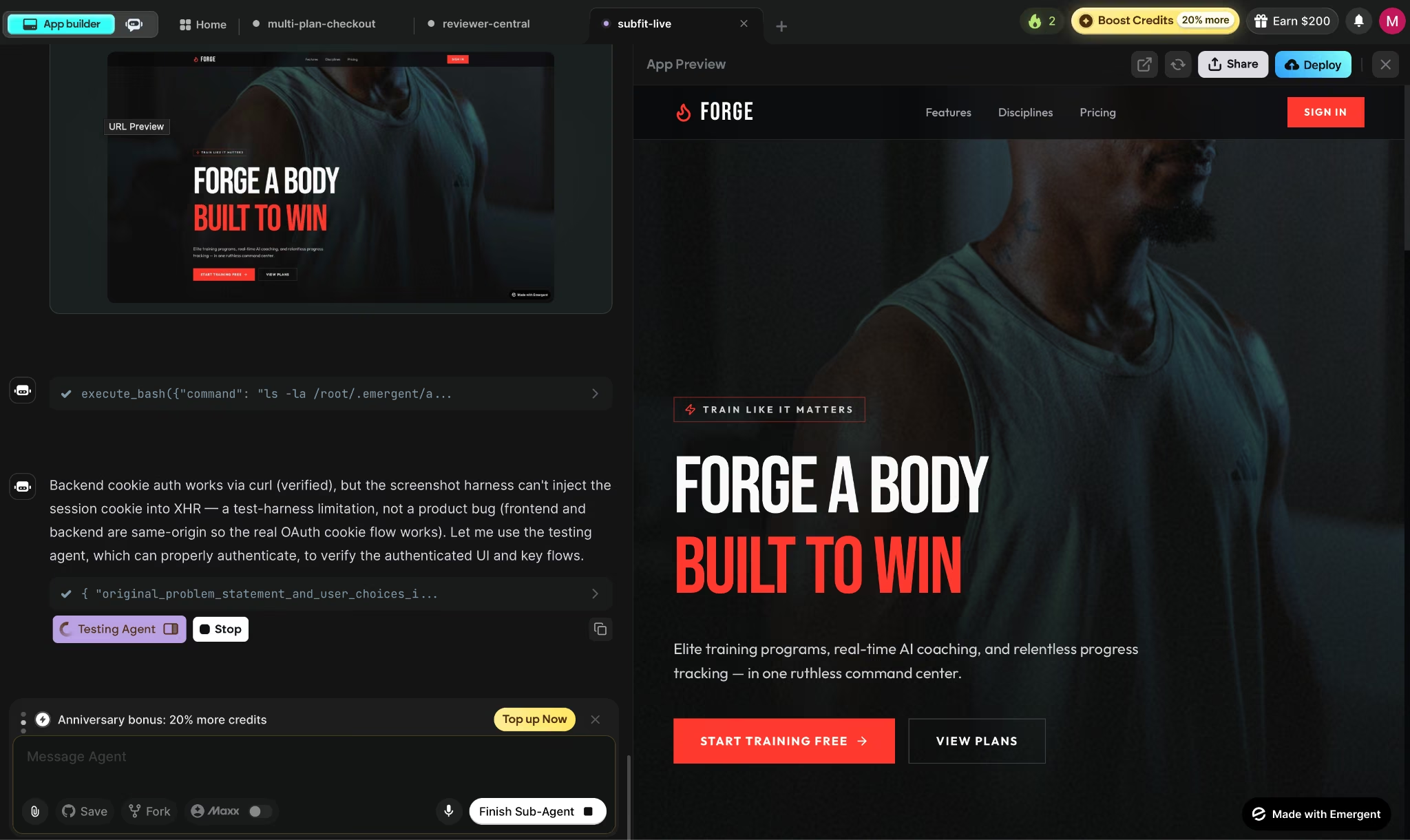
What it does: Emergent turns a plain-language description into a deployable web and mobile app. Payments, a database, a built-in login system, and managed hosting are included from the first build.
Best for: Non-technical founders and product teams who need a deployable product across web and mobile without hiring engineers or configuring infrastructure.
I gave Emergent one prompt describing a subscription fitness app. Emergent returned a working web app with a live URL, payments wired in through Stripe, and user login already configured. Connecting developer accounts pushed the same build to iOS and Android. No separate mobile project, no extra configuration.
What made that output usable rather than just impressive is what happened before it landed. Testing agents ran end-to-end flows before anything was deployed, so broken states got caught internally rather than by the first user who hit them.
Key Features
- Multi-agent architecture: Specialized agents split the build. Some shape the interface, others handle logic and integrations, and testing agents check the work before anything ships, not after a user finds a broken state
- Web and mobile from one workspace: Builds native iOS and Android using Expo and React Native alongside the web app, with App Store and Google Play submission from the same project
- Built-in login, database, payments, and hosting included: Stripe and Razorpay, user login, MongoDB, and managed hosting wired in from the first prompt. No third-party configuration needed
- Your code is yours: Syncs to GitHub from Standard plan up, ready to open in VS Code or hand to a developer
- Universal LLM Key: Plug Claude, GPT, or Gemini into your app using Emergent credits. No separate API accounts required
- MCP Connector: Connect Emergent to Claude or ChatGPT and build directly from the chat. Describe what you need in conversation and Emergent builds it in the background without switching platforms
Pros and Cons
Pros:
- A single prompt can produce a working web app plus iOS and Android builds, with payments, user login, and hosting already wired in
- Testing agents run end-to-end flows before anything deploys. Broken states get caught internally, not by the first user who hits them
- SOC 2 Type I and ISO 27001 certified, which is relevant for any product that handles user data or payments
Cons:
- Ten credits a month on the free plan is tight. Enough to see what it can do, not enough to build anything iteratively
- After three or four deploy cycles, the local preview database can fall out of sync with the cloud version. What you see in preview stops matching what users hit live
What Users Say

"Emergent is one of those tools that instantly makes you rethink how fast software can be built." — Ravi Goswami, Product Hunt

"Pretty much had the same experience with Emergent; once you stop overthinking it like a dev, it just clicks. It’s not for complex stuff, but for quickly turning ideas into something usable, it’s actually super effective." — Verified User, Reddit
Pricing
Standard starts at $20 per month (or $17 billed annually), which gets you 100 credits, private hosting, and GitHub sync. Solo founders building their first product tend to start here.
Bottom Line
If you need a deployable product across web and mobile and have no engineering team, Emergent is where to start. Payments, login system, and hosting come included.
4. Lindy: Best for Delegating the Work That Repeats Every Day

What it does: An AI assistant that manages your inbox, calendar, and follow-ups through iMessage or SMS. No dashboard required.
Best for: Founders running back-to-back client calls whose mornings disappear into email triage and whose follow-ups slip the moment something more urgent lands.
The first morning I gave Lindy access to my inbox, replies were already drafted before I opened my laptop. Three emails triaged, two meetings rescheduled, and a prep brief sitting in Slack for a call I'd forgotten was at nine. For any startup founder who loses the first two hours of the day to inbox management, that's the tool doing its job.
From there, I ran it entirely through iMessage. Texted "reschedule Thursday's call with Marco and follow up after" and it handled both without asking a single clarifying question. The task was already done.
Where it showed limits was on heavier tasks. A multi-step research request during a deadline week burned through the monthly allowance faster than I'd planned, and there's no live indicator until you're already close to the cap.
Key Features
- iMessage and SMS access: Text Lindy from anywhere to trigger real actions across your calendar, inbox, and connected tools. Works on Android via SMS; no app required
- Inbox drafting in your voice: Lindy drafts replies based on your writing style and prior emails, ready to review before anything sends
- Meeting prep and follow-up: Pulls attendee history, email context, and agenda items before each call. After it ends, it sends a summary with action items and handles follow-ups automatically
- Computer use on Pro: Lindy operates browser-based tools on your behalf, handling tasks inside platforms that don't have a direct connector
Pros and Cons
Pros:
- The iMessage interface turns delegation into a text. No app to open, no dashboard to navigate. Send a message from wherever you are, and it becomes a completed task
- Meeting prep and post-call follow-up run automatically across every client call
Cons:
- Heavier tasks burn through the usage allowance faster than simple ones, and the ceiling isn't visible until you're already close to it
- The setup investment is real. Connecting inboxes, setting tone preferences, and refining recurring tasks takes time before Lindy runs without correction
What Users Say

"Being able to launch 1000s in minutes honestly sounds like a dream for small teams like mine trying to scale efficiently." — Ghost Kitty, Product Hunt
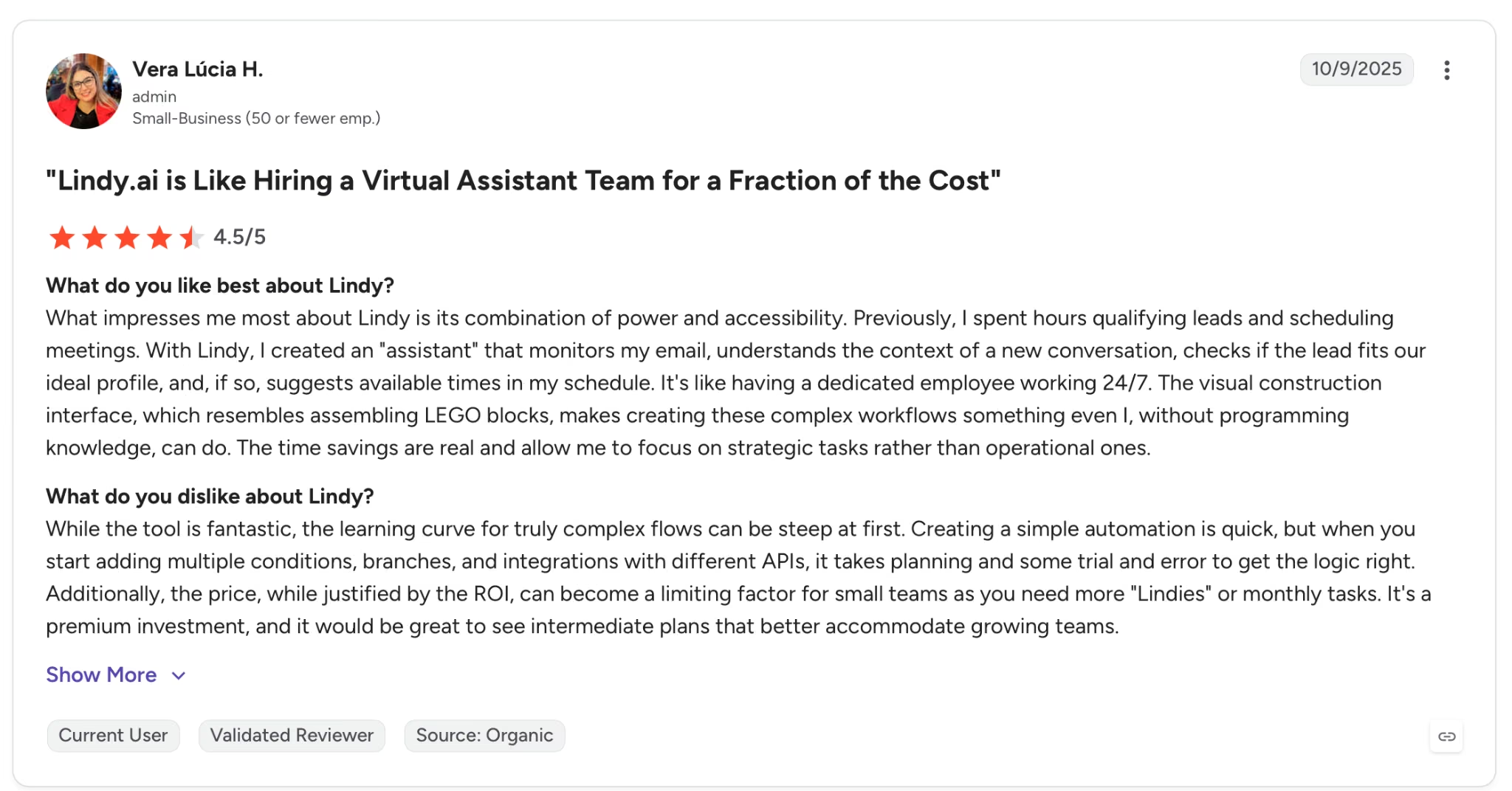
"While the tool is fantastic, the learning curve for truly complex flows can be steep at first." — Vera Lúcia H., G2
Pricing
Plus runs $49.99/month with standard usage, up to 2 connected inboxes, iMessage access, and a 7-day free trial. Pro at $99.99/month adds 3x usage, a third inbox, and computer use for browser-based tasks.
Bottom Line
Lindy won't make sense for founders who check email twice a day or run a light meeting schedule. It's built for the person whose inbox and calendar eat the first two hours of every morning.
5. Perplexity: Best for Market Research with Cited Sources

What it does: Perplexity is a search engine built on AI that pulls current information from the web, academic sources, and premium databases and delivers cited, structured answers you can verify and share.
Best for: Founders who need fast, sourced answers on competitors, market trends, and industry benchmarks without manually cross-referencing tabs.
I used it for board update prep: competitor pricing, market share, recent moves. Every claim came with a numbered citation linked to the source, which meant no separate verification pass and no "the AI said so" making it into the slides.
The Spaces feature, a shared research workspace that keeps context across searches, extended that. I set one up for the same competitor and ran follow-up searches inside it for two weeks. Each result stayed framed around what I'd already established, so there was no rebuilding context from scratch each session.
Key Features
- Live web search with citations: Every answer links to the original source (news, research papers, company pages), so findings are auditable from the first result
- Spaces: Shared research workspace around a topic or competitor. Follow-up searches run inside it with context and sources saved automatically
- Pages: Turn any research thread into a shareable, formatted report with one click, ready to paste into a deck without reformatting
- Model switching: Run the same query through multiple frontier models inside one interface to compare reasoning and sources without managing separate accounts
- Premium data sources: Pro includes Pitchbook and Wiley databases directly inside search results, without needing a separate Pitchbook or Wiley account
Pros and Cons
Pros:
- Every answer comes with numbered citations linked to the source. I went into a board prep session with Perplexity output and didn't have to verify a single number separately
- Spaces hold your competitive research context across sessions. Come back two weeks later, and the follow-up search picks up from where you left off
- Model switching lets you run the same query through multiple systems and see where the answers diverge. Useful before you put a number in a deck
Cons:
- Coverage stops at what's publicly indexed. Anything behind a paywall, a private database, or a site crawled six months ago won't show up
- Pages are good for sharing as-is. Anything that needs heavy restructuring still goes to a doc editor
What Users Say

"One of the best features about Perplexity is its accuracy when referencing documents, along with the ability to schedule executions, especially with hourly trackers." — Ashay S., G2

"While the standalone experience is unmatched, the integrations are a bit basic." — Arunalo S., G2
Pricing
Pro is $20 per month, billed monthly, with unlimited searches and access to Spaces and premium databases including Pitchbook and Wiley.
Bottom Line
For sourced, verifiable research on markets and competitors, Perplexity is the strongest option in this list. If you're turning that research into written content at volume, pairing it with ChatGPT or Claude works well.
Also read our guide on Perplexity vs ChatGPT vs Claude: The Real Gap
6. Notion AI: Best for Knowledge Base and Internal Documentation

What it does: Notion AI is a built-in AI layer across Notion's workspace. It writes, summarizes, and automates tasks directly inside the pages and databases where a team already works.
Best for: Early-stage teams who need a single place to store product decisions, SOPs, and meeting notes, with AI that answers questions from that knowledge base without switching tools.
Two weeks of product decisions, summarized. Notion AI pulled from actual meeting notes, roadmap pages, and decision logs, not from the open web, and returned something I used directly in a stakeholder update without editing.
That output quality depends on what's already in Notion, which is where AI Meeting Notes comes in.
The bot joined a Monday sync, extracted action items, and dropped the summary into the right project page automatically. For a team running four standups a week, that's hours of manual work that just stopped accumulating.
Key Features
- Notion Agent: Executes tasks end-to-end inside your workspace (creating pages, updating database properties) from a plain-language description
- Custom Agents: Trigger-based or scheduled. Routes tasks, answers Slack questions from your knowledge base, or shares updates on its own
- AI Meeting Notes: Transcribes meetings, extracts action items, and saves them into the relevant Notion page automatically
- Enterprise Search: Searches across Notion, Slack, Google Drive, and GitHub simultaneously without switching apps, available on Business
- Research mode: Generates reports from web sources and internal documents combined, inside a shareable artifact ready to embed in any page
Pros and Cons
Pros:
- Notion AI answers from your actual pages (meeting notes, roadmap docs, decision logs) so the output reflects what your team actually wrote, not a generic summary of the topic
- Custom Agents handle repeating tasks on a schedule. Set it up once, and the weekly status update or the Slack digest runs without anyone touching it
- AI Meeting Notes drops summaries and action items into the right Notion page automatically. The Monday standup output lands where the project already lives
Cons:
- The AI features worth having (Agent, Meeting Notes, Enterprise Search) sit behind Business at $20 per seat. Five people, and that's $100 a month before credits
- Custom Agent runs cost Notion AI add-on credits on top of the Business subscription. Heavy automation use adds a variable monthly bill that's hard to budget for
What Users Say
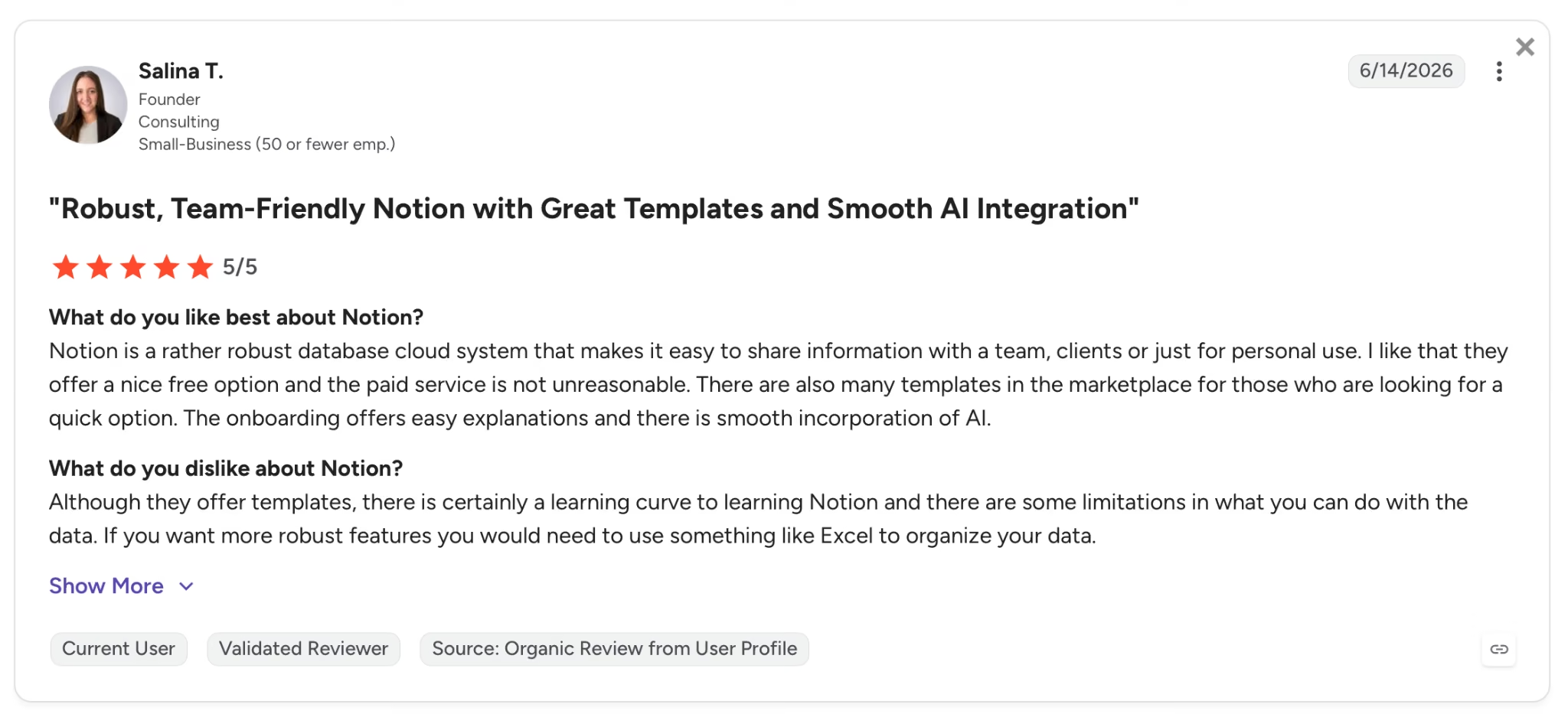
"There are also many templates in the marketplace for those who are looking for a quick option. The onboarding offers easy explanations and there is smooth incorporation of AI." — Salina T., G2

"Paying extra for basic AI capabilities just isn't worth it, especially when the core platform still requires manual workarounds just to organize and nest sub-areas the way I need." — Osman Tuncay A., G2
Pricing
The AI features most teams come for are on Business at $20/member/month. That's where Notion Agent, AI Meeting Notes, and Enterprise Search live.
Bottom Line
If your team already runs on Notion, this is where the AI layer makes sense. It answers from your own pages, not from a generic internet summary. Teams that haven't adopted Notion yet will find the per-seat Business cost harder to justify against a standalone tool like Claude or Perplexity.
7. HubSpot AI: Best for CRM and Sales Pipeline

What it does: HubSpot AI, built on Breeze, runs AI agents for prospecting, customer support, and data enrichment directly inside HubSpot's CRM, where your full customer history already lives.
Best for: Founders and small sales teams who need a CRM that actively works the pipeline and surfaces buying signals, without adding a separate AI tool on top of it.
Breeze already has your contact records and email threads from day one. The agents run inside the same system where your deals live, with no data sync to configure. That's what makes the Prospecting Agent work in practice.
I ran it across twenty target accounts for two weeks. Buying signals surfaced that a manual review cycle would have missed, and the agent drafted outreach with the right context (deal history, recent activity) without me writing a word.
Key Features
- Breeze Prospecting Agent: Monitors accounts for buying signals and launches personalized outreach automatically, charged at $1.00 per lead via HubSpot only when a recommendation is made
- Breeze Customer Agent: Resolves support inquiries across channels around the clock and escalates to a human when needed. HubSpot says the agent resolves 70% of conversations without human intervention, with top teams reaching 90%.
- Smart Deal Progression: Updates CRM records, drafts follow-up emails, and suggests next steps after every meeting on its own
- HubSpot AEO: Tracks brand visibility in AI answer engines like ChatGPT and Gemini and surfaces content blind spots, included in Marketing Hub Pro and Enterprise or available standalone at $50/month
- Data Enrichment: Fills contact and company records from the web automatically so the CRM stays current without manual updates after every call
Pros and Cons
Pros:
- Breeze agents run inside the same system where your deals live. They already know the contact history, the email thread, the last call. No briefing required
- The Prospecting Agent watches accounts for buying signals and triggers outreach based on account activity. A generic drip sequence would have emailed them on day 14 regardless
- HubSpot for Startups gives up to 75% off for eligible companies, which makes Professional accessible at an earlier stage than the list price suggests
Cons:
- Breeze Agents run on HubSpot Credits billed on top of the base plan. Usage-based costs on a tight runway need watching
- Customer Agent and AEO both require Professional. The per-seat cost compounds fast past a two-person team
What Users Say

"That it is a helpful idea and first draft generator for emails and social posts. This helps my tiny team expedite deliverables. I also like that it understands our brand voice better than other AI assistants." — Rachel P., G2

"Sometimes the writing isn't always perfect, and you can tell it's AI. It could limit the amount of telltale AI signs like an em dash or how every running sentence will be structured with three things." — Jennifer T., G2
Pricing
Starter is $10 per seat per month, billed annually, and covers Prospecting Agent access. Teams tend to stay on Starter until outbound volume justifies Professional at $100 per seat.
Bottom Line
This is built for startups that need CRM and active sales AI in one place. Pre-revenue teams with fewer than ten contacts can start on the free plan, and the Startup discount makes the upgrade realistic when volume picks up.
8. Canva AI: Best for Design and Pitch Decks

What it does: Canva AI is the built-in AI layer inside Canva's design platform. It handles image generation, copy, resizing, and video clips from prompts, all inside a drag-and-drop editor with millions of templates.
Best for: Founders and small teams who need pitch decks, social graphics, and marketing assets that look professionally designed without a designer on payroll.
I put together twelve slides in under an hour. A Brand Kit set up once with colors, logo, and fonts, and every template pulls those assets automatically. No correction round, no inconsistency between slides.
From there, Magic Resize handled the redistribution. The same deck reformatted into a LinkedIn carousel and a web banner in two clicks, inside the same session. What used to be a separate design pass for each format just wasn't.
Key Features
- Magic Media with Dream Lab: Generate images from text prompts or a reference image with style transfer that preserves the composition and aesthetic of the uploaded reference
- Magic Resize: Reformat any design for a different platform or size in one click (social, presentation, print) without rebuilding the layout
- Brand Kits: Store colors, fonts, and logos centrally and apply them across any template in one click, keeping every asset consistent across the team
- Video clips powered by Google Veo 3: Generate short video clips from a text prompt directly inside a Canva design, available on Pro and Teams at 5 clips per month per person
- Canva Code: Build interactive embeds using AI-generated code without leaving the design environment
Pros and Cons
Pros:
- Brand Kits apply your colors, fonts, and logo to every template automatically. No correction round, no one-off tweaks after the fact
- Magic Resize takes a pitch deck slide and turns it into a LinkedIn post, a banner, or an Instagram story. One click, same session
- 3.6 million templates means there's always something close enough to work from rather than starting on a blank canvas
Cons:
- Magic Media image output is hit or miss on specific prompts. Budget three to five regenerations before you get something client-facing
- Canva Free's AI allowance is thin, up to 200 Standard (or 20 Premium) AI uses a month, so heavy image work hits the ceiling fast.
What Users Say

"The drag-and-drop interface, the huge template library, and the AI-powered tools help me create social media posts, presentations, marketing poster materials, and branding content quickly." — Saurabh M., G2
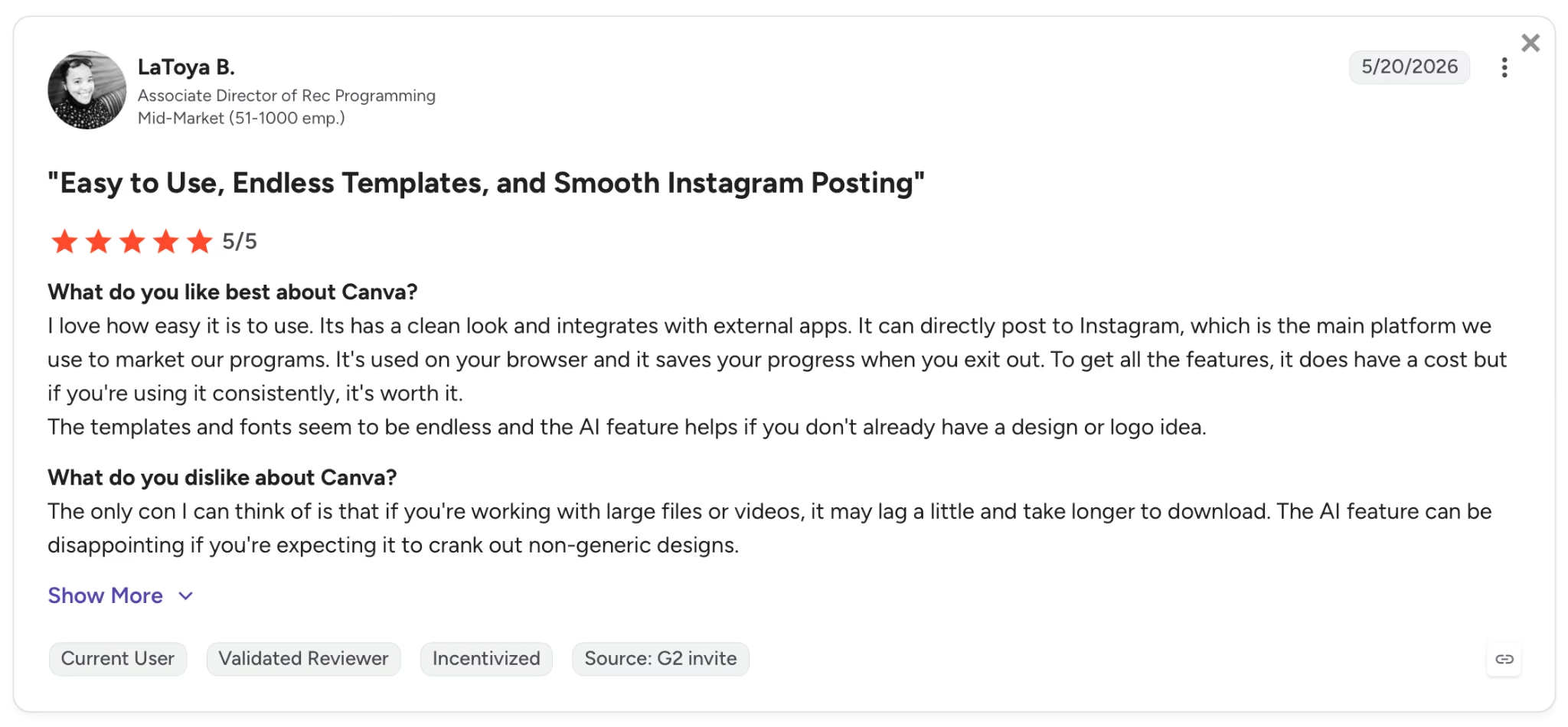
"The AI feature can be disappointing if you're expecting it to crank out non-generic designs." — LaToya B., G2
Pricing
Pro is $18 per month, or $144 per year ($12 per month effective). Includes AI credits per month (shared across Dream Lab, Magic Write, and other Magic Studio tools).
Bottom Line
Pitch decks, social graphics, marketing assets at volume, no designer on payroll. For a team that ships visual content regularly, the Brand Kit and Magic Resize features tend to cover the cost of the Pro plan on their own.
9. Fireflies.ai: Best for Meeting Notes and Action Items

What it does: Fireflies.ai joins your meetings on Zoom, Google Meet, Teams, and 10+ other platforms, then records, transcribes, and summarizes each one. Action items, topic tracking, and cross-meeting search all live in a single workspace.
Best for: Founders and small teams running back-to-back customer calls, investor meetings, and team syncs who need a reliable record of every conversation without a designated note-taker.
I added the Fireflies bot to my calendar and stopped taking notes. By the following Monday, every meeting from the prior week had a structured summary and action list in the workspace automatically. Fifteen meetings, zero manual notes.
The transcription is the baseline. AskFred is what makes the archive useful. I asked it which objections came up most across the last ten sales calls and got an answer in seconds, with timestamps and speaker labels attached. That search used to take two hours of manual review.
Key Features
- AskFred AI assistant: Search across every recorded meeting in plain language and get answers with timestamps and speaker attribution. Full access on Pro and above
- 200+ AI Templates: Pre-built and custom templates that auto-generate follow-up emails, sales call summaries, candidate scorecards, or customer feedback reports from any meeting
- Live Assist: In-call suggestions, objection responses, and coaching prompts during an active call, visible only to the participant using Fireflies
- Conversation intelligence: Tracks talk time, sentiment, key topics, and question frequency across all meetings. Team-level analytics available on Business
- Fireflies MCP: Connects meeting intelligence to your CRM, project management, or AI agent via Model Context Protocol without a manual export
Pros and Cons
Pros:
- 95%+ transcription accuracy on clear English audio, with support for 100+ languages. The notes that drop into the CRM after a call are usable without a correction pass
- AskFred searched six months of sales calls in seconds and surfaced the three times a specific objection came up, with timestamps. That would have taken two hours manually
- Zero data retention means Fireflies doesn't train on your meetings, which matters for any team discussing unreleased product or live fundraising
Cons:
- 400 minutes of storage per seat on the free plan. A team running daily calls burns through that in about a month, and you can't pool unused minutes across seats
- Team-level analytics and conversation intelligence are Business-only at $29 per seat per month ($19 billed annually).
What Users Say

"The automated meeting summaries and action-item extraction are absolutely fantastic." — Denis M., G2

"I don't like the user experience. I think it looks like it hasn't improved a whole lot. It looks a little dated and a bit like it was built by a startup. I think they could invest more in UX." — Nic K., G2
Pricing
Pro runs $18 per seat per month. Video recording, conversation intelligence, and team analytics require Business at $29 per seat per month ($19 billed annually).
Bottom Line
If your week runs on back-to-back calls and nothing is getting captured reliably, Fireflies handles that without requiring any changes to how you run them. The free plan covers solo transcription. Teams that want action item tracking and cross-meeting search will need Pro from day one.
10. Cursor: Best for Founders Who Write Code

What it does: Cursor is an AI-native code editor built on VS Code that uses agents, Tab autocomplete, and full codebase indexing to speed up software development, from writing new features to reviewing and fixing bugs.
Best for: Technical founders and developers who write and ship code daily and want an AI agent that works from the full codebase, not just the file that's open.
I described a new authentication flow in the agent. It explored the relevant files, matched the existing patterns, wrote the code, and delivered a reviewable diff. Nothing generic that needed rewriting to fit the project.
Tab autocomplete predicts multi-line edits across files simultaneously, which on a large feature changes the pace in a way that's hard to go back from. With cloud agents running in parallel, I had a second task already in progress while reviewing the first diff.
Key Features
- Full codebase indexing: Reads and understands the entire project so suggestions, edits, and agent actions stay consistent with existing patterns across every file
- Tab autocomplete: Predicts multi-line edits across files with a model built specifically for code editing speed and accuracy
- Cloud agents with parallel execution: Run multiple agents simultaneously on separate tasks in the background while continuing to work in the editor, available on Individual and Teams plans
- Bugbot: Reviews pull requests, finds bugs, and suggests fixes automatically, available on Teams on usage-based billing and included on Business at $40 per user per month
- Design Mode: Direct agents using visual prompts and screenshots instead of written descriptions, useful for UI work where showing the target state is faster than describing it
Pros and Cons
Pros:
- Full codebase indexing means suggestions fit the existing architecture and naming conventions, with no generic snippets that need rewriting to match how the project is actually structured
- Cloud agents run in parallel. I had a second task queued and running while reviewing the first diff. What used to take a full day fit inside a focused morning
- Privacy mode means your code doesn't train Cursor or its model providers. Hard requirement for any funded product with proprietary IP
Cons:
- Requires a local dev environment. If you don't write code, this tool has nothing to offer you
- Heavy agent sessions push past the included model allocation, and the overage hits your card at the end of the month. The first month caught me off guard
What Users Say

"I really enjoy how fast and straightforward it is to pick from a wide range of AI models. I also appreciate that the subscription includes more API usage than I expected for what I paid." — Kyle R.,G2

"This new feature where, every time I open the Cursor, it opens in the agents window, I find it terrible. I wish there was an option to choose which default I want to use, instead of it always opening this way." — Vinicius Gabriel T., G2
For more user feedback, read our complete guide on Cursor reviews.
Pricing
Individual is $20 per month, with extended Agent limits, frontier model access, and cloud agents. No credit card needed to try the free tier.
Learn more about Cursor pricing, including plans, features, and costs
Bottom Line
Technical founders who write code daily tend to stick with Cursor once they've used it for a week. The codebase-aware agent changes how multi-file tasks get done.
Also read our best Cursor alternatives guide for what else handles codebase-aware development without the local setup requirement.
Which AI Tool for Startups Should You Choose?
The right tool depends on what your biggest bottleneck is right now. Every tool here covers a different job. Pick the one that fixes the workflow costing you the most time this week.
Choose ChatGPT if you:
- Produce written content, sales copy, or documentation at volume and need a fast, multimodal drafting tool that handles text, files, and images in one place
- Want to build reusable Custom GPTs trained on your brand voice or internal SOPs to share across a small team
Choose Claude if you:
- Work inside long documents, term sheets, whitepapers, or product specs and need a model that holds the full context without cutting off mid-session
- Make strategic decisions that require structured reasoning you can audit and push back on, with the full chain of logic visible before the conclusion
Choose Emergent if you:
- Need to ship a web and mobile product without an engineering team and want Emergent Auth, payments, and hosting included from the first build
- Are validating an idea and want a deployable product across App Store, Google Play, and the web before committing to a development hire
Choose Lindy if you:
- Lose the first hour of every morning to inbox triage and follow-ups that slip the moment a more urgent task lands
- Run a tight client schedule and want meeting prep, post-call summaries, and rescheduling handled by text, without opening another app
Choose Perplexity if you:
- Run regular competitive research, market analysis, or investor prep and need findings that are sourced, cited, and verifiable before they go into a deck or a board update
- Need research outputs that are shareable and defensible without a separate verification pass
Choose Notion AI if you:
- Already use Notion as your primary workspace and want AI that answers questions from your own documentation, meeting notes, and project pages
- Run a team where context lives across many docs and databases and needs to be searchable and actionable in one place
Choose HubSpot AI if you:
- Need a CRM and AI-driven sales activity in one platform and want agents that draw on your actual deal history, contact records, and email threads
- Are running outbound sales with a team of one or two and need prospecting, follow-up, and deal tracking covered without a separate sales stack
Choose Canva AI if you:
- Produce pitch decks, social graphics, or marketing assets regularly and need a tool that keeps everything on-brand without a designer on the team
- Ship visual content across multiple formats and platforms, and want one-click resizing that handles the reformatting automatically
Choose Fireflies.ai if you:
- Run more than five hours of meetings per week and need a reliable record of every conversation, commitment, and action item without manual note-taking
- Want to search across months of customer calls or investor meetings by topic, speaker, or decision without digging through a folder of documents
Choose Cursor if you:
- Write and ship code every day, and want an agent that understands the full codebase and can execute multi-file tasks end to end
- Run parallel workstreams on a technical product and need background agents handling one task while you review another
Skip this category entirely if:
- Your team is pre-product and still validating the idea through conversations and discovery. A focused Google Doc and a free ChatGPT account cover what you actually need right now
- You're adding tools to feel productive rather than to fix a specific bottleneck that costs measurable hours per week
Final Verdict
ChatGPT and Perplexity cover the two jobs founders tend to hit first: writing and research. Both have free tiers that work for solo use, and both are worth testing before paying for anything.
If building a product is on the roadmap, it comes down to how technical the team is. Cursor is where founders who write code daily end up. Emergent is built for non-technical founders who need a deployable product across web and mobile, with everything configured from the first build.
The rest of this stack pays off once a specific bottleneck is clear. Add Notion AI when documentation becomes a drag on the team. Add HubSpot AI when outbound volume outpaces what a spreadsheet can track. Add Fireflies when meeting follow-up starts eating hours that should go to the product.
Pick two or three tools that match your current workflow, run the same task on each free tier, and you'll know which one works before spending anything.

Most AI app builders stop at prototypes. Emergent creates production-ready apps you can actually launch.
- Production-ready apps
- Web & mobile apps
- Deploy in minutes







