




If you want to stay relevant in today’s world, AI-assisted coding is no longer optional, according to the 2025 Stack Overflow Developer Survey, 84% of respondents are using or planning to use AI tools, with 51% of professional developers using them daily. But here’s the reality, most developers are already feeling, GitHub Copilot is no longer the only option, and in many workflows, it’s not even the best one anymore.
The ecosystem has matured. Some tools are better at deep reasoning, some at navigating massive codebases, and some go far beyond autocomplete into full product building. This guide cuts through that noise and shows you the best tools for your workflows.
What is GitHub Copilot?
GitHub Copilot is an AI-powered coding assistant that integrates directly into editors like VS Code and JetBrains IDEs. It suggests code in real time, helps generate functions, and can assist with debugging through chat.
At its core, Copilot is built for inline assistance, meaning it shines when you already know what you’re building and just want to move faster.
But that’s also its limitation.

It doesn’t deeply understand large codebases, struggles with multi-file reasoning, and isn’t designed to help you think through complex architecture decisions. That gap is exactly where newer alternatives are winning.
Top 12 GitHub Copilot alternatives in 2026
Here are the tools that are competing, and in many cases outperforming Copilot today:
- Claude Code
- Amazon Q Developer
- Gemini Code Assist
- Cursor
- Windsurf
- Augment Code
- Qodo
- OpenAI Codex
- GitLab Duo
- JetBrains AI
- Tabnine
- Sourcegraph Cody
Each of these solves a slightly different problem. Some replace Copilot directly, others go beyond it.
Best GitHub Copilot alternatives: Quick comparison in 2026
Most comparison tables are surface-level and don’t help you decide. This one is structured around how developers actually evaluate tools in real workflows.
This is where things start to get interesting.
If you look closely, Copilot is no longer competing with just “autocomplete tools.” It’s competing with:
- IDE-level agents like Cursor
- Codebase-aware systems like Cody
- Reasoning-first assistants like Claude Code
- And increasingly, platforms that don’t just help you code, but help you build entire products
1. Claude Code
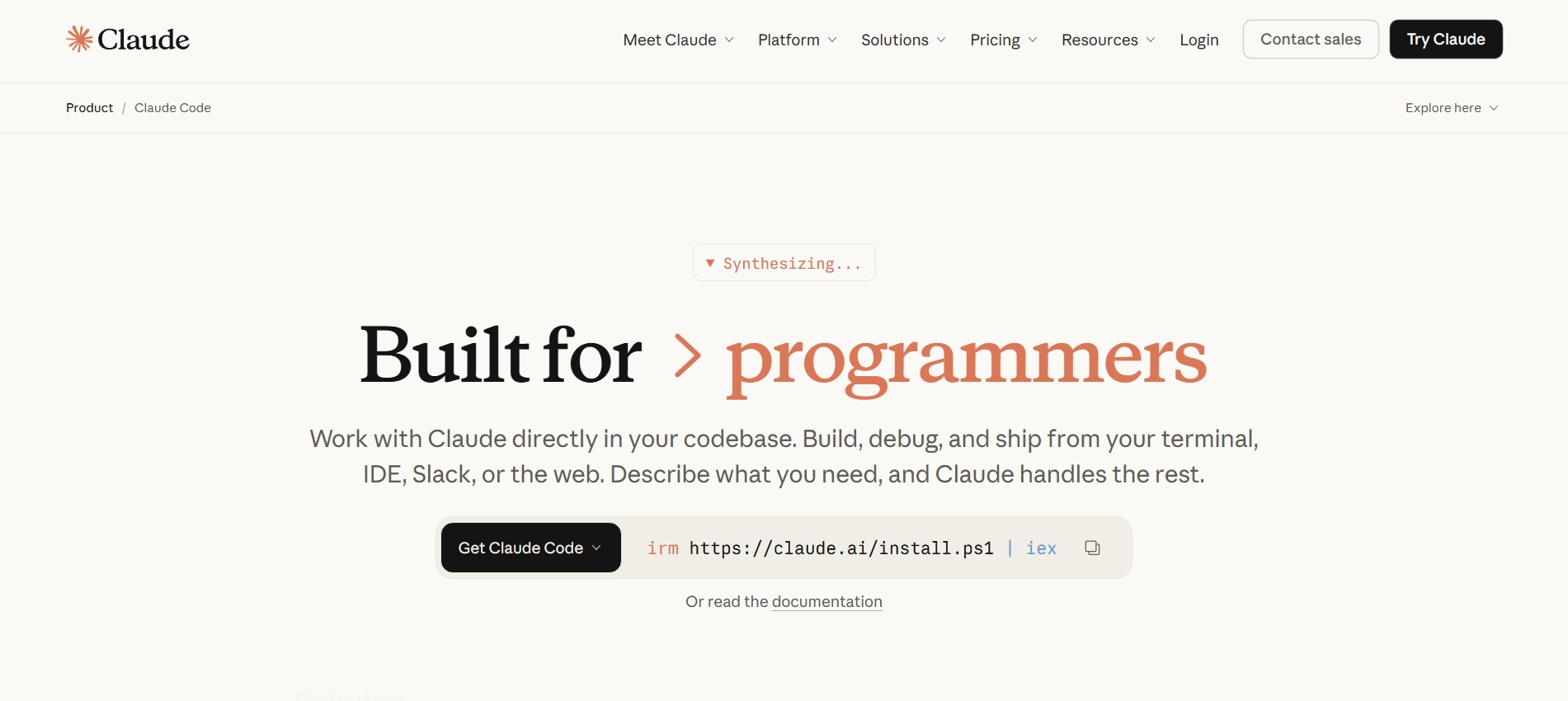
Claude Code is not just another autocomplete tool, it’s an agentic coding assistant that works directly inside your terminal, IDE, or workflows. Unlike GitHub Copilot, which focuses on inline suggestions, Claude Code is built to understand your entire codebase and execute tasks end-to-end.
It can read your project, make multi-file changes, run commands, and even handle workflows like turning issues into pull requests. The shift here is subtle but important, you are no longer just writing code faster, you are delegating development work.
Features of Claude Code
Claude Code is built around the idea of moving from “assistant” to “agent.” These are the features that actually make that possible.
1. Full codebase understanding
Claude Code doesn’t rely on manually selected files or limited context windows. It uses agentic search to map your entire repository, understand dependencies, and reason across files without you guiding it step by step.
This is where it starts outperforming Copilot, especially in large or unfamiliar codebases.
2. Multi-file editing and refactoring
Instead of suggesting one function at a time, Claude Code can make coordinated edits across multiple files, ensuring changes actually work together.
This becomes critical when you’re doing refactors, migrations, or feature rollouts that span the entire project.
3. Terminal-native workflow execution
Claude Code lives in your terminal and can execute commands, run scripts, and interact with your existing CLI tools like Git.
That means you are not switching tools constantly, the AI operates inside your actual development environment.
4. End-to-end task automation
You can give Claude high-level instruction like fixing a bug or implementing a feature, and it can handle the full workflow, reading code, writing changes, running tests, and preparing PRs.
This is a major shift from “assistive AI” to “executional AI.”
5. Works across your existing stack
Claude Code integrates with IDEs like VS Code and JetBrains, as well as tools like Slack, GitHub, and GitLab.
It adapts to your workflow instead of forcing you into a new one, which lowers adoption friction significantly.
Biggest advantages and limitations of using Claude Code
Reviews from trusted platforms
Claude Code is relatively new compared to older tools, but the feedback is strong, especially among power users.
What users are saying about Claude Code?
The discussion around Claude Code isn’t just hype or criticism, it’s a mix of both. That balance actually gives a clearer picture of where it truly stands today.
1. It genuinely feels smarter than typical coding assistants
Many developers point out that Claude doesn’t just autocomplete, it actually reasons through problems. It can follow longer chains of logic, understand intent better, and produce responses that feel closer to how an experienced developer would approach a task.
This is why a lot of users see it as a step up from tools like Copilot, especially for debugging or complex problem-solving.
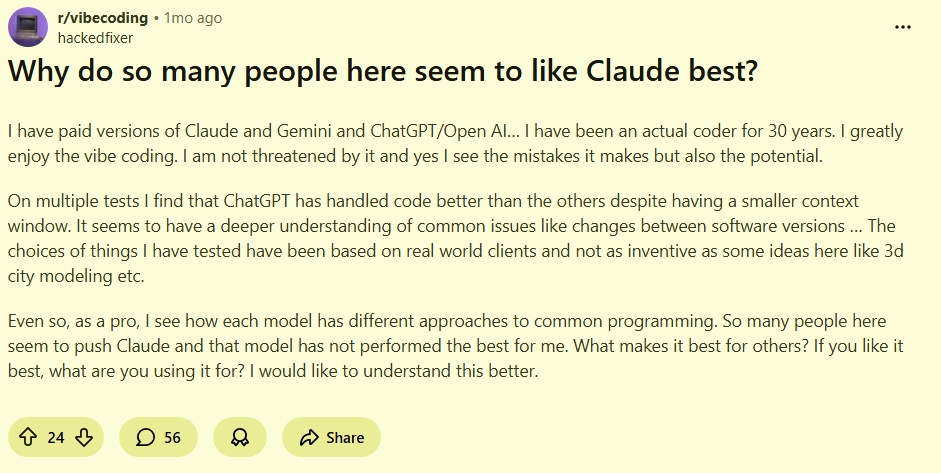
Source: Reddit
2. The hype is real, but expectations are getting out of hand
At the same time, there’s noticeable pushback against how overhyped Claude Code has become. Developers acknowledge it’s powerful, but also stress that it’s not a magic solution, and still requires strong oversight, clear prompts, and real engineering judgment.

Source: Reddit
3. Claude Code pricing
Claude Code is bundled into Claude’s broader subscription tiers, and pricing scales based on usage intensity.
2. Amazon Q Developer
Amazon Q Developer is designed less as a generic coding assistant and more as an AWS-native development companion. It doesn’t just help you write code, it helps you understand, build, and operate applications across the AWS ecosystem.
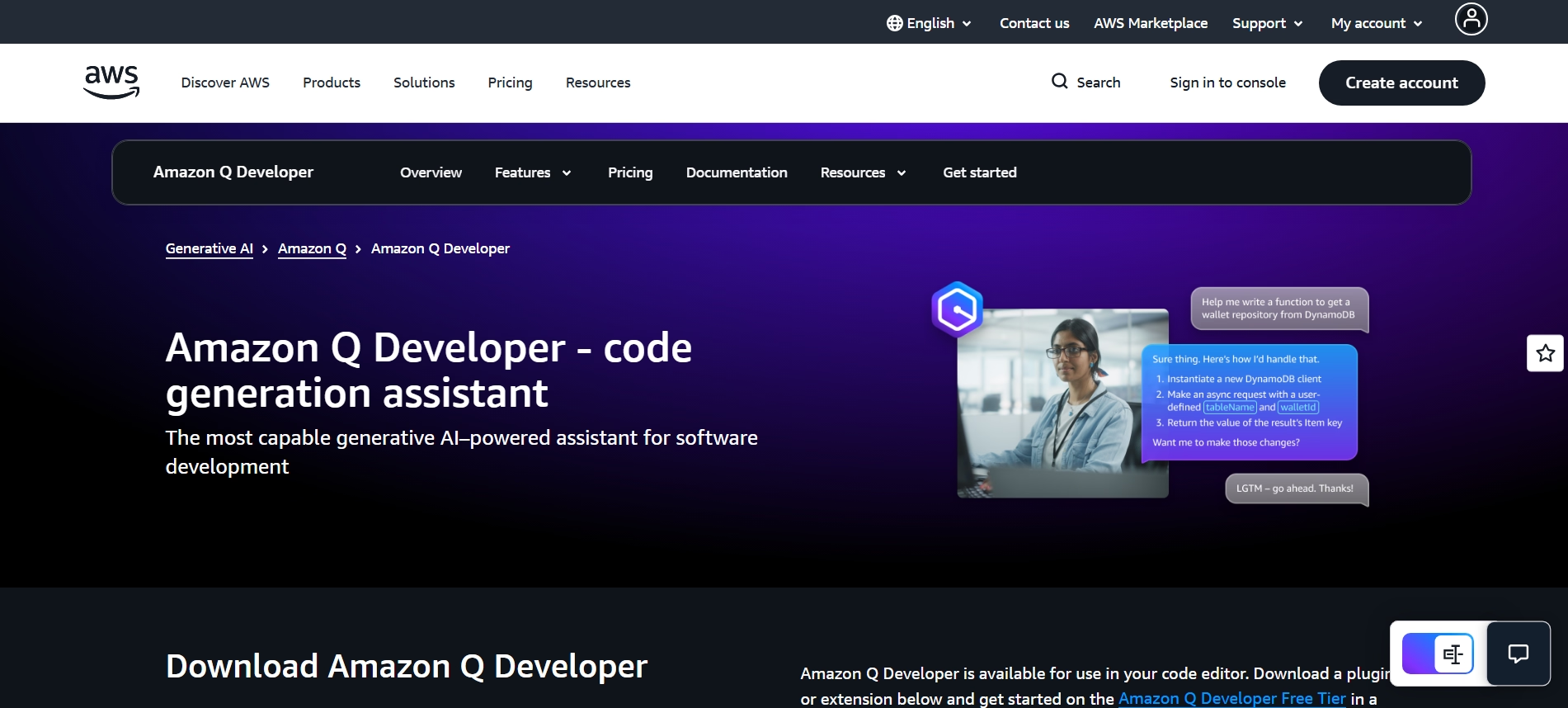
Compared to GitHub Copilot, which focuses on inline code suggestions, Amazon Q stands out when your work involves cloud architecture, infrastructure, and AWS-heavy workflows, where context goes beyond just code.
Features of Amazon Q Developer
Amazon Q Developer is built around the idea of covering the entire software development lifecycle, not just code generation.
1. AWS-aware context and architecture guidance
Amazon Q can answer questions about AWS services, architecture decisions, and your actual cloud resources, not just code snippets.
This means you can ask things like how to structure a service, debug infra issues, or optimize deployments, all within the same assistant.
2. Agentic workflows with slash commands
It supports agent-style commands like /dev, /review, /test, and /doc, allowing you to generate code, review it, create tests, and even document your project from prompts.
This moves it beyond autocomplete into something closer to a workflow executor.
3. Automated code reviews and security scanning
Amazon Q can analyze your codebase for vulnerabilities, anti-patterns, and quality issues, then suggest fixes automatically.
This is particularly valuable in production environments where correctness and security matter more than speed.
4. Codebase explanation and resource introspection
You can select code or even entire projects and ask Q to explain what’s happening, helping you understand unfamiliar systems quickly.
It also extends this to AWS resources, giving insight into what’s running and why.
5. End-to-end SDLC support (Code -> Deploy -> Optimize)
Amazon Q doesn’t stop at coding, it helps with testing, documentation, debugging, and even optimizing cloud resources across the lifecycle.
This makes it especially useful for teams managing real production systems on AWS.
Biggest advantages and limitations of using Amazon Q Developer
Reviews from trusted platforms
Amazon Q Developer is still relatively new, but early reviews reflect strong enterprise interest.
What users are saying about Amazon Q Developer?
The sentiment around Amazon Q Developer is sharply divided, which actually makes it easier to understand where it fits.
1. It feels powerful inside AWS, but frustrating outside it
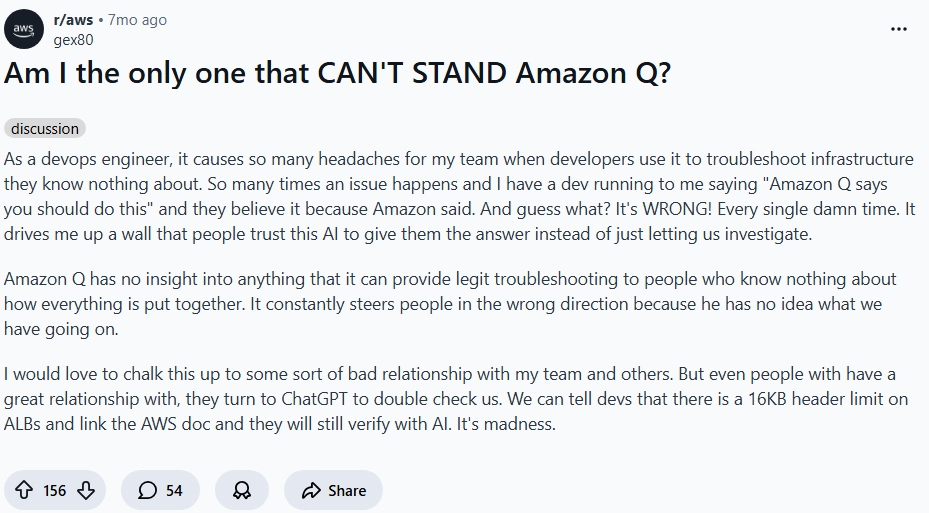
A number of developers express frustration when using Q outside AWS-heavy workflows. The tool can feel restrictive or less helpful compared to more general-purpose coding assistants, especially when the task isn’t tied to AWS services.
This highlights a key reality, Q is highly specialized, and that specialization doesn’t always translate well to broader development needs.
Source: Reddit
2. When it clicks, it’s actually next level for real workflows
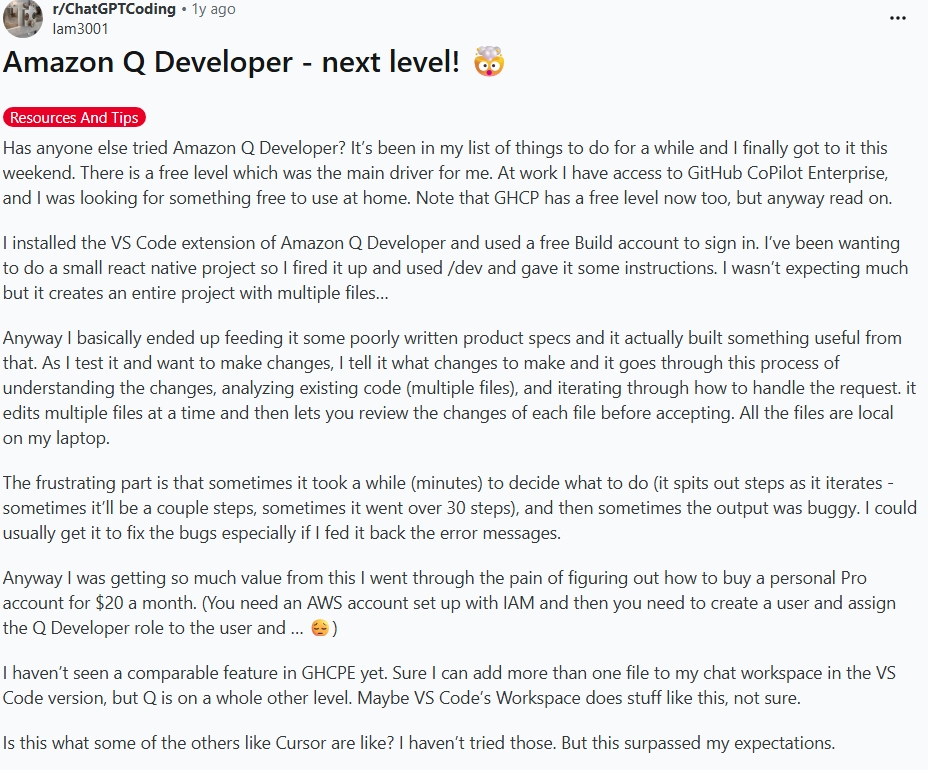
On the other hand, developers working deeply within AWS ecosystems report that Q can significantly speed up workflows like debugging infrastructure, generating code tied to services, and automating repetitive tasks.
In these environments, it feels less like a coding assistant and more like an AWS-aware engineering partner.
Source: Reddit
Amazon Q Developer Pricing
Amazon Q Developer uses a simple tiered model based on usage and capabilities.
3. Gemini Code Assist

Gemini Code Assist is Google’s answer to AI-assisted development, designed to work across IDEs, GitHub workflows, and Google Cloud environments. Instead of focusing purely on autocomplete like GitHub Copilot, it leans heavily into code review, context-aware assistance, and integration with Google’s ecosystem.
Where it stands out is in understanding code in context and improving quality, especially during pull requests and reviews, rather than just helping you write code faster.
Features of Gemini Code Assist
Gemini Code Assist is built around improving code quality, review workflows, and contextual understanding, not just generation.
1. AI-powered pull request reviews
Gemini can automatically review pull requests, summarize changes, and provide detailed feedback directly inside GitHub workflows.
You can also interact with it using commands like /gemini review, making it feel more like a reviewer than a generator.
2. Context-aware code understanding
It retrieves relevant context from your repository and uses it to give more accurate suggestions and explanations.
This allows it to go beyond single-file suggestions and actually reason about how changes impact the broader codebase.
3. Bug detection and code quality improvements
Gemini is particularly strong at spotting issues like performance problems, security risks, and poor coding practices.
This makes it useful not just for writing code, but for cleaning and improving existing codebases.
4. IDE and GitHub integration
It integrates directly into developer workflows, especially within GitHub and supported IDEs, allowing inline suggestions, reviews, and summaries without switching tools.
This reduces friction compared to tools that require separate interfaces.
5. Agent-like interactions in workflows
While not fully agentic like Claude Code, Gemini supports command-based interactions and automated review flows, bridging the gap between assistant and workflow tool.
It’s closer to a “review assistant with automation” than a full execution agent.
Biggest advantages and limitations of using Gemini Code Assist
Reviews from trusted platforms
Gemini Code Assist is still evolving, but early adoption reflects growing interest among teams using Google Cloud and GitHub.
What users are saying about Gemini Code Assist?
The sentiment around Gemini Code Assist is mixed, which is exactly why it’s worth understanding more closely.
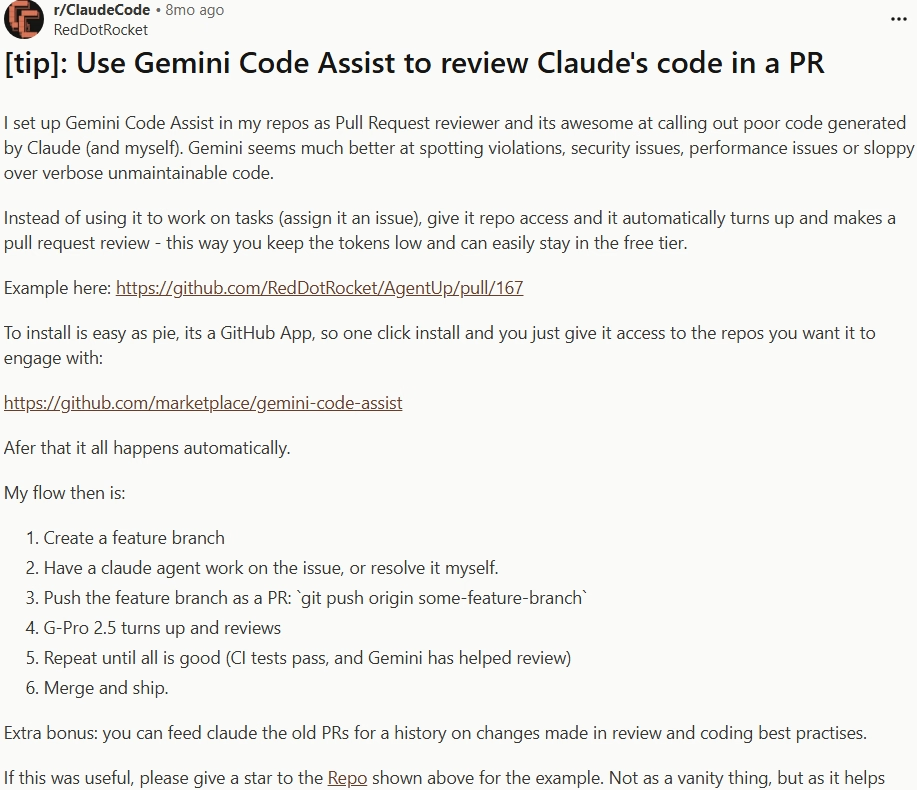
1. It’s surprisingly good for reviews and catching issues
Developers consistently highlight that Gemini shines during code reviews. It’s particularly effective at identifying bad patterns, security concerns, and messy logic, making it a strong companion for maintaining code quality.
This is where it often outperforms more generation-focused tools.
Source: Reddit
2. It still feels clunky and not fully agentic
On the flip side, users point out that Gemini still requires a lot of manual interaction. Compared to more agentic tools, it can feel like you’re doing too much orchestration yourself instead of delegating tasks fully.
This gap becomes more noticeable when compared to tools like Claude Code or Cursor.

Source: Reddit
Gemini Code Assist pricing
Gemini Code Assist follows a tiered model depending on usage and environment.
4. Cursor

Cursor is an AI-native code editor built on top of VS Code, designed to move beyond autocomplete into full codebase-level editing and task execution. Instead of assisting line-by-line like GitHub Copilot, Cursor is built to let you describe changes and have them applied across your project.
It’s best understood not as a Copilot alternative, but as a shift in workflow, where you’re guiding changes at a higher level instead of manually implementing them file by file.
Features of Cursor
Cursor is designed around deep codebase interaction and agent-style workflows, not just faster typing.
1. Codebase indexing and context awareness
Cursor builds an index of your repository, allowing it to understand relationships between files, functions, and modules.
This enables more accurate suggestions and explanations, especially when working across large or unfamiliar codebases.
2. Natural language code editing (Cmd + K / Edit Instructions)
You can highlight code or describe changes in plain English, and Cursor applies edits directly, including across multiple files.
This shifts the workflow from writing code manually to directing changes at a higher level of abstraction.
3. Agent mode for multi-step tasks
Cursor includes an agent mode that can plan and execute tasks like implementing features, fixing bugs, or updating code across files.
Instead of prompting repeatedly, you can delegate a task and let it iterate toward a working result.
4. Inline chat with file-aware context
Cursor’s chat is tightly integrated with your editor, meaning it understands the file you’re in, the surrounding code, and your broader project context.
This makes debugging and explaining code far more effective compared to standalone chat tools.
5. Terminal integration and command execution
Cursor can generate and run terminal commands directly within the editor, helping with workflows like builds, installs, and debugging.
This reduces context switching and keeps the entire development loop inside one environment.
Biggest advantages and limitations of using cursor
Reviews from Trusted Platforms
Cursor has rapidly gained popularity, especially among developers working on larger projects.
What users are saying about Cursor?
The feedback around Cursor is largely positive, but grounded in real usage rather than hype.
1. It’s incredibly powerful once you adapt your workflow
Developers who’ve spent a few months with Cursor highlight that the biggest value comes after changing how you work. Instead of writing everything manually, you start delegating edits, refactors, and feature work, which significantly speeds up development.
The tool feels most effective when you lean into its agent-style capabilities rather than using it like a traditional IDE.

Source: Reddit
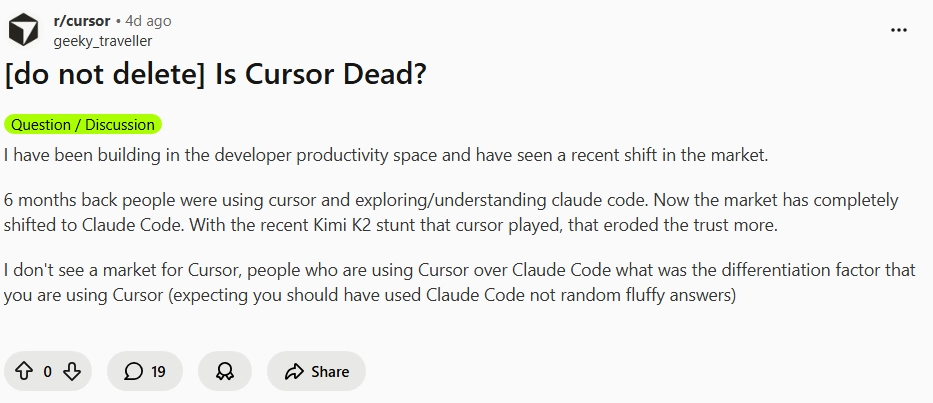
2. It’s great, but not always enough to fully replace alternatives
At the same time, some developers question whether Cursor alone is enough, especially when compared to tools like Claude Code for deeper reasoning tasks.
While Cursor excels at editing and workflow integration, it may still need to be paired with stronger reasoning models for more complex problem-solving.
Source: Reddit
Cursor pricing
Cursor offers a tiered pricing model based on usage limits and access to more advanced models and capabilities.
5. Windsurf
Windsurf is an AI-native code editor built around agentic workflows and continuous development flow. Unlike GitHub Copilot, which focuses on inline suggestions, Windsurf is designed to plan, generate, debug, and iterate on code in a loop.
At its core is “Cascade,” an AI agent that can think ahead, fix issues, and continue working until a task is complete, which makes it feel closer to an execution engine than a suggestion tool.
Features of Windsurf
Windsurf is built around keeping developers in a continuous flow state, where the AI doesn’t just assist but actively progresses tasks.
1. Cascade agent for end-to-end execution
Cascade is Windsurf’s core agent that can generate code, fix errors, and iterate until the task works.
Instead of stopping at suggestions, it keeps running through steps, debugging and refining outputs, which makes it feel more autonomous than traditional assistants.
2. Memory and workflow awareness
Windsurf stores “memories” about your codebase, patterns, and workflows to improve future outputs.
This allows it to adapt over time, making suggestions that align with your project structure and coding style.
3. Supercomplete (Intent-based autocomplete)
Unlike standard autocomplete, Windsurf predicts intent, not just the next token.
This enables it to generate more complete and contextually relevant code blocks rather than partial suggestions.
4. MCP and tool integrations
Windsurf supports MCP (Model Context Protocol), allowing integration with tools like Slack, GitHub, and databases.
This expands it beyond coding into connected workflows, where it can interact with external systems.
5. Built-in debugging and iteration loop
Windsurf can run code, detect errors, and automatically attempt fixes in a loop until the output works.
This reduces the manual back-and-forth typically required when debugging with AI tools.
Biggest advantages and limitations of using Windsurf
Reviews from trusted platforms
Windsurf is still growing in adoption, but early traction reflects strong interest among developers.
What users are saying about Windsurf?
The sentiment around Windsurf is clearly split, but in a way that actually highlights where it works best.
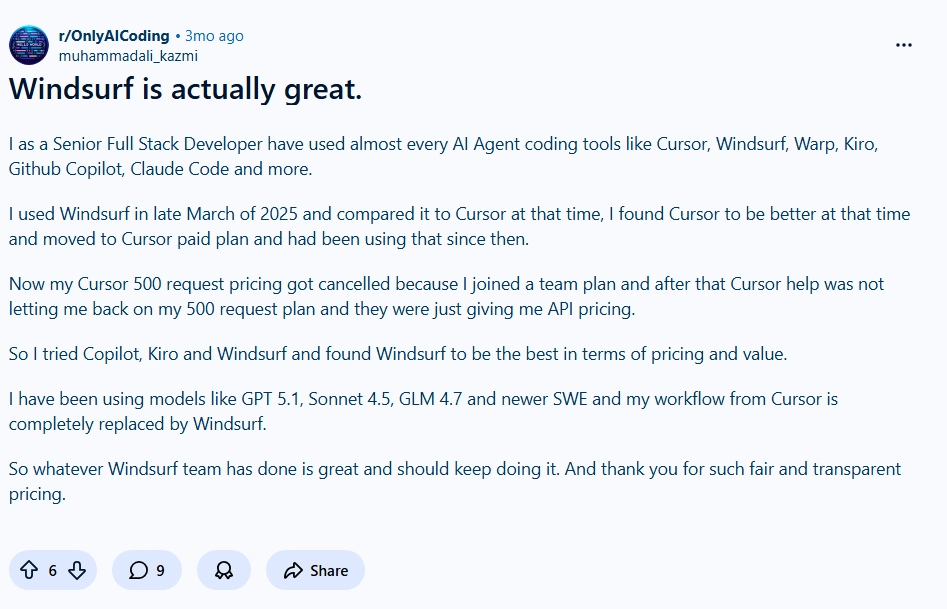
1. When it works, it feels insanely fast and capable
Developers highlight that Windsurf can feel extremely powerful, especially when using its agent workflows properly.
It can generate, fix, and iterate quickly, making it feel like a high-speed development partner rather than a simple assistant.
Source: Reddit
2. It can be frustrating and inconsistent at times
There’s strong frustration from some users around the agent's reliability and experience.
The main issue isn’t capability, it’s consistency. When the agent goes off track or doesn’t behave as expected, it can break flow instead of improving it. A lot of disappointment has also been expressed around the new pricing policy,

Source: Reddit
Windsurf pricing
Windsurf uses a credit-based pricing model, where usage is tied to prompt credits consumed by AI interactions.
6. Augment Code
Augment Code is built for developers working on large, production-grade codebases, where understanding context is more important than generating snippets. Instead of behaving like a lightweight autocomplete tool such as GitHub Copilot, it focuses on deep codebase comprehension, review workflows, and structured development tasks.
Its core strength lies in helping teams ship faster by indexing and reasoning over entire repositories, making it especially useful for scaling systems rather than just writing functions.
Features of augment code
Augment Code is designed around context depth, structured workflows, and production-readiness, not just code generation.
1. Context engine for large codebases
Augment’s Context Engine is built to understand entire repositories, including dependencies, relationships, and architecture across files.
This allows it to provide more accurate suggestions, explanations, and edits, especially in complex systems where most tools lose context quickly.
2. AI-powered code review workflows
Augment can analyze pull requests and existing code to identify issues, suggest improvements, and enforce better coding practices.
It goes beyond surface-level suggestions by focusing on maintainability, correctness, and production readiness.
3. MCP and native tool integrations
It supports MCP (Model Context Protocol) and integrates with development tools, enabling interaction with external systems and workflows.
This makes it more than just a coding assistant, it becomes part of a broader development pipeline.
4. Credit-based usage with task flexibility
Augment uses a credit system that can be applied across different tasks, including generation, review, and analysis.
This gives teams flexibility in how they allocate usage, especially when prioritizing high-value workflows like code reviews.
5. Security and compliance-first design
Augment includes enterprise-grade security features like SOC 2 Type II compliance and strict no-training policies on your code.
This makes it suitable for teams handling sensitive codebases where data privacy is a critical requirement.
Biggest advantages and limitations of using Augment Code
Reviews from trusted platforms
Augment Code is still relatively niche, but it is gaining traction among teams working on production systems.
What users are saying about Augment Code?
The sentiment around Augment Code is mixed but practical, reflecting real usage in development workflows.
1. It’s great for serious development, not just quick coding
Developers highlight that Augment shines when working on real projects, especially when understanding large codebases and maintaining quality matters.
It’s seen as a tool that helps you ship better code, not just faster code, which makes it more valuable in production environments.

Source: Reddit
1. It’s not for everyone, especially if you want something lightweight
Some users express frustration, mainly around the pricing complexity and how it fits into their workflow.
If you’re looking for something simple and instant like autocomplete, Augment can feel heavier and less intuitive.

Source: Reddit
Augment Code pricing
Augment Code uses a credit-based pricing model with tiers designed for individuals, teams, and enterprises.
7. Qodo
Qodo is built around one core idea, code quality over code generation. While tools like GitHub Copilot focus on helping you write code faster, Qodo focuses on helping you review, validate, and ship reliable code at scale.
It positions itself more as an AI-powered code review and quality platform, making it especially relevant for teams working in production environments where correctness, testing, and maintainability matter more than speed.
Features of Qodo
Qodo is designed around automated code review, validation workflows, and deep codebase awareness, rather than simple generation.
1. AI-powered pull request code reviews
Qodo provides automated PR reviews that analyze code for bugs, security issues, and maintainability concerns before merging.
It doesn’t just flag issues, it also suggests improvements, helping teams maintain consistent code quality across contributors.
2. IDE plugin for local code review
Qodo integrates directly into your IDE, allowing developers to review and validate code locally before pushing changes.
This shifts quality checks earlier in the development cycle, reducing the number of issues that reach pull requests.
3. CLI tool for agentic quality workflows
Qodo offers a CLI that enables agent-like workflows for reviewing, validating, and analyzing code programmatically.
This is particularly useful for teams that want to integrate AI-driven quality checks into CI/CD pipelines.
4. Context engine for multi-repo awareness
At the enterprise level, Qodo includes a context engine that understands relationships across multiple repositories.
This allows it to catch issues that span services or modules, which is critical in microservices architectures.
5. Privacy-first and no data retention approach
Qodo emphasizes security with no data retention policies and options for self-hosting and on-prem deployments.
This makes it suitable for organizations handling sensitive codebases or operating under strict compliance requirements.
Biggest advantages and limitations of using Qodo
Reviews from trusted platforms
Qodo is gaining traction among teams focused on code quality and production reliability.
Qodo pricing
Qodo follows a tiered model focused on PR-based usage, credits, and enterprise-grade capabilities.
8. OpenAI Codex

OpenAI Codex is not a traditional IDE plugin or assistant, it’s a model-level coding system that powers workflows across CLI, APIs, IDE extensions, and cloud environments. Unlike tools such as GitHub Copilot that focus on inline suggestions, Codex is designed to execute coding tasks across environments, including automation, reviews, and integrations.
It’s best understood as a programmable coding layer, meaning you can embed it into your own workflows rather than relying on a fixed interface.
Features of openAI codex
Codex is built around flexibility, automation, and integration across environments, rather than a single UI experience.
1. Multi-environment access (CLI, IDE, Web, Mobile)
Codex is accessible across multiple surfaces including the web, CLI, IDE extensions, and even mobile, allowing developers to interact with it wherever they work.
This flexibility makes it adaptable to different workflows, from quick edits to deeper development sessions.
2. Cloud-based code execution and integrations
Codex supports cloud-based workflows such as automated code reviews and integrations with tools like Slack.
This enables asynchronous development workflows where tasks can be triggered and processed outside the local environment.
3. Advanced model variants for different tasks
Codex includes multiple model variants like GPT-5.4, GPT-5.4-Mini, GPT-5.3-Codex and GPT-5.3-Codex-Spark, each optimized for different use cases such as fast iteration or deeper reasoning.
This allows developers to balance speed, cost, and performance depending on the task.
4. Programmable via API and SDK
Codex can be used programmatically through APIs and SDKs, enabling automation in CI/CD pipelines, internal tools, and custom developer environments.
This makes it particularly powerful for teams building their own AI-driven development workflows.
5. Scalable code review and task automation
Codex can handle large-scale code review tasks, automate repetitive processes, and operate across cloud and local environments.
This shifts it from being just a coding assistant to a system that can support broader engineering operations.
Biggest advantages and limitations of using OpenAI Codex
Reviews from trusted platforms
Codex adoption is closely tied to ChatGPT usage, with strong feedback from developers using it in real workflows.
What users are saying about OpenAI Codex?
The sentiment around Codex is split, but in a way that clearly reflects where it excels and where it struggles.
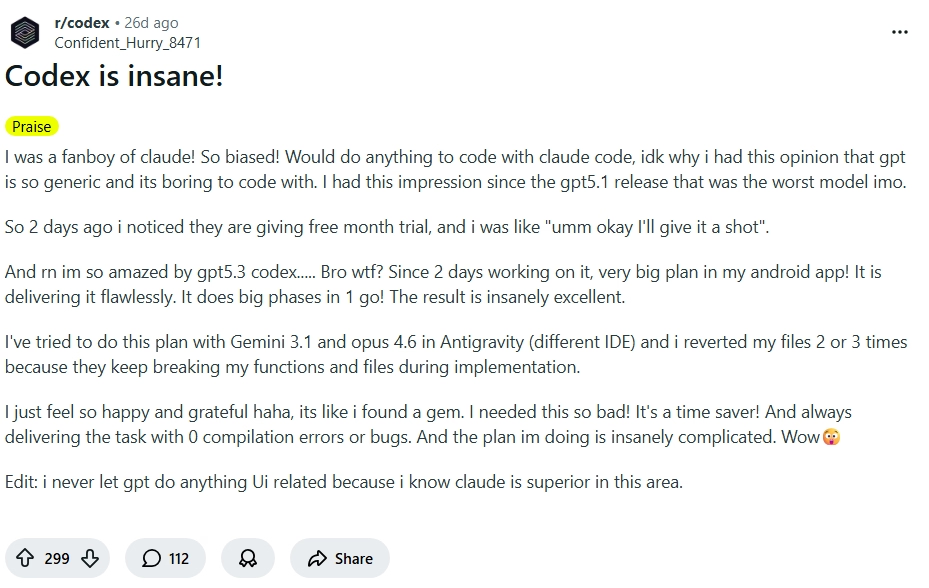
1. It’s insanely powerful for coding workflows
Developers highlight that Codex can handle complex coding tasks, automate workflows, and significantly speed up development when used effectively.
It’s often described as a major step forward in terms of capability, especially for backend logic and structured tasks.
Source: Reddit
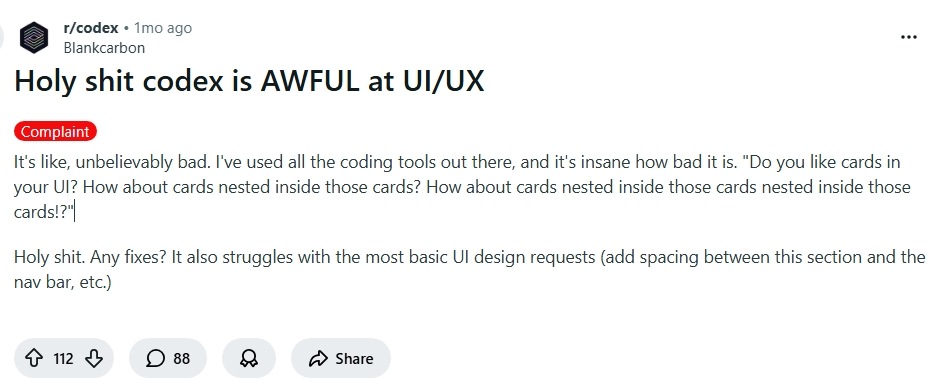
2. It struggles with UI/UX and front-end intuition
Users point out that Codex can perform poorly when dealing with UI/UX decisions or front-end design logic.
This highlights a clear gap, while it’s strong in logic and structure, it doesn’t always translate well to visual or user experience-heavy tasks.
Source: Reddit
OpenAI Codex pricing
Codex is bundled within ChatGPT plans and also available via API-based usage for programmatic workflows.
9. GitLab Duo

GitLab Duo is an AI layer embedded directly into the GitLab ecosystem, designed to assist across the entire DevOps lifecycle, not just code generation. Unlike GitHub Copilot, which focuses primarily on writing code, GitLab Duo operates across planning, coding, reviewing, securing, and deploying software.
Its core advantage lies in being deeply integrated into GitLab’s platform, making it especially powerful for teams already managing CI/CD pipelines, repositories, and project workflows inside GitLab.
Features of GitLab Duo
GitLab Duo is built to support end-to-end software development workflows, extending AI beyond coding into DevOps and security.
1. AI across the entire DevOps lifecycle
GitLab Duo provides assistance across multiple stages including planning, coding, testing, security, and deployment.
This means developers can use AI not just for writing code, but also for managing issues, reviewing changes, and improving delivery workflows within a single platform.
2. AI-Powered code suggestions and explanations
It offers code generation, explanations, and refactoring support directly within the GitLab environment.
This helps developers understand unfamiliar code and improve existing implementations without switching tools.
3. Automated code review and merge request insights
GitLab Duo can summarize merge requests, highlight key changes, and suggest improvements during reviews.
This reduces review time and helps teams maintain consistency across contributions.
4. Built-in security and vulnerability detection
It integrates with GitLab’s security features to detect vulnerabilities, analyze risks, and suggest fixes.
This makes it particularly useful for teams prioritizing secure development and compliance.
5. Integration with CI/CD and project workflows
Because it’s native to GitLab, Duo connects directly with CI/CD pipelines, issue tracking, and project management tools.
This allows AI assistance to extend into deployment and operational workflows, not just development.
Biggest advantages and limitations of using GitLab Duo
Reviews from trusted platforms
GitLab Duo benefits from GitLab’s existing user base, especially among DevOps-focused teams.
What users are saying about GitLab Duo?
The sentiment around GitLab Duo reflects the broader perception of GitLab itself, powerful, but opinionated.
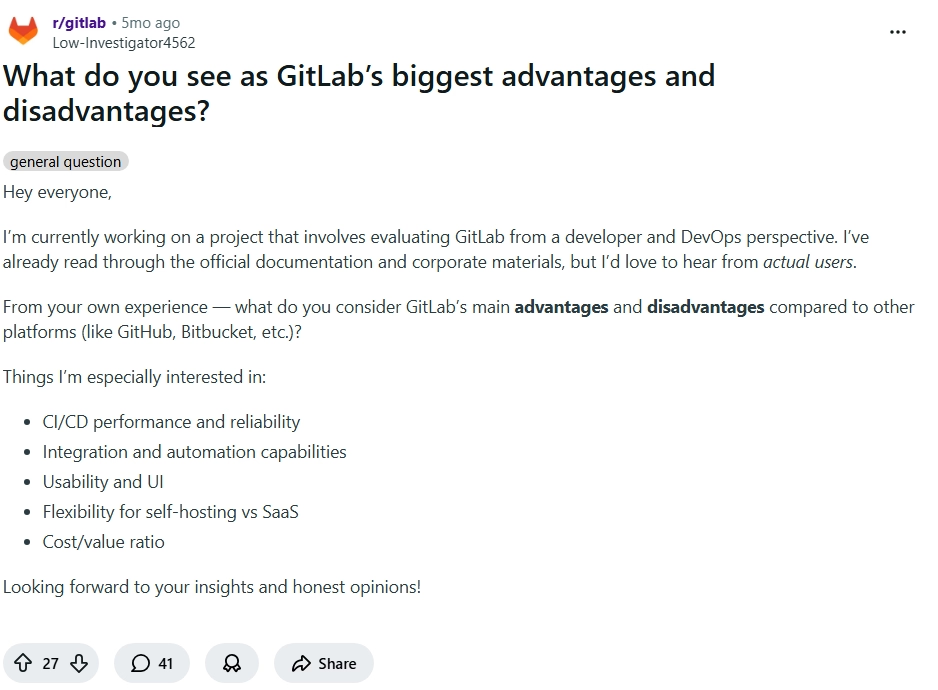
1. It’s great if you’re already fully inside GitLab
Users highlight that GitLab’s biggest strength is how everything is integrated into one platform, from code to CI/CD to deployment.
When combined with Duo, this creates a streamlined workflow where AI enhances existing processes rather than adding another tool.
Source: Reddit
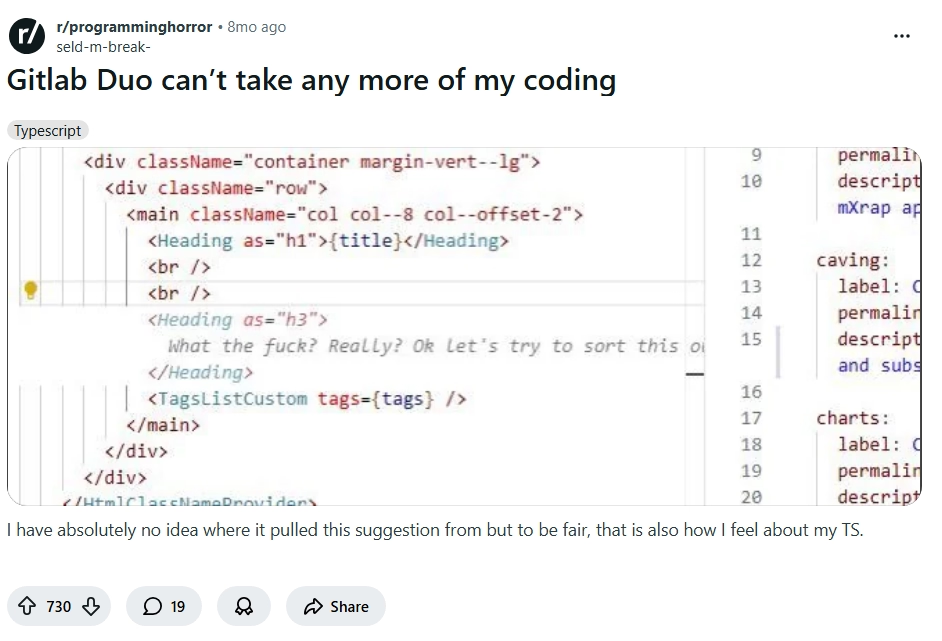
2. It can feel overwhelming and frustrating at times
Some developers express frustration with usability and experience, especially when things don’t work as expected.
The complexity of the platform can sometimes make interactions with Duo feel heavier compared to simpler tools.
Source: Reddit
GitLab Duo pricing
GitLab Duo is bundled within GitLab plans, with usage tied to included credits for the Duo Agent Platform.
10. JetBrains AI
JetBrains AI is an AI layer built directly into JetBrains IDEs, designed to enhance development without changing how developers already work. Unlike GitHub Copilot, which operates across editors, JetBrains AI is deeply integrated into tools like IntelliJ IDEA, PyCharm, and WebStorm.
Its core strength is not just code generation, but context-aware assistance within a mature IDE ecosystem, making it especially useful for developers already committed to JetBrains workflows.
Features of JetBrains AI
JetBrains AI is designed to augment the IDE experience, combining local intelligence with cloud-powered capabilities.
1. Deep IDE-native integration
JetBrains AI is embedded directly into JetBrains IDEs, meaning it understands your project structure, files, and workflows without additional setup.
This allows it to provide context-aware suggestions, navigation help, and assistance that feels native rather than layered on top.
2. AI Chat for code understanding and generation
It includes an AI chat interface that can explain code, generate snippets, and assist with debugging directly inside the IDE.
Because it has access to project context, responses are more relevant compared to standalone chat tools.
3. Intelligent code completion and refactoring
JetBrains AI enhances code completion with AI-powered suggestions and can assist in refactoring existing code.
This helps improve both development speed and code quality, especially in complex projects.
4. Local and cloud AI hybrid model
JetBrains AI combines local processing with cloud-based models, allowing some operations to run locally while others use more powerful remote models.
This balance helps with performance, privacy, and flexibility depending on the task.
5. Junie AI Agent (Experimental)
JetBrains is introducing “Junie,” an AI coding agent designed to handle more complex, multi-step development tasks.
While still evolving, it signals a move toward more agentic workflows within the JetBrains ecosystem.
Biggest advantages and limitations of using JetBrains AI
Reviews from trusted platforms
JetBrains AI adoption is closely tied to the popularity of JetBrains IDEs among developers.
JetBrains AI pricing
JetBrains AI uses a credit-based pricing model, with tiers based on usage limits and access to advanced capabilities.
11. Tabnine
Tabnine is one of the earliest AI coding assistants, but its positioning today is very different from tools like GitHub Copilot. Instead of competing purely on generation quality, Tabnine focuses on privacy, control, and enterprise-ready deployments.
It’s built for teams that want AI assistance without sending code externally, making it especially relevant for organizations with strict security, compliance, or on-prem requirements.
Features of Tabnine
Tabnine is designed around secure AI adoption, controlled environments, and enterprise workflows, rather than pushing cutting-edge generation.
1. Private and flexible deployment options
Tabnine supports SaaS, VPC, on-prem, and fully air-gapped deployments, giving teams full control over where their code is processed.
This makes it one of the few tools that can operate in highly regulated environments without compromising security policies.
2. AI Code completions and IDE chat
It provides code completions for single lines and full functions, along with an AI chat interface integrated into IDEs.
These features support everyday development tasks, including writing, understanding, and refactoring code within familiar workflows.
3. Multi-LLM support across providers
Tabnine integrates with multiple leading models from providers like OpenAI, Anthropic, Google, and others.
This allows teams to choose models based on performance, cost, or compliance requirements instead of being locked into one ecosystem.
4. Enterprise-grade security and compliance
Tabnine ensures zero code retention, no training on user code, and full encryption across environments.
It also meets standards like GDPR, SOC 2, and ISO 27001, making it suitable for organizations with strict compliance needs.
5. Governance, control, and observability
Teams can define rules, control access to models, track usage, and audit AI-generated outputs.
This level of governance is critical for enterprises that need visibility and control over how AI is used across teams.
Biggest advantage and limitations of using Tabnine
Reviews from trusted platforms
Tabnine has a long-standing presence, especially among enterprise and security-focused teams.
Tabnine pricing
Tabnine offers two primary plans focused on secure deployment and enterprise workflows, with optional add-ons for advanced usage.
12. Sourcegraph Cody
Sourcegraph Cody is an AI coding assistant built specifically for understanding and navigating large codebases, rather than just generating code. Unlike GitHub Copilot, which focuses on inline suggestions, Cody is designed to help developers search, analyze, and reason across entire repositories.
It’s especially valuable for teams working with complex systems, legacy code, or multi-repo architectures where understanding context is the biggest bottleneck.
Features of Sourcegraph Cody
Cody is built around codebase intelligence, search, and deep context awareness, making it more of a navigation and reasoning tool than a pure generator.
1. Deep codebase search and context retrieval
Cody leverages Sourcegraph’s search capabilities to pull relevant code, symbols, and references across repositories.
This allows it to answer questions and generate outputs based on real project context, not just isolated snippets.
2. AI Chat with repository awareness
Cody includes an AI chat interface that understands your codebase and can explain functions, debug issues, and suggest improvements.
Because it uses indexed code, responses are grounded in actual project structure rather than generic assumptions.
3. Cross-Repository and multi-codebase understanding
Cody can connect to multiple repositories and code hosts, enabling it to reason across services and systems.
This is particularly useful in microservices architectures where logic is distributed across different codebases.
4. Code Navigation and symbol-level insights
It supports features like symbol search, code navigation, and references, helping developers trace how different parts of the system interact.
This reduces the time spent manually exploring unfamiliar or complex code.
5. Integration with enterprise code search platform
Cody is tightly integrated with Sourcegraph’s enterprise search platform, which includes features like batch changes, code insights, and monitoring.
This allows teams to combine AI assistance with powerful search and analytics capabilities.
Biggest advantage and limitations of using Sourcegraph Cody
Reviews from trusted platforms
Sourcegraph Cody is widely used among teams dealing with large-scale codebases and enterprise environments.
Sourcegraph Cody pricing
Sourcegraph Cody is part of the broader Sourcegraph platform, with pricing centered around enterprise-grade code search and scalability.
What should you look for in GitHub Copilot alternatives?
Choosing a Copilot alternative isn’t about finding “another autocomplete tool.” That category has already peaked. The real decision today is about how much of the development process you want to delegate.
Here’s what you need to know when you evaluate these tools in 2026:
1. Depth of context, not just suggestions
Most tools can complete a function. Very few can understand why that function exists within your system.
Look for tools that:
- Understand entire codebases, not just open files
- Can trace dependencies, flows, and architecture
- Give answers grounded in your actual project
This is the difference between writing faster and thinking better with AI.
2. Multi-file and system-level editing
Modern development rarely happens in one file. Real changes span APIs, services, schemas, and configs.
The best alternatives should:
- Edit across multiple files reliably
- Maintain consistency across changes
- Handle refactors without breaking things
If a tool can’t do this, it’s still stuck in the Copilot era.
3. Agent capabilities vs Passive assistance
Autocomplete is reactive. Agents are proactive.
Strong tools today:
- Plan tasks
- Execute changes
- Iterate until something works
This is where tools like Cursor or Claude Code start to feel fundamentally different. You’re no longer prompting line by line, you’re assigning work.
4. Workflow integration (IDE, CLI, CI/CD)
The best tools don’t just sit in your editor, they plug into your workflow.
Look for:
- IDE + terminal support
- CI/CD or PR integration
- Ability to run, test, and deploy
If you’re constantly switching tools, you’re losing the advantage.
5. Security, privacy, and deployment flexibility
For teams, this is non-negotiable.
Key considerations:
- On-prem or VPC deployment
- No code retention policies
- Compliance (SOC2, GDPR, etc.)
This is where tools like Tabnine and enterprise platforms differentiate heavily.
6. Pricing model vs Actual usage
Most developers underestimate this.
Some tools charge:
- Per seat
- Per token
- Per action (credits)
What matters is:
- How often you’ll use it
- Whether it scales with your workflow
A cheap tool can become expensive quickly if it’s usage-based.
7. What stage of development it actually solves
This is the most overlooked point.
Different tools dominate different stages:
- Writing code: Copilot-style tools
- Editing systems: Cursor, Windsurf
- Reviewing code: Qodo
- Understanding codebases: Cody
- Automating workflows: Codex
If you pick the wrong tool for your stage, it will feel underwhelming no matter how good it is.
The shift beyond coding assistants: Understanding vibe coding
What is vibe coding?
Vibe coding is the shift from writing code step by step to describing what you want and letting systems build it.
Instead of:
- Writing functions
- Debugging errors
- Wiring APIs
You:
- Describe intent
- Refine outcomes
- Guide the system
It’s not about replacing developers, it’s about changing the interface of development itself.
What is Emergent?
Emergent sits in a completely different category from every tool we’ve discussed so far.
While tools like Copilot, Cursor, or Claude Code help you write and manage code, Emergent helps you build complete applications from prompts.
The core idea is simple:
Build apps and websites with prompts, not code
You describe:
- What the app should do
- How users should interact
- What workflows it should support
And Emergent generates:
- Frontend
- Backend
- Data models
- Auth
- APIs
All in one flow.
Positioning against all tools (Not just Copilot)
Every tool in this article improves how you code.
Emergent redefines the equation by making you question whether you need to code at all.
- Copilot - faster typing
- Cursor - smarter editing
- Claude Code - better reasoning
- Qodo - better validation
- Cody - better understanding
Emergent - shipping actual products
It’s not competing at the same layer. It’s operating one level above.
How Emergent goes beyond AI coding assistants and makes developers’ lives easier?
The shift using Emergent is structural, not incremental.
1. From autocomplete to full app generation
Traditional tools help you write code faster. Emergent removes the need to write most of it.
You move from completing thousands of lines of code to generating entire applications from a prompt
This is not just about working faster, it fundamentally replaces the way the workflow operates.
2. From coding to product building
Most developers don’t just want code, they want working products.
Emergent focuses on:
- User flows
- Features
- End-to-end functionality
Instead of assembling pieces manually, you start with the outcome and work backward.
3. From developer to creator
When the barrier to building drops, the role expands.
You’re no longer limited by:
- Boilerplate
- Setup time
- Infrastructure complexity
You can move directly from idea -> implementation -> iteration.
4. Prompts to app
You describe what you want, and the system generates a working application with UI, backend logic, and data handling.
This removes the need to stitch together multiple tools just to get something running.
5. Built-in hosting
Unlike traditional workflows, where deployment is a separate step, Emergent includes hosting as part of the process.
You don’t need to configure servers, pipelines, or environments separately.
6. Automation workflows
Emergent allows you to define workflows and logic at a higher level, automating processes that would otherwise require custom code.
This is especially useful for internal tools, dashboards, and operational apps.
7. No DevOps needed
One of the biggest hidden costs in development is infrastructure.
Emergent abstracts away:
- Deployment
- Scaling
- Environment setup
So you can focus on building, not maintaining systems.
Conclusion
GitHub Copilot opened the door to AI-assisted coding, but it’s no longer the ceiling.
Today’s landscape is broader and more specialized:
- Some tools help you write code faster
- Others help you understand and manage systems
- And a new category is emerging that helps you build entire products
The right choice depends on what you’re actually trying to do.
If your workflow is still centered around writing code, tools like Cursor, Claude Code, or Codex can significantly improve productivity.
But if your goal is to ship products faster, reduce complexity, and move beyond code as the bottleneck, then platforms like Emergent represent a fundamentally different path.

Emergent turns your idea into a full-stack web or mobile app, no coding required.
 No coding required
- Web & mobile apps
- Deploys instantly
Frequently Asked Questions
Your Questions, Answered
Yes, tools like Codeium (Windsurf) and self-hosted models offer open-source or flexible alternatives, though capabilities may vary.
Tools like Copilot or JetBrains AI are easiest to start with since they integrate directly into familiar IDEs.
Yes, for basic autocomplete and quick tasks, but it’s no longer the most advanced option for complex workflows.
Coding assistants help you write code faster, while vibe coding tools help you build applications by describing intent.
Yes, platforms like Emergent can generate full applications including frontend, backend, and deployment from prompts.


on emergent today



