Intermediate
•
How to Vibecode a PRD Generator with Emergent
Building an AI-first product management copilot that helps founders and product managers go from a vague idea to a structured Product Requirements Document (PRD) and a visual roadmap in minutes.
Written By :

Naman Madhur
Building PRD Pal: An AI-Powered Product Management Copilot
Introduction
PRD Pal is an AI-first product management copilot that helps founders and product managers go from a vague idea to a structured Product Requirements Document (PRD) and a visual roadmap in minutes.
Traditional tools like Notion or Confluence start with empty pages. PRD Pal flips that workflow.
You start with intent. AI generates structure. Visuals bring clarity.
This tutorial walks you through how PRD Pal was designed, built, debugged, and polished into a production-ready MVP using Emergent’s AI integrations, modern frontend tooling, and a collaboration-first mindset.
Problem Statement and Proposed Solution
The Problem
Product managers struggle with blank-page paralysis when writing PRDs, manual roadmap creation, poor collaboration workflows for early-stage teams, and the inability to turn screenshots or documents into structured requirements.
The Solution
PRD Pal solves this by combining AI-powered PRD generation from natural language, automatic roadmap visualization, drag-and-drop planning across multiple views, team collaboration with Google OAuth, vision AI for file and screenshot analysis, and export-ready documentation.
Learning Outcomes
By completing this tutorial, you will be able to design an AI-first PRD workflow, integrate Claude text and vision into a FastAPI backend, build a Claude-style chat interface in React, implement Kanban, Gantt, and Timeline roadmaps, add Google OAuth and team workspaces, handle real-world production bugs, and ship a polished MVP.
Step 1: Generate a PRD from a Prompt
AI-Powered PRD Creation
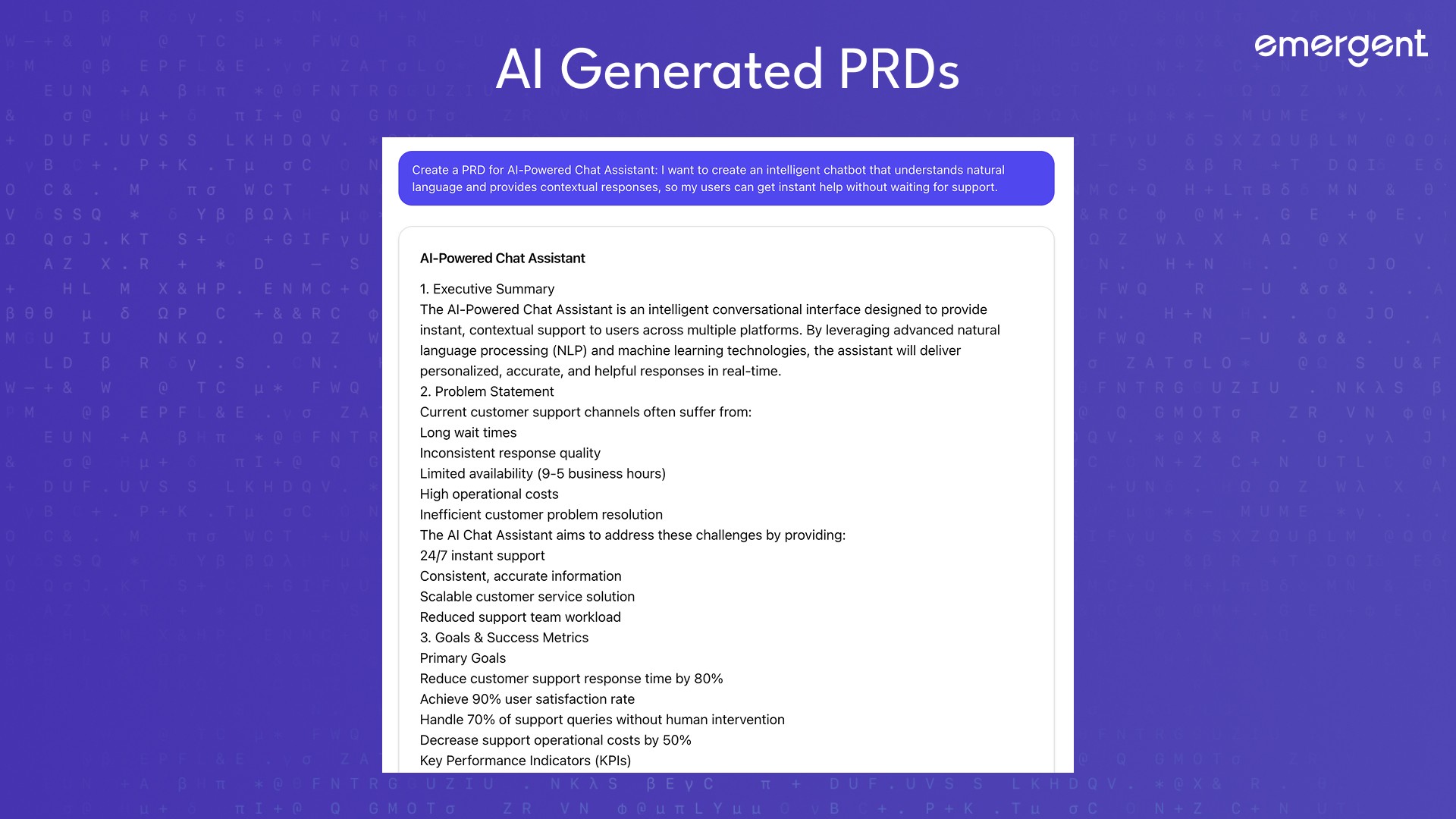
User Input
Expected Response
The AI returns a structured PRD including a problem statement, goals, user personas, core features, and out-of-scope items.
Best Practices
Start with broad prompts and refine iteratively. Write prompts conversationally rather than as rigid templates.
Step 2: Build the Claude-Style Chat Interface
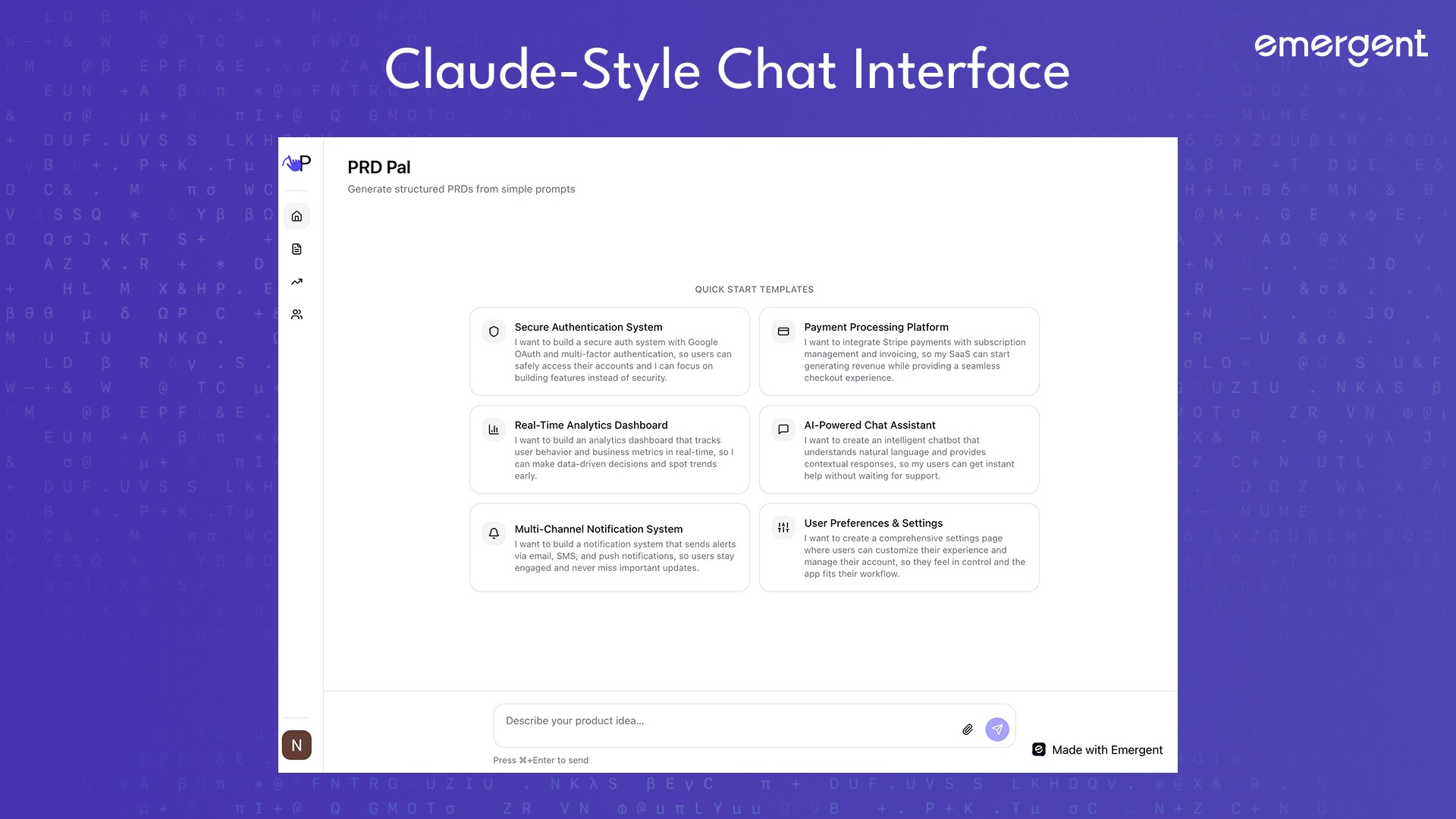
Conversational UX for Product Managers
You build a centered chat input, quick-start templates, streaming AI responses, and drag-and-drop file attachment support.
The key insight is that familiar UX reduces learning friction. A Claude-style interface makes AI feel fast and trustworthy.
Step 3: Integrate Claude Text and Vision
AI That Understands Documents and Screenshots
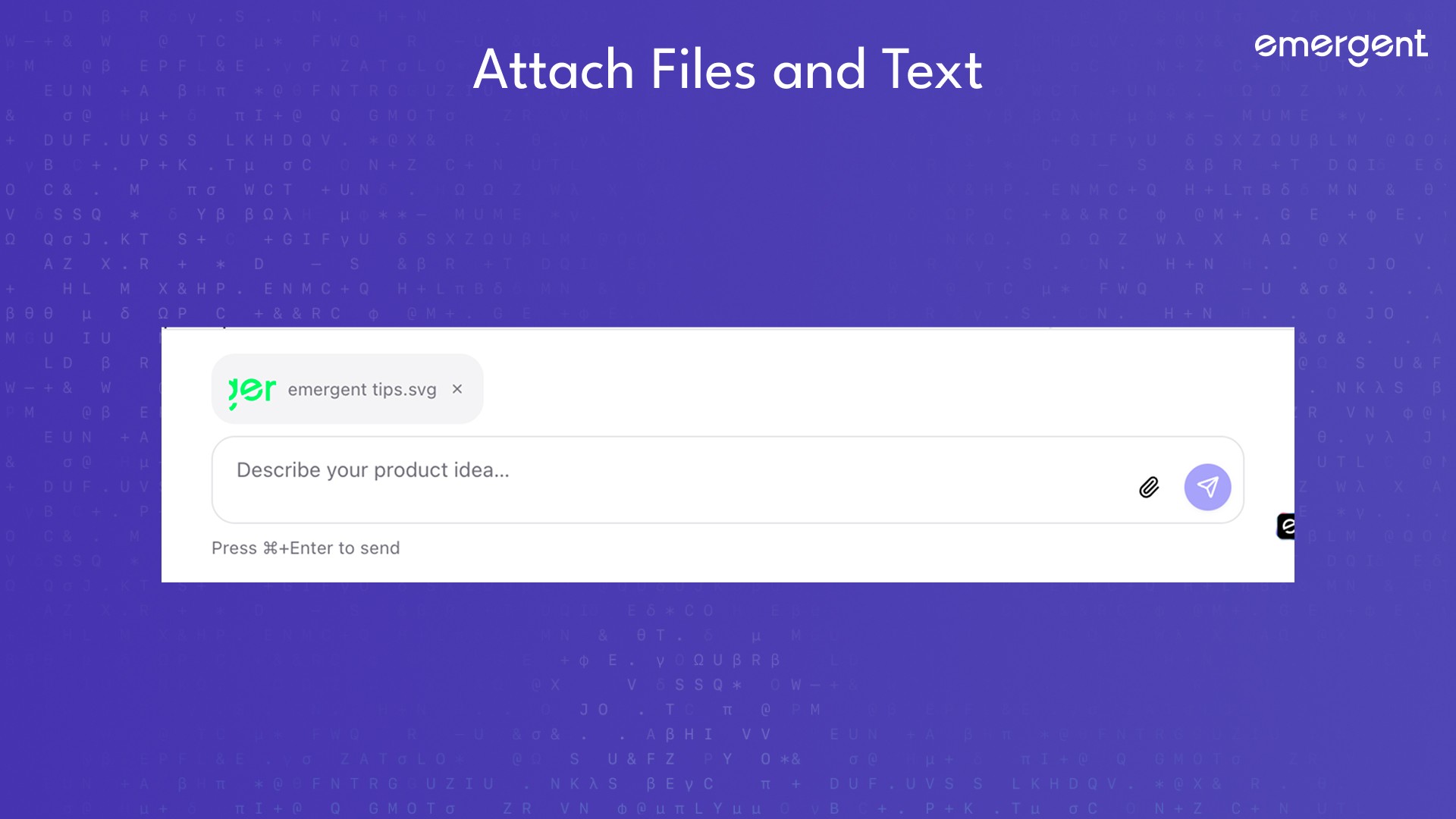
Users can upload PDFs, screenshots, or wireframes and ask the system to generate a PRD from them.
The expected result is that vision AI extracts context and fills PRD sections automatically.
A critical bug occurred when an incorrect model name caused API timeouts. This was fixed by switching to claude-3-5-haiku-20241022.
Step 4: Add Google OAuth and Team Workspaces
Collaboration by Default
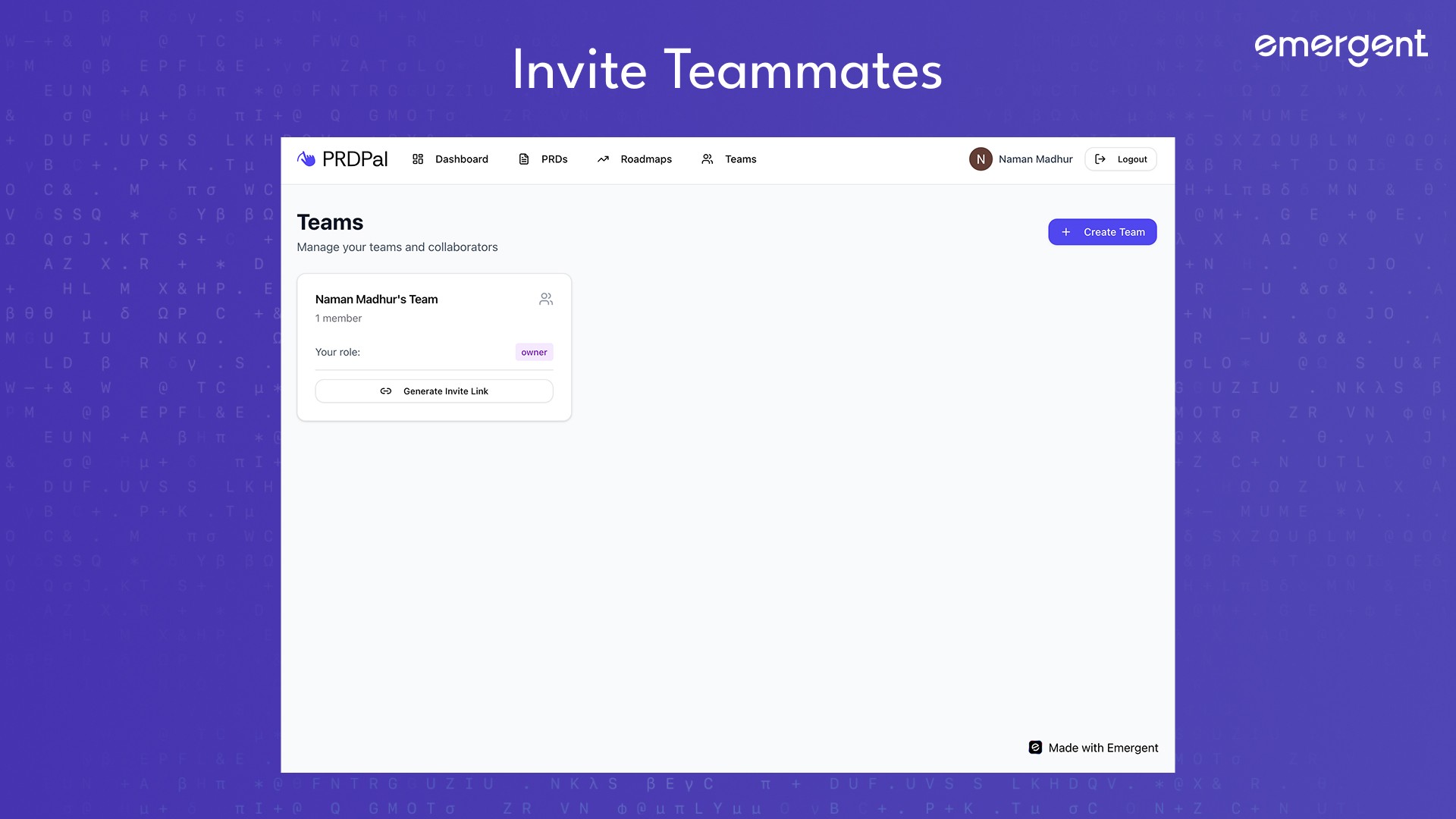
The app supports Google sign-in, automatic team creation, and invite links for collaborators.
An issue occurred where invite links opened a blank screen. This was fixed by adding a dedicated route at /join/:code.
Best practice is to always test authentication flows using multiple accounts and incognito sessions.
Step 5: Auto-Generate Visual Roadmaps
PRD to Roadmap
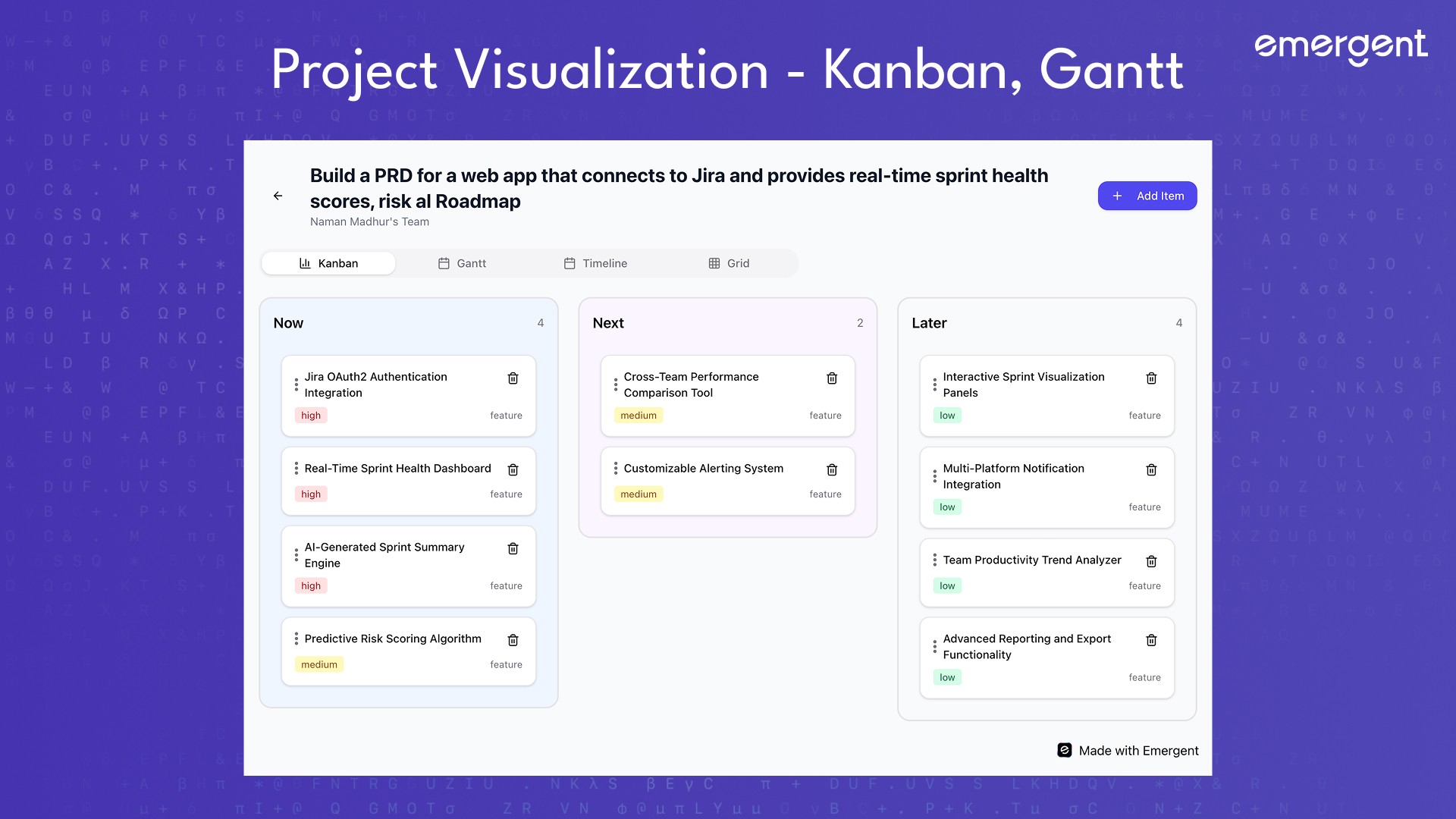
Once a PRD is created, roadmap items are generated automatically.
Available views include Kanban for status-based planning, Timeline for quarter-based planning, and Gantt for duration-based planning.
Step 6: Enable Drag-and-Drop Interactions
Visual Planning
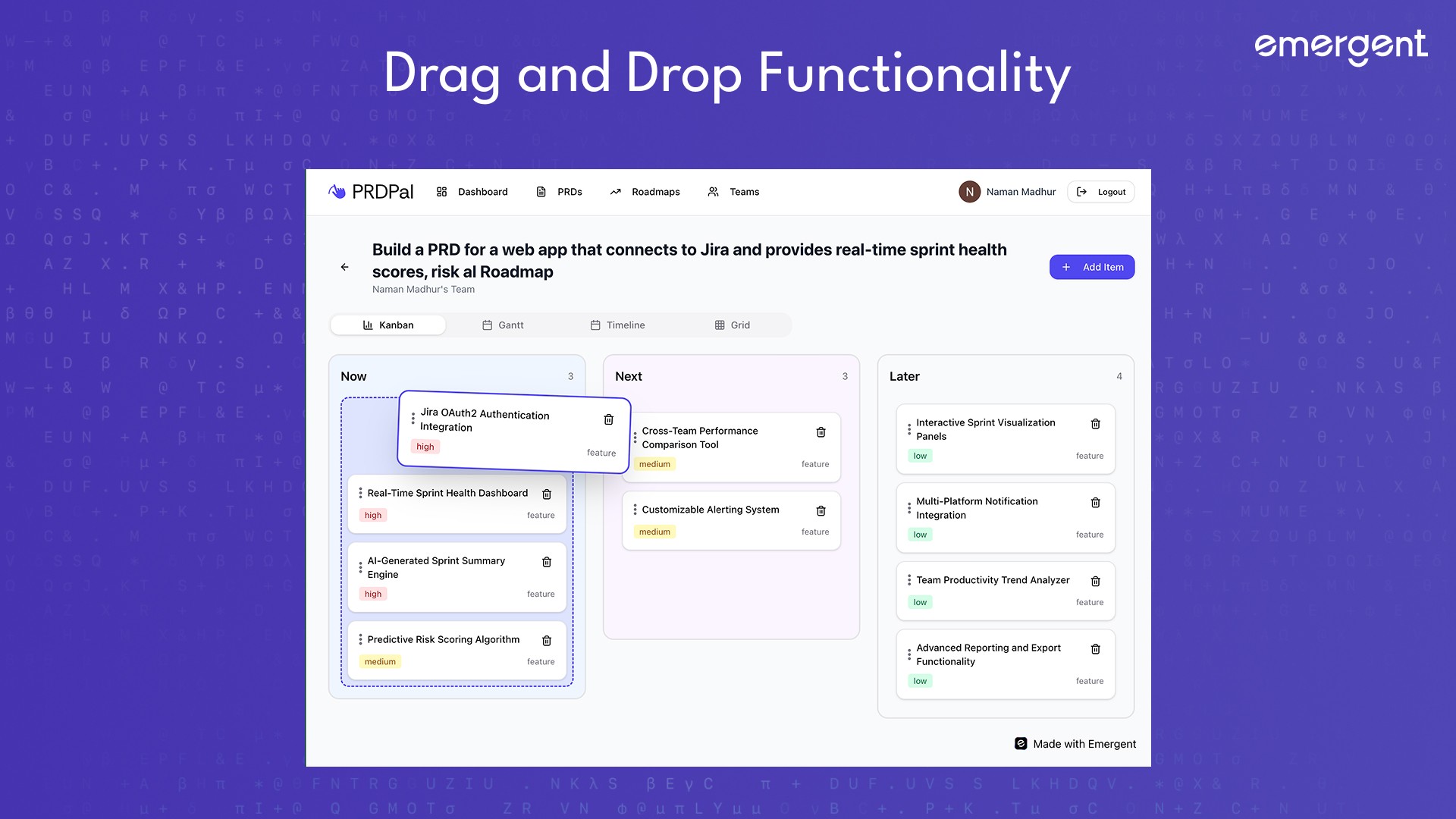
Users can drag cards between statuses, move items across quarters, and resize Gantt bars to change durations.
A compatibility issue occurred because react-beautiful-dnd does not support React 19. This was resolved by switching to @hello-pangea/dnd.
Best practice is to always verify library compatibility with your React version.
Step 7: Export PRDs
Shareable Outputs
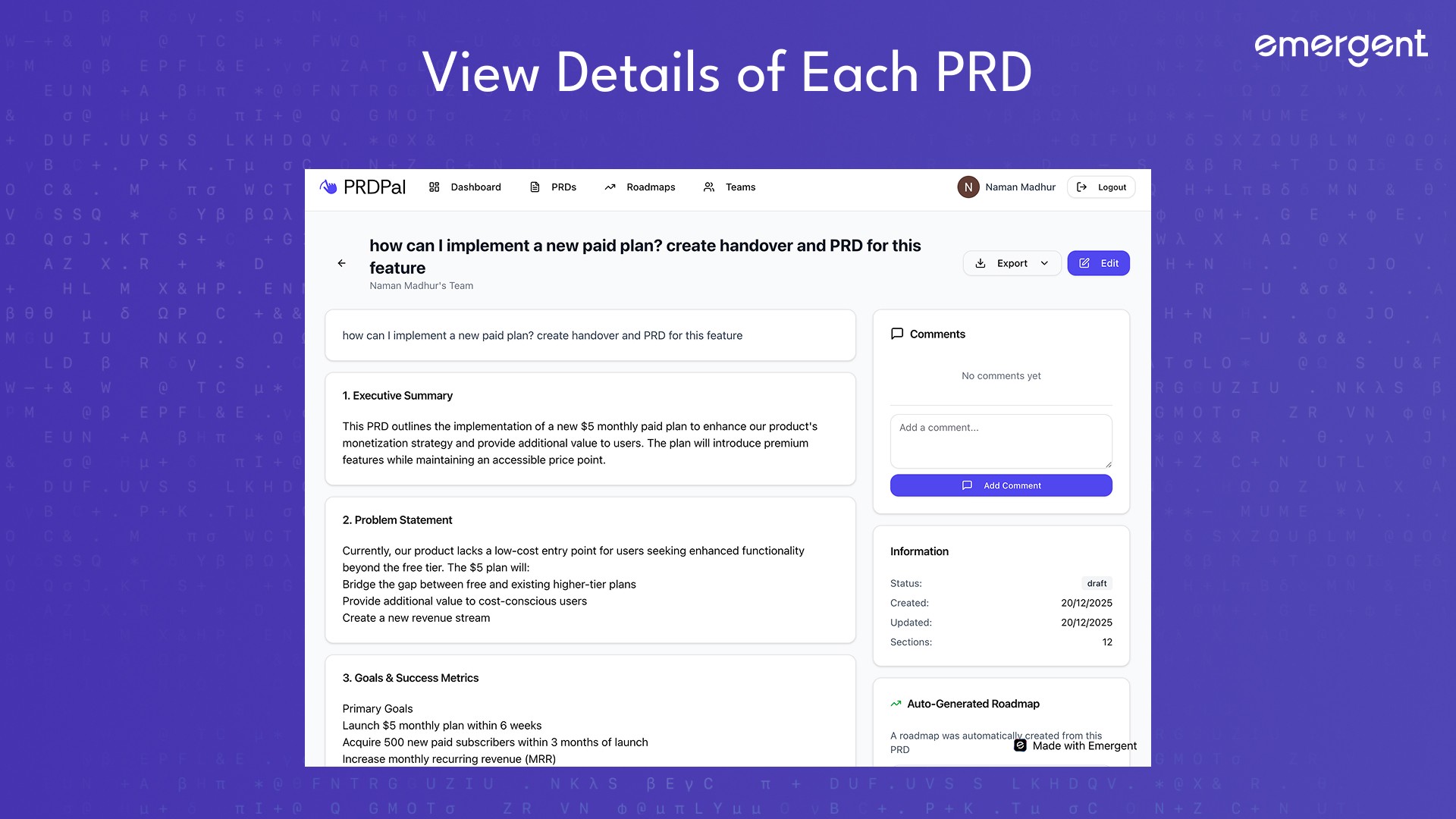
PRDs can be exported as PDFs using jsPDF on the client or as Markdown files generated by the backend.
Files are automatically named using the PRD title and are accessible via a dropdown menu.
Troubleshooting and Key Hurdles
Claude API timeouts were caused by incorrect model names and fixed by switching to Haiku.
Environment variable errors occurred because dotenv was loaded too late and were fixed by reordering initialization.
Blank invite pages were fixed by adding a join route.
Drag-and-drop crashes were resolved by replacing incompatible libraries.
520 errors were caused by ObjectId serialization and fixed by stripping _id fields.
Missing PRDs for team members were fixed by adding team-based query filters.
Deployment
Deployment steps include building the React frontend, running FastAPI with environment variables, configuring OAuth redirect URLs, connecting MongoDB, and verifying exports and uploads.
If you face any issues, be sure to check out our How To Deploy Guide!
Recap
You built PRD Pal, an AI-powered product management copilot that turns prompts into structured PRDs, automatically generates visual roadmaps, supports team collaboration, uses vision AI for richer context, and exports professional documents.
Key Learnings
AI should eliminate blank states.
Visual planning is more effective than static documents.
Library compatibility matters.
Collaboration must be first-class.
Polish significantly improves user experience.
Extension Ideas
To improve the app, you can explore Integrations with Jira or Linear, PRD version history, Live multi-user cursors, Public shareable PRDs.
Final Demo
The final app can be used at this link.
If you've tried this app out, tweet at us on X or reach out on Discord and we'll give you access to more fun, behind the scenes apps and games that we've built!