Beginner
•
How to Build a Cryptocurrency Tracker + Learning Tool
Learn how to build a cryptocurrency tracker and learning tool with CoinMarketWatch API and RSS Feeds
Written By :

Naman Madhur

Introduction
CryptoAtlas is a production-grade, real-time cryptocurrency dashboard built using Emergent. It demonstrates how a complex, data-heavy SaaS application can be created step by step from prompts -without sacrificing design quality, performance, or reliability.
This tutorial walks through the actual build journey of CryptoAtlas: from ambiguous requirements to a polished dashboard with live market data, AI-powered insights, news feeds, alerts, and a beginner-friendly experience.
At its core, CryptoAtlas showcases three key principles of Emergent:
Prompt-driven full-stack development
Design-first engineering using shadcn/ui and Framer Motion
Practical AI augmentation (analysis + education), not gimmicks
By the end of this tutorial, you’ll understand how to use Emergent to build a real crypto product - not a demo.
Problem Statement and Proposed Solution
The Problem
Most crypto dashboards suffer from one (or more) of these issues:
Overwhelming interfaces for beginners
Poor design polish despite good data
Heavy focus on portfolios and trading instead of understanding the market
AI features that feel bolted-on or unreliable
Users often want clarity, context, and confidence - not just numbers.
The Solution
CryptoAtlas solves this by:
Focusing on market intelligence, not trading
Presenting real-time crypto data in a clean, consistent UI
Adding AI-powered market analysis and beginner-friendly explanations
Iterating feature-by-feature with constant validation
Emergent Stack Used
Frontend: React 19, Tailwind CSS, shadcn/ui, Framer Motion, Recharts
Backend: FastAPI (Python), Motor (MongoDB), httpx
AI: Claude via Emergent LLM key
Data: CoinMarketCap API, Cointelegraph RSS
Video Overview
Learning Outcomes
By completing this tutorial, you will be able to:
Translate vague product ideas into clear implementation steps
Ask the right clarifying questions before coding
Build a real-time dashboard with FastAPI + React
Integrate third-party APIs securely using environment variables
Use shadcn/ui to design consistent, professional UIs
Add Framer Motion animations without breaking layouts
Generate AI-driven insights and ELI5 explanations on demand
Debug real-world frontend and backend issues
Step 0: Prerequisites
Accounts & Keys
Emergent account
CoinMarketCap API key
Emergent LLM key (this is built in!)
Technical Requirements
Basic React knowledge
Basic Python/FastAPI familiarity
Understanding of REST APIs
Step 1: Initial Prompt and Scope Definition
User Input:
Expected Response:
Emergent does not start coding immediately. Instead, it asks clarifying questions.
Best Practice:
Never skip clarification. This single step saved hours of unnecessary development.
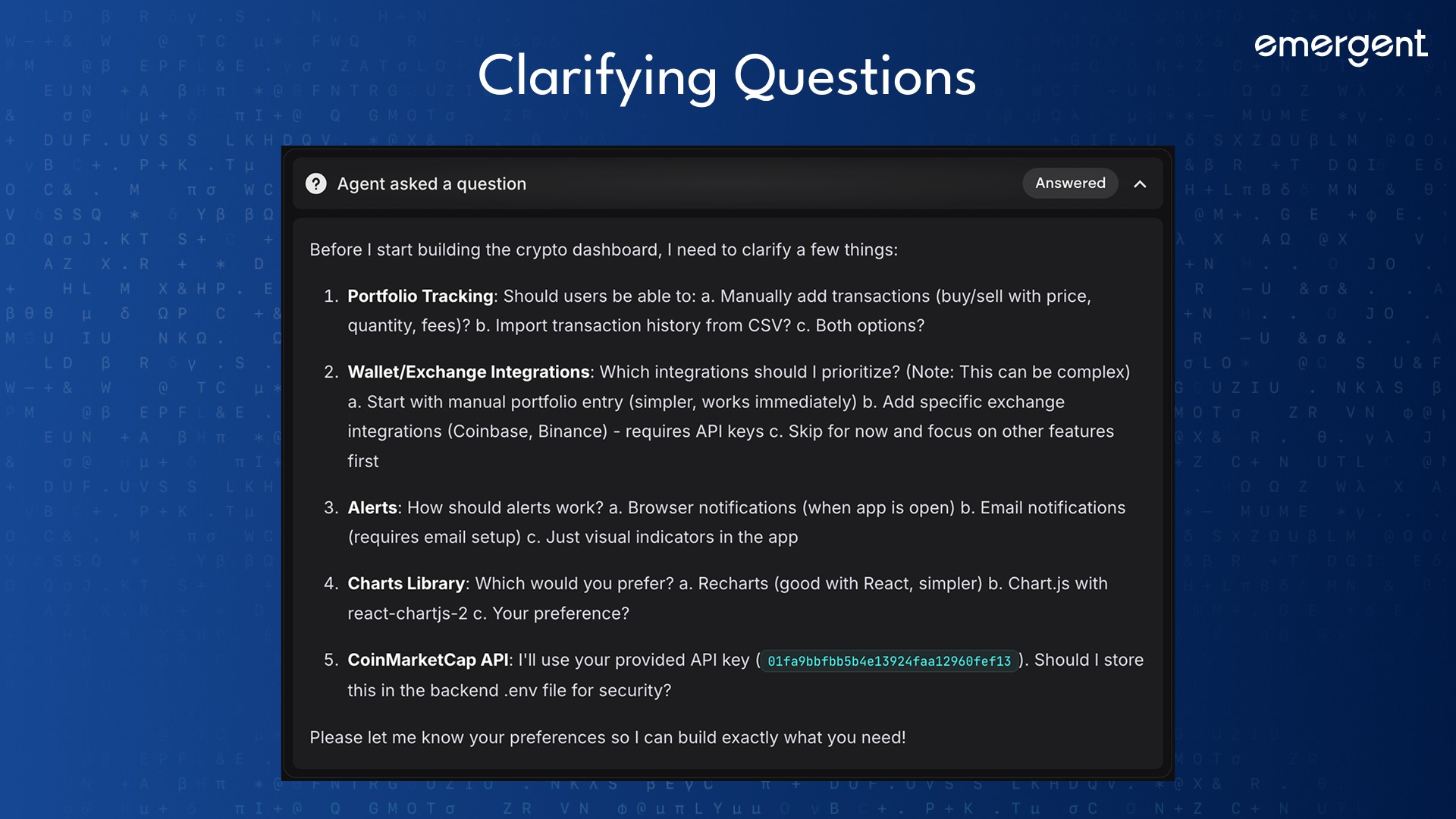
Step 2: Clarifying Questions (Critical Step)
Questions Asked:
Should we track user portfolios or only market data?
Which charting library should be used?
What alert mechanism is preferred?
How should API keys be stored?
User Answers:
Market data only (no portfolios)
Recharts
Browser notifications
API keys in backend
.envOne hero color, elegant UI
Outcome:
Scope reduced, clarity increased, correct tools selected.
Step 3: Backend Setup
Step 3.1: Environment Configuration
User Input:
Expected Response:
Backend can securely access CoinMarketCap.
Step 3.2: Core Services
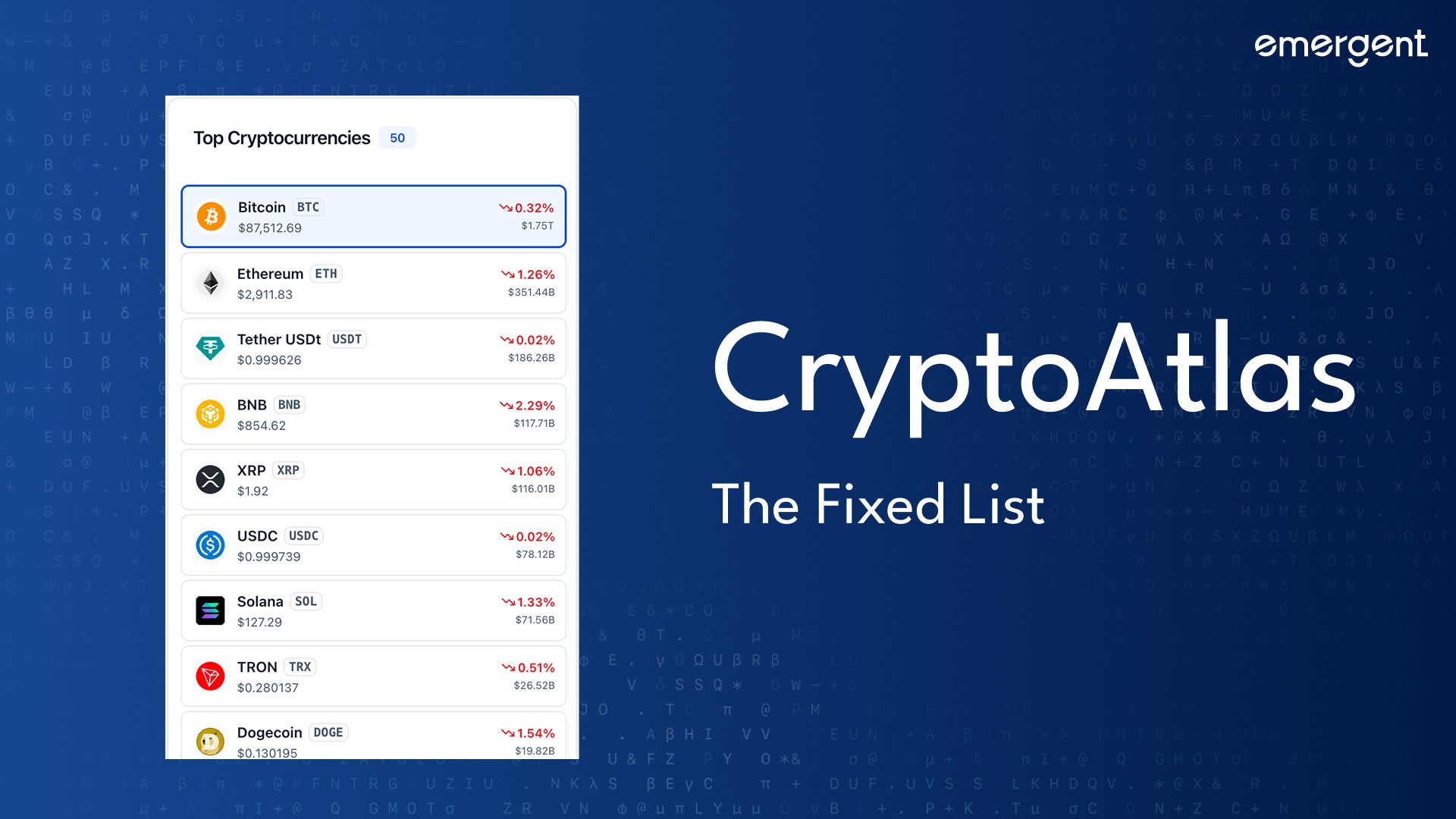
Crypto Service:
Fetch global metrics
Fetch top cryptocurrencies
Support search
Best Practice:
Load .env before importing services.
Step 4: Frontend Structure
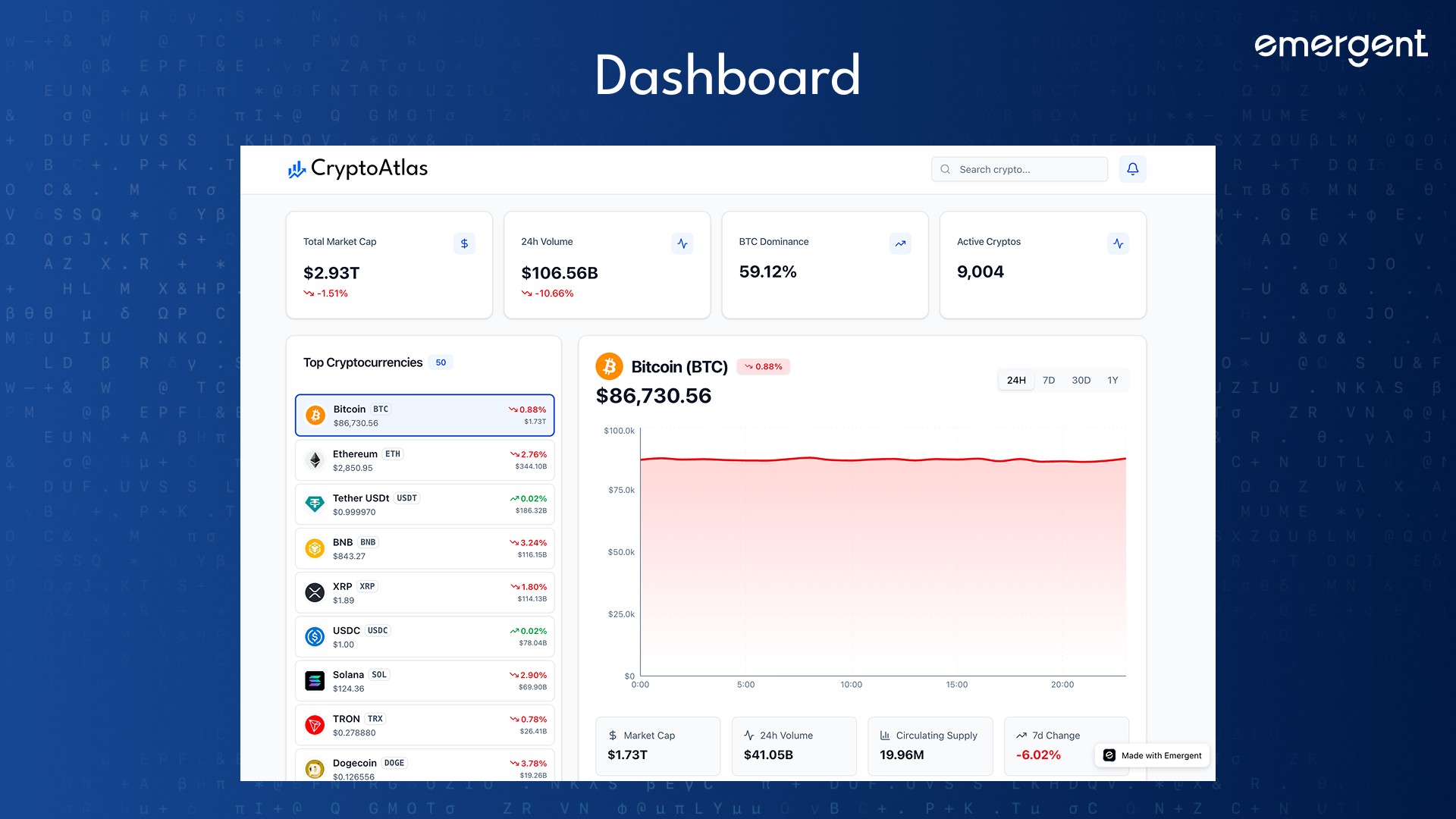
Component Layout:
Dashboard.jsxGlobalStatsCryptoListCryptoChartSearchBarAlertsPanel
Design System:
shadcn/ui for consistency
One hero color (Deep Blue)
Neutral backgrounds
Step 5: Core Features Implementation
Feature: Global Market Stats
Market Cap
24h Volume
BTC Dominance
Active Cryptos
Auto-refresh every 5s with smooth animations.
Feature: Interactive Charts
Recharts area charts
24H / 7D / 30D / 1Y
Smooth transitions
Best Practice:
Start with generated historical data before real historical APIs.
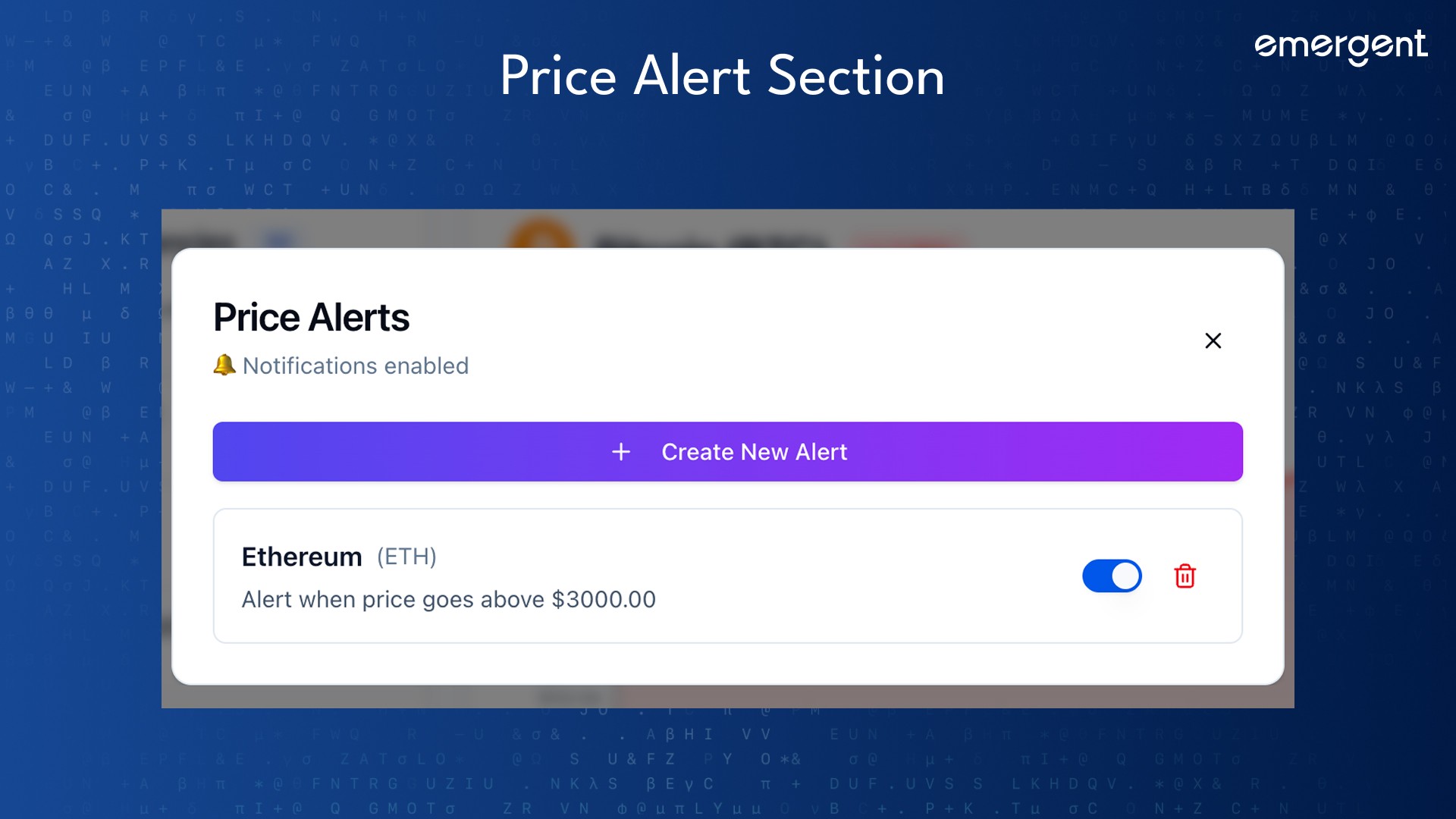
Feature: Alerts System
Above / Below price alerts
Browser notifications
Database persistence
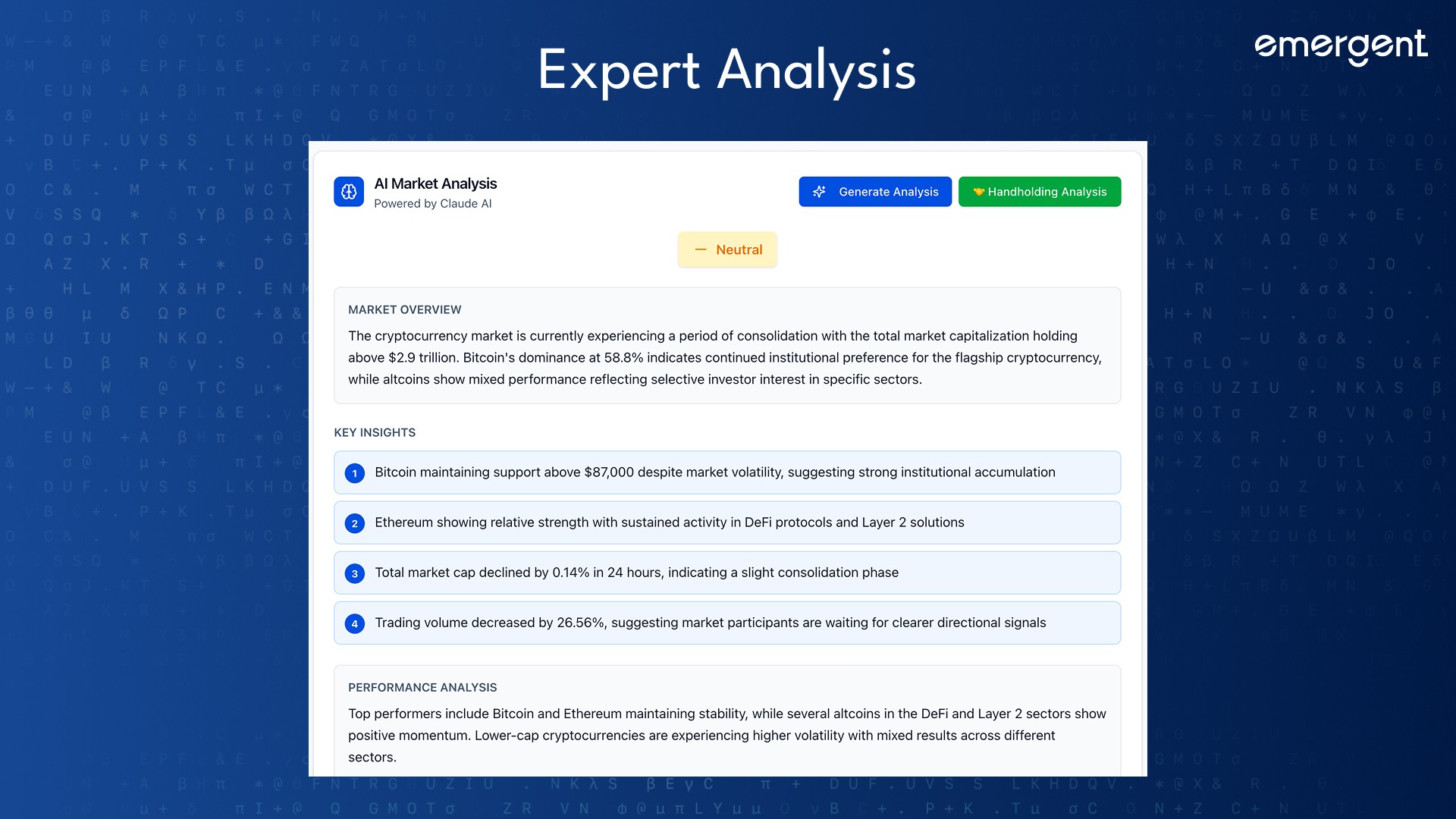
Step 6: AI Market Analysis
Advanced Analysis
User Input:
"Add AI market analysis using Claude"
Implementation:
On-demand generation
Structured output
Cached fallback content
Sections:
Overview
Key Insights
Sentiment
Outlook
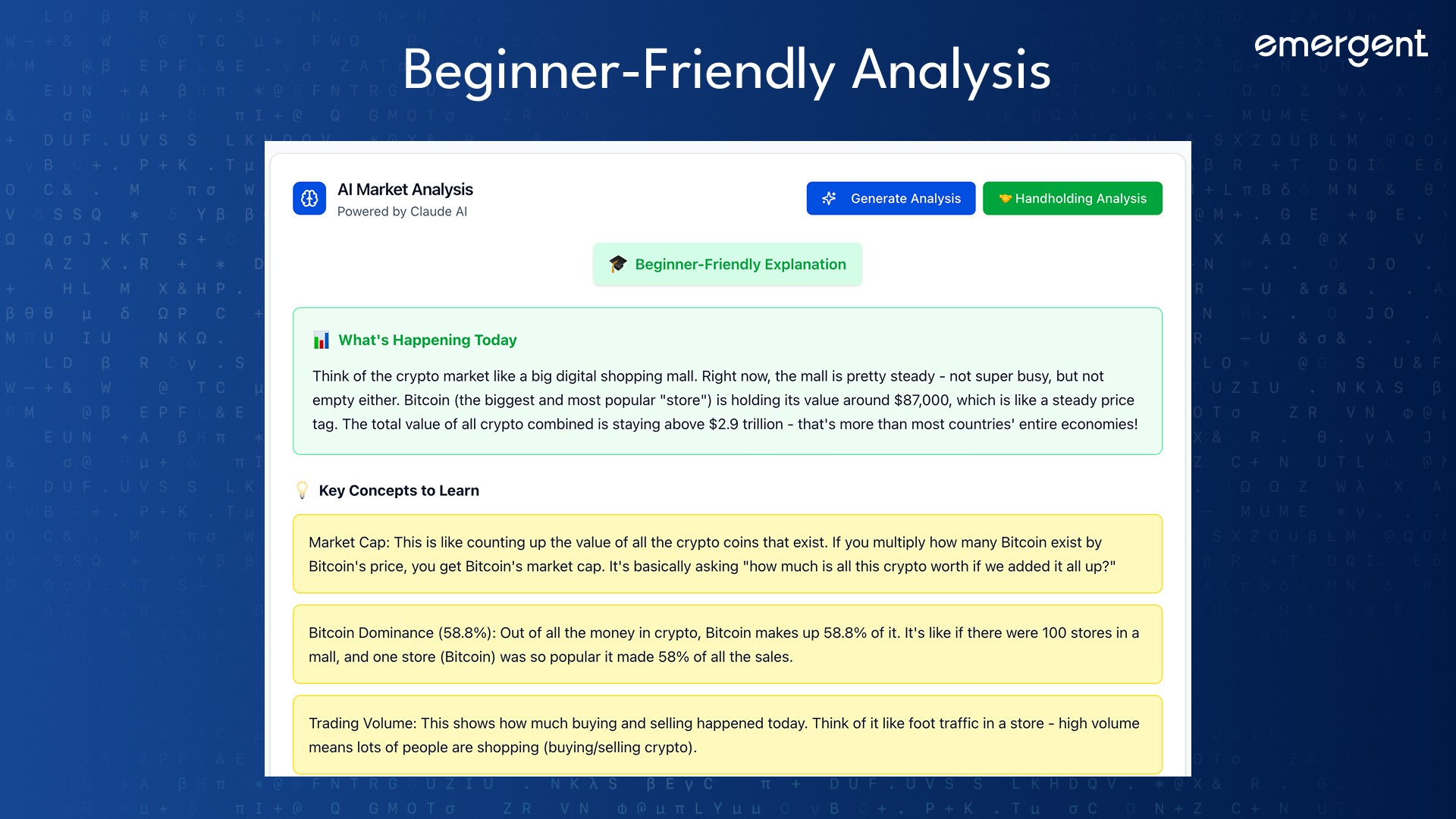
Beginner “Handholding” Analysis
Goal:
Explain the market to someone who started crypto today.
Techniques Used:
Simple language
Analogies
Reassurance
Learning tips
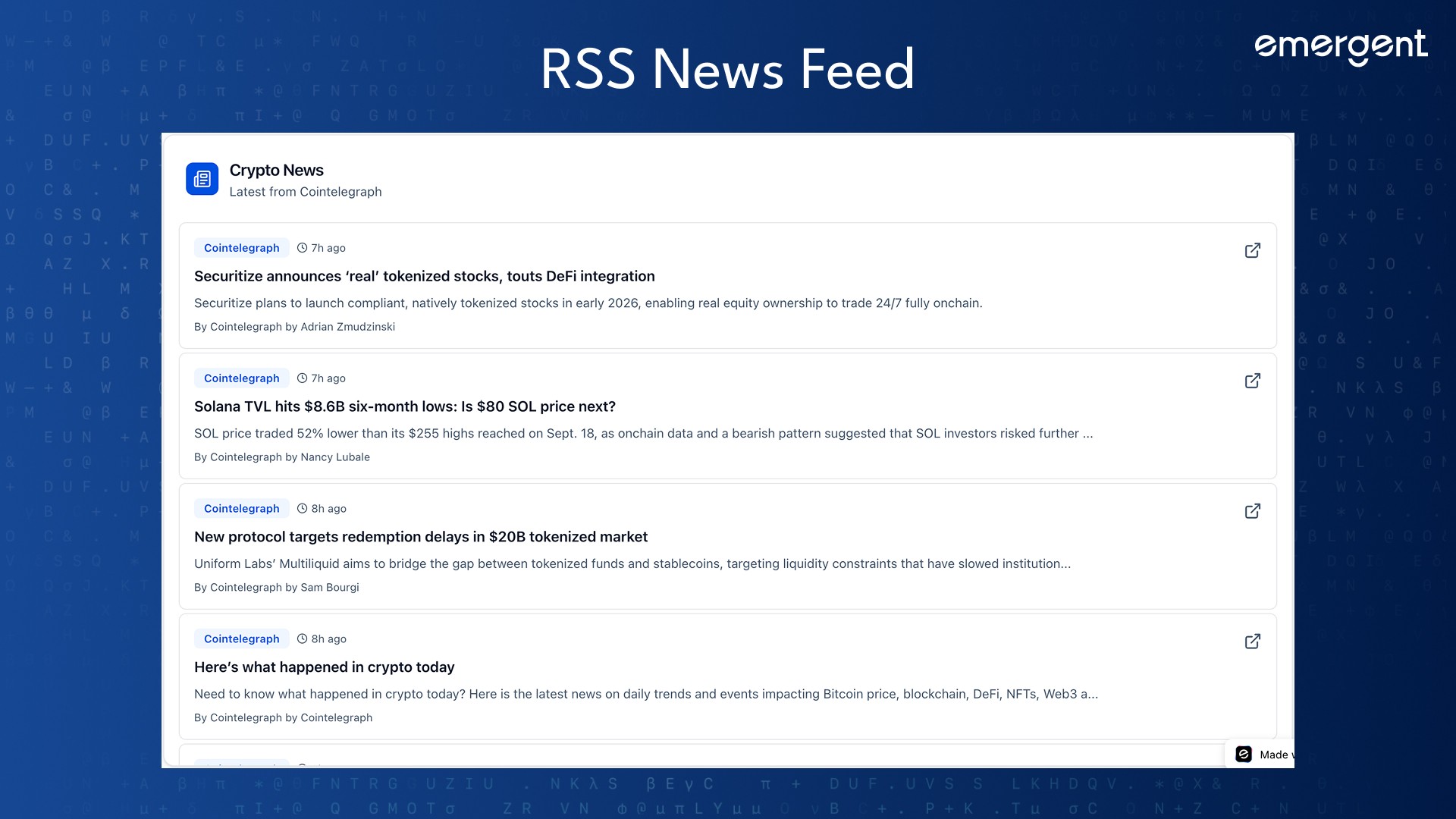
Step 7: News Integration
Cointelegraph RSS
Parsed via backend
Scrollable UI
Time-ago formatting
Step 8: Design Refinement
Final Color Palette
Background:
#F8FAFCPrimary:
#1D4ED8Positive:
#16A34ANegative:
#DC2626
Applied consistently across all components.
Troubleshooting and Key Hurdles
Issue: Price Change Column Hidden
Cause:
Overflow + flexible layouts
Fix:
Explicit min-widths
Reduced padding
Smaller icons
Issue: Frontend Not Updating
Fix:
Issue: Env Variables Not Loading
Fix:
Load .env before importing services.
Deployment
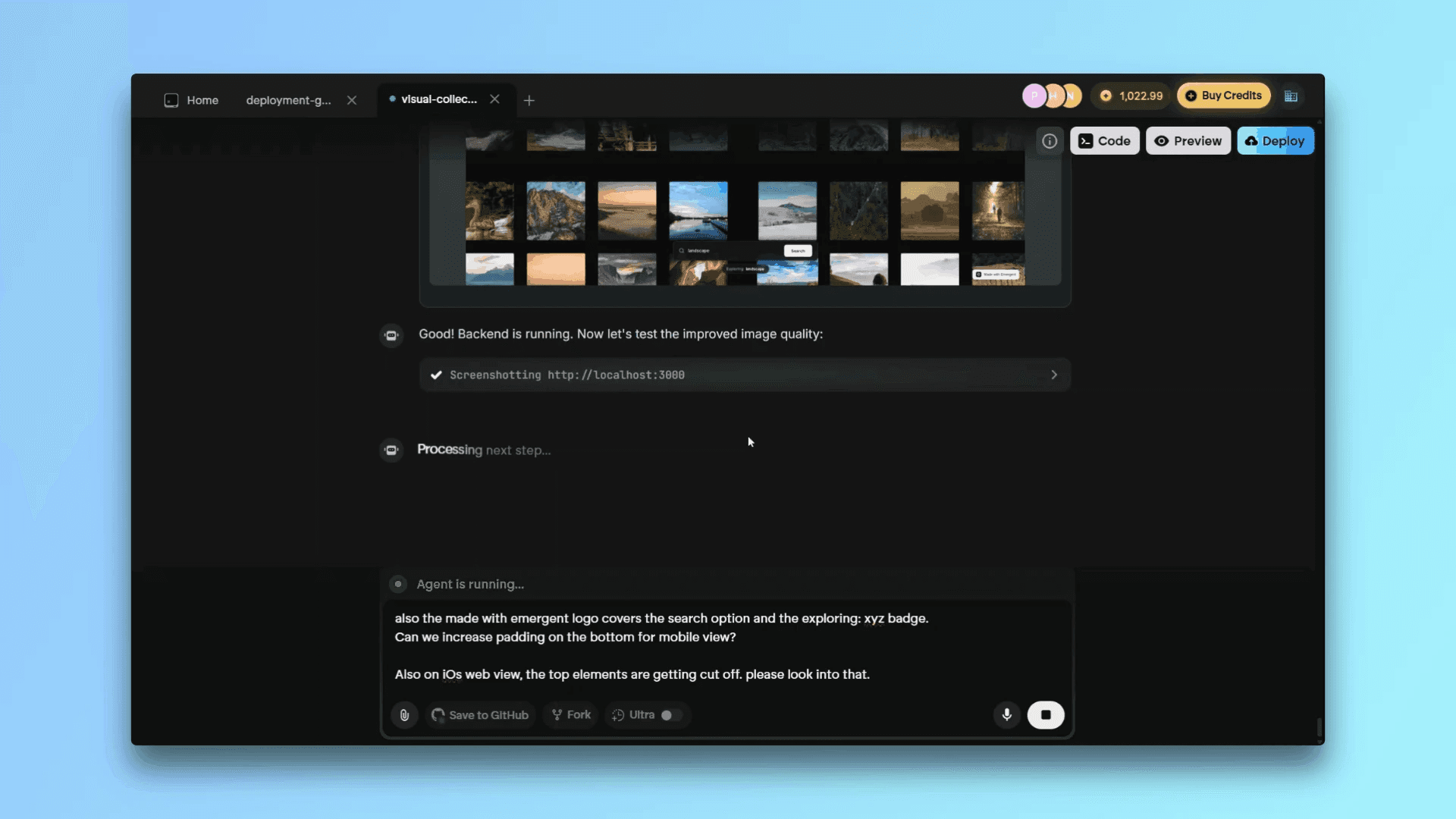
Click Deploy, wait for Emergent to finalize the hosting and use the final production URL to share the app with others!
If you still have issues, consider reading our How-To Guide on Deployment on Emergent.
Summary:
Backend + frontend supervised
Env variables secured
Real APIs live
Recap
You built CryptoAtlas, a real-time crypto intelligence dashboard with:
Live market data
AI-powered insights
Beginner education
Professional design
Key Learnings
Ask before building
Iterate in small steps
Design consistency matters
AI should help, not confuse
Possible Future Extensions
Portfolio tracking
User auth
Real historical price APIs
Final Demo
Test out our finished app over at https://wealthcrypto-hub.emergent.host/.
If you've tried this app out, tweet at us on X or reach out on Discord and we'll give you access to more fun, behind the scenes apps and games that we've built!