




AI web app builders have fundamentally changed how web applications are created in 2026. Instead of manually stitching together frontend frameworks, backend services, databases, APIs, and deployment pipelines, these platforms allow users to describe what they want and let AI handle the execution. They are especially valuable for founders, product teams, and non technical builders who want to move from idea to a working web application without the traditional engineering overhead.
As AI capabilities mature, modern AI web app builders are no longer limited to generating simple interfaces or prototypes. They can now design full application architectures, write scalable backend logic, integrate third party services, handle authentication, and deploy production ready apps. This guide explains how AI web app builders work, what features matter most, and why certain platforms stand out in 2026.
Read More About: What are the best vibe coding practices
What is an AI web app builder?
An AI web app builder is a platform that uses artificial intelligence to help users design, build, and deploy web applications with minimal or no manual coding. Instead of writing frontend components, backend logic, and infrastructure code by hand, users describe requirements in natural language or through guided inputs, and the system generates the underlying application automatically.
Unlike traditional no code tools that rely heavily on rigid visual blocks, AI web app builders can reason about application structure, data flow, user interactions, and integrations. This allows them to create more flexible, scalable, and production oriented web applications that closely resemble hand coded software. Here are the
5 Best AI Web App Builders in 2026
- Emergent
- Softgen
- Adalo
- Replit
- Glide
What are the key features of an AI web app builder?
1. Natural language to full web application generation
A strong AI web app builder allows users to describe features, workflows, and user flows in plain language. The system then translates those instructions into frontend interfaces, backend APIs, database schemas, and business logic that work together as a complete web application.
2. Full stack architecture handling without manual setup
Modern AI builders manage frontend frameworks, backend services, databases, authentication, and hosting automatically. This removes the need for developers to configure servers, manage environments, or set up deployment pipelines, while still producing structured and maintainable applications.
3. Intelligent data modeling and backend logic creation
Instead of forcing users to manually define tables and relationships, AI web app builders infer data models from the application description. They generate CRUD logic, validations, and relationships that align with real world use cases such as dashboards, marketplaces, or internal tools.
4. Built in integrations with third party services
AI web app builders support integrations with APIs, payment gateways, CRMs, analytics tools, and communication platforms. Advanced platforms can even read API documentation and configure integrations automatically, reducing setup time and integration errors.
5. Iterative refinement and real time preview
Users can continuously refine their applications by adjusting prompts or inputs. The builder updates the app in real time, allowing rapid experimentation, visual feedback, and incremental improvement without breaking the underlying system.
6. Deployment, hosting, and security handled by default
Top AI web app builders include hosting, SSL, environment isolation, and basic security configurations. This ensures applications are accessible, secure, and production ready without requiring DevOps knowledge from the user.
What are the benefits of using an AI web app builder?
1. Faster time to market for web applications
AI web app builders dramatically reduce development time by automating design, coding, and deployment. What previously took weeks or months can now be achieved in hours or days, giving teams a significant speed advantage.
2. Reduced dependency on engineering resources
Teams can build and iterate on web applications without relying entirely on developers. This lowers costs, removes bottlenecks, and allows engineers to focus on complex or high impact problems instead of routine app scaffolding.
3. Easier experimentation and product iteration
Because changes can be made through prompts or guided inputs, teams can test ideas, adjust features, and pivot quickly. This is especially valuable for startups and product teams validating new concepts.
4. Lower technical barrier for non technical users
AI web app builders make software creation accessible to founders, marketers, analysts, and operators. Users do not need deep knowledge of frameworks, databases, or cloud infrastructure to build functional web apps.
5. More consistent and structured application output
Unlike manual development where quality varies by developer, AI builders enforce consistent patterns, best practices, and architectures. This results in cleaner, more maintainable applications by default.
6. Built in scalability and production readiness
Modern AI web app builders are designed with scalability in mind. They generate applications that can grow in complexity, user base, and feature set without needing a complete rebuild later.
1. Emergent
Emergent is a full-stack, AI-powered vibe coding and no code builder designed for creating full scale, production ready web applications using natural language instead of manual coding. It allows founders, product teams, and non technical builders to describe what they want to build, while the platform generates the frontend, backend, database, integrations, and deployment automatically. Unlike UI focused builders, Emergent is built for real software creation where apps are meant to scale, integrate deeply, and run reliably in production environments.
Emergent is especially suited for modern AI powered web apps, internal tools, SaaS platforms, dashboards, and workflow driven applications that require both intelligent logic and solid engineering foundations.
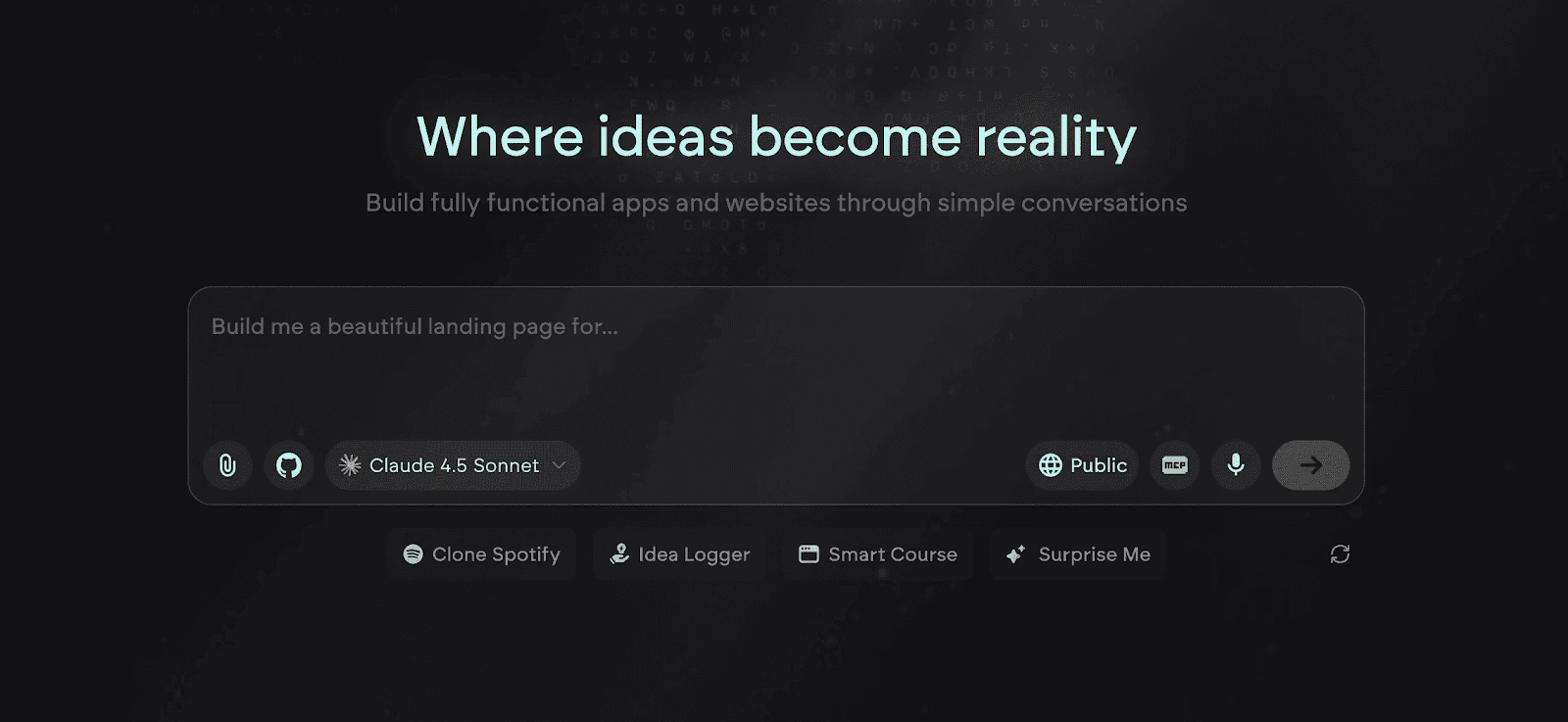
Key Features of Emergent
1. Natural language to full stack web app generation
Emergent allows users to describe complete web app requirements in plain language and converts them into a working frontend, backend logic, database schema, and APIs. This goes far beyond UI generation and enables real application behavior, state management, and business logic without manual coding.
2. AI driven backend logic and database modeling
The platform automatically designs database tables, relationships, and backend workflows based on app requirements. This ensures that data handling, permissions, and logic flows are structured correctly from the start, which is critical for scalable web applications.
3. Integrated frontend generation with real frameworks
Emergent generates modern, responsive web interfaces using real frontend frameworks instead of proprietary UI layers. This allows applications to behave like professionally engineered products rather than visual prototypes.
4. Built in authentication, roles, and access control
User login, signup flows, role based permissions, and protected routes are handled natively. This makes it possible to build secure multi user web apps such as admin panels, SaaS dashboards, and internal tools without external services.
5. Automated API and third party integration handling
Emergent can connect web apps to external tools, services, and APIs by reading documentation and configuring integrations automatically. This removes the need for manual API wiring and significantly speeds up complex app builds.
6. One click deployment with managed infrastructure
Web apps are deployed automatically with hosting, routing, and runtime configuration handled by the platform. Builders do not need to manage servers, DevOps pipelines, or cloud setup to launch a production ready web app.
Unique Features of Emergent
1. Multi agent AI system for web app creation
Emergent uses multiple specialized AI agents that handle planning, UI generation, backend logic, testing, deployment, and optimization. This mirrors how real engineering teams work and results in more reliable, well structured web applications.
2. Real code generation with full export capability
Unlike locked no code platforms, Emergent produces real application code that can be exported and self hosted. This gives teams long term flexibility, avoids platform dependency, and supports future scaling or customization by developers.
3. Agents that can debug and refine the web app autonomously
If errors occur or requirements change, Emergent’s AI agents can analyze logs, identify issues, and update the application logic automatically. This enables faster iteration and reduces maintenance friction over time.
4. Ability to embed AI agents directly inside web apps
Emergent allows AI agents to operate within the web apps it generates. This enables intelligent dashboards, automated workflows, AI driven user interactions, and self improving web applications.
5. Secure isolated execution environments
Each web app runs in its own isolated environment with controlled access, encrypted storage, and clear execution boundaries. This is essential for teams building business critical or data sensitive web applications.
6. Designed for production, not just prototyping
Emergent is built with the assumption that apps will be used by real users at scale. Architecture decisions, data modeling, and deployment flows are optimized for long term usage rather than short lived demos.
Advantages of Emergent
- Builds complete, production ready web apps instead of UI mockups
- Eliminates backend, database, and infrastructure setup work
- Supports complex logic, workflows, and integrations
- Generates real, exportable application code
- Ideal for SaaS, internal tools, and AI powered platforms
- Strong security and isolation for professional use cases
Limitations of Emergent
- Advanced applications require thoughtful and detailed prompting
- Overkill for extremely simple landing page style web apps
- Heavy AI driven builds can consume credits quickly
- Requires time to understand agent based workflows
Pricing and Plans of Emergent
| Plan | Pricing | Key Highlights |
|---|---|---|
| Free | $0/month |
|
| Standard | $20/month (annual) |
|
| Pro | $200/month (annual) |
|
| Team | $300/month (annual) |
|
| Enterprise | Custom |
|
Read More About: Emergent Pricing and Plans
2. Softgen
Softgen is an AI powered web app builder focused on turning structured product ideas into functional web applications through conversational input. It is designed for founders and early stage teams who want to move from idea to working web app quickly, without thinking about architecture, frameworks, or backend setup. The platform emphasizes speed, clarity, and guided generation rather than deep manual control.
Softgen is commonly used for MVPs, internal tools, simple SaaS products, and workflow based web apps where validation speed matters more than long term system extensibility.
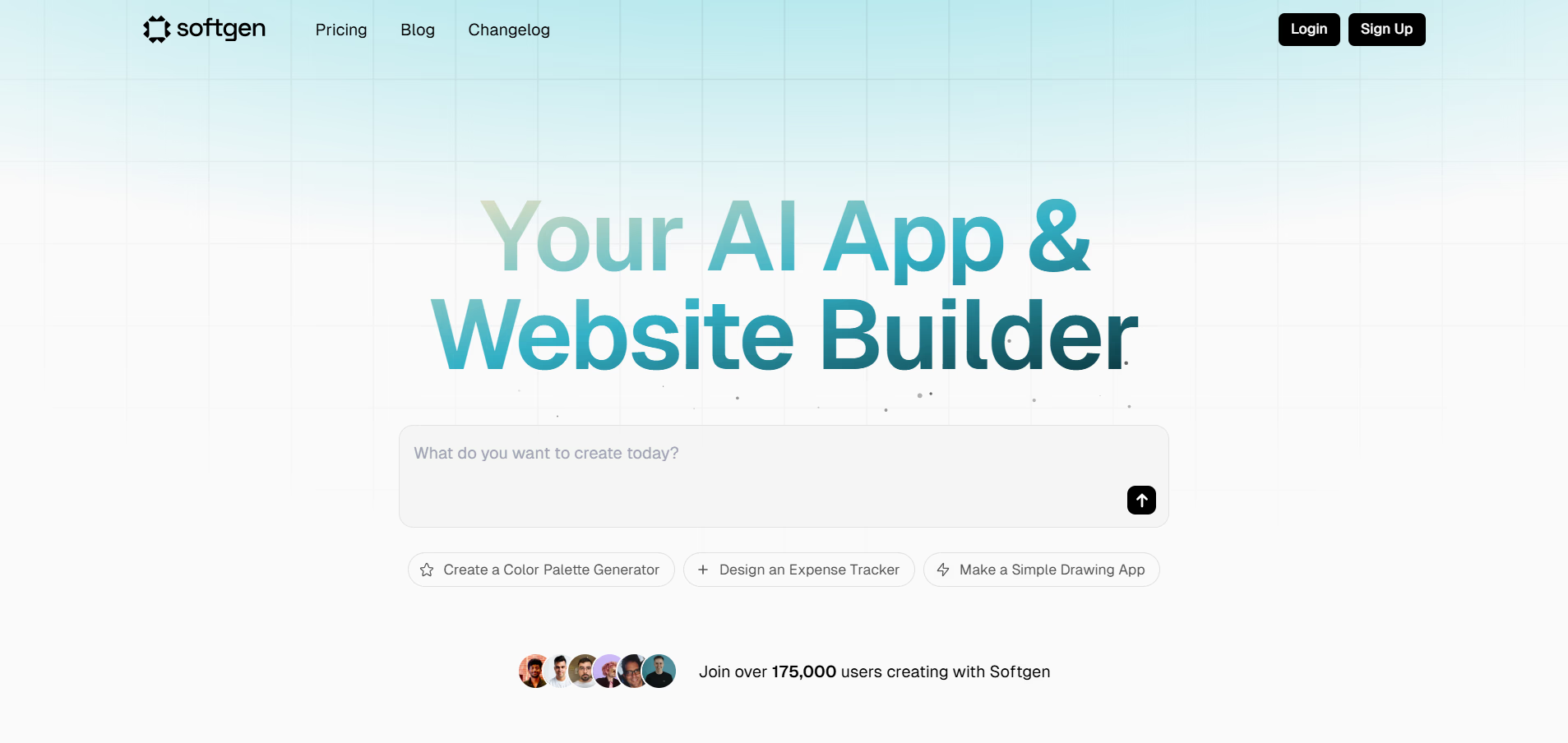
Key Features of Softgen
1. Conversational web app generation from structured prompts
Softgen guides users through a conversational flow to understand the app’s purpose, users, data needs, and actions. Based on this input, it generates a complete web app structure, allowing non technical users to build functional products without needing to think in technical terms.
2. Automatic frontend and backend scaffolding
The platform creates both the user interface and the underlying logic together, ensuring screens, data, and actions remain aligned. This reduces the common mismatch between UI design and backend behavior seen in manual or template driven tools.
3. Predefined application logic for common use cases
Softgen includes built in logic patterns for dashboards, CRUD apps, workflows, and form driven tools. These patterns help users build practical web apps faster without defining every rule manually.
4. Integrated data models with simple relationships
The platform automatically creates data structures and basic relationships based on app intent. This enables web apps to store, retrieve, and display information correctly without requiring database knowledge.
5. Built in hosting and environment management
Softgen handles hosting, runtime configuration, and app access automatically. Users can preview and share web apps without dealing with servers or deployment pipelines.
6. Rapid iteration through prompt based refinement
Users can refine the app by describing changes in plain language, such as modifying screens, adjusting logic, or adding fields. This makes iteration fast and accessible, especially during early product validation.
Unique Features of Softgen
1. Strong focus on MVP and early stage product creation
Softgen is optimized for speed and simplicity rather than deep customization. Its workflows are intentionally designed to help founders validate ideas quickly instead of building long term complex systems from day one.
2. Opinionated app structures that reduce decision fatigue
The platform makes architectural and design decisions automatically, which helps non technical users avoid being overwhelmed. This is particularly helpful for first time builders who struggle with too many choices.
3. Guided prompting instead of open ended generation
Softgen asks targeted questions rather than relying on completely free form prompts. This improves consistency and reduces the chance of incomplete or unstable app generation.
4. Clean and minimal default UI generation
Apps generated by Softgen follow a clean, neutral design language that works well for internal tools and MVPs. This reduces the need for immediate design customization during early testing phases.
5. Low learning curve for non technical founders
The platform avoids exposing users to technical concepts like APIs, schemas, or deployment settings. This allows business focused users to stay focused on product logic and outcomes.
6. Fast preview and sharing for stakeholder feedback
Softgen makes it easy to share live previews with teammates or stakeholders. This supports quick feedback loops during idea validation and early iteration.
Advantages of Softgen
- Very fast way to build and validate web app ideas
- Beginner friendly with guided prompts
- No backend or infrastructure setup required
- Suitable for MVPs and internal tools
- Clean default layouts reduce design effort
- Quick iteration through conversational updates
Limitations of Softgen
- Limited flexibility for complex or custom logic
- Not ideal for large scale or long term SaaS platforms
- Less control over underlying architecture
- Fewer advanced integrations compared to AI native builders
- Vendor lock in due to lack of full code export
- Not suited for highly regulated or security sensitive apps
Pricing and Plans of Softgen
| Plan | Pricing | Key Highlights |
|---|---|---|
| Softgen Annual License | $33/year + pay-as-you-go AI |
|
Read More About: Softgen Alternatives
3. Adalo
Adalo is a no code web app builder that focuses on helping non technical users create functional, data driven web applications using a visual interface enhanced with light AI assistance. It is designed for founders, operators, and small teams who want to build internal tools, simple SaaS products, portals, and CRUD based web apps without writing code. Adalo emphasizes clarity, structure, and ease of understanding over architectural freedom.
Unlike AI native builders, Adalo follows a more traditional no code approach where users visually define screens, actions, and data relationships. This makes it especially approachable for beginners who want to understand how a web app works rather than relying entirely on automation.
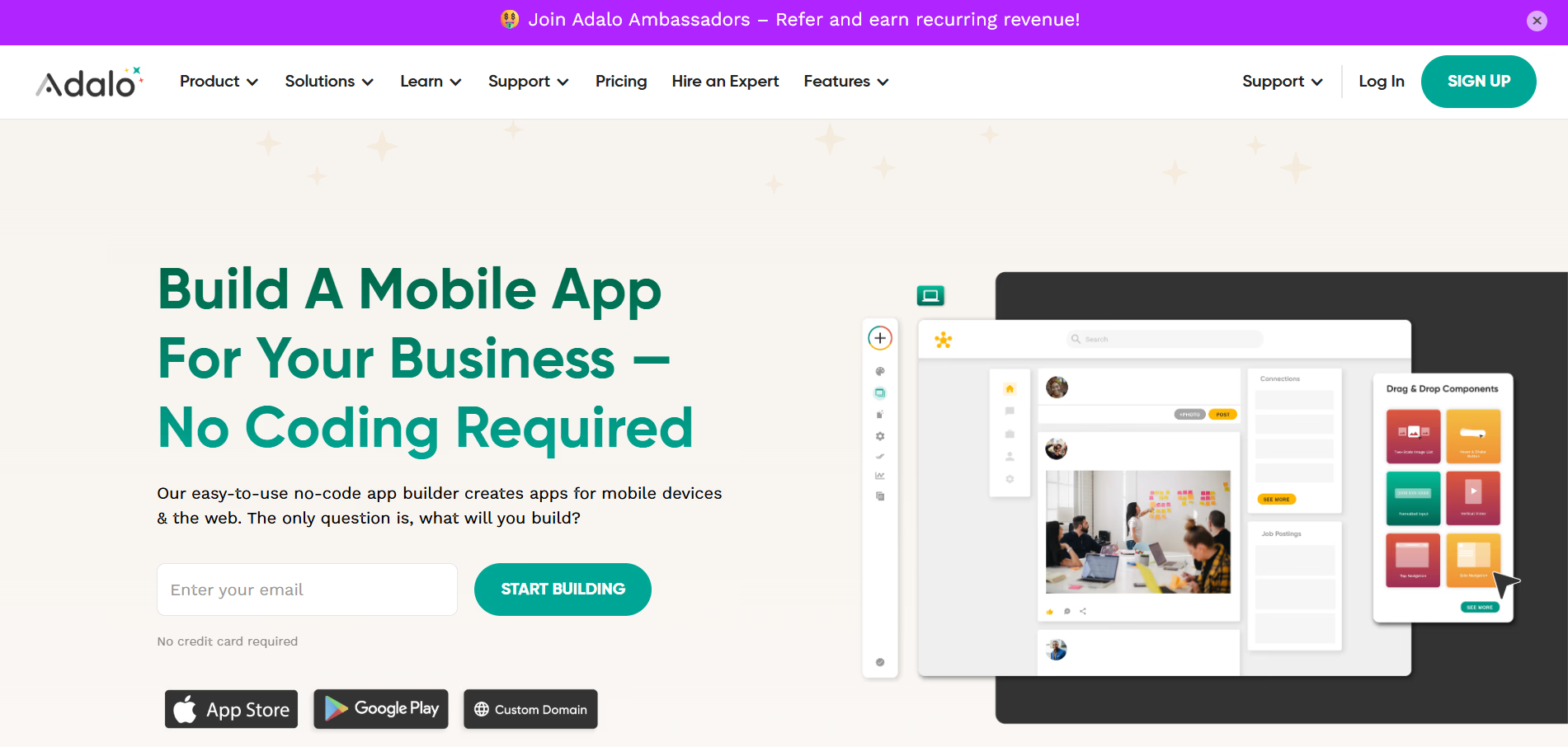
Key Features of Adalo
1. Visual screen based web app builder
Adalo allows users to design web app screens using drag and drop components while visually connecting buttons, forms, and actions. This makes app behavior easy to follow and understand, especially for users who prefer seeing logic rather than describing it in prompts.
2. Built in database with relational data support
The platform includes an internal database that stores records, users, and relationships between data sets. This allows builders to create data driven web apps such as dashboards, listings, profiles, and admin panels without external databases.
3. Action driven logic for user interactions
Adalo uses an event based system where actions are triggered by user behavior such as clicks, submissions, or data updates. This makes it straightforward to model workflows like form submissions, status changes, and basic business logic.
4. Authentication and user permissions out of the box
Login, signup, password reset, and role based access control are included by default. This enables builders to create gated web apps with personalized user experiences without additional configuration.
6. Responsive layouts for web app accessibility
Apps built with Adalo automatically adjust to different screen sizes, ensuring usability across desktop and tablet environments without manual responsive design work.
7. Hosted deployment with shareable web access
Adalo handles hosting and publishing of web apps, allowing users to deploy and share applications quickly without dealing with servers or deployment pipelines.
Unique Features of Adalo
1. Strong beginner friendly mental model for app logic
Adalo’s visual approach makes it easy for first time builders to understand how screens, data, and actions connect. This reduces confusion and helps users reason about app behavior step by step.
2. Predictable app behavior through constrained logic
Because logic is defined through predefined actions, apps behave consistently and are easier to debug. This predictability is valuable for non technical users building business critical tools.
3. Community driven component marketplace
Adalo offers reusable components built by the community, allowing users to add common functionality without starting from scratch. This speeds up development for standard app patterns.
4. Clear data relationship modeling for CRUD apps
The way Adalo handles collections and relationships helps users grasp how data flows through a web app. This is especially useful for apps centered around records, forms, and user generated content.
5. Low cognitive load compared to AI heavy platforms
Adalo avoids overwhelming users with AI agents, prompts, or architecture decisions. This makes it more approachable for users who want control without complexity.
6. Well suited for internal tools and small scale SaaS
The platform performs best for apps that do not require deep customization, heavy integrations, or complex system design.
Advantages of Adalo
- Very beginner friendly web app building experience
- Clear visual logic that is easy to follow and debug
- Built in database and authentication
- Good fit for CRUD based and form driven apps
- No infrastructure or backend setup required
- Active community and learning resources
Limitations of Adalo
- Limited flexibility for advanced business logic
- Performance constraints for large scale applications
- Not ideal for complex SaaS architectures
- Restricted custom integrations compared to AI native builders
- Vendor lock in due to lack of full code export
- Less suitable for AI driven or autonomous workflows
Pricing and Plans of Adalo
| Plan | Pricing | Key Highlights |
|---|---|---|
| Free | $0/month |
|
| Starter | $45/month |
|
| Professional | $65/month |
|
| Team | $200/month |
|
| Business | $250/month |
|
4. Replit
Replit is an AI assisted web app builder and cloud development environment that sits between no code platforms and traditional coding workflows. It is designed for builders who want to create real web applications with full control over code, while still benefiting from AI to accelerate development. Replit is widely used by developers, technical founders, and semi technical users who want speed without abstraction.
Unlike visual no code tools, Replit treats web apps as real software projects from day one. AI helps generate, explain, debug, and extend code, but the underlying application remains fully transparent and editable at all times.
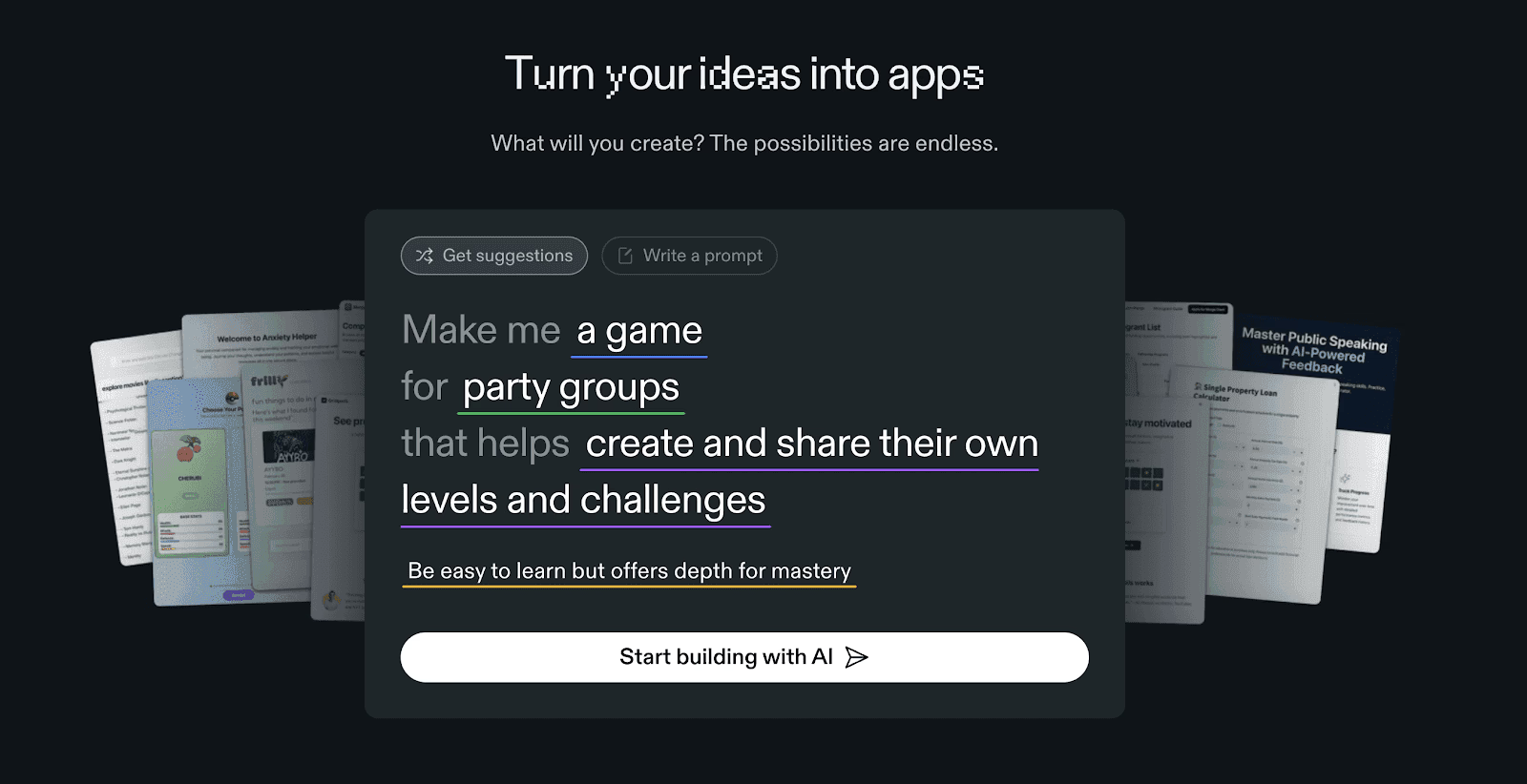
Key Features of Replit
1. AI assisted full stack web app development
Replit provides AI tools that help generate frontend, backend, and API logic directly in code. This allows users to build real web applications faster while maintaining full visibility and control over how the system works.
2. Browser based coding environment with live execution
All development happens directly in the browser with instant code execution and previews. This removes local setup friction and allows rapid iteration, testing, and experimentation on web apps.
3. Built in hosting and deployment for web applications
Replit allows users to deploy web apps directly from the workspace with managed hosting. This makes it easy to share live applications without configuring servers or external deployment pipelines.
4. Support for modern web frameworks and languages
The platform supports popular frontend and backend frameworks, enabling users to build everything from simple APIs to complex full stack web apps using industry standard tools.
5. AI powered debugging and code explanation
Replit’s AI can explain code behavior, identify errors, and suggest fixes in real time. This reduces development friction and helps less experienced users understand what their app is doing.
6. Real time collaboration for team development
Multiple users can work on the same web app simultaneously, making Replit suitable for team projects, pair programming, and collaborative product development.
Unique Features of Replit
1. Strong balance between AI automation and manual control
Replit allows users to decide how much AI assistance they want, rather than forcing a fully automated workflow. This flexibility makes it suitable for both learning and production use.
2. Transparent codebase with no platform abstraction
Unlike no code builders, Replit does not hide logic behind visual layers. Every part of the web app is visible, editable, and understandable as real code.
3. Large ecosystem of templates and community projects
Users can fork existing web apps and templates to accelerate development. This makes it easier to start from working examples rather than blank projects.
4. Immediate feedback loop through live previews
Changes to code are reflected instantly in the running app. This tight feedback loop supports rapid experimentation and faster learning.
5. Suitable for both education and production builds
Replit is widely used for learning web development and also supports serious production apps. This dual role makes it versatile across skill levels.
6. Easier scaling path compared to no code platforms
Because apps are built as real codebases, teams can scale architecture, performance, and integrations without hitting hard platform limits.
Advantages of Replit
- Full control over application code
- Strong AI assistance for faster development
- No local setup or environment management
- Good fit for technical and semi technical users
- Supports real production deployments
- Strong collaboration features
Limitations of Replit
- Requires coding knowledge to be effective
- Not suitable for fully non technical users
- Less guided than AI native builders
- Architecture decisions remain user driven
- Can feel complex for beginners
- No visual no code abstraction
Pricing and Plans of Replit
| Plan | Pricing | Key Highlights |
|---|---|---|
| Starter | Free | Great for exploring and experimenting with app creation. |
| Replit Core | $20/month (billed annually) | Full Replit Agent access, private & public apps, and live hosting. |
| Teams | $35/user/month (billed annually) | Includes 50 viewer seats, role-based access, and centralized billing. |
| Enterprise | Custom pricing | Advanced privacy controls, SSO/SAML, SCIM, and dedicated support. |
Read More About: Replit Alternatives
5. Glide
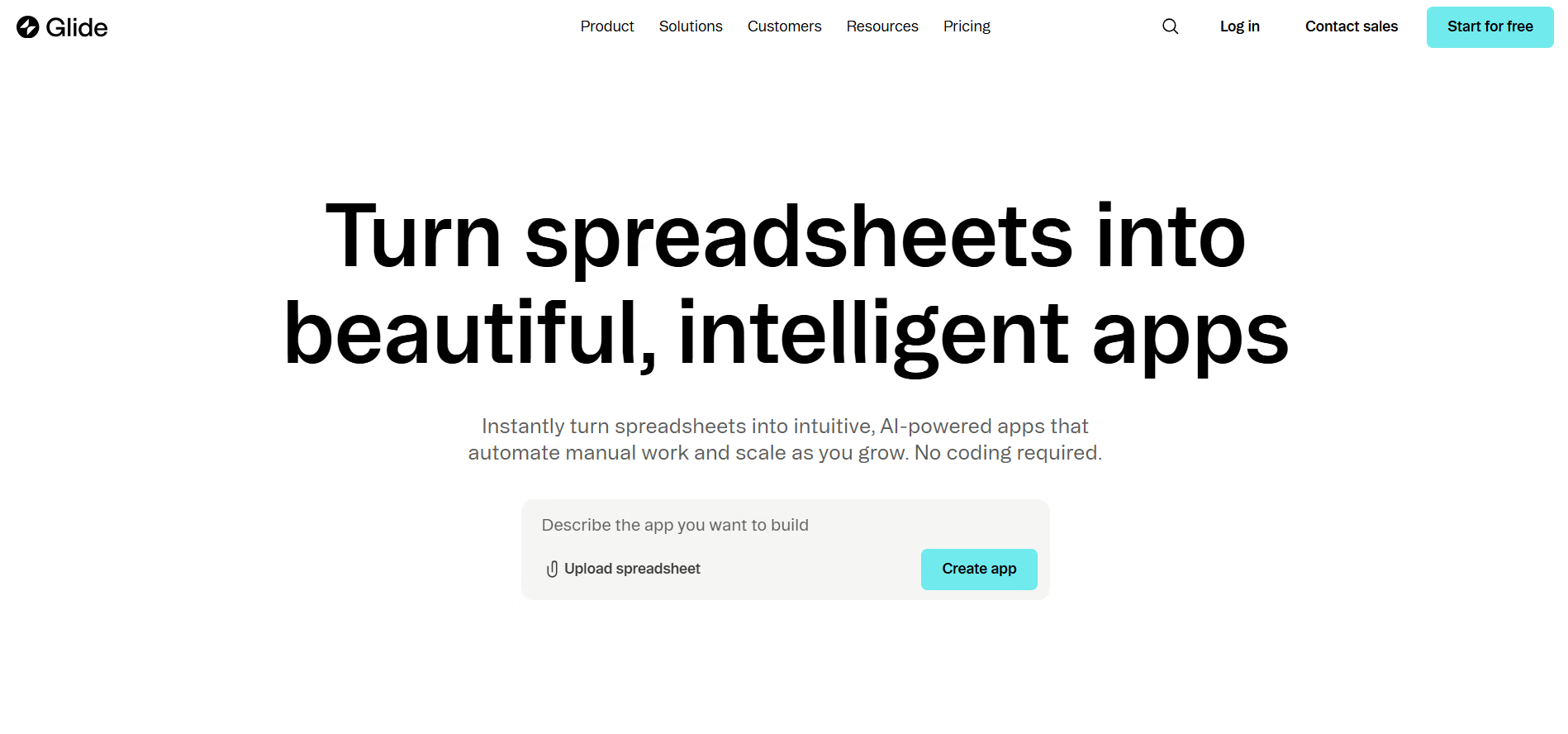
Glide is a no code web app builder that focuses on turning structured data into functional web applications with minimal effort. It is especially popular for building internal tools, dashboards, portals, and operational web apps that are powered by spreadsheets or simple databases. Glide prioritizes speed, clarity, and usability over deep customization or complex architecture.
Glide works best for teams that already have data in tools like spreadsheets or databases and want to quickly convert that data into usable web apps without thinking about backend systems, APIs, or infrastructure.
Key Features of Glide
1. Data driven web app creation from spreadsheets and databases
Glide allows users to connect spreadsheets or structured data sources and automatically converts rows into app screens. This makes it extremely fast to build functional web apps around existing business data.
2. Clean and consistent UI components by default
The platform provides polished, standardized UI components that ensure apps look professional without custom design work. This helps non designers create usable interfaces quickly.
3. Built in logic for filtering, sorting, and calculations
Glide enables users to define logic directly at the data level, such as computed fields, filters, and conditions. This allows apps to behave dynamically without traditional backend logic.
4. User authentication and role based access control
The platform supports login systems and permissions, enabling teams to restrict access and show different data or actions based on user roles.
5. Hosted deployment with instant web access
Glide handles hosting automatically and provides shareable links for web apps. This removes the need for server setup or deployment configuration.
6. Fast iteration through live data updates
Changes made to the underlying data are reflected instantly in the app. This allows teams to update content and behavior quickly without redeploying the app.
Unique Features of Glide
1. Strong focus on internal tools and operational apps
Glide is optimized for internal use cases like dashboards, trackers, and admin tools. Its feature set aligns closely with how teams manage and act on operational data.
2. Extremely low learning curve for non technical users
The platform is designed so users can build usable web apps in hours rather than days. This accessibility makes it ideal for business teams without engineering support.
3. Clear separation between data logic and UI
Glide’s model keeps data transformations separate from UI layout. This clarity helps users understand and maintain app behavior over time.
4. Predictable app behavior through constrained logic
Because logic options are intentionally limited, apps behave consistently and are easier to reason about. This reduces unexpected errors for non technical builders.
5. Reliable performance for small to medium scale apps
Glide performs well for apps with moderate user counts and data sizes, making it suitable for departmental and team level tools.
6. Rapid sharing and collaboration for teams
Apps can be shared instantly with team members, supporting quick collaboration and feedback without complex setup.
Advantages of Glide
- Very fast way to build data driven web apps
- Beginner friendly and easy to learn
- Clean default UI without design work
- Strong fit for internal tools and dashboards
- No backend or infrastructure management
- Instant deployment and sharing
Limitations of Glide
- Limited flexibility for complex app logic
- Not suitable for large scale SaaS products
- Restricted customization compared to full stack builders
- Vendor lock in due to platform hosted apps
- Limited support for advanced integrations
- Not ideal for AI heavy or autonomous workflows
Pricing and Plans of Glide
| Plan | Pricing | Key Highlights |
|---|---|---|
| Free | $0/month |
|
| Explorer | From $25/month |
|
| Maker | From $60/month |
|
| Business | From $249/month |
|
| Enterprise | Custom |
|
How to choose the best AI web app builder?
1. Define whether you are building a real product or an internal tool
If your goal is a production grade SaaS, customer facing platform, or AI driven web application, you need a builder that supports backend logic, integrations, security, and scalability. Lighter tools work well for internal dashboards, but they will quickly break down for real products.
2. Evaluate how much control you need over logic and data
Some builders abstract logic heavily to keep things simple, while others expose real backend workflows and data modeling. If your app involves complex business rules, user roles, or automation, choose a platform that does not overly restrict logic creation.
3. Assess AI depth versus visual simplicity
AI web app builders vary in how deeply AI is involved. Some only assist with UI or scaffolding, while others use AI to reason, plan, integrate tools, and refine logic. Deeper AI systems reduce manual work but require clearer intent and understanding.
4. Consider integration and API requirements early
If your web app needs to connect to CRMs, payment systems, analytics tools, or internal APIs, integration capability becomes critical. Platforms that require manual wiring can slow development significantly compared to systems that automate integrations.
5. Think about long term scalability and ownership
Early speed is important, but long term flexibility matters more. Builders that generate exportable code or allow architectural evolution give teams more control as the product grows, reducing the risk of rebuilding later.
6. Match the platform to your team’s technical comfort
Non technical teams benefit from guided or visual builders, while technical or semi technical teams gain more value from AI assisted code generation. Choosing a platform aligned with your team’s skills avoids unnecessary friction.
Why is Emergent the best AI web app builder?
1. Emergent builds complete web applications, not just interfaces
Unlike many AI web app builders that focus on UI generation or simple workflows, Emergent creates full stack web applications including frontend, backend logic, databases, authentication, integrations, and deployment. This makes it suitable for real products rather than demos or internal prototypes.
2. Multi agent AI delivers deeper reasoning and stability
Emergent uses multiple specialized AI agents that collaborate on planning, coding, testing, deployment, and optimization. This mirrors real software teams and results in more reliable applications compared to single agent or prompt only builders.
3. Backend logic and data modeling are first class citizens
Emergent automatically designs backend workflows, database schemas, and access rules based on product intent. This ensures the app’s foundation is solid, scalable, and aligned with real world usage rather than patched together later.
4. Seamless integration with external tools and APIs
Instead of forcing users to manually configure every integration, Emergent’s agents can read documentation, understand APIs, and set up connections automatically. This dramatically reduces development time for apps that rely on external systems.
5. Built for production scale, security, and governance
Each Emergent app runs in an isolated environment with controlled execution, encrypted storage, and clear boundaries. This level of isolation and safety is critical for business critical web applications and is rarely offered by simpler builders.
6. Full code ownership prevents long term platform lock in
Emergent generates real, exportable codebases that teams can self host, extend, or migrate. This ensures long term control over the product and removes the risk of being trapped inside a proprietary platform.
Conclusion
AI web app builders in 2026 make it possible for individuals and teams to create functional, scalable web applications faster than ever before. Tools like Softgen, Adalo, Replit, and Glide each serve specific needs, ranging from MVP validation to internal tools and code driven development. Emergent stands apart by combining deep AI reasoning, full stack generation, automated integrations, and production grade deployment, making it the strongest choice for teams building serious web applications rather than lightweight tools.
Most builders stop at a prototype. Emergent ships real web and mobile apps, with accounts, databases, and payments included.
- Production-ready apps
- Web & mobile apps
- Deploy in minutes







