

Build a Government SaaS in Minutes With AI
Create your government saas in minutes with AI. Add user accounts, billing, and backend from a prompt, and launch without coding.










Trusted by Builders Worldwide
Active Builders Worldwide
Apps Successfully Created
Countries Globally Reached



Build your government SaaS in four steps
Say it in your own words: your services, eligibility rules, accessibility requirements and record keeping.
Say it in your own words: your services, eligibility rules, accessibility requirements and record keeping.
Your existing systems connect, so citizens are not asked for what you hold.
Add a service, an eligibility rule or a reporting requirement.
Complete a service as a citizen using assistive technology.
Emergent Key Features for Building a Government SaaS
Public services are used by everyone, including people on old devices, poor connections and with access needs. That sets the bar.
Accessibility as a Baseline Requirement
Screen reader support, keyboard navigation, contrast and plain language are built in, because public sector services are legally required to be usable by everyone.
Works on Old Devices and Poor Connections
Pages that load on a five year old phone over a weak connection, since the people most reliant on public services often have the least capable technology.
Assisted Digital Routes Retained
A phone or in person route recorded in the same system, so citizens who cannot complete online are not simply excluded from the service.
Case Progress Visible to the Citizen
Where a request stands and what happens next, which removes the majority of chasing contact that otherwise consumes a service centre.
Published Performance from Live Data
Service standards and actual performance published from the same records used internally, rather than a curated figure produced quarterly.
Records Retained to Statutory Periods
Retention and disposal applied according to public records obligations, with an audit trail of decisions taken.
Government SaaS Use Cases You Can Build in Minutes
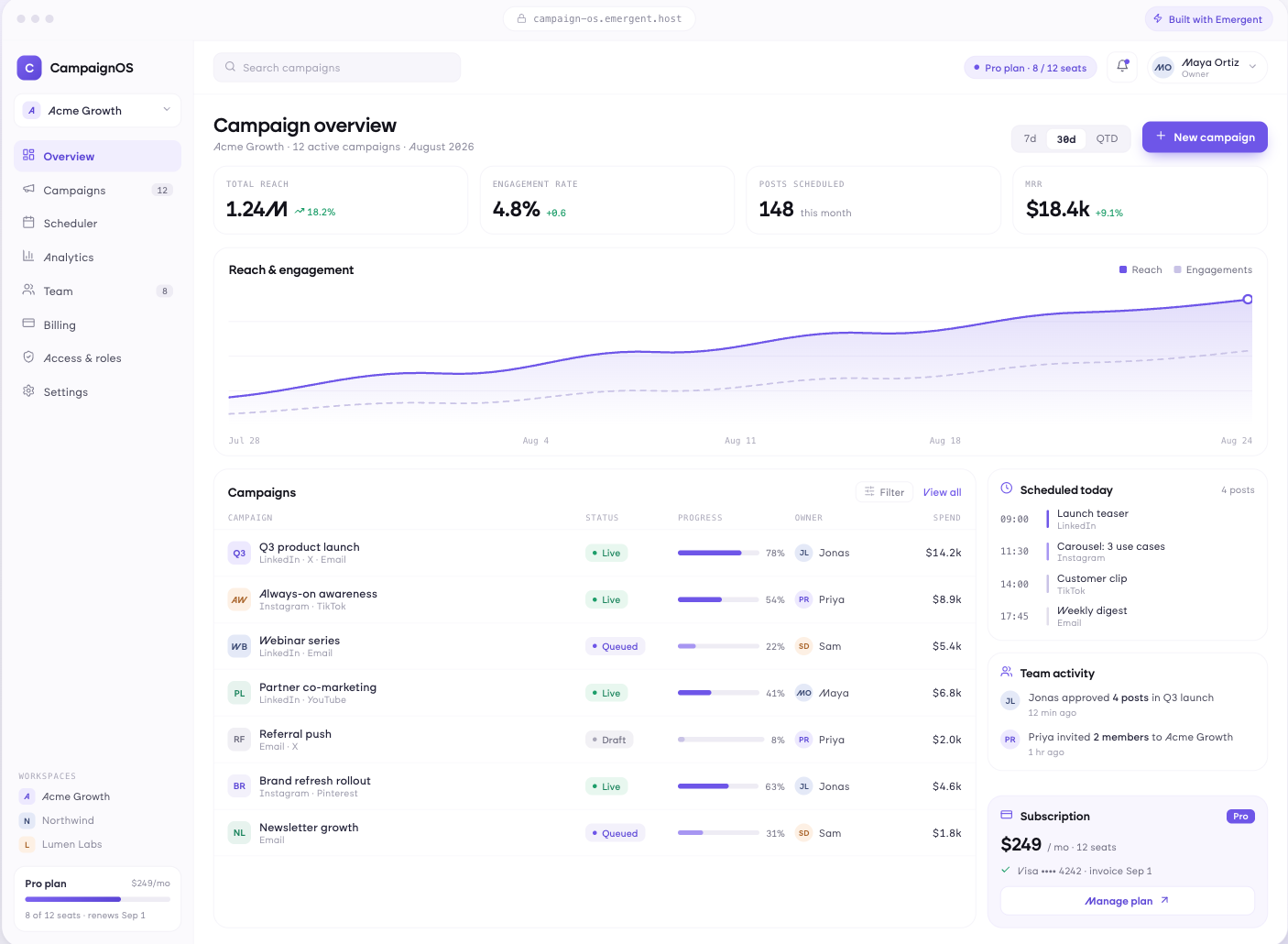
Usable by Everyone, Including on a Bad Connection
Service applications that work with screen readers and keyboard navigation, plain language throughout, progress saved so a session can be resumed, and pages that load on old devices over weak connections.
window.awbMockup = { citizenServices: "Build a citizen service application that works with screen readers and keyboard navigation, uses plain language throughout, saves progress so a session can be resumed later, and loads on an old device over a weak connection without failing.", caseManagement: "Build a case management app tracking requests through their stages with the citizen able to see where theirs stands, applying service standards by case type, flagging cases breaching those standards, and recording assisted digital contact in the same case record.", transparency: "Build a public transparency dashboard publishing service performance against stated standards, spending by category and progress on public commitments, generated from the same live records used internally, with clear data dates and downloadable datasets.", internalOperations: "Build an internal caseworker app allocating work by capacity and specialism, prioritising cases by statutory deadline, recording decisions with their reasoning, sampling quality checks, and showing the workload each service area is actually carrying."};
Progress Visible Without a Phone Call
Requests tracked through their stages with the citizen able to see where theirs stands, service standards applied by case type, cases breaching those standards, and assisted digital routes recorded in the same system.
Published From the Same Data You Use
Service performance against published standards, spending by category, progress on stated commitments, all generated from live records with clear data dates and downloadable datasets rather than curated quarterly.
Caseworkers Are Users Too
Work allocated by capacity and specialism, cases prioritised by statutory deadline, decisions recorded with reasoning, quality checks sampled, and the workload each service area is actually carrying.
Every integration your
SaaS needs from day one
Email and calendar
Inbox and calendar sync both ways, so every reply, meeting and no-show lands on the contact record without anyone logging it.




Messaging and support
Conversations from chat, WhatsApp and your helpdesk attach to the right contact, so sales and support see the same history.




Payments and billing
Invoices, subscriptions and payment status flow back into the deal, so revenue and pipeline stay in one place.




If it has an API, your CRM can connect to it.
Emergent builds the connection against the API itself, including internal tools your team made. No closed ecosystem, no approved-partner list, no waiting for a connector to ship.


More things you can build
with Emergent
AI Website Builder
Build and publish responsive websites with AI — from landing pages to complete websites.
AI App Builder
Create and launch mobile apps with AI, without the complexity of traditional app development.
AI Web App Builder
Build and ship fully functional web apps with custom interfaces, logic, and workflows.
AI Dashboard Builder
Create interactive dashboards to visualize data, track KPIs, and manage business operations.
AI SaaS Builder
Build complete SaaS products with user accounts, subscriptions, dashboards, and core product workflows.
AI CRM Builder
Build custom CRMs for managing contacts, leads, pipelines, campaigns, and automated workflows.
AI Agent Builder
Create AI agents that can understand tasks, use tools, automate workflows, and work across your business.
Build Your Own
Start with any idea and build exactly what you need with AI — no templates or limits.

Why choose Emergent?
Most tools give you a demo you have to rebuild. Emergent gives you a product that is ready to run.
| Comparison | Other Tools |  |
|---|---|---|
| Built for | Demos and MVPs | Products you keep growing |
| What you get | Front end shell only | Full stack, wired end to end |
| Backend and database | Set it up yourself | Built and connected for you |
| Customization | Surface level styling | Deep workflow control |
| Integrations and APIs | Manual glue work | Connected from a prompt |
| Code ownership | Locked to the platform | Clean code you can export |
| Time to launch | Weeks of patching and setup | Live the same day |
Pick the Pricing Plan That Works for You
Choose the plan that fits your building ambitions. From weekend projects to enterprise applications, we've got you covered.
No credit card required*


Find the Right SaaS Builder
for Your Business
Frequently Asked Questions
Your Questions, Answered
Don't change this element unless you know what you are doing
on Emergent today




