

Build an SaaS Landing Page in Minutes With AI
Create your saas landing page in minutes with AI. Add user accounts, billing, and backend from a prompt, and launch without coding.










Trusted by Builders Worldwide
Active Builders Worldwide
Apps Successfully Created
Countries Globally Reached



Build your landing page SaaS in four steps
Describe it in plain English: your templates, editable fields, publishing flow and analytics depth.
Describe it in plain English: your templates, editable fields, publishing flow and analytics depth.
Hosting and analytics connect, so pages go live and results come back.
Add a template, an editable block or a split test option.
Publish a page and run a split test to check attribution was right.
Emergent Key Features for Building a Landing Page SaaS
Published pages have to load in under a second on a phone, because everything else about the page is irrelevant if they leave first.
Output Fast by Construction
Pages published as light static output rather than a heavy runtime, since load time affects both conversion and paid traffic costs directly.
Editing Without Breaking Responsiveness
Layouts that hold up at every width regardless of what a non technical user does, because a page broken on mobile loses most of its traffic.
Tests with Enough Traffic to Mean Something
Split tests reporting whether a result is actually distinguishable from noise, rather than declaring a winner on forty visits.
Forms That Post Where They Should
Submissions reaching your CRM or database immediately with validation applied, since a landing page that captures leads nobody receives is worse than none.
Tracking Without Slowing the Page
Analytics and conversion tracking loaded so they do not delay first paint, which is where most page builders quietly lose their speed advantage.
Version History and Rollback
Every published change reversible, because the most common landing page emergency is a change that dropped conversion and nobody kept the original.
Landing Page SaaS Use Cases You Can Build in Minutes
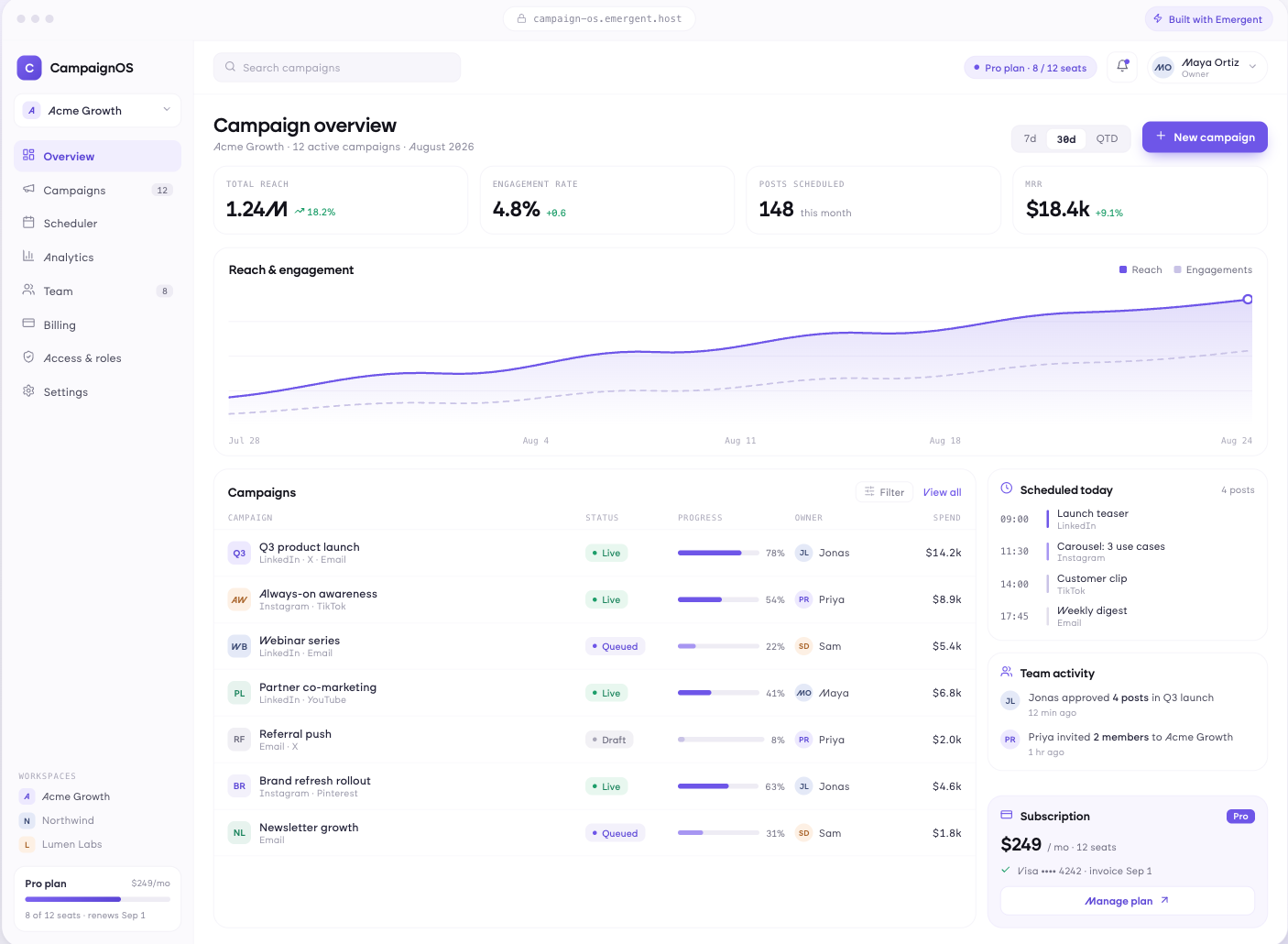
Fast Output, Not Just Fast Editing
Pages published as light static output, layouts that hold at every width without a technical user checking, images optimised automatically, and previews that reflect what visitors will actually experience on a phone.
window.awbMockup = { pageBuilding: "Build a landing page builder publishing light static output rather than a heavy runtime, with layouts that hold at every width regardless of what a non technical user does, images optimised automatically, and previews that reflect what a visitor on a phone actually experiences.", conversionTesting: "Build a split testing app for landing pages splitting traffic evenly between variants, reporting whether a difference is genuinely distinguishable from noise rather than declaring a winner early, running until there is enough traffic, and recording what was tested.", leadCapture: "Build lead capture for landing pages with validation at entry, submissions posted to your CRM or database immediately, confirmation and follow up triggered, failed submissions retried and surfaced, and duplicate entries handled sensibly rather than rejected.", performanceAndPublishing: "Build a publishing app for landing pages loading analytics and tracking off the critical path, measuring load time on real visits rather than in a test, keeping version history with one click rollback, and deploying to your own domain."};
A Winner You Can Believe
Variants split evenly with results reported alongside whether the difference is distinguishable from noise, tests running until they have enough traffic, and a record of what was tested and what actually changed.
Submissions That Arrive
Forms with validation at entry, submissions posted to your CRM or database immediately, confirmation and follow up triggered, failed submissions retried and surfaced, and duplicate entries handled sensibly.
Nothing Blocks the First Paint
Analytics and tracking loaded off the critical path, load times measured on real visits rather than in a test, version history with one click rollback, and pages deployed to your own domain.
Every integration your
SaaS needs from day one
Email and calendar
Inbox and calendar sync both ways, so every reply, meeting and no-show lands on the contact record without anyone logging it.




Messaging and support
Conversations from chat, WhatsApp and your helpdesk attach to the right contact, so sales and support see the same history.




Payments and billing
Invoices, subscriptions and payment status flow back into the deal, so revenue and pipeline stay in one place.




If it has an API, your CRM can connect to it.
Emergent builds the connection against the API itself, including internal tools your team made. No closed ecosystem, no approved-partner list, no waiting for a connector to ship.


More things you can build
with Emergent
AI Website Builder
Build and publish responsive websites with AI — from landing pages to complete websites.
AI App Builder
Create and launch mobile apps with AI, without the complexity of traditional app development.
AI Web App Builder
Build and ship fully functional web apps with custom interfaces, logic, and workflows.
AI Dashboard Builder
Create interactive dashboards to visualize data, track KPIs, and manage business operations.
AI SaaS Builder
Build complete SaaS products with user accounts, subscriptions, dashboards, and core product workflows.
AI CRM Builder
Build custom CRMs for managing contacts, leads, pipelines, campaigns, and automated workflows.
AI Agent Builder
Create AI agents that can understand tasks, use tools, automate workflows, and work across your business.
Build Your Own
Start with any idea and build exactly what you need with AI — no templates or limits.

Why choose Emergent?
Most tools give you a demo you have to rebuild. Emergent gives you a product that is ready to run.
| Comparison | Other Tools |  |
|---|---|---|
| Built for | Demos and MVPs | Products you keep growing |
| What you get | Front end shell only | Full stack, wired end to end |
| Backend and database | Set it up yourself | Built and connected for you |
| Customization | Surface level styling | Deep workflow control |
| Integrations and APIs | Manual glue work | Connected from a prompt |
| Code ownership | Locked to the platform | Clean code you can export |
| Time to launch | Weeks of patching and setup | Live the same day |
Pick the Pricing Plan That Works for You
Choose the plan that fits your building ambitions. From weekend projects to enterprise applications, we've got you covered.
No credit card required*


Find the Right SaaS Builder
for Your Business
Frequently Asked Questions
Your Questions, Answered
Don't change this element unless you know what you are doing
on Emergent today




