

Build a Workshop Management SaaS in Minutes With AI
Create your workshop management saas in minutes with AI. Add user accounts, billing, and backend from a prompt, and launch without coding.










Trusted by Builders Worldwide
Active Builders Worldwide
Apps Successfully Created
Countries Globally Reached



Build your workshop management SaaS in four steps
Just describe it: your job types, bay allocation, parts ordering and technician skills.
Just describe it: your job types, bay allocation, parts ordering and technician skills.
Parts suppliers and accounting connect, so jobs become invoices.
Add a job type, a bay or an approval flow for extra work.
Run a job needing an ordered part and check it could not start early.
Emergent Key Features for Building a Workshop Management SaaS
A workshop sells labour hours through a fixed number of bays, and both are lost while a customer decides about an estimate.
Estimates Approved from a Phone
The customer sees the additional work, its cost and often a photograph, and approves in a tap, because a vehicle waiting on a callback is a bay earning nothing.
Labour Sold against Labour Available
Hours booked to jobs compared with hours the technicians were paid for, which is the recovery figure that decides workshop profitability.
Bay Utilisation Separated from Technician Time
A job can hold a bay while nobody works on it, and knowing which constraint is binding changes what you fix.
Parts Ordered against the Job
Components attached to the specific job with arrival expected, so a vehicle is not stripped before the part is confirmed.
Job History against the Machine
Previous work, parts fitted and warranty dates held against the vehicle or unit rather than the customer, which matters on a second visit.
Comeback Rate Tracked Honestly
Return visits within a warranty period by technician and job type, which is the real measure of workmanship rather than throughput.
Workshop Management SaaS Use Cases You Can Build in Minutes
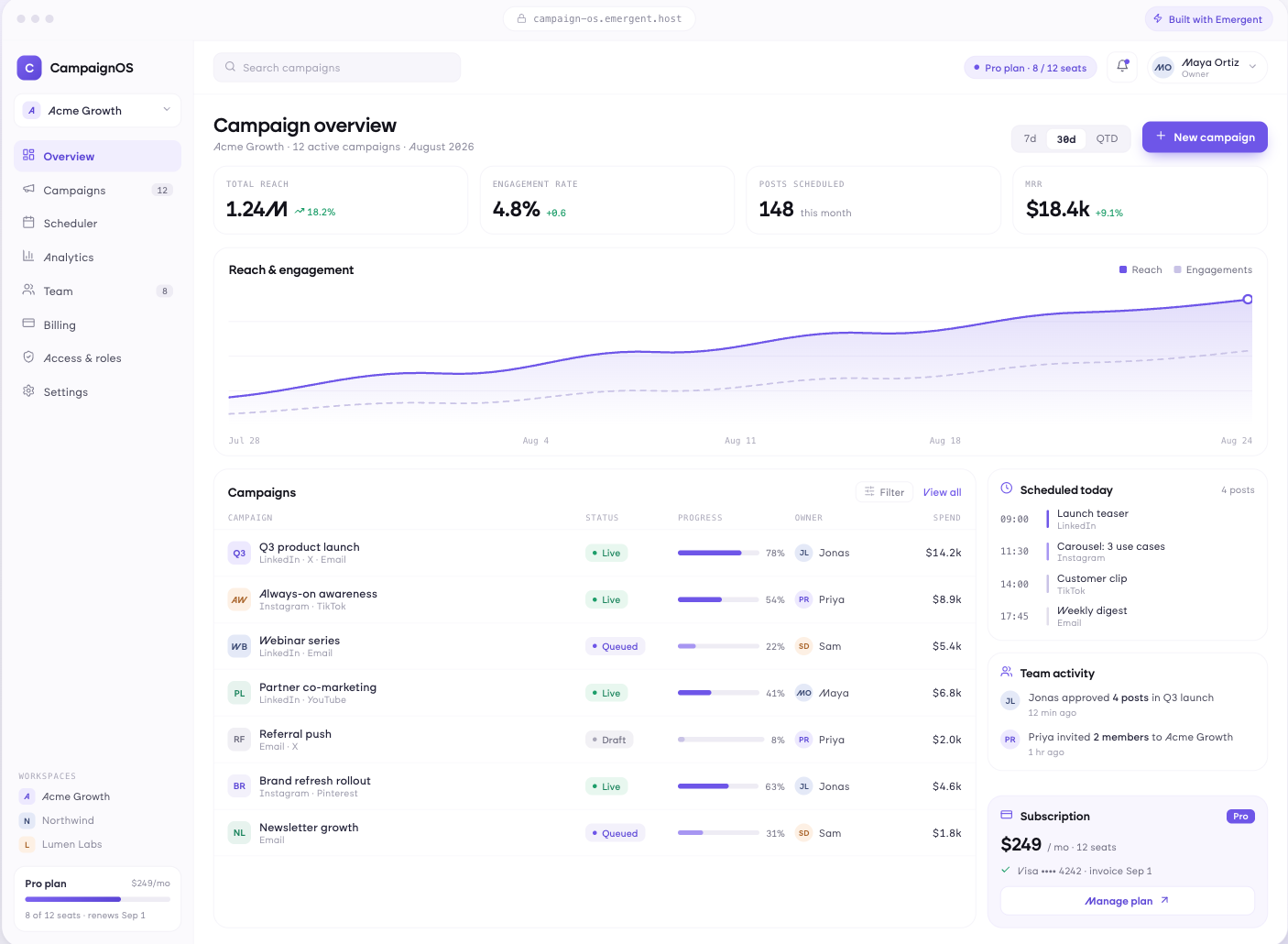
From Booking to Handover
Jobs with vehicle or unit details, work requested and diagnosed, technician assigned, parts required with arrival status, time booked against estimate, and progress visible to the service advisor without walking into the workshop.
window.awbMockup = { jobManagement: "Build a workshop job app holding vehicle or unit details, work requested and diagnosed, technician assigned, parts required with expected arrival, time booked against estimate, and progress visible to the service advisor without walking into the workshop.", estimatesAndApproval: "Build an estimate approval app presenting additional work with cost and photographs, sending it to the customer for approval in a tap, recording approvals with a timestamp, retaining declined work for the next visit, and measuring time spent waiting on a decision.", capacityAndRecovery: "Build a workshop capacity app comparing labour hours booked to jobs against technician hours paid, showing recovery rate by technician and job type, measuring bay utilisation separately from technician productivity, and identifying which constraint is limiting throughput.", qualityAndHistory: "Build a workshop quality app measuring comebacks within warranty by technician and job type, grouping reasons by cause, holding full history against the vehicle or unit including parts and warranty dates, and identifying units generating repeated work."};
Approved While the Car Is on the Ramp
Additional work presented with cost and photographs, sent to the customer for approval in a tap, approvals recorded with a timestamp, declined work retained for the next visit, and time waiting on a decision measured.
Hours Sold Against Hours Paid
Labour booked to jobs against technician hours available, recovery rate by technician and job type, bay utilisation separately from technician productivity, and the constraint that is actually limiting throughput.
The Return Visit Nobody Charges For
Comebacks within warranty by technician and job type, reasons grouped by cause, full history against the vehicle or unit including parts and warranty dates, and units generating repeated work.
Every integration your
SaaS needs from day one
Email and calendar
Inbox and calendar sync both ways, so every reply, meeting and no-show lands on the contact record without anyone logging it.




Messaging and support
Conversations from chat, WhatsApp and your helpdesk attach to the right contact, so sales and support see the same history.




Payments and billing
Invoices, subscriptions and payment status flow back into the deal, so revenue and pipeline stay in one place.




If it has an API, your CRM can connect to it.
Emergent builds the connection against the API itself, including internal tools your team made. No closed ecosystem, no approved-partner list, no waiting for a connector to ship.


More things you can build
with Emergent
AI Website Builder
Build and publish responsive websites with AI — from landing pages to complete websites.
AI App Builder
Create and launch mobile apps with AI, without the complexity of traditional app development.
AI Web App Builder
Build and ship fully functional web apps with custom interfaces, logic, and workflows.
AI Dashboard Builder
Create interactive dashboards to visualize data, track KPIs, and manage business operations.
AI SaaS Builder
Build complete SaaS products with user accounts, subscriptions, dashboards, and core product workflows.
AI CRM Builder
Build custom CRMs for managing contacts, leads, pipelines, campaigns, and automated workflows.
AI Agent Builder
Create AI agents that can understand tasks, use tools, automate workflows, and work across your business.
Build Your Own
Start with any idea and build exactly what you need with AI — no templates or limits.

Why choose Emergent?
Most tools give you a demo you have to rebuild. Emergent gives you a product that is ready to run.
| Comparison | Other Tools |  |
|---|---|---|
| Built for | Demos and MVPs | Products you keep growing |
| What you get | Front end shell only | Full stack, wired end to end |
| Backend and database | Set it up yourself | Built and connected for you |
| Customization | Surface level styling | Deep workflow control |
| Integrations and APIs | Manual glue work | Connected from a prompt |
| Code ownership | Locked to the platform | Clean code you can export |
| Time to launch | Weeks of patching and setup | Live the same day |
Pick the Pricing Plan That Works for You
Choose the plan that fits your building ambitions. From weekend projects to enterprise applications, we've got you covered.
No credit card required*


Find the Right SaaS Builder
for Your Business
Frequently Asked Questions
Your Questions, Answered
Don't change this element unless you know what you are doing
on Emergent today




