

Build an SaaS Packaging in Minutes With AI
Create your SaaS packaging in minutes with AI. Add user accounts, billing, and backend from a prompt, and launch without coding.










Trusted by Builders Worldwide
Active Builders Worldwide
Apps Successfully Created
Countries Globally Reached



Build your packaging SaaS in four steps
Just describe it: your pack types, specification fields, artwork approval and compliance requirements.
Just describe it: your pack types, specification fields, artwork approval and compliance requirements.
Your artwork storage connects, so versions and approvals are traceable.
Add a pack type, an approval step or a compliance check.
Take one pack from specification to approved artwork and check the audit trail.
Emergent Key Features for Building a Packaging SaaS
An artwork error is not a correction. It is a print run destroyed, a shipment held and sometimes a recall.
Artwork Versions with One Approved State
Only one version is ever the approved one, with everything else clearly superseded, because printing from an old file is the most expensive mistake in packaging.
Approval Recorded by Role
Marketing, regulatory, technical and legal each sign off with a timestamp, so a dispute after a print run has an answer rather than an email search.
Mandatory Content Checked
Ingredient declarations, allergens, weights, barcodes and required symbols are verified as present before artwork can be approved, since these are the errors that cause recalls.
Specifications Alongside the Artwork
Dimensions, materials, print process and tooling references sit with the design, so what is sent to a printer is complete rather than an artwork file and a separate email.
Market Variants Managed Together
The same product across several markets shares a base with only the differences held separately, rather than fifteen near identical files nobody can compare.
Every Print Run Traceable
Which version went to which printer on which date, which is the first question asked when something is wrong on shelf.
Packaging SaaS Use Cases You Can Build in Minutes
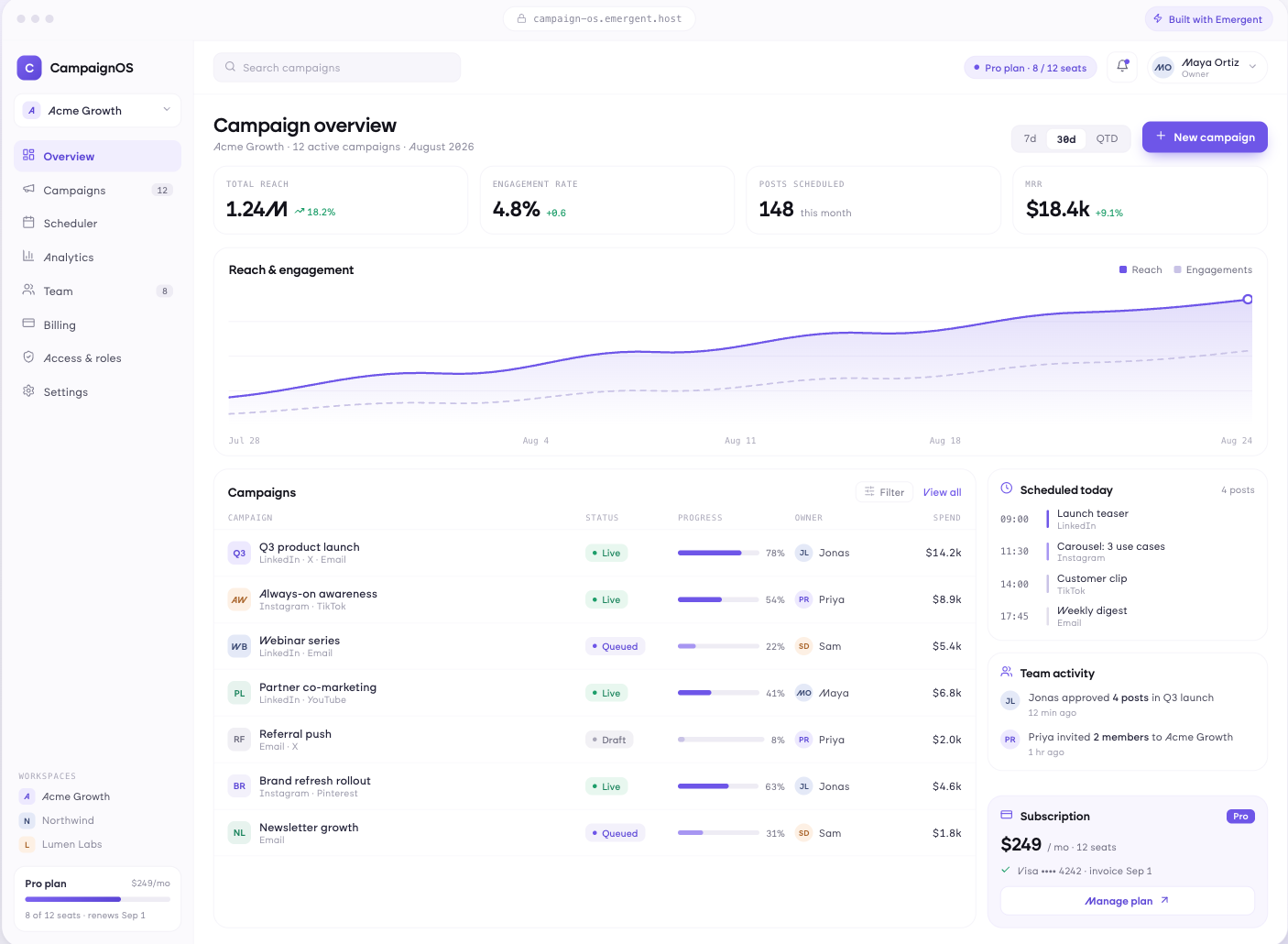
One Approved Version, Always
Versions with a single approved state and everything else superseded, side by side comparison between revisions, comments anchored to the artwork itself, and a clear record of what changed between versions.
window.awbMockup = { artworkManagement: "Build an artwork management app where each design has one approved version with everything else clearly superseded, side by side comparison between revisions, comments anchored to a point on the artwork, and a record of what changed between versions.", approvalWorkflow: "Build an artwork approval workflow routing to marketing, regulatory, technical and legal in a defined order, timestamping each approval by role, requiring a reason on rejection, and preventing artwork reaching print without every required sign off recorded.", complianceChecking: "Build a packaging compliance checker verifying that mandatory content is present, checking ingredient and allergen declarations against the product specification, validating barcodes, applying market specific requirements, and flagging marketing claims for regulatory review.", specificationAndSupply: "Build a packaging specification app holding dimensions, materials, print process and tooling references alongside the artwork, versioning supplier specifications together with the design, and recording which artwork version went to which printer on which date."};
Sign Off With a Name Against It
Routing to marketing, regulatory, technical and legal in the order you require, approvals timestamped by role, rejections carrying a reason, and artwork unable to reach print without every required sign off.
Catch It Before the Plates Are Made
Mandatory content verified as present, allergen and ingredient declarations checked against the specification, barcode validation, market specific requirements applied, and claims flagged for regulatory review.
Send the Printer Everything at Once
Dimensions, materials, print process and tooling held with the artwork, supplier specifications versioned alongside, print runs recorded against the version used, and reorder from a known correct file.
Every integration your
SaaS needs from day one
Email and calendar
Inbox and calendar sync both ways, so every reply, meeting and no-show lands on the contact record without anyone logging it.




Messaging and support
Conversations from chat, WhatsApp and your helpdesk attach to the right contact, so sales and support see the same history.




Payments and billing
Invoices, subscriptions and payment status flow back into the deal, so revenue and pipeline stay in one place.




If it has an API, your CRM can connect to it.
Emergent builds the connection against the API itself, including internal tools your team made. No closed ecosystem, no approved-partner list, no waiting for a connector to ship.


More things you can build
with Emergent
AI Website Builder
Build and publish responsive websites with AI — from landing pages to complete websites.
AI App Builder
Create and launch mobile apps with AI, without the complexity of traditional app development.
AI Web App Builder
Build and ship fully functional web apps with custom interfaces, logic, and workflows.
AI Dashboard Builder
Create interactive dashboards to visualize data, track KPIs, and manage business operations.
AI SaaS Builder
Build complete SaaS products with user accounts, subscriptions, dashboards, and core product workflows.
AI CRM Builder
Build custom CRMs for managing contacts, leads, pipelines, campaigns, and automated workflows.
AI Agent Builder
Create AI agents that can understand tasks, use tools, automate workflows, and work across your business.
Build Your Own
Start with any idea and build exactly what you need with AI — no templates or limits.

Why choose Emergent?
Most tools give you a demo you have to rebuild. Emergent gives you a product that is ready to run.
| Comparison | Other Tools |  |
|---|---|---|
| Built for | Demos and MVPs | Products you keep growing |
| What you get | Front end shell only | Full stack, wired end to end |
| Backend and database | Set it up yourself | Built and connected for you |
| Customization | Surface level styling | Deep workflow control |
| Integrations and APIs | Manual glue work | Connected from a prompt |
| Code ownership | Locked to the platform | Clean code you can export |
| Time to launch | Weeks of patching and setup | Live the same day |
Pick the Pricing Plan That Works for You
Choose the plan that fits your building ambitions. From weekend projects to enterprise applications, we've got you covered.
No credit card required*


Find the Right SaaS Builder
for Your Business
Frequently Asked Questions
Your Questions, Answered
Don't change this element unless you know what you are doing
on Emergent today




