



If you're looking for a Gemini alternative, ChatGPT and Claude are two that might spring to mind. Perplexity is another that is closer to Gemini in terms of its deep research skills.
I gave six Gemini alternatives the same build prompt, and gave five of them a research prompt as well. The first asked for five 2026 retirement figures with an IRS source link with each one, which I scored against the official IRS release before I started. The second asked each tool to build a client intake form and give me a link that I could share.
Below you'll find what each one does well, where it falls short, who it suits, and what it costs.
Why Look for Gemini Alternatives?
Gemini does plenty of things well. It's fast, the free tier is generous, and if you already use Gmail, Docs, and Drive, then having the assistant in the same window saves time. Anyone weighing whether to move at all should start with what Gemini does well.
It's also cheap to stay put. Gemini's free tier costs nothing, Google AI Plus is $4.99/month, and AI Pro is $19.99/month, which puts the tier most people would pay for level with ChatGPT Plus and Claude Pro. Here are a few ways it doesn’t.
Source links don't always go where they claim. Gemini gives you links, but they tend to point at a Google results page, not the document, and the same URL often appears two or three times in one answer.
It describes things instead of making them. If you ask it to build something, it will usually give you code or a set of instructions. That still leaves you finding somewhere to host it, which is an easy stage to give up at.
Leaving Google means leaving Gemini. The tight Workspace integration cuts both ways. If your reason for switching has anything to do with how much of your working life already revolves around Google, the integration is a problem.
Free-tier limits arrive without much warning. Long sessions get slower or move you to a lighter model.
Which Gemini Alternative Should You Choose?
Choose ChatGPT if you want a single tool to cover writing, analysis, images, and search.
Choose Claude if you mostly work with documents, drafts, and research.
Choose Perplexity if you're checking figures you intend to publish and want the primary source.
Choose Microsoft Copilot if you regularly work with Outlook and Excel.
Choose Emergent if you keep asking an assistant to build something but it continually fails to deliver.
Choose Le Chat if your reason for leaving Gemini has more to do with Google than what Gemini can do.
Stick with Gemini if you already work with Gmail, Docs, and Drive, and you ask your AI assistant questions that benefit from Google search.
How I Tested These Gemini Alternatives
I gave each tool below the same two prompts and clicked on every link they gave me. I used my existing paid subscriptions for ChatGPT, Claude, and Emergent, and stayed on the free tier for Perplexity, Copilot, and Le Chat.
The first prompt was a research question with a right answer: find five 2026 US retirement contribution limits and put an IRS link next to each one. I picked it because the 2025 figures are still all over the web, so anything leaning on stale pages shows up straight away.
The second was a build task. I asked each tool to build a client intake form that collects someone's name, email, phone, project type, and budget. I also asked each tool to store each submission and to give me a link to the form so that I could send it to a client, without installing anything or running code myself.
Grok and DeepSeek didn't make the list either. Grok's answers lean on X for sources, which is a poor fit for the kind of question I was asking, and DeepSeek stores data in China, which rules it out for anything client-facing.
6 Best Gemini Alternatives: At a Glance
The 6 Best Gemini Alternatives
I gave every assistant below the same two prompts and clicked on every link they gave me. Emergent got the build prompt only, since it isn't a chat assistant. I used my existing paid subscriptions for ChatGPT, Claude, and Emergent, and stayed on the free tier for Perplexity, Copilot, and Le Chat.
I gave every tool two jobs. The first was a research question with a right answer: find five 2026 US retirement contribution limits and put an IRS link next to each one. I picked it because the 2025 figures are still all over the web, so anything leaning on stale pages shows up straight away.
The second was a build task. I asked each tool to build a client intake form that collects someone’s name, email, phone, project type, and budget. I also asked each tool to store each submission and to give me a link to the form so that I could send it to a client, without installing anything or running code myself.
1. ChatGPT
ChatGPT is the most complete Gemini replacement on this list. It answers questions, writes and edits, analyzes files, searches the web, and generates images, which covers almost everything you can do in Gemini.
I gave it the retirement prompt twice, once on high reasoning and once on the faster 5.5 Instant model. Both models gave me the same five figures of $24,500, $7,500, $8,000, $11,250, and $17,000. Every row was correct, and each row had an IRS link sitting beside it.
ChatGPT added two clarifications after the table and got both right. It pointed out that the catch-up figures apply to 401(k), 403(b), most governmental 457 plans, and the federal Thrift Savings Plan, not IRAs, where the catch-up is $1,100.
It then flagged that $17,000 is the general SIMPLE limit while certain plans qualify for a higher $18,100 limit under SECURE 2.0. That turned out to be the difference between the five research results, since one tool gave $18,100 as its answer without an explanation.
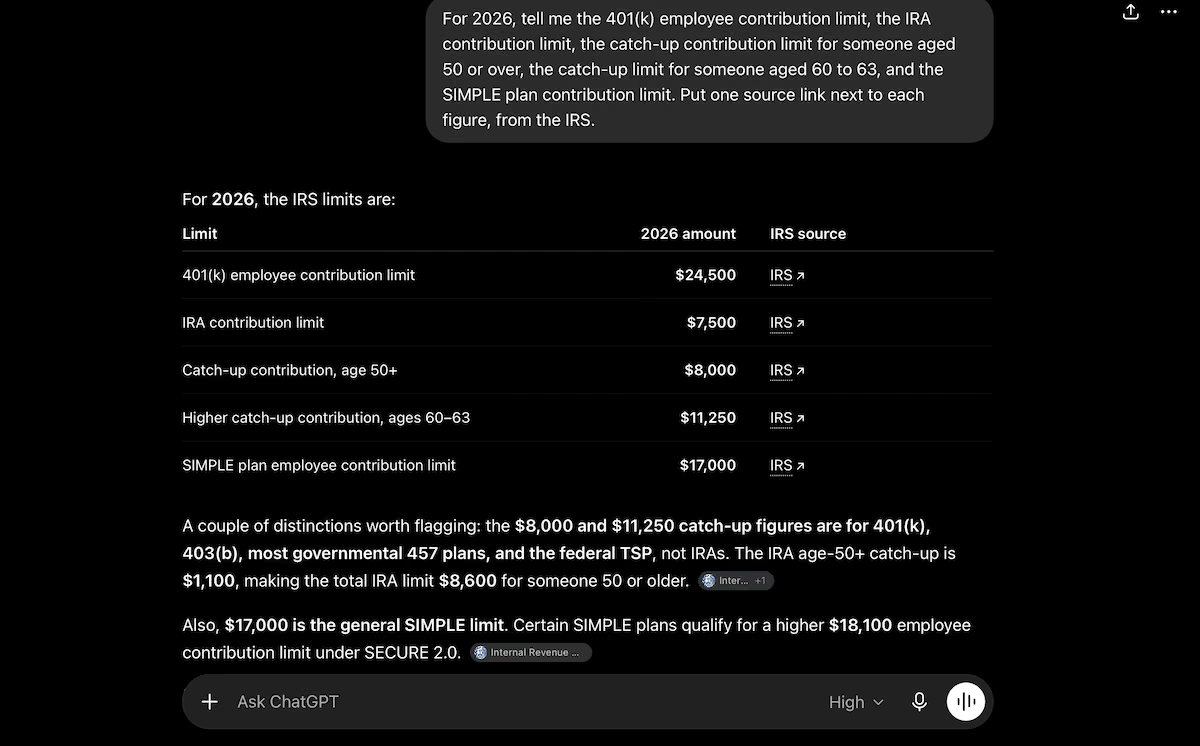
Caption: ChatGPT's answer to the retirement limits prompt, with a source link on every row.
The second prompt didn’t go quite as well. ChatGPT asked for Google Drive access, created a Google Sheet with columns for timestamp, name, email, phone, project type, and budget, and then stopped.
Its Google connection covers Sheets, Docs, and Slides but not Forms. It told me that it wouldn't pretend to publish a client link that it couldn't produce.
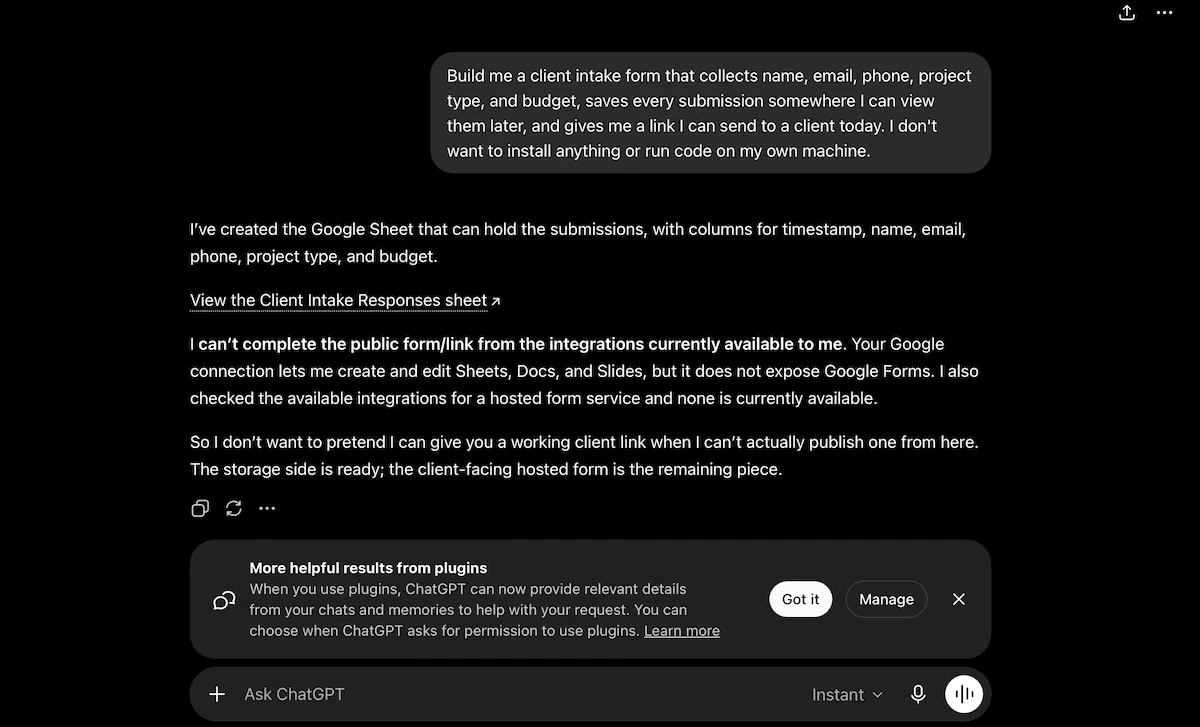
Caption: ChatGPT explaining that it could build the response sheet but not publish the form itself.
Key Features
- Web search with citations: Looks things up live and shows you where the answer came from
- File and image analysis: Lets you upload a spreadsheet, contract, or photo and ask questions about it
- Connectors: Reads and writes in Google Drive and other services from inside the chat
Pros
- Strong on current information, with citations included by default
- Adds relevant context around an answer instead of stopping at the question
- Says what it can't do instead of producing something half finished
Cons
- The range of settings, models, and modes takes a while to get used to
- Connectors read and write files, but won't publish anything client-facing
Best for
- Replacing Gemini across a mix of writing, research, and everyday questions
- Teams who'd sooner pay for one subscription than three specialist ones
- Anyone who wants the assistant to flag what they didn't think to ask
What Users Say
“I really appreciate how versatile the platform is, and how it helps me solve problems quickly and easily.” - Paula H. (G2)

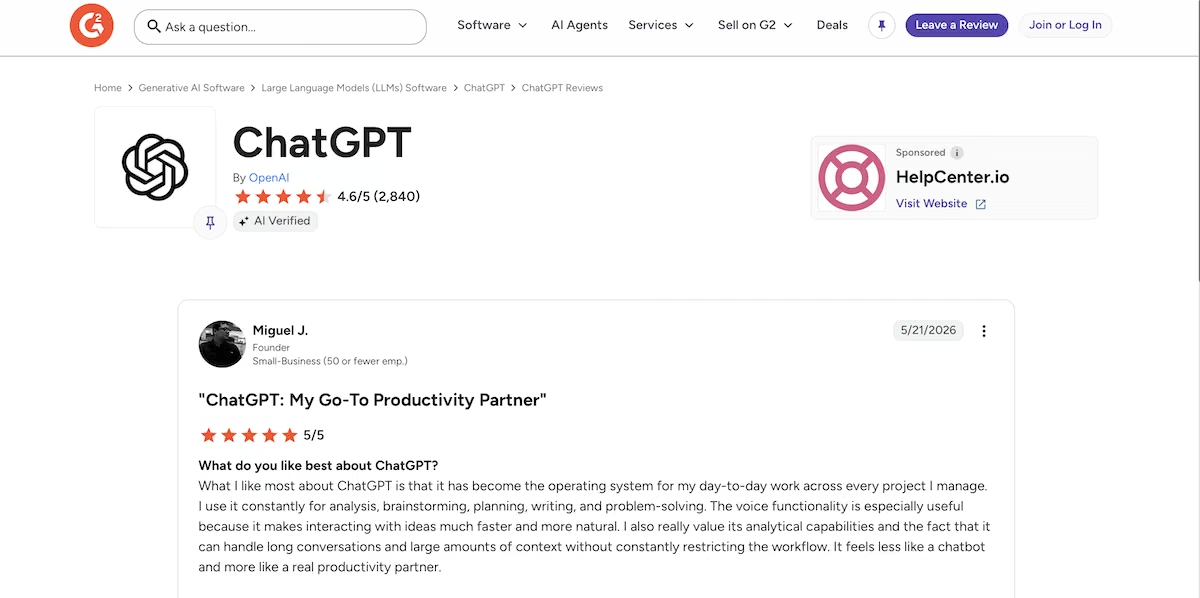
“What I like most about ChatGPT is that it has become the operating system for my day-to-day work across every project I manage.” - Miguel J. (G2)
“I can't imagine using it on a daily basis for anything that requires thought or intelligence.” - Seth J. (G2)

“I find it counterproductive and it wastes time. The output is mediocre and often repeated.” - Ranjeet N. (G2)

Pricing
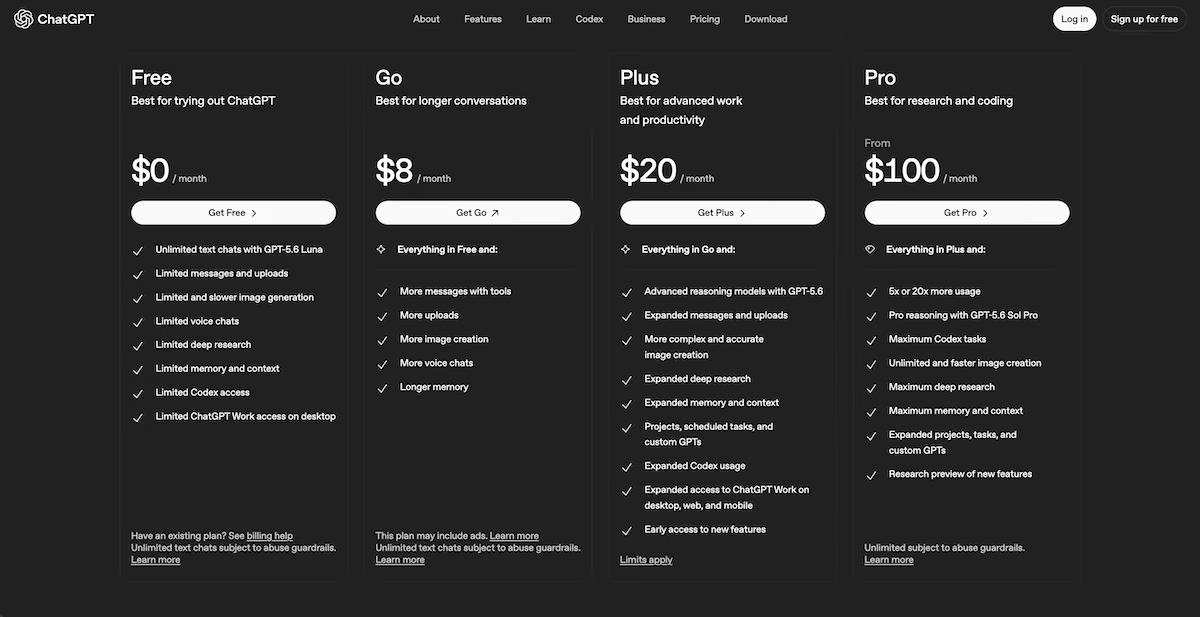
ChatGPT's Free plan covers unlimited text chats with messages, uploads, and image generation. The Go plan costs $8/month for more messages and longer memory, while Plus is $20/month for advanced reasoning models, deep research, and projects.
Pro starts at $100/month for the highest usage limits. My results came from the Plus plan. For a closer look at the two side by side, we've covered ChatGPT against Gemini separately.
2. Claude

Claude is the strongest option here for anyone who primarily works with text. It handles long documents and drafts without losing the thread, and it builds shareable pages inside the chat.
Claude searched the web first, then returned all five figures correctly and formatted them differently from everything else I tested. It gave me each figure with a short quoted passage from the IRS release beside it.
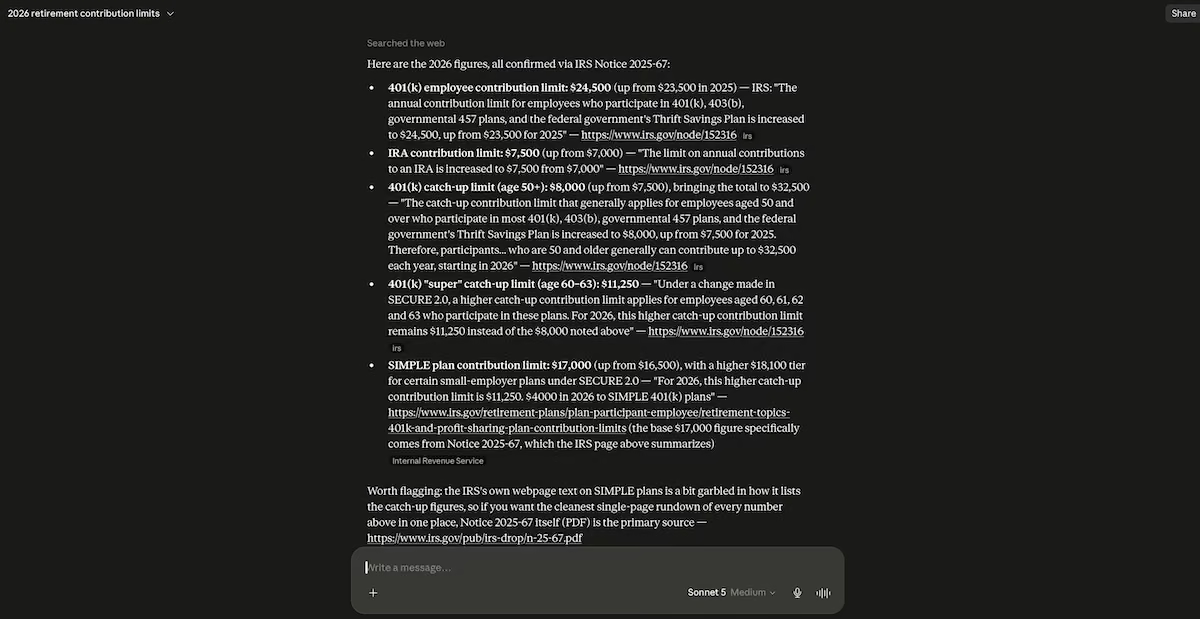
Claude's answer, with a quoted passage from the IRS beside each figure.
It also warned me that the IRS page on SIMPLE plans muddles its catch-up figures, and suggested I use Notice 2025-67 instead.
The links let it down slightly. Almost every figure cited the same generic irs.gov URL, not the specific page for that number.
When it came to the second prompt, Claude performed better than I expected. Rather than describing a form or pointing me at Google, Claude built me a tool. It included a self-contained page with all five fields, submissions saved to shared storage, an admin view with an #admin URL, and an Export CSV button.
It also told me that anyone who found the admin view could see every entry. Claude went down mid-test with a service disruption screen, but it came back within a few minutes.

The intake form Claude built, rendered live in the panel beside the chat.
Key Features
- Artifacts: Send a finished page or tool instead of just giving you code
- Long context: Works through a full report or contract in one go without splitting it up
- Source quoting: Cites the exact sentence a claim was sourced from, not just a link to the page
Pros
- Builds shareable pages and small apps inside the chat
- Quotes the source wording beside a claim, which makes checking fast
- Flags the limitations of what it’s produced
Cons
- Citations can bunch up on one page, with no separate link for each claim
- Free-tier limits arrive quickly on long sessions, and outages do happen
- No photo or illustration generation, so anything visual beyond charts and diagrams needs another tool
Best for
- Drafting, editing, and reworking long documents in a single session
- Researching where you need to see the source wording
- Producing a shareable tool without you needing to open a second product
What Users Say
“What I like best about Claude is its ability to produce natural, well-structured writing with a consistent tone.” - Coralia R. (G2)

“Strong reasoning capabilities for technical and analytical tasks.” - Supriya S. (G2)

“It's often quite inaccurate and doesn't follow directions.” - Jennifer S. (G2)

“I honestly feel like I can use Claude for just about anything.” - Taryn M. (G2)

Pricing
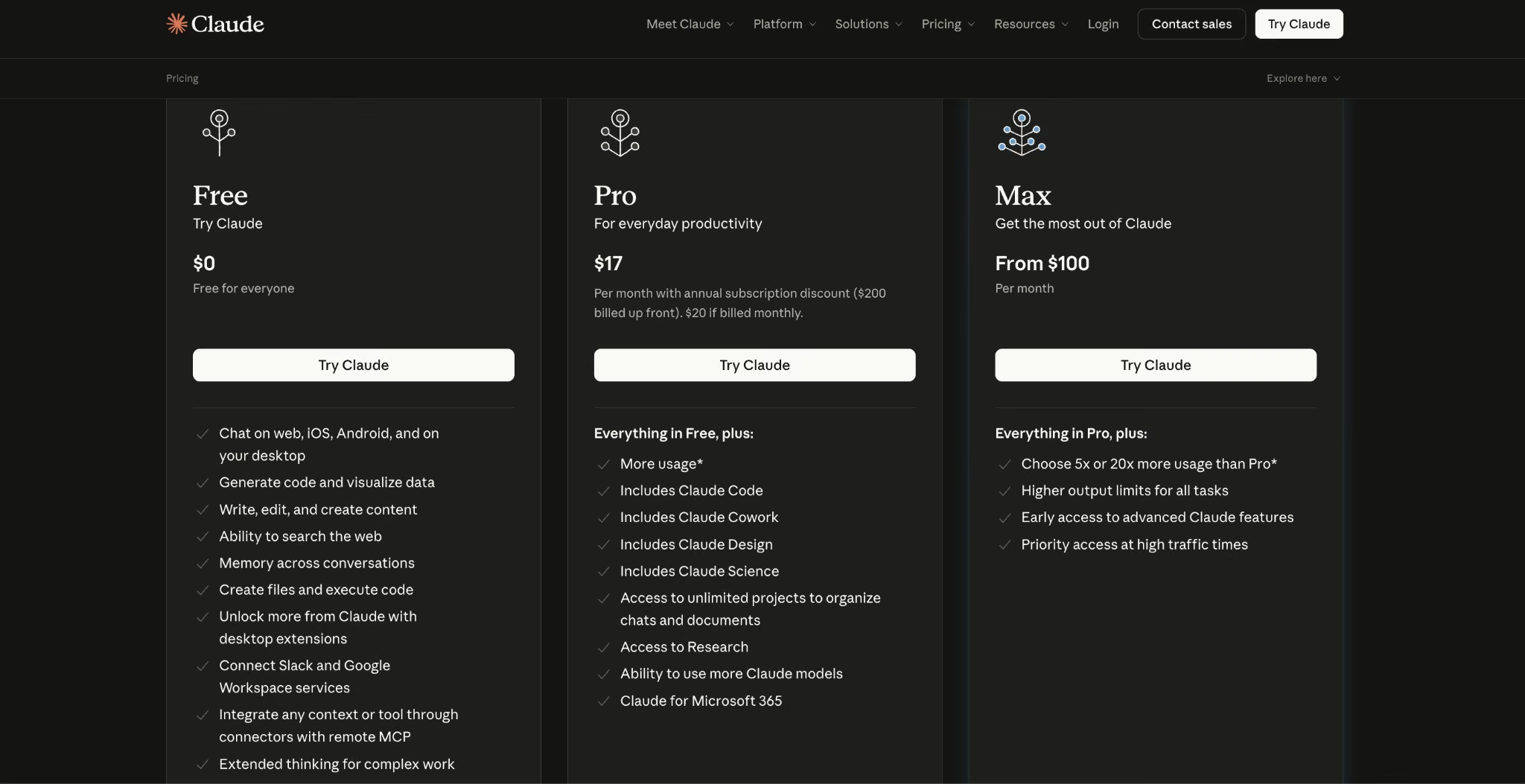
Claude's Free plan covers chat on web, iOS, Android, and desktop, plus web search and file creation. Pro is $20/month billed monthly, adding Claude Code, Cowork, Design, and Research.
Max starts at $100/month, with the option of five or 20 times the Pro usage. My results came from the lower-tier Max plan. Our Claude and Gemini comparison goes deeper on the differences.
3. Perplexity
Perplexity is an answer engine rather than a chatbot. It searches the web for every question and provides an answer with numbered citations. For my prompt, it pulled from 15 sources and was correct on all five figures, with the most specific sourcing of any tool I tested.
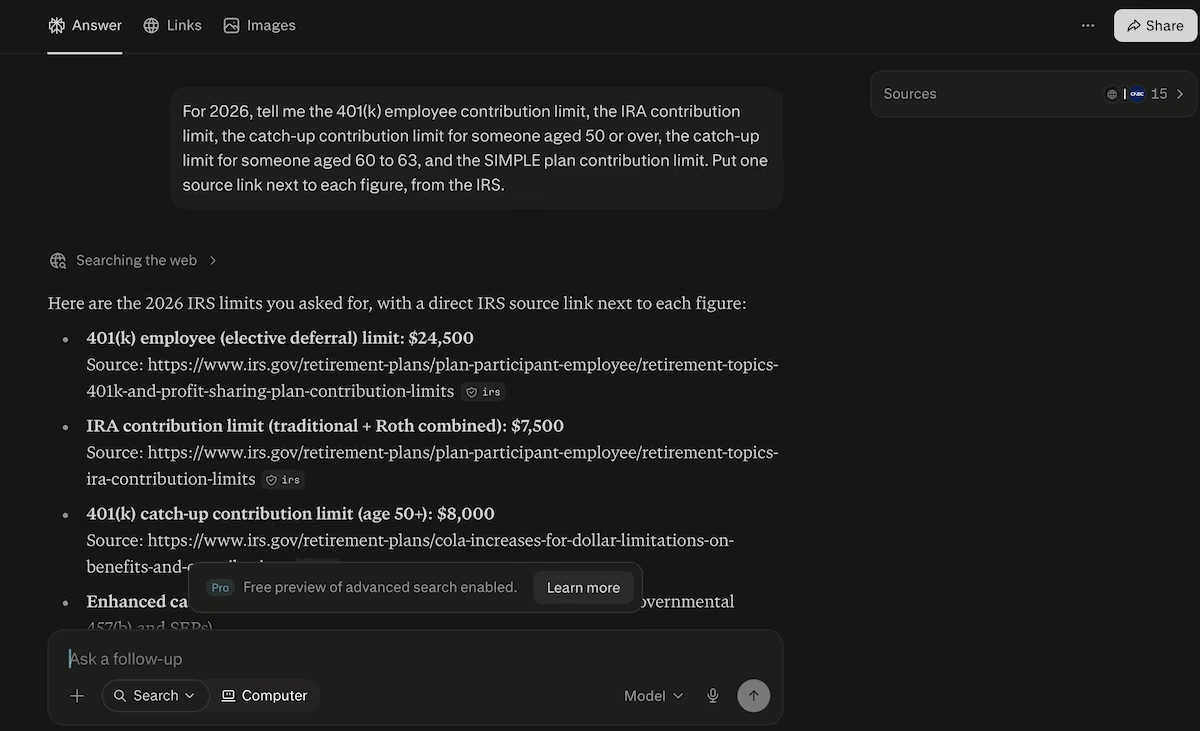
Perplexity's answer, showing 15 sources and a direct IRS link under each figure.
Rather than linking to a single news release for everything, it linked the 401(k) figure to the IRS page on 401(k) and profit-sharing plan contribution limits, the IRA figure to the IRA contribution limits page, and the catch-up figure to the cost-of-living adjustments page.
Two of the links were the same, which is the only real mark against it. Where it wasn’t as strong was depth. It gave me the five numbers and their sources without the context ChatGPT and Claude both offered, namely which plans the catch-up figures apply to.
On the second prompt, it told me that it could design the form but couldn't publish a live one. It then recommended Softr's free client-intake template as the fastest route because that includes a connected database and publishes a shareable URL.
It gave me the full form spec anyway, with a title, a description, and all fields. While it wasn’t what I asked for, it was more practical than what some of the other tools gave me.
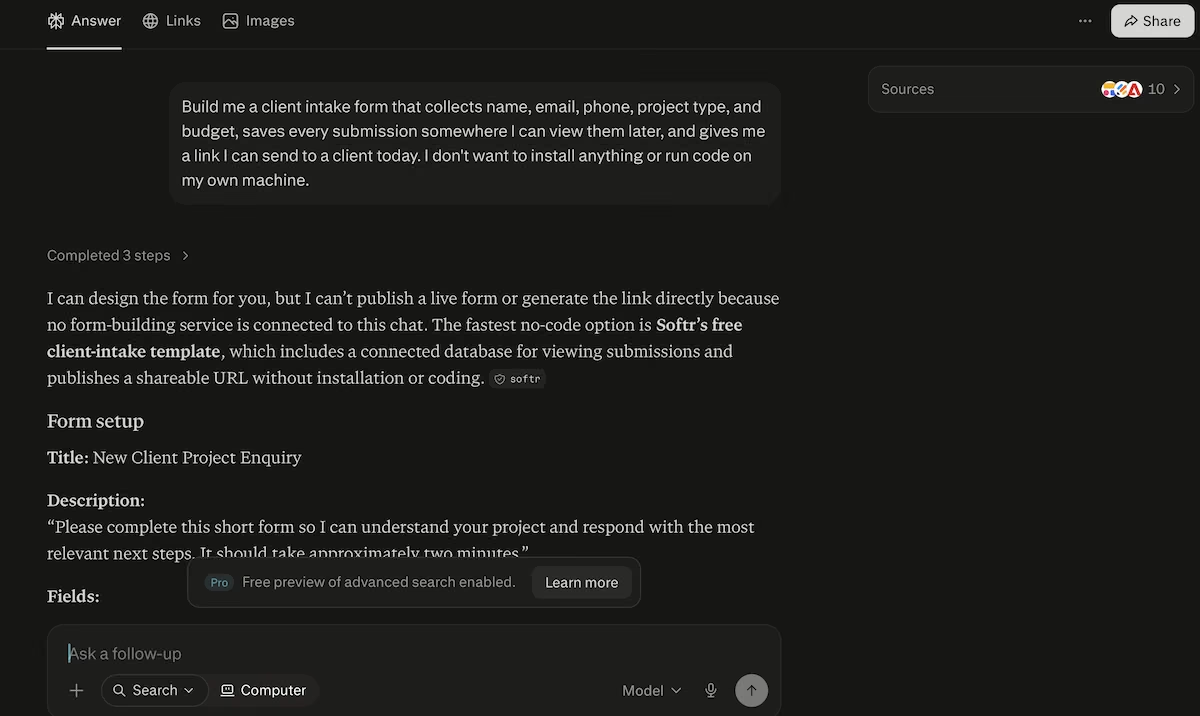
Perplexity recommending a no-install route and specifying the form fields.
Key Features
- Citations on every answer: Trace any claim back to the page it came from in one click
- Focus modes: Narrow a search to academic papers or the web at large depending on the question
- File uploads: Question your own documents alongside live web results
Pros
- Links each claim to its own page, not one catch-all source
- Pulls from a wide spread of sources
- Recommends a practical route when a request falls outside what it can do
Cons
- Source links sometimes repeat across an answer
- Answers don't provide as much context as ChatGPT or Claude
- Built around search, so it's weaker at drafting and editing than the other tools
Best for
- Fact-checking figures
- Competitor and market research
- Anyone who’s been burned by a confident answer that ultimately disappointed
What Users Say
“If something looks interesting, I can open the source right away instead of wondering if the AI just made it up.” - Divya D. (G2)
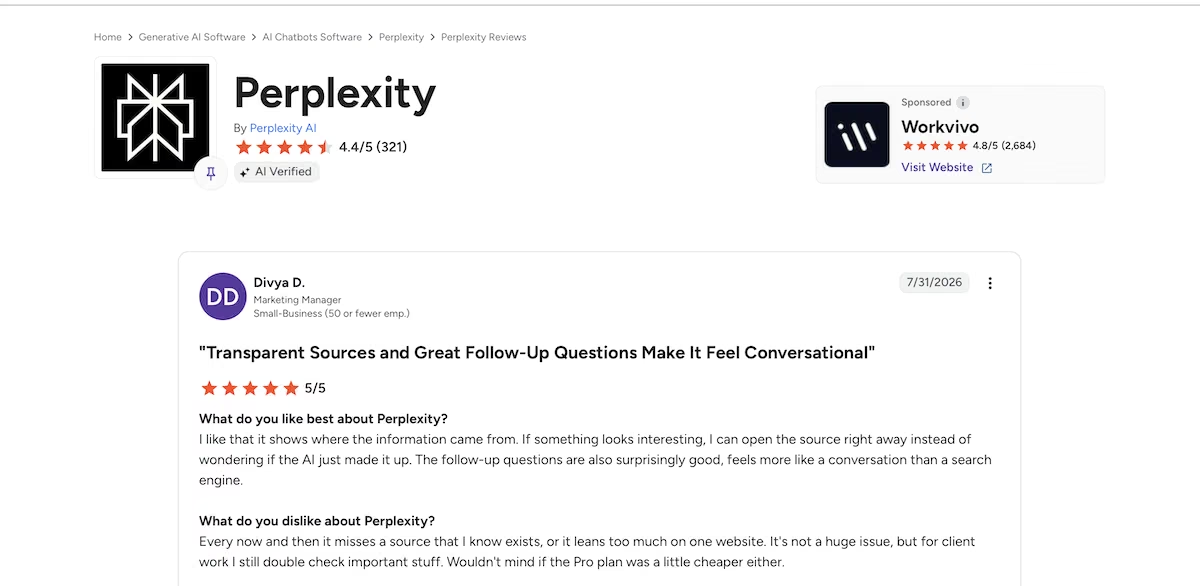
“What I like most is how quickly I can get a complete answer without needing to open a dozen browser tabs.“ - Sree K. (G2)
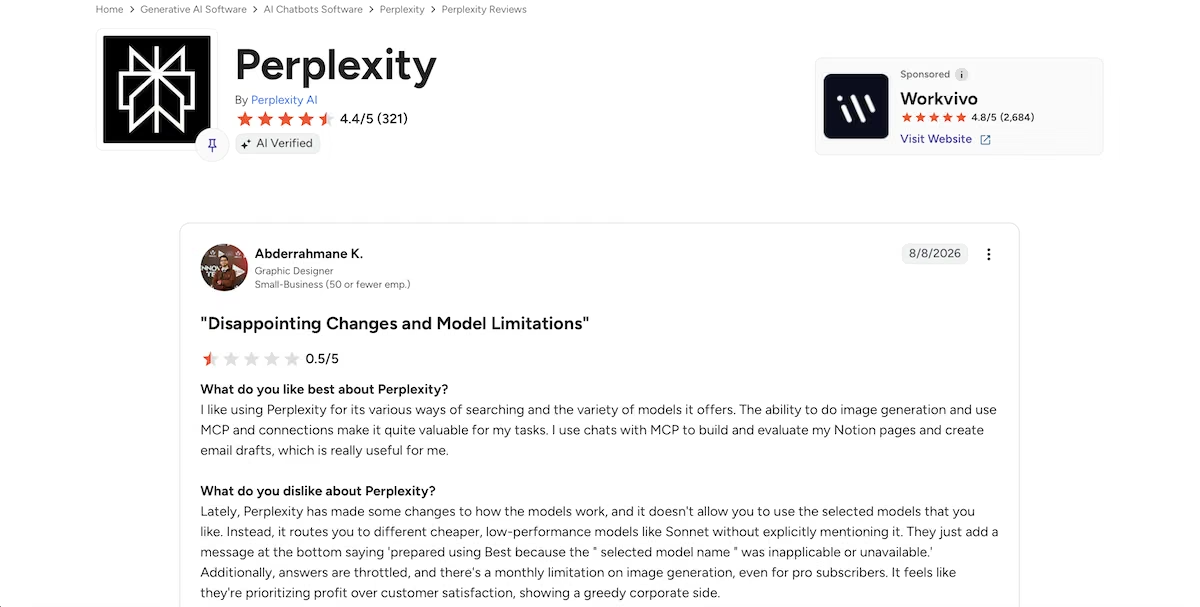
“Lately, Perplexity has made some changes to how the models work, and it doesn't allow you to use the selected models that you like.” - Abderrahmane K. (G2)
“I’ve used Perplexity for a while, but honestly I find it extremely disappointing compared with other AI tools like ChatGPT.” - Muzammil M. (G2)
Pricing
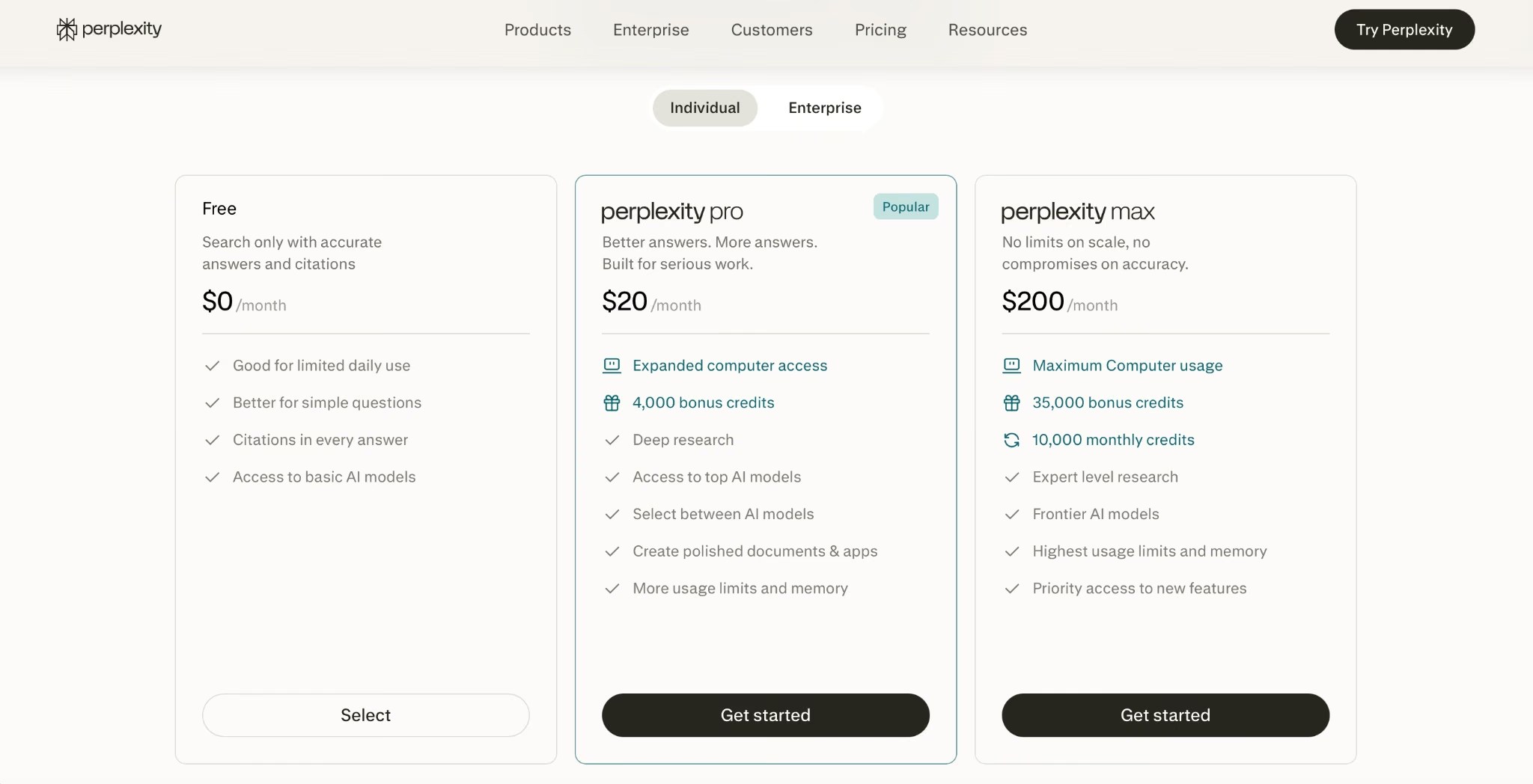
Perplexity's Free plan covers search with citations and access to the basic models. Pro is $20/month, adding deep research, top AI models, 4,000 bonus credits, and expanded Computer access.
Max is $200/month for 10,000 monthly credits and frontier models. My results came from the free plan.
4. Microsoft Copilot

Copilot is the only assistant here that works inside the apps most offices already use. It's free on the web, with paid Microsoft 365 plans integrating it into Word, Excel, PowerPoint, Outlook, and Teams.
Copilot gave me all five figures correctly, attributed each one to IRS News Release IR-2025-111, and finished by asking whether I wanted the SIMPLE catch-up limits added or the whole thing as a comparison table.
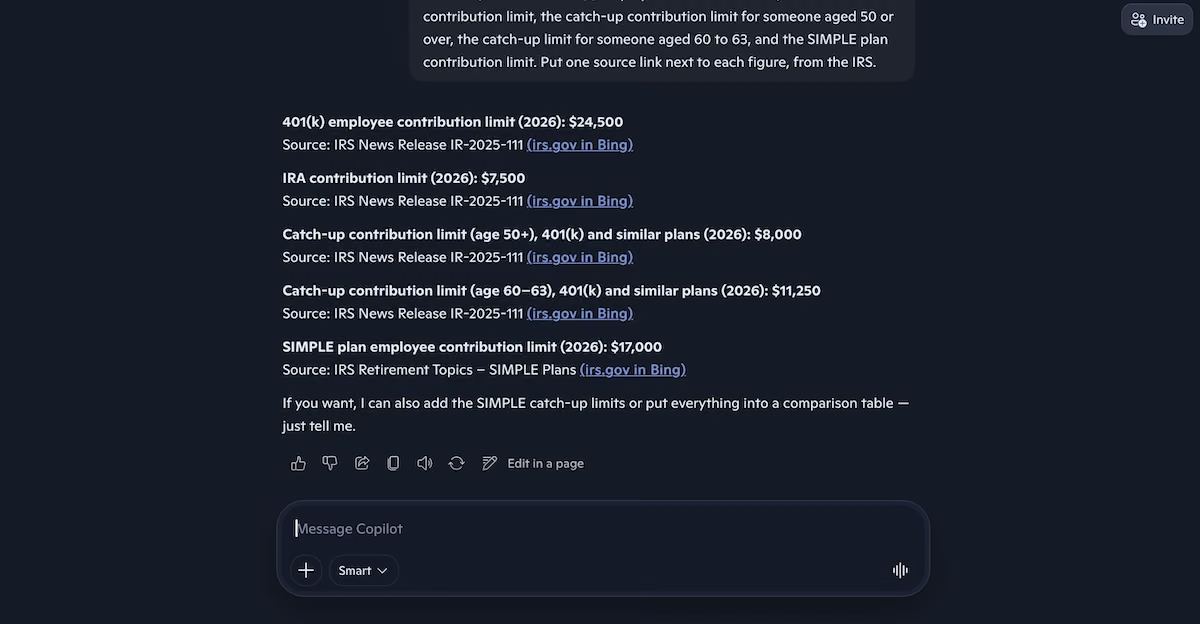
Copilot's answer, with each figure attributed to an IRS news release.
I found the citations frustrating, as clicking on them opened a Bing search page, not the URL itself. All that Bing showed me was Copilot generating its own answer again.
Bing searched for the exact URL, and yet that URL didn’t appear anywhere in the results. So proving the figures took far longer than it should have.
The second prompt produced a walkthrough. Nothing I could use straight away. Copilot said I could have the whole thing running that day with no installs and no code, then recommended Google Forms or Microsoft Forms as the quickest path. It listed the fields to create and walked me through the setup step by step.
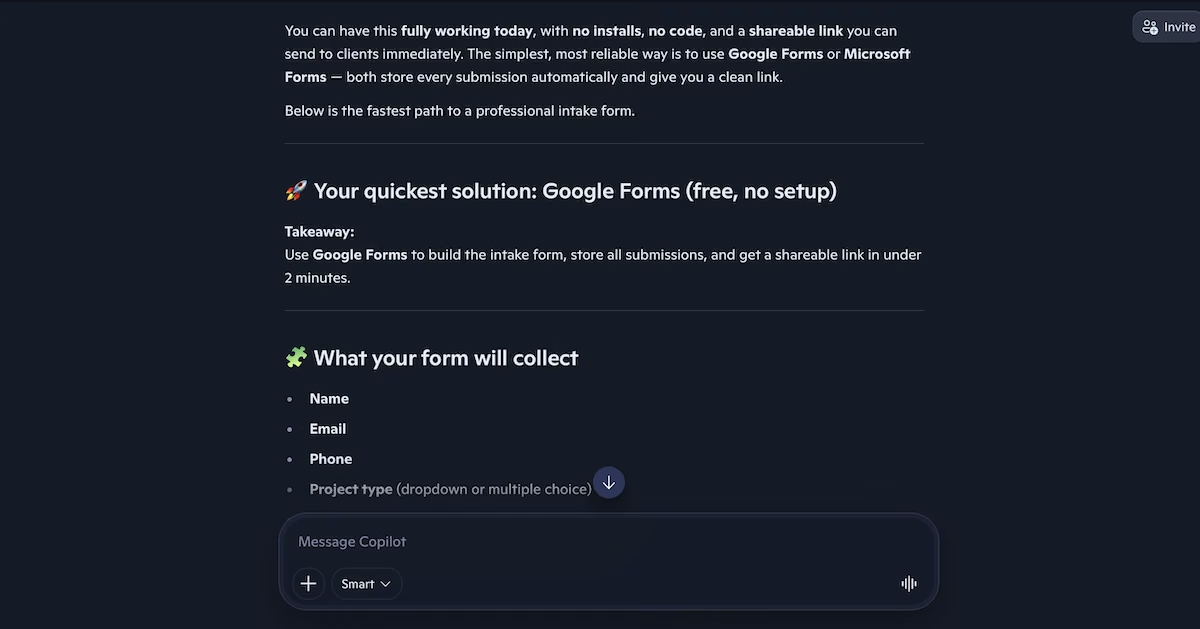
Copilot recommending Google Forms as the fastest route, with the fields to create.
Key Features
- Office integration: Draft in Word, build formulas in Excel, and clear an inbox without leaving the app
- Free web access: Try the assistant properly before paying for anything
- Agents on Premium: Give it multi-step jobs like sourced research reports and data analysis
Pros
- Accurate on current figures, with each one attributed to a named source
- Offers relevant follow-ups instead of stopping at the answer
- Free to use, with paid access bundled into a subscription many people already have
Cons
- Citations open Bing search results, not the source page itself
- Some of its strengths require a Microsoft 365 subscription
- Struggles with anything that needs sustained reasoning
Best for
- Teams already paying for Microsoft 365 who want AI help in the apps they use
- Clearing an inbox or building a spreadsheet formula without switching windows
- Anyone who wants a capable no-cost assistant on the web
What Users Say
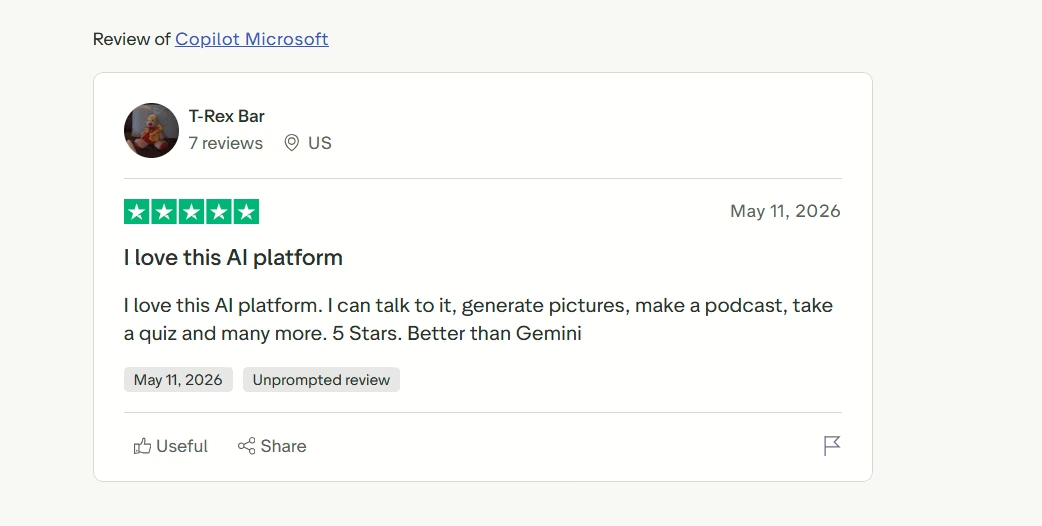
“5 Stars. Better than Gemini” - T-Rex Bar (Trustpilot)
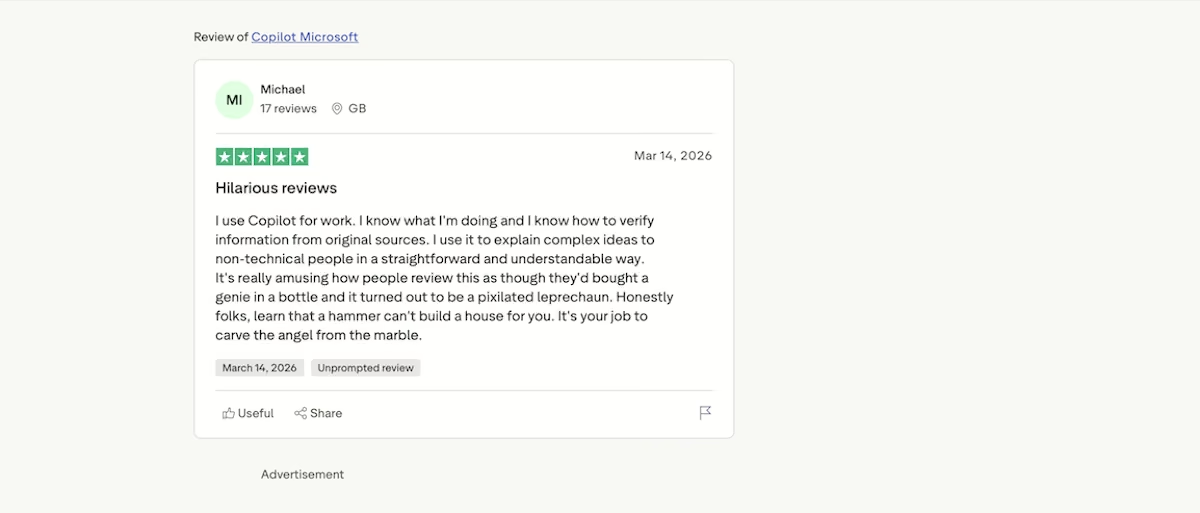
“I use it to explain complex ideas to non-technical people in a straightforward and understandable way.” - Michael (Trustpilot)
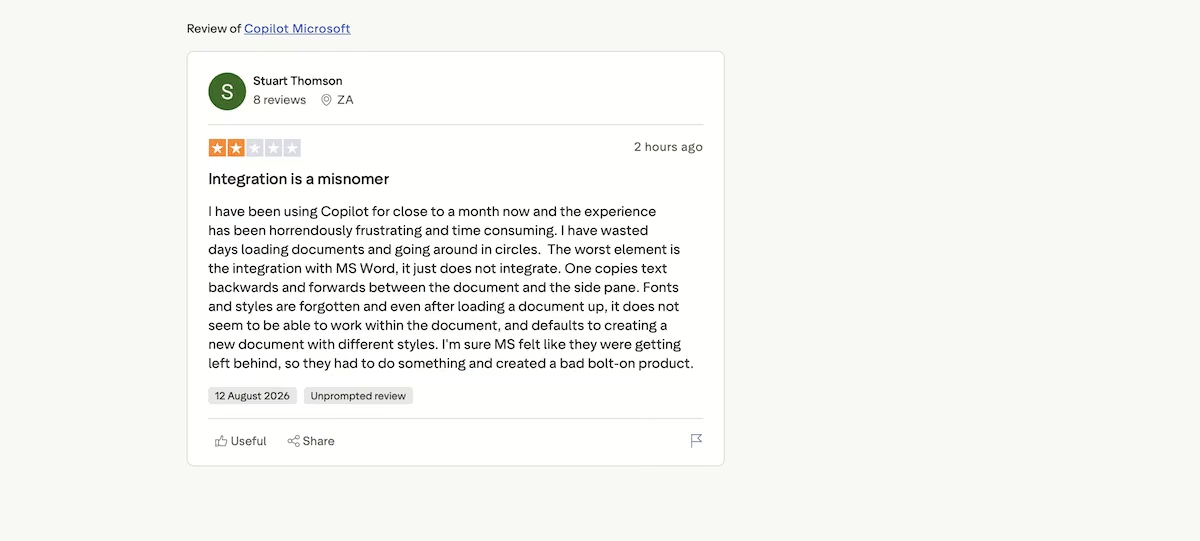
“I have wasted days loading documents and going around in circles.” - Stuart Thompson (Trustpilot)
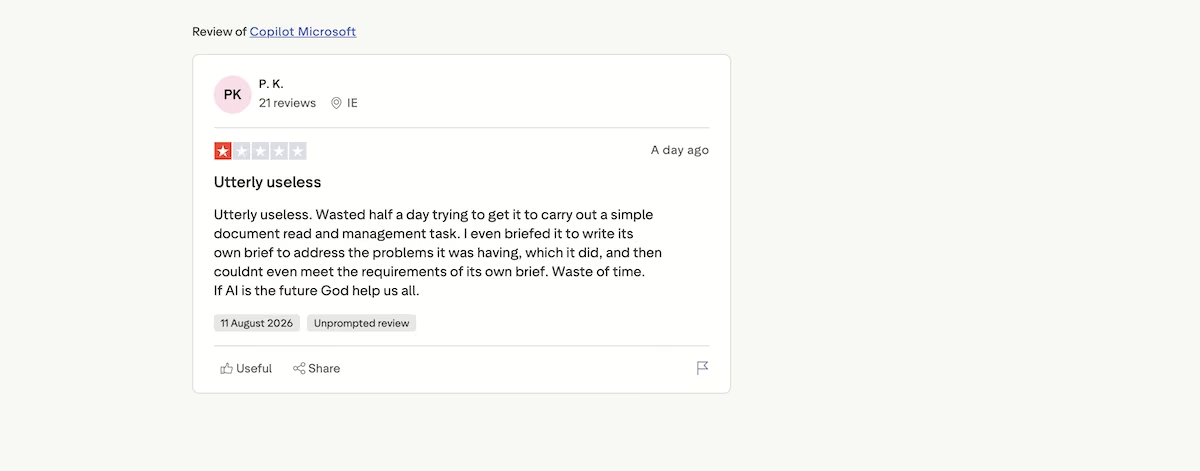
“Wasted half a day trying to get it to carry out a simple document read and management task.“ - P.K. (Trustpilot)
Pricing
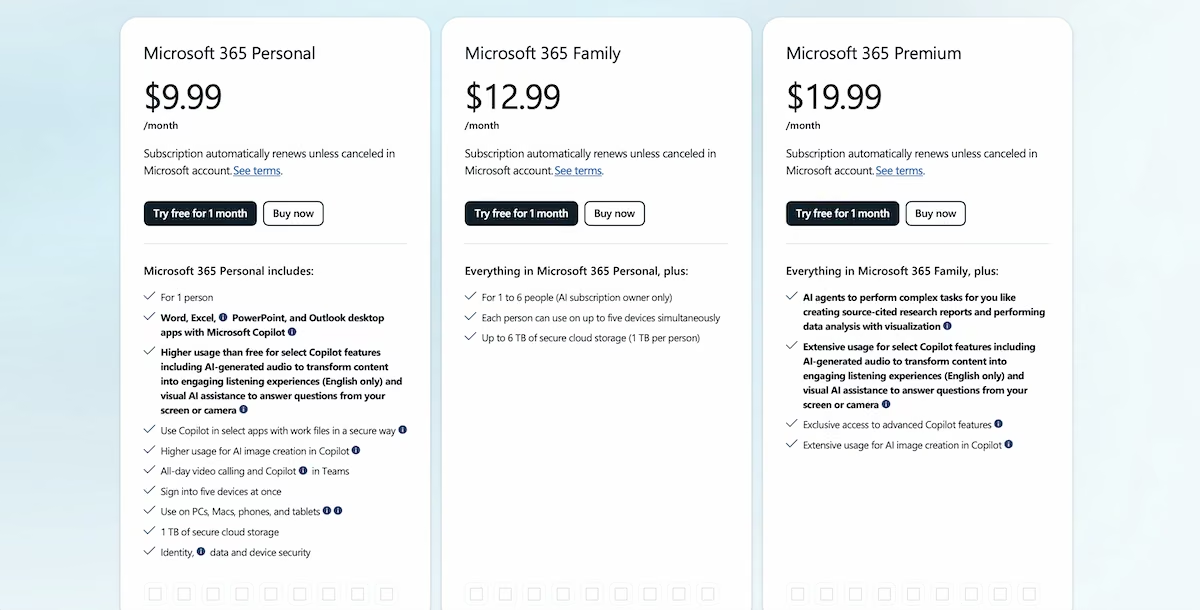
Copilot costs nothing on the web, with paid access accessible through Microsoft 365, where the Personal tier is $9.99/month, Family is $12.99/month and covers one to six people, though Copilot itself is limited to the subscription owner.
Paid plans add Copilot inside the desktop Office apps, provide higher usage limits, and, on the Premium plan, agents that run complex tasks. I stayed on the free tier throughout.
5. Emergent

Emergent turns a description into a running application. Agents handle the design, the build, and the testing, and what comes back is a live URL, not code you have to find somewhere to put.
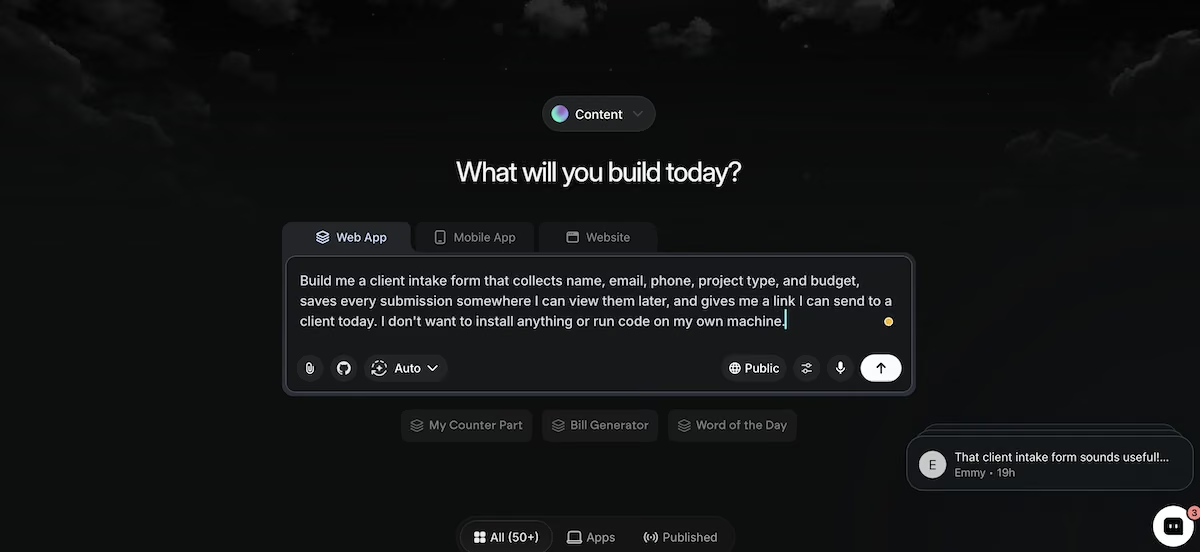
The Emergent home screen with the intake form request entered.
Emergent isn't a chat assistant, so it only took the build prompt; I've included it because it's the only tool here that finished that job
Before it started building, it asked me five questions covering how I wanted to view submissions, whether the form should be password-protected, what project type options clients should pick from, what budget ranges to offer, and whether the dashboard required a login.
Answering these questions took around a minute. Then it built for a further 14 minutes and spent around 15 credits.
At the end, I had a hosted form with a sign-in page, an account creation flow, the five fields plus an optional project details box, submissions saving to a database, and a searchable admin dashboard with a login feature.
I filled it in as a client would, was shown a confirmation page, and found the submission answers in the dashboard.
The one thing that didn’t work properly was the confirmation email. While Emergent claimed to have fixed it and verified the change through its own checks, it still didn't work for me.

The finished intake form, filled in as a client would see it.
Key Features
- Clarifying questions before building: Establishes the details it needs so there's less to correct later
- Hosted output: Provides a live link without arranging hosting or installing anything
- Testing agents: Check the build works before you see it, and flag anything that doesn't
Pros
- Gives you a live app at a URL, not code you have to find hosting for
- Asks about the details first, so there's less to correct afterwards
- Runs its own tests and tells you which parts passed or failed
Cons
- Email notifications and other outbound features need testing before you depend on them
- Credit-based pricing makes costs harder to predict than a flat subscription on its own
- Not built for questions, so it won't replace a day-to-day chat assistant
Best for
- Client intake, booking, or inquiry pages you need as a live tool
- Internal tools a small team needs this week, not next quarter
- Anyone who’s asked an AI assistant to build something and given up partway
What Users Say
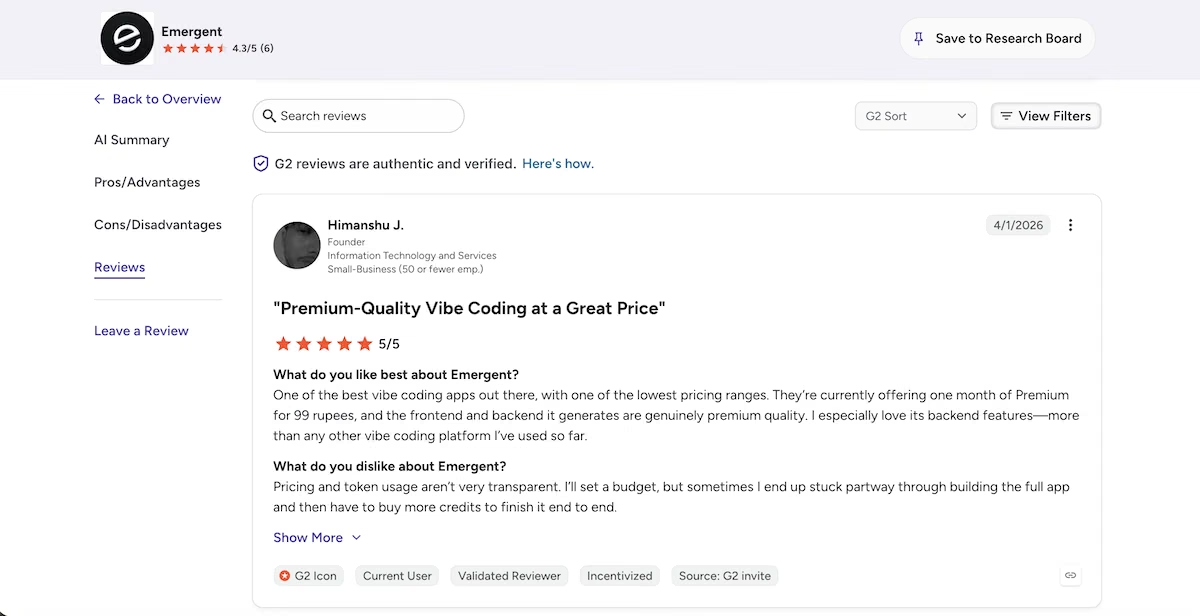
“One of the best vibe coding apps out there, with one of the lowest pricing ranges.” - Himanshu J. (G2)
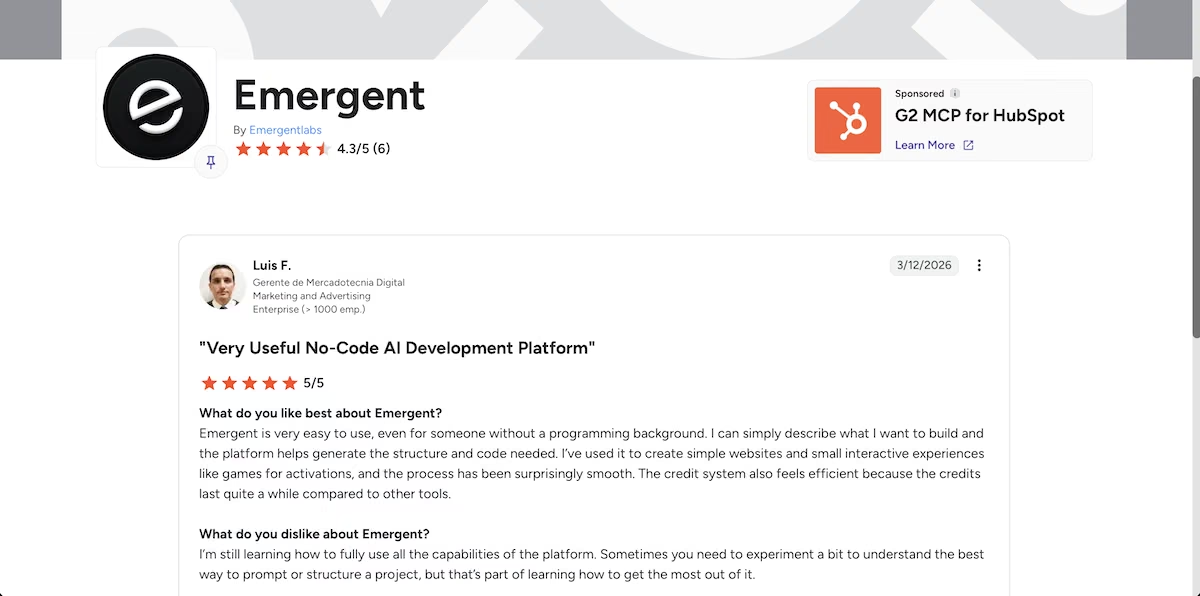
“Emergent is very easy to use, even for someone without a programming background.” - Luis F. (G2)
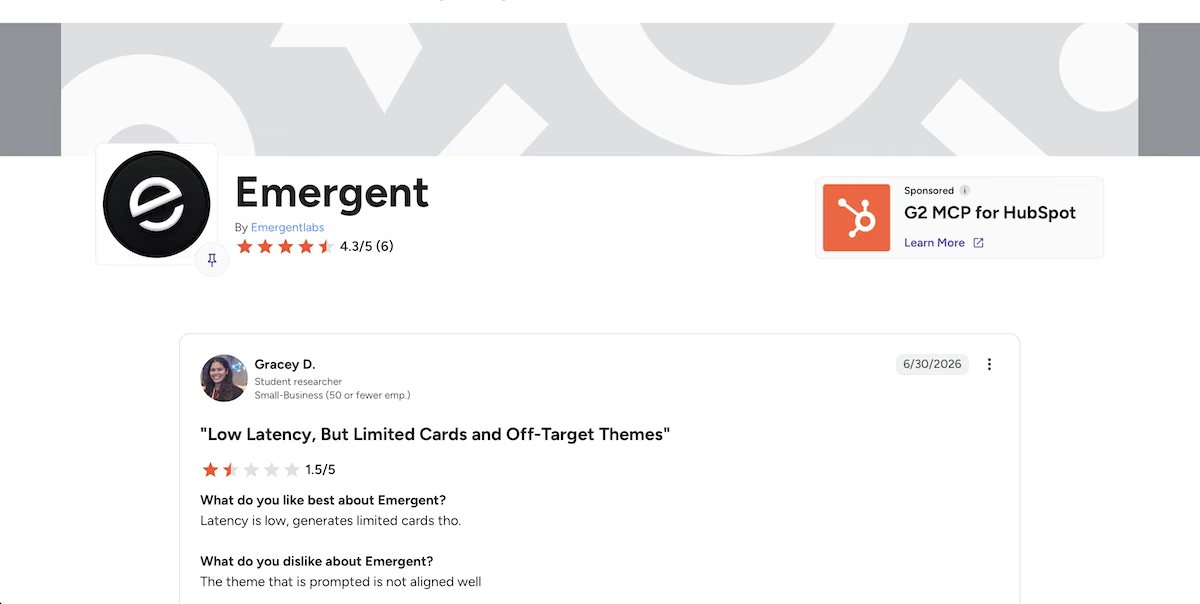
“The theme that is prompted is not aligned well” - Gracey D. (G2)
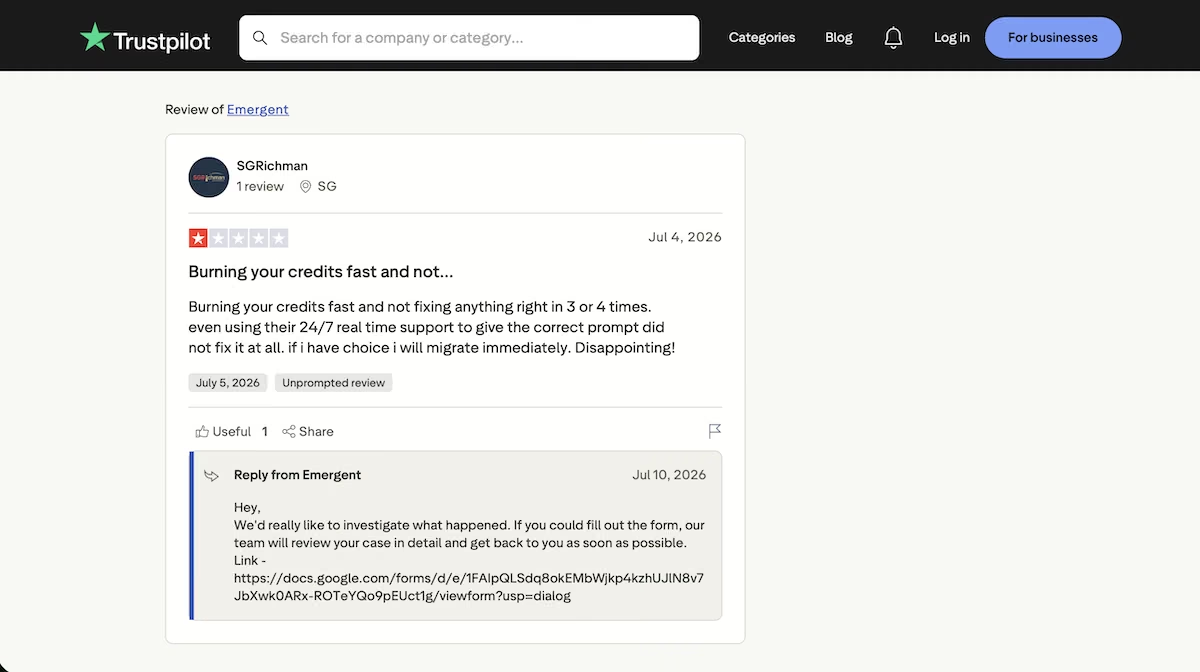
“Burning your credits fast and not fixing anything right in 3 or 4 times.” - SGRichman (Trustpilot)
Pricing
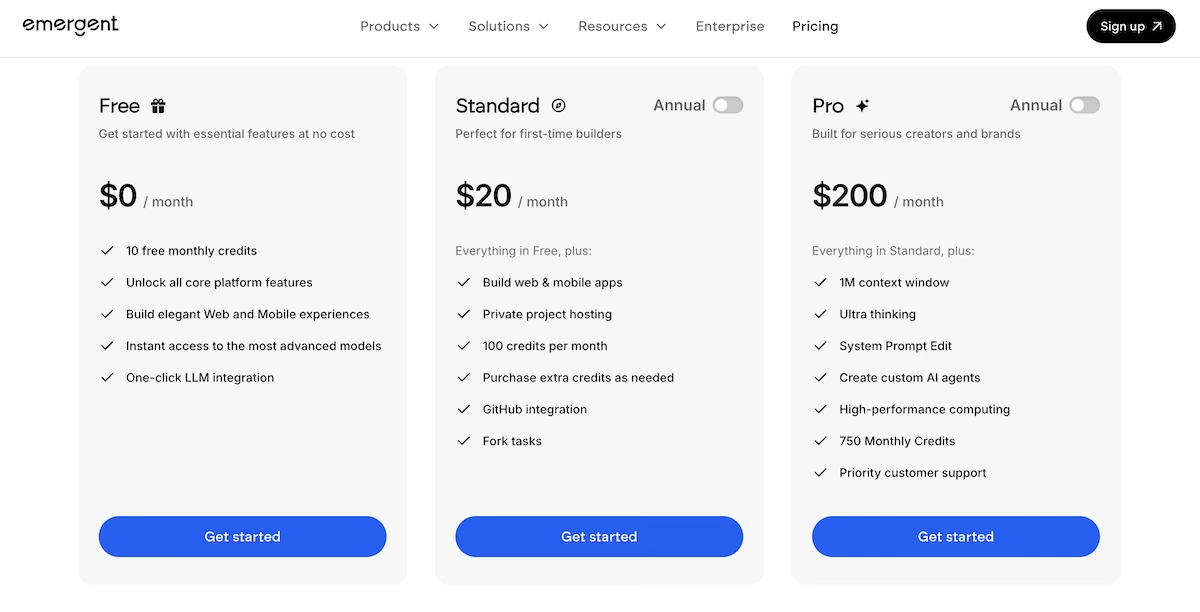
Emergent's Free plan gives you 10 monthly credits, along with access to the core platform features. Standard is $20/month with 100 credits, private project hosting, GitHub integration, and the ability to buy extra credits.
Pro is $200/month with 750 credits, a 1M context window, and custom AI agents. My build used roughly 15 credits.
6. Le Chat (Mistral AI)
Le Chat is the European option. Mistral builds its own models in France, so it's the one to turn to if you'd rather not work with a US provider.
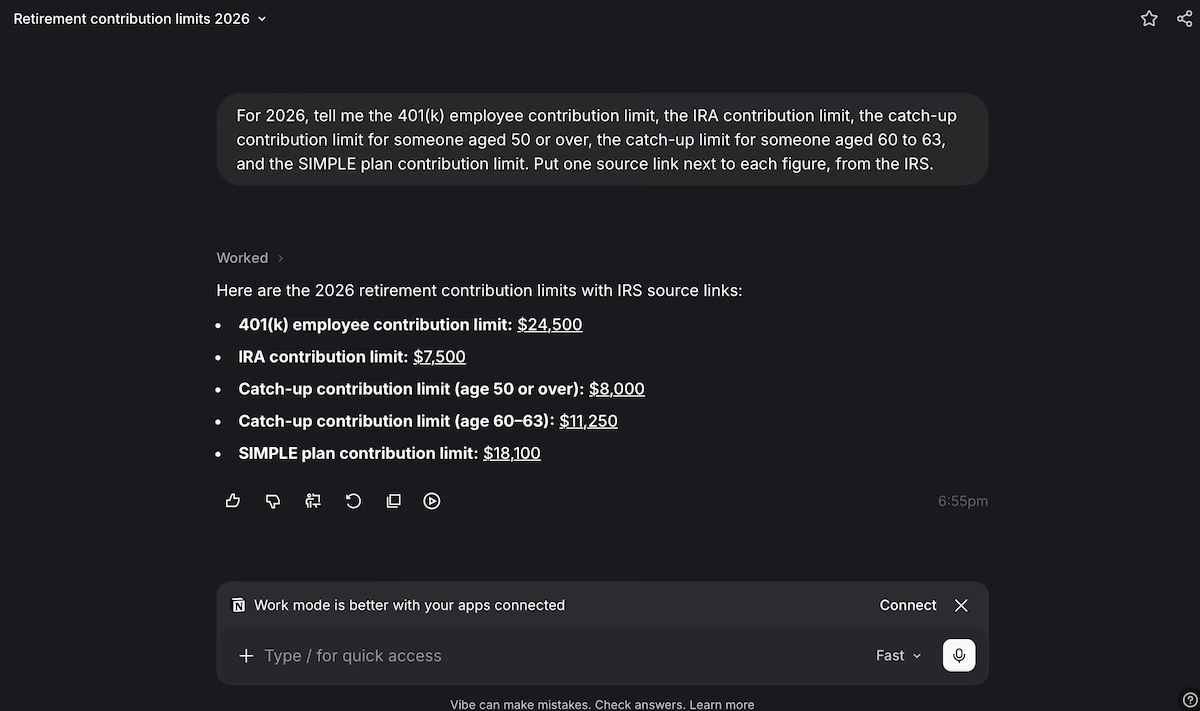
Le Chat's answer to the retirement limits prompt, with each figure linked.
Le Chat nailed it on four of the five figures, answering the fifth differently from everyone else: giving $18,100 as the SIMPLE plan limit where four tools gave $17,000. That figure applies to certain plans under SECURE 2.0, so it isn't the general limit.
It was also the fastest of the five tools to respond, with five bullets, five linked figures, and no preamble in front of them.
The links themselves were annoying, as every one opened a confirmation dialog first, telling me that the link would open in a new tab and asking me to review the URL.
The build prompt went much the way it did everywhere except Claude. Le Chat asked for Google Drive access to create a sheet for the submissions, and when the connector didn't show file creation it gave me a four-step plan instead.
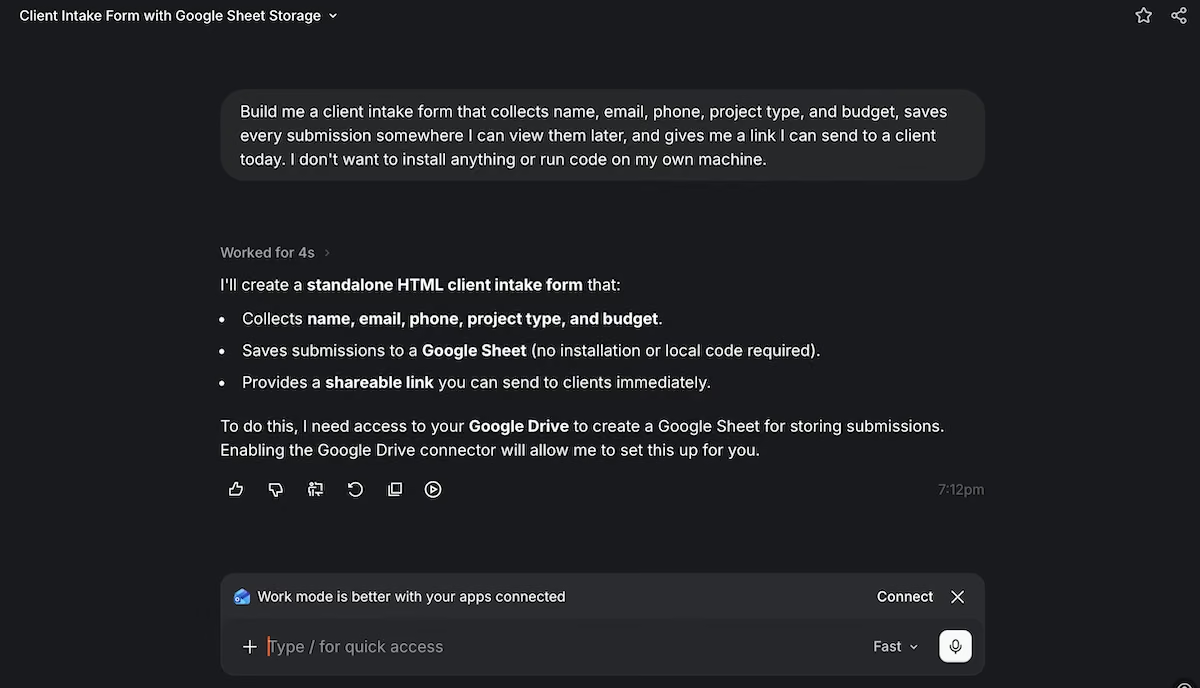
Le Chat requesting Google Drive access.
That plan meant creating a Google Form manually, generating a page that submits to it, hosting that on Netlify Drop or GitHub Pages, and sharing the link. The instructions were clear enough, but I couldn’t apply any of them inside the chat.
Key Features
- European models and hosting: Keep your work away from the big US AI companies
- Work and code modes: Switch between general chat, connected tools, and coding in one place
- 100+ connectors on the free plan: Link the tools you already use without paying extra
Pros
- The fastest and cleanest answer format of the five assistants
- A generous free tier that includes connectors and image generation
- The cheapest paid plan of any tool on this list
Cons
- Answers are noticeably thinner than the others, often missing key details
- A confirmation dialog appears on every external link before it opens
- Fewer integrations and less third-party support than the US tools
Best for
- Teams with a preference for European hosting and model providers
- Anyone who wants a capable assistant without a $20 monthly commitment
- Quickly delivered responses to everyday questions
What Users Say
“What I like most about Mistral AI is how fast and straightforward it feels for everyday AI tasks.” - Muhammad O. (G2)
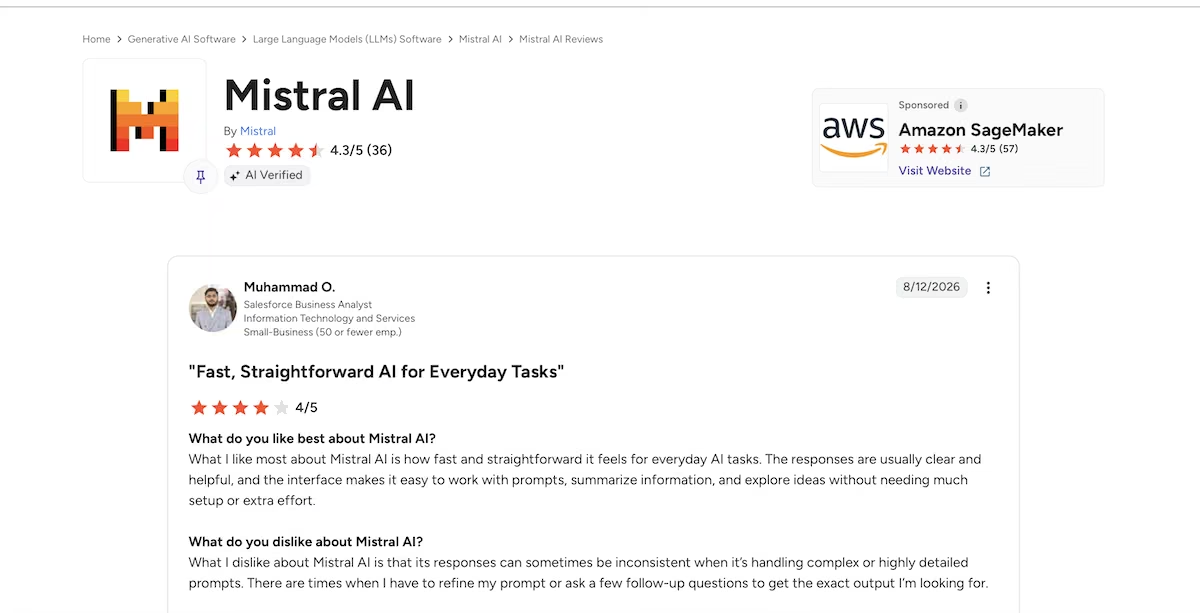
“It helps us generate text, summarize information, and improve productivity in daily work.” - Jeni J. (G2)

“Gives poorly considered answers to basic questions.” - Mike (Trustpilot)
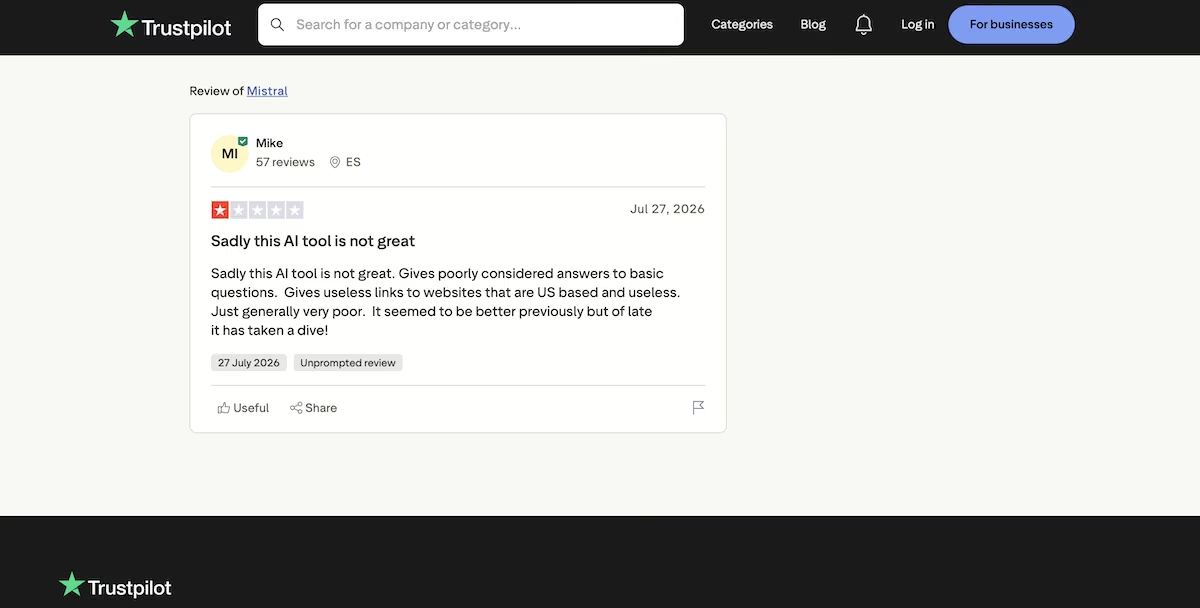
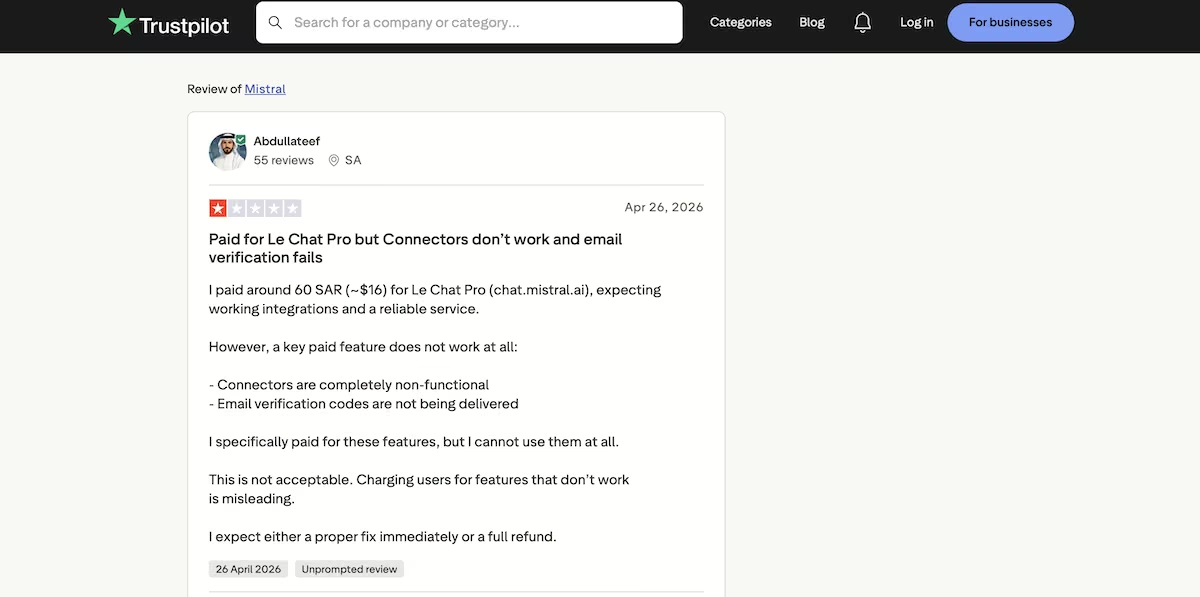
“Charging users for features that don’t work is misleading.” Abdullateef (Trustpilot)
Pricing
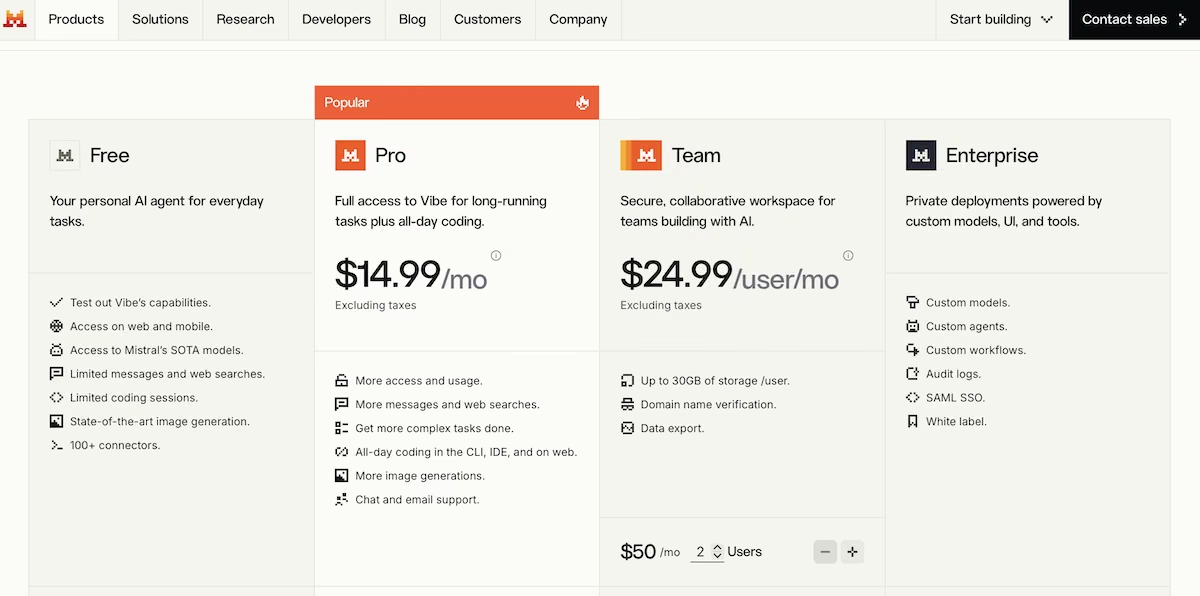
Le Chat's Free plan includes access to Mistral's models on web and mobile, limited messages and web searches, image generation, and over 100 connectors. Pro is $14.99/month excluding taxes, adding more usage and all-day coding in the CLI, IDE, and on the web.
Team is $24.99 per user per month with a $50 monthly minimum, giving you up to 30GB of storage per user and data export.
How to Evaluate Gemini Alternatives
- Check where the source links go: Ask any tool a question, then click every link it gives you. Plenty of tools cite a search page, a summary article, or the same URL five times over, but you can only find out if they’re genuine sources by clicking on them.
- Ask for an artifact: Give a candidate tool a job that requires it to give you a file, a page, or a link, not a paragraph. Assistants differ far more here than they do on questions with written answers.
- Look at what the free tier really covers: Every tool here has one, but they differ enormously in message limits, model access, and whether long sessions get moved to a lighter model partway through.
- Think about where you'll use it: Some of these tools run in your browser, while others sit inside an app you'll have open all day anyway. If you work with a specific software suite, having the assistant right there can be more convenient than getting a slightly better answer from another tool.
- Remember what you'd be giving up: Your saved chats, custom instructions, and connected accounts are still tied to your Gemini account. Try a new AI assistant alongside Gemini for a couple of weeks and see whether you keep drifting back before you cancel anything.
What Separates These Gemini Alternatives
The tools I tested passed the test of answering a question and citing real sources. Four of the five assistants gave me correct figures, with the one that got it wrong giving me a number that answered a different question.
The second prompt was the one that showed a gap. Four assistants gave me just a description, a recommendation, or a series of steps. If you want something to build you something, rather than merely give you a plan to hand off to another tool, you can see how Emergent handles it on a free plan.

Every alternative has trade-offs. Emergent just builds production-ready apps from one prompt.
- Production-ready apps
- Web & mobile apps
- Deploy in minutes







