



This Windsurf review is based on three projects over a month, ranging from small to medium, to see where it delivers and where it cracks. It mostly does what it promises, with one failure mode that doesn't come up in the pitch.
Quick Verdict (TL;DR)
- Windsurf's Cascade agent keeps context across a codebase and runs multi-file tasks without constant hand-holding.
- The March 2026 pricing overhaul cut quotas and drew significant backlash. Billing support, when things go wrong, is mostly bots. Those two things shape who should use it.
- Choose Windsurf if you're a developer who can live with unpredictable daily limits and want Cascade's Memories plus Devin Cloud in one IDE.
- Skip it if you're a non-technical founder who needs to ship a product without touching a terminal.
What Is Windsurf?
Windsurf (now Devin Desktop) is an AI-native IDE from Cognition, the team behind Devin, on a Visual Studio Code fork. Its core engine, Cascade, reads your entire repository, tracks edits across sessions, and executes multi-file tasks without you pointing it to each file manually.
It targets developers who want something that works inside their editor, not a separate chat window they bounce between.
The product was rebranded to Devin Desktop on June 2, 2026. The IDE, pricing, and extensions stayed the same.
Features
- Cascade: Windsurf's primary agent. Runs multi-file changes, executes terminal commands, and maintains Memories across days on the same project. Mid-task course corrections force a full restart, so recovery usually means starting the task over.
- Supercomplete: Predicts your next move based on recent changes across the codebase, not just the current cursor position. Cognition describes it as predicting your next thought, not just your next edit.
- Fast Context: Uses SWE-grep to pull relevant code noticeably faster than standard agentic search, without leaving the repository.
- SWE-1.6: Cognition's in-house coding model. Cognition reports that the current checkpoint scores 11% higher than SWE-1.5 on SWE-Bench Pro. The fast tier runs at 950 tokens per second for paid plans and 200 tokens per second on the free tier. Neither tier currently consumes quota.
- Agent Command Center: A Kanban view for managing multiple local and cloud agents simultaneously, added in a recent Windsurf update.
- Devin Cloud: Send a task from your local Cascade session to Devin's VM with one click. It keeps working after you close your laptop.
- Arena Mode: Runs two models side-by-side on the same prompt so you can compare outputs directly.
- Model Context Protocol integrations: Connects to GitHub, Slack, Stripe, Figma, and other tools via the MCP Marketplace directly inside Cascade.
- BYOK (Bring Your Own Key): Users can plug in their own API keys for supported frontier models.
New to the concept behind these tools? Our What Is Vibe Coding guide breaks down how it all works before you dive in.
Windsurf Reviews: What Users Are Saying
Across Trustpilot, G2, Product Hunt, and Reddit, the reviews split sharply by when users signed up and how hard they pushed the product.
Developers who stayed within quota limits came away positive. Those who hit the March 2026 pricing change or needed billing support left angry, and that anger is still visible in the review platforms today.
Pros
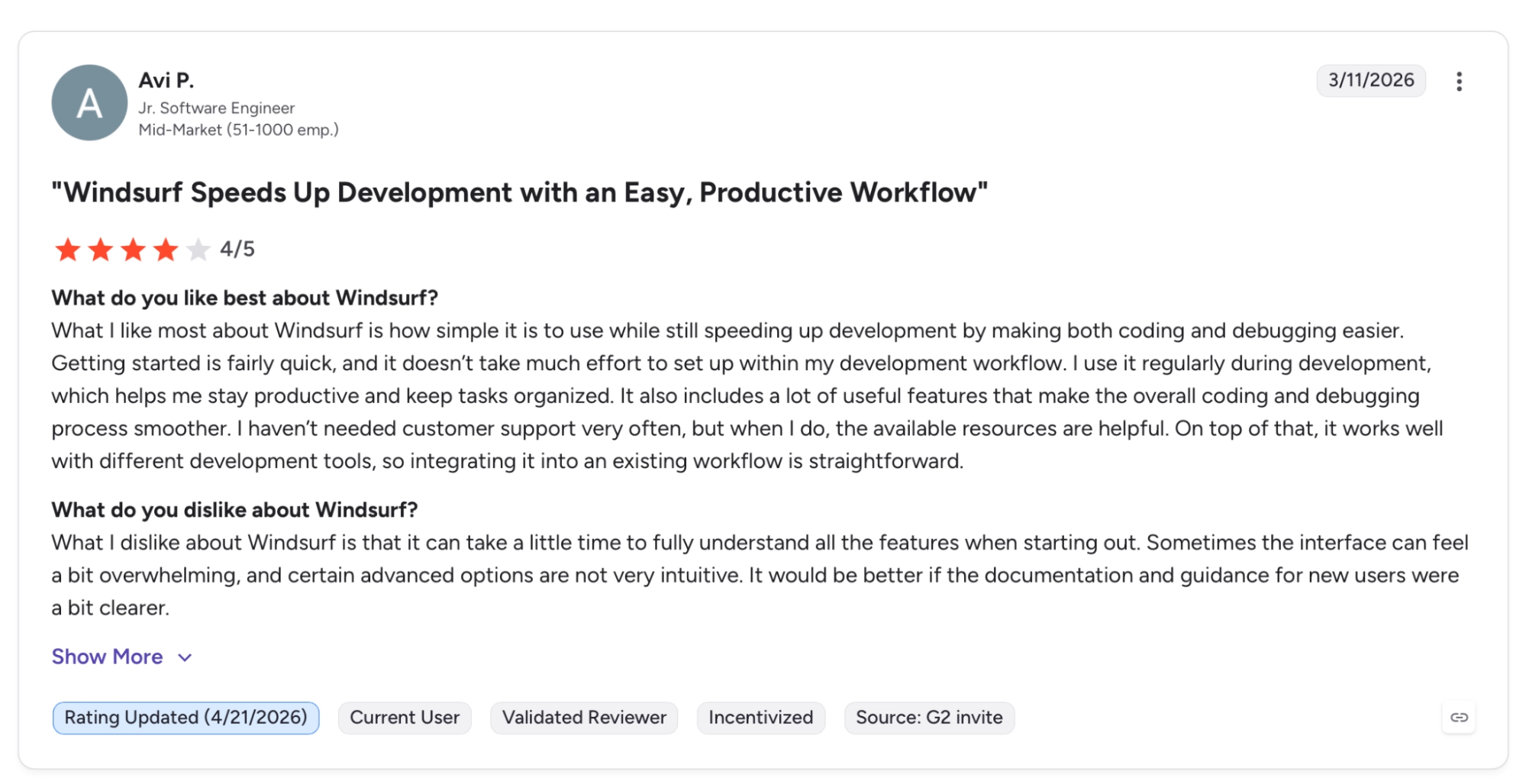
"What I like most about Windsurf is how simple it is to use while still speeding up development by making both coding and debugging easier." — Avi P., G2
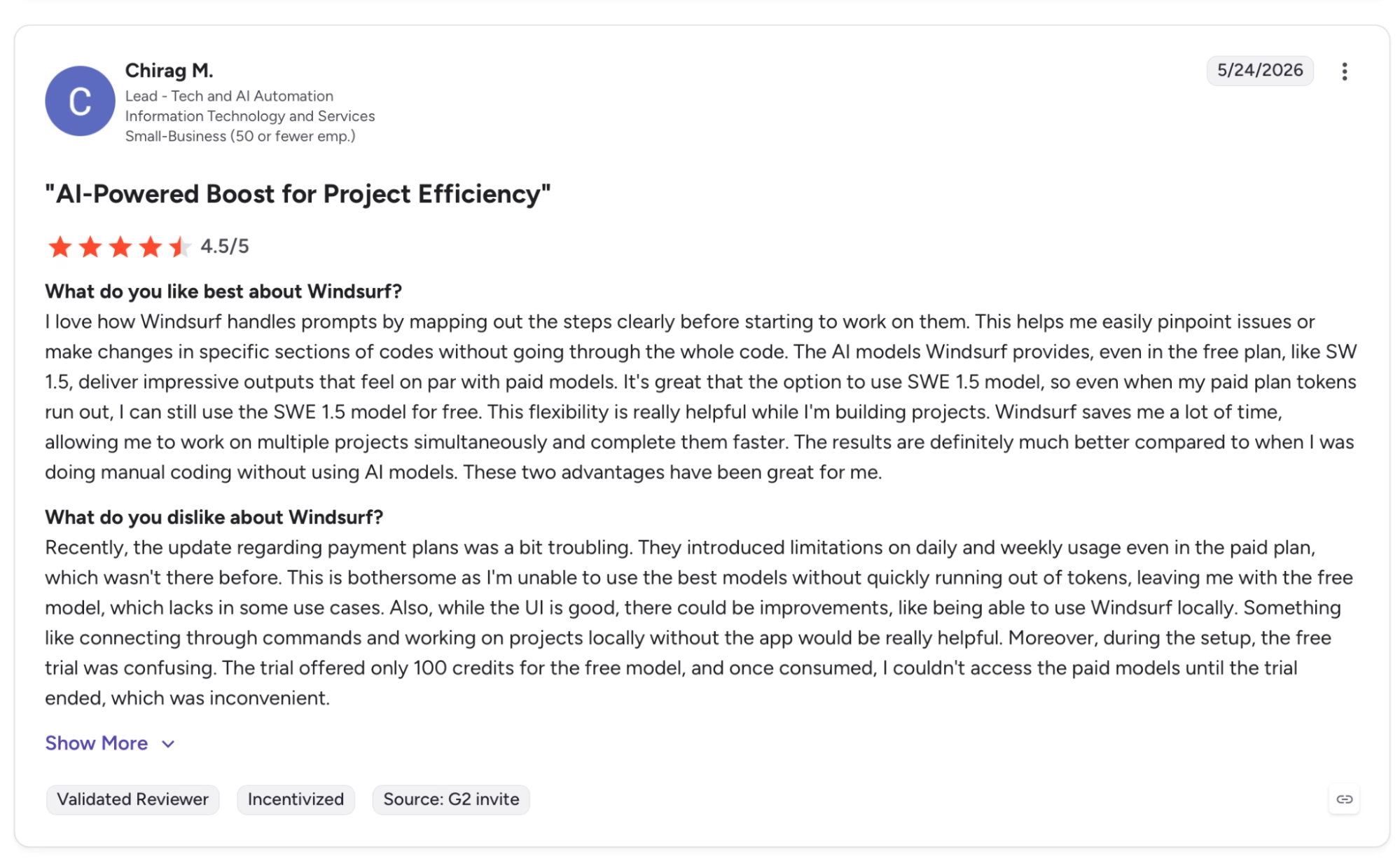
"I love how Windsurf handles prompts by mapping out the steps clearly before starting to work on them." — Chirag M., G2
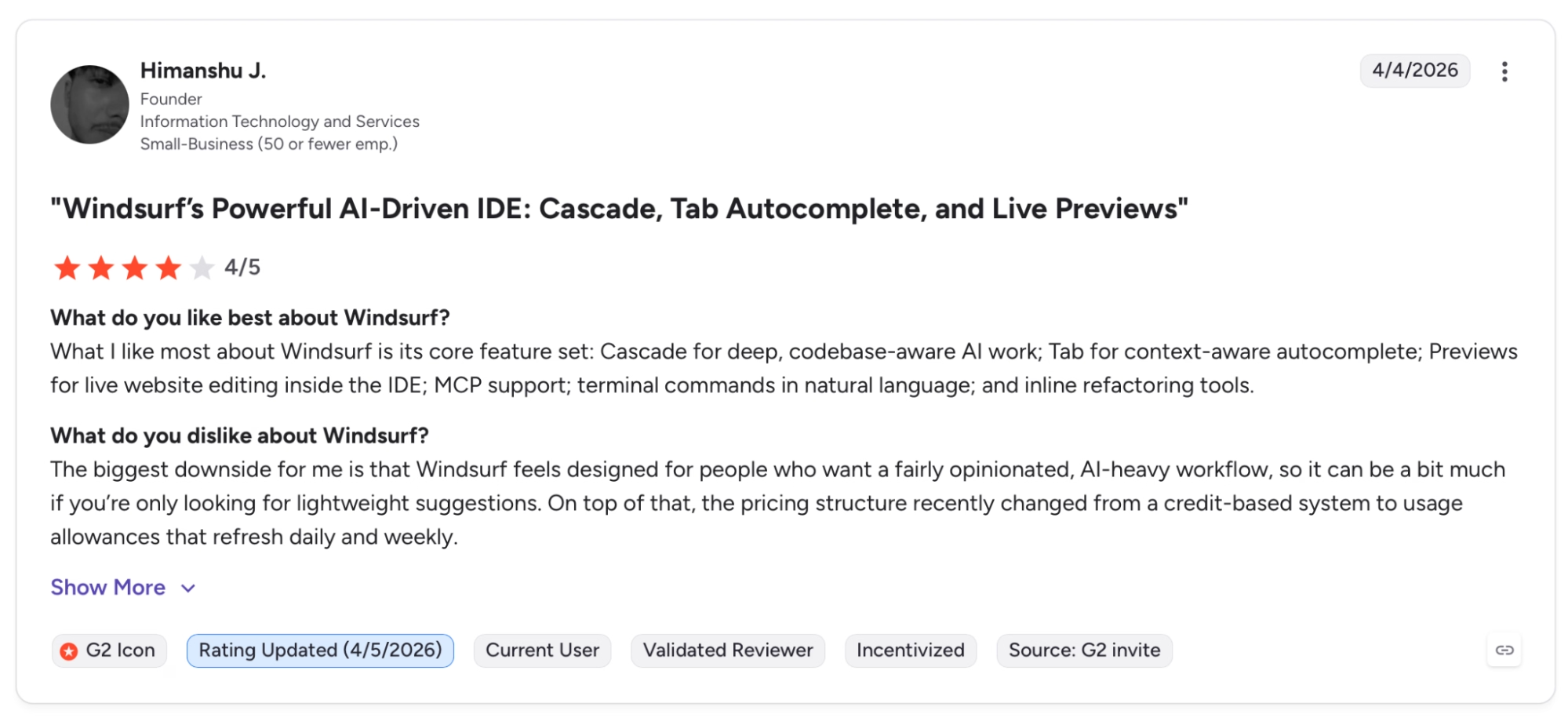
"What I like most about Windsurf is its core feature set: Cascade for deep, codebase-aware AI work; Tab for context-aware autocomplete." — Himanshu J., G2
Cons
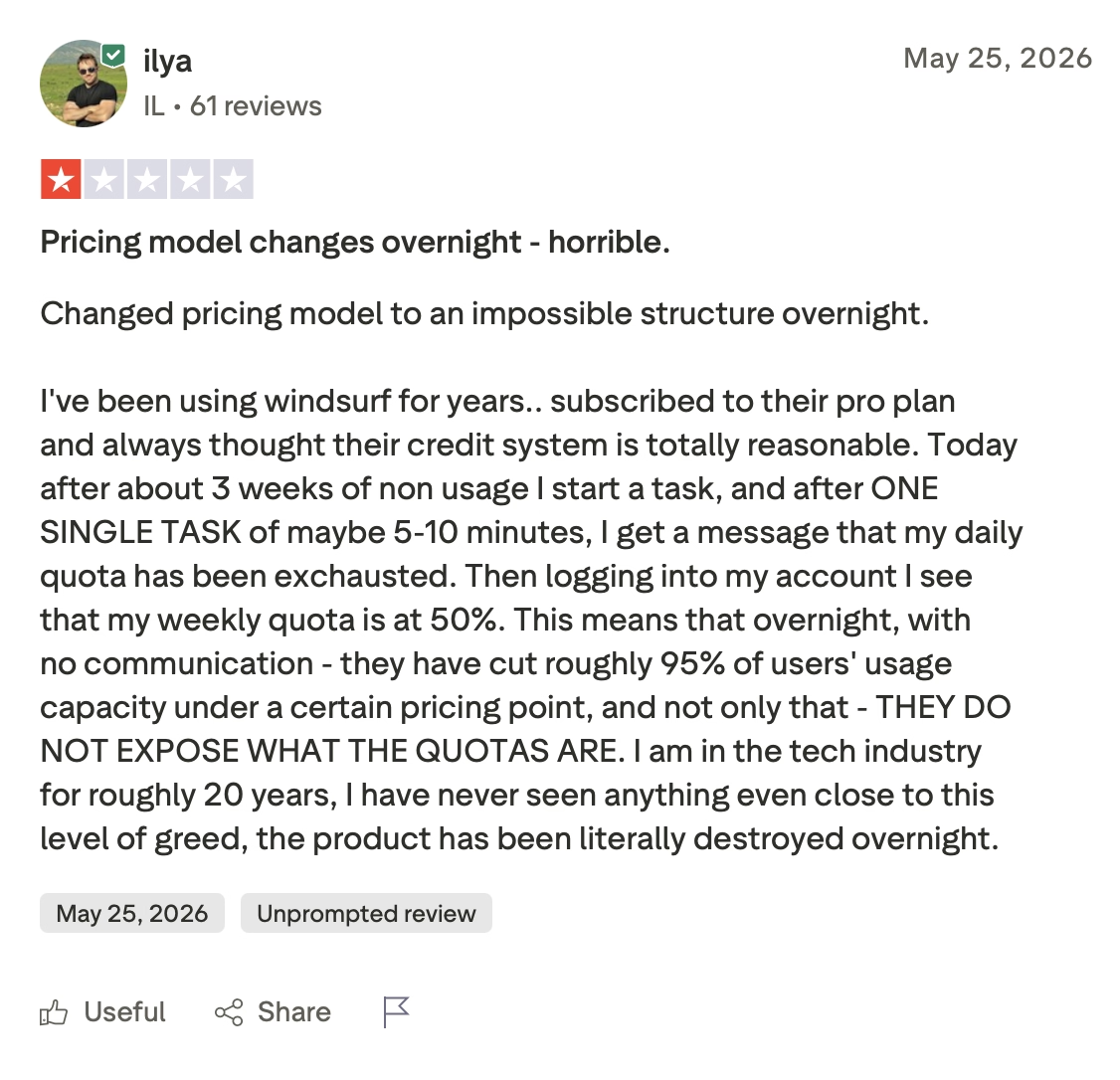
"Today after about 3 weeks of non usage I start a task, and after ONE SINGLE TASK of maybe 5-10 minutes, I get a message that my daily quota has been exhausted." — Ilya, Trustpilot
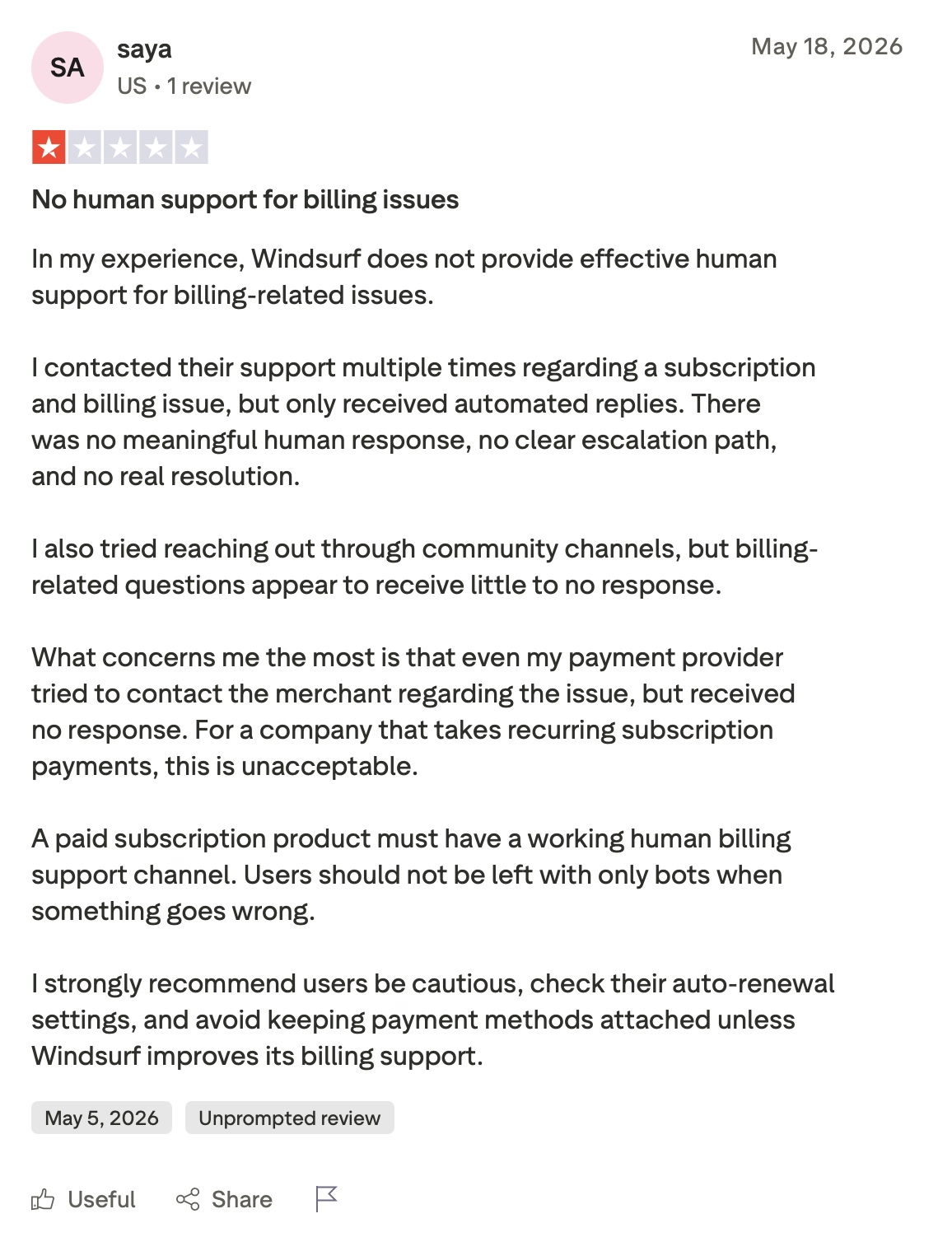
"In my experience, Windsurf does not provide effective human support for billing-related issues." — Saya, Trustpilot
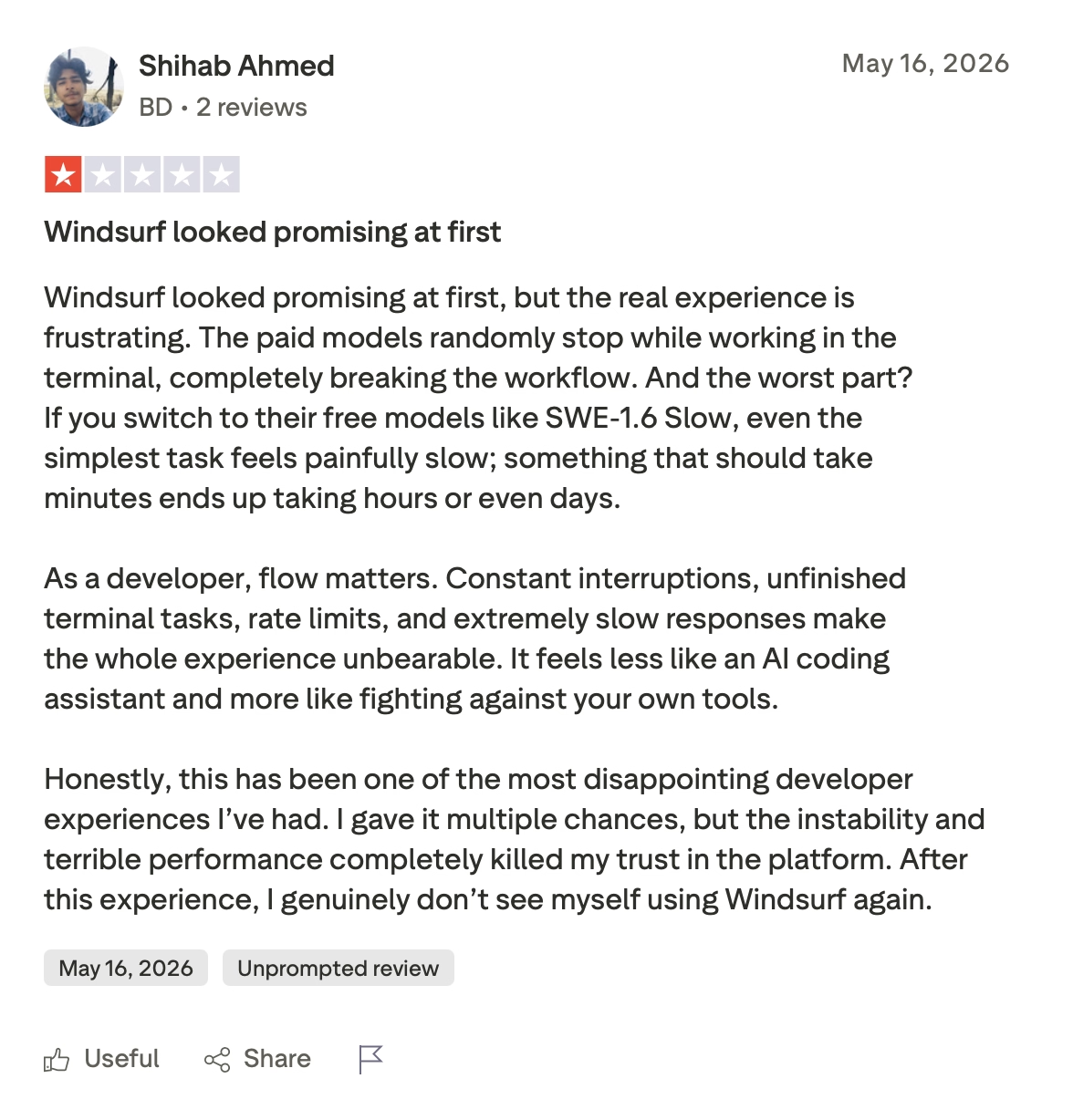
"And the worst part? If you switch to their free models like SWE-1.6 Slow, even the simplest task feels painfully slow." — Shihab Ahmed, Trustpilot
My Personal Take on Windsurf
Memories were the first thing that stood out. I came back to a project after two days and Cascade picked up where I left off without re-explaining the architecture. That alone skips the context-setting you'd otherwise do at the start of every session.
The quota system erases that advantage on heavy days. You can't see how much daily allowance is left, no counter, no warning.
You find out when Cascade stops mid-task and drops to a slower free model. On intensive days, I burned through the premium quota before noon.
Cascade handles routine multi-file work fine, but where it breaks is harder to predict. Usually it's decisions tied to team conventions that nobody wrote down, and Cascade makes technically correct changes that still miss the point.
Three steps in the wrong direction, and there's no partial undo. Everything rolls back. Windsurf hasn't solved that.
Want a full breakdown of what each plan costs before you commit? Our Windsurf pricing guide covers every tier and where the quota math gets fuzzy.
Is Windsurf Right for You?
Who will love it:
- Developers who work on the same codebase daily and need something that holds context across sessions so they don't have to re-explain the project every time.
- Mid-to-senior engineers comfortable catching errors when Cascade goes wrong, who'd use Devin Cloud for long tasks they don't want to babysit.
- Teams already on VS Code looking to move to an agentic workflow without rebuilding their entire toolchain.
Who should avoid it:
- Non-technical founders who need to ship a full product from a prompt. Windsurf requires you to read code, catch agent errors, and understand when a rollback is needed.
- Developers who work in intensive daily sessions and can't afford to hit a quota wall mid-task on a deadline.
- Anyone who's been burned by poor billing support and needs to reach a person when charges go wrong.
Want to see how Windsurf stacks up against the broader field? Our best AI agent builders roundup covers what else is worth trying in 2026.
The Best Windsurf Alternative for Non-Technical Builders: Emergent
Founders who want to ship an app without writing code are probably in the wrong place with Windsurf. It's designed for engineers who already know what a refactor is and can spot when Cascade gets it wrong.
Emergent is built for the other scenario: you describe what you need, and specialized agents handle the rest.
Emergent splits the work across those agents. Some shape the interface, others handle the logic and integrations, and a testing layer checks the output.
It's the kind of setup that shows its value a few weeks into a serious project when something fails and gets caught before users see it. On a quick landing page, you'd never notice the difference.
Builders using single-agent coding tools frequently describe reliability, context loss, and quality-control issues as recurring pain points as projects grow. In Windsurf's G2 reviews and community discussions on Reddit, users describe frustration with workflow interruptions, model changes, and maintaining project consistency over time.
Emergent addresses those issues with a dedicated testing layer before changes are shipped.
The result tends to hold together. Users report launching apps without having to audit the code first. It's not built for native Swift or Apple Watch apps, and it can handle simple games, but it's not the right tool for complex ones.
Looking for more options? Explore our Windsurf Alternatives.
Build and Deploy
- For most projects, you get a working app without assembling the pieces yourself. Emergent handles Google sign-in with no Google Cloud project to set up, stores your app's data for you (MongoDB by default, Supabase optional), and processes payments through Stripe and Razorpay.
- Hosting and a custom domain are included. Buy it through Emergent or connect to one from another registrar.
- Web and mobile from one workspace. Apps are published to the App Store and Google Play directly, built with React Native and Expo.
- Deployment runs from the same conversation as the build. You get traffic monitoring, health checks, and mobile alerts for errors alongside updates that don't take your app offline and a one-click way to undo a bad change.
- Emergent is designed to handle regressions as codebases grow, which is where lighter tools tend to break.
Extend and Integrate
- Plug Claude, GPT, or Gemini directly into your own app with Universal LLM Key. Uses Emergent credits, so you don't need separate accounts with OpenAI or Anthropic.
- Connect to hundreds of tools, including Elevenlabs, Airtable, and Stripe, for preview links and job creation.
- Sessions don't force mid-task stops the way Windsurf's quota system does, so the context stays intact from start to finish.
Own and Collaborate
- Work with your team and keep spending under control with per-project credit limits and role-based access for admins and contributors.
- Your code is yours. Everything syncs to GitHub from the Standard plan up. You can open it in VS Code, hand it to a developer, or keep working on it yourself.
Emergent is SOC 2 Type I certified with SSO and audit logs built in. If you're handling user data or payments, that matters. If you're starting from an idea, try building on Emergent.
Ready to put it into practice? Our guide on how to build a website with AI walks you through the whole process step by step.
Final Verdict
If you're a developer who lives in the same codebase daily, the $20/month makes sense. Memories, Cascade's multi-file handling, and Devin Cloud cover the core of what serious agentic coding looks like in 2026, and you won't find that combination packaged in a single IDE anywhere else right now.
Developers who hit quota walls regularly or got burned by the March 2026 pricing change know that trust is harder to rebuild than the product team seems to realize. Non-technical founders hoping to ship an app without writing code will do better with Emergent.
The fastest way to know if it fits your workflow is to run it on a project you care about shipping.

Most AI app builders stop at prototypes. Emergent creates production-ready apps you can actually launch.
- Production-ready apps
- Web & mobile apps
- Deploy in minutes







