

Build Sales Automation for Every Lead, Deal and Renewal
Describe how leads reach your team and when a deal needs a nudge. Emergent builds the routing, follow-ups and renewal alerts on top of your CRM, as code you own.
Build sales automation that routes inbound leads and follows up after every demo.
Trusted by Builders Worldwide
Active Builders Worldwide
Apps Successfully Created
Countries Globally Reached



What Sales Automation Handles for Reps
Sales automation hands the repeat steps of a deal to software. Below are six parts of that job, each running as code your team owns.
Every new lead assigned on arrival
Demo requests, chat leads and event scans land in one table. Each new lead goes to a rep by territory or by round-robin rotation. The queue shows whose turn is next.
Reps send sequences from their own inbox
Emails go out from the rep's Gmail or Outlook, in their name, on the days the team picks. Reps can see which step each prospect has reached before they pick up the phone.
CRM records that update themselves
Sent emails and meeting notes sync to Salesforce or HubSpot through their APIs. Each contact record shows its latest touch without a rep typing it in on Friday afternoon.
Alerts on deals that slip
A close date pushed twice, or a proposal with no answer after 7 days, sends the owner a Slack message. It comes back each morning until someone moves the deal forward.
Discount approvals in Slack
A discount above the threshold goes to a sales manager in Slack. The request shows deal size and margin. Each decision is logged on the deal under the approver's name.
Territory rules stored as readable code
Routing tables, cadences and the dashboard export to GitHub as code on paid plans. When a rep leaves, moving their accounts to a new owner is a prompt or a pull request.
Where Sales Teams Automate First
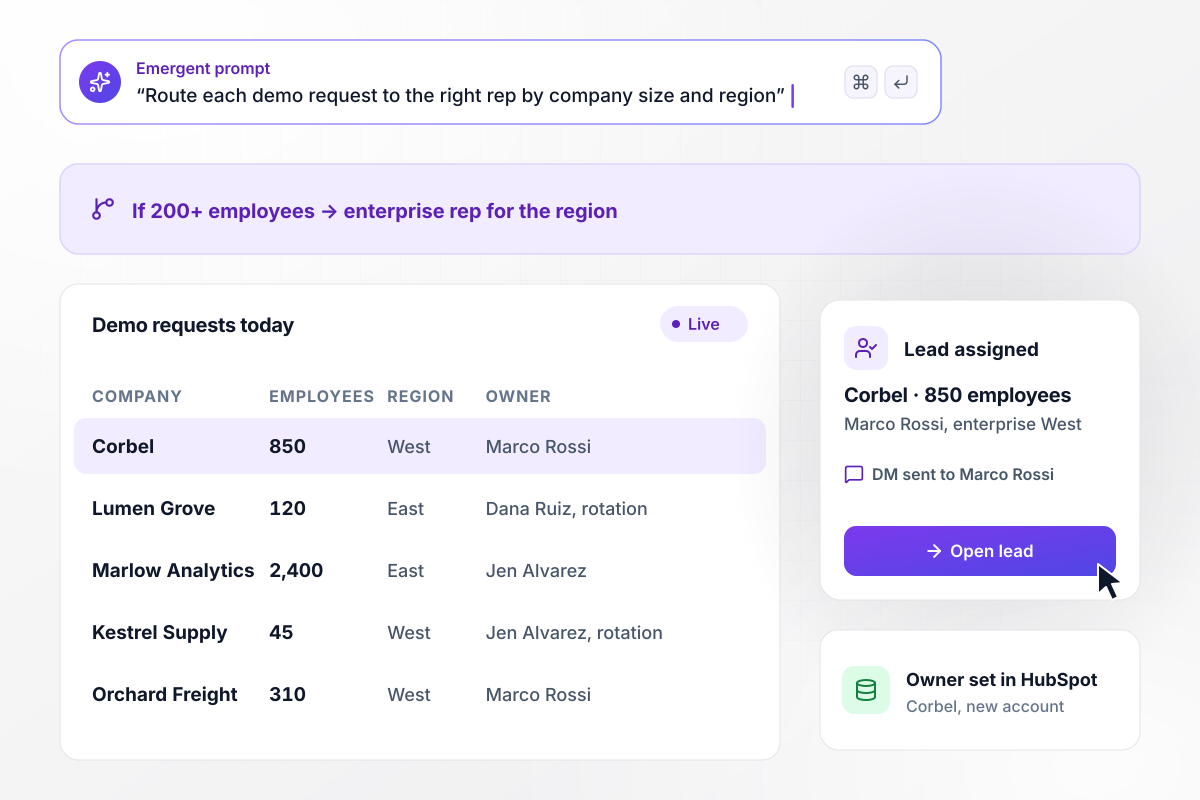
New demo requests go to the right rep while they are warm
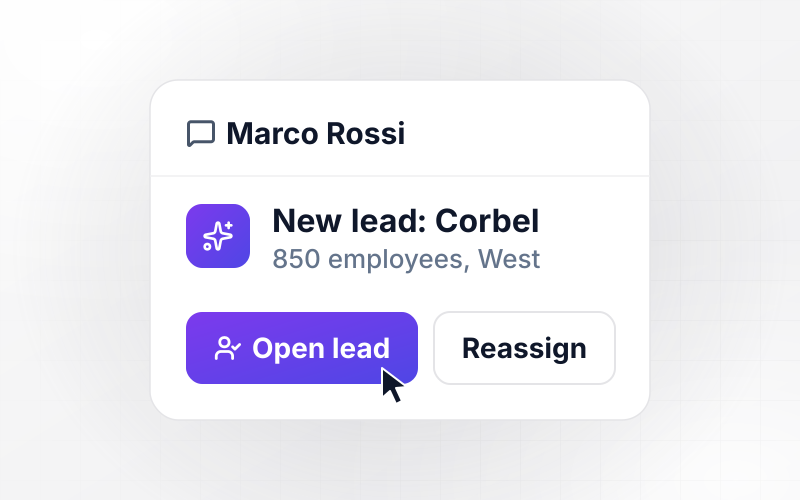
A demo request from an existing HubSpot account goes to its owner. New companies are enriched with size and region. Companies with 200 or more employees go to the enterprise rep for their region, and the rest rotate across the team. HubSpot records the new owner, then the rep gets a direct message in Slack.
window.awbMockup = { inboundLeads: "Build sales automation for my inbound demo requests. Check each request against HubSpot and give existing accounts to their current owner. Add company size and region to new ones, send companies with 200 or more employees to the enterprise rep for that region, rotate the rest among the team, write the owner to HubSpot and send the rep a Slack direct message.", demoFollowUp: "Build a post-demo follow-up sequence for my sales team. Send the recap and next steps from the rep's Gmail the same day, a second email on day 3, and if there is no reply by day 7, send the rep a call task as a Slack direct message. Stop the sequence on any reply or booked meeting and log it on the deal.", stalledDealAlerts: "Build a stalled deal alert for my pipeline. Every morning, check each open deal in HubSpot for days since the last email, call, or meeting. Flag any deal quiet for 14 days on the pipeline dashboard and send its owner a Slack direct message with the deal value and the last email sent, ahead of Friday's forecast call. Clear the flag when the owner logs a call or books a meeting.", renewalReminders: "Build renewal reminders for my account managers. Every Monday, read contract end dates from HubSpot. When an account enters the 90-day window, create one renewal deal owned by its account manager. Send each manager a Slack direct message listing their accounts inside the window with the current price and open support tickets." };
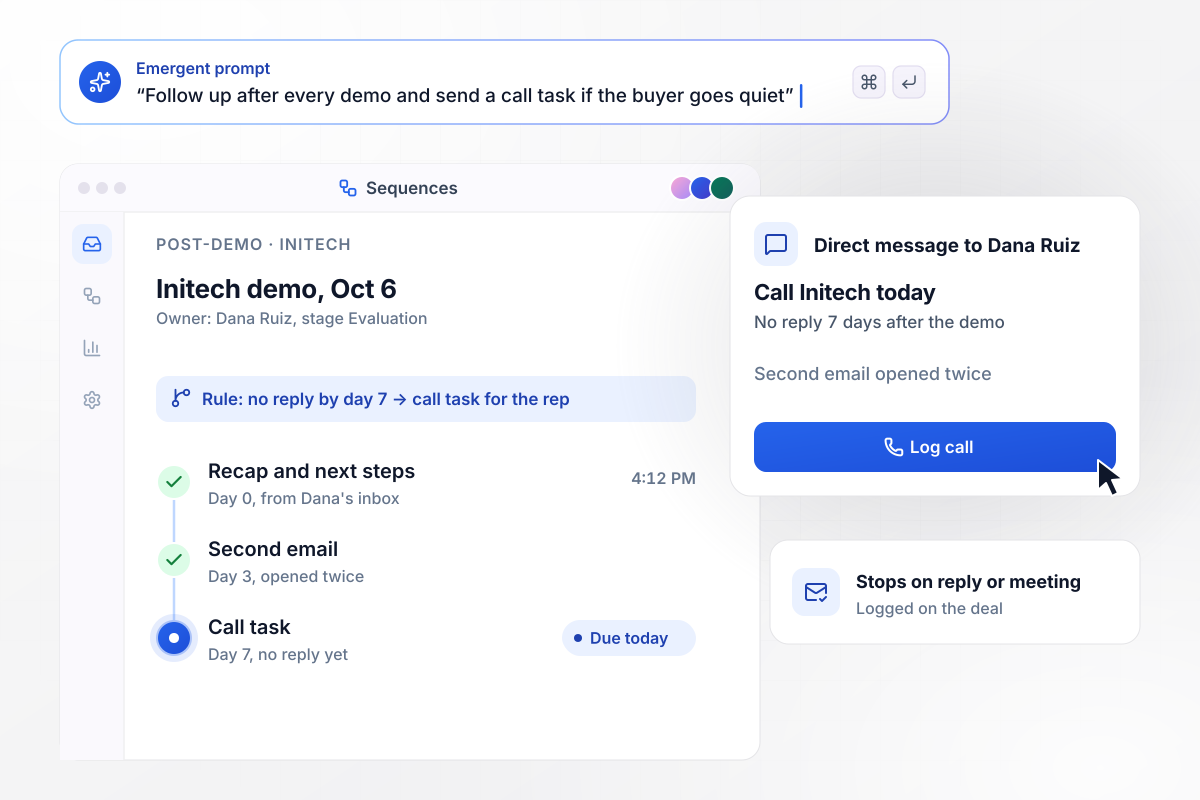
Post-demo follow-up stops the moment a buyer replies
The recap leaves the rep's inbox on the day of the demo, and a second email follows on day 3. With no reply by day 7, the rep gets a call task as a Slack direct message. Any reply or booked meeting ends the sequence and is logged on the deal.
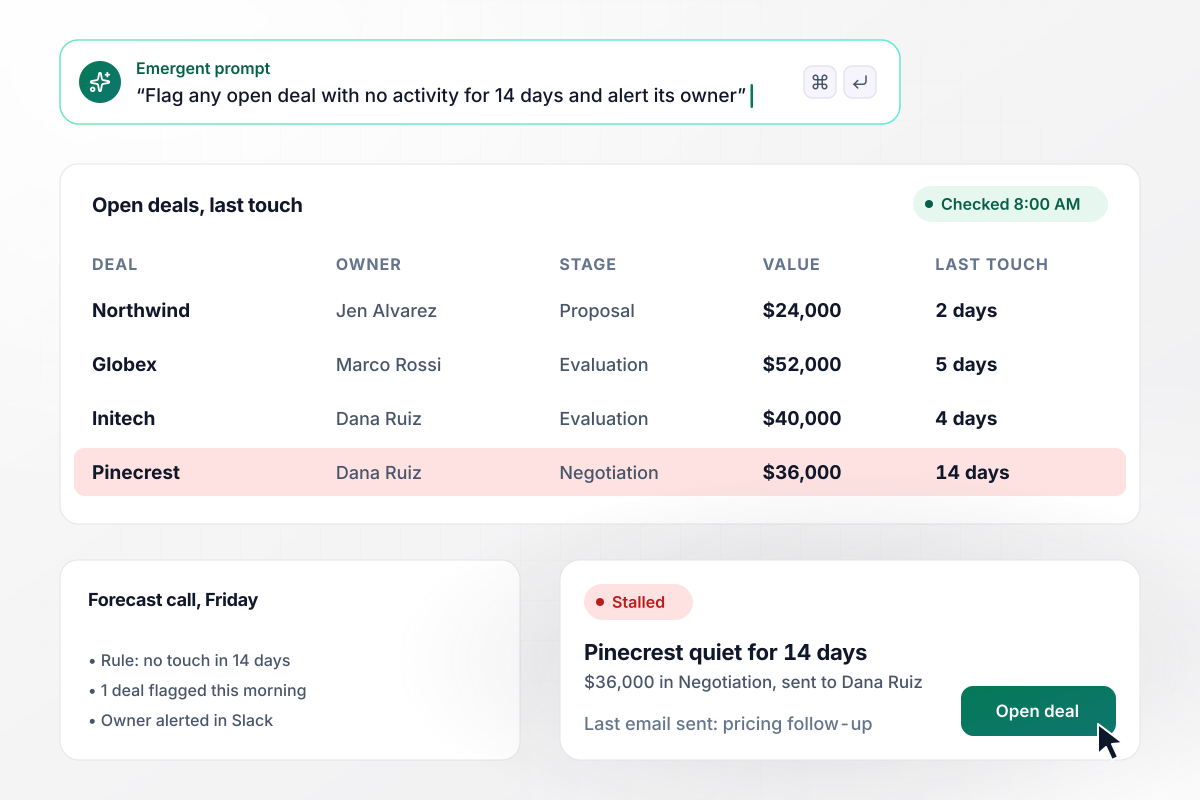
Quiet deals surface before Friday's forecast call
Every morning, each open deal is checked for days since its last logged activity. A deal with no touch in 14 days is marked on the pipeline dashboard. Its owner gets a Slack direct message with the deal value and the last email sent. The flag clears once the owner logs a call or books the next meeting.
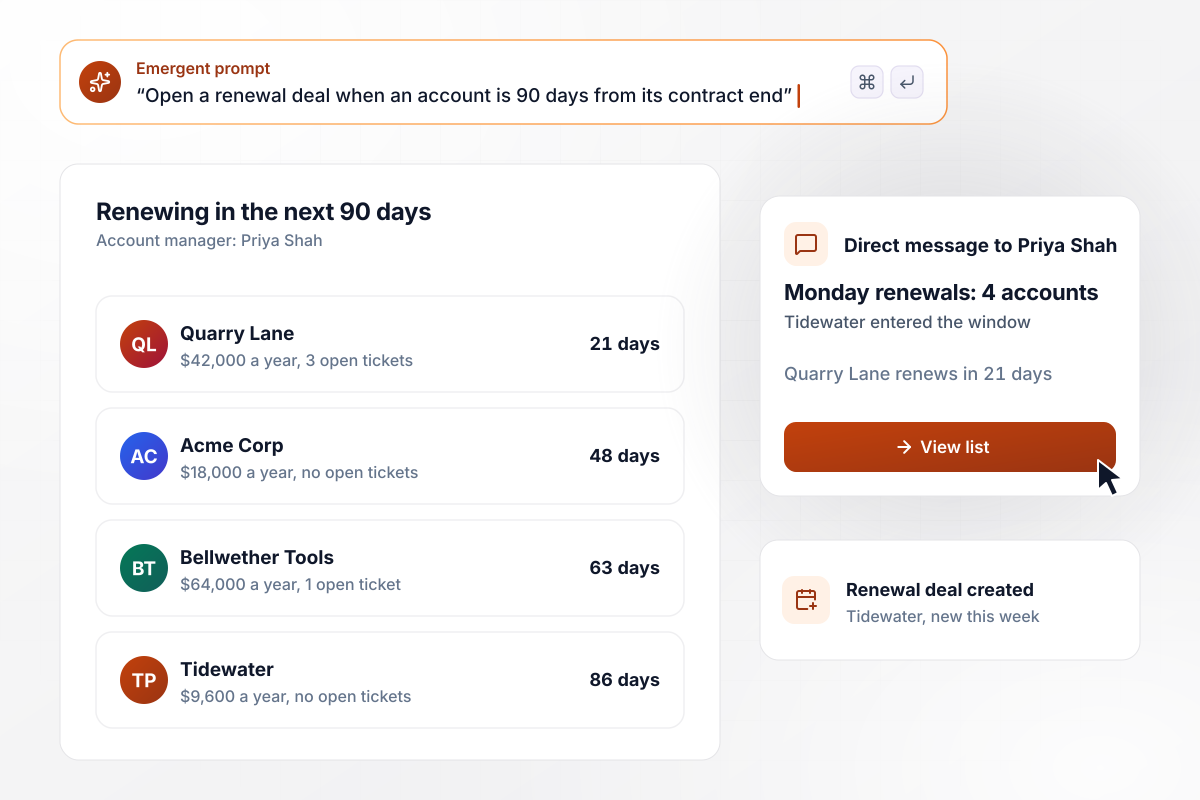
When a contract is 90 days from ending, renewal work starts
Contract end dates are read from HubSpot each Monday. An account that crossed into the 90-day window since the last run gets one renewal deal, owned by its account manager. That manager gets a Slack direct message listing each account in the window with its price and open support tickets.






How to Build Sales Automation
The first three steps happen on a whiteboard with your sales ops lead and settle the rules. The last four build the app from those rules and roll it out to the team.
List every source that sends you leads, with the demo form at the top. Note who owns each stage and where deals tend to wait. That map becomes the pipeline stages Emergent builds and the routing that feeds them.
Describe assignment the way your sales ops lead would explain it to a new hire. Partner referrals go to the partner manager; healthcare leads go to the rep who covers clinics. Emergent turns those sentences into rules you can read and change later.
Decide what happens when a prospect misses a booked demo or goes silent after a proposal. Pick the days each email goes out and the point where a phone call replaces email. Write the templates in your reps' own voice.
Connect the CRM your team works in, plus the Gmail or Outlook accounts reps send from. Start with one rep's inbox and one pipeline, then add the rest. Managers keep reporting from the CRM they already use.
Pick the few signals worth interrupting a rep for, such as a renewal account with an urgent support ticket open, or a new lead from a company already deep in a deal. Decide who hears first. The owner gets the message; their manager is copied when 2 days pass with no update.
For 1 week, the app suggests an owner for each new lead while reps keep assigning by hand. Compare its picks with theirs at the end of each day. Where the two differ, fix the rule by prompting before routing goes live.
Turn routing on for the demo form and add chat leads 1 week later. Watch time to first touch on the dashboard. When that number drifts, change the rule behind it with a prompt. Bring in outbound lists last.
Why Build Your Sales Automation With Emergent?
When a territory is redrawn or a cadence changes, the update is a prompt to code you own. No rep is billed as a seat.

|
Salesforce Sales Cloud | HubSpot Sales Hub | Outreach | |
|---|---|---|---|---|
| How you set it up | Prompt for your sales process and the app around it | Configure the CRM, with Flow for automation | Self-serve CRM; sequences and workflows from Professional | Sales-led setup on an annual contract |
| What you get | Lead routing, sequences, follow-ups, and pipeline dashboard, as code you own | CRM with pipeline, forecasting, and automation | CRM with sequences, workflows, and forecasting | Sales engagement platform: sequences, dialer, and AI |
| Pricing model | Credits; reps using the app are not billed as seats | Per user, per month by edition, billed annually; add-ons extra | Per seat, per month; onboarding fee on Professional and Enterprise | Quote-based, per user, annual contracts only |
| Code ownership | Full code export to GitHub on paid plans | None | None | None |

Pick the Pricing Plan That Works for You
Choose the plan that fits your building ambitions. From weekend projects to enterprise applications, we've got you covered.




Find the right workflow automation
for you and your business
Frequently Asked Questions
Your Questions, Answered
Don't change this element unless you know what you are doing
More things you can build
with Emergent









on Emergent today




