

Build a Custom Event Management Dashboard Using AI in Minutes
Turn a plain-English description of your Event Management Dashboard into a production-ready build, from design to deployment, in minutes. No code needed.


Trusted by Builders Worldwide
Active Builders Worldwide
Apps Successfully Created
Countries Globally Reached



Build a custom event management dashboard in 4 simple steps
See registrations, attendance and budget together rather than across three tools.
Name what an event is judged on. Registrations, attendance rate, cost per attendee, satisfaction.
Your ticketing and finance systems connect, so cost and attendance sit against the same event.
Tell it to add an event type, a different cost allocation or results by channel.
Open one view showing registrations against pace, so a slow sell is caught while it can be fixed.
Emergent Key Features for Building an Event Management Dashboard
Registration pace, committed spend and supplier readiness in one view rather than three spreadsheets.
Pace against Previous Events
Registration is compared with the same point before comparable events, which is the only way to read a mid campaign number.
Break Even Attendance Calculated
The registration level needed to cover committed cost is shown, so a decision about marketing spend has a clear threshold.
Committed Spend Separated
Contracted but unpaid cost is deducted, so remaining budget reflects what is genuinely uncommitted.
Supplier Dependencies Visible
What each supplier owes and needs is tracked, so a silent supplier is chased before it becomes an on site problem.
Critical Path Identified
Tasks whose delay affects others are marked, so attention goes to the items that actually move the delivery date.
Cost per Attendee Live
Spend divided by current registrations updates as both change, which is the figure that determines whether the event works financially.
Event Management Dashboard Use Cases You Can Build in Minutes
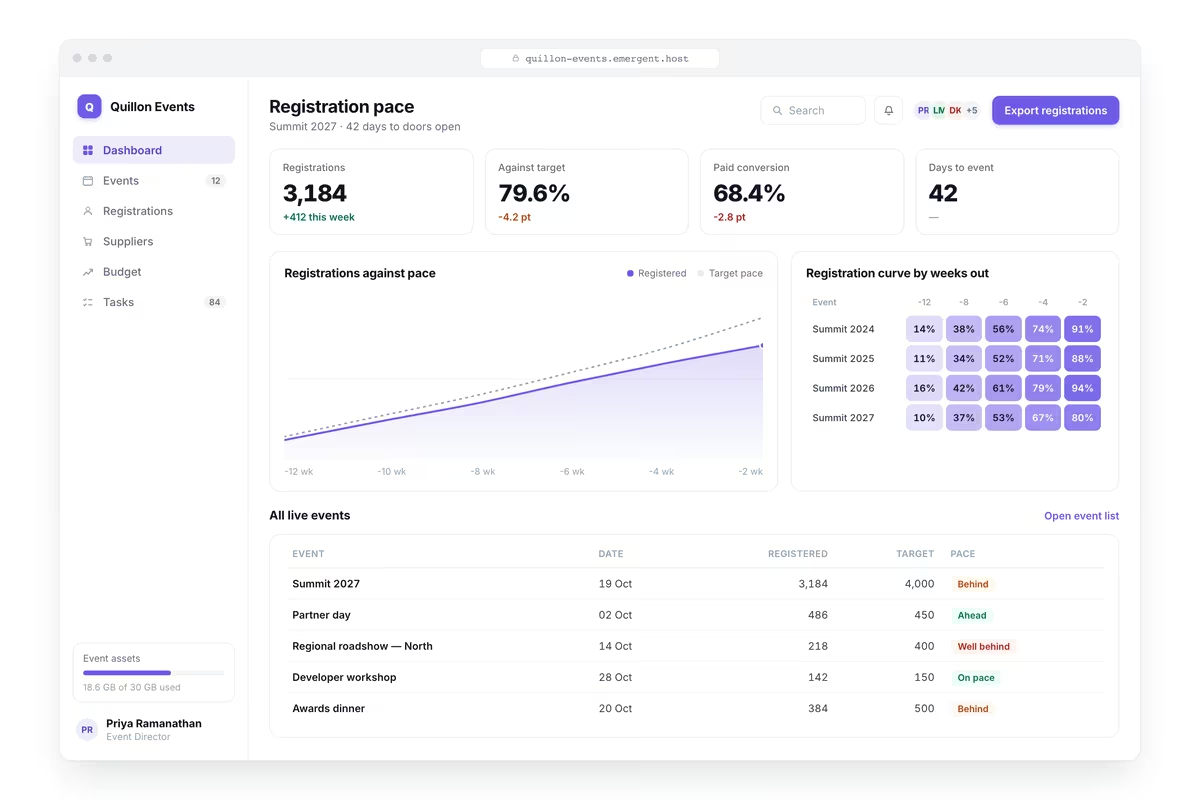
Read the Pace against Previous Events
Registrations or tickets sold against target by type and price tier, sales pace against the same point before comparable events, days remaining, revenue against target, registrations by channel and the daily rate now needed to hit the number.
window.awbMockup = { registrationPace: "Build an event dashboard showing registrations or tickets sold against target by type and price tier, sales pace against the same point before previous comparable events, days remaining until the event, revenue against target, registrations by acquisition channel, and the daily rate now needed to reach the target.", eventBudget: "Build an event budget dashboard showing committed and actual spend against budget by cost line including venue, catering, production, marketing and staffing, remaining uncommitted budget, cost lines forecast to exceed budget, cost per attendee at current registration levels, and the break even attendance figure.", supplierReadiness: "Build an event supplier dashboard listing every supplier with what they are delivering, contract and deposit status, information they still need from you, deadlines they are working to, confirmations outstanding, suppliers who have not responded recently, and the deliverables at risk if a supplier fails.", deliveryCountdown: "Build an event countdown dashboard showing every task required before the event with owner and deadline, tasks overdue and those due this week, critical path items whose delay would affect others, the run of show with responsibilities per segment, on site logistics confirmed against outstanding, and a readiness position by workstream."};
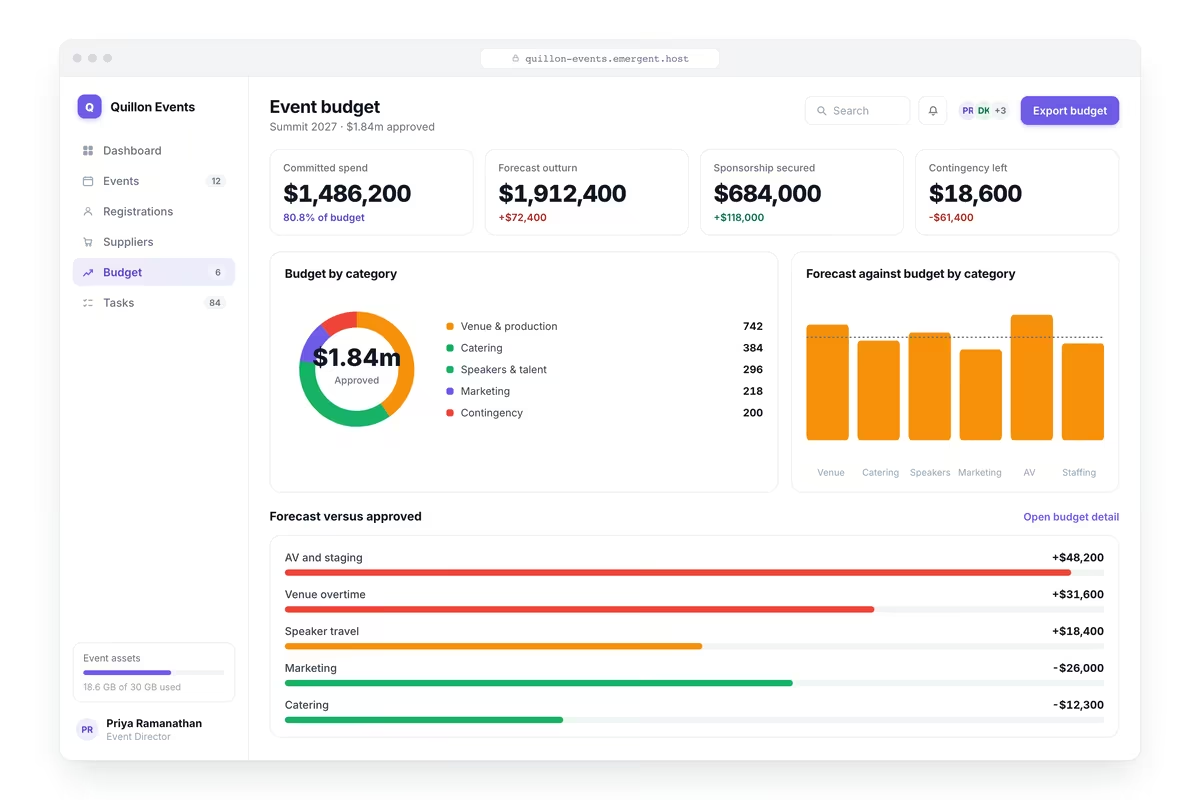
Know the Attendance That Covers Your Costs
Committed and actual spend against budget by cost line including venue, catering, production, marketing and staffing, remaining uncommitted budget, lines forecast to exceed, cost per attendee at current numbers and the break even figure.
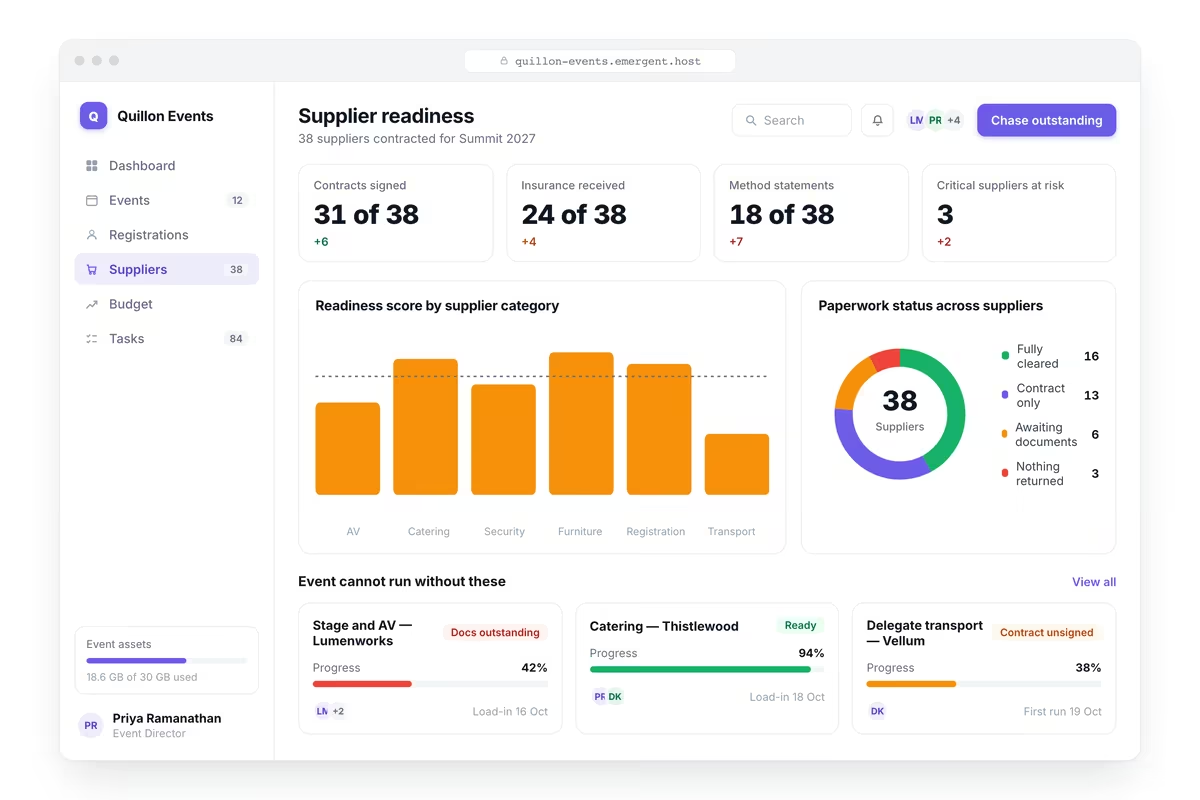
Chase the Supplier Who Has Gone Quiet
Every supplier with what they are delivering, contract and deposit status, information they still need from you, deadlines they are working to, confirmations outstanding, suppliers who have not responded recently and deliverables at risk.
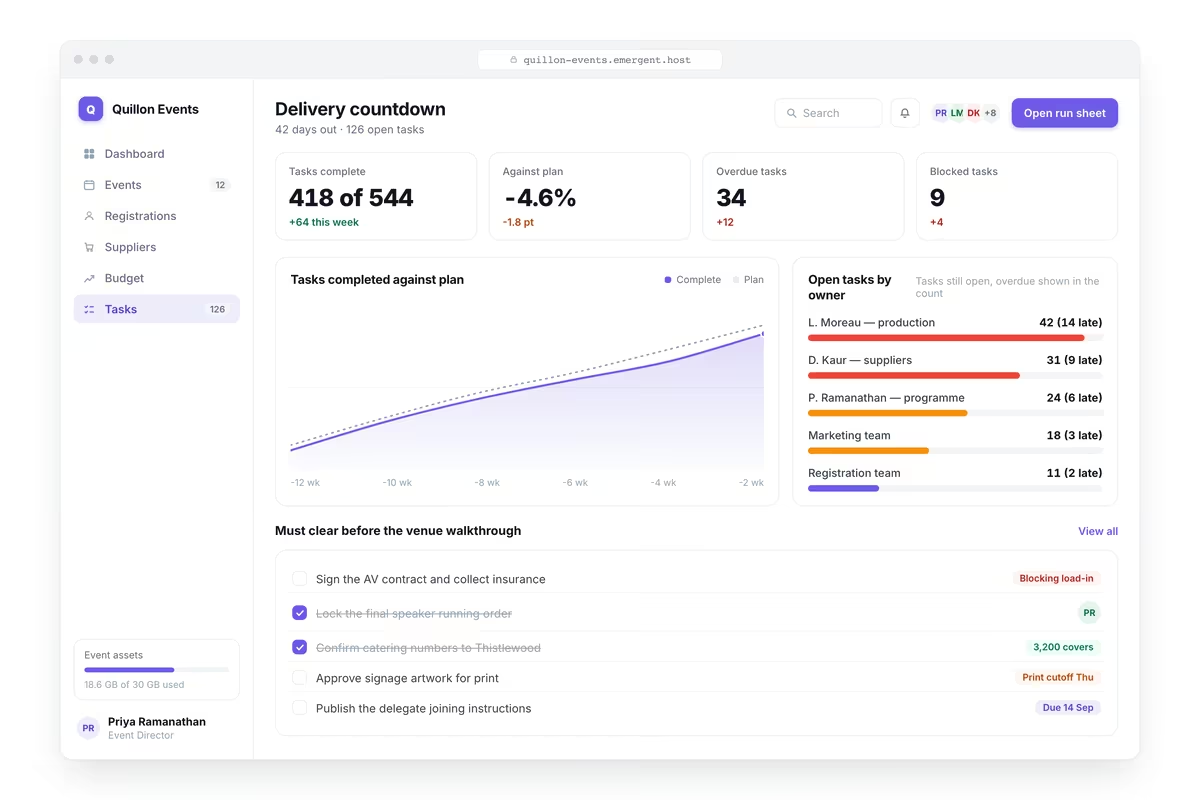
Protect the Date, Not the Longest List
Every task required before the event with owner and deadline, tasks overdue and due this week, critical path items whose delay affects others, the run of show with responsibilities per segment and readiness by workstream.
Every integration your
Dashboard needs from day one
Email and calendar
Inbox and calendar sync both ways, so every reply, meeting and no-show lands on the contact record without anyone logging it.




Messaging and support
Conversations from chat, WhatsApp and your helpdesk attach to the right contact, so sales and support see the same history.




Payments and billing
Invoices, subscriptions and payment status flow back into the deal, so revenue and pipeline stay in one place.




If it has an API, your CRM can connect to it.
Emergent builds the connection against the API itself, including internal tools your team made. No closed ecosystem, no approved-partner list, no waiting for a connector to ship.

More things you can build
with Emergent
AI Website Builder
Build and publish responsive websites with AI — from landing pages to complete websites.
AI App Builder
Create and launch mobile apps with AI, without the complexity of traditional app development.
AI Web App Builder
Build and ship fully functional web apps with custom interfaces, logic, and workflows.
AI Dashboard Builder
Create interactive dashboards to visualize data, track KPIs, and manage business operations.
AI SaaS Builder
Build complete SaaS products with user accounts, subscriptions, dashboards, and core product workflows.
AI CRM Builder
Build custom CRMs for managing contacts, leads, pipelines, campaigns, and automated workflows.
AI Agent Builder
Create AI agents that can understand tasks, use tools, automate workflows, and work across your business.
Build Your Own
Start with any idea and build exactly what you need with AI — no templates or limits.

Why choose Emergent?
Most tools give you a demo you have to rebuild. Emergent gives you a product that is ready to run.
| Comparison | Other Tools |  |
|---|---|---|
| Built for | Demos and MVPs | Products you keep growing |
| What you get | Front end shell only | Full stack, wired end to end |
| Backend and database | Set it up yourself | Built and connected for you |
| Customization | Surface level styling | Deep workflow control |
| Integrations and APIs | Manual glue work | Connected from a prompt |
| Code ownership | Locked to the platform | Clean code you can export |
| Time to launch | Weeks of patching and setup | Live the same day |

Pick the Pricing Plan That Works for You
Choose the plan that fits your building ambitions. From weekend projects to enterprise applications, we've got you covered.




Find the Right Dashboard Builder
for Your Business
Frequently Asked Questions
Your Questions, Answered
Don't change this element unless you know what you are doing
on Emergent today


