

Build a Booking Form That Only Offers Open Times
Describe what people book and who may book it. Emergent builds the booking form and the schedule behind it, hiding taken slots and collecting deposits before a date is confirmed.
Build a booking form for my repair business with 4-hour arrival windows and a service-area check.
Trusted by Builders Worldwide
Active Builders Worldwide
Apps Successfully Created
Countries Globally Reached



What a Booking Form Has to Get Right
Anyone can ask for a date and a time. The real work is making sure the time on offer is still free.
Slots drawn from your own schedule
Set opening hours and blackout dates once, plus a buffer between bookings. The slot picker reads that schedule and the bookings table, then offers only the times still free.
One slot, one booking
Hold a time the moment someone submits. When two people pick the same 3:00 PM slot, the second one sees the next open time instead, and every answer they typed stays filled in.
Questions that change with the service
Show different fields for each thing being booked. A furnace repair asks for the model number, a portrait session asks how many people are coming and a room asks nothing extra.
Deposits through your Stripe account
Connect Stripe and take a deposit or the full price before a booking confirms. An unpaid hold expires after the window you choose, and each payment is saved on its booking row.
Confirmations and reschedule links
Send a confirmation email when a booking lands and a reminder before it starts. Each message carries a link to move or cancel, and any time given up goes back into the picker.
Code that leaves with you
Publish on your own domain, which is included and runs on credits, or embed the form in a site customers already use. Paid plans export the full code to your GitHub repository.
Four Businesses, Four Kinds of Booking
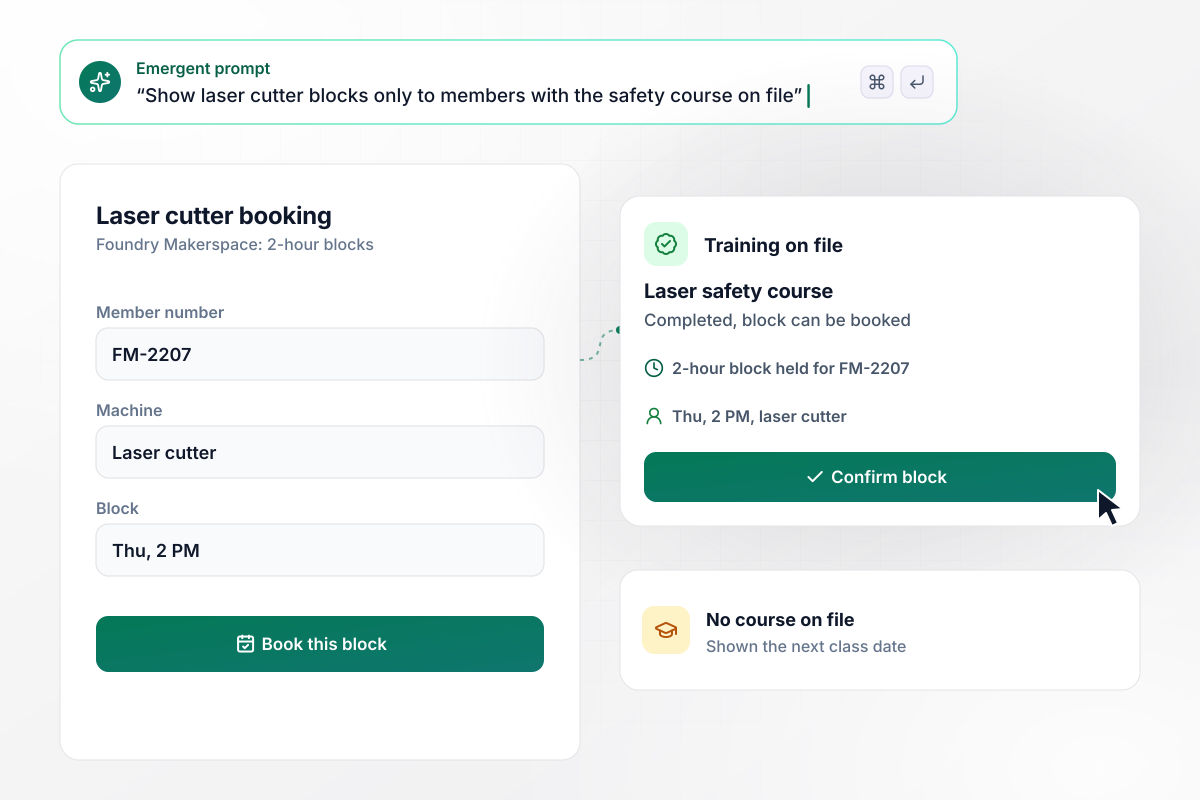
Without the safety course, no laser time
Foundry Makerspace rents its laser cutter in 2-hour blocks. Members type in a member number first, and the form checks it against the shop's training records. Those with the laser safety course on file pick from the open blocks. Anyone without it sees the next class date and a sign-up link.
window.awbMockup = { equipmentRentals: "I run Foundry Makerspace. Build a booking form for our laser cutter in 2-hour blocks. Members enter their member number first. Check it against our training records, and show open blocks only to members who have the laser safety course on file. Anyone without it should see the next class date and a sign-up link instead.", repairVisits: "My appliance repair company, Brightline, has three vans. Build a booking form with 4-hour arrival windows that each take at most three jobs. Customers enter a ZIP code and the appliance, then pick a window with room left. Hide a window once it is full. If the ZIP code is not one of the 14 we cover, show our office phone number.", photoSessions: "I'm a portrait photographer. Build a booking form where clients pick a date, a session type and a location, then pay a $150 deposit through Stripe. Hold the date for 24 hours and release it if the deposit is not paid. For a $600 family session, email a request for the $450 balance seven days before the shoot.", meetingRooms: "I manage Harbor Street Commons, a coworking space. Each desk member gets 10 meeting-room hours a month. Build a room booking form that shows each member the hours they have left. When a booking goes past the allowance, show the $25 hourly rate for the extra time before they confirm, and add the charge to their monthly account." };
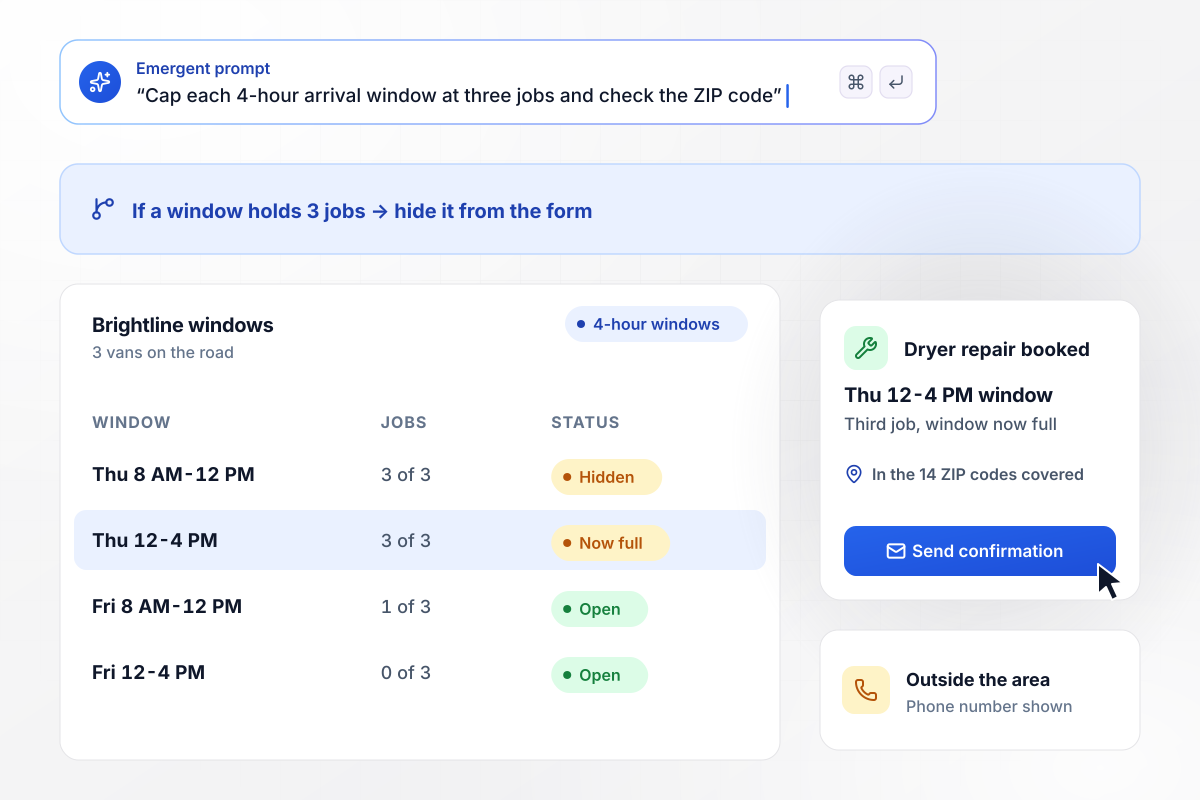
Up to three jobs in every arrival window
Brightline Appliance Repair has three vans and caps each 4-hour arrival window at three jobs. Customers enter a ZIP code and the appliance, then choose a window with room left. Full windows drop off the form. Addresses outside the 14 ZIP codes Brightline covers get the office phone number instead of a slot.
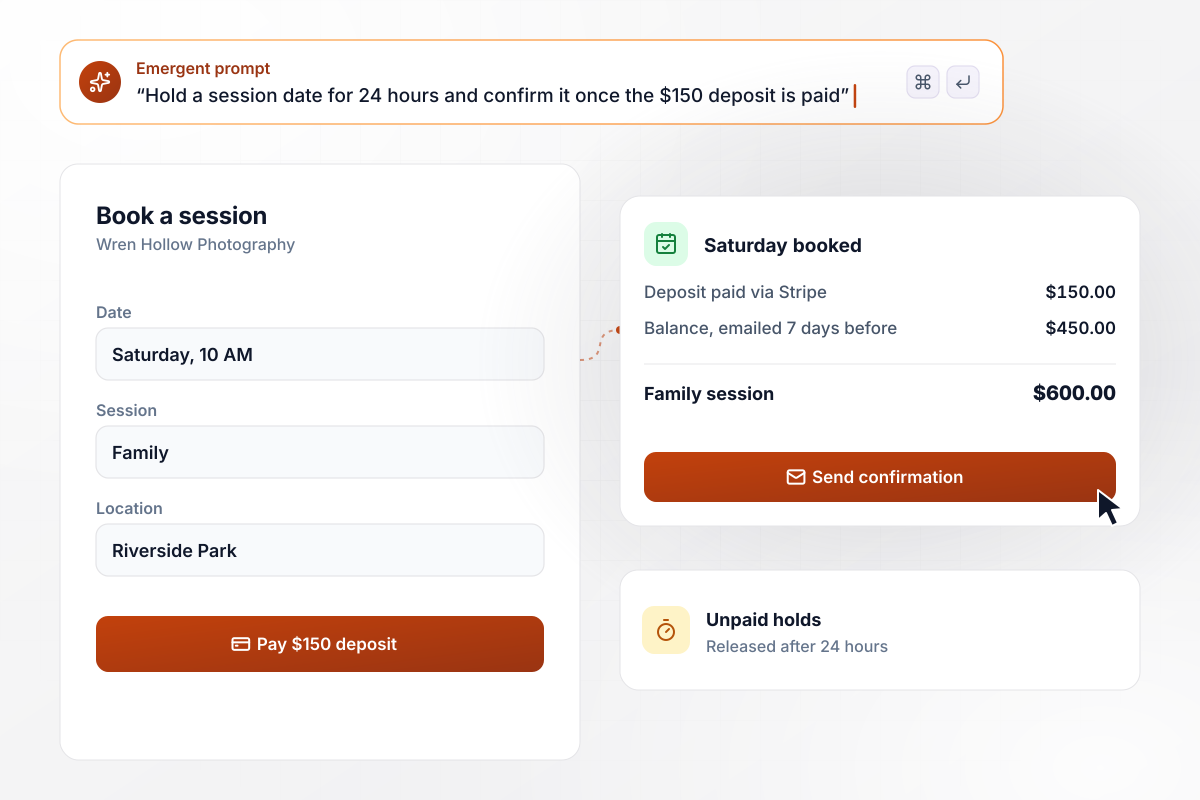
Pay $150 or the date reopens in 24 hours
Wren Hollow Photography will not hold a Saturday on a promise. Clients pick a date and a session type, then pay a $150 deposit on a Stripe checkout page. An unpaid date is released after 24 hours. For a $600 family session, the remaining $450 is requested by email seven days before the shoot.
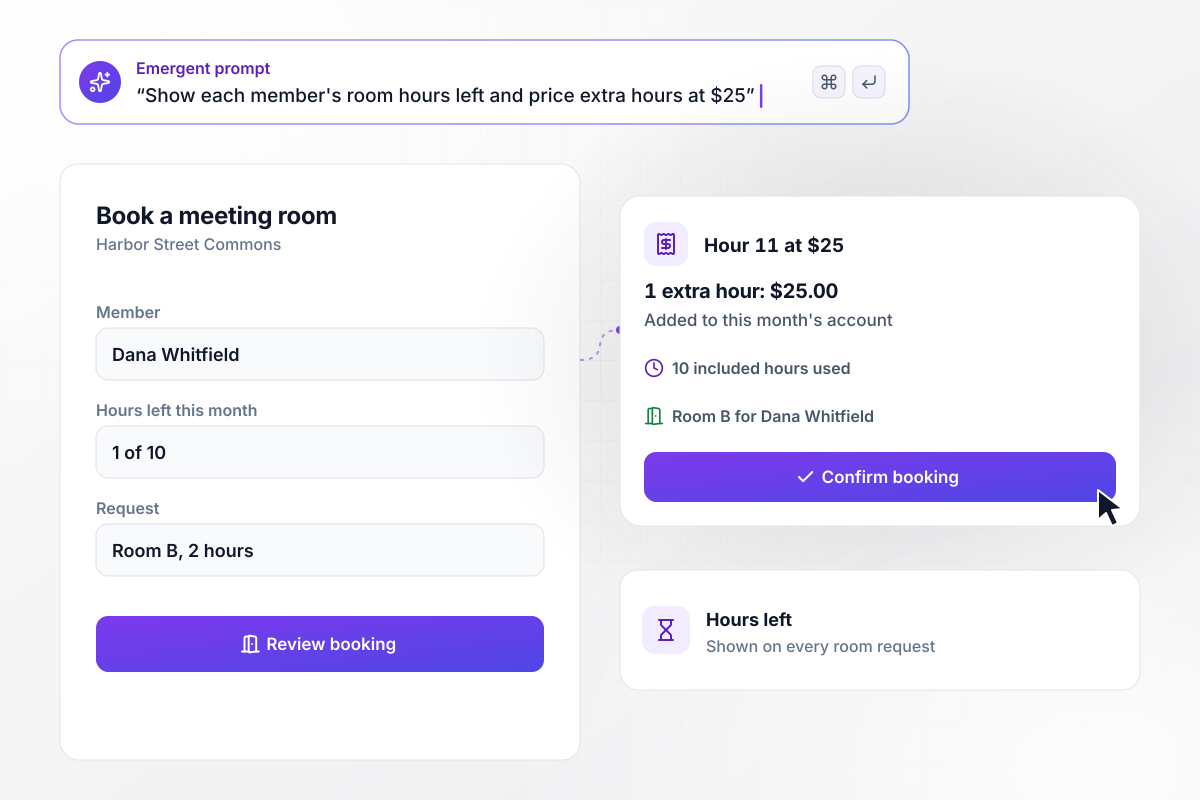
The 11th room hour shows its $25 price first
Every desk at Harbor Street Commons comes with 10 meeting-room hours a month. Each room request shows the member how many of those hours are left. Time past the allowance is priced at $25 an hour before the member confirms, and it goes on their account for the month.






How to Create a Booking Form
Work out what is scarce and who may claim it. The fields are the easy part.
Write down each thing that can be booked, whether it is a machine or a person's time. Next to each one, note how long a booking lasts and how many can run at once. Those two numbers decide every time the form can offer.
Some bookings are open to anyone. Others need a trained member or an address inside your service area. Pick the detail that proves eligibility, such as a member number or a ZIP code. The form asks for it before showing any times.
Choose whether a booking needs money up front. A deposit makes sense for work that blocks out a whole day, and a free booking suits a short call. Write down how long an unpaid hold lasts and what happens to the date afterward.
Write both emails in your own words. Tell people what to bring, where to park and how to reschedule. Pick how far ahead the reminder goes out, such as the afternoon before, and who gets a copy when a booking is canceled.
Paste your notes into Emergent in plain English. It builds the form, the availability rules and a bookings table you own. If the schedule lives in Google Calendar, ask Emergent to add each booking there through the Google Calendar API.
Book a slot on a phone the way a customer would. Then try to take that same slot from a second browser, skip the deposit and enter an address outside your area. Each attempt should fail exactly the way your notes say it should.
Put the form live on your domain, or embed it on the page where customers already look for you. Read every booking in the table for the first week. Times that fill within hours and times nobody takes show where to add availability and where to cut it.
Why Build Booking Forms With Emergent?
Template galleries hand you a date field. Emergent builds the schedule that field reads from and keeps every booking in a table you own.

|
Jotform | Typeform | Google Forms | |
|---|---|---|---|---|
| How you build | Describe it in plain English | Templates, editor, AI generator | Templates, editor, AI assist | Manual, field by field |
| Response limits | No response caps | Monthly submission caps by plan; the form stops at the cap | Monthly response caps by plan; the form closes at the cap | No limit |
| Where responses live | A database table you own, plus any integration | Jotform account | Typeform account | Google Sheets |
| Payments in the form | Through your own Stripe account | Included, metered per plan | Paid plans | No |
| Code ownership | Full code export to GitHub on paid plans | None | None | None |

Pick the Pricing Plan That Works for You
Choose the plan that fits your building ambitions. From weekend projects to enterprise applications, we've got you covered.




Find the right form
for whatever you're collecting
Frequently Asked Questions
Your Questions, Answered
Don't change this element unless you know what you are doing
More things you can build
with Emergent









on Emergent today




