

Build an Employee Information Form That Stays Current
An employee information form holds the details HR keeps on each person. Describe your team, and Emergent builds the form plus a yearly check that keeps every record current.
Build an employee information form that keeps one record per person and asks every employee to confirm it each January.
Trusted by Builders Worldwide
Active Builders Worldwide
Apps Successfully Created
Countries Globally Reached



A Staff Record That Does Not Go Stale
A signed sheet in a folder is right on the day it was filled in. Emergent's version asks again every year and routes each change.
One record per employee
Saves every answer to one row per person in a database you own, with the date each field last changed. Payroll and benefits forms later pull their details from that same row.
Yearly confirmation, pre-filled
Sends each employee their current record once a year with every answer already in place. They confirm it or edit a line, and anyone who has not replied gets an email reminder.
Changes routed to payroll
Posts each edit to a legal name or tax state to payroll as a direct message showing the old value next to the new one. Payroll applies it from the date the change takes effect.
Missing fields found and requested
Scans imported records for blank required fields and sends each affected person a short link for only what is missing. HR watches the open count drop as answers come in.
Each role sees its own fields
Shows a store manager the work phones of their own team and nothing more personal. Pay details and Social Security numbers open only for the HR and payroll roles you name.
The app's code, in your repo
Exports the full codebase to your GitHub on paid plans. An engineer can sync employee records with your payroll provider or HRIS over its API, or you describe the sync to Emergent.
Employee Information Forms in Use
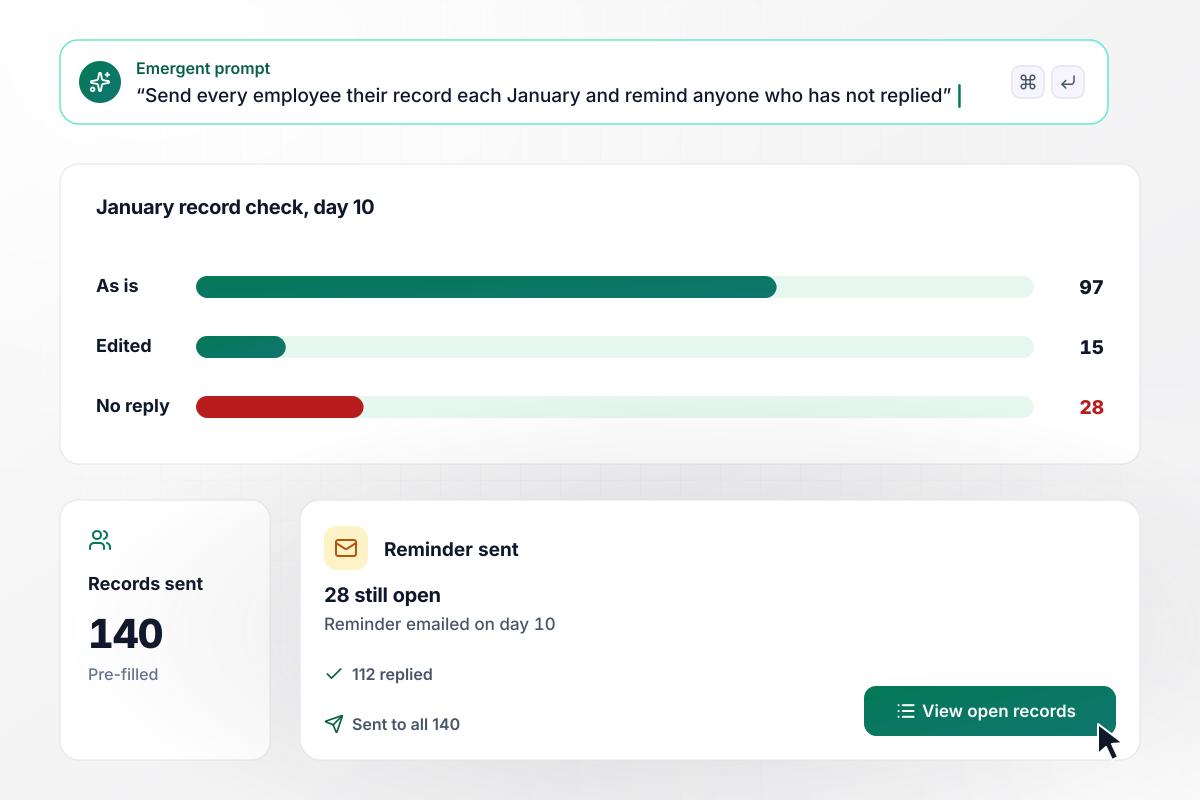
Every record sent, 112 back in ten days
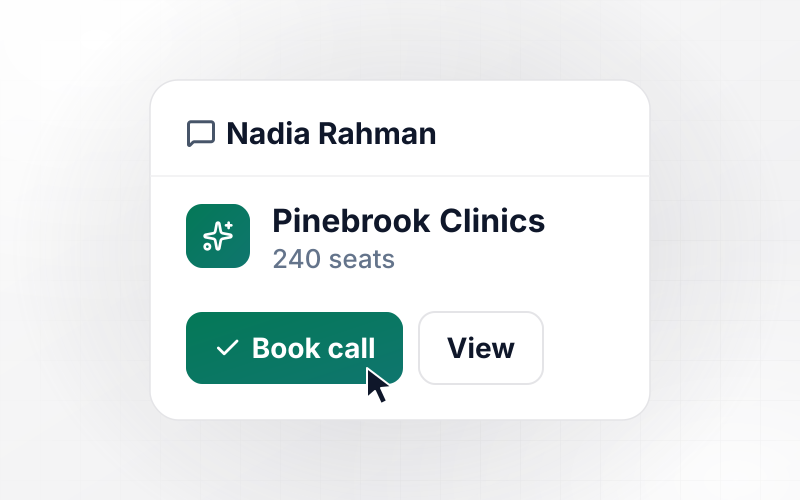
January is when the records get checked. Northwind Freight sends each of its 140 employees their own record, every field filled in from last year. Most people confirm without changing a thing, and a driver who moved in the spring fixes his address. After ten days 112 have replied, and the other 28 get an email reminder.
window.awbMockup = { annualRecordCheck: "Build an employee information form for my freight company's 140 employees. Every January, send each person their own record with last year's answers filled in, and let them confirm it or edit any field. Show me a dashboard of who has confirmed, who edited and who has not replied. Ten days after the send, email a reminder to everyone still open.", legalNameChanges: "Let my employees request a legal name change from their record. Ask for the new name and whether their Social Security card already shows it. If it does not, keep the old name in payroll until they show HR the updated card. Once HR marks the card as shown, send our payroll lead a direct message with the old and new name, and keep the old name in the record's history.", missingFields: "I am importing 86 staff records from an old spreadsheet for my dental group. Check every record for a blank home address or personal phone. For each person with a gap, send a link that asks only for the missing fields, not the whole form. Show HR how many gaps are filled and how many are still open, and let me remind the rest.", managerDirectory: "Give each store manager a directory of their own team with names, job titles and work phones. Keep date of birth, home address and Social Security number in a view only HR can open. If a manager needs a home address, let them send a request to HR with a reason, and log who asked, when and whether HR shared it." };
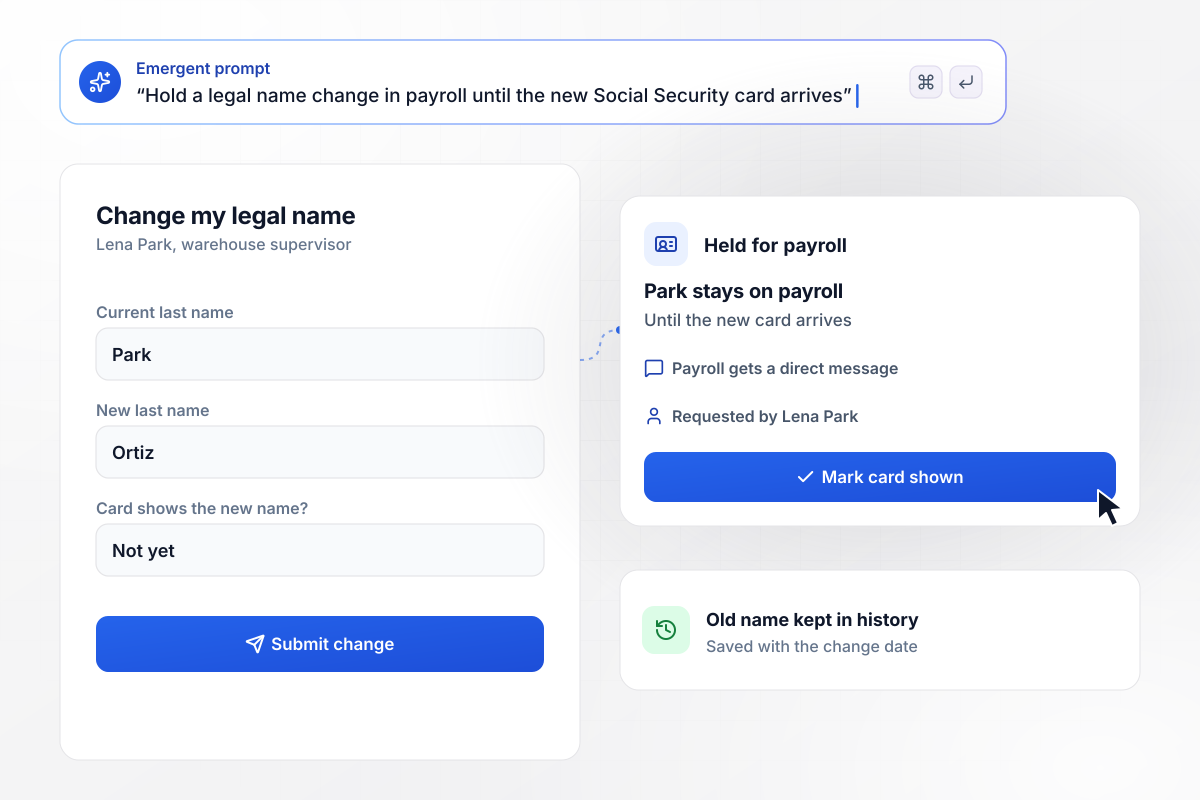
The new surname waits on a Social Security card
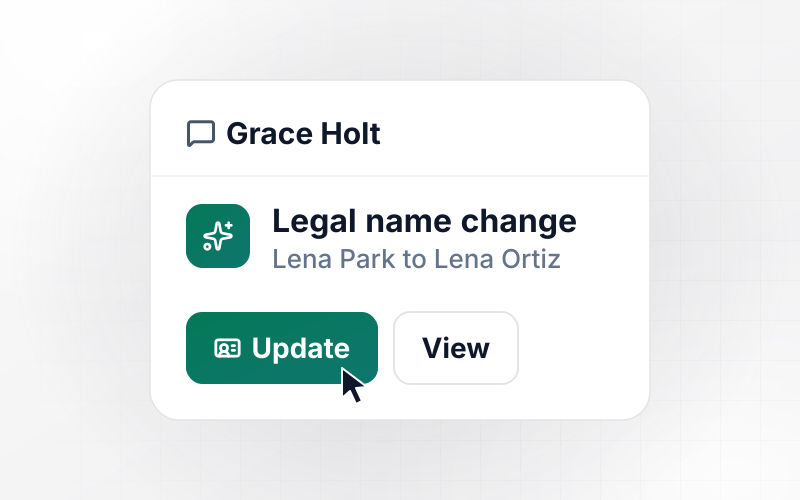
Marriage changes a surname, and payroll has to time the switch. Lena Park, a supervisor at Northwind Freight, submits her new last name, Ortiz. Her Social Security card does not show it yet, and payroll keeps Park on file until it does. Once she shows HR the new card, payroll gets a direct message to change the name.
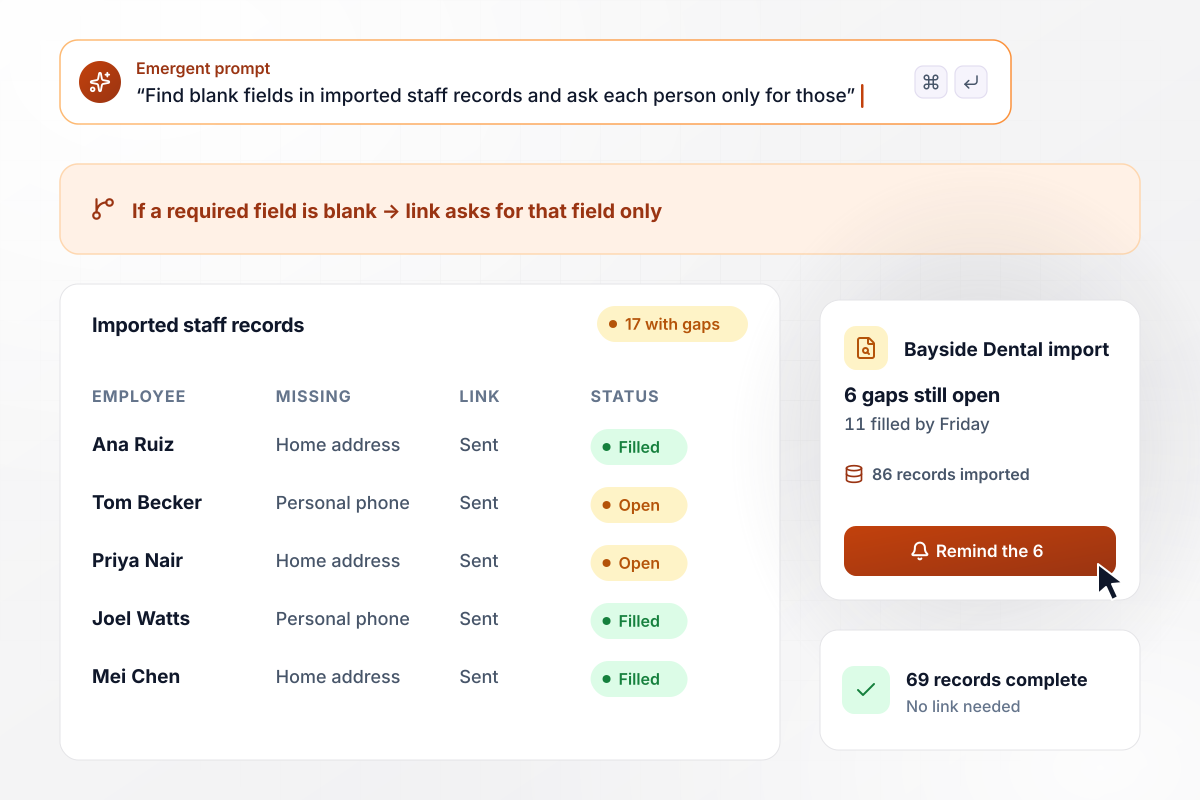
Seventeen links, each one asking for less
Old spreadsheets hide gaps. Bayside Dental moves 86 staff records into the app, and 17 come in without a home address or a personal phone. Instead of a full form, each of those people gets a link that asks only for their missing fields. By Friday 11 have filled the gap, and HR sees 6 still open.
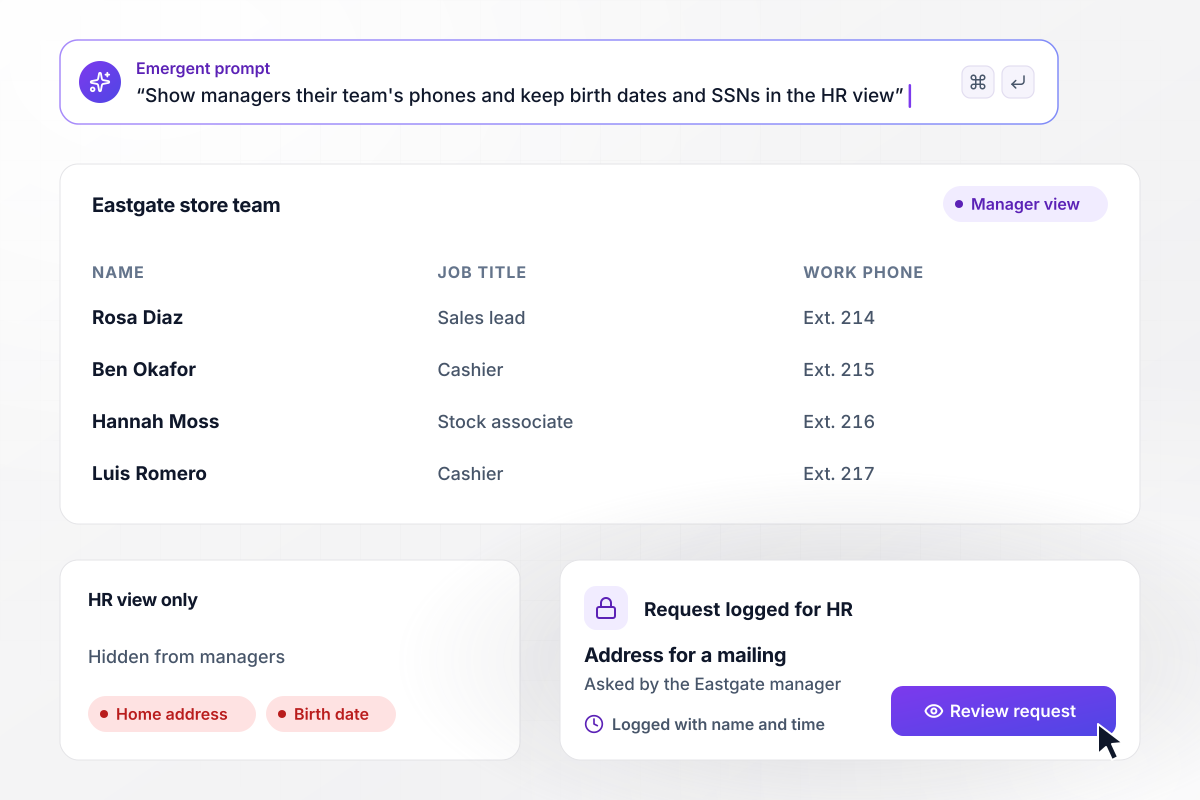
Managers see phones, and HR sees the rest
Store managers need a phone number, not a birth date. At Juniper Home Goods, each one opens a directory of their own team with a work phone beside every name. Home addresses and birth dates stay in the HR view. A manager who needs an address for a mailing asks HR, and the request is logged.






How to Make an Employee Information Form
A useful staff record starts with the people who read it. These seven steps cover what to ask, who sees each answer and how the record stays current.
Payroll is the strictest reader of the form. Ask for the legal name as printed on the Social Security card, with a separate field for the name the person goes by. Every other field serves HR or a manager. Add one only when someone will use it.
Group the questions under personal details, contact details, job details and emergency contacts. One section per screen keeps the form short on a phone, and HR can later resend a single section when only that part needs an update.
Flag the Social Security number, birth date and home address as HR-only before anyone fills the form in. Decide now which roles see which fields, because pulling a detail back after it has been shared widely is hard.
Pre-fill the job title, reporting line and start date from your own HR records, then let each employee check them. People spot a wrong title in seconds, and nobody has to retype facts HR already holds.
Let employees change their own contact details and emergency contacts directly. A new job title or pay rate goes through HR instead, because it comes from a decision someone else made, not from the employee.
Choose a quiet month, away from open enrollment and year-end payroll. Give people a deadline of about two weeks and send one reminder before it. Anyone still unconfirmed after the deadline goes on a short follow-up list for HR.
Send a new home address to payroll and a new phone number to the manager. Keep each old value with the date it changed. A returned letter or a W-2 mailed to the wrong address can then be traced.
Why Build Staff Records With Emergent?
Each employee's details, every change to them and who approved it sit in one app, on a database you own.

|
Jotform | Google Forms | Typeform | |
|---|---|---|---|---|
| How you build | Describe it in plain English | Templates, editor, AI generator | Manual, field by field | Templates, editor, AI assist |
| Where responses live | A database table you own, plus any integration | Jotform account | Google Sheets | Typeform account |
| Response limits | No response caps | Monthly submission caps by plan; the form stops at the cap | No limit | Monthly response caps by plan; the form closes at the cap |
| Code ownership | Full code export to GitHub on paid plans | None | None | None |

Pick the Pricing Plan That Works for You
Choose the plan that fits your building ambitions. From weekend projects to enterprise applications, we've got you covered.




Find the right form
for whatever you're collecting
Frequently Asked Questions
Your Questions, Answered
Don't change this element unless you know what you are doing
More things you can build
with Emergent









on Emergent today




