

Build a Feedback Form Someone Acts On
A feedback form collects a rating and a comment about one experience. Describe yours, and Emergent builds it with alerts for low scores and a database you own.
Build a feedback form that asks customers for a star rating and alerts me to low scores.
Trusted by Builders Worldwide
Active Builders Worldwide
Apps Successfully Created
Countries Globally Reached



What a Feedback Form Should Do After Submit
A template stops at the submit button. Emergent's version reads each answer and sends it to whoever can act on it.
Star ratings with a follow-up question
Asks for a star rating, then shows a follow-up question that depends on the score. A 5-star answer is asked what went well, and a 2-star answer is asked what went wrong.
Low scores routed to one owner
Sends a Slack or email alert to the owner of that order when a rating falls below the line you set. The alert carries the score and the comment, with a link back to the order.
One question per screen on phones
Shows one question at a time on a phone, with the rating first and the comment box last. Required fields stay few, and anything optional is clearly marked as optional.
A link and QR code per location
Creates a separate link for each store or event, plus a QR code you can print for the front counter. Each response records which link it came from without asking anyone.
Responses in a database you own
Saves every response as a row in your own database, tagged with the date and the source. Filter a quarter of comments by location, or export them for the monthly review.
Take the code with you
Exports the whole app to your GitHub on paid plans. An engineer can connect it to your CRM through its API and extend it, or you can describe the change and let Emergent write it.
Feedback Forms by Who Is Answering
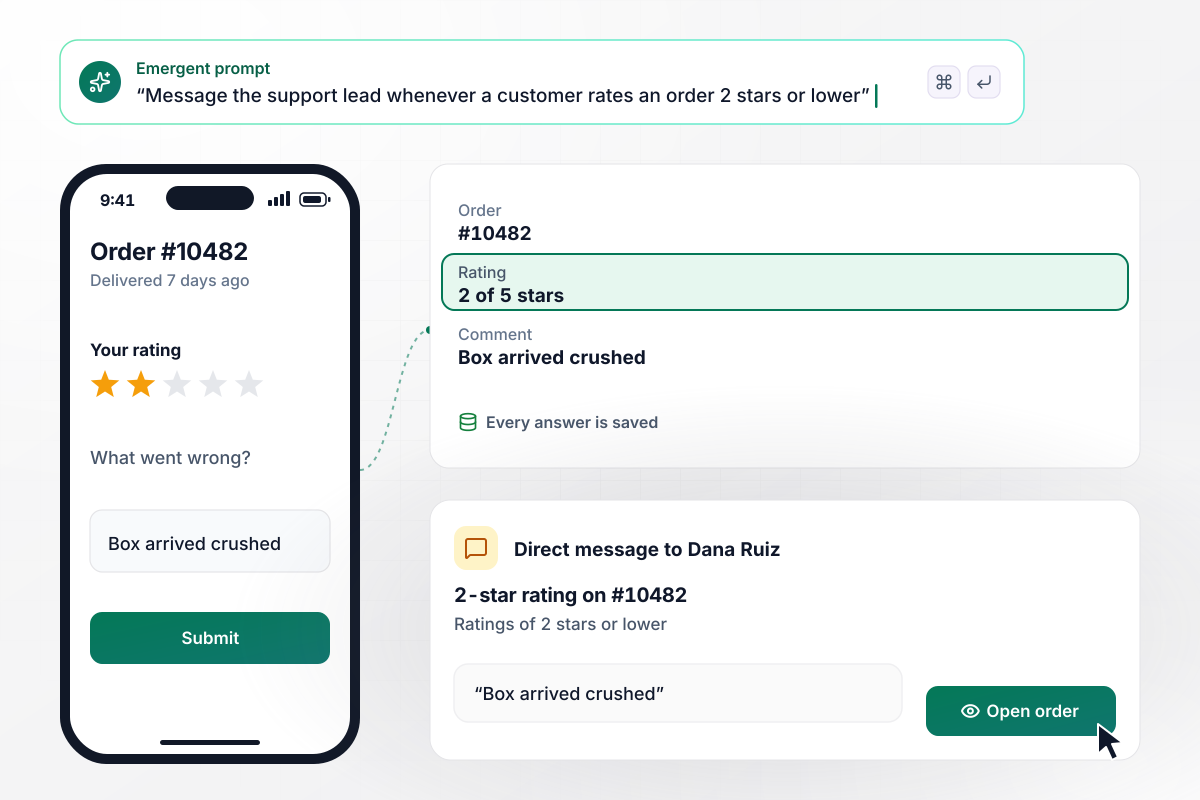
Two stars or fewer go straight to the support lead
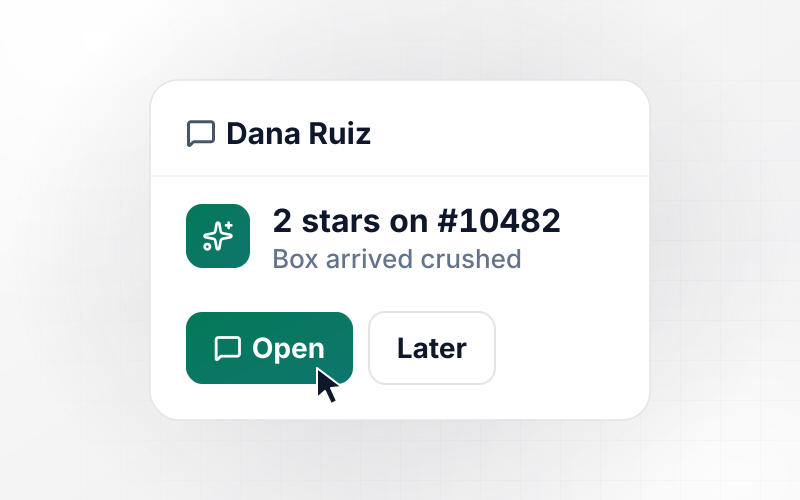
A 2-star rating is worth more today than in next month's report. Seven days after delivery, the customer gets a form with a star rating and a comment box. Any rating of 2 stars or lower sends the support lead a direct message with the order and the comment. Every answer is saved to the orders database.
window.awbMockup = { customerFeedback: "Build a customer feedback form for my online store. Seven days after an order is delivered, email the customer a short form with a 1 to 5 star rating and an optional comment box. If the rating is 2 stars or lower, send our support lead Dana a Slack direct message with the order number, the rating and the comment. Save every answer to the orders database.", openHouseFeedback: "Make an open house feedback form for my real estate listings. Visitors scan a QR code at the door and answer 3 questions on their phone: what they think of the asking price, the condition of the home and whether they are interested. Count the answers per listing and build a report I can send the seller after each open house.", presentationFeedback: "Create a feedback form for the workshops I run. Attendees rate clarity, pacing and usefulness on a 1 to 5 scale and can leave a comment. Close the form at the end of the day, then show me the average score for each question with the lowest one first, along with the comments for that question.", patientFeedback: "Set up a patient feedback form for our clinics. Two hours after each visit, email the patient a form asking how long they waited and how the staff treated them. If someone reports a wait over 30 minutes, flag the visit to the practice manager for that location with the patient's comment. Keep every answer in our database." };
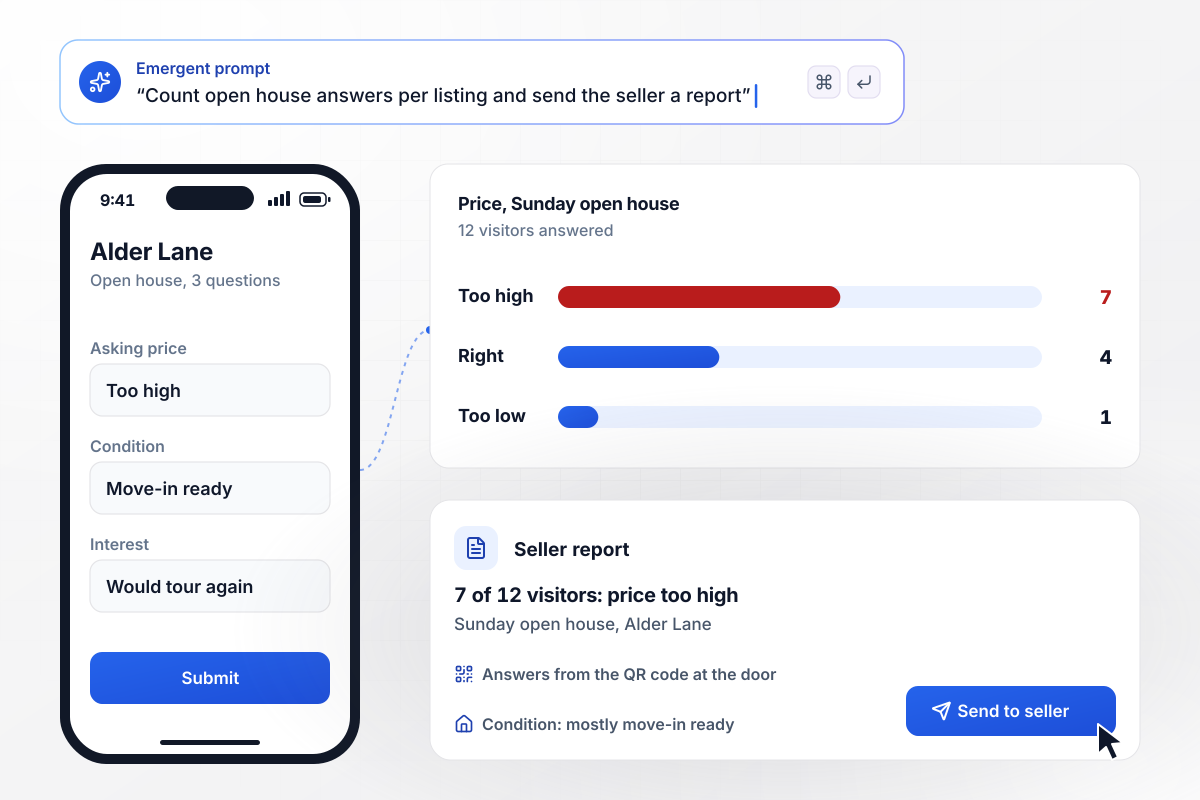
One seller report from every visitor's answers
Sellers want to know what visitors thought of the price, not only how many came. A QR code at the door opens a form with 3 questions on the visitor's phone: price, condition, and interest. Answers add up per listing. The Sunday report showed the seller that 7 of 12 visitors found the asking price too high.
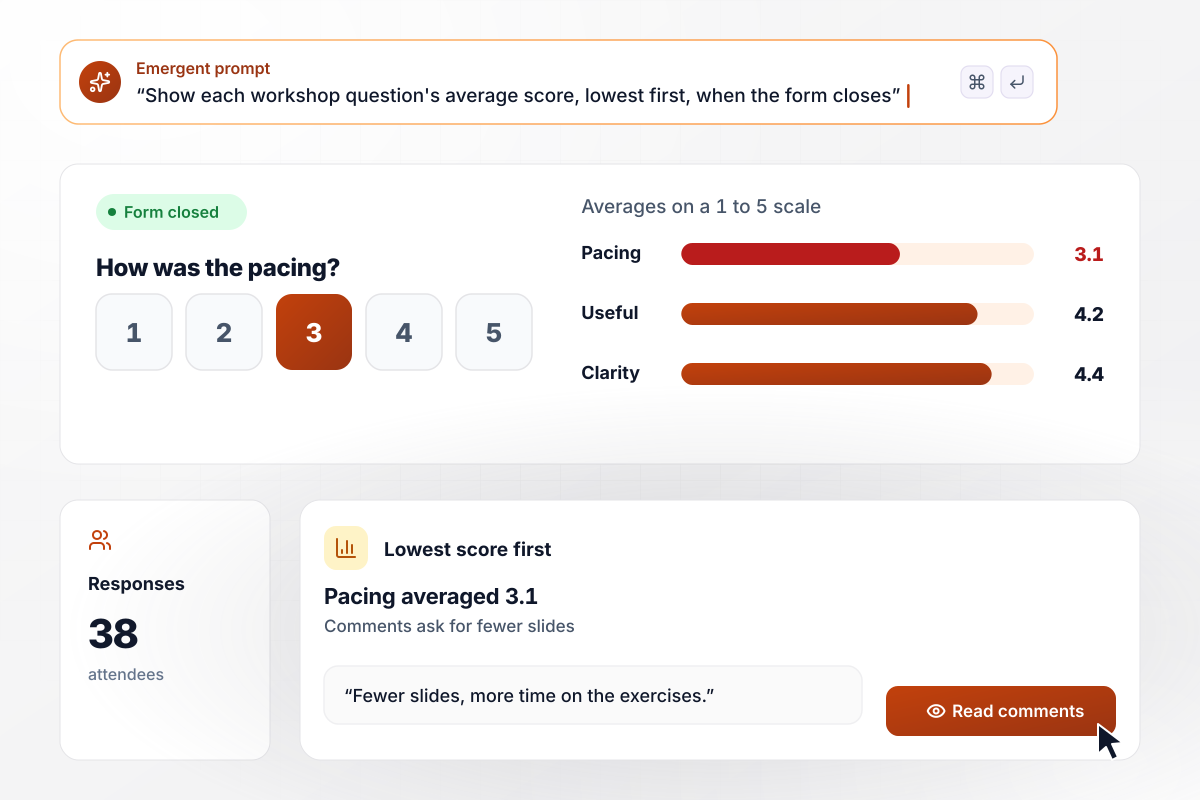
Session scores by question, weakest first
A speaker improves fastest when the scores point at one thing to change. Attendees rate a workshop on clarity, pacing and usefulness, each on a 1 to 5 scale. When the form closes, the speaker sees the average for each question, lowest first. Pacing came in at 3.1, with comments asking for fewer slides.
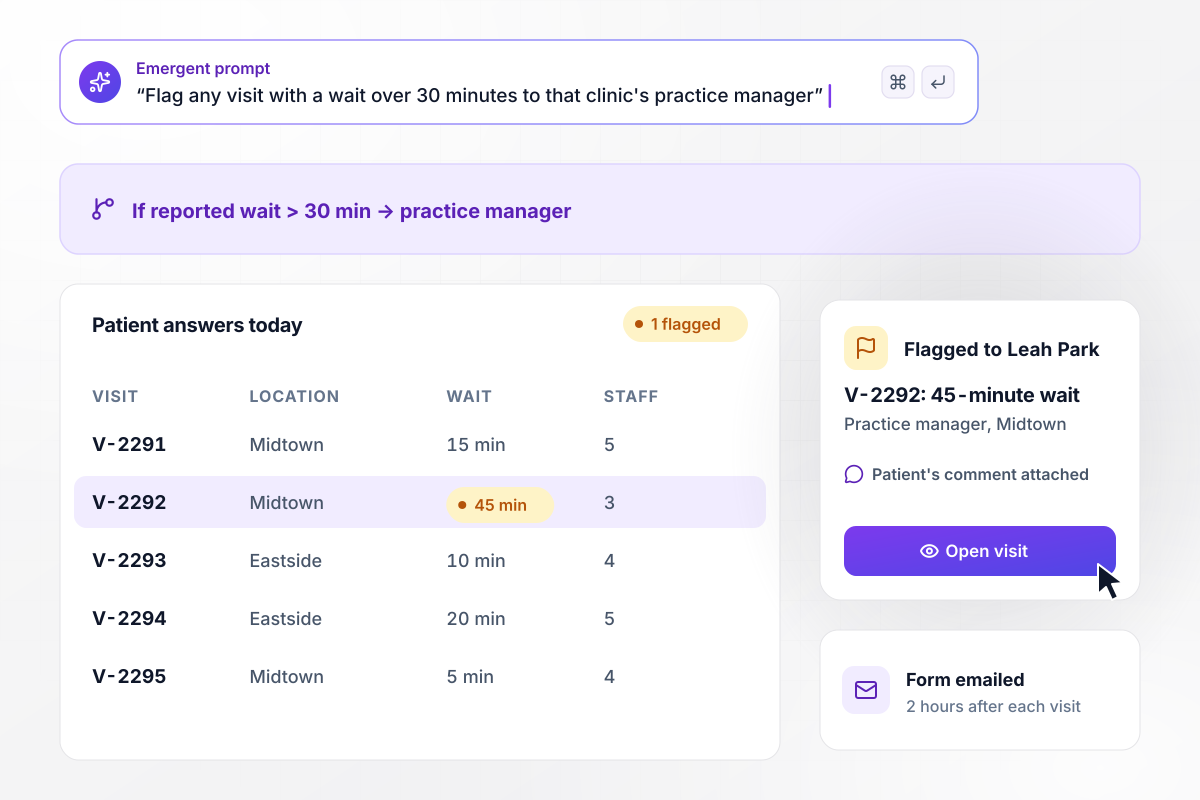
A flag for any wait over 30 minutes
Long waits are a complaint a clinic can fix once someone sees them by location. Two hours after a visit, the patient gets an emailed form about the wait and the staff. Any reported wait over 30 minutes flags the visit to the practice manager for that location, with the patient's comment attached.






How to Create a Feedback Form
Good feedback forms are short, sent at the right moment and read by someone who can act. Seven steps, in the order you will meet them.
Name the decision the form should inform before writing a question: a delivery partner, a support script, a speaker's next talk. A form with no decision behind it collects opinions that sit unread. Write that decision at the top of your draft.
Use 1 to 5 stars for satisfaction with one order or visit. Use 0 to 10 when you ask how likely someone is to recommend you, the Net Promoter Score question. Label both ends of the scale so every person reads them the same way.
One rating, one or two questions about the part you can change and one comment box cover most needs. Delete any question whose answer you would not act on. Make the comment box optional and put it last, after the rating.
Show a different second question to happy and unhappy people. Ask a 5-star customer what stood out, and ask a 2-star customer what went wrong. The low-score answers are the ones a team can act on the same week.
Time the form to the experience: when a support ticket closes, a week after delivery, as a session ends, a couple of hours after an appointment. Fill in the order or visit from the link; nobody should have to type a reference number.
Pick the person who handles each low rating and send it to them directly, with the score and the comment. A shared inbox lets everyone assume someone else replied. Track how long each low score waits before somebody responds.
Reply to anyone who left a low score and a comment, and tell them what changed. Once a month, read the comments by location or event and look for repeats. A problem named in ten comments deserves a fix.
Why Build Feedback Forms With Emergent?
Every rating and the alert it triggers live in one app, in a database you can query.

|
Jotform | Google Forms | Typeform | |
|---|---|---|---|---|
| How you build | Describe it in plain English | Templates, editor, AI generator | Manual, field by field | Templates, editor, AI assist |
| Response limits | No response caps | Monthly submission caps by plan; the form stops at the cap | No limit | Monthly response caps by plan; the form closes at the cap |
| Where responses live | A database table you own, plus any integration | Jotform account | Google Sheets | Typeform account |
| Code ownership | Full code export to GitHub on paid plans | None | None | None |

Pick the Pricing Plan That Works for You
Choose the plan that fits your building ambitions. From weekend projects to enterprise applications, we've got you covered.




Find the right form
for whatever you're collecting

Frequently Asked Questions
Your Questions, Answered
Don't change this element unless you know what you are doing
More things you can build
with Emergent









on Emergent today




